You run a campaign, check your ad platform, then open your CRM or analytics tool, and the numbers simply do not match. Sound familiar? Attribution discrepancies are one of the most frustrating problems in B2B SaaS marketing, and they are far more costly than most teams realize.
When your attribution data is off, you risk cutting channels that are actually driving pipeline, scaling campaigns that are not performing, and losing confidence in your entire marketing reporting stack. Budget decisions made on conflicting data are not just inefficient, they can actively set your growth back.
The good news is that attribution discrepancies are fixable. They almost always trace back to a small set of root causes: broken tracking, mismatched attribution windows, duplicate conversion events, or gaps in your data pipeline. Once you know where to look, you can resolve them systematically.
This guide walks you through a clear, sequential process to diagnose and fix attribution discrepancies in your B2B SaaS marketing stack. Whether you are dealing with a mismatch between Google Ads and GA4, a gap between your ad platforms and your CRM, or conversions that simply disappear between touchpoints, these steps will help you get to a single source of truth.
By the end, you will have a clean, reliable attribution setup that accurately connects your ad spend to pipeline and revenue, so your team can make confident, data-driven decisions instead of educated guesses.
Step 1: Identify Where the Discrepancy Actually Lives
Before you touch a single setting or pixel, you need to know exactly what you are dealing with. Jumping straight into fixes without diagnosing the problem first is how teams waste hours chasing the wrong issue.
Start by pulling data from every system in your stack side by side: your ad platforms (Meta, Google Ads, LinkedIn), your analytics tool (GA4 or equivalent), and your CRM. Use the same date range and look at the same conversion event across all of them. A simple spreadsheet works perfectly here.
What you are looking for is the specific gap. Which two systems disagree? By how much? For which event? A mismatch between Meta Ads and GA4 is a very different problem than a mismatch between GA4 and your CRM, and each points to a different root cause.
Once you have the raw numbers, calculate the discrepancy as a percentage difference rather than an absolute number. This helps you understand the severity and also makes it easier to track improvement over time. A 5% variance might be acceptable noise. A 40% variance is a structural problem that needs urgent attention.
Next, look at the pattern over time. Pull data for the past four to eight weeks and check whether the discrepancy is consistent or sporadic. A consistent gap suggests a structural issue, such as an attribution window mismatch or a missing integration. A sporadic gap often points to an intermittent tracking failure, like a pixel that stops firing when certain browsers or devices are used.
There are four common discrepancy types to watch for as you do this audit. The first is ad platform versus analytics tool, where the platform reports more conversions than your analytics tool records. The second is analytics tool versus CRM, where tracked events do not translate into CRM records. The third is cross-channel double-counting, where the sum of all ad platform conversions far exceeds your actual conversion count. The fourth is attribution window mismatches, where the same conversion appears in different reporting periods depending on which platform you check.
Success indicator: You have a clear written record of which systems disagree, by how much, and for which specific events. This document becomes your diagnostic baseline for every step that follows.
Step 2: Audit Your Tracking Implementation
Most attribution discrepancies have a tracking problem at their core. Before you can trust any of your data, you need to verify that your tracking is actually working the way you think it is.
Start with your base pixels and tags. Open your highest-traffic landing pages and thank-you pages in a browser, then use the browser's developer tools or a tag auditing extension to confirm that your pixels are firing correctly. Pay special attention to your post-conversion pages, because a pixel that fires on the landing page but not on the thank-you page will completely miss your most valuable conversions.
Next, check your UTM parameters. UTMs are the backbone of source attribution, and they are surprisingly fragile. Trace a test click from an ad through to your landing page and confirm that the UTM values arrive intact. Common failure points include URL redirects that strip parameters, landing page builders that rewrite URLs, and A/B testing tools that do not preserve UTMs when serving variant pages.
Duplicate conversion events are one of the most common causes of inflated ad platform data, and they are easy to miss. A thank-you page that loads twice, a form confirmation that fires on both submission and page refresh, or a pixel that is installed in two places can all cause a single user action to register as multiple conversions. Use your browser developer tools to watch for events firing more than once during a single session.
If you have server-side tracking in place, this is where deduplication becomes critical. Conversion API events from Meta CAPI or Google Enhanced Conversions should be sending a unique event ID with every conversion signal. This ID tells the platform that a browser-side pixel event and a server-side API event represent the same conversion, not two separate ones. If your server-side events are not passing unique event IDs, you are almost certainly inflating your conversion counts.
For B2B SaaS specifically, pay close attention to your highest-value conversion points: demo request forms, free trial sign-ups, and contact forms. These are the events that feed your pipeline data, and a broken pixel on any of them creates a blind spot in your attribution. Test each one manually and confirm that the conversion event fires exactly once and that all associated data, including UTM parameters and user identifiers, is captured correctly.
Success indicator: Every conversion event fires exactly once per user action, UTM parameters arrive intact from ad click through to conversion page, and no pages in your funnel are missing tracking coverage. A well-structured attribution tracking setup ensures this coverage is systematic rather than accidental.
Step 3: Align Attribution Windows Across All Platforms
Here is a scenario that catches many B2B SaaS marketers off guard. You are looking at the same campaign in Meta Ads and in GA4, and the conversion counts are dramatically different. Your tracking is working perfectly. The problem is not broken pixels. It is that each platform is measuring conversions using a completely different time window.
Meta's default attribution window credits conversions that happen within seven days of a click and one day of a view. Google Ads may use a 30-day click window. Your analytics tool might use last-click attribution with a session-based model. When a user clicks your ad on a Monday and converts the following Thursday, Meta counts it, GA4 may or may not count it depending on session logic, and your CRM records it on Thursday with no connection to the original click at all.
The fix starts with documentation. Go into every platform in your stack and record the default attribution window settings. Note whether each platform uses click-through windows, view-through windows, or both. Note whether the window is measured from the last click or the first click. This documentation exercise alone often reveals why your numbers have been diverging.
Standardizing windows across platforms is ideal but not always possible since each platform has its own constraints. What you can do is establish a consistent comparison standard. When you pull cross-platform reports, always use the same window setting in each platform, and document which window you used so your comparisons are apples-to-apples.
For B2B SaaS with longer sales cycles, your attribution window choices carry extra weight. If your average time from first touch to demo request is 14 days, a seven-day click window in Meta will systematically undercount conversions. Your window settings should reflect your actual buying cycle length, not just the platform defaults.
Pull your internal data on average time from first touch to conversion. If you do not have this data yet, that is a signal that your attribution challenges in marketing analytics need more work, and the steps that follow will help you get there. Use this information to set windows that actually capture the conversions your campaigns are driving.
Success indicator: You have a documented record of attribution window settings across every platform in your stack, and your team uses a consistent window standard when pulling cross-platform comparison data.
Step 4: Resolve Cross-Channel Double-Counting
If you have ever added up conversions across all your ad platforms and gotten a total that seems impossibly high, you have experienced double-counting. This happens because each ad platform operates independently and claims full credit for every conversion it can associate with one of its touchpoints. A user who clicked a Google ad, then a LinkedIn ad, then a Meta ad before converting will show up as a conversion in all three platforms simultaneously.
This is not a bug. It is how ad platforms are designed. But it means that summing conversions across platforms gives you a wildly inflated number that has no relationship to your actual conversion volume.
The fix starts with establishing one authoritative conversion source. For most B2B SaaS teams, this should be your CRM or a dedicated attribution platform, not the sum of ad platform reports. Your CRM knows exactly how many leads, opportunities, and closed deals you have. That is your ground truth, and every other number should be understood relative to it.
On the technical side, deduplication logic in your server-side events is essential. Every conversion signal you send to an ad platform via Conversion API should include a unique event ID. This ID allows the platform to recognize when it has already received a signal for the same conversion and avoid counting it twice. Without this, server-side and browser-side events for the same conversion stack up as separate conversions.
Multi-touch journeys require a neutral attribution layer to handle fairly. When a user touches Google, LinkedIn, and Meta before converting, each platform will claim the conversion using its own logic. The only way to get an accurate picture of how credit should be distributed across those touchpoints is to use an cross-channel attribution platform that sits above all three, sees the complete journey, and applies a consistent attribution model.
Multi-touch attribution models, including linear, time decay, position-based, and data-driven approaches, each distribute credit differently across the customer journey. Any of them will give you a more accurate picture than the sum of platform-reported last-click conversions. The right model depends on your business, but the key is that it comes from a neutral source rather than from platforms that each have an incentive to claim as much credit as possible.
Success indicator: Your total attributed conversions from your attribution platform aligns closely with your CRM conversion count, with no systematic inflation from multi-platform claiming.
Step 5: Close the Gap Between Ad Data and CRM Data
For B2B SaaS marketers, this is the discrepancy that matters most. You can have perfectly clean ad platform data and still have no idea which campaigns are actually driving pipeline and revenue if your ad data and CRM data are not connected.
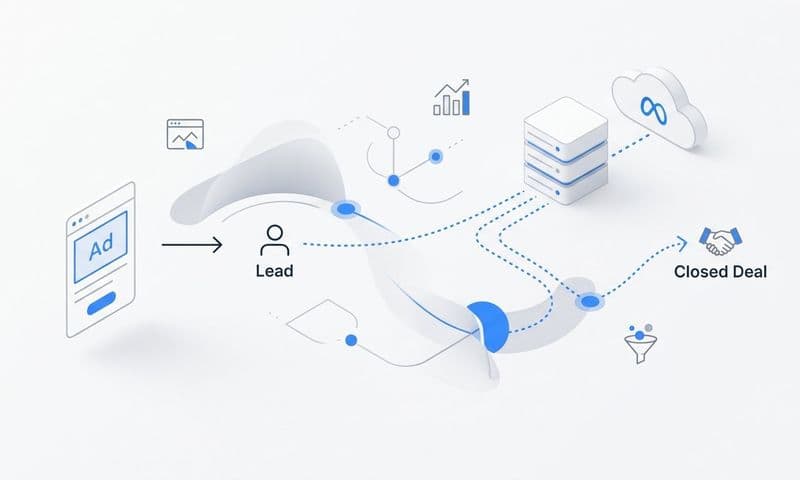
Start by mapping every data handoff in your funnel. Trace the journey from ad click to landing page, from landing page to form submission, from form submission to CRM record creation, from lead to opportunity, and from opportunity to closed-won. At each handoff, ask a simple question: does the attribution data travel with the record?
The most common break point is the form level. Many B2B SaaS teams use landing page builders or form tools that do not automatically pass UTM parameters into hidden form fields and then into the CRM. The result is a CRM full of leads with no source data attached. You know you got a lead. You have no idea which campaign, ad set, or ad drove it.
To fix this, configure your forms to capture UTM parameters as hidden fields. Most form tools support this with a small amount of JavaScript or built-in UTM capture functionality. Map those hidden fields to source, medium, campaign, and ad ID fields in your CRM so every lead record carries its full attribution data from the moment it is created.
Once your lead-level attribution data is clean, the next step is connecting revenue back to your ad platforms. This is where offline conversion syncing becomes powerful. When a lead progresses to a qualified opportunity or closes as a won deal in your CRM, that event can be sent back to your ad platforms as an offline conversion signal. This tells Google, Meta, and LinkedIn which of their campaigns drove actual revenue, not just form fills, and it allows their optimization algorithms to learn from your best customers.
This closed-loop connection between CRM revenue data and ad platform signals is what separates B2B SaaS teams that scale efficiently from those that optimize for the wrong metrics. Understanding B2B revenue attribution software options can help you implement this connection without building custom integrations from scratch.
Success indicator: You can trace a closed-won deal in your CRM back to the specific campaign, ad set, and ad that drove the first or key touchpoint, and your pipeline data is informing ad platform optimization.
Step 6: Implement a Single Source of Truth with a Dedicated Attribution Platform
Here is the honest reality of trying to fix attribution discrepancies by working within individual ad platforms: it is a losing battle. Meta, Google, and LinkedIn are each incentivized to claim as much credit as possible for your conversions. Their attribution logic is designed to make their platform look as valuable as possible. No amount of window alignment or pixel auditing will change that structural bias.
The only way to get a genuinely neutral view of your marketing performance is to implement a dedicated attribution platform that sits above all your channels and applies consistent logic across all of them.
A platform like Cometly connects your ad platforms, CRM, and website tracking in one place. Instead of toggling between Meta Ads Manager, Google Ads, LinkedIn Campaign Manager, and your CRM and trying to reconcile four different sets of numbers, you have one dashboard where all of that data converges. Every channel, every touchpoint, every conversion, and every revenue outcome is visible in a single unified view.
Multi-touch attribution models available within a dedicated platform let you move beyond the distortions of last-click or first-click defaults. You can see how credit distributes across the full customer journey and understand which touchpoints are genuinely contributing to conversion, not just which one happened to be last. Reviewing a comparison of attribution models can help you choose the right framework for your specific sales cycle.
Server-side Conversion API integration ensures that your conversion signals are captured accurately even when browser-based tracking is limited. As ad blockers and browser privacy restrictions continue to reduce the reliability of pixel-based tracking, server-side tracking has become a foundational requirement rather than an optional enhancement. Cometly's server-side tracking captures conversion data that browser pixels miss, giving you a more complete picture of your actual performance.
AI-powered insights take this further by surfacing which campaigns and ads are genuinely driving revenue across all your channels. Rather than manually comparing reports and trying to identify patterns, you get clear recommendations about where to scale and where to cut, based on attribution data that connects ad spend directly to pipeline and closed-won revenue.
The strategic shift here is significant. Instead of asking "which platform's data do I trust?", you start asking "what does the full customer journey tell me about where to invest?" That question leads to much better budget decisions. Teams that have made this shift often find that a dedicated attribution platform versus Google Analytics comparison reveals significant gaps in what standard analytics tools can show.
Success indicator: You have one dashboard where all channel data, conversion data, and revenue data converge, and your team uses it as the primary reference for budget and campaign decisions rather than individual platform reports.
Step 7: Build an Ongoing Discrepancy Monitoring Process
Fixing attribution discrepancies once is not enough. Tracking breaks. Platforms update their attribution logic. New campaigns introduce new variables. A clean attribution setup today can quietly degrade over weeks if no one is watching it.
The solution is to build attribution monitoring into your regular team rhythm rather than treating it as a one-off project. A weekly or bi-weekly attribution audit does not need to be time-consuming. Set a standing agenda item to compare your attribution platform totals against CRM pipeline data and flag any variance above a threshold your team defines as meaningful. Catching a discrepancy two weeks after it starts is far better than catching it two quarters later.
Create a simple discrepancy log where your team records anomalies as they are found. For each entry, note the date, the systems involved, the size of the variance, the likely cause, and the resolution. Over time, this log becomes institutional knowledge. When a new team member joins or a similar issue recurs, you have a documented history to draw from instead of starting from scratch.
Set up automated alerts in your analytics or attribution platform for sudden drops in conversion tracking volume. A pixel that stops firing or a form integration that breaks will often show up as a sharp drop in tracked conversions before anyone notices it in a report. An alert that fires when daily conversion volume drops below a defined threshold can give you a head start on diagnosing and fixing the issue.
Finally, document your entire tracking architecture. This means writing down every pixel placement, every UTM convention your team uses, every CRM integration setting, and every attribution window choice you have made. Establishing a reliable attribution measurement framework as part of this documentation ensures your team has a consistent standard to return to whenever discrepancies resurface. This documentation does not need to be elaborate, but it needs to exist. Without it, every team member change or platform update becomes a potential source of new discrepancies.
Success indicator: Your team catches and resolves tracking issues within days rather than weeks, and your attribution data remains consistently reliable across reporting periods without requiring heroic manual effort.
Putting It All Together
Fixing attribution discrepancies is not about achieving perfect data. It is about getting your data reliable enough to make confident decisions about where to invest your ad budget. The seven steps in this guide give you a systematic path from identifying the problem to building a process that keeps your attribution clean over time.
Start with Step 1 and document exactly where your numbers diverge before touching any settings. Then work through your tracking implementation, attribution windows, and double-counting issues before tackling the bigger challenge of connecting ad data to CRM revenue.
Use this checklist to track your progress as you work through each step:
Discrepancy source identified: You know exactly which systems disagree and by how much.
Tracking audit completed: Every pixel fires correctly, UTMs are intact, and no duplicate events exist.
Attribution windows aligned: You have documented window settings and a consistent comparison standard.
Double-counting resolved: Your attribution totals align with your CRM conversion count.
CRM to ad data connection established: Every lead carries UTM data and revenue events sync back to ad platforms.
Single source of truth implemented: One platform provides a unified, neutral view of all channel performance.
Ongoing monitoring process in place: Your team catches and resolves issues proactively.
When your attribution is working correctly, you stop guessing and start knowing which channels drive pipeline, which campaigns deserve more budget, and where your spend is being wasted. That is the foundation of scalable, data-driven growth for any B2B SaaS marketing team.
Ready to stop reconciling conflicting reports and start making budget decisions with confidence? Get your free demo of Cometly today and see how a single, AI-driven attribution platform connects every touchpoint to the revenue outcomes that actually matter.