LinkedIn is the only ad platform where you can target a VP of Engineering at a 500-person SaaS company by job title, seniority, and company size all at once. For B2B marketers, that level of precision is genuinely unmatched. But running LinkedIn ads without a clear system means burning budget on clicks that never convert to pipeline.
This guide walks you through exactly how to build, launch, and measure LinkedIn B2B ad campaigns that connect to real revenue outcomes. Whether you are launching your first campaign or trying to fix underperforming ones, these steps will help you move from guesswork to a repeatable, data-driven process.
By the end, you will know how to define the right audience, choose the right ad format, write copy that resonates with buyers, and track performance all the way from ad click to closed deal. Let's get into it.
Step 1: Define Your Target Audience Before You Touch Campaign Manager
Here is where most B2B marketers get it wrong. They open LinkedIn Campaign Manager, start clicking through targeting options, and build their audience on the fly. The result is a loosely defined segment that is either too broad to be relevant or too narrow to deliver efficiently.
Before you touch a single setting in Campaign Manager, build your Ideal Customer Profile. Document the specific attributes of the buyer you are trying to reach. Think about job title, seniority level, company size, industry vertical, and geography. These are the building blocks of every LinkedIn audience you will ever create.
Job Title vs. Job Function Targeting: LinkedIn gives you two ways to reach people by role. Job title targeting is precise but limited because not everyone uses the same title. A "Head of Growth" at one company might be a "VP of Marketing" at another. Job function targeting casts a wider net by grouping related roles together. For most B2B campaigns, combining job function with seniority level gives you better reach without sacrificing relevance.
Company Attributes: Layer in company size and industry to tighten your targeting. If your product is built for mid-market SaaS companies with 100 to 1,000 employees, filter for exactly that. LinkedIn also allows targeting by company growth rate and revenue range in some cases, which can be useful for identifying companies in an expansion phase.
Audience Size: Use LinkedIn's Audience Insights tool to validate your estimated audience size before launching. For most B2B campaigns, aim for an audience between 50,000 and 500,000 people. Below that threshold, delivery becomes inconsistent and CPCs spike. Above it, you risk serving ads to people who are not actually your buyers.
Common Pitfall: Targeting too broadly inflates costs and dilutes message relevance. Targeting too narrowly limits delivery and drives up CPCs. The sweet spot is a well-defined segment that is large enough to deliver but specific enough to feel personalized.
Document your audience attributes in a simple spreadsheet before creating any campaign. This becomes your targeting brief and ensures every campaign you build is rooted in a clear buyer definition, not a best guess. A marketing campaign tracking spreadsheet can help you organize these decisions and maintain consistency across every campaign you launch.
Step 2: Choose the Right Campaign Objective and Ad Format
LinkedIn's campaign objectives map to different stages of the buyer journey. Choosing the wrong objective is one of the most common reasons LinkedIn campaigns underperform. The platform's algorithm optimizes toward whatever goal you select, so if you choose Engagement when you actually want pipeline, you will get a lot of likes and very few leads.
Here is how to match your objective to your funnel stage:
Brand Awareness and Website Visits: Use these for top-of-funnel campaigns targeting cold audiences who have never heard of your brand. The goal is visibility and traffic, not immediate conversion.
Engagement: Best for promoting thought leadership content, webinars, or educational posts where you want to build familiarity with your target audience before asking for anything.
Lead Generation and Website Conversions: These are your primary objectives for mid-to-bottom funnel campaigns. Lead Gen Forms keep users on LinkedIn and pre-fill their profile data, which reduces friction and typically improves form completion rates. Website Conversions send users to your site, which gives you more control over the experience and better integration with your own tracking.
For B2B SaaS companies focused on pipeline, Website Conversion campaigns generally produce stronger downstream outcomes because you can connect the conversion event to your CRM and attribution platform more cleanly.
Now for ad formats. LinkedIn offers several options, and each serves a different purpose:
Single Image Ads: The workhorse of LinkedIn advertising. High reach, easy to produce, and effective for most campaign objectives. Start here.
Video Ads: Excellent for storytelling, product demos, and building brand familiarity. Video tends to generate strong engagement but requires more production effort.
Document Ads: Ideal for gated content like research reports, playbooks, or frameworks. Users can preview the document in the feed before deciding to download, which improves lead quality.
Message Ads and Conversation Ads: Delivered directly to LinkedIn inboxes. These can be effective for direct outreach to a specific audience but require careful frequency management to avoid feeling intrusive.
One rule to follow without exception: never mix objectives within a single campaign. Each campaign should have one clear goal. Mixing signals confuses LinkedIn's optimization algorithm and results in inconsistent delivery and wasted spend.
Step 3: Set Your Budget, Bidding Strategy, and Campaign Structure
Let's be direct about something. LinkedIn CPCs are higher than most other ad platforms. That is not a bug. It is a reflection of the audience quality. You are paying for access to decision-makers, not general internet traffic. The key is structuring your campaigns and budgets so that higher CPCs translate into lower cost per qualified opportunity.
Bidding Strategy: Start with Manual CPC bidding during the learning phase. This gives you control over how much you spend per click while the algorithm is still gathering data about your audience. Once you have enough conversion data (typically 30 to 50 conversions per campaign), consider shifting to Maximum Delivery, which lets LinkedIn optimize for your goal automatically.
Minimum Daily Budget: LinkedIn recommends a minimum of around $10 per day per campaign, but in practice, you need significantly more to exit the learning phase in a reasonable timeframe. A daily budget of $50 to $100 per campaign gives the algorithm enough signal to optimize and generates statistically meaningful data within 30 days. If you are planning your overall spend allocation, reviewing a B2B SaaS marketing budget framework can help you set realistic expectations for LinkedIn as part of your broader channel mix.
Campaign Structure: Organize your campaigns by audience segment or funnel stage, not by ad format. This keeps your optimization clean and makes it easier to understand what is driving results. A typical structure might look like this: one campaign for cold prospecting to your primary ICP, one campaign for retargeting website visitors, and one campaign for retargeting engaged LinkedIn users.
Keep cold prospecting and retargeting in separate campaigns. LinkedIn's algorithm optimizes differently for each audience type, and mixing them in a single campaign dilutes the signal.
Critical Pitfall: Pausing and restarting campaigns frequently is one of the most common and costly mistakes in LinkedIn advertising. Every time you pause a campaign, LinkedIn's algorithm loses its optimization progress and essentially starts the learning phase over when you reactivate it. Commit to a 30-day runway before making major structural changes, and make incremental adjustments rather than wholesale restarts.
Document your campaign structure, budget allocations, and targeting decisions before launch. This gives you a baseline to measure against and makes it easier to identify what changed when performance shifts.
Step 4: Write Ad Copy and Creative That Speaks to B2B Buyers
Most LinkedIn ads fail at the copy level. They lead with product features, use vague value propositions, and speak to no one in particular. Your buyer is scrolling through a professional feed full of content competing for their attention. You have about two seconds to earn a pause.
The single most important principle in B2B ad copy: lead with the problem, not your product. Your buyer does not care about your features. They care about their challenges. Start there.
Use the ICP attributes you documented in Step 1 to write copy that feels like it was written specifically for the person seeing it. If you are targeting a VP of Marketing at a mid-market SaaS company, your copy should reference the specific pressures that person faces, not a generic marketing challenge that could apply to anyone. Understanding the broader B2B SaaS marketing strategies that resonate with these buyers will sharpen how you frame your message.
Headline Formula: The most effective LinkedIn ad headlines follow a simple structure. Problem plus outcome, or role plus specific benefit. For example: "Losing pipeline to attribution gaps? Here is how SaaS teams fix it." This headline names a specific problem, implies a solution, and speaks directly to a recognizable role. It is specific enough to feel relevant and intriguing enough to earn a click.
Body Copy Structure: Think of your body copy in three parts. The first line is your hook. It should reinforce the headline or introduce a tension that makes the reader want to keep going. The second part provides supporting context, a brief explanation of why this problem matters or what the consequence of ignoring it looks like. The third part is your CTA, clear, direct, and tied to a specific action.
Creative Best Practices: Use high-contrast visuals that stand out in a professional feed. Avoid stock photos of people shaking hands or sitting in conference rooms. These visuals signal generic content and trained LinkedIn users scroll past them instinctively. When possible, include data, a bold statement, or a visual that reinforces your headline. Social proof elements like customer logos or usage numbers can also improve credibility.
Testing: Always launch with at least two creative variations per ad set. This gives you comparative data to identify which message resonates before you scale spend. Test one variable at a time: headline, visual, or CTA. Changing multiple elements simultaneously makes it impossible to know what drove the difference.
A click-through rate above LinkedIn's industry average for your vertical is a useful early signal that your message is landing. If CTR is low, the problem is usually the headline or visual. If CTR is strong but conversion rate is low, the problem is usually the landing page or offer.
Step 5: Install the LinkedIn Insight Tag and Set Up Conversion Tracking
No tracking means no optimization. Before you launch a single campaign, install the LinkedIn Insight Tag on your website. This is a small piece of JavaScript that enables conversion tracking, retargeting, and demographic reporting. It is the foundation of every measurement capability LinkedIn offers.
Installing the tag is straightforward. In Campaign Manager, navigate to the Insight Tag section under Account Assets, copy the tag code, and add it to every page of your website. If you use a tag manager like Google Tag Manager, you can deploy it without touching your site's code directly.
Once the tag is installed, create conversion events that map to your actual funnel goals. For most B2B SaaS companies, the most important conversion events are demo requests, free trial signups, and contact form submissions. Each of these represents a meaningful action that signals buyer intent.
Attribution Windows: LinkedIn's default attribution window is 28 days post-click and 7 days post-view. For B2B SaaS companies with longer sales cycles, this default may miss conversions that happen later in the buyer journey. Consider extending your attribution window to capture delayed conversions that are still genuinely influenced by your LinkedIn campaigns.
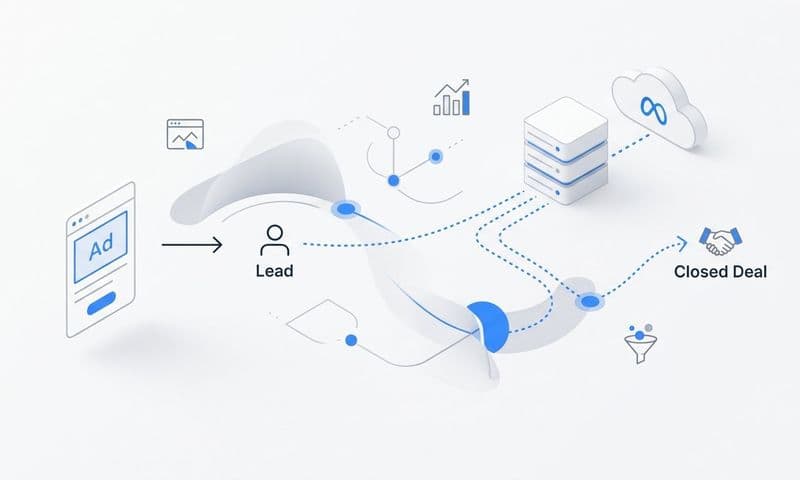
The Measurement Gap: Here is the limitation you need to understand. LinkedIn's native conversion tracking shows you when someone clicks your ad and completes a conversion event on your website. It does not show you what happens after that person enters your CRM. It cannot tell you whether that form fill became a qualified opportunity, whether it progressed through your pipeline, or whether it eventually closed as revenue.
This is exactly where a platform like Cometly fills the gap. Cometly connects your LinkedIn ad data to CRM events, pipeline stages, and closed revenue, giving you a complete view of which campaigns actually generate deals rather than just form fills. Instead of optimizing toward a conversion event that may or may not correlate with revenue, you can optimize toward the outcomes that actually matter to your business.
Success Indicator: Conversion events firing correctly in Campaign Manager, with data flowing into your attribution platform and connecting to downstream CRM activity. If you can see the full path from LinkedIn ad click to closed deal, your tracking is working. Reviewing how LinkedIn ads analytics surfaces this data will help you validate that your measurement setup is capturing what matters.
Step 6: Launch, Monitor, and Optimize Your Campaigns
Your campaigns are live. Now comes the part where patience is genuinely a competitive advantage. LinkedIn's algorithm needs time to learn. Making major optimization decisions in the first week based on limited data is one of the most common ways marketers waste budget and lose confidence in a channel that is actually working.
Allow at least two weeks before drawing any conclusions about campaign performance. In the first 30 days, focus on monitoring these key metrics:
Click-Through Rate (CTR): This tells you whether your creative and copy are resonating with your audience. A low CTR signals a message-market fit problem, not necessarily a budget problem.
Cost Per Lead (CPL): Track this against your target CPL based on your average deal size and conversion rates. LinkedIn CPL will typically be higher than other channels, but the lead quality should justify it.
Conversion Rate: The percentage of people who click your ad and complete the desired action. If CTR is strong but conversion rate is low, the issue is usually your landing page or offer, not the ad itself.
Frequency: This is often overlooked. When your frequency climbs above 5 within a 30-day period, your audience is seeing the same ad repeatedly. This leads to fatigue, declining CTR, and wasted impressions. Understanding how LinkedIn ads frequency caps work will help you rotate your creative or expand your audience before frequency becomes a problem.
Optimization Levers: Pause underperforming ads and reallocate budget to top performers. Refine your audience exclusions to remove people who are already customers or active opportunities in your CRM. Use LinkedIn's Demographic Insights report to see which job titles, industries, and company sizes are actually clicking and converting, then tighten your targeting to focus on the segments that perform best.
Critical Pitfall: Optimizing toward LinkedIn-reported conversions without connecting to downstream pipeline data is a trap. A campaign that generates a high volume of form fills at a low CPL looks great in Campaign Manager. But if those leads never convert to qualified opportunities, you are scaling a campaign that burns budget without generating revenue. This is why connecting LinkedIn data to your attribution platform is not optional. It is how you avoid the most expensive mistake in B2B paid media.
The goal over 60 days is a CPL trending downward with conversion quality improving as measured by pipeline created per campaign.
Step 7: Measure True ROI by Connecting LinkedIn Ads to Pipeline and Revenue
LinkedIn Campaign Manager is a powerful tool for understanding ad performance. It tells you how many people saw your ads, clicked them, and completed a conversion event. What it cannot tell you is which of those conversions became qualified pipeline, which progressed to proposal stage, and which ultimately closed as revenue.
For B2B SaaS companies with sales cycles that can span 60 to 180 days, this gap is not a minor inconvenience. It is a fundamental measurement problem. If you are making budget decisions based only on what Campaign Manager shows, you are working with an incomplete picture.
True ROI measurement requires connecting LinkedIn ad data to your CRM and revenue data. This means being able to answer questions like: Which campaigns generated the most pipeline? Which ad creative influenced deals that actually closed? What is the average deal size for leads that came through LinkedIn versus other channels? The best marketing attribution tools for B2B SaaS companies are built to answer exactly these questions by bridging the gap between ad platforms and closed revenue.
Cometly is built specifically to answer these questions. It connects your LinkedIn ad spend to CRM pipeline stages and closed-won revenue, giving you a single view of which campaigns, ad sets, and creatives drive actual deals. With multi-touch attribution, you can see LinkedIn's role across the full customer journey, whether it was the first touchpoint that introduced a prospect to your brand or a retargeting ad that pushed them to request a demo after multiple interactions.
The metrics that matter for true ROI measurement go beyond CPL:
Cost Per Opportunity: How much did you spend on LinkedIn to generate one qualified sales opportunity? This metric connects ad spend to pipeline in a way that CPL cannot.
Pipeline Influenced by LinkedIn: The total value of open opportunities where LinkedIn was a touchpoint in the customer journey. This captures LinkedIn's influence even when it was not the last click before conversion.
Revenue Attributed to LinkedIn: The closed-won revenue that can be traced back to LinkedIn ad interactions. This is the number your CFO actually cares about.
Payback Period Per Campaign: How long does it take for a LinkedIn campaign to generate enough revenue to cover its cost? This metric helps you make confident decisions about scaling spend and setting realistic expectations for new campaigns.
With this data in hand, budget decisions become straightforward. Scale campaigns that generate pipeline. Cut campaigns that generate only form fills. Shift budget toward the ad formats, audiences, and messages that correlate with closed revenue, not just activity metrics.
This is the difference between running LinkedIn ads and running LinkedIn ads well. The mechanics are the same. The measurement is what separates teams that scale confidently from teams that guess and hope.
Putting It All Together: Your LinkedIn B2B Campaign Checklist
Running LinkedIn ads for B2B is not complicated, but it does require discipline at every step. Define your audience before you build. Match your objective to your funnel stage. Write copy for your buyer, not your product. Track conversions properly. And most importantly, connect your ad data to pipeline and revenue so you know what is actually working.
Before you launch, confirm each of these is in place:
ICP Documented: LinkedIn targeting attributes mapped before any campaign is created.
Campaign Objective Aligned: One clear objective per campaign that matches your funnel stage.
Creative Variations Ready: At least two ad variations per ad set with buyer-centric copy.
LinkedIn Insight Tag Installed: Conversion events firing correctly in Campaign Manager.
Audience Exclusions in Place: Existing customers and current CRM opportunities excluded from prospecting campaigns.
Attribution Platform Connected: LinkedIn ad data flowing into your CRM and revenue attribution system.
The marketers who win on LinkedIn are not the ones with the biggest budgets. They are the ones who know which campaigns drive revenue and double down on those. That clarity comes from connecting every ad interaction to the outcomes that actually matter to your business.
Cometly gives B2B SaaS teams the attribution data they need to make those decisions with confidence. Get your free demo today and start capturing every touchpoint to maximize your conversions.