

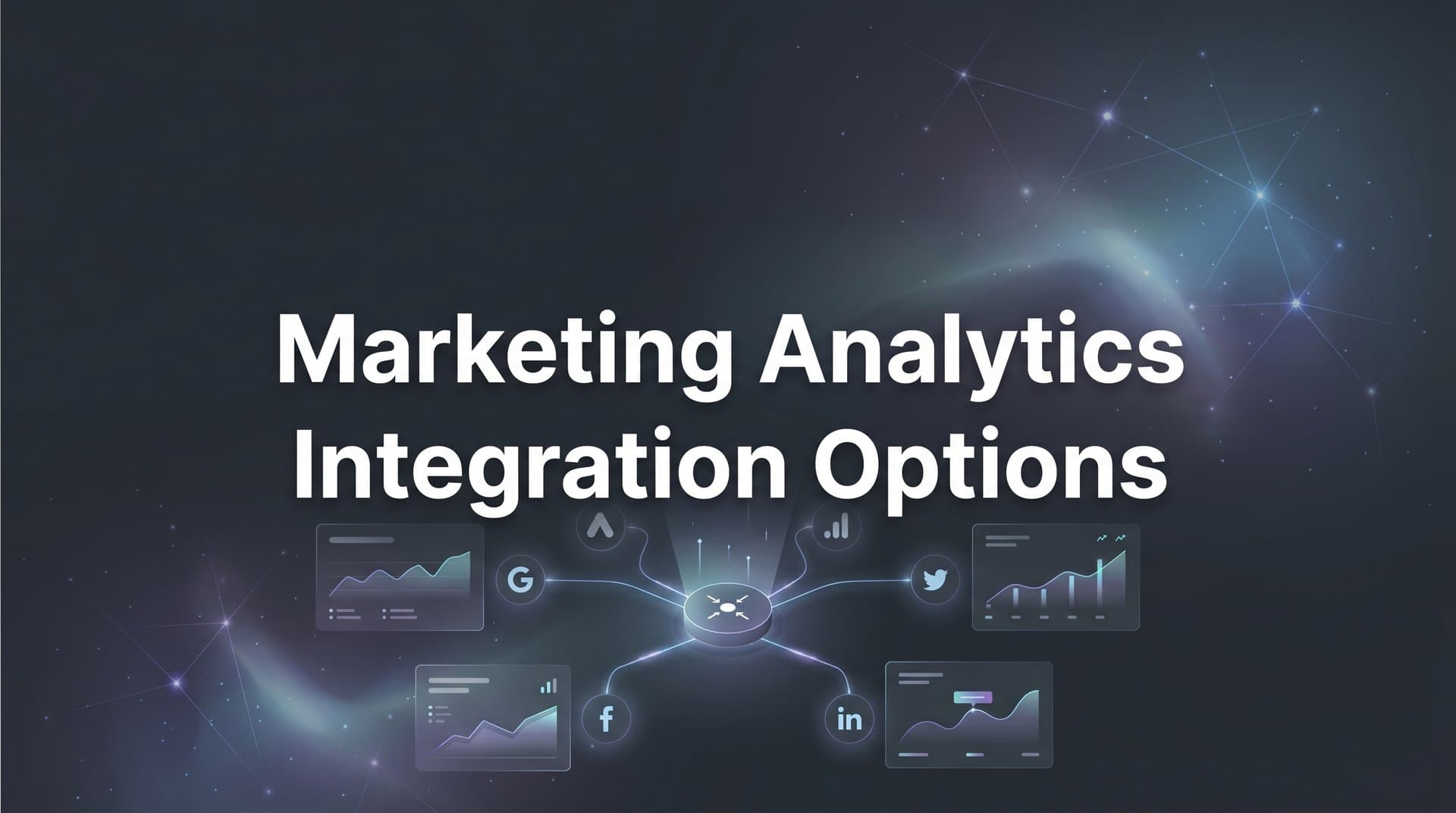
Marketing teams today run campaigns across dozens of platforms, but disconnected data creates blind spots that waste budget and obscure what actually drives revenue. When your ad platforms, CRM, and website analytics operate in silos, you cannot see the complete customer journey or make confident optimization decisions.
The challenge goes beyond simple data collection. You might be tracking clicks in Google Ads, conversions in your CRM, and engagement in your email platform, but without integration, these data points tell separate stories instead of revealing the complete path to purchase.
This guide covers seven practical integration strategies that connect your marketing data sources into a unified system. Each approach addresses specific challenges marketers face when trying to get accurate attribution and actionable insights from their campaigns. Whether you are building your first integrated stack or improving an existing setup, these strategies will help you capture every touchpoint and understand which channels truly convert.
1. Implement Server-Side Tracking as Your Foundation
The Challenge It Solves
Browser-based tracking has become increasingly unreliable as privacy features block cookies and scripts. Safari's Intelligent Tracking Prevention and similar browser restrictions mean your analytics miss significant portions of visitor behavior. Ad blockers compound the problem, creating gaps in your data that make attribution nearly impossible.
When you rely solely on client-side tracking, you are building your marketing decisions on incomplete information. The visitors you cannot track might represent your highest-value segments, but you will never know because they simply do not appear in your reports.
The Strategy Explained
Server-side tracking moves data collection from the visitor's browser to your server infrastructure. Instead of relying on JavaScript tags that browsers can block, your server captures events directly and sends them to your analytics platforms. This approach bypasses most privacy restrictions while still respecting user consent preferences.
The technical shift is significant but worthwhile. Your server becomes the central collection point for all marketing events, from initial ad clicks through final conversions. This creates a reliable data foundation that other integration strategies can build upon.
Server-side tracking also gives you control over data quality. You can validate events before sending them, enrich data with additional context, and ensure consistent formatting across all platforms. Understanding how to address marketing analytics data gaps becomes much easier with this foundation in place.
Implementation Steps
1. Set up a server-side tracking infrastructure using a platform that handles the technical complexity while giving you control over data flows and validation rules.
2. Configure your server to capture critical events including page views, form submissions, purchases, and custom conversion actions that matter for your business.
3. Connect your server-side tracking to your analytics platforms and ad networks so enriched, validated data flows to every tool that needs it.
4. Test thoroughly by comparing server-side data against your existing client-side tracking to identify discrepancies and ensure accuracy before fully transitioning.
Pro Tips
Start with your most important conversion events rather than trying to migrate everything at once. Focus on purchase completions, lead submissions, and other revenue-driving actions. Once those work reliably, expand to secondary events. Monitor data latency carefully, as some server-side implementations can introduce delays that affect real-time reporting.
2. Build a Unified Customer Identity Framework
The Challenge It Solves
Your customers interact with your brand across multiple devices and sessions before converting. Someone might click your Instagram ad on their phone during lunch, research on their work laptop that afternoon, and purchase on their tablet that evening. Without identity resolution, these appear as three separate visitors in your analytics.
This fragmentation destroys attribution accuracy. You cannot understand the customer journey when you cannot connect the touchpoints. The Instagram ad gets no credit for the eventual purchase because your system treats them as unrelated events.
The Strategy Explained
A unified identity framework creates persistent identifiers that follow customers across devices, sessions, and platforms. The system recognizes when an anonymous visitor becomes a known lead, then connects all their previous anonymous activity to their profile.
This works through multiple identification methods. Email addresses, phone numbers, and customer IDs serve as primary identifiers. Probabilistic matching uses behavioral signals and device fingerprints to connect sessions with high confidence even before someone identifies themselves.
The framework maintains a master customer profile that accumulates every touchpoint. When someone finally converts, you can trace their complete journey from first anonymous visit through every interaction to the final purchase. A robust marketing analytics data model supports this unified view.
Implementation Steps
1. Define your primary identifiers based on the information you reliably collect, such as email addresses from form submissions or customer IDs from your CRM.
2. Implement identity resolution logic that matches anonymous sessions to known profiles when visitors log in, submit forms, or click email links with tracking parameters.
3. Create a central identity graph that stores all known identifiers for each customer and the relationships between anonymous sessions and identified profiles.
4. Apply identity resolution retroactively to connect historical anonymous data with newly identified customers, filling in gaps in your journey understanding.
Pro Tips
Privacy compliance is critical here. Only connect data points you have legitimate business reasons and consent to use. Document your identity resolution logic clearly so you can explain it if questioned. Consider implementing progressive profiling that builds customer profiles gradually rather than demanding all information upfront, which improves both data quality and user experience.
3. Connect Your CRM to Ad Platform Data
The Challenge It Solves
Your ad platforms know about clicks and immediate conversions, but they have no visibility into what happens after someone enters your sales process. A lead might convert to a customer weeks later, or qualify as high-value based on their company size and needs. Without CRM integration, your ad optimization focuses on volume metrics rather than actual revenue quality.
This disconnect means you optimize for the wrong outcomes. You might scale campaigns that generate lots of leads but few customers, while underfunding campaigns that attract fewer leads but higher conversion rates and deal values.
The Strategy Explained
CRM integration connects your sales pipeline data back to the marketing touchpoints that generated each lead. When a lead becomes a qualified opportunity or closes as a customer, that revenue outcome gets attributed to the original ad click, keyword, or campaign that started the journey.
The integration works bidirectionally. Marketing data flows into your CRM so sales teams see which campaigns generated each lead. CRM events flow back to your analytics platform so marketers can analyze campaign performance based on closed revenue rather than just lead volume.
This creates a complete feedback loop. You can calculate true customer acquisition costs, identify which channels attract your best customers, and optimize ad spend based on revenue impact rather than vanity metrics. Leveraging a marketing analytics integration platform simplifies this bidirectional data flow.
Implementation Steps
1. Map your CRM stages to marketing events by defining which pipeline stages represent meaningful conversions worth tracking, such as Marketing Qualified Lead, Sales Qualified Lead, and Closed Won.
2. Pass marketing attribution data into your CRM so every contact record includes the source campaign, ad, keyword, and landing page that generated the lead.
3. Send CRM conversion events back to your marketing analytics platform when leads progress through pipeline stages or close as customers.
4. Build reporting that shows campaign performance based on CRM outcomes, including metrics like cost per SQL, cost per customer, and revenue per ad dollar spent.
Pro Tips
Work closely with your sales team to define meaningful conversion stages. Not every CRM status change matters for marketing optimization. Focus on the transitions that indicate genuine qualification or buying intent. Set up automated alerts when high-value opportunities enter the pipeline so you can quickly identify which campaigns are attracting your ideal customers.
4. Sync Conversion Data Back to Ad Platforms
The Challenge It Solves
Ad platforms like Meta and Google use machine learning to optimize toward your conversion goals, but they can only optimize based on the conversion data they receive. When tracking is incomplete or conversions are delayed, the algorithms work with partial information and make suboptimal bidding decisions.
Browser privacy restrictions have made this worse. Ad platforms now miss many conversions that happen after someone clicks your ad, which means their optimization algorithms learn from incomplete data and struggle to identify truly valuable traffic patterns.
The Strategy Explained
Conversion sync sends enriched conversion events from your server directly back to ad platforms through their Conversions API. This bypasses browser restrictions and ensures platforms receive complete, accurate data about which ads drive results.
The key is sending not just that a conversion happened, but rich context about the conversion value, customer quality, and attribution details. When Meta or Google sees that certain audiences or creative approaches drive higher-value conversions, their algorithms can find more similar opportunities.
This creates a virtuous cycle. Better data leads to better optimization, which drives better results, which provides more data to learn from. Your ad platforms become more effective at finding and converting your ideal customers. For Google campaigns specifically, understanding marketing analytics for Google Ads helps maximize this optimization loop.
Implementation Steps
1. Set up server-side conversion tracking that captures the complete conversion event including value, customer details, and attribution parameters that identify the originating ad click.
2. Configure Conversions API connections to your primary ad platforms so enriched conversion events flow from your server to Meta, Google, and other networks you use.
3. Map your internal conversion events to the standard event types each platform expects, ensuring data arrives in the format their algorithms can use for optimization.
4. Monitor data delivery and match rates to confirm platforms are receiving and matching your conversion events to the correct ad clicks.
Pro Tips
Send conversion value data whenever possible, not just conversion counts. Platforms optimize much more effectively when they know a conversion was worth five hundred dollars versus fifty dollars. For B2B marketers, consider sending predictive lead scores or qualification status as custom conversion values so platforms can optimize toward lead quality rather than just volume.
5. Establish Multi-Touch Attribution Across Channels
The Challenge It Solves
Last-click attribution gives all credit to the final touchpoint before conversion, completely ignoring the awareness and consideration channels that made the conversion possible. Your Facebook ads might introduce customers to your brand, LinkedIn nurtures them through the research phase, and Google Search captures the final conversion. Last-click only credits Google, leading you to underfund the channels that actually drive demand.
Single-touch models create blind spots that waste budget. You cannot optimize a customer journey you cannot see. When upper-funnel channels get no credit for the conversions they enable, you systematically underinvest in demand generation.
The Strategy Explained
Multi-touch attribution assigns credit to every touchpoint in the customer journey based on its contribution to the conversion. Different models distribute credit differently. Linear attribution splits credit evenly, time-decay gives more weight to recent touches, and position-based emphasizes first and last interactions.
The right model depends on your business. B2B companies with long sales cycles often benefit from time-decay or custom models that weight different touchpoints based on their role in the journey. E-commerce brands might use position-based to credit both discovery and conversion channels. Learning about common attribution challenges in marketing analytics helps you select the right approach.
Multi-touch attribution requires integrated data. You need to see the complete sequence of touchpoints for each customer, which is why identity resolution and data integration are foundational. Once you have journey data, attribution models reveal which channels work together to drive conversions.
Implementation Steps
1. Choose an attribution model that matches your customer journey characteristics, considering factors like typical time to conversion, number of touchpoints, and the distinct roles different channels play.
2. Ensure your tracking captures all relevant touchpoints including paid ads, organic search, email, social, direct traffic, and any other channels customers use to interact with your brand.
3. Build reporting that shows channel performance under your chosen attribution model, comparing results to last-click to understand how attribution changes your optimization priorities.
4. Test different attribution models to see how they change your understanding of channel value, then select the model that best reflects the actual contribution patterns you observe.
Pro Tips
Do not get paralyzed trying to find the perfect attribution model. Every model makes assumptions and has limitations. The goal is not perfect accuracy but better understanding than last-click provides. Start with a simple multi-touch model like linear or time-decay, use it consistently, and refine over time as you learn which touchpoints truly drive your business.
6. Create Real-Time Data Pipelines for Faster Decisions
The Challenge It Solves
Traditional analytics platforms update on delayed schedules, sometimes showing data from hours or even days ago. When you are running active campaigns, this latency means you are making decisions based on outdated information. A campaign might be wasting budget right now, but you will not know until tomorrow's report.
Delayed data also prevents responsive optimization. You cannot test and iterate quickly when you have to wait for data to refresh. This slows your learning cycles and means underperforming campaigns run longer than they should.
The Strategy Explained
Real-time data pipelines stream events from your marketing touchpoints to your analytics platform as they happen. Instead of batch processing that runs on schedules, events flow continuously so your reports update within minutes of actual customer actions.
This requires infrastructure that can handle continuous data streams. Your tracking implementation needs to send events immediately rather than batching them. Your analytics platform needs to process incoming data quickly rather than waiting for scheduled import jobs. A cross-platform marketing analytics dashboard can display this real-time data across all your channels.
Real-time visibility transforms how you manage campaigns. You can spot performance changes as they happen, pause underperforming ads immediately, and scale winners while they are still hot. Your optimization cycles compress from days to hours.
Implementation Steps
1. Implement event streaming infrastructure that sends marketing events to your analytics platform immediately rather than queuing them for batch processing.
2. Configure your analytics platform to process incoming events continuously so dashboards update in near-real-time rather than waiting for scheduled refreshes.
3. Set up monitoring dashboards that show current campaign performance with minimal latency, focusing on the metrics that drive your optimization decisions.
4. Create automated alerts that notify you when key metrics cross thresholds so you can respond to performance changes without constantly watching dashboards.
Pro Tips
Balance real-time visibility with statistical significance. Just because you can see data immediately does not mean you should react to every fluctuation. Establish minimum sample sizes before making optimization decisions, and use real-time data primarily to identify trends worth investigating rather than triggering knee-jerk changes. Real-time data is most valuable for catching major issues quickly and capitalizing on unexpected wins.
7. Leverage AI to Surface Integration Insights
The Challenge It Solves
Integrated data creates comprehensive visibility, but it also creates complexity. When you are tracking dozens of campaigns across multiple platforms with hundreds of audience segments and creative variations, finding meaningful patterns becomes overwhelming. Important insights hide in the noise, and manual analysis cannot keep pace with the data volume.
Human analysis also introduces bias. You tend to look for patterns you expect to find and miss unexpected opportunities. The highest-value optimization might be a non-obvious interaction between channels that you would never think to investigate.
The Strategy Explained
AI analysis processes your integrated marketing data to identify patterns, anomalies, and optimization opportunities that human analysis would miss. Machine learning algorithms can analyze millions of data points to find the combinations of channels, audiences, and creative that drive the best results. Exploring AI-powered marketing analytics tools reveals how these capabilities work in practice.
The AI does not just report what happened. It surfaces actionable recommendations based on patterns in your data. Which campaigns should you scale? Which audiences are underperforming? Where are you wasting budget on diminishing returns?
This transforms your integrated data from a reporting tool into a decision engine. Instead of spending hours analyzing dashboards to figure out what to do, AI highlights the specific actions that will improve performance based on your complete marketing data.
Implementation Steps
1. Ensure your data integration is comprehensive enough to provide AI with complete visibility into campaign performance, customer journeys, and conversion outcomes across all channels.
2. Implement AI analysis tools that can process your marketing data to identify performance patterns, predict outcomes, and generate optimization recommendations.
3. Configure the AI to focus on your specific business goals whether that is maximizing ROAS, improving customer quality, or achieving target cost per acquisition thresholds.
4. Review AI recommendations regularly and track the results when you implement them so you can refine the system and build confidence in its insights.
Pro Tips
Treat AI recommendations as hypotheses to test rather than absolute truths. The best approach combines AI pattern recognition with human strategic judgment. Let AI surface opportunities you might miss, but apply your business knowledge and market understanding when deciding which recommendations to act on. Start by testing AI suggestions on smaller budget allocations before scaling them across your entire account.
Putting Your Integration Strategy Into Action
Building an integrated marketing analytics stack is not a one-time project but an ongoing evolution. Start by auditing your current data sources and identifying the biggest gaps in your customer journey visibility. Where are you losing track of prospects? Which conversion events are not making it back to your ad platforms? What questions about campaign performance can you not answer with your current setup?
Prioritize server-side tracking and CRM integration as foundational elements. These create the data reliability and journey completeness that other strategies depend on. Without accurate tracking and CRM connection, multi-touch attribution and AI analysis cannot deliver meaningful insights because they are working with incomplete data.
Layer in conversion sync and multi-touch attribution next. Feeding better data back to ad platforms improves their optimization immediately, while multi-touch attribution reveals which channels work together to drive conversions. These strategies deliver quick wins that justify further integration investment.
The goal is not connecting every possible tool immediately but building a system where you can confidently see which marketing efforts drive actual revenue. Focus on integration quality over quantity. A few well-integrated data sources that provide complete journey visibility beat dozens of loosely connected tools that create more confusion than clarity.
As your integration matures, real-time data pipelines and AI-powered analysis help you act on insights faster and scale what works across all your channels. You move from reactive reporting to proactive optimization, catching performance changes as they happen and capitalizing on opportunities before they disappear.
The marketing teams that win are not necessarily those with the biggest budgets but those with the clearest visibility into what drives results. Integrated analytics transforms your marketing data from scattered reports into a unified system that shows exactly which efforts generate revenue and where to invest next.
Ready to elevate your marketing game with precision and confidence? Discover how Cometly's AI-driven recommendations can transform your ad strategy. Get your free demo today and start capturing every touchpoint to maximize your conversions.



