If you are running paid ads but cannot tell which campaigns are actually driving pipeline and revenue, you have an attribution problem. For B2B SaaS companies, this gap is costly. Budget gets allocated to channels that look good on the surface but underperform when traced to closed-won deals. Meanwhile, high-performing campaigns get underfunded because the data does not connect ad spend to actual revenue.
This marketing attribution setup tutorial walks you through how to build a working attribution system from scratch. Whether you are starting fresh or fixing a broken tracking setup, each step builds toward a single source of truth for your marketing data.
By the end, you will have a system that tracks every touchpoint from the first ad click to closed revenue, connects your ad platforms to your CRM, and gives your team the clarity to make confident budget decisions. No vague theory. Just a practical, sequential process you can follow today.
This guide is designed for B2B SaaS marketing teams, growth leaders, and anyone running paid campaigns who needs accurate, actionable data. Work through each step in order. Each one builds on the last, and skipping ahead creates gaps that will surface later as data discrepancies or misaligned reports.
Step 1: Define Your Attribution Goals and Choose Your Model
Before you touch a single tracking tag or integration, you need to answer one question: what are you actually trying to measure? The answer shapes every technical decision that follows.
For most B2B SaaS teams, the goal is not just lead volume. It is pipeline generation and closed revenue. That distinction matters because it determines how you weight different touchpoints and which attribution model fits your sales cycle.
Here is a quick breakdown of the most common attribution models and when they apply:
First-touch attribution: Gives all credit to the first interaction a prospect had with your brand. Useful for understanding which channels generate initial awareness and top-of-funnel demand. Works well for teams focused on building pipeline from new audiences.
Last-touch attribution: Gives all credit to the final interaction before conversion. Simple to implement but often misleading in B2B SaaS, where buying cycles are long and involve multiple decision-makers. It tends to over-credit bottom-of-funnel channels like branded search.
Linear attribution: Distributes credit equally across all touchpoints in the customer journey. More balanced than first or last touch, and a reasonable starting point for teams that do not yet have enough conversion volume for data-driven models.
Data-driven attribution: Uses observed patterns in your actual conversion data to assign credit based on which touchpoints statistically influenced outcomes. This is the most accurate model when you have sufficient volume, and it is the direction most sophisticated B2B SaaS teams move toward over time.
For most B2B SaaS companies with longer sales cycles and multiple stakeholders involved in a purchase decision, multi-touch attribution models give a far more complete picture than last-touch alone. Last-touch attribution often misrepresents which channels are doing the heavy lifting early in the funnel.
Once you choose a primary model, document it. Write down which model you selected, why it fits your sales cycle, and how your team will use it in reporting. This documentation step sounds minor, but it prevents the situation where marketing reports one number, sales reports another, and leadership has no idea which to trust.
The common pitfall here is skipping this step entirely and jumping straight to technical setup. When you do that, you end up with data that different teams interpret differently, and the attribution system loses credibility before it ever drives a decision.
Step 2: Audit Your Current Tracking Infrastructure
Now that you know what you are measuring and which model you are using, you need to understand the current state of your tracking. Most B2B SaaS teams discover more gaps here than they expected.
Start by inventorying every ad platform you are actively running: Meta, Google Ads, LinkedIn, TikTok, and any others. For each platform, check whether your pixel or tracking tags are firing correctly on the pages that matter most. These include your landing pages, thank-you pages, demo request forms, free trial signup pages, and any other key conversion points.
Use the browser developer tools or a tag auditing extension to confirm that tags are loading without errors. Check that conversion events are triggering at the right moments, not just on page load but on form submission, button click, or whatever action defines a conversion for that stage.
Next, identify where conversions are being missed. Common gaps in B2B SaaS setups include:
Form submissions not tracked: Many teams track page views but miss the actual form submit event, which means leads are not being counted as conversions in the ad platform.
Free trial signups firing on the wrong page: If your thank-you page URL varies or redirects, the conversion event may not fire consistently.
CRM events not connected: When a lead becomes an MQL or SQL, that signal never reaches your ad platforms, so the algorithms optimize toward top-of-funnel form fills rather than high-value pipeline events.
Also review whether your current setup relies solely on browser-side tracking. Browser pixels are increasingly unreliable due to ad blockers, browser privacy updates, and the ongoing impact of iOS privacy changes on mobile signal loss. If browser-side tracking is your only mechanism, you are likely underreporting conversions.
Finally, flag any duplicate or misconfigured conversion events. Duplicates inflate your reported conversions and corrupt the optimization signals your ad platforms use for bidding and targeting. A single conversion firing twice looks like two conversions, which skews your cost-per-acquisition data and misleads your budget decisions. These are among the most common attribution challenges in marketing analytics that teams encounter during setup.
Our explainer on what is cost per lead form completion covers the fundamentals in more depth.
Step 3: Implement Server-Side Tracking and Conversion APIs
This is the step that separates teams with reliable attribution data from those constantly fighting data loss. Server-side tracking is no longer optional for B2B SaaS companies running paid campaigns. It is essential.
Here is why. Browser-based pixels send conversion data from the user's browser to the ad platform. That signal can be blocked by ad blockers, restricted by browser privacy settings, or lost entirely on iOS devices where Apple's App Tracking Transparency framework limits cross-app data sharing. The result is that a meaningful portion of your conversions never get reported back to Meta or Google, and your ad algorithms optimize on an incomplete picture.
Server-side tracking solves this by sending first-party event data directly from your server to the ad platform, bypassing browser-level limitations entirely. The two primary implementations for most B2B SaaS teams are Meta Conversion API (CAPI) and Google Enhanced Conversions.
Setting up Meta Conversion API: CAPI allows you to send conversion events from your server directly to Meta. Start by creating a CAPI integration in your Meta Events Manager. You will generate an access token and configure your server to send HTTP POST requests to Meta's API endpoint whenever a conversion event occurs. The key events to send include lead form submissions, demo requests, free trial signups, and any downstream CRM events like opportunities created or deals closed.
Setting up Google Enhanced Conversions: This is Google's equivalent approach. Enhanced Conversions supplements your existing Google tag by sending hashed first-party customer data alongside conversion events. This improves match rates and helps Google recover conversions that would otherwise be lost to browser restrictions. Configure it through Google Tag Manager or directly in Google Ads by enabling Enhanced Conversions in your conversion action settings.
The critical technical requirement when running both browser-side pixels and server-side events simultaneously is event deduplication. Without it, the same conversion gets counted twice: once from the pixel and once from the server. Both Meta and Google have deduplication mechanisms that rely on matching event IDs. You must pass a consistent, unique event ID with both the browser event and the server event so the platform can identify and discard the duplicate.
Skipping deduplication is one of the most common and damaging mistakes in attribution setup. It inflates your reported conversion counts, makes your cost-per-acquisition look artificially low, and sends incorrect optimization signals to your ad algorithms. Fix this before you go live with server-side tracking.
Once your server-side events are live, verify them in Meta Events Manager and Google Ads conversion tracking. Look for confirmation that events are being received and check your event match quality score, which indicates how accurately your events are being matched to Meta user profiles or Google accounts. Higher match quality means better optimization performance.
Step 4: Connect Your CRM and Map the Full Customer Journey
Server-side tracking handles the top of your funnel. This step extends attribution all the way to closed revenue, which is where B2B SaaS attribution becomes genuinely powerful.
Start by integrating your CRM with your attribution platform. The goal is to pass lead and deal data from your CRM back to your ad campaigns so that downstream events like opportunities created, deals progressed, and closed-won revenue are connected to the original ad click that sourced them.
Map out the key stages of your B2B customer journey before you configure anything:
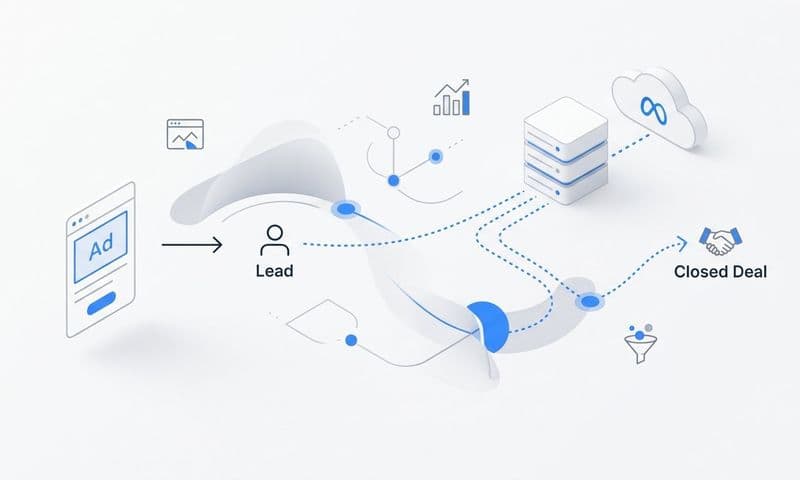
1. Ad click: The prospect interacts with a paid ad on Meta, Google, LinkedIn, or another channel.
2. Lead capture: The prospect fills out a form, requests a demo, or starts a free trial. This is where your server-side tracking from Step 3 fires.
3. MQL: Marketing qualifies the lead based on fit and engagement signals.
4. SQL: Sales accepts the lead and begins active outreach.
5. Opportunity: A deal is created in the CRM.
6. Closed-won: The deal closes and revenue is recorded.
Each of these stages should be a trackable event in your attribution system. When a lead moves from one stage to the next, that signal should flow back to your ad platforms as an offline conversion event.
UTM parameters are the connective tissue that makes this work. Every ad across every platform needs consistent UTM tagging: source, medium, campaign, content, and term. Establish a standardized UTM naming convention before campaigns go live and enforce it across your entire team. Without consistent UTMs, you cannot reliably trace a closed deal back to the specific campaign and ad that sourced it.
Offline conversion tracking is the mechanism that closes the loop. In Meta, this is done through the Offline Conversions API or CAPI with offline events. In Google Ads, it is done through the offline conversion import feature. When a deal closes in your CRM, you upload or automatically sync that conversion event back to the ad platform, attributed to the original click using the GCLID (Google) or FBC/FBP identifiers (Meta).
The success indicator for this step: you can open a closed deal in your CRM and trace it back to the specific ad, campaign, and channel that sourced the original lead. If you can do that consistently, your CRM-to-ad-platform connection is working.
Step 5: Configure Your Attribution Dashboard and Reporting Views
You now have data flowing from your ad platforms, through your website, and into your CRM. The next step is making that data visible and actionable in a centralized attribution dashboard.
The goal of your dashboard is not to show everything. It is to show the right things to the right people so that budget decisions get made faster and with more confidence.
Build your dashboard with these layers in mind:
Channel-level reporting: Compare performance across paid search, paid social, organic, and direct. This view answers the question of where your marketing budget is generating the most pipeline and revenue relative to spend.
Campaign-level reporting: Drill into each channel to see which campaigns are driving the most qualified leads, opportunities, and closed deals. This is where you identify which messaging and offers are resonating with your target audience.
Ad-level reporting: Go one level deeper to see which specific creatives, headlines, and ad formats are generating the most pipeline. This view directly informs creative decisions and testing priorities.
Revenue attribution reporting: Connect ad spend to pipeline value and closed revenue. This is the view that justifies budget to leadership and surfaces the true return on ad spend by channel.
Define the key metrics your team will review on a regular cadence. Keep this list short and focused on metrics that directly inform budget decisions. Useful metrics for B2B SaaS attribution include cost per lead, cost per opportunity, cost per acquisition, pipeline generated by channel, and return on ad spend by campaign.
The common pitfall here is building dashboards with too many metrics. When everything is measured, nothing is prioritized. A dashboard with thirty metrics creates noise rather than clarity. If a metric does not directly influence a budget or creative decision, consider whether it belongs in your primary reporting view or in a secondary diagnostic view.
Platforms like Cometly are built specifically to aggregate this data across ad platforms, your CRM, and your website into a single view, so your team is not manually reconciling numbers from four different dashboards every week.
Step 6: Validate Your Data and Run Quality Checks
Your attribution system is only as valuable as the accuracy of the data flowing through it. Before you start making budget decisions based on attribution reports, you need to validate that the data is telling the truth.
Start by cross-referencing your attribution platform data against your CRM and your individual ad platform dashboards. Some variance between platforms is expected because of differences in attribution windows, deduplication logic, and data latency. The goal is not perfect alignment. It is a consistent, reliable source of truth that your team trusts.
Run test conversions end-to-end. Submit a test form, trigger a test demo request, or simulate a trial signup and verify that the event flows correctly from the ad click through to your CRM and back to the ad platform as a conversion. This confirms that your entire tracking chain is functioning as expected.
Check that UTM parameters are passing through correctly. A common issue is UTM stripping, where redirects or landing page configurations drop the UTM values before they reach your analytics or CRM. If UTMs are being stripped, leads arrive in your CRM without source attribution and cannot be connected to their originating campaign.
Verify your server-side events in Meta Events Manager and Google Ads. Look at your event match quality scores. A low match quality score means your events are not being reliably matched to user profiles, which reduces the optimization value of the data you are sending.
Set up automated alerts for data anomalies. A sudden drop in conversion tracking volume, a spike in duplicate events, or a gap in CRM data flowing back to your ad platforms should trigger an alert before it corrupts a week of reporting. Most attribution platforms support anomaly detection or threshold-based alerts.
The success indicator for this step: your attribution data and CRM data tell a consistent story with less than ten percent variance between platforms on key conversion metrics.
Step 7: Use Attribution Data to Optimize Campaigns and Scale
You have built the system. Now you use it. This is the step where attribution stops being a reporting exercise and becomes a competitive advantage.
The most immediate action is budget reallocation. Look at your channel-level and campaign-level attribution data and identify where your spend is generating the most pipeline and closed revenue relative to cost. Shift budget toward those channels and campaigns. Pull back from channels that generate leads but show weak conversion rates to opportunity and closed-won.
Multi-touch attribution data adds another layer of insight here. Even if a channel is not the last touch before conversion, it may be playing a meaningful role in assisting conversions earlier in the journey. A LinkedIn campaign that frequently appears in the early touchpoints of your highest-value deals deserves credit even if it rarely gets the final click. Multi-touch attribution surfaces these assist patterns so you do not inadvertently cut a channel that is quietly doing important work.
Feeding enriched conversion data back to Meta and Google is one of the highest-leverage actions in this entire tutorial. When you send server-side events that include downstream CRM outcomes like opportunities and closed-won deals, you are giving the ad platform algorithms a much richer optimization signal than a simple form fill. The algorithms can then identify which users are most likely to become high-value customers, not just leads, and adjust bidding and targeting accordingly. This creates a compounding feedback loop: better data leads to better targeting, which generates better leads, which produces better data.
Use AI-driven recommendations to surface patterns you might miss manually. Cometly's AI analyzes performance across all your ad channels to identify which ads and campaigns are generating the most revenue-attributed outcomes and flags underperforming creative before it wastes more budget. This is particularly valuable when you are running dozens of active campaigns across multiple platforms.
Review your attribution reports on a consistent cadence, weekly for in-flight campaign optimization and monthly for strategic budget allocation. The teams that get the most value from attribution are the ones that build it into their regular operating rhythm, not the ones that check it occasionally when something looks off.
The common pitfall at this stage is collecting attribution data without acting on it. The system you have built is only valuable if it drives faster, more confident decisions. Attribution is not a reporting tool. It is a decision-making infrastructure.
Your Attribution System Is Ready: What Comes Next
Setting up marketing attribution is not a one-time task. It is a system you build, validate, and continuously improve as your campaigns and business evolve. The seven steps in this tutorial take you from defining your goals to making data-driven budget decisions backed by real revenue data.
Here is a quick checklist to confirm your setup is complete:
1. Attribution model selected and documented
2. Tracking audit completed and gaps identified
3. Server-side tracking and Conversion APIs live with deduplication configured
4. CRM connected with full customer journey mapped and UTMs consistent
5. Attribution dashboard configured with key metrics defined
6. Data validated against CRM and ad platforms with anomaly alerts active
7. Optimization workflow in place with regular review cadence
Cometly is built to make this entire process faster and more accurate for B2B SaaS teams. It connects your ad platforms, CRM, and website to track every touchpoint in real time. Its AI surfaces what is actually driving revenue across your campaigns, feeds enriched conversion signals back to Meta and Google so your ad algorithms optimize toward outcomes that matter, and gives your team a single, trusted source of truth for every budget decision.
If you are ready to move from guessing to knowing, Get your free demo today and start capturing every touchpoint to maximize your conversions.