Safari's Intelligent Tracking Prevention (ITP) has quietly become one of the most disruptive forces in paid advertising. While Apple frames it as a privacy feature, the downstream effect for marketers is significant: third-party cookies blocked entirely, first-party cookies set via JavaScript capped at seven days (and sometimes as short as 24 hours), and cross-site tracking restricted in ways that break the standard pixel-based attribution chain most ad platforms depend on.
If a meaningful share of your audience uses Safari on iPhone, iPad, or Mac, you are almost certainly seeing the consequences. Conversions go unattributed. ROAS looks lower than it actually is. Meta and Google algorithms receive degraded signals and optimize toward the wrong outcomes. Budget gets reallocated based on incomplete data, and the campaigns that are actually working get starved while underperformers look artificially strong.
The good news is that this is a solvable problem. The solution requires moving away from browser-dependent tracking and building a stack that operates at the server level, anchored in first-party data. This guide walks you through exactly how to do that, step by step.
You will learn how to audit your current Safari tracking gaps, implement server-side tracking, build a first-party data strategy, configure Meta's Conversions API and Google's Enhanced Conversions, use multi-touch attribution to reconstruct broken journeys, and sync enriched conversion data back to your ad platforms to improve algorithmic performance.
Each step builds on the previous one. Follow them in order, starting with the audit, so you have a clear baseline before making any changes. That baseline is what will allow you to measure whether your fixes are actually working.
Whether you are managing campaigns in-house or running attribution for agency clients, this process will help you recover the tracking accuracy that ITP strips away, without compromising user trust or violating platform policies.
Step 1: Audit Your Current Safari Tracking Gaps
Before you implement any fix, you need to understand exactly what you are dealing with. Many marketers skip this step and implement server-side tracking or CAPI without documenting their before-state, which makes it impossible to measure whether anything actually improved. Do not make that mistake.
Start by opening your analytics platform and segmenting traffic and conversions by browser. Isolate Safari users specifically and compare their conversion rates against Chrome and Firefox users. A significant gap between Safari conversion rates and other browsers is a strong signal that ITP is suppressing attribution, not that Safari users actually convert less.
Next, dig into your ad platform dashboards. In Meta Events Manager, look at your event match quality scores. A low score on key events like purchases or lead submissions often indicates that the browser pixel is failing to collect enough matching data, which is a common ITP symptom. In Google Ads, check for conversion coverage warnings or gaps in your tag-based conversion data.
Review your current cookie setup to identify which cookies are third-party and therefore already blocked by ITP, and which are first-party cookies set via JavaScript that are subject to the seven-day cap. Tools like your browser's developer console or a tag auditing tool can help you map this out. Understanding ad tracking data discrepancy causes at this stage will sharpen your audit considerably.
Document which specific conversion events are most affected. Purchases, form fills, lead submissions, and account signups are typically the highest-value events and the ones most worth recovering. Note which Safari browser versions are causing the most data loss, since ITP behavior has evolved across versions.
Common pitfall: Rushing past this audit because you already "know" there is a tracking problem. The audit is not just about confirming the problem exists. It is about quantifying it precisely so you can measure the impact of every fix you implement afterward.
Success indicator: You have a documented baseline showing conversion rate by browser, event match quality scores by platform, and a list of the specific events most affected by Safari's restrictions. This is your starting point for everything that follows.
Step 2: Implement Server-Side Tracking to Bypass Client-Side Limitations
Here is why standard pixel tracking fails under ITP. When a user visits your website on Safari, your JavaScript-based tracking pixel fires in the browser. Safari's ITP engine intercepts that request, evaluates the domain, and either blocks it or limits the cookie it sets. The pixel never had a chance.
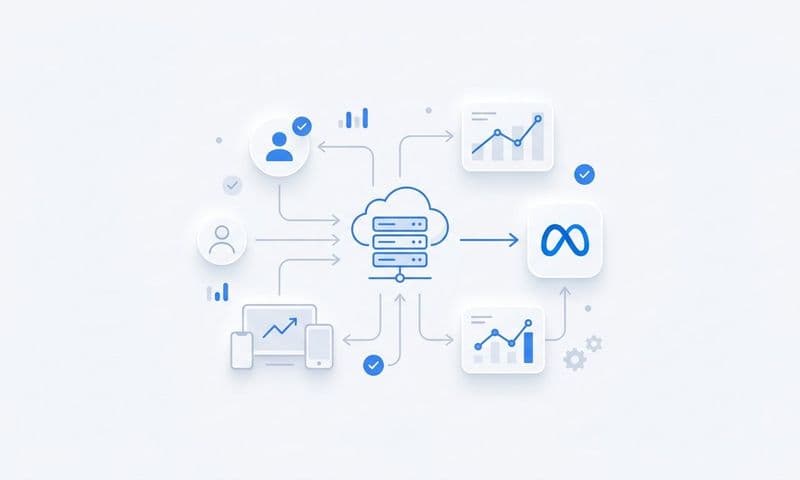
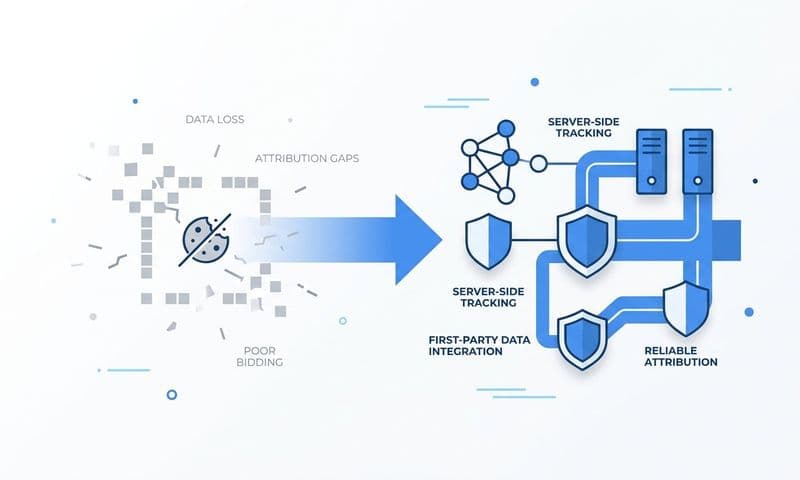
Server-side tracking solves this by moving event collection out of the browser entirely. Instead of relying on a JavaScript pixel running in Safari, your server captures the conversion event directly when a key action occurs, such as a completed purchase or a form submission. ITP operates at the browser level and has no visibility into server-to-server communication. It simply cannot interfere. Understanding the full difference in a server-side tracking vs pixel comparison helps clarify why this shift matters so much.
To implement server-side tracking, you need to set up a server-side event endpoint that receives conversion data from your backend. When a user completes a purchase, your server records that event and sends it to your analytics or attribution platform directly, independent of what the browser allows or blocks.
Use a first-party subdomain to route your tracking data. For example, setting up a subdomain like track.yourdomain.com means Safari treats the requests as first-party, which carries significantly more trust than a third-party tracking domain. While Apple has added CNAME cloaking protections in more recent ITP versions, routing through your own server remains far more reliable than relying on a third-party pixel domain.
Configure your server-side setup to capture the events that matter most: purchases, form submissions, account signups, and any other high-value conversion actions you identified in your Step 1 audit. The goal is to ensure these events fire and record regardless of browser behavior.
Tip: Server-side tracking delivers accuracy improvements beyond just Safari. It also recovers events lost to ad blockers and handles slow page loads where a browser pixel might never fire. This is a foundational upgrade for your entire tracking infrastructure, not just a Safari workaround.
Success indicator: Your key conversion events are firing and recording at the server level, independently of what Safari allows or blocks. You should see event volume increase compared to your browser-pixel-only baseline from Step 1.
Step 3: Build a First-Party Data Collection Strategy
Server-side tracking solves the event capture problem. But to match those events back to specific users and ad campaigns, you need first-party data. This is where many implementations fall short.
First-party data is information your users share directly with you: email addresses, phone numbers, user IDs. Because this data comes from a direct relationship with your user rather than from cross-site tracking, it is not subject to ITP restrictions in the same way. It becomes your most durable matching asset. A proper first-party data tracking setup ensures this information flows reliably into your attribution pipeline.
Capture user identifiers at every point of conversion. When someone submits a form, signs up for an account, or completes a purchase, collect their email address and phone number as part of the standard flow. Store this data in your CRM or customer database so it can be used for matching and attribution downstream.
Use URL parameters and UTM tags consistently across all your campaigns. When a user clicks an ad and eventually converts, the UTM source data embedded in the URL is available at the server level when the conversion fires. This means you do not need a cookie chain to connect the conversion back to the originating campaign. The source data travels with the event.
If your product supports it, implement a login or account system. Authenticated users can be identified by their user ID without relying on any cookies at all. This is the most reliable form of persistent identification in a world where ITP continues to tighten its restrictions.
Avoid this mistake: Do not use localStorage as a cookie alternative. Safari's ITP also restricts localStorage in certain cross-site scenarios, and relying on it as a workaround creates a fragile dependency that may break with the next Safari update.
Success indicator: Your conversion events include hashed customer identifiers, specifically hashed email addresses and phone numbers, that can be used for server-side matching with Meta, Google, and other ad platforms. This is the data that powers the next step.
Step 4: Configure Conversions API for Meta and Enhanced Conversions for Google
Now that you have server-side events firing and first-party identifiers attached to those events, it is time to connect that data to your ad platforms. Meta's Conversions API (CAPI) and Google's Enhanced Conversions are the two most important integrations you need to configure.
Both are designed specifically to address browser-based tracking limitations. They allow you to send conversion data directly from your server to the ad platform, bypassing the browser entirely. This is the direct solution to the ITP problem at the ad platform level. Recovering this lost attribution data is especially critical if you have been losing tracking data from iOS users across your campaigns.
For Meta: Set up CAPI to send your server-side conversion events directly to Meta using the hashed customer data you collected in Step 3. Meta uses the hashed email, phone number, and other identifiers to match the conversion event to a specific user in its system. This matching happens server-to-server, completely outside of Safari's reach. Configure your CAPI events to mirror the same events your browser pixel tracks: purchases, leads, registrations.
For Google: Enable Enhanced Conversions in Google Ads to supplement your existing tag-based conversion tracking with hashed first-party data. When a conversion fires, Enhanced Conversions sends the hashed customer information alongside the standard conversion tag, improving Google's ability to match the conversion to a Google account and credit the correct campaign.
Deduplication is critical: If you are running both a browser pixel and server-side CAPI simultaneously, you must configure event deduplication using unique event IDs. Without deduplication, the same conversion will be counted twice: once by the browser pixel and once by the server-side event. This inflates your conversion numbers and confuses the algorithm. Assign a unique event ID to every conversion event and pass it through both channels so the platform can identify and remove duplicates.
Test your CAPI setup using Meta's Events Manager test tool before going live. Confirm that events are being received, matched, and assigned a high event match quality score. Low match quality scores indicate that your hashed identifiers are not matching users effectively, which means the data you are sending is not improving algorithmic performance the way it should.
Success indicator: Meta Events Manager shows improved event match quality scores compared to your Step 1 baseline. Google Ads shows enhanced conversion data flowing in alongside your standard tag-based conversions. Both platforms are receiving server-side signals that Safari cannot block.
Step 5: Use Multi-Touch Attribution to Reconstruct Safari User Journeys
Even with server-side tracking and CAPI in place, some touchpoints in a Safari user's journey will still be incomplete. ITP's seven-day and 24-hour cookie caps mean that if a user first clicked your ad eight days ago and converts today, that initial touchpoint may already be gone from the cookie record. Last-click attribution, which is still the default in many ad platforms, will miss the full picture.
Multi-touch attribution is how you reconstruct those broken journeys. Instead of relying on a single last-click event, multi-touch models analyze patterns across all available touchpoints and distribute credit across the channels that contributed to the conversion. When the full cookie chain is broken by ITP, the model uses the signals that are available to infer the likely path. A solid understanding of touchpoint tracking analytics is essential for making these models work accurately.
To make this work, you need to connect your ad platforms, CRM, and website data into a single attribution system. Every available signal, including server-side events, CRM conversions, ad platform click data, and UTM-tagged sessions, needs to feed into the same model. The more complete your data inputs, the more accurate the reconstructed journeys will be.
Use data-driven or algorithmic attribution to assign credit across touchpoints. These models are better equipped to handle incomplete data than rule-based models like first touch or last touch, because they use statistical patterns across your full conversion dataset to estimate channel contribution even when individual user journeys have gaps.
That said, it is worth comparing attribution models side by side. Running first touch, last touch, linear, and time decay models in parallel can reveal which channels are being systematically undervalued due to Safari data loss. A channel that looks weak under last-click attribution may look significantly stronger when earlier touchpoints are given credit.
Tip: A unified attribution platform that ingests both browser pixel data and server-side events gives you the most complete picture possible. Platforms that only read browser-side data will continue to show Safari users as unattributed or direct traffic, no matter how well your server-side tracking is configured.
Success indicator: Safari users are appearing in your attribution reports with multi-touch journeys rather than being bucketed as direct or unattributed traffic. You can see which channels are contributing to Safari conversions across the full path, not just the final click.
Step 6: Sync Enriched Conversion Data Back to Ad Platforms
The final step closes the loop. You have cleaner, more complete conversion data from your server-side tracking and first-party matching. Now you need to send that enriched data back to your ad platforms so their algorithms can use it to optimize your campaigns.
This is not just about fixing attribution reporting. It is about improving the quality of signals that power Meta's and Google's bidding algorithms. When those algorithms receive accurate, high-quality conversion data, they can find more users who look like your actual converters, improve targeting, and reduce wasted spend on users who are unlikely to convert. This directly translates to accurate revenue attribution tracking across your entire paid media mix.
For Meta: Use CAPI to send offline conversion events and CRM-matched conversions back to Meta. If your CRM records a lead that closed into a paying customer 30 days after the initial ad click, that downstream conversion signal is valuable. Sending it back to Meta helps the algorithm understand the full value of the conversions it is driving, not just the top-of-funnel events it can see in real time.
For Google: Use the Google Ads API or Enhanced Conversions to upload CRM conversions and improve Smart Bidding signal quality. Google's Smart Bidding strategies like Target CPA and Target ROAS perform significantly better when they receive complete, accurate conversion data rather than the partial data that browser-only tracking provides.
Set up real-time event pipelines where possible so your ad platforms always have fresh data. If real-time is not feasible for certain conversion types like CRM-qualified leads, schedule regular syncs, daily at minimum, to keep the data current.
Pitfall to avoid: Sending unmatched or low-quality conversion data back to ad platforms can confuse their algorithms and hurt performance. If your event match quality is low, fix the matching issues before scaling up your data syncs. Quality matters more than volume when it comes to conversion signals.
Success indicator: Your ad platform bidding strategies show improved performance over the weeks following the enriched data sync. The algorithm is receiving better signals and optimizing toward higher-quality conversions. Compare your ROAS and CPA metrics against the baseline you documented in Step 1.
Putting It All Together: Your Safari Tracking Checklist
Here is a quick reference of everything covered in this guide. Use it as a checklist before and after your implementation to confirm each piece is in place.
1. Audit your tracking gaps: Segment Safari traffic in your analytics, check event match quality scores in Meta and Google, and document your before-state baseline.
2. Implement server-side tracking: Move event collection to your server using a first-party subdomain so ITP cannot intercept your conversion events.
3. Build first-party data collection: Capture hashed email addresses and phone numbers at every conversion point and store them in your CRM for downstream matching.
4. Configure CAPI and Enhanced Conversions: Connect your server-side events to Meta and Google using their server-to-server APIs, with deduplication enabled to prevent double-counting.
5. Apply multi-touch attribution: Feed all available signals into a unified attribution model so Safari user journeys are reconstructed rather than lost.
6. Sync enriched data back to ad platforms: Close the loop by sending complete, high-quality conversion signals back to Meta and Google to improve algorithmic optimization.
The combination of server-side tracking, first-party data, and CAPI or Enhanced Conversions is the most resilient stack available against ITP. Keep in mind that Apple continues to evolve ITP with each Safari update, so this is not a one-time fix. Ongoing monitoring of your event match quality scores and attribution coverage is essential.
Cometly connects all of these pieces in one platform: server-side tracking, multi-touch attribution, conversion sync, and AI-powered analysis that shows you exactly which ads and channels are driving revenue. Instead of stitching together separate tools, you get a single system that captures every touchpoint, reconstructs Safari user journeys, and feeds enriched data back to your ad platforms automatically.
Start with the audit in Step 1 before implementing anything else. That baseline is what turns this from a technical exercise into a measurable performance improvement. When you are ready to build the complete tracking stack, Get your free demo and see how Cometly makes every step in this guide faster and more accurate.