Most B2B SaaS marketing teams can draw their funnel on a whiteboard in about thirty seconds. Awareness, consideration, decision. Top, middle, bottom. The stages are familiar. But knowing the stages and actually tracking them are two very different things.
Without proper funnel stage tracking, you are making budget decisions based on incomplete data. You might know how many leads came in this month, but do you know which ad drove the lead that became your highest-value customer? Do you know where prospects are dropping off, and why?
Tracking marketing funnel stages gives you a clear, data-backed view of how prospects move from first touch to closed revenue. For B2B SaaS companies, this is not optional. Sales cycles are longer, buying committees are larger, and the cost of misattributing a conversion can mean scaling the wrong channel for months before anyone notices.
This guide walks you through a practical, step-by-step process for setting up funnel stage tracking that connects ad spend to pipeline and revenue. You will learn how to define your stages, instrument the right tracking events, connect your data sources, choose attribution models, and build dashboards that drive real decisions.
Each step builds on the last. By the end, you will have a complete system for measuring funnel performance with accuracy. Whether you are starting from scratch or fixing gaps in an existing setup, this framework gives you the foundation to track every stage with confidence.
Step 1: Define Your Funnel Stages Before You Track Anything
Here is the most common mistake B2B SaaS teams make: they start setting up tracking before they have agreed on what they are actually tracking. The result is a mess of events that no one interprets the same way.
Before you touch a single tool or platform, get marketing and sales in the same room and agree on your stage definitions. This alignment is the foundation everything else is built on. Understanding how a B2B SaaS marketing funnel is structured helps teams arrive at these definitions faster.
A standard B2B SaaS funnel maps out roughly like this:
Awareness: The prospect encounters your brand for the first time. This includes ad impressions, organic site visits, and social media exposure. They know you exist.
Interest: The prospect engages with your content. Think return visits, blog reads, video views, and content downloads. They are paying attention.
Consideration: The prospect takes an active step toward evaluating your product. Demo requests, free trial signups, and webinar registrations all belong here.
Intent: The prospect is being actively worked by sales. Sales qualified lead status in your CRM, pricing page visits, and feature comparison activity signal this stage.
Decision: The prospect is at the finish line. Proposal sent, contract review, and ultimately closed-won or closed-lost.
The critical next move is aligning these stage definitions with your CRM pipeline stages. If your CRM calls something "SQL" and your marketing analytics calls it "Intent," you need a clear mapping between the two. Otherwise your reports will never match what sales sees, and trust in the data breaks down fast.
For each stage transition, identify the specific conversion event that signals movement. A form submission signals the move from Interest to Consideration. A rep marking a lead as SQL signals the move from Consideration to Intent. These named events become your tracking anchors in Step 2.
One important guardrail: resist the urge to track every micro-stage. Tracking too many granular transitions creates noise without adding clarity. Focus on the four to six transitions that actually influence budget and strategy decisions. More stages means more places for data to break, and more complexity for your team to maintain.
Document your final stage definitions in a shared source of truth, whether that is a Notion doc, a Confluence page, or a slide deck. Marketing, sales, and analytics should all reference the same document. When someone asks "what counts as a mid-funnel conversion," there should be one answer.
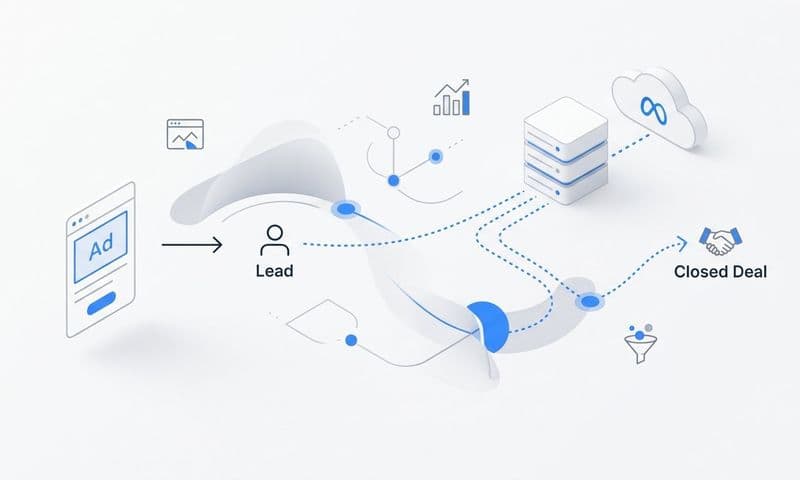
Success indicator: You can draw a clear line from a paid ad click all the way to a closed-won deal, with a named event at each stage boundary. If any boundary is vague, go back and sharpen it before moving on.
Step 2: Instrument Conversion Events at Every Stage Boundary
With your stage definitions locked in, it is time to make each transition measurable. Every stage boundary you defined in Step 1 needs a trackable event. This is where strategy meets implementation.
Think of it in three layers: top of funnel, mid-funnel, and bottom of funnel.
Top-of-funnel events to track include page views, ad clicks, session starts, and content downloads. These are typically the easiest to capture and are often already firing if you have any basic analytics in place.
Mid-funnel events are where many teams have gaps. Demo requests, free trial signups, pricing page visits, webinar registrations, and form submissions all belong here. These events are critical because they signal genuine buying intent, and they are the ones most likely to be missed if your tracking relies solely on browser-based pixels.
Bottom-of-funnel events live primarily in your CRM. Sales qualified lead status changes, opportunity creation, proposal sent, and closed-won deals are the events that connect marketing activity to actual revenue. These are not website events. They are CRM state changes, and they require a different instrumentation approach.
This brings us to one of the most important technical decisions in your funnel tracking setup: server-side tracking.
Browser-based pixel tracking has become increasingly unreliable. Ad blockers, browser privacy restrictions, and the ongoing deprecation of third-party cookies all create gaps in your event data. A prospect using a privacy-focused browser or an ad blocker might complete a demo request that never gets recorded by your pixel.
Server-side tracking solves this by sending event data directly from your server to your analytics platform, bypassing the browser entirely. Pairing this with Conversion API integrations like Meta CAPI and Google Enhanced Conversions ensures that events are captured even when client-side tracking fails.
First-party data collection is equally important here. When you own the event data and it is not dependent on third-party cookies, you are insulated from future privacy changes that could otherwise break your tracking. Understanding how digital marketing strategies track users across the web helps clarify why first-party approaches have become essential.
One technical detail that trips up many teams: deduplication. When you run both client-side and server-side tracking simultaneously, the same conversion event can be counted twice. Make sure your implementation includes deduplication logic so each conversion is recorded once and only once.
Common pitfall: Only tracking top-of-funnel events like clicks and impressions while ignoring mid-funnel signals. This leaves a blind spot between lead and revenue, which is exactly where the most valuable insights about your funnel health are hiding.
Success indicator: Every stage boundary has at least one named, firing event visible in your analytics platform. Open your event stream and verify each one is triggering correctly before moving to the next step.
Step 3: Connect Your Ad Platforms, CRM, and Website Into One Data Layer
Funnel tracking only works when data from different sources talks to each other. Siloed data means siloed insights, and siloed insights mean decisions made without the full picture.
Think about what a complete prospect record actually requires. You need the original ad click from Meta, Google, LinkedIn, or wherever the journey started. You need the website behavior that followed. You need the CRM stage changes that happened over the next few weeks. And you need the revenue data that shows what that prospect was ultimately worth.
That data lives in four or five different systems by default. Your job in this step is to connect them.
Start with your paid ad platforms. Connect Meta, Google, LinkedIn, TikTok, and any other active channels so that ad click data flows into your attribution system. This means implementing UTM parameters consistently across all campaigns and capturing platform-specific click IDs like gclid for Google and fbclid for Meta. These identifiers are what allow you to trace a conversion back to the specific ad that started the journey. If you are new to this, our guide on what UTM tracking is and how it helps marketing covers the fundamentals in detail.
Next, integrate your CRM. Lead status changes, opportunity stage updates, and closed-won events need to flow back into your marketing analytics layer. This is the bridge between what marketing measures and what sales manages. Without it, you can track clicks and signups all day but you will never know which campaigns are actually driving pipeline.
Then connect your revenue data. If you use Stripe or another billing system, syncing that data into your attribution platform allows you to tie ad spend directly to actual revenue rather than pipeline estimates. This is the difference between knowing a campaign drove ten opportunities and knowing it drove ten opportunities worth a specific dollar amount.
Platforms like Cometly are built specifically for this kind of unified data layer. With 70+ native integrations across ad platforms, CRMs, and revenue tools, Cometly creates a single view of the customer journey without requiring custom engineering work to stitch everything together manually.
Common pitfall: Relying on UTM parameters alone. UTMs break when users switch devices, clear cookies, or arrive through direct traffic on a return visit. Server-side tracking and persistent identifiers fill these gaps and ensure the journey from click to close remains traceable even across complex, multi-session paths.
Success indicator: A single prospect record shows the original ad source, all touchpoints, CRM stage changes, and revenue value in one place. If you can pull that record for a recent closed-won deal and trace it back to the first ad click, your data layer is working.
Step 4: Choose the Right Attribution Model for Each Funnel Stage
Here is where many teams make a critical error: they pick one attribution model and apply it to every question they ask of their data. The problem is that different attribution models answer different questions, and using the wrong model for the wrong question leads to bad decisions.
Let's walk through the main options and when each one is most useful.
First-touch attribution assigns all credit to the first touchpoint in the journey. It is best for understanding which channels generate initial awareness and evaluating top-of-funnel ad spend. If you want to know which campaign is most effective at bringing new prospects into the funnel, first-touch gives you that answer.
Last-touch attribution assigns all credit to the final touchpoint before conversion. It is useful for identifying which touchpoint closed the deal or pushed a prospect over the line. Last-touch is a reasonable model for evaluating bottom-of-funnel campaigns, but it has a major weakness: it ignores everything that happened before the final click.
Linear attribution distributes credit equally across all touchpoints in the journey. It gives a balanced view of full-funnel contribution and is a good starting point for teams that want to move beyond single-touch models without the complexity of more advanced approaches.
Data-driven attribution uses actual conversion patterns to assign credit based on which touchpoints statistically influence outcomes. It is the most accurate model for mature data sets with sufficient conversion volume, but it requires enough data to produce reliable results.
For B2B SaaS companies with long sales cycles, multi-touch attribution models give a more accurate picture of how marketing contributes across the entire journey. A prospect might see a LinkedIn ad, read three blog posts, attend a webinar, and then convert on a retargeting ad two months later. A last-touch model gives all the credit to the retargeting ad. A multi-touch model recognizes the contribution of every step along the way. Exploring the best software for tracking marketing attribution can help you find tools that support multiple models simultaneously.
The practical approach is to use different models for different decisions. Use first-touch for awareness budget allocation. Use multi-touch for understanding full-funnel ROI. Use last-touch for conversion optimization at the bottom of the funnel. You can learn more about how these models compare in our guide to the most common ad attribution models.
Common pitfall: Defaulting to last-click attribution for all reporting. This systematically undervalues top and mid-funnel channels that warm up prospects before conversion. If you only measure last-click, you will consistently underfund the channels that start the journey.
Success indicator: You can pull a report showing revenue attributed to each channel under at least two different attribution models and make a budget decision based on the comparison. If the two models tell very different stories, that gap is worth investigating.
Step 5: Build Funnel Stage Reports That Surface Drop-Off and Velocity
Raw event data is not insight. A list of firing events tells you that things are happening. Reports tell you what those things mean and where your funnel is breaking down.
There are two types of reports every B2B SaaS team needs: conversion rate reports and pipeline velocity reports.
A funnel conversion rate report shows the percentage of prospects that move from each stage to the next. This is your primary diagnostic tool for funnel health. If you are converting well from Awareness to Interest but losing a large portion of prospects between Interest and Consideration, that is a signal. Maybe your content is engaging but your demo request flow has too much friction. Maybe your targeting is bringing in the wrong audience. The report surfaces the problem. Your job is to investigate the cause.
A pipeline velocity report measures how long prospects spend in each stage. Slow stages often indicate a content gap, a friction point, or a targeting mismatch between your ad audience and your ideal customer profile. A prospect sitting in the Consideration stage for three weeks might need a nurture sequence that does not exist yet. Velocity data tells you where to look.
Both report types become significantly more useful when you segment by traffic source and campaign. Comparing how leads from paid search behave versus leads from paid social across each funnel stage often reveals meaningful differences in lead quality and buying intent. A channel that drives high volume but low conversion rates between Consideration and Intent might be generating interest without genuine buying motivation. Building a robust marketing tracking system makes this kind of segmented analysis far easier to maintain over time.
Cohort-based funnel analysis adds another dimension. Group leads by the week or month they entered the funnel and track how each cohort progresses over time. This approach is particularly valuable for B2B SaaS because the impact of a campaign change may not show up in revenue data for several months. Cohort analysis lets you see leading indicators of how a change is playing out before the full downstream effect is visible.
Customer journey analytics takes this further by visualizing the actual paths prospects take rather than the linear funnel you designed. Real B2B buying journeys often include multiple revisits, channel switches, and non-linear progressions. Understanding those actual paths helps you design better touchpoints and allocate budget more accurately. You can explore how this connects to broader pipeline metrics in our guides on B2B customer journey and pipeline velocity.
Common pitfall: Building reports that only show volume without showing conversion rates between stages. A dashboard that shows "500 leads this month" without showing how many of those leads progressed to the next stage hides funnel health problems behind a number that looks good on the surface.
Success indicator: You can identify the single funnel stage with the highest drop-off rate and name at least one hypothesis for why it is happening. That hypothesis is the starting point for your next experiment.
Step 6: Close the Loop by Sending Conversion Data Back to Ad Platforms
Tracking funnel stages for internal reporting is only half the job. The other half is using that data to make your campaigns smarter. This is where funnel tracking creates compounding value over time.
Ad platforms like Meta and Google run on machine learning algorithms that optimize toward the conversion signals you give them. If you only send top-of-funnel signals like clicks and page views, the algorithm optimizes for clicks and page views. It has no way of knowing which clicks actually turned into qualified leads or closed deals.
When you send mid-funnel and bottom-funnel events back to ad platforms, you change what the algorithm is optimizing toward. Instead of finding people who click ads, it starts finding people who request demos, become sales qualified leads, and convert to paying customers. That is a fundamentally different and more valuable optimization target.
The technical mechanism for this is the Conversion API. Meta CAPI and Google Enhanced Conversions allow you to send server-side conversion events directly to the ad platform, tied to the original click that started the journey. This approach is more reliable than browser-based conversion tracking because it is not affected by ad blockers or cookie restrictions. Our guide on how to track offline conversions walks through the mechanics of closing this attribution gap in detail.
For CRM-based events like sales qualified lead status changes or closed-won deals, offline conversion imports are the right approach. You import these events back to Google Ads and Meta as offline conversions, matched to the original click ID. The ad platform then uses these signals to understand which audience segments and creative combinations are driving real business outcomes.
The result is a feedback loop. Better conversion signals in means better audience targeting out. Better targeting means higher quality leads entering the funnel at the top. Higher quality leads means better conversion rates at every subsequent stage. Over time, this loop compounds.
Cometly automates this feedback loop by enriching conversion events with first-party data and sending them back to Meta, Google, and other platforms in real time. Instead of manually exporting CRM data and uploading it as offline conversions, the process runs continuously in the background.
Common pitfall: Only sending purchase or signup events back to ad platforms while ignoring mid-funnel signals. For B2B SaaS with long sales cycles, demo requests and SQL conversions are often more actionable optimization signals than final purchases, because they happen closer in time to the original click and provide faster feedback to the algorithm.
Success indicator: Your ad platform campaigns are optimizing toward events that correlate with revenue, not just top-of-funnel clicks or low-intent page views. Check your campaign optimization settings and confirm the conversion events being used for bidding are mid-funnel or bottom-funnel events.
Putting It All Together: Your Funnel Tracking Checklist
You now have a complete system. Here is a quick-reference checklist to keep implementation on track:
Step 1: Funnel stages defined and documented. Stage definitions are agreed upon by marketing and sales, aligned with CRM pipeline stages, and stored in a shared source of truth.
Step 2: Conversion events instrumented at every stage boundary. Server-side tracking is in place, Conversion API integrations are active, and events are deduplicated across client-side and server-side sources.
Step 3: Ad platforms, CRM, and revenue data connected. A unified data layer exists where a single prospect record shows ad source, all touchpoints, CRM stage changes, and revenue value.
Step 4: Attribution model selected and matched to the question being answered. First-touch for awareness, multi-touch for full-funnel ROI, last-touch for conversion optimization.
Step 5: Funnel reports built showing conversion rates, velocity, and drop-off by source. You can identify your highest drop-off stage and segment performance by campaign and channel.
Step 6: Conversion data flowing back to ad platforms. Mid-funnel and bottom-funnel events are being sent via CAPI and offline conversion imports, and campaigns are optimizing toward revenue-correlated signals.
One final point: funnel tracking is not a one-time setup. Revisit your stage definitions when your product or ideal customer profile evolves. Audit event firing regularly to catch drift or breakage. Update your attribution models as data volume grows and data-driven approaches become viable.
Cometly is built to support every step of this process, from capturing every touchpoint and tracking the full customer journey to feeding enriched conversion data back to ad platforms and surfacing AI-driven recommendations that show you where to scale and where to pull back.
Start with Step 1 today. You do not need a perfect setup to begin. You need a clear definition of your stages and a plan to build from there. Get your free demo and see how Cometly can accelerate every step of the process.