Most marketing teams are running ads across multiple channels at the same time. The challenge is not whether your ads are working. The challenge is knowing exactly which ones are responsible for closed revenue. Without that clarity, budget decisions become guesswork, and scaling becomes risky.
This article breaks down seven practical strategies that B2B SaaS marketing teams use to pinpoint which ads are driving sales, not just clicks or leads. Each strategy builds on the last, moving from foundational tracking setup to advanced attribution modeling and AI-powered insights.
Whether you are managing a lean growth team or overseeing a full-scale demand generation operation, these approaches will help you connect your ad spend directly to pipeline and revenue, so every dollar you invest has a clear line of sight to business outcomes.
1. Set Up Proper Conversion Tracking Before You Optimize Anything
The Challenge It Solves
Every optimization decision you make downstream depends entirely on the quality of your conversion data. If your tracking is broken, incomplete, or relying solely on browser-based pixels, you are making budget decisions based on a distorted picture. Broken tracking does not just create gaps in your data. It actively misleads you about which ads are performing and which are not.
The Strategy Explained
Server-side tracking sends conversion events directly from your server to ad platforms like Meta and Google, bypassing the browser entirely. This matters because browser-based pixel tracking has become increasingly unreliable due to ad blockers, iOS privacy updates, and browser cookie restrictions.
Meta's Conversion API (CAPI) and Google's Enhanced Conversions are the two primary tools for implementing server-side tracking. Both are documented solutions designed to recover signal that browser pixels miss. When you implement these correctly, your ad platforms receive more complete conversion data, which directly improves their ability to optimize toward real outcomes.
Think of server-side tracking as the foundation of your entire attribution stack. You cannot accurately identify which ads are driving sales if the events those ads generate are not being captured reliably.
Implementation Steps
1. Audit your current pixel setup to identify where conversion events are being dropped or under-reported.
2. Implement Meta's Conversion API and Google's Enhanced Conversions using a server-side event layer, either through your own infrastructure or a platform like Cometly that handles this natively.
3. Verify event match quality scores in Meta Events Manager and confirm Google Ads conversion tracking before moving to any other optimization work.
Pro Tips
Deduplicate carefully: When running both browser pixels and server-side events simultaneously, deduplication logic is essential. Without it, you will double-count conversions and inflate your reported performance. Most server-side platforms handle this automatically, but always verify your setup before trusting the numbers.
2. Use UTM Parameters to Tag Every Ad at the Campaign, Ad Set, and Ad Level
The Challenge It Solves
Ad platform dashboards show you performance within their own ecosystem. But when a lead enters your CRM or converts on your website, that context often disappears unless you have explicitly tagged the traffic source. Without consistent UTM parameters, you cannot connect the dots between an individual ad and the revenue it eventually generates.
The Strategy Explained
UTM parameters are tracking codes appended to your ad URLs that tell your analytics platform exactly where each visitor came from. When structured consistently, they allow you to segment revenue data by campaign, ad set, and individual creative inside your CRM or attribution platform. You can learn more about what UTMs are and how marketers use them to build a more complete picture of campaign performance.
The key word here is consistency. A UTM naming convention only works if every team member follows the same structure every time. Inconsistent naming creates fragmented data that is nearly impossible to analyze at scale.
A well-structured UTM system typically includes the source (the platform), the medium (the channel type), the campaign name, the ad set or audience, and the ad creative or message. When this data flows into your CRM alongside lead and opportunity records, you can trace closed deals back to the exact ad that started the conversation.
Implementation Steps
1. Define a standard UTM naming convention for your team and document it in a shared reference guide. Include source, medium, campaign, content, and term fields.
2. Build a UTM generator spreadsheet or use a marketing campaign tracking spreadsheet to create consistent URLs for every ad before launch. Never rely on manual entry without a template.
3. Confirm that UTM data is being captured and stored at the contact or deal level in your CRM so it persists through the full sales cycle.
Pro Tips
Use lowercase consistently: UTM parameters are case-sensitive. "Facebook" and "facebook" will appear as two separate sources in your analytics. Enforcing lowercase across all tags prevents fragmented reporting and keeps your data clean from day one.
3. Map the Full Customer Journey, Not Just the Last Click
The Challenge It Solves
Last-click attribution assigns 100% of conversion credit to the final touchpoint before a deal closes. In B2B SaaS, where sales cycles often span weeks or months and involve multiple decision-makers, this model systematically undervalues the ads that created awareness and built intent earlier in the journey. You end up over-investing in bottom-of-funnel ads and starving the campaigns that fill the top of your pipeline.
The Strategy Explained
Multi-touch attribution distributes conversion credit across every touchpoint in the customer journey, not just the last one. Models like linear attribution, time-decay attribution, and position-based attribution each offer a different perspective on how credit should be allocated.
For B2B SaaS teams, this shift is particularly important. A prospect might first encounter your brand through a LinkedIn thought leadership ad, engage with a retargeting ad two weeks later, and finally convert after clicking a branded search ad. Last-click gives all the credit to the search ad. Multi-touch attribution reveals that the LinkedIn ad started the entire conversation.
Understanding the full journey helps you make smarter decisions about where to invest across the funnel, not just at the bottom. You can explore the different ad attribution models to understand how each one frames your performance data differently.
Implementation Steps
1. Identify all the touchpoints in your typical customer journey by reviewing closed-won deals in your CRM and mapping the ad interactions that preceded them.
2. Enable multi-touch attribution reporting in your analytics or attribution platform to see how credit distributes across channels and campaigns.
3. Compare your top-performing campaigns under last-click versus a multi-touch model to identify which ads are being undervalued in your current reporting.
Pro Tips
Do not abandon last-click entirely: Last-click still has value for understanding what drives final conversions. The goal is to use it alongside multi-touch models, not replace one with the other. Seeing both perspectives simultaneously gives you a more complete and actionable picture of your funnel.
4. Connect Ad Data Directly to Pipeline and Revenue
The Challenge It Solves
Most ad platforms report on leads generated. But in B2B SaaS, a lead is only the beginning of the story. If you are optimizing campaigns toward lead volume without knowing which leads actually become opportunities or closed deals, you are likely investing in ads that generate activity without generating revenue. Cost per lead is a useful metric, but it is not the same as cost per closed deal.
The Strategy Explained
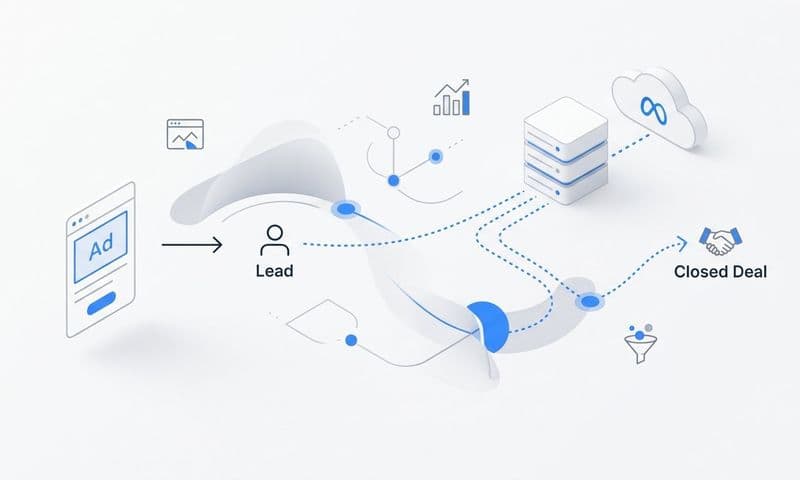
Connecting your CRM to your attribution platform allows you to measure ad performance all the way through the funnel, from first click to closed-won. This means you can calculate cost per opportunity and cost per closed deal by individual ad, ad set, and campaign. Understanding how to track sales leads through every stage of the funnel is what separates teams that optimize for revenue from those that optimize for volume.
This level of visibility changes how you evaluate performance. An ad with a high cost per lead might actually have the lowest cost per closed deal if it attracts high-quality prospects. Conversely, an ad driving a high volume of cheap leads might produce almost no pipeline. Without CRM integration, you would never know the difference.
Platforms like Cometly are built specifically for this workflow, pulling together ad spend data and CRM pipeline data to give you a single view of revenue attribution across every campaign.
Implementation Steps
1. Integrate your CRM with your attribution platform so that deal stage, deal value, and closed-won status are tied back to the original ad source using UTM data or first-touch tracking.
2. Build a reporting view that shows pipeline generated and revenue closed by campaign, ad set, and individual ad, not just leads or clicks.
3. Set cost per opportunity and cost per closed deal as primary performance benchmarks for your campaigns, and use these metrics to guide budget allocation decisions.
Pro Tips
Segment by deal size: Not all closed deals are equal. When you connect ad data to revenue, segment your analysis by average contract value or deal tier. An ad that consistently attracts enterprise deals may be worth far more than its lead volume suggests, and your budget decisions should reflect that reality.
5. Compare Attribution Models Side by Side to Reveal Hidden Contributors
The Challenge It Solves
Any single attribution model tells a partial story. Relying on one model means you are making budget decisions based on an incomplete interpretation of your data. The ads that appear to be underperforming under one model may be driving significant pipeline influence that a different model would surface. The risk is cutting campaigns that are actually working.
The Strategy Explained
Running multiple attribution models simultaneously and comparing them side by side reveals discrepancies that expose hidden contributors and overvalued touchpoints. When an ad performs well under linear attribution but poorly under last-click, that gap tells you something meaningful about its role in the funnel. Reviewing a marketing attribution software comparison can help you identify which platforms make this kind of side-by-side analysis easiest to execute.
This approach is especially valuable for awareness and consideration campaigns. These ads rarely get last-click credit, but they often play a critical role in warming up prospects before they convert. Comparing models helps you quantify that influence and defend the budget for upper-funnel activity with data rather than intuition.
The goal is not to find the one "correct" model. It is to use the comparison as a diagnostic tool that reveals where your current model is creating blind spots in your decision-making.
Implementation Steps
1. Enable at least three attribution models in your analytics or attribution platform: last-click, linear, and either time-decay or position-based.
2. Identify the campaigns where model comparison produces the largest discrepancies in credit allocation. These are the campaigns worth investigating most closely.
3. Use the comparison data to build a more nuanced budget allocation framework, one that accounts for full-funnel contribution rather than relying on a single model's output.
Pro Tips
Document your findings over time: Attribution model comparisons become more valuable as you accumulate data. Track how model discrepancies shift across quarters and use those trends to refine your understanding of how different channels and creatives contribute at different stages of your funnel.
6. Leverage First-Party Data to Improve Signal Quality Across Ad Platforms
The Challenge It Solves
Ad platform AI, including Meta's Advantage+ and Google's Smart Bidding, depends on conversion signal quality to optimize toward the right outcomes. When signal quality degrades because of browser restrictions, iOS privacy changes, or ad blockers, the platform's algorithm receives a distorted view of which users are converting. The result is less efficient targeting and reduced return on ad spend.
The Strategy Explained
First-party data is information you collect directly from your users through your own website, CRM, and product. Unlike third-party cookies, first-party data is not subject to browser restrictions or platform privacy changes. When you use this data to enrich the conversion events you send back to Meta and Google, you improve the match rate between your conversion data and the platform's user profiles.
Apple's iOS 14.5 update in 2021 was a turning point that reduced the effectiveness of pixel-based tracking significantly. Server-side event tracking combined with first-party data enrichment is the documented industry response to that shift. Meta's Conversion API and Google's Enhanced Conversions are both designed to use first-party data to recover lost signal and improve optimization accuracy. Teams that have experienced Facebook ads reporting discrepancies often trace the root cause back to degraded signal quality from insufficient first-party data.
Better signal quality means the ad platform's AI has a more accurate picture of who is converting, which leads to better audience targeting, smarter bidding, and ultimately more efficient ad spend.
Implementation Steps
1. Collect first-party identifiers at key conversion points on your website and in your product, including email addresses, phone numbers, and user IDs where users have provided consent.
2. Hash and send these identifiers alongside conversion events through Meta's Conversion API and Google's Enhanced Conversions to improve match rates.
3. Monitor event match quality scores in Meta Events Manager and conversion coverage in Google Ads to measure the impact of your first-party data enrichment over time.
Pro Tips
Prioritize your highest-value conversion events: Not all conversion events carry equal weight for ad platform optimization. Focus your first-party data enrichment efforts on the events that matter most to your business outcomes, such as demo requests, trial sign-ups, and opportunity creation, rather than spreading effort across every micro-conversion on your site.
7. Use AI-Powered Analysis to Scale What Is Actually Working
The Challenge It Solves
Even with accurate tracking, multi-touch attribution, and CRM integration in place, the volume of data generated across multiple campaigns and creatives can be overwhelming to analyze manually. Identifying patterns across hundreds of ads, audiences, and channels requires more processing power than a spreadsheet can provide. Without a systematic way to surface what is working, high-performing ads can go unnoticed while underperforming campaigns continue to consume budget.
The Strategy Explained
AI-powered analysis tools can process large volumes of campaign data to identify performance patterns that manual review would miss. These tools look across campaigns, ad sets, creatives, and audiences to surface which combinations are consistently driving pipeline and closed revenue, not just clicks or impressions. Exploring how AI for sales and marketing is being applied gives you a clearer sense of where these capabilities are heading and how teams are using them today.
The value here is not just identification. It is speed and scale. AI can flag a high-performing creative before your team would have caught it in a weekly review, giving you the opportunity to reallocate budget faster and capture more revenue from what is already working.
Platforms like Cometly incorporate AI-driven recommendations that analyze performance across every ad channel and surface actionable insights. Instead of spending hours pulling reports, your team gets clear direction on where to invest next based on what has actually driven closed deals.
Implementation Steps
1. Consolidate your ad performance data, attribution data, and CRM revenue data into a single platform so AI analysis has a complete dataset to work with.
2. Use AI-generated recommendations to identify your top-performing ads by revenue contribution, not just click-through rate or cost per lead, and prioritize budget toward those campaigns.
3. Establish a regular cadence for reviewing AI insights, such as weekly performance reviews, and use those insights to drive budget reallocation decisions rather than relying solely on manual analysis.
Pro Tips
Feed the AI better data over time: AI analysis improves as the underlying data becomes richer and more accurate. Every improvement you make to your tracking infrastructure, UTM consistency, and CRM integration directly enhances the quality of AI-driven insights. The strategies in this list are cumulative: each one makes the next one more powerful.
Putting It All Together
Identifying which ads are driving sales is not a one-time audit. It is an ongoing operational discipline that requires accurate tracking infrastructure, the right attribution models, and a direct connection between your ad data and revenue outcomes.
Start with the foundation. Get your conversion tracking right and tag every ad with UTMs. Then build upward toward multi-touch attribution, CRM integration, and AI-powered analysis. Each layer adds clarity to the one before it.
Here is a prioritized implementation path:
Week 1-2: Implement server-side tracking and Conversion API integration. Audit and fix any gaps in your current conversion event coverage.
Week 3-4: Standardize your UTM naming convention and retroactively tag any active campaigns that are missing proper parameters.
Month 2: Connect your CRM to your attribution platform and begin reporting on pipeline and revenue by ad source. Enable multi-touch attribution models and run your first side-by-side model comparison.
Month 3 and beyond: Enrich your conversion events with first-party data, monitor signal quality improvements, and begin leveraging AI-powered analysis to accelerate budget decisions.
Teams that implement these strategies stop optimizing for vanity metrics and start making budget decisions based on what actually closes deals. The result is not just better reporting. It is a compounding advantage where every campaign you run generates cleaner data, sharper insights, and more confident investment decisions.
Ready to connect your ad spend directly to pipeline and revenue in real time? Get your free demo and see how Cometly helps your team identify exactly which ads are driving sales across every channel.