If you are running paid ads, publishing content, and investing in multiple channels but cannot tell which ones are actually driving pipeline and revenue, you have an attribution problem. For B2B SaaS companies, this is one of the most common and costly gaps in marketing operations. Without attribution, budget decisions are based on gut feel rather than data, and scaling becomes a guessing game.
This guide walks you through exactly how to get started with marketing attribution from the ground up. You will learn how to define your conversion goals, set up tracking infrastructure, choose the right attribution model, connect your ad platforms and CRM, and turn attribution data into decisions that move revenue.
Whether you are building attribution from scratch or replacing a broken setup, these steps give you a clear, practical path forward. By the end, you will have a functioning attribution system that shows you which campaigns, channels, and touchpoints are generating real business outcomes, not just clicks and impressions.
The seven steps below build on each other progressively. Each one closes a specific gap that prevents you from seeing the full picture of what is driving your growth.
Step 1: Define Your Conversion Goals and Key Touchpoints
Before you configure a single pixel or connect a single integration, you need to get clear on what you are actually trying to measure. This sounds obvious, but it is where most attribution setups go wrong. Teams rush to implement tracking without first defining which actions actually matter to revenue.
Start by identifying the specific conversions that signal business progress. For most B2B SaaS companies, those are: form fills, demo requests, free trial signups, marketing qualified leads, sales qualified leads, opportunities created, and closed-won deals. These are your primary events. Everything else is secondary.
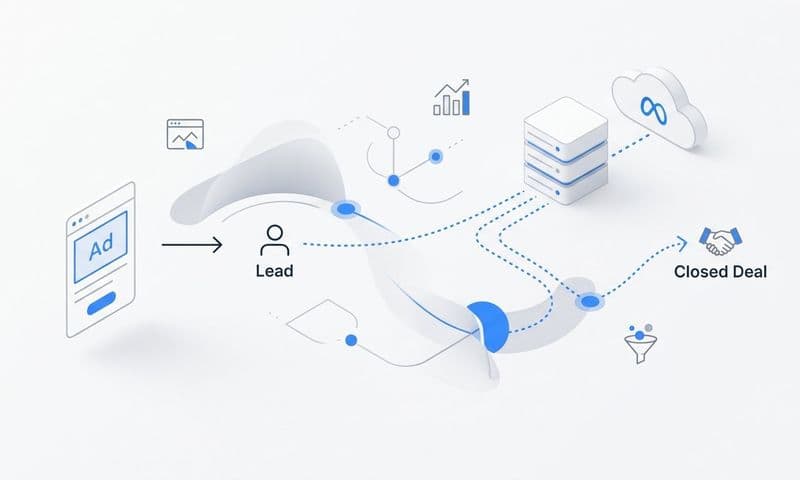
Next, map your customer journey from first contact to closed revenue. A typical B2B SaaS journey might look like this: a prospect clicks a paid search ad, reads a blog post, downloads a guide, registers for a webinar, books a demo, enters the pipeline as an SQL, and eventually becomes a customer. Each of those stages represents a touchpoint your attribution system needs to capture.
Document every channel where prospects interact with your brand. That includes paid search, paid social, organic search, email, direct traffic, review sites, and referral partners. If a channel influences the journey, it deserves to be tracked.
It also helps to distinguish between micro-conversions and macro-conversions. Micro-conversions are early signals of interest: content downloads, webinar signups, newsletter subscriptions. Macro-conversions are the actions tied directly to pipeline and revenue: demo booked, trial started, deal closed. Both matter, but your attribution reports should prioritize macro-conversions when making budget decisions.
Common pitfall: Tracking too many events without prioritizing the ones tied to pipeline creation. When everything is a conversion, nothing is. Be selective, start with five to seven key events, and expand from there as your system matures.
Success indicator: You have a documented list of conversion events ranked by their proximity to revenue, and you can draw a clear map of the touchpoints a typical prospect encounters before becoming a customer.
Step 2: Audit Your Current Tracking Infrastructure
Once you know what you want to measure, the next step is understanding what you are actually measuring right now. Most marketing teams assume their tracking is working correctly. Many are wrong.
Start with your website pixels. Check whether they are firing correctly on all key pages, particularly thank-you pages, demo confirmation pages, and any checkout or signup flows. Use browser developer tools or a tag auditing extension to verify that conversion events are triggering when they should and not triggering when they should not.
Next, audit your UTM parameter usage across every paid campaign. Open your Google Ads, Meta, LinkedIn, and TikTok accounts and check whether every ad has properly structured UTM parameters in the destination URLs. Inconsistent or missing UTMs are one of the most common reasons attribution data breaks down. If some ads use UTMs and others do not, your channel-level data will be incomplete and misleading.
Then look for tracking gaps. Are offline conversions being captured? If a prospect calls your sales team or converts through a partner, does that event make it back into your attribution system? Are CRM events being sent back to your ad platforms so they can see which leads actually became customers?
A critical question to answer: Are you relying solely on browser-based pixel tracking? If so, your data is likely less complete than you think. Ad blockers, iOS privacy restrictions, and browser-level cookie limitations all reduce the accuracy of pixel-only setups. We will address how to fix this in Step 5, but your audit should flag it now.
Document what data you currently have versus what you need. Create a simple gap analysis: on one side, list the conversion events and channels you want to track. On the other, list what is actually being captured today. The gap between those two columns is your implementation roadmap. Understanding common attribution challenges in marketing can help you anticipate the gaps you are most likely to find.
Common pitfall: Assuming your current setup is accurate without verifying it. A pixel that fires on the wrong page or a UTM that breaks on redirect can silently corrupt months of attribution data.
Success indicator: You have verified that your key conversion pixels are firing correctly, your UTMs are consistent, and you have a documented list of tracking gaps to address in the steps ahead.
Step 3: Choose the Right Attribution Model for Your Business
Attribution models determine how credit is distributed across the touchpoints in a customer journey. The model you choose directly shapes how you interpret channel performance and where you allocate budget. Choosing the wrong model does not just give you bad data. It leads to bad decisions.
Here is a quick breakdown of the core models:
First-touch attribution gives 100% of the credit to the first interaction a prospect had with your brand. It is useful for understanding which channels are creating awareness and bringing new prospects into your funnel. If you want to know which campaigns are best at generating net-new demand, first-touch gives you that view.
Last-touch attribution gives all the credit to the final touchpoint before conversion. It is simple to implement and easy to explain, but it systematically undervalues every channel that contributed earlier in the journey. For B2B SaaS, this often means branded search and retargeting get credit for deals that were actually initiated by paid social or organic content months earlier.
Linear attribution distributes credit equally across every touchpoint. It is more balanced than single-touch models, but it treats a quick retargeting click the same as the original awareness campaign that started the journey, which is rarely accurate.
Time-decay attribution gives more credit to touchpoints that occurred closer to the conversion. This makes intuitive sense for shorter sales cycles but can undervalue top-of-funnel efforts in longer B2B journeys where the first touchpoint may have happened three months before the deal closed.
Data-driven attribution uses machine learning to assign credit based on which touchpoints actually correlate with conversion outcomes across your entire dataset. It is the most accurate model but requires sufficient conversion volume to produce reliable results.
For most B2B SaaS companies with sales cycles of 30 days or longer, multi-touch attribution reflects reality more accurately than single-touch models. The journey is simply too complex and too long for any single touchpoint to deserve full credit.
One important note: you do not need to commit to a single model permanently. Comparing models side by side often reveals different strategic insights. First-touch might show you that LinkedIn is your best awareness channel even though last-touch gives all the credit to branded search. Both views are useful in different contexts.
For a deeper breakdown of how each model works and when to use it, explore resources on the five most common ad attribution models to understand the tradeoffs in more detail.
Success indicator: You have selected a primary attribution model that aligns with your sales cycle length, and you understand what strategic questions each alternative model can answer.
Step 4: Connect Your Ad Platforms, CRM, and Website
Attribution data only becomes useful when all your data sources are talking to each other. This step is where the technical integration work happens, and it is where many teams either do it right and gain a major advantage or cut corners and end up with a fragmented picture.
Start by integrating your ad platforms. Connect Google Ads, Meta, LinkedIn, and any other paid channels to your attribution tool so that spend, impressions, clicks, and campaign data flow in automatically. This gives you the foundation for calculating cost per lead, cost per opportunity, and cost per closed deal at the campaign level.
Next, connect your CRM. This is the step that separates teams who track leads from teams who track revenue. When lead status changes, pipeline stages update, and deals close in your CRM, those events need to flow back into your attribution reports. Without this connection, you can see which campaigns drive form fills but not which ones drive revenue. That is a critical blind spot.
Map your CRM fields to your attribution events carefully. When a lead becomes an SQL, that event should be tied to the original ad touchpoint that brought them in. When a deal closes, the revenue amount should be associated with the campaign that initiated the journey. This mapping work takes time but it is what makes your attribution reports genuinely actionable for B2B SaaS teams.
For SaaS teams using Stripe, connecting your revenue data to your ad spend gives you a direct line of sight from campaign to closed revenue. You can see not just which campaigns generate trials but which ones generate paying customers who stick around.
Cometly connects ad platforms, your website, and your CRM into a single attribution view with 70+ native integrations, making it significantly faster to build this connected data infrastructure without custom engineering work.
Common pitfall: Connecting platforms but failing to test that data is flowing correctly before making budget decisions. After each integration, run a test conversion and verify that it appears correctly in your attribution reports with the right source, campaign, and revenue data attached.
Success indicator: You can open a single report and see ad spend, leads, pipeline, and closed revenue side by side, broken down by channel and campaign.
Step 5: Implement Server-Side Tracking and First-Party Data Collection
Browser-based pixels alone are no longer sufficient for accurate attribution. This is not a future concern. It is a present reality. iOS privacy updates, widespread use of ad blockers, and third-party cookie restrictions have meaningfully reduced the completeness of pixel-only tracking setups. If you are relying solely on browser pixels, you are likely missing a significant portion of your conversions.
Server-side tracking solves this by sending conversion events directly from your server to ad platforms, bypassing browser-level limitations entirely. Instead of relying on a user's browser to fire a pixel, your server sends the event data directly to Meta, Google, or wherever it needs to go. The result is more complete, more accurate conversion data.
The two most important server-side integrations to implement are the Meta Conversion API (CAPI) and Google Enhanced Conversions. These are the server-side equivalents of the Meta pixel and Google Ads conversion tag respectively. Implementing both significantly improves your conversion match rates and gives ad platform algorithms better data to optimize against.
First-party data is the foundation of this approach. Data collected directly from your users through form submissions, account signups, and CRM records is more reliable and more durable than third-party cookie data. When you enrich your conversion events with customer identifiers like hashed email addresses or phone numbers, you improve the match quality between your conversion data and the ad platform's user profiles.
If you are running both browser pixels and server-side tracking simultaneously, event deduplication is critical. Without deduplication, the same conversion can be counted twice: once by the pixel and once by the server event. Most ad platforms have deduplication mechanisms, but you need to configure them correctly by passing consistent event IDs across both methods.
For guidance on improving your event match quality specifically for Meta campaigns, resources on Facebook Event Match Quality can help you understand what scores to aim for and how to improve them. Teams that invest in tracking marketing campaigns accurately at the server level consistently see stronger downstream attribution data.
Success indicator: Your Meta CAPI and Google Enhanced Conversions are live, your event match quality scores are strong, and your server-side conversion counts align closely with your CRM data rather than showing a significant undercount.
Step 6: Analyze Attribution Data and Make Budget Decisions
With your tracking infrastructure in place and data flowing correctly, you can now build the reporting views that turn raw data into budget decisions. This is where attribution starts generating real business value.
Build a reporting view that shows three core metrics by channel and campaign: cost per lead, cost per opportunity, and cost per closed deal. These three numbers tell you very different things. A channel with a low cost per lead but a high cost per closed deal is generating unqualified traffic. A channel with a higher cost per lead but a low cost per closed deal is generating high-intent prospects worth investing in more heavily.
Compare channels not just on volume but on revenue contribution. A paid social campaign that drives 20 leads per month at a higher cost per lead might still outperform a search campaign that drives 50 leads per month, if those 20 leads close at a higher rate and generate more revenue. Volume metrics alone will lead you to the wrong conclusions.
Use attribution data to identify underperforming campaigns that are consuming budget without contributing to pipeline. These are the campaigns that look fine on surface-level metrics like click-through rate or cost per click but disappear entirely when you look at downstream conversion data. Cutting or pausing these campaigns frees up budget to scale what is actually working.
Look at the full customer journey to understand which channels work best at different funnel stages. Some channels excel at generating first-touch awareness. Others are most effective at mid-funnel nurturing or final-stage conversion. Understanding cross-channel attribution and marketing ROI helps you build a channel strategy that covers the full journey rather than over-indexing on any single stage.
Cometly's AI surfaces high-performing ads and campaigns across channels so you can identify what to scale with confidence rather than manually digging through reports to find the signal in the noise.
Establish a review cadence: weekly for tactical decisions like pausing underperforming ads or shifting daily budgets, and monthly for strategic budget reallocation across channels.
Common pitfall: Pulling insights too early before enough conversion data has accumulated. If you have only 10 closed deals in your attribution system, the channel-level breakdowns will not be statistically meaningful. Let the data accumulate before making major structural budget changes.
Success indicator: You can identify at least one channel or campaign to scale and at least one to reduce or pause, with attribution data as the justification for both decisions.
Step 7: Feed Attribution Insights Back Into Ad Platform Algorithms
Most teams stop at Step 6. They use attribution for reporting, review the data, and make manual budget decisions. That is valuable, but it leaves a significant performance advantage on the table. The most impactful use of attribution data is feeding it back into the ad platforms themselves.
Here is the core idea: Meta, Google, and LinkedIn all use machine learning to optimize ad delivery. Their algorithms are designed to find more users who look like the people who converted. The quality of their targeting depends directly on the quality of the conversion signals you send them.
If you are only sending form fill events back to ad platforms, you are training their algorithms to find more people who fill out forms. That includes low-quality leads, tire-kickers, and prospects who will never become customers. But if you send downstream CRM events like qualified leads, opportunities created, or closed-won deals, you are training the algorithms to find people who actually convert to revenue. That is a fundamentally different optimization target.
This creates a compounding feedback loop. Better conversion signals lead to better algorithmic targeting. Better targeting leads to higher-quality leads entering your pipeline. Higher-quality leads generate more downstream conversion events. More downstream events improve the signal quality further. Each cycle makes your ad performance better than the last. This is one of the most powerful ways that marketing attribution software improves digital marketing performance over time.
Cometly sends conversion-ready events back to Meta, Google, and other platforms to improve targeting and ad ROI, closing the loop between your attribution data and your ad platform optimization automatically.
Monitor your Event Match Quality scores in Meta's Events Manager and your Enhanced Conversion match rates in Google Ads regularly. These scores tell you how effectively your conversion data is being matched to user profiles on each platform. Higher match quality means better optimization and better results.
Success indicator: You are passing at least one downstream CRM event (such as qualified lead or closed deal) back to your ad platforms, your Event Match Quality scores are above the platform benchmarks, and you can observe improvements in lead quality over time as the algorithms optimize toward higher-value conversions.
Putting It All Together
Getting started with marketing attribution does not have to be overwhelming. By following these seven steps, you move from disconnected data and gut-feel decisions to a clear, data-driven system that shows exactly which channels and campaigns are driving revenue.
Each step builds on the last. Define what conversions matter, audit what you are currently tracking, choose an attribution model that fits your sales cycle, connect your tools, implement server-side tracking, analyze the results, and feed that data back into your ad platforms. As your attribution setup matures, you gain a compounding advantage: better data leads to smarter budget decisions, which leads to better campaign performance, which generates even more useful data.
Here is a quick-start checklist to keep your implementation on track:
1. Define your conversion goals and map the customer journey from first click to closed revenue.
2. Audit your existing tracking infrastructure and document the gaps.
3. Select an attribution model aligned to your sales cycle length and deal complexity.
4. Connect your ad platforms, CRM, and website into a unified attribution view.
5. Implement server-side tracking and Conversion API integrations for Meta and Google.
6. Build revenue-focused attribution reports and establish a regular review cadence.
7. Send enriched downstream conversion events back to ad platforms to improve algorithmic targeting.
For B2B SaaS teams looking to build this infrastructure without stitching together a dozen tools, Cometly provides an end-to-end attribution platform that connects your ads, website, CRM, and revenue data in one place. From multi-touch attribution and server-side tracking to AI-powered campaign recommendations and Stripe revenue integration, it gives you everything you need to go from attribution chaos to a clear, reliable picture of what is driving growth.
Ready to stop guessing and start scaling with data? Get your free demo today and start capturing every touchpoint to maximize your conversions.