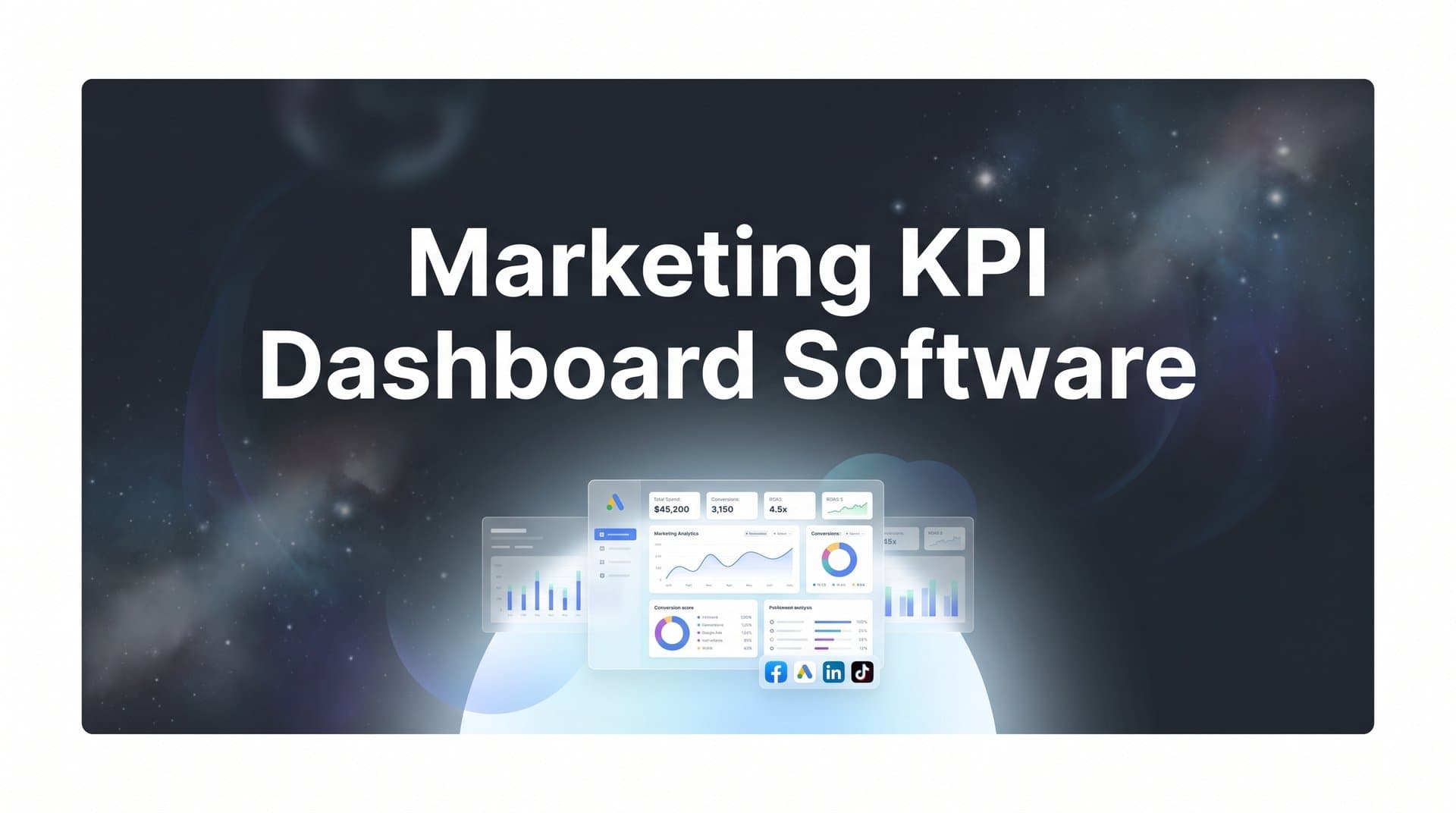
Marketing teams today juggle data from Google Ads, Meta, LinkedIn, CRM systems, and analytics platforms—often toggling between tabs just to answer one question about campaign performance. Marketing KPI dashboard software consolidates these scattered metrics into a single view, letting you spot trends, compare channels, and make optimization decisions without the manual export-and-merge routine. Here are the top tools that help marketing teams visualize what matters most, from attribution-focused platforms to customizable BI solutions.
1. Cometly
Best for: Marketing teams needing accurate attribution and AI-powered optimization recommendations
Cometly is a marketing attribution and analytics platform that connects your ad platforms, CRM, and website data to show exactly which campaigns drive revenue.
 9 Best Marketing KPI Dashboard Software Tools in 2026
Where This Tool Shines
Cometly goes beyond surface-level dashboard metrics by tracking the complete customer journey across every touchpoint. Its server-side tracking captures data that browser-based tools miss, especially important as iOS privacy changes limit pixel accuracy.
The AI-powered recommendations analyze your attribution data to identify which ads and channels actually convert, then suggest budget adjustments based on real revenue impact. This turns your dashboard from a reporting tool into an optimization engine.
Key Features
Multi-Touch Attribution: Track every customer interaction from first click to final conversion across all marketing channels.
AI Ads Manager: Get specific recommendations on which campaigns to scale and which to pause based on actual conversion data.
Server-Side Tracking: Capture accurate conversion data that bypasses browser limitations and ad blockers.
Conversion Sync: Feed enriched conversion events back to Meta, Google, and other ad platforms to improve their targeting algorithms.
Real-Time Analytics Dashboard: Monitor campaign performance and attribution metrics as they happen, not hours later.
Best For
Marketing teams and agencies running multi-channel paid campaigns who need to connect ad spend to actual revenue outcomes. Particularly valuable if you're managing significant ad budgets and want AI-driven insights on where to allocate them.
Pricing
Custom pricing based on ad spend volume. Contact their team for a quote tailored to your campaign scale.
2. Databox
Best for: Quick dashboard setup with pre-built templates and mobile monitoring
Databox is a dashboard platform with over 70 native integrations and hundreds of ready-made templates for common marketing scenarios.
 9 Best Marketing Analytics Tools for Small Business in 2026
Where This Tool Shines
Databox's template library means you can have a functional dashboard running in minutes, not hours. Connect your Google Ads account, choose a template, and you're visualizing CTR, CPC, and conversion metrics immediately.
The mobile app makes it genuinely useful for checking campaign performance between meetings or during your commute. Goal tracking with automated alerts means you know when metrics hit thresholds without constantly refreshing the dashboard.
Key Features
Pre-Built Templates: Start with proven dashboard layouts for Google Ads, Facebook Ads, HubSpot, and dozens of other platforms.
Mobile App: Monitor your KPIs from iOS or Android with a dedicated app designed for quick metric checks.
Goal Tracking: Set targets for any metric and receive alerts when you hit, exceed, or fall short of goals.
Custom Metrics: Create calculated fields to track metrics not available in your source tools.
Scheduled Reports: Automatically send dashboard snapshots to stakeholders on your chosen schedule.
Best For
Small to mid-sized marketing teams who want fast setup without technical complexity, and agencies managing multiple clients who benefit from template reuse across accounts.
Pricing
Free plan available with limited features. Paid plans start at $47 per month for additional users and data sources.
3. Klipfolio
Best for: Custom KPI modeling and blending data from disparate sources
Klipfolio is a data analytics platform with PowerMetrics for building custom KPIs and combining data from over 100 marketing sources.
 9 Best Unified Marketing Dashboard Software Tools in 2026
Where This Tool Shines
Klipfolio's PowerMetrics feature lets you define exactly how to calculate your unique KPIs, then apply those calculations across blended data sources. Think cost per qualified lead using ad spend from Google Ads and lead quality scores from your CRM.
The formula editor gives you spreadsheet-like flexibility to create metrics that matter to your specific business model. Historical tracking means you can compare this month's custom KPI against any previous period.
Key Features
PowerMetrics: Define custom KPIs with your own calculation logic and apply them across multiple data sources.
Data Blending: Combine metrics from different platforms to create unified views like total marketing ROI across all channels.
Formula Editor: Use functions and operators to build calculated metrics beyond what your source tools provide.
Embedded Analytics: Share dashboards with clients or stakeholders who don't need full platform access.
Historical Data: Track KPI trends over time with automatic historical data retention.
Best For
Marketing teams with specific KPI requirements that standard dashboards don't support, and businesses that need to blend financial data with marketing metrics for true ROI visibility.
Pricing
Starts at $125 per month for team plans with multiple users and data sources.
4. Google Looker Studio
Best for: Budget-conscious teams using Google marketing products
Google Looker Studio is a free visualization tool with native connections to Google Ads, Analytics, and Search Console.
 9 Best Client Reporting Dashboard Software Tools in 2026
Where This Tool Shines
Looker Studio's price point—free—makes it accessible to any marketing team with a Google account. The native integrations with Google's marketing ecosystem mean zero authentication headaches when connecting Analytics, Ads, or Search Console data.
Community connectors extend functionality to third-party platforms like Facebook Ads and LinkedIn, though with varying reliability. The sharing model works like Google Docs, making collaboration straightforward for teams already in the Google workspace.
Key Features
Free Access: No cost to create unlimited reports and dashboards with your Google account.
Google Marketing Integration: Direct, reliable connections to Google Ads, Analytics 4, Search Console, and other Google products.
Community Connectors: Access third-party data sources through connectors built by the community and partners.
Shareable Reports: Distribute dashboards via link or embed them in websites and internal portals.
Scheduled Delivery: Email report snapshots to stakeholders automatically on your chosen schedule.
Best For
Small businesses and startups with limited budgets who primarily use Google's marketing tools, and teams comfortable with some technical setup for non-Google data sources.
Pricing
Completely free with a Google account. No paid tiers or feature limitations.
5. Tableau
Best for: Enterprise analytics with advanced visualization and predictive capabilities
Tableau is a business intelligence platform offering sophisticated data analysis and visualization tools for complex marketing datasets.
 9 Best Marketing KPI Dashboard Software Tools in 2026
Where This Tool Shines
Tableau handles massive datasets and complex analysis that would overwhelm simpler dashboard tools. The visualization options go far beyond basic charts—heat maps, geographic mapping, and custom interactive elements that let stakeholders explore data themselves.
Ask Data lets non-technical users query dashboards using natural language, removing the bottleneck of waiting for analysts to pull custom reports. Enterprise security features make it suitable for organizations with strict data governance requirements.
Key Features
Advanced Visualizations: Create sophisticated charts, maps, and interactive dashboards beyond standard bar and line graphs.
Predictive Analytics: Apply statistical models to forecast trends and identify patterns in your marketing data.
Ask Data: Query dashboards using natural language questions instead of learning complex interfaces.
Enterprise Security: Granular permissions, data encryption, and compliance features for regulated industries.
Extensive Customization: Build precisely the analysis and visualization you need without template constraints.
Best For
Large marketing organizations with dedicated analytics teams, enterprises needing sophisticated data analysis capabilities, and companies with complex reporting requirements across multiple departments.
Pricing
Starts at $75 per user per month for Tableau Creator licenses. Viewer licenses available at lower cost for stakeholders who only need dashboard access.
6. AgencyAnalytics
Best for: Marketing agencies managing multiple client dashboards
AgencyAnalytics is a reporting platform built specifically for agencies with white-label dashboards and client management features.
 9 Best Marketing KPI Dashboard Software Tools in 2026
Where This Tool Shines
AgencyAnalytics solves the agency-specific challenge of creating branded reports for multiple clients without rebuilding dashboards from scratch each time. The white-label features let you add your agency logo and colors, making reports look like they came from your team.
Client and staff user management means you can give clients dashboard access without exposing other clients' data or your agency's backend. The included SEO auditing tools add value beyond basic metric visualization.
Key Features
White-Label Dashboards: Brand reports with your agency logo, colors, and custom domain for professional client delivery.
80+ Integrations: Connect common marketing platforms from Google and Meta to SEMrush and Mailchimp.
Automated Scheduling: Send client reports automatically on weekly or monthly schedules without manual intervention.
User Management: Create separate logins for clients and team members with appropriate permission levels.
SEO Tools: Built-in rank tracking, site auditing, and backlink monitoring alongside your dashboard metrics.
Best For
Marketing agencies and consultants managing multiple client accounts who need professional-looking, branded reports and separate client access portals.
Pricing
Starts at $79 per month for up to 5 client campaigns. Pricing scales based on the number of client campaigns you manage.
7. Geckoboard
Best for: Live TV displays showing real-time KPIs to entire teams
Geckoboard is dashboard software designed specifically for displaying marketing metrics on office screens and monitors.
 9 Best Marketing KPI Dashboard Software Tools in 2026
Where This Tool Shines
Geckoboard's TV mode optimizes dashboards for large displays, with high contrast and readable fonts from across a room. Real-time data streaming means your team sees current performance, not yesterday's numbers.
The simplicity works in its favor—drag-and-drop building without complex configuration gets dashboards on screens fast. Status indicators and goal tracking make it immediately obvious whether you're hitting targets or falling behind.
Key Features
TV Mode: Optimized display settings for office monitors with automatic rotation between multiple dashboards.
Real-Time Streaming: Live data updates as metrics change, not on delayed refresh cycles.
Drag-and-Drop Builder: Simple interface for arranging metrics without technical complexity.
Status Indicators: Visual cues showing whether metrics are on track, above, or below targets.
Sharing Options: Distribute dashboards via URL or push updates to Slack channels.
Best For
Marketing teams with shared office spaces who want visible KPI displays, and remote teams using Slack for dashboard distribution to maintain visibility.
Pricing
Starts at $49 per month for basic plans. Pricing increases with additional data sources and dashboard complexity.
8. Whatagraph
Best for: Visual-first reporting with cross-channel performance tracking
Whatagraph is a reporting platform emphasizing visual design and cross-channel data aggregation for marketing teams.
 9 Best Tools to Unify Marketing Data Scattered Across Platforms in 2026
Where This Tool Shines
Whatagraph's templates prioritize visual clarity over data density, making reports immediately understandable to non-technical stakeholders. The cross-channel aggregation lets you compare Facebook Ads performance against Google Ads in the same view with normalized metrics.
Custom branding options make reports look polished without design skills. The data blending capabilities let you create unified metrics like total leads across all paid channels without manual spreadsheet work.
Key Features
Visual Templates: Pre-designed report layouts focused on clear, attractive data presentation.
Cross-Channel Aggregation: Combine metrics from multiple platforms into unified performance views.
Custom Branding: Add logos, color schemes, and custom styling to match your brand guidelines.
Automated Delivery: Schedule reports to send automatically to stakeholders via email or Slack.
Data Blending: Create calculated metrics that combine data from different sources.
Best For
Marketing teams who present to executives or clients and need visually polished reports, and agencies wanting professional-looking deliverables without hiring designers.
Pricing
Starts at $199 per month for professional plans with multiple data sources and users.
9. DashThis
Best for: Streamlined reporting with unlimited dashboards and cloning efficiency
DashThis is a simplified marketing reporting tool offering unlimited dashboards on all plans with efficient template cloning.
Where This Tool Shines
DashThis's unlimited dashboard approach means you can create separate views for every campaign, client, or stakeholder without worrying about hitting plan limits. The cloning feature is particularly valuable for agencies running similar campaigns across multiple clients.
The 34 native integrations cover the most common marketing platforms without overwhelming you with hundreds of options. CSV import handles edge cases where you need to include data from internal tools or custom sources.
Key Features
Unlimited Dashboards: Create as many dashboards as needed on any plan tier without additional costs.
Dashboard Cloning: Duplicate existing dashboards to quickly set up similar reports for new campaigns or clients.
34+ Integrations: Connect major marketing platforms including Google, Meta, LinkedIn, and email marketing tools.
White-Label Options: Remove DashThis branding and add your own for client-facing reports.
CSV Import: Upload custom data from spreadsheets or internal systems not covered by native integrations.
Best For
Agencies managing numerous client accounts who need dashboard scalability, and marketing teams running multiple campaigns who want separate tracking without additional costs.
Pricing
Starts at $49 per month for plans with 3 dashboards. Higher tiers increase dashboard limits while maintaining unlimited creation within those tiers.
Finding Your Best Fit
Your ideal marketing KPI dashboard software depends on what you're optimizing for. If you need attribution clarity that connects ad spend to actual revenue, Cometly's AI-powered insights and multi-touch tracking deliver actionable optimization recommendations. Teams wanting fast setup with minimal configuration will appreciate Databox's template library and mobile monitoring.
For custom metric calculations that blend data from multiple sources, Klipfolio's PowerMetrics offers the flexibility to define exactly what you need to track. Budget-conscious teams already using Google's marketing ecosystem get tremendous value from Looker Studio's free platform, while enterprise organizations requiring sophisticated analysis should consider Tableau's advanced capabilities.
Agencies face different priorities: AgencyAnalytics streamlines multi-client management with white-label features, Whatagraph emphasizes visual polish for client presentations, and DashThis offers unlimited dashboard creation for scalable reporting. If your team benefits from visible KPI displays in shared spaces, Geckoboard's TV mode keeps everyone aligned on current performance.
The right choice comes down to your primary need. Attribution accuracy and AI optimization? Start with Cometly. Quick setup and templates? Databox delivers. Custom calculations? Klipfolio has you covered. Budget constraints with Google tools? Looker Studio works. Enterprise analytics? Tableau scales. Client reporting? AgencyAnalytics, Whatagraph, or DashThis depending on your specific workflow.
Ready to elevate your marketing game with precision and confidence? Discover how Cometly's AI-driven recommendations can transform your ad strategy—Get your free demo today and start capturing every touchpoint to maximize your conversions.