If you build or market Shopify apps, you already know the Partner Dashboard gives you install numbers. But knowing which marketing channel, ad campaign, or referral source actually drove each install? That is an entirely different challenge. Without reliable source tracking, you are essentially guessing where to put your acquisition budget, and that guesswork gets expensive fast.
The right attribution and tracking tools bridge that gap. They connect your Shopify Partner Dashboard data with the full customer journey, from the moment someone clicks an ad to the moment they install your app and start generating revenue. We evaluated tools based on their ability to track install sources accurately, integrate with Shopify and major ad platforms, provide actionable attribution data, and scale alongside growing app businesses.
Here are the top tools that can help you finally answer the question every Shopify app developer is asking: where are my installs actually coming from?
1. Cometly
Best for: Paid ad attribution connecting ad clicks to app installs and revenue across all channels
Cometly is an AI-powered marketing attribution platform that tracks the complete customer journey from ad click through app install to downstream revenue.
 9 Best Tools for Shopify Partner Dashboard App Install Source Tracking in 2026
Where This Tool Shines
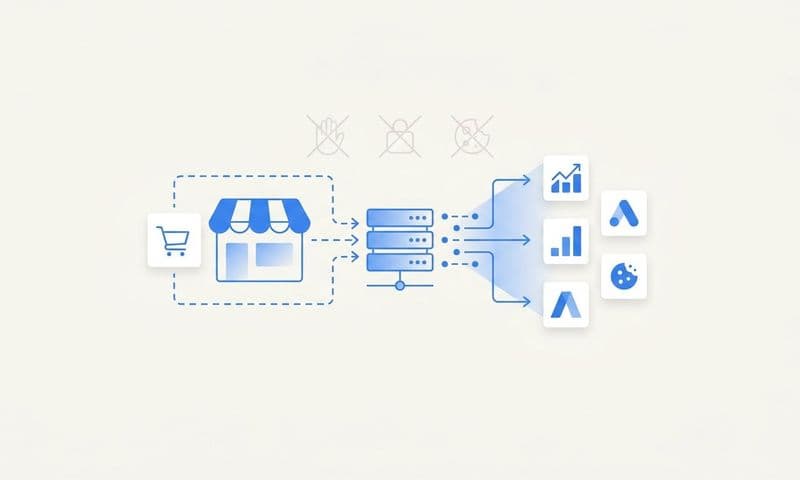
Cometly addresses one of the most persistent pain points for Shopify app developers running paid acquisition: the gap between ad platform data and actual install outcomes. Its server-side tracking approach bypasses the browser-based limitations that have made pixel tracking increasingly unreliable since iOS privacy changes took effect. This means you get a more complete picture of which campaigns are actually driving installs, not just clicks.
What separates Cometly from general analytics tools is its conversion sync capability. It feeds accurate, enriched install and revenue data back to Meta, Google, and other ad platforms, giving their algorithms better signals to optimize against. Over time, this creates a compounding advantage: better data in means better targeting out, which means lower cost-per-install as your campaigns mature.
Key Features
Multi-Touch Attribution: Tracks every paid channel touchpoint across the full customer journey, so you can see which combination of ads contributed to each install.
Server-Side Tracking: Bypasses browser and cookie limitations for more accurate install source data, even when users have ad blockers or strict privacy settings.
Conversion Sync: Sends enriched conversion events back to Meta, Google, and other platforms to improve algorithmic targeting and ad delivery.
AI-Powered Recommendations: Surfaces actionable insights about which campaigns and creatives are performing, with suggestions for where to shift budget.
Real-Time Analytics Dashboard: Connects ad spend directly to installs and revenue so you can make budget decisions with current data, not yesterday's reports.
Best For
Shopify app developers and marketing teams actively running paid campaigns on Meta, Google, or other platforms who need to understand true cost-per-install and revenue attribution. Particularly valuable for teams scaling ad spend who cannot afford to optimize on incomplete data.
Pricing
Custom pricing based on ad spend and business needs. A demo is available on request at cometly.com.
2. Shopify Partner Dashboard (Built-In Analytics)
Best for: Baseline install data and native App Store source reporting at no additional cost
Shopify Partner Dashboard is the native analytics environment included with every Shopify Partner account, providing foundational install and revenue data directly from the source.
 9 Best Tools for Shopify Partner Dashboard App Install Source Tracking in 2026
Where This Tool Shines
The Partner Dashboard is the obvious starting point because it is already there. It shows you where installs originated within the Shopify ecosystem, including App Store search queries, category browsing, staff picks, and direct links. For organic acquisition, this data is genuinely useful and requires zero setup.
The limitation becomes clear the moment you start running paid campaigns. The dashboard cannot connect an install back to a specific Meta ad set, a Google Search campaign, or a TikTok creative. It tells you that an install came from "external website" without the campaign-level detail that makes optimization possible. Think of it as the floor, not the ceiling, of your tracking setup.
Key Features
Native Install Source Data: Shows installs attributed to App Store search, categories, staff picks, and direct links without any additional configuration.
Install and Uninstall Trends: Tracks install and churn patterns over time, which is useful for identifying seasonality or the impact of listing changes.
Revenue and Earnings Reporting: Provides subscription revenue and one-time charge data tied to your app's billing history.
Zero Cost and Setup: Available immediately to all Shopify Partners with no integration work required.
Best For
Any Shopify app developer who wants a quick read on organic install sources and App Store performance. Best used as a baseline layer that other attribution tools build on top of, rather than a standalone solution for paid acquisition tracking.
Pricing
Free, included with all Shopify Partner accounts.
3. SegMetrics
Best for: Lifetime value attribution connecting acquisition source to long-term revenue
SegMetrics is a full-funnel marketing attribution platform that ties marketing touchpoints to revenue and lifetime value, giving app developers a clearer view of true ROI by acquisition source.
 9 Best Tools for Shopify Partner Dashboard App Install Source Tracking in 2026
Where This Tool Shines
Most attribution tools tell you which channel drove an install. SegMetrics goes further by showing you which channel drove installs that stayed and generated meaningful revenue over time. For subscription-based Shopify apps, this distinction matters enormously. A channel that drives high install volume but poor retention looks very different when you layer in LTV data.
SegMetrics integrates with payment platforms and CRMs to pull actual revenue data, then traces that revenue back to the original acquisition source. This makes it particularly useful for app developers with longer sales cycles or tiered pricing, where the value of a customer is not apparent at the moment of install.
Key Features
LTV Attribution: Connects long-term customer value to the original acquisition source, not just the install event.
Multi-Touch Attribution Models: Offers multiple attribution model options so you can compare first-touch, last-touch, and linear attribution side by side.
Payment and CRM Integration: Pulls actual revenue data from payment processors and CRM systems to ground attribution in real financial outcomes.
Funnel Visualization: Maps the journey from first marketing touchpoint through install to revenue with visual funnel reporting.
Best For
Shopify app developers with subscription revenue models who want to understand which acquisition channels produce the highest-value, longest-retaining customers. Especially useful when comparing organic versus paid install cohorts over time.
Pricing
Starts at $175/month for the Essentials plan, with higher tiers available for larger contact volumes.
4. Triple Whale
Best for: Shopify-native analytics with first-party pixel tracking and creative performance insights
Triple Whale is a Shopify-native analytics and attribution platform originally built for ecommerce brands, offering first-party pixel data alongside server-side tracking and AI-powered summaries.
 7 Best Funnel.io Alternatives for Marketing Data Analytics in 2026
Where This Tool Shines
Triple Whale was built from the ground up to work with Shopify, which gives it a natural advantage when it comes to integration depth. Its first-party data pixel captures customer behavior directly, reducing reliance on third-party cookies that have become increasingly unreliable. For Shopify app developers who also run a direct-to-consumer storefront or want tight Shopify ecosystem integration, this native alignment is a genuine benefit.
The creative performance analytics are a standout feature. Triple Whale lets you see which specific ad creatives are driving installs and purchases, not just which campaigns. For teams running a high volume of creative variations, this granularity can meaningfully accelerate optimization cycles.
Key Features
First-Party Data Pixel: Captures customer journey data directly through a Shopify-native pixel, reducing data loss from browser restrictions.
Channel and Campaign ROAS Tracking: Breaks down return on ad spend at the channel and campaign level for direct performance comparison.
Creative Performance Analytics: Shows which individual ad creatives are driving conversions, enabling faster creative iteration.
AI Summary Dashboard: Provides an AI-generated daily performance summary across all connected channels.
Best For
Shopify-focused teams running paid social and search campaigns who want deep Shopify integration and creative-level attribution in a single dashboard. Most naturally suited to ecommerce brands that also market apps.
Pricing
Free plan available; paid plans start around $100/month with pricing scaling based on store revenue.
5. Hyros
Best for: High-spend advertisers who need precise, long-term cross-device attribution
Hyros is an AI-driven ad tracking and attribution platform designed for advertisers with significant spend who need accurate revenue attribution across complex, multi-touchpoint funnels.
 7 Best Northbeam Alternatives for Small Business in 2026
Where This Tool Shines
Hyros is built for situations where standard pixel tracking falls short. It uses an AI-based attribution model focused on revenue accuracy rather than proxy metrics, and its long-term tracking capability means it can connect a conversion to a touchpoint that happened weeks or months earlier. For Shopify app developers with longer consideration cycles, this depth of tracking can reveal attribution patterns that shorter-window tools miss entirely.
The platform also handles cross-device tracking, which is relevant for app developers whose potential customers might click an ad on mobile but complete the install process on desktop. Hyros attempts to stitch those sessions together into a single customer journey rather than treating them as separate, unrelated events.
Key Features
AI-Based Attribution Model: Uses machine learning to attribute revenue to the most accurate source rather than defaulting to simple last-click rules.
Long-Term Multi-Touch Tracking: Maintains attribution windows that extend well beyond the standard 7 or 28-day windows used by most ad platforms.
Cross-Device Tracking: Attempts to connect user journeys that span multiple devices into a single cohesive path.
Ad Platform Integration for Optimization: Feeds conversion data back to major ad platforms to improve algorithmic targeting.
Best For
Shopify app developers running significant paid ad budgets who need revenue-level accuracy and are willing to invest in a premium tracking solution. Best suited to teams where attribution accuracy directly translates to material budget decisions.
Pricing
Custom pricing; entry-level plans typically start around $99/month with costs scaling based on traffic and ad spend volume.
6. Attributer
Best for: Simple, no-code UTM capture that feeds source data into CRMs and spreadsheets
Attributer is a lightweight attribution tool that automatically captures UTM parameters, referral sources, and landing page data, then passes that information into your CRM or spreadsheet without requiring developer involvement.
 9 Best Tools for Shopify Partner Dashboard App Install Source Tracking in 2026
Where This Tool Shines
Attributer solves a specific, common problem: marketers who are already using UTM parameters in their campaigns but losing that data somewhere between the click and the CRM record. It works by capturing source information when a visitor lands on your page and persisting that data through form submissions, so every lead or sign-up in your CRM carries the original acquisition source alongside it.
For Shopify app developers who use a landing page and lead capture form as part of their acquisition funnel, Attributer adds meaningful context without requiring engineering resources. The no-code setup makes it accessible to solo developers or small teams who cannot prioritize a complex tracking implementation.
Key Features
Automatic UTM Capture: Captures source, medium, campaign, term, and content parameters automatically on page load.
CRM and Spreadsheet Integration: Passes captured attribution data into popular CRMs and Google Sheets alongside form submissions.
No-Code Setup: Installs via a simple script tag with no developer work required for most standard website setups.
Channel Grouping: Automatically groups traffic into clean channel categories like Paid Search, Organic Social, and Email for easier reporting.
Best For
Small teams or solo Shopify app developers who want to capture UTM data in their CRM without building a custom integration. Works best as a simple, reliable layer for teams not yet ready for a full attribution platform.
Pricing
Starts at $49/month, making it one of the more accessible options in this list for early-stage app businesses.
7. Voluum
Best for: Media buyers and affiliate marketers running high-volume, multi-offer tracking campaigns
Voluum is a performance marketing tracker built for media buyers and affiliate marketers, offering advanced click and conversion tracking with AI-powered traffic distribution and anti-fraud capabilities.
 9 Best Attribution Software for Affiliate Marketers in 2026
Where This Tool Shines
Voluum is purpose-built for performance marketers who need to track large volumes of clicks and conversions across multiple offers, landing pages, and traffic sources simultaneously. Its redirect tracking and direct pixel options give you flexibility depending on whether you want to use a tracking URL or embed a pixel on your destination page. For Shopify app developers running affiliate programs or working with media buying partners, this level of tracking granularity is difficult to replicate with simpler tools.
The built-in anti-fraud detection is a practical advantage for anyone buying traffic at scale. It identifies suspicious click patterns that can inflate your install numbers and distort your attribution data, helping you avoid paying for installs that will never convert to active users.
Key Features
Redirect and Direct Pixel Tracking: Supports both tracking URL redirects and direct pixel placement depending on your technical setup and preferences.
AI Traffic Distribution: Automatically routes traffic to top-performing landing pages or offers based on real-time performance data.
Anti-Fraud Detection: Flags suspicious click and conversion activity to protect your budget and data integrity.
Multi-Offer Split Testing: Enables simultaneous testing of multiple landing pages and offers within a single campaign structure.
Best For
Shopify app developers running affiliate programs, working with media buying agencies, or managing high-volume paid campaigns where click-level tracking and fraud protection are priorities.
For a deeper dive into this space, see our AI for media buying guide.
Pricing
Starts at $199/month for the Profit plan, with higher tiers available for larger traffic volumes and teams.
8. Google Analytics 4 (with UTM Tagging)
Best for: Free foundational traffic source tracking for app landing pages and install funnels
Google Analytics 4 is Google's event-based analytics platform that can track Shopify app landing page traffic and install sources when paired with consistent UTM parameter tagging across all campaigns.
Where This Tool Shines
GA4 is not a dedicated attribution platform, but it is free, widely understood, and capable of providing meaningful install source data when set up correctly. The key is disciplined UTM tagging on every link you share, whether in ads, emails, social posts, or partner placements. When every traffic source is tagged consistently, GA4 can show you which channels are driving the most engaged visitors to your app listing or landing page.
GA4's event-based model is more flexible than its predecessor, allowing you to define custom conversion goals that match your specific funnel. You can track clicks on your Shopify App Store listing link as a conversion event, then segment that data by acquisition source to understand which channels are generating the most install-intent traffic.
Key Features
Event-Based Tracking: Tracks any user action as a custom event, including clicks on install links or form submissions on your app landing page.
Traffic Source Segmentation: Breaks down traffic by channel, campaign, medium, and source when UTM parameters are present.
Path Exploration and Cohort Analysis: Provides tools to analyze user journeys and compare behavior across acquisition cohorts.
No Cost for Most Use Cases: Free to use with generous data limits that cover the needs of most Shopify app businesses.
Best For
Early-stage Shopify app developers who want a free, reliable baseline for understanding landing page traffic sources before investing in a paid attribution platform. Works best when every campaign link is tagged with UTM parameters from day one.
Pricing
Free for standard use. Google Analytics 360 (enterprise tier) is available at significant cost but is unnecessary for most app businesses.
9. Mixpanel
Best for: Connecting install sources to in-app behavior, activation rates, and retention
Mixpanel is a product analytics platform that tracks user behavior from acquisition source through in-app engagement, helping app developers understand which install sources produce the most activated, retained users.
Where This Tool Shines
Mixpanel approaches the install source question from a product analytics angle rather than a pure marketing attribution angle. It excels at answering questions like: users who installed through paid search, do they activate at a higher rate than users who found the app through organic search? Which acquisition cohort has the best 30-day retention? These questions require connecting marketing source data with in-app behavior data, which is exactly what Mixpanel is designed to do.
For Shopify app developers building product-led growth strategies, this connection between acquisition source and product engagement is critical. It helps you identify not just which channels drive installs, but which channels drive installs that matter for your business.
Key Features
Event-Based Custom Tracking: Tracks any in-app action as a custom event, giving you full flexibility to define what "activation" and "retention" mean for your specific app.
Funnel Analysis: Shows drop-off rates at each step from install through key in-app milestones, segmented by acquisition source.
Cohort Analysis: Groups users by acquisition source, install date, or behavior to compare retention and engagement patterns over time.
Acquisition Channel Segmentation: Allows you to pass acquisition source data as a user property, then filter all product analytics by that source.
Best For
Shopify app developers who want to go beyond install counts and understand how acquisition source influences in-app behavior, feature adoption, and long-term retention. Ideal for product-led teams who treat installation as the beginning of the funnel, not the end.
Pricing
Free plan covers up to 20 million events per month; the Growth plan starts at $28/month with expanded features and data history.
Which Tool Is Right for Your Shopify App Business?
The right combination of tools depends on where you are in your growth journey and how you are currently acquiring users.
Start with the Shopify Partner Dashboard as your baseline. It is free, requires no setup, and gives you a clear picture of organic install sources within the Shopify ecosystem. If you are not running paid campaigns yet, it may be all you need for now.
Once you start investing in paid acquisition, you need a dedicated attribution layer. Cometly is the strongest option here, particularly for teams running campaigns across Meta, Google, or other paid channels. Its server-side tracking addresses the accuracy problems that have plagued pixel-based attribution since iOS privacy changes, and its conversion sync capability actively improves your ad platform performance over time, not just your reporting.
For teams focused on long-term revenue quality, SegMetrics adds LTV attribution that shows which channels produce the highest-value customers, not just the most installs. Mixpanel complements this from the product side, connecting acquisition source to activation and retention behavior inside your app.
Triple Whale is a natural fit for Shopify-centric teams who want deep native integration. Hyros suits high-spend advertisers who need maximum attribution precision. Attributer is the right call for small teams who want simple UTM capture without engineering work. Voluum serves affiliate and media buying use cases well. And GA4 with UTM tagging remains a solid free foundation for any team at any stage.
Most growing Shopify app businesses end up using two or three of these tools in combination: the Partner Dashboard for organic baseline data, a dedicated attribution platform for paid campaign tracking, and a product analytics tool for post-install behavior. The key is building that stack intentionally rather than reactively.
If paid acquisition is part of your growth strategy, accurate install source tracking is not optional. Every dollar you spend without knowing which channel drove it is a dollar you cannot optimize. Get your free demo of Cometly and see how AI-driven attribution can connect every ad click to every install and every dollar of revenue your app generates.