

Most B2B SaaS marketing teams can tell you how many leads they generated last month. Far fewer can tell you which specific ad, channel, or campaign actually drove those leads to become paying customers.
That gap is not a reporting problem. It is a tracking problem.
When you cannot connect the first ad click to the closed-won deal, you are making budget decisions based on incomplete data. You scale what looks good on the surface, not what actually drives revenue. Tracking the full customer lifecycle closes that gap. It means capturing every touchpoint from the moment a prospect first encounters your brand through awareness, consideration, trial, conversion, and beyond into retention and expansion.
For B2B SaaS companies with longer sales cycles, multiple stakeholders, and complex buying journeys, this kind of end-to-end visibility is not optional. It is the foundation of every smart growth decision.
This guide walks you through exactly how to build that tracking system, step by step. You will learn how to define the stages that matter for your business, connect your data sources, implement server-side tracking, map attribution across the journey, and use that data to make faster, more confident decisions.
Whether you are starting from scratch or trying to fix gaps in your existing setup, each step is designed to be practical and immediately actionable. By the end, you will have a clear framework for tracking every stage of your customer lifecycle and connecting that data to real revenue outcomes.
Step 1: Define Your Customer Lifecycle Stages
Before you set up a single integration or write a line of tracking code, you need clarity on what you are actually tracking. This sounds obvious, but it is the step most teams skip, and it creates problems that compound throughout every stage that follows.
Start by mapping out the specific stages a prospect moves through from first touch to retained customer. For most B2B SaaS companies, that journey looks something like this: Awareness, Lead Capture, Marketing Qualified Lead (MQL), Sales Qualified Lead (SQL), Opportunity, Closed-Won, Onboarding, Activation, Retention, and Expansion. Understanding the stages of customer lifecycle in detail helps you build a tracking framework that reflects how your buyers actually behave.
The exact labels matter less than the definitions behind them. What specific action or signal moves a prospect from Awareness to Lead Capture? What criteria promote a lead to MQL status? When does an opportunity officially become Closed-Won in your CRM? These definitions need to be written down, agreed upon, and shared across your marketing and sales teams.
This alignment step is non-negotiable. If your marketing team defines an MQL as anyone who downloads a piece of content, but your sales team considers an MQL to be someone who has requested a demo, you already have a data integrity problem before any tracking is in place.
Once your stages are defined, identify the key conversion events at each stage boundary. These are the specific actions that signal a transition from one stage to the next. Common examples include:
Form submission: Signals the move from anonymous visitor to known lead.
Demo booked: Often the trigger for MQL or SQL status, depending on your qualification criteria.
Trial started: Marks entry into the product experience and the beginning of activation tracking.
Deal closed: The Closed-Won event that connects marketing activity to revenue.
Finally, document which team or system owns each stage. Marketing typically owns everything through MQL. Sales takes over from SQL through Closed-Won. Customer success often owns Onboarding through Expansion. When ownership is clear, data handoffs are clean and accountability is built into the process.
The common pitfall here is treating this as a quick internal conversation rather than a formal alignment exercise. If your CRM stages and your marketing platform stages use different terminology or different criteria, you will encounter gaps and mismatches in your data that become increasingly difficult to diagnose later.
Step 2: Connect Your Data Sources Into One System
Once your lifecycle stages are defined, the next step is connecting all the platforms that generate data across that journey into a single, unified view. This is where most teams discover just how fragmented their data actually is.
Start by taking an inventory of every platform that touches your customer data. That typically includes your ad platforms such as Meta, Google, LinkedIn, and TikTok. It also includes your website, your CRM, your product analytics tool, and your billing or revenue system. Each of these platforms holds a piece of the customer story, but none of them holds the whole picture on their own.
The goal is to choose a central attribution platform that can ingest data from all of these sources and create a unified customer record that spans the entire journey. Think of it as building a single timeline for each prospect that starts with the first ad impression and ends with their current subscription status, with every customer journey touchpoint documented in between.
Your CRM integration deserves particular attention. It needs to be bidirectional, meaning lead status changes, opportunity stage updates, and deal outcomes in your CRM should flow back into your marketing attribution data automatically. This is what allows you to connect ad spend to pipeline value and closed-won revenue, rather than just to lead volume.
Revenue data integration is equally important. If you use Stripe or a similar billing platform, connecting it to your attribution system means you can see exactly how much revenue each campaign, channel, or ad creative has generated. This transforms your reporting from lead-based to revenue-based, which is a fundamentally different and more valuable way to evaluate marketing performance.
One technical detail that trips up many teams is identifier consistency. Every platform needs to pass the same identifiers, typically email addresses or user IDs, so that records can be matched and stitched together across systems. If your CRM uses one email format and your product analytics tool uses another, records will not match and your unified view will have gaps.
The success indicator for this step is straightforward: you should be able to pull up a single prospect record and see every touchpoint from their first ad click to their current subscription status. If you can do that reliably, your data sources are connected correctly.
Cometly is built specifically to handle this kind of multi-source integration for B2B SaaS companies. It connects ad platforms, CRM data, and revenue systems like Stripe into a single attribution layer so that every customer record is complete and every touchpoint is accounted for.
Step 3: Implement Server-Side Conversion Tracking
With your data sources connected, the next priority is making sure the conversion data flowing through your system is actually complete and accurate. This is where server-side tracking becomes essential.
Browser-based pixel tracking, the traditional method of capturing conversion events, is no longer reliable on its own. Ad blockers prevent pixels from firing. Apple's App Tracking Transparency framework limits the data available from iOS users. Third-party cookie restrictions across major browsers cause events to go unrecorded. The cumulative effect is that a meaningful portion of your conversions are simply not being captured when you rely on browser pixels alone. Understanding what a tracking pixel is and how it works helps clarify exactly why these browser-level limitations create such significant gaps in your data.
Server-side tracking solves this by sending conversion events directly from your server to ad platforms, bypassing browser-level restrictions entirely. The two most important implementations for most B2B SaaS teams are Meta's Conversion API (CAPI) and Google Enhanced Conversions. Both allow you to send conversion data server-to-server, which means the events reach the ad platform regardless of what is happening in the user's browser.
When setting up server-side tracking, configure event deduplication carefully. If you are running both a browser pixel and a server-side event for the same conversion action, the ad platform will receive two signals for a single conversion. Without deduplication, that conversion gets counted twice, which inflates your reported results and corrupts your optimization signals. Most ad platforms provide deduplication parameters specifically for this purpose. A thorough server-side tracking implementation guide will walk you through the exact configuration steps for each major platform.
The conversion events you track should map directly to your lifecycle stages. At minimum, you want to capture form submissions, demo bookings, trial starts, and purchase or subscription events. Each of these corresponds to a stage boundary in the lifecycle you defined in Step 1.
First-party data enrichment is the other critical element of a strong server-side setup. When you send conversion events enriched with identifiers like hashed email addresses, phone numbers, or customer IDs, the ad platform can match those events to actual users with much higher accuracy. This match quality directly affects how well the platform's algorithm can optimize your campaigns toward the audiences most likely to convert.
The common pitfall is sending events without sufficient identifying information. A server-side event that includes only a timestamp and a conversion label provides very little value. An event that includes a hashed email, a customer ID, and a revenue value gives the ad platform everything it needs to improve targeting and attribution accuracy.
Step 4: Apply Attribution Models Across the Full Journey
Now that your tracking infrastructure is in place, you can start making sense of which channels and campaigns are actually contributing to revenue. This is where attribution modeling comes in, and it is one of the most misunderstood areas of B2B SaaS marketing measurement.
The first thing to understand is that no single attribution model tells the complete story. First-touch attribution shows you what drives initial awareness and brings new prospects into your funnel. Last-touch attribution shows you what closes deals. Multi-touch models, including linear, time-decay, and position-based variations, show the contribution of every channel across the full journey. Each model answers a different question, and you need more than one to see the full picture. Reviewing the best software for tracking marketing attribution can help you identify which platforms support the multi-model analysis your team needs.
For B2B SaaS companies with extended sales cycles, multi-touch attribution is particularly important. A prospect might first encounter your brand through a LinkedIn ad, then read a blog post found through organic search, then attend a webinar, and finally convert after seeing a retargeting ad. Last-touch attribution gives all the credit to the retargeting ad. Multi-touch attribution distributes credit across all four interactions, which is a far more accurate reflection of how that deal was actually won.
Set up multi-touch attribution across your lifecycle stages so you can see which channels influence prospects at different points in the buying journey. You may find that paid social drives strong awareness but rarely closes deals directly. You may find that organic search consistently appears in the middle of long journeys. You may find that certain channels are disproportionately valuable at the SQL-to-opportunity stage.
Compare attribution models side by side to identify where your current budget allocation may be misaligned with actual revenue contribution. Pay particular attention to channels that consistently appear in the middle of the journey but rarely receive last-touch credit. These channels are often undervalued because they do not show up well in last-touch reports, even though they play a meaningful role in moving prospects toward a decision.
The success indicator for this step is specific: you should be able to identify the top channels contributing to closed-won deals across multiple attribution models, not just the ones that perform well in last-touch reporting. When you can see that consistently, your attribution setup is working correctly.
Step 5: Track Post-Conversion Behavior for Retention Signals
Here is where many B2B SaaS teams stop tracking, and it is a costly mistake. The closed-won deal is not the end of the customer journey. It is the beginning of the part that actually determines long-term revenue.
Connecting product usage data and customer health signals back to your marketing attribution system extends your visibility into what happens after the sale. This allows you to answer questions that top-of-funnel metrics simply cannot address: Which acquisition channels bring customers who actually activate? Which channels produce customers who expand their usage over time? Which channels drive high lead volume but low retention rates? Implementing proven customer retention strategies for SaaS becomes far more targeted when you can tie retention outcomes directly back to acquisition source.
Start by tracking product adoption milestones as conversion events. When a new customer completes onboarding, reaches a key activation milestone, or invites a team member, those events should be captured and connected to the original acquisition source. This creates a direct line between your marketing investments and the quality of the customers those investments produce.
Expansion signals are equally valuable. When a customer upgrades their plan or adds seats, that expansion revenue can often be traced back to the original acquisition channel when your lifecycle tracking is set up correctly. This changes how you think about customer lifetime value by channel. A channel that drives modest lead volume but consistently produces customers who expand their usage may be far more valuable than a channel that generates high lead volume but churns quickly.
Use these insights to adjust your top-of-funnel targeting toward the audiences and channels that produce your highest-value customers. This is a fundamentally different optimization strategy than chasing the lowest cost per lead. You are optimizing for the quality of the revenue you generate, not just the quantity of the leads you capture.
The common pitfall is treating the closed-won deal as the end of the tracking journey. When you do that, you never learn which marketing investments actually produce durable revenue. You may be scaling channels that drive short-term conversions but long-term churn, without any data to tell you otherwise.
Step 6: Build a Real-Time Dashboard for Lifecycle Visibility
All of the tracking infrastructure you have built across the previous five steps is only as useful as your ability to see and act on the data it produces. This step is about creating a single dashboard that gives every relevant stakeholder a clear, real-time view of performance across the entire lifecycle.
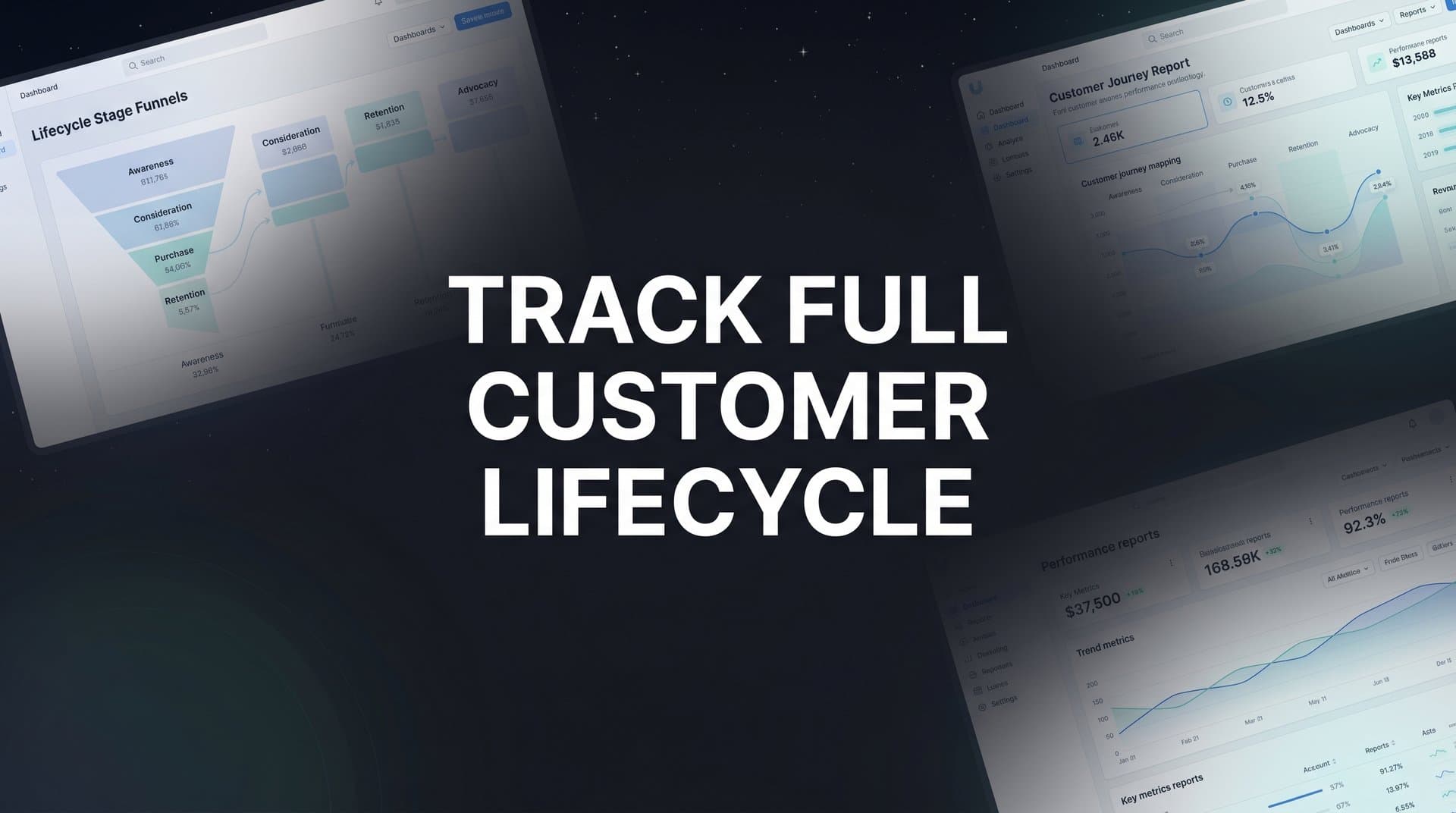
The dashboard should show metrics at every stage simultaneously. That means ad spend and impression volume at the top, lead volume and cost per lead in the middle, pipeline value and cost per opportunity further down, and closed-won revenue and customer acquisition cost at the bottom. When all of these metrics are visible in one place, patterns become obvious that would otherwise require hours of manual data pulling to surface. Using dedicated marketing campaign tracking software gives you the infrastructure to build this kind of unified view without stitching together multiple disconnected tools.
Include metrics that connect spend to outcomes at each stage transition. Cost per lead tells you about top-of-funnel efficiency. Cost per opportunity tells you about mid-funnel conversion. Cost per acquisition tells you about the full funnel. Customer lifetime value by channel tells you about long-term return. Each metric adds a layer of context that the others cannot provide on their own.
Set up alerts for significant drops in conversion rates between stages. If your lead-to-MQL rate drops sharply in a given week, you want to know immediately, not at the end of the month. Real-time alerts allow your team to investigate and respond while there is still time to course-correct within the same budget cycle.
Share the dashboard with both marketing and sales leadership so both teams are working from the same data. When marketing and sales see the same pipeline metrics in real time, conversations about lead quality, follow-up speed, and conversion rates become much more productive because they are grounded in shared facts rather than competing interpretations.
Review the dashboard on a weekly cadence to spot trends early. Monthly reviews often reveal problems too late to fix within the current period. Weekly reviews give you the visibility to make small adjustments before they become large problems.
Step 7: Use Lifecycle Data to Optimize and Scale Campaigns
This is where the entire system pays off. Once you have clean lifecycle data flowing through a unified attribution platform and visible in a real-time dashboard, you can use that data to make smarter decisions about where to invest and how to scale.
Start by feeding better signals back to your ad platforms. When platforms like Meta and Google receive enriched, revenue-linked conversion events rather than simple lead signals, their optimization algorithms have much better information to work with. This improves targeting accuracy, refines lookalike audiences, and makes automated bidding strategies more effective. The quality of your conversion signals directly affects the quality of your campaign optimization.
Identify your highest-performing campaigns not by click-through rate or cost per lead, but by their contribution to closed-won revenue and customer lifetime value. A campaign with a high cost per lead might still be your best investment if it consistently drives deals with strong retention. A campaign with a low cost per lead might be your worst investment if it attracts prospects who churn quickly. Knowing how to calculate customer churn by acquisition source gives you the data you need to make that distinction accurately.
Scale budget toward campaigns and channels that show strong performance across the full lifecycle. This sounds straightforward, but it requires the kind of end-to-end visibility that most teams do not have until they complete the steps in this guide. Without lifecycle data, budget decisions default to top-of-funnel metrics, which is exactly where misallocation tends to happen.
Use AI-driven recommendations to surface underperforming ads and high-opportunity segments you may have missed. Cometly's AI capabilities are designed to analyze performance patterns across your full dataset and highlight where your budget is working hardest and where it is being wasted. This kind of automated insight is particularly valuable as your campaign portfolio grows and manual analysis becomes less practical.
Test new channels and audiences using lifecycle performance as your primary success metric. When you evaluate a new channel on its contribution to closed-won revenue rather than its cost per click, you get an accurate picture of its actual value to your business. This prevents the common mistake of dismissing channels that appear expensive at the top of the funnel but deliver exceptional revenue outcomes further down.
Finally, revisit and refine your attribution model regularly. As your business grows, your sales cycle evolves, and new channels enter your mix, the relative contribution of different touchpoints will shift. Your attribution setup should evolve with your business, not remain static once it is configured.
Putting It All Together
Tracking the full customer lifecycle is what separates marketing teams that grow with confidence from those that are constantly guessing. When you can connect every ad click to every closed deal and every retained customer, you stop optimizing for surface-level metrics and start optimizing for real business outcomes.
The seven steps in this guide give you a practical framework to build that visibility. Define your lifecycle stages clearly. Connect your data sources. Implement server-side tracking. Apply multi-touch attribution. Extend your tracking into post-conversion behavior. Build a unified dashboard. Then use all of that data to make smarter scaling decisions.
You do not need to complete all seven steps at once. Start with steps one and two to establish your foundation, then layer in the more advanced capabilities over time. Each step builds on the last, and every step you complete adds meaningful visibility to your marketing data.
Cometly is built specifically to support this kind of end-to-end lifecycle tracking for B2B SaaS companies. It connects your ad platforms, CRM, and revenue data into a single source of truth so you can see exactly which marketing investments are driving pipeline and closed-won revenue, without manual data reconciliation or fragmented reporting.
If you are ready to stop guessing and start tracking the full picture, Get your free demo today and start capturing every touchpoint to maximize your conversions.



