

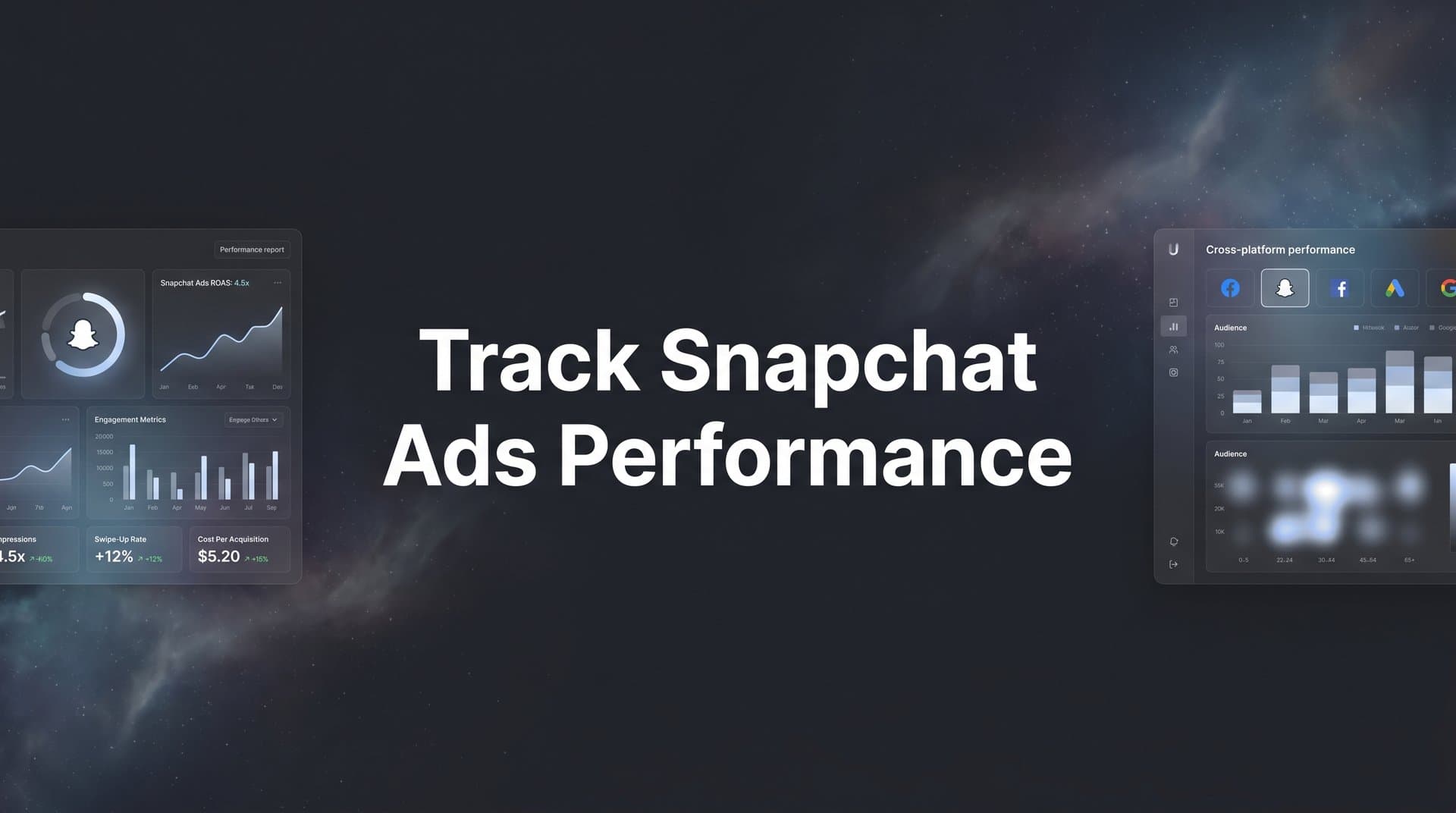
Snapchat is a serious advertising platform. With a massive daily active user base skewed heavily toward Gen Z and millennials, it gives brands access to audiences that are genuinely hard to reach anywhere else. Immersive formats like Story Ads, Collection Ads, AR Lenses, and Dynamic Ads create engagement opportunities that feel native to how people actually use the app.
But here's the problem most marketers run into: running the campaigns is the easy part. Knowing whether they actually worked is where things get complicated.
Snapchat's native reporting gives you platform-level metrics like swipe-ups, impressions, and video views. Those numbers have their place, but they don't tell you whether a Snapchat ad contributed to a purchase, a lead, or a closed deal. Privacy changes, cross-device behavior, and multi-touch customer journeys create real gaps between what Snapchat reports and what actually happened in your business.
The result? Marketers either over-credit Snapchat when it looks good in isolation, or they pull budget from it prematurely because they can't see its role in assisted conversions. Both mistakes cost money.
This guide walks you through exactly how to track Snapchat ads performance from start to finish. You will learn how to configure Snapchat's built-in reporting tools, install and verify the Snap Pixel, define KPIs that connect to real business outcomes, layer in server-side tracking through the Conversions API, add multi-touch attribution for full-funnel visibility, automate your reporting, and use all of that data to make smarter optimization decisions.
Whether Snapchat is your primary paid channel or one piece of a broader multi-platform strategy, these seven steps will move you from guesswork to confident, data-backed decisions.
Step 1: Configure Your Snapchat Ads Manager Dashboard for Clear Reporting
Before you can analyze performance, you need a reporting environment that actually surfaces the right information. Snapchat Ads Manager is capable, but its default view is not optimized for serious performance analysis. The first thing you need to do is set it up properly.
Start by logging into Snapchat Ads Manager and reviewing how your campaigns are organized. If you have been running ads for a while without a consistent structure, now is the time to clean things up. Organize your account into clear campaign buckets by objective (awareness, consideration, conversion), and make sure each campaign, ad set, and ad has a naming convention that tells you something useful at a glance.
A strong naming convention might look like: [Platform]_[Objective]_[Audience]_[Creative Type]_[Date]. For example: SNAP_Conv_Retarget_VideoAd_May2026. This kind of structure pays dividends when you are pulling cross-platform reports and trying to identify which creative approach drove the most conversions. Using a reliable campaign tracker template can help standardize this process across all your channels.
Next, customize your reporting columns. Snapchat Ads Manager lets you choose which metrics appear in your main dashboard view. The default columns often include metrics that look impressive but don't drive decisions. Instead, build a custom column set focused on what actually matters for your objectives.
For awareness campaigns: Prioritize CPM, impressions, reach, frequency, and video completion rate.
For consideration campaigns: Focus on swipe-up rate, cost per swipe-up, landing page views, and cost per engagement.
For conversion campaigns: Lead with conversions, cost per purchase or cost per lead, ROAS, and spend pacing against your budget.
Save your customized column sets so you can switch between them quickly depending on which campaign type you are reviewing. This saves time and reduces the cognitive load of digging through irrelevant numbers during a performance review.
Finally, use the breakdown options in Ads Manager to slice data by demographics, device type, placement, and creative. These breakdowns reveal patterns that top-level numbers hide, like an ad that performs well on mobile but poorly on the Snapchat Audience Network, or a creative that resonates with one age group but falls flat with another.
Success indicator: Your Snapchat Ads Manager dashboard displays a clean, customized view with only the metrics relevant to your campaign objectives, and your campaigns follow a consistent naming convention that makes cross-campaign analysis straightforward.
Step 2: Install and Verify the Snap Pixel on Your Website
The Snap Pixel is your bridge between Snapchat ad clicks and what actually happens on your website. Without it, Snapchat has no visibility into post-click behavior, and neither do you. Getting this right is foundational to everything else in this guide.
For a deeper dive into this space, see our Shopify dynamic ad generator guide.
To generate your Snap Pixel, go to Snapchat Ads Manager, navigate to the Events Manager, and select New Event Source. Choose Snap Pixel and give it a descriptive name tied to your website or brand. Snapchat will generate a base pixel code snippet that needs to be placed in the <head> section of every page on your site.
If you are using Google Tag Manager, you can deploy the pixel without touching your site's code directly. Create a new Custom HTML tag in GTM, paste the base pixel code, and set the trigger to fire on all pages. Publish the container and your base pixel is live. This process is similar to how you would set up Google Ads conversion tracking on your site.
The base pixel alone only tracks page views. To capture meaningful conversion data, you need to add event-specific tracking for the actions that matter to your business. Snapchat supports a range of standard events including:
Page View: Fires on every page load. This is your baseline.
Add to Cart: Fires when a user adds a product to their cart. Critical for ecommerce.
Purchase: Fires on the order confirmation page. Your most important conversion event.
Sign Up: Fires when a user completes a registration form. Key for SaaS and lead gen.
Lead: Fires when a form is submitted or a demo is requested.
Each event requires a small additional code snippet placed on the relevant page or triggered by the relevant action. In GTM, you can create separate tags for each event and use specific triggers (like a thank-you page URL or a button click) to control when they fire.
Once your events are live, verify them using the Snap Pixel Helper Chrome extension. Install it, visit the pages where your events should fire, and check the extension popup. Green checkmarks indicate the pixel is firing correctly. Red indicators or missing events signal a problem that needs to be diagnosed before you trust any conversion data.
Common pitfalls to watch for: the pixel firing on the wrong pages due to a misconfigured trigger, duplicate event fires caused by both hardcoded pixel snippets and GTM tags running simultaneously, and tag manager conflicts where multiple tags compete and cause inconsistent firing. Check your GTM container for duplicate tags and always test in preview mode before publishing changes.
Success indicator: The Snap Pixel Helper shows green checkmarks for all configured events across your key pages, with no duplicate fires or errors reported in the Events Manager.
Step 3: Define the KPIs That Actually Reflect Snapchat Ad Success
Here's a trap that catches even experienced marketers: optimizing for the metrics that are easy to measure rather than the ones that actually matter. Impressions and reach look great in a slide deck, but they don't pay salaries or justify ad budgets.
The key is aligning your KPIs to your campaign objective and then connecting those KPIs to real business outcomes. A KPI framework organized by funnel stage keeps everyone focused on what counts. Understanding the right digital marketing performance metrics is essential to building this framework correctly.
Top-of-funnel KPIs (Awareness): At this stage, you are building familiarity. Focus on CPM (cost per thousand impressions), video view rate, video completion rate, and reach frequency. These tell you whether your creative is getting seen and whether it is compelling enough to hold attention.
Mid-funnel KPIs (Consideration): Here you are measuring intent signals. Swipe-up rate, cost per swipe-up, landing page view rate, and cost per engagement are your primary metrics. A high swipe-up rate with a poor landing page view rate often signals a disconnect between your ad promise and your landing page experience.
Bottom-of-funnel KPIs (Conversion): This is where the business impact lives. Cost per purchase, cost per lead, return on ad spend (ROAS), and cost per acquisition (CPA) are the numbers that determine whether Snapchat earns more budget or gets cut.
One important principle: set your benchmarks using your own historical data, not generic industry averages. Industry benchmarks vary widely by vertical, audience, and creative approach, and they often reflect conditions that don't apply to your specific situation. If you are new to Snapchat, run a controlled test for four to six weeks to establish your own baseline before making major budget decisions.
It's also worth noting that KPI frameworks differ meaningfully between ecommerce and SaaS contexts. An ecommerce brand running Snapchat ads might optimize primarily toward purchase ROAS, while a SaaS company needs to think in terms of cost per trial signup, cost per qualified lead, or even downstream metrics like pipeline influenced and customer acquisition cost. Learning how to evaluate marketing performance metrics properly ensures your framework reflects your actual business model.
Success indicator: You have a documented KPI framework with specific targets for each funnel stage, tied to business outcomes rather than platform vanity metrics, and shared with everyone involved in campaign management and reporting.
Step 4: Enable Snapchat's Conversions API for Server-Side Tracking
The Snap Pixel does a solid job in ideal conditions. The problem is that ideal conditions are increasingly rare. iOS privacy changes introduced with App Tracking Transparency (ATT) in iOS 14.5 significantly reduced the reliability of browser-based pixel tracking for Apple device users. Add ad blockers, cookie restrictions, and browser-level privacy settings, and you are likely missing a meaningful portion of your actual conversions.
Snapchat's Conversions API (CAPI) solves this by sending conversion events directly from your server or CRM to Snapchat's servers, bypassing the browser entirely. The data travels server-to-server, which means it is not affected by ad blockers, iOS restrictions, or browser privacy settings. The result is a more complete and accurate conversion signal sent back to Snapchat. This is the same server-side approach that has become critical for performance marketing tracking across all major ad platforms.
To set up CAPI, go to the Events Manager in Snapchat Ads Manager, select your pixel, and navigate to the Conversions API tab. Snapchat will provide an API token that you will use to authenticate your server-side requests. From there, you have a few implementation options depending on your technical setup.
If you use a CRM or marketing automation platform that has a native Snapchat CAPI integration, that is often the fastest path. Platforms like Segment, Shopify (through its server-side pixel options), and several CRM tools offer direct integrations. If you are building a custom integration, Snapchat's developer documentation provides detailed guidance on the API endpoint structure and required event parameters.
One critical step that many teams skip: deduplication. When both the pixel and CAPI are sending the same events (like a purchase), Snapchat can count them twice, inflating your conversion numbers and distorting your optimization signals. To prevent this, you need to pass a consistent event ID with both the pixel event and the CAPI event for the same user action. Snapchat uses this ID to recognize and deduplicate the events on their end.
Once CAPI is live, check the Events Manager to confirm that events are being received, that deduplication is working correctly, and that the match rate (the percentage of events Snapchat can tie to a specific user) is at an acceptable level. Higher match rates mean better optimization signals for Snapchat's algorithm.
The practical benefit of better data goes beyond reporting accuracy. When Snapchat's algorithm receives higher-quality conversion signals, it can optimize your campaigns more effectively, finding users who are more likely to complete the actions that matter to your business.
Success indicator: Both pixel and CAPI are sending events to Snapchat's Events Manager, deduplication is confirmed via matching event IDs, and the Events Manager shows a healthy volume of matched, deduplicated conversion data.
Step 5: Layer in Multi-Touch Attribution to See the Full Customer Journey
Even with the Snap Pixel and CAPI running perfectly, you are still only seeing part of the picture. Snapchat's native attribution is confined to its own ecosystem. It can tell you that a user saw your Snapchat ad and later converted, but it cannot tell you whether that user also clicked a Google search ad, visited your site from an email, or engaged with a Meta retargeting ad before making their decision.
This is the core limitation of platform-native attribution: every platform takes credit for the conversions it can see, with no visibility into what else influenced the customer along the way. If you are running Snapchat alongside Meta, Google, TikTok, and email, each platform's native reports will show its own conversion numbers, and those numbers will add up to far more than your actual total conversions. This phenomenon is called attribution overlap, and it leads to seriously distorted budget decisions. Understanding how ads attribution works across platforms helps illustrate why this problem is so pervasive.
The solution is a third-party attribution platform that sits outside of any single ad channel and connects data from all of them. Cometly is built specifically for this problem. It connects your Snapchat campaigns, other ad platforms, CRM, and website into a single system that tracks every touchpoint across the customer journey from the first ad exposure to the final conversion and beyond.
With Cometly, you can see whether Snapchat played an awareness role early in a customer journey that ultimately converted through a Google search click. You can see which touchpoints appear most often in the paths of your highest-value customers. And you can compare attribution models side by side to understand how different ways of assigning credit change your view of each channel's contribution.
The major attribution models worth understanding in this context are:
First-touch attribution: Gives full credit to the first channel the customer interacted with. This tends to favor awareness channels like Snapchat, which often introduce customers to a brand before they convert elsewhere.
Last-touch attribution: Gives full credit to the final channel before conversion. This tends to favor direct, search, and retargeting channels, and often undervalues upper-funnel channels like Snapchat.
Linear attribution: Distributes credit equally across all touchpoints in the journey. This is more balanced but may not reflect the actual influence of each touchpoint.
Data-driven attribution: Uses machine learning to assign credit based on the actual patterns in your conversion data. This is generally the most accurate model when you have sufficient data volume.
Comparing these models in Cometly's analytics dashboard often reveals that Snapchat is contributing meaningfully to conversions even when it is not the last touch. Choosing the best software for tracking marketing attribution is critical to getting this cross-channel visibility right.
Cometly also helps you close the loop with ad platforms through its Conversion Sync feature. By feeding enriched, accurate conversion data back to Snapchat's algorithm, you improve the quality of the optimization signals the platform uses to find your best audiences. Better data in means better targeting out.
Success indicator: You can view Snapchat's role in the complete conversion path alongside all other channels in a single Cometly dashboard, and you have compared attribution models to understand how different crediting approaches affect your view of Snapchat's contribution.
Step 6: Build Custom Reports and Automate Ongoing Performance Reviews
Tracking is only valuable if it drives regular action. A pixel that fires perfectly but whose data nobody reviews is just an expensive decoration. This step is about building the reporting infrastructure that keeps performance visible and keeps your team accountable to the numbers.
Inside Snapchat Ads Manager, use the Custom Reports feature to build saved report templates for your most common analysis needs. Create separate saved reports for campaign-level performance, ad set breakdowns, creative performance, and demographic analysis. Each report should pull the specific columns and breakdowns relevant to that analysis, so you are not rebuilding the view every time. For managing data across multiple channels, a well-structured marketing campaign tracking spreadsheet can complement your in-platform reports.
Snapchat Ads Manager also allows you to schedule automated report delivery via email. Set up weekly or bi-weekly report delivery to your team so that performance data arrives in inboxes without anyone having to remember to pull it. This is especially valuable for agencies managing multiple clients or for marketing teams where Snapchat is one of several channels being tracked.
For a truly unified view, bring your Snapchat data into a cross-platform reporting environment. Cometly's analytics dashboard consolidates Snapchat performance alongside Meta, Google, TikTok, and other channels, so you can compare ROAS, CPA, and conversion volume across platforms in a single view without toggling between five different ad managers. This is where the real strategic insights live, because budget allocation decisions should be made with full cross-channel context, not just what one platform's native reports show.
Establish a consistent review cadence to keep your team focused:
Daily checks: Spend pacing against budget, any anomalies in CPM or delivery, and early signals of creative fatigue (rising CPCs or falling engagement rates).
Weekly reviews: KPI trends against your targets, creative performance comparisons, audience segment performance, and any optimization actions taken.
Monthly analysis: ROAS and CPA trends over time, budget allocation decisions across campaigns and channels, creative refresh planning, and audience strategy adjustments.
Success indicator: You have automated reports running on a scheduled cadence, a cross-platform dashboard that includes Snapchat alongside other channels, and a documented review rhythm that consistently produces optimization decisions.
Step 7: Optimize Campaigns Using Your Tracking Data
All of the tracking infrastructure you have built exists for one reason: to help you make better decisions. This final step is where the data turns into action.
Start with budget optimization. Your conversion data tells you which campaigns, ad sets, and creatives are generating the lowest cost per acquisition and the highest ROAS. Shift budget toward those winners and away from underperformers. This sounds obvious, but without accurate multi-touch attribution data, many marketers make these decisions based on incomplete signals and end up reallocating budget in the wrong direction.
Creative-level analysis is one of the highest-leverage optimization activities available to Snapchat advertisers. Snapchat supports a variety of ad formats, and performance can vary significantly between Single Video ads, Story Ads, Collection Ads, and AR Lenses. Use your conversion data (not just engagement metrics) to identify which formats and creative approaches are driving actual results. Learning how to improve campaign performance with analytics ensures you are making creative decisions grounded in data rather than intuition.
We compare the leading options in our Shopify story ad generator roundup.
Audience refinement is another powerful lever. Once you have a meaningful volume of conversion data flowing through your pixel and CAPI, use it to build Snapchat lookalike audiences based on your highest-value converters. A lookalike audience built from purchasers or high-LTV customers will almost always outperform a broad interest-based audience, because it is grounded in actual conversion behavior rather than assumed affinities.
For teams managing Snapchat as part of a multi-channel paid media strategy, AI-powered tools like Cometly's AI Ads Manager can surface optimization recommendations across all your channels simultaneously. Instead of manually reviewing performance across five different ad platforms, you get AI-driven insights that identify which campaigns to scale, which to pause, and where budget reallocation will have the biggest impact. This is especially valuable as your campaign portfolio grows and the volume of data to analyze increases.
The mindset shift that matters most here: move from monthly optimization to weekly optimization. Markets move fast, creative fatigue sets in quickly on Snapchat, and audience dynamics shift. A weekly optimization cadence backed by accurate tracking data keeps you ahead of performance decline and compounds your results over time.
Success indicator: You are making documented, data-backed optimization decisions on a weekly basis, including budget reallocation, creative rotation, and audience refinement, all grounded in accurate multi-touch conversion data rather than platform-level vanity metrics.
Putting It All Together: Your Snapchat Tracking Checklist
Accurate Snapchat ad tracking is not a one-time setup. It is an ongoing practice that compounds in value as your data matures and your optimization decisions get sharper. Here is a quick-reference checklist summarizing everything covered in this guide:
1. Configure Ads Manager: Set up consistent naming conventions, customize your reporting columns by campaign objective, and use demographic and placement breakdowns to surface hidden patterns.
2. Install and verify the Snap Pixel: Deploy the base pixel and event-specific tracking across your site, verify with Snap Pixel Helper, and resolve any duplicate fires or tag conflicts.
3. Define meaningful KPIs: Build a KPI framework aligned to funnel stage and business outcomes, set benchmarks from your own historical data, and share the framework with your entire team.
4. Enable Conversions API: Set up server-side event tracking to fill the gaps left by browser-based pixel limitations, configure deduplication with consistent event IDs, and confirm matched conversion data in Events Manager.
5. Add multi-touch attribution: Connect Snapchat data to your other channels, CRM, and website through a platform like Cometly to see the full customer journey and compare attribution models.
6. Automate reporting: Build saved custom reports in Ads Manager, schedule automated delivery, and create a cross-platform dashboard that puts Snapchat in context alongside your other paid channels.
7. Optimize continuously: Use your tracking data to make weekly decisions on budget allocation, creative rotation, and audience refinement, with AI-powered tools to scale the process as your campaigns grow.
The combination of Snapchat's native tools (Pixel, CAPI, Ads Manager) and a dedicated attribution platform like Cometly gives you the complete picture you need to spend confidently and scale profitably. Native reporting tells you what happened on Snapchat. Multi-touch attribution tells you why it mattered and how it fits into the bigger story of your marketing performance.
Ready to stop guessing and start scaling with confidence? Get your free demo and see how Cometly connects every Snapchat touchpoint to real revenue across your entire marketing mix.



