Long sales cycles are one of the most frustrating challenges in B2B SaaS marketing. A prospect clicks your ad in January, attends a webinar in March, requests a demo in May, and finally converts in July. By that point, most attribution tools have lost the thread entirely.
The result is a marketing team that cannot confidently answer which campaigns actually drove revenue, and a budget that gets allocated based on guesswork rather than data.
This guide walks you through a practical, step-by-step framework for tracking long sales cycles from the very first touchpoint to closed-won revenue. You will learn how to set up your tracking foundation, connect your ad platforms to your CRM, choose the right attribution model for extended buying journeys, and build reporting that gives leadership the clarity they need to invest with confidence.
Whether your average sales cycle runs 30 days or 180 days, the principles here apply. The goal is simple: every marketing dollar you spend should be traceable to pipeline and revenue, regardless of how long the journey takes.
The challenge is not just technical. It is structural. Most B2B SaaS teams are running attribution setups designed for short, transactional buying journeys. When a deal takes six months to close, those setups break down. Source data gets lost. Credit goes to the wrong touchpoint. Budget decisions get made on incomplete information.
The good news is that tracking long sales cycles is entirely solvable. It requires the right architecture, the right integrations, and a clear process for reviewing what the data is telling you. Let us walk through each step in detail.
Step 1: Map Your Buyer Journey Before You Track Anything
Before you configure a single integration or write a single UTM parameter, you need a clear picture of how your buyers actually move from awareness to closed-won. Skipping this step means building a tracking system around assumptions, and those assumptions will create gaps you cannot fix later.
Start by documenting every stage of your sales cycle. This typically includes first touch, lead capture, marketing qualified lead, sales qualified lead, opportunity created, demo or evaluation, negotiation, and closed-won. For each stage, note the typical time it takes to progress to the next one. A buyer who enters as a top-of-funnel lead might sit in evaluation for 60 days before becoming an opportunity. That gap matters when you are thinking about attribution windows.
Next, identify every touchpoint where marketing influences the buyer. This goes beyond paid ads. Think about organic search content, email nurture sequences, retargeting campaigns, webinars, case studies, and comparison pages. Each of these can play a role in a long buying journey, and each one needs to be trackable.
Define the key conversion events at each stage that you need to capture. These are the moments that signal progression: a form fill, a demo booked, a trial started, an opportunity created in your CRM, and ultimately a deal closed. Each of these events becomes a data point in your attribution system.
One of the most important conversations you can have at this stage is between marketing and sales. Align on what counts as a qualified lead versus a marketing-influenced touchpoint. If sales defines a qualified lead differently than marketing does, your pipeline attribution reports will tell conflicting stories. Getting this definition agreed upon before you build anything saves enormous confusion later.
This mapping exercise becomes the blueprint for your entire tracking setup. It tells you which events to fire, which stages to track in your CRM, and which attribution windows make sense for your specific buying journey. Think of it as the architectural drawing before construction begins.
Step 2: Implement First-Party Tracking Across Every Entry Point
With your buyer journey mapped, the next step is building a tracking foundation that can survive the full length of your sales cycle. This is where many B2B SaaS teams fall short. They rely on browser-based pixels and third-party cookies that degrade over time, which means attribution data for deals that close months after the first touch is often incomplete or missing entirely.
The solution is server-side tracking. Unlike client-side pixels that depend on the browser environment, server-side tracking captures first-party data at the server level. This means the data persists across long journeys without being affected by ad blockers, browser privacy settings, or cookie expiration. For a sales cycle that spans multiple months, this reliability is not optional. It is essential.
UTM parameter discipline is equally critical. Every paid campaign across every channel needs consistent UTM tagging: source, medium, campaign, ad set, and ad. Without this, you lose the ability to trace a closed deal back to the specific campaign that initiated the journey. Establish a UTM naming convention and enforce it across your entire team. A spreadsheet or naming convention document shared with everyone who launches campaigns goes a long way here.
Combine your tracking pixel with server-side events to capture both anonymous and identified visitor behavior. When a prospect first visits your site, they are anonymous. When they fill out a form, they become identified. Your tracking setup needs to handle both states and, ideally, stitch them together so that the anonymous browsing history connects to the identified lead record.
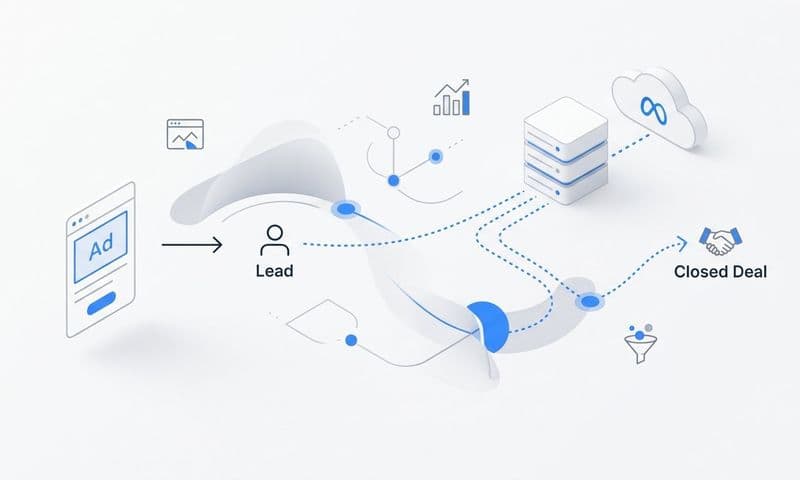
This is where lead capture forms become a critical integration point. When a prospect submits a form, that form submission should pass UTM data and source information directly into your CRM. This is the moment where the marketing data and the sales record connect. If that handoff does not happen cleanly, you lose the attribution chain.
A common pitfall worth calling out: UTM data gets stripped when prospects return via direct traffic weeks or months after their first visit. Someone might click your LinkedIn ad in February, bookmark your site, and return directly in April to book a demo. Without CRM-level capture of the original source at the time of first form submission, that deal gets attributed to direct traffic instead of LinkedIn.
Server-side tracking and CRM-level source capture solve this problem. The original source data is stored in the lead record from the moment of first conversion, regardless of how the prospect returns later.
Step 3: Connect Your Ad Platforms, CRM, and Revenue Data
A tracking foundation is only valuable if the data flows between your systems. The next step is integrating your ad platforms, CRM, and revenue data so that every lead record carries a complete picture of its marketing origin and its eventual outcome.
Start with your ad platforms. Meta, Google, LinkedIn, and any other paid channels you run should be connected to your CRM so that lead-level data flows bidirectionally. This means campaign, ad set, and ad information flows into the CRM when a lead is created, and conversion events flow back to the ad platforms as leads progress through the funnel.
The revenue connection is where many B2B SaaS teams stop short. Connecting your billing system, such as Stripe, to your attribution platform closes the loop between ad spend and actual revenue. When a deal closes and a subscription starts, that closed-won event should map back to the original campaign that generated the lead. This is the data that changes budget conversations from "which campaigns get the most clicks" to "which campaigns generate the most revenue."
Conversion API integrations are the mechanism that makes the ad platform connection reliable. Rather than relying solely on browser-based pixel events, Conversion API sends conversion data directly from your server to the ad platform. This is particularly important for downstream events like opportunity created or deal closed, which happen in your CRM long after the original ad click.
Once your integrations are live, verify that every lead record in your CRM carries the original source, campaign, ad set, and ad that generated it. Spot-check a sample of recent leads and confirm the attribution data is present and accurate. If you find gaps, trace them back to the specific entry point where the data is being lost.
A practical way to test your integration is to run a lead through the full funnel yourself. Use a test email address, click on one of your own ads, fill out a form, and then advance the record through each CRM stage. Confirm that the attribution data appears correctly at every step. This end-to-end test catches integration issues before they affect real lead data.
Tools like Cometly are built specifically for this kind of connected attribution. With 70-plus native integrations, Cometly connects your ad platforms, CRM, and revenue data into a single source of truth, so you can see exactly which campaigns are driving pipeline and closed-won revenue in real time.
Step 4: Choose an Attribution Model Built for Long Buying Journeys
With your tracking infrastructure in place, you need to decide how credit gets assigned across the many touchpoints in a long sales cycle. The attribution model you choose shapes how you interpret your data and where you invest your budget, so this decision deserves careful thought.
Last-click attribution is the default for many platforms, but it is rarely the right choice for B2B SaaS. When a deal takes six months to close, the last touchpoint before conversion is often a low-funnel nurture email or a direct visit, not the awareness campaign that started the journey. Crediting the last click means your top-of-funnel campaigns look ineffective even when they are generating the majority of your pipeline.
Linear attribution distributes credit equally across all touchpoints in the buying journey. This works well when you want to understand full-funnel influence and ensure that awareness, consideration, and decision-stage campaigns all receive recognition. It is a good starting point for teams that are new to multi-touch attribution.
Time-decay attribution gives more credit to touchpoints closer to conversion. This model makes sense when your late-stage nurture campaigns, such as comparison content, demo follow-ups, or case study emails, are doing significant work to move deals across the finish line. It acknowledges that not all touchpoints are equal in their influence on the final decision.
Data-driven attribution uses machine learning to assign credit based on actual conversion patterns in your historical data. Rather than applying a fixed rule, it analyzes which touchpoint combinations are most predictive of conversion. This is the most sophisticated option, but it requires a sufficient volume of conversion data to produce reliable results.
For most B2B SaaS companies with long sales cycles, the most practical approach is running multiple attribution models in parallel. Linear shows you full-funnel influence. Time-decay shows you what is closing deals. Data-driven shows you what the patterns in your actual data suggest. Comparing these views side by side gives you a more complete picture than any single model can provide on its own.
Step 5: Build Pipeline and Revenue Attribution Reporting
Tracking infrastructure and attribution models are only useful if they produce reports that drive decisions. This step is about building the reporting layer that connects marketing activity to business outcomes in a way that resonates with both your marketing team and sales leadership.
Start with a pipeline attribution report that shows marketing-influenced pipeline by source. This is different from a lead volume report. Lead volume tells you how many form fills each channel generated. Pipeline attribution tells you how much deal value each channel influenced, which is a fundamentally more useful metric for budget decisions.
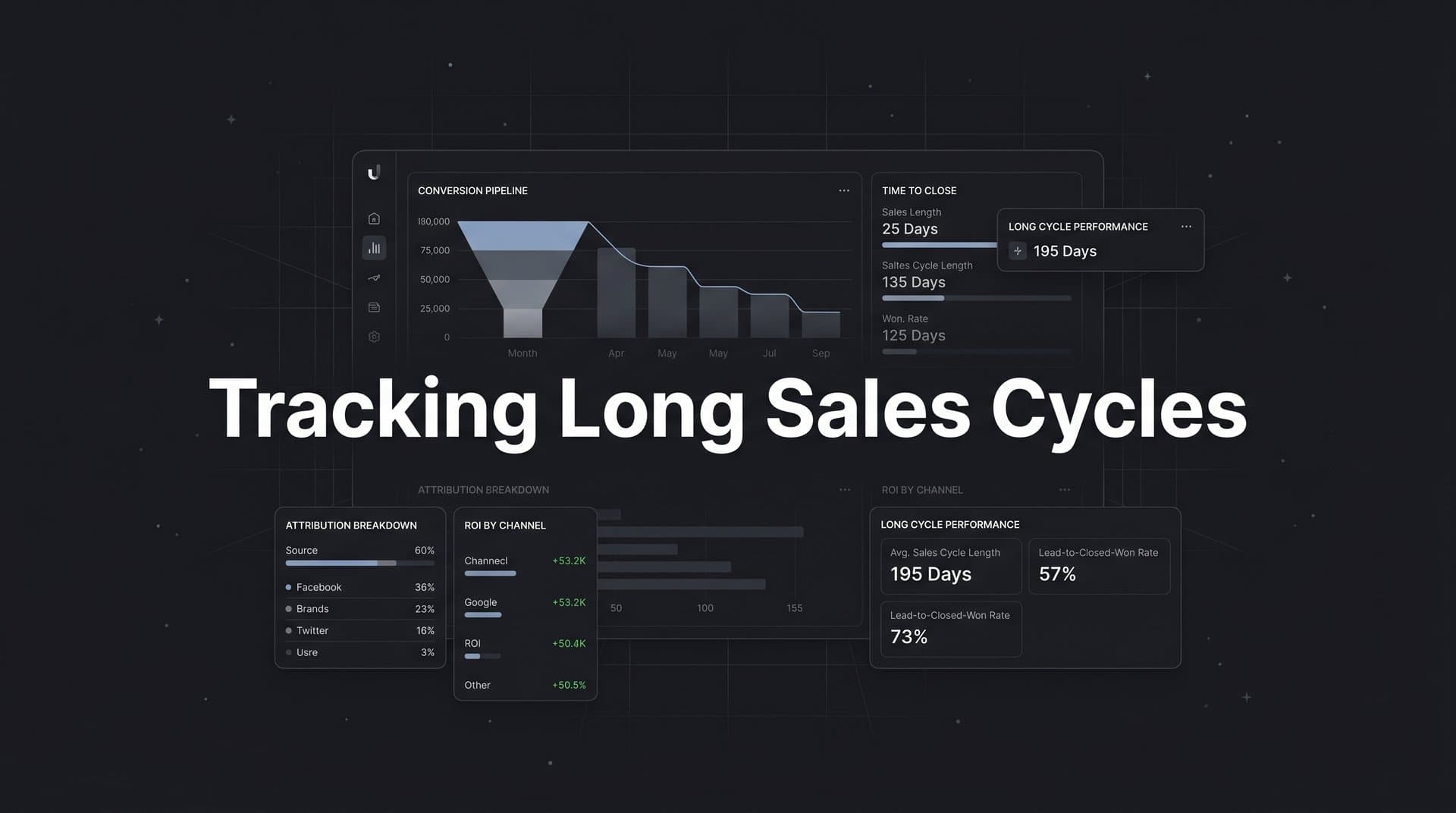
Add a time-to-close dimension to your reporting. Grouping closed deals by original acquisition source and analyzing how long each source takes to close reveals important patterns. Some channels may generate leads that close quickly. Others may bring in high-value accounts that take longer to evaluate. Understanding this dynamic helps you set realistic expectations for pipeline contribution from each channel.
Build a revenue attribution view that connects ad spend directly to closed-won revenue. For long sales cycles, this requires accepting a lag between spend and revenue. A campaign you ran in January may not show its full revenue impact until July. Your reporting needs to account for this by looking at revenue attribution over a rolling window that matches your average sales cycle length.
Cohort-based reporting is one of the most valuable tools for long-cycle attribution. Group leads by the month they were acquired and track their progression through the funnel over time. This lets you see, for example, that leads acquired in January converted to opportunities at a certain rate and eventually closed at a certain rate by July. Cohort analysis gives you a true picture of conversion rates and time-to-revenue that point-in-time reports cannot provide.
Share these reports with sales leadership regularly. When sales and marketing are looking at the same revenue attribution data, conversations about channel investment become grounded in evidence rather than opinion. This alignment is one of the most practical benefits of building proper long-cycle attribution.
Step 6: Feed Conversion Data Back to Ad Platforms for Better Optimization
Here is something that many B2B SaaS teams overlook: the data you send back to ad platforms determines the quality of buyers those platforms find for you. If you only send top-of-funnel events like form fills, you are teaching the algorithm to find more form fillers. That is not the same as finding more revenue-generating customers.
Ad platforms optimize based on the signals you send them. For a business with a long sales cycle, the conversion event that actually matters, a closed deal, happens months after the initial ad click. If the platform never receives that signal, it cannot optimize toward the audience most likely to become paying customers.
Use your Conversion API setup to send downstream conversion events back to Meta and Google. This means sending not just form fills, but also opportunity created, trial converted, and deal closed. Each of these events gives the platform's algorithm a richer picture of what a valuable conversion looks like for your business.
This enriched signal data helps ad platform AI target audiences that resemble your actual revenue-generating customers rather than just your lead pool. Over time, this tends to improve the quality of leads coming in, not just the volume. The leads that convert from campaigns optimized with downstream signals are more likely to progress through your sales cycle and close.
When setting up these downstream event flows, configure event deduplication to prevent double-counting between your pixel and server-side events. If both your pixel and your Conversion API send the same event, the platform may count it twice, which distorts your optimization data. Most ad platforms have deduplication settings that use a unique event ID to identify and filter out duplicate signals.
After your downstream events are flowing, monitor the signal quality scores in your ad platforms. Meta's Events Manager and Google's conversion tracking interface both provide feedback on whether your conversion data is being received correctly and used in optimization. Low signal quality scores indicate a problem in your integration that needs to be resolved.
Cometly's Conversion API integration handles this entire process, sending enriched, conversion-ready events back to Meta, Google, and other platforms so your ad campaigns continuously improve based on actual revenue outcomes rather than surface-level engagement metrics.
Step 7: Review, Optimize, and Scale Based on Actual Revenue Data
The final step is establishing the review process that turns your attribution data into ongoing budget decisions. A tracking system that nobody reviews is just infrastructure. The value comes from the decisions it enables.
Schedule a monthly attribution review where your team analyzes which campaigns generated pipeline and revenue during the period, not just clicks and leads. This meeting should look at revenue attribution by channel, pipeline progression by cohort, and any significant changes in time-to-close by source. Keep the focus on outcomes, not activity metrics.
Use AI-driven insights to identify which ads and audiences are producing the highest-value customers over the full sales cycle. Cometly's AI recommendations surface patterns in your attribution data that are difficult to spot manually, such as a specific audience segment that consistently produces deals with higher contract values or shorter sales cycles.
Reallocate budget toward channels and campaigns with the strongest revenue attribution, even when their cost-per-lead appears higher than alternatives. This is one of the most important mindset shifts that proper long-cycle attribution enables. A channel with a higher cost-per-lead but a stronger cost-per-acquired-customer is the better investment. Without revenue attribution data, you would never know.
Identify campaigns that generate high lead volume but low pipeline conversion and reduce spend there. These campaigns may look successful in a lead-volume report but are actually consuming budget without producing meaningful business outcomes. Revenue attribution data makes these underperformers visible.
As your team and ad spend grow, document your attribution setup and review cadence. This includes your UTM naming conventions, your CRM field mapping, your Conversion API event configuration, and the cadence and format of your attribution reviews. Documentation ensures that new team members can maintain the system and that institutional knowledge does not walk out the door when someone leaves.
Scaling a B2B SaaS marketing program requires confidence in your data. When you know which channels drive revenue and which do not, every budget decision becomes easier to defend and easier to get right.
Putting It All Together
Tracking long sales cycles requires more than a basic analytics setup. It demands a connected system where your ad platforms, website, CRM, and revenue data all speak the same language. When that system is in place, you stop making budget decisions based on last-click data and start investing based on what actually closes deals.
Here is a quick checklist to confirm your setup is complete:
Buyer journey mapped: Every stage documented with conversion events defined at each step.
Server-side tracking and UTMs live: First-party data flowing across all channels with consistent naming conventions enforced.
Ad platforms connected to CRM and revenue data: Lead-level attribution flowing bidirectionally between your marketing and sales systems.
Attribution model configured: Multi-touch models selected and running in parallel to give a complete picture of full-funnel influence.
Pipeline and revenue reports built: Cohort-based and revenue attribution views shared with sales leadership on a regular cadence.
Downstream conversion events flowing via Conversion API: Opportunity created, trial converted, and deal closed events sending back to Meta, Google, and other platforms.
Monthly optimization review scheduled: A recurring process for reallocating budget based on actual revenue attribution data.
Cometly is built specifically for this kind of end-to-end attribution. It connects your ad spend to pipeline and revenue in real time, supports multi-touch attribution across every channel, and feeds enriched conversion data back to Meta, Google, and more. If you are ready to stop guessing and start scaling with confidence, Get your free demo today and start capturing every touchpoint to maximize your conversions.