

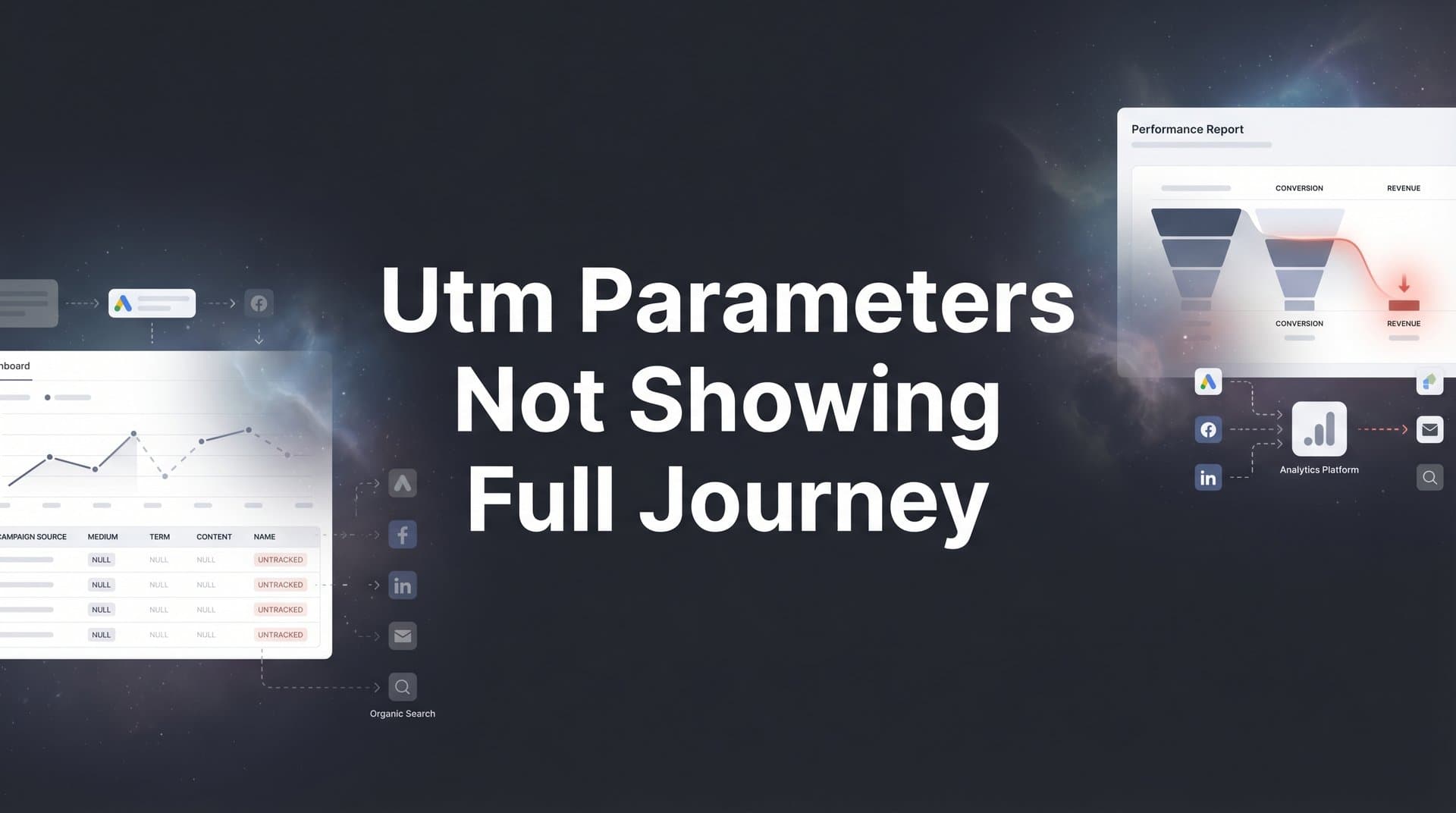
You have meticulously tagged every campaign with UTM parameters, yet your analytics dashboard tells an incomplete story. Visitors click your Facebook ad, browse your site, return via Google search, and convert days later, but your reports only credit the last touchpoint. This gap between the data you expect and the data you see is frustrating, and it directly impacts your ability to optimize ad spend.
The problem is not your UTM tagging skills. Traditional UTM tracking was designed for single-session attribution in a simpler digital landscape. Today, customers interact with multiple touchpoints across devices and sessions before converting. Browser restrictions, cookie limitations, and cross-domain tracking gaps compound the issue.
This guide walks you through six actionable steps to diagnose why your UTM parameters fail to capture the full customer journey and implement solutions that connect every touchpoint to actual revenue. Whether you are running campaigns across Meta, Google, TikTok, or LinkedIn, these steps will help you move from fragmented data to complete journey visibility.
Step 1: Audit Your Current UTM Implementation for Gaps
Before you fix what is broken, you need to understand exactly where your UTM tracking falls short. Start by pulling every active campaign URL from your ad platforms and documenting the UTM parameters you have applied. Create a spreadsheet with columns for campaign source, medium, campaign name, content, and term.
Look for inconsistencies in naming conventions. If one campaign uses "utm_source=facebook" while another uses "utm_source=fb" or "utm_source=Facebook," your analytics will fragment these into separate sources. This inconsistency makes it impossible to see the full impact of your Facebook advertising. Standardize your naming conventions now, and create a reference document your entire team can follow.
Check for missing parameters. Every campaign should include at minimum utm_source, utm_medium, and utm_campaign. If you are running multiple ad variations or testing different audiences, add utm_content to distinguish between them. Without these identifiers, you lose the ability to track which specific ad creative or audience segment drove results. Following best practices for UTM parameter tracking ensures consistency across your campaigns.
Test your URLs for encoding issues. Special characters in UTM parameters can break tracking if not properly encoded. Spaces should be replaced with "%20" or plus signs, and symbols like ampersands need encoding. Run your URLs through a validator to catch these technical errors before they corrupt your data.
Verify that UTM parameters persist through redirects. If you use link shorteners, redirect services, or landing page builders, confirm the UTM data carries through to the final destination. Click through each campaign URL yourself and check the browser address bar on your landing page. If the UTM parameters disappear during the redirect chain, you have identified a critical tracking gap.
Document every untagged traffic source. Review your analytics for direct traffic spikes, referral sources without campaign identifiers, or email campaigns missing UTM tags. These gaps represent blind spots in your attribution. Make a list of every traffic source that needs proper tagging, and prioritize fixing the highest-volume channels first.
Step 2: Identify Where Session Data Breaks in the Customer Journey
UTM parameters only capture data within a single session. When a visitor returns to your site hours or days later, their browser starts a fresh session, and the original UTM data vanishes. This session-based limitation is the root cause of incomplete journey tracking.
Map out your typical customer paths. Start with the first touchpoint, whether that is a paid ad, organic search, or social media post. Then trace the subsequent interactions: browsing product pages, leaving without converting, returning via a different channel, engaging with retargeting ads, and finally purchasing. Each time the visitor returns, a new session begins, and the original UTM parameters from the first click are lost. Understanding why you can't see full customer journey data helps you identify these critical gaps.
Cross-device behavior compounds this problem. A prospect might see your LinkedIn ad on their phone during their morning commute, research your product on their work laptop during lunch, and convert on their home computer that evening. Each device maintains its own cookies and session data. Your analytics sees three separate visitors, not one continuous journey.
Browser privacy features actively block cross-session tracking. Safari's Intelligent Tracking Prevention and Firefox's Enhanced Tracking Protection delete cookies after short periods, sometimes within 24 hours. When these cookies expire, the connection between the initial UTM-tagged visit and the eventual conversion disappears. Your analytics defaults to crediting the last touchpoint, which might be direct traffic or organic search, even though a paid campaign initiated the journey. This is why cookie based tracking not working anymore has become such a widespread issue.
Subdomain transitions create additional breaks. If your main site is on www.yoursite.com but your blog lives at blog.yoursite.com or your checkout process redirects to secure.yoursite.com, cookies and UTM data may not transfer between these domains. Each subdomain can act as a separate tracking environment unless you explicitly configure cross-domain tracking.
Document the specific points where your tracking fails. Review your analytics for patterns like high direct traffic conversions, unexplained spikes in organic search conversions, or campaigns with strong early engagement but no attributed revenue. These patterns indicate where session breaks are hiding the true customer journey. Make note of the average time between first visit and conversion for your business. If customers typically take days or weeks to decide, session-based tracking will consistently undervalue your top-of-funnel campaigns.
Step 3: Implement Server-Side Tracking to Preserve Journey Data
Client-side tracking relies on browser cookies and JavaScript, which makes it vulnerable to every limitation we just discussed. Server-side tracking moves data collection to your server, where browser restrictions cannot interfere. This approach maintains journey continuity regardless of how much time passes between touchpoints or how many devices a customer uses.
Server-side tracking works by capturing events directly on your server rather than relying on the visitor's browser. When someone clicks your UTM-tagged ad, the server logs that interaction along with a unique identifier for that visitor. When they return days later and convert, the server connects that conversion back to the original campaign data using the stored identifier. No cookies required, no browser privacy features blocking the connection.
Start by setting up a server-side tracking solution that can receive and process event data. Modern attribution platforms like Cometly provide server-side tracking infrastructure that integrates with your existing marketing stack. The setup involves adding a server-side tracking pixel to your website that sends event data directly to the platform's servers, bypassing browser-based limitations entirely.
Connect your server-side events to your UTM parameters. When a visitor arrives via a UTM-tagged URL, capture those parameters and associate them with the visitor's unique identifier. Store this data on the server so it persists across sessions. When the visitor returns, the system recognizes them and maintains the connection to their original campaign source. This solves the common problem of UTM parameters not capturing full journey data.
Configure event tracking for every meaningful action in the customer journey. Beyond page views and clicks, track form submissions, product views, add-to-cart actions, checkout initiations, and purchases. Each event should include the visitor identifier and reference back to their original UTM source. This creates a complete timeline from first touch to conversion.
Verify the data flows correctly from ad click through to conversion. Run test visits where you click a UTM-tagged ad, browse your site, close the browser, return later via a different source, and complete a conversion. Check your server-side tracking dashboard to confirm it captured the original UTM data and connected it to the final conversion. If the journey shows up complete in your reports, you have successfully implemented server-side tracking.
Server-side tracking solves the technical limitations of UTM parameters without requiring you to abandon them. You still use UTMs to tag your campaigns, but now you have infrastructure that preserves that data throughout the entire customer journey, regardless of browser settings or session breaks.
Step 4: Connect Your Ad Platforms, Website, and CRM for Unified Tracking
Complete journey visibility requires connecting three critical data sources: your ad platforms, your website analytics, and your CRM. Each system holds pieces of the customer journey puzzle. Ad platforms know which campaigns generated clicks, your website tracks engagement behavior, and your CRM records which leads became customers. Integration brings these pieces together.
Start by connecting your ad platform data to your website tracking. Most attribution platforms can pull campaign performance data directly from Meta, Google Ads, TikTok, and LinkedIn through API integrations. This connection allows you to see ad spend, impressions, and clicks alongside website behavior and conversions in a single dashboard. You no longer need to manually cross-reference multiple reports to understand campaign performance.
Ensure UTM data passes through your lead capture forms. When a visitor fills out a contact form or signs up for your product, the system should capture and store their original UTM parameters along with their contact information. This connection is critical for B2B companies and businesses with longer sales cycles, where the gap between first touch and closed deal can span weeks or months. Learning how to track customer journey across channels is essential for this integration.
Most form builders and landing page platforms offer hidden fields that can automatically populate with UTM data. Configure these hidden fields to capture utm_source, utm_medium, utm_campaign, utm_content, and utm_term. When the form submits, this data flows into your CRM alongside the lead's name and email. Now your sales team can see exactly which campaign generated each lead.
Link offline conversions back to original campaign touchpoints. If your sales process involves phone calls, in-person meetings, or offline transactions, you need a system that connects these conversions to the digital campaigns that initiated them. CRM integrations make this possible by matching closed deals to the lead records that contain original UTM data. When conversion data not syncing to ad platforms becomes an issue, proper integration resolves these discrepancies.
Test the complete data flow from initial click to closed deal. Run a test conversion where you click a UTM-tagged ad, fill out a lead form, and mark that lead as a customer in your CRM. Then verify that your attribution platform shows the complete journey: the ad campaign that generated the click, the website pages the visitor viewed, the form submission that created the lead, and the CRM event that recorded the conversion. If you can trace this entire path in your reports, your integration is working correctly.
This unified tracking approach transforms how you evaluate campaign performance. Instead of judging campaigns solely on click-through rates or form submissions, you can measure their impact on actual revenue. A campaign that generates fewer clicks but higher-quality leads that close at better rates becomes clearly more valuable than high-volume campaigns that produce leads that never convert.
Step 5: Configure Multi-Touch Attribution to Credit Every Touchpoint
Last-click attribution gives 100% of the credit to the final touchpoint before conversion. This model systematically undervalues every campaign that introduces customers to your brand or nurtures them through the consideration phase. Multi-touch attribution distributes credit across all touchpoints in the customer journey, revealing the true influence of your marketing efforts.
Choose an attribution model that matches your sales cycle and buying process. Linear attribution gives equal credit to every touchpoint, which works well when you want to value all interactions equally. Time-decay attribution gives more credit to touchpoints closer to conversion, which makes sense for businesses where recent interactions matter most. Position-based attribution credits the first and last touchpoints more heavily, recognizing both the campaign that started the journey and the one that closed it.
Consider your typical customer journey when selecting a model. If customers usually convert quickly after discovering your brand, first-touch or linear models might best represent your reality. If your sales cycle spans months with multiple nurture touchpoints, time-decay or position-based models better capture how different campaigns contribute to eventual conversions. Addressing marketing touchpoints not being credited requires choosing the right attribution model for your business.
Compare how different attribution models value your UTM-tagged campaigns. Run the same date range through multiple attribution models and observe how the results change. You will likely see dramatic shifts in which campaigns appear most valuable. Your Facebook awareness campaigns might look mediocre in last-click attribution but show significant value in first-touch or position-based models. Your retargeting campaigns might dominate last-click reports but show less influence when credit is distributed across the journey.
Use multi-touch attribution data to identify which early touchpoints influence conversions. Look for patterns where specific top-of-funnel campaigns consistently appear in the journeys of your best customers, even if they rarely get last-click credit. These campaigns are doing valuable work introducing prospects to your brand and starting relationships that eventually convert. Without multi-touch attribution, you might cut these campaigns based on poor last-click performance, unknowingly eliminating a critical part of your customer acquisition engine.
Pay attention to cross-channel patterns. Multi-touch attribution often reveals that your best customers interact with multiple channels before converting. They might discover you through LinkedIn, research via organic search, engage with your email nurture sequence, and convert after clicking a retargeting ad. Each channel plays a role, and understanding these patterns helps you build more effective full-funnel strategies. A robust customer journey analytics platform makes identifying these patterns straightforward.
Adjust your campaign strategy based on multi-touch insights. If your data shows that prospects who engage with both content marketing and paid ads convert at higher rates, you can intentionally create campaigns that drive this behavior. If certain campaign combinations consistently appear in high-value customer journeys, you can allocate more budget to those combinations.
Step 6: Validate Your Setup and Monitor for Ongoing Accuracy
Implementation is not the finish line. Tracking accuracy degrades over time as platforms change, new campaigns launch, and team members create URLs without following established conventions. Regular validation and monitoring catch problems before they corrupt your data and decision-making.
Run test conversions across different scenarios to verify journey capture. Test the same-device, same-session path where someone clicks an ad and converts immediately. Then test the multi-session path where you click an ad, close your browser, return later via direct traffic, and convert. Finally, test the cross-device path where you click an ad on mobile and convert on desktop. Your attribution system should accurately track all three scenarios. If you encounter issues with how to track customer journey across devices, revisit your server-side implementation.
Set up alerts for tracking anomalies. Configure notifications for unusual patterns like sudden spikes in direct traffic conversions, campaigns with clicks but no attributed conversions, or form submissions that fail to capture UTM data. These anomalies often indicate tracking breaks that need immediate attention. The faster you catch and fix these issues, the less data you lose.
Create a regular audit schedule to maintain attribution accuracy. Monthly reviews should check for new campaigns missing UTM tags, verify that integrations are still functioning correctly, and confirm that server-side tracking is capturing all expected events. Quarterly audits should include deeper analysis of attribution model performance and validation that your tracking setup still aligns with your current marketing stack.
Document your tracking standards and train your team. Create a reference guide that shows exactly how to build UTM-tagged URLs for every campaign type. Include examples for paid social, paid search, email, content partnerships, and any other channels you use. Make this guide accessible to everyone who creates campaign URLs, and include it in onboarding for new marketing team members.
Use your complete journey data to optimize campaigns and scale what works. With accurate attribution in place, you can confidently identify which campaigns drive revenue, not just clicks or impressions. Shift budget toward campaigns that appear in high-value customer journeys. Test new variations of your best-performing campaigns. Scale your top performers knowing that your attribution data reflects their true business impact.
Monitor how changes to browser privacy features affect your tracking. As platforms like Safari and Firefox continue tightening privacy restrictions, client-side tracking will become even less reliable. Your server-side tracking infrastructure should insulate you from most of these changes, but staying informed helps you anticipate and adapt to new challenges before they impact your data quality.
Your Path to Complete Attribution Clarity
Complete customer journey tracking requires more than perfect UTM tagging. By auditing your current implementation, identifying where session data breaks, implementing server-side tracking, connecting your marketing stack, configuring multi-touch attribution, and maintaining ongoing validation, you transform fragmented data into actionable insights.
Use this checklist to verify your setup: UTMs are consistent across all campaigns, server-side tracking captures cross-session data, ad platforms connect to CRM conversions, multi-touch attribution credits every touchpoint, and regular audits catch gaps before they impact decisions. With complete journey visibility, you can confidently identify which ads and channels actually drive revenue and scale your campaigns based on accurate data rather than guesswork.
The difference between seeing only the last click and understanding the full customer journey is the difference between optimizing in the dark and making confident, data-driven decisions. When you know which campaigns start relationships, which touchpoints nurture prospects, and which interactions close deals, you can build marketing strategies that work with your customer's natural buying process instead of fighting against it.
Ready to elevate your marketing game with precision and confidence? Discover how Cometly's AI-driven recommendations can transform your ad strategy. Get your free demo today and start capturing every touchpoint to maximize your conversions.



