Most B2B SaaS marketing teams can tell you how many clicks their ads generated. Very few can tell you which specific ad drove a closed-won deal three months later. That gap is not a data problem. It is a tracking problem.
When you cannot connect ad spend directly to revenue, you are making budget decisions based on incomplete information. You might be scaling campaigns that look good on the surface but contribute nothing to pipeline. You might be cutting channels that actually drive your best customers.
Tracking revenue from ads closes that gap. It gives you a direct line of sight from the first ad impression to the moment a lead becomes paying revenue. For B2B SaaS companies with longer sales cycles, multiple stakeholders, and complex customer journeys, this kind of visibility is not optional. It is the foundation of every smart budget decision.
Think of it like this: if you were managing a sales team, you would never evaluate a rep's performance based solely on how many cold calls they made. You would look at pipeline generated and deals closed. Ad revenue tracking applies the same logic to your marketing channels.
This guide walks you through exactly how to set up revenue tracking from your ads, step by step. You will learn how to define the right conversion events, connect your ad platforms to your CRM, choose an attribution model that reflects how your buyers actually behave, and use that data to make confident scaling decisions.
Whether you are running paid search, paid social, or a mix of channels, the process is the same. By the end of this guide, you will have a clear, actionable system for knowing exactly which ads are driving revenue, and which ones are not.
Step 1: Define What "Revenue" Means in Your Tracking Setup
Before you install a single pixel or write a single UTM parameter, you need to answer one foundational question: what does revenue actually mean in the context of your tracking setup? This sounds obvious, but it is where most teams get tripped up.
In B2B SaaS, there are several events that could reasonably be called a conversion. Trial starts, demo requests, MQL handoffs, SQL qualifications, closed-won deals, and expansion revenue all represent different stages of value. They are not interchangeable, and treating them as if they are leads to serious misreporting.
Leading indicators vs. lagging revenue events: Form fills and demo bookings are leading indicators. They signal intent, but they do not confirm revenue. Closed-won deals and subscription activations are lagging revenue events. They confirm that money actually changed hands. Your tracking setup needs to capture both, but you should never report a leading indicator as revenue.
Map your sales cycle length: If your average sales cycle is 90 days, your attribution window needs to be at least 90 days. Most ad platforms default to a 7-day click attribution window. That means a lead who clicks your ad today and closes in three months will not be credited to that ad in the platform's native reporting. You need to configure your windows to match your actual buying timeline, or use an external attribution platform for revenue tracking that is not constrained by platform defaults.
Decide which CRM stage represents revenue: For most B2B SaaS teams, this is either closed-won in the CRM or subscription activated in the billing system. Pick one as your primary revenue event and be consistent. If different team members use different definitions, your reporting will never align.
A common pitfall here is tracking only top-of-funnel conversions and calling them revenue. This inflates ad performance and leads to budget misallocation. A campaign generating hundreds of demo requests looks impressive until you check the CRM and find that almost none of those leads progressed past the first call.
Your success indicator for this step: you have a documented list of conversion events with clear definitions and the CRM or billing stage each one maps to. That document becomes the reference point for every tracking decision you make going forward.
Step 2: Set Up Conversion Tracking Across Every Ad Platform
With your revenue events defined, the next step is making sure every ad platform you use can actually see when those events happen. This is where the technical foundation of your revenue tracking gets built.
Start by installing tracking pixels and conversion APIs for each platform in your media mix. If you run Meta, Google, LinkedIn, or TikTok ads, each one needs its own conversion tracking setup. The good news is that the underlying logic is the same across all of them.
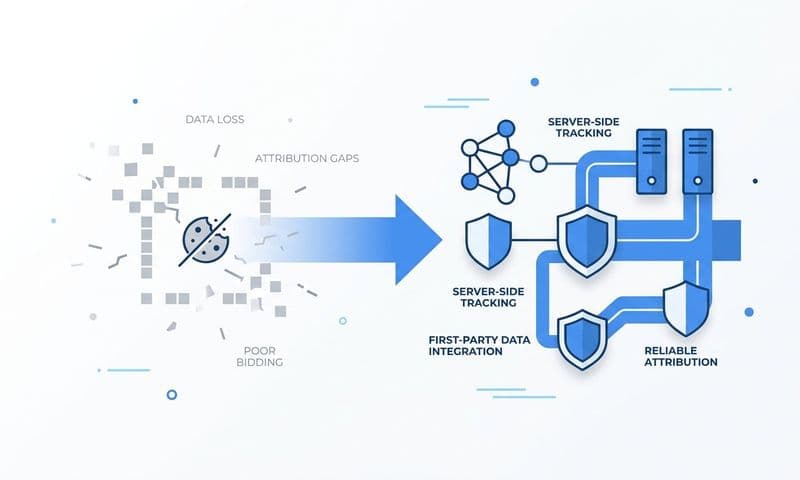
Prioritize server-side tracking: Browser-based pixels have become significantly less reliable over the past few years. Ad blockers, iOS privacy changes, and increasingly strict browser cookie restrictions all reduce the accuracy of client-side pixel data. Server-side tracking sends conversion events directly from your server to the ad platform, bypassing the browser entirely. This improves match rates and gives ad platform algorithms better data to work with.
Use Conversion APIs and Enhanced Conversions: For Meta, this means implementing the Conversions API (CAPI). For Google, it means using Enhanced Conversions. Both approaches allow you to send first-party data, such as hashed email addresses or user IDs, directly from your server to the platform. This is the most reliable method available for conversion tracking in a privacy-restricted environment.
Pass unique identifiers with every event: When you fire a conversion event, include match keys such as email addresses or user IDs. These allow the ad platform to match the conversion back to the specific user who saw or clicked your ad. Without match keys, a significant portion of your conversions will go unmatched and unattributed.
Set up event deduplication: If you fire both a browser pixel and a server-side event for the same conversion, you risk counting it twice. Most platforms have deduplication logic built in, but you need to configure it correctly by passing a consistent event ID that the platform can use to identify duplicate events.
Before moving to the next step, verify that every conversion event is firing correctly. Use Meta's Events Manager, Google's Tag Assistant, or the equivalent testing tool in each platform to confirm that events are being received with the right parameters and match keys attached.
A common pitfall here is relying solely on what each platform reports back to you. Every ad platform reports conversions in its own favor. Meta will claim credit for conversions that Google also claims. You need a neutral, external source of truth that sits above the platforms and resolves those conflicts objectively. Learning how to improve ad tracking accuracy is essential before scaling any campaign.
Your success indicator: all key conversion events are firing server-side, match keys are attached, and deduplication is confirmed across all platforms.
Step 3: Connect Your CRM and Billing Data to Your Ad Data
This is the step most teams skip. It is also the reason they cannot connect ads to revenue. Pixels and conversion APIs track what happens on your website. Your CRM tracks what happens to leads after they enter your funnel. Your billing system tracks actual subscription revenue. None of these talk to each other by default.
Bridging that gap requires two things: UTM parameters and integrations.
UTM parameters are the connective tissue: Every ad URL you run should be tagged with UTM parameters covering campaign, source, medium, content, and term. These parameters travel with the user from the ad click through your website and into your lead capture form. When a lead submits a form, those parameters get stored in the contact record in your CRM.
From that point forward, every deal in your pipeline carries the original ad source. When a lead closes six months later, you can trace it back to the exact campaign, ad set, and even the specific ad creative that first brought them in.
Establish a UTM naming convention and enforce it: Inconsistent UTM naming is one of the most common sources of broken attribution. If one campaign uses "paid-social" as the medium and another uses "paid_social," they will appear as separate sources in your reporting. Understanding what UTM tracking is and how it helps marketing will help you document your naming convention and make it a requirement for every campaign launch.
Integrate your CRM with your attribution platform: Once UTMs are flowing into your CRM, you need your attribution platform to receive deal stage updates. When a lead moves to closed-won, that event should be pushed back to your attribution platform and tied to the original ad click. This is what makes revenue attribution possible rather than just lead attribution.
Connect your billing system: If you use Stripe or a similar billing tool, connect it to your attribution platform to pull in actual subscription revenue. This lets you tie a specific dollar amount to the campaign that sourced the customer, giving you a true revenue ROAS rather than a proxy metric.
A common pitfall is UTM parameters breaking mid-funnel. This happens when forms or landing pages strip query parameters from the URL, or when multi-step forms do not carry UTMs from the first page to the submission. Audit every lead capture form in your funnel to confirm that UTM values are being saved to the contact record consistently.
Your success indicator: you can open any contact record in your CRM and see the original ad source, campaign name, and channel that brought that lead in. If you can do that, your CRM and ad data are connected.
Step 4: Choose an Attribution Model That Matches Your Sales Cycle
Attribution models determine how credit for a conversion is assigned across the multiple touchpoints in a customer journey. For B2B SaaS teams with long sales cycles, choosing the right model is not a minor technical detail. It directly shapes which campaigns you invest in and which ones you cut.
Here is how the main models compare, and when each one makes sense:
Last-click attribution: Assigns all credit to the final touchpoint before conversion. For B2B SaaS, this model is almost always misleading. It ignores every touchpoint that built awareness and intent before the final click, systematically undervaluing upper-funnel and mid-funnel channels.
First-touch attribution: Assigns all credit to the first touchpoint. This is useful for understanding which channels generate net-new awareness, but it ignores the nurture sequence that converted that awareness into a qualified opportunity. It overstates the value of top-of-funnel channels.
Linear attribution: Distributes credit equally across all touchpoints in the journey. This is a reasonable starting point for teams new to multi-touch attribution. It acknowledges that every touchpoint contributed something, even if the equal weighting is not perfectly accurate.
Time-decay attribution: Gives more credit to touchpoints closer to conversion. This works reasonably well for shorter sales cycles where recent interactions are genuinely more influential. For longer B2B cycles, it can still undervalue early awareness channels.
Data-driven attribution: Uses machine learning to assign credit based on which touchpoints actually influenced conversion outcomes. This is the most accurate model available, but it requires sufficient conversion volume to generate reliable signals. Early-stage teams often do not have enough data to use this model effectively.
Position-based (U-shaped) attribution: Assigns the most credit to the first and last touchpoints, with the remaining credit distributed across the middle. This works well for teams that want to value both awareness generation and conversion-driving activity.
For most B2B SaaS teams, a multi-touch model such as linear or position-based is the practical starting point. The goal is to see the full customer journey, not just the last click before a form submission.
One of the most valuable things you can do is run multiple attribution models in parallel and compare them. The gaps between models reveal where your current reporting is misleading you. If your last-click model shows paid search driving most of your revenue but your linear model shows paid social contributing heavily earlier in the journey, that is a signal worth investigating before you cut your social budget.
Your success indicator: you have selected a primary attribution model, you can explain why it fits your sales cycle length and buyer journey, and you are tracking at least one secondary model for comparison.
Step 5: Build a Revenue Attribution Dashboard
Raw attribution data is not useful until it is organized into a view that answers the questions your team actually asks. A revenue attribution dashboard is not a vanity metrics board. It is a decision-making tool.
Your dashboard should be built around four core questions: Which campaigns generated the most pipeline? Which campaigns generated the most closed-won revenue? What is the cost per acquired customer by channel? What is the return on ad spend based on actual revenue, not platform-reported conversions?
Segment by channel, campaign, ad set, and creative: Attribution data becomes actionable when you can drill down from the channel level to the individual ad. Knowing that paid social drives revenue is useful. Knowing that a specific LinkedIn ad targeting VP-level buyers at mid-market SaaS companies drives revenue at a lower cost per acquisition than any other creative is actionable. Understanding how SaaS companies attribute revenue to their campaigns can help you structure this analysis effectively.
Include a pipeline view: Not every deal closes in the same reporting period. A pipeline view shows deals currently in progress that are attributed to each campaign. This gives you a forward-looking signal rather than just a historical one. It helps you avoid cutting campaigns that are building pipeline but have not yet generated closed-won revenue in the current window.
Track time-to-close by channel: Some channels generate leads that close faster than others. A lead from a branded search campaign might close in 30 days. A lead from a top-of-funnel display campaign might take 120 days. Knowing this helps you balance short-term and long-term budget allocation and set more realistic expectations for each channel's contribution.
Use a single source of truth: Do not build your revenue attribution dashboard by stitching together exports from Meta, Google, and LinkedIn. Platform-reported data is siloed and self-serving. Each platform claims credit for conversions it influenced, leading to overlap and inflated totals. Your dashboard should pull from a single attribution tracking setup that resolves cross-platform conflicts using a consistent methodology.
A common pitfall is building a dashboard that only shows marketing metrics like clicks, impressions, and cost per lead. Revenue attribution dashboards must include pipeline value and closed-won revenue. Without those columns, you are still making decisions based on incomplete information.
Your success indicator: your dashboard shows cost per closed-won customer by campaign and channel, updated in real time, without requiring manual data pulls from multiple platforms.
Step 6: Use Revenue Data to Optimize and Scale Your Campaigns
This is where all the setup work pays off. Once you can see which ads drive actual revenue, optimization stops being guesswork. You scale what works and cut what does not, with data to back every decision.
Identify your highest-revenue campaigns and find the pattern: Look at the campaigns driving the most closed-won revenue and ask what they have in common. Is it the audience targeting? The ad format? The offer? The messaging? The channel? When you find the pattern, you have a replicable formula for building more campaigns that work.
Feed revenue data back to the ad platforms: This step is often overlooked, but it is one of the highest-leverage things you can do. When you send closed-won or high-value conversion events back to Meta and Google via the Conversion API and Enhanced Conversions, the platform's AI optimizes toward users who are more likely to become paying customers, not just users who are likely to fill out a form. The quality of your optimization signal determines the quality of the users the algorithm targets next. Learn more about how to sync conversion data to Facebook Ads to make this process seamless.
Use AI-driven recommendations: Modern attribution platforms can surface patterns in your conversion data that would take hours to find manually. AI-driven marketing analytics can identify which campaigns are underperforming relative to their revenue contribution, which have the headroom to scale, and where budget is being wasted on leads that never progress past the first stage.
Set budget allocation rules based on revenue ROAS: Platform ROAS uses the conversions each platform reports for itself, which are almost always inflated due to cross-platform attribution overlap. Revenue ROAS uses actual closed deals from your CRM. These two numbers are often very different. Budget decisions made on platform ROAS can lead you to over-invest in channels that look strong in the dashboard but underperform in the pipeline.
Review attribution data on a regular cadence: For teams with longer sales cycles, monthly reviews are more meaningful than weekly ones. It takes time for deals to close, and weekly snapshots can be misleading when your average sales cycle is 60 or 90 days. Set a review cadence that matches your pipeline velocity.
A common pitfall is optimizing for lead volume rather than lead quality. Generating more leads at a lower cost per lead only creates value if those leads convert to revenue at a similar rate. If your cost per lead drops but your cost per closed-won customer stays flat or increases, you have not improved performance. You have just moved the problem downstream.
Your success indicator: you can point to specific budget decisions that were made based on revenue attribution data and trace their downstream impact on pipeline and closed-won revenue.
Your Revenue Tracking Checklist: Putting It All Together
Revenue attribution is not a one-time setup. It is an ongoing system that requires regular review as your campaigns, channels, and sales cycle evolve. Use this checklist to confirm that every layer of your tracking setup is in place:
Step 1 complete: Revenue events are defined and mapped to specific CRM stages, with clear distinctions between leading indicators and actual revenue events.
Step 2 complete: Server-side conversion tracking is live across all ad platforms, match keys are attached to every event, and deduplication is confirmed.
Step 3 complete: UTM parameters are consistently applied to every ad URL, UTM data is captured in your CRM at the point of lead creation, and your billing system is connected to your attribution platform.
Step 4 complete: A primary attribution model is selected and aligned to your sales cycle length, with at least one secondary model running in parallel for comparison.
Step 5 complete: Your revenue attribution dashboard shows pipeline and closed-won data by campaign and channel, sourced from a single neutral platform rather than individual ad platform reports.
Step 6 complete: Revenue-level conversion events are flowing back to ad platforms to improve algorithmic targeting, and budget decisions are being made based on revenue ROAS rather than platform-reported ROAS.
Cometly is built to connect all of these steps in one place. From server-side tracking and Conversion API integration to CRM and Stripe connections, multi-touch attribution models, and AI-powered recommendations, Cometly gives B2B SaaS teams a single source of truth for understanding which ads actually drive revenue. You get real-time visibility into your full customer journey, from the first ad click to closed-won, without stitching together data from six different tools.
If your team is ready to move from surface-level ad metrics to real revenue attribution, Get your free demo and see how Cometly brings every layer of this system together for B2B SaaS marketing teams.