Ad tracking is the backbone of every high-performing paid advertising program. Without accurate, complete tracking, marketers are essentially flying blind: spending budget on campaigns they cannot measure, optimizing toward signals that do not reflect real conversions, and missing the full picture of what actually drives revenue.
The problem is not a lack of tracking tools. Most marketing teams already have pixels, tags, and analytics dashboards in place. The challenge is tracking done right: data that is accurate, consistent, and connected across every platform and touchpoint in the customer journey.
Modern ad tracking has become significantly more complex. Browser privacy updates, iOS changes, cookie restrictions, and multi-platform customer journeys have introduced gaps that traditional pixel-based tracking simply cannot fill. Marketers who rely solely on platform-native reporting often see inflated or deflated numbers depending on which ad network they are checking. The result is conflicting data, misallocated budgets, and missed opportunities to scale what is actually working.
This guide covers eight ad tracking best practices that address these challenges head-on. Whether you are running campaigns on Meta, Google, TikTok, or LinkedIn, these strategies will help you build a tracking foundation that captures every touchpoint, feeds better data to ad platform algorithms, and connects ad spend directly to revenue. Each practice builds on the last, moving from foundational setup to advanced optimization. By the end, you will have a clear framework for turning your tracking infrastructure into a genuine competitive advantage.
1. Build a Consistent UTM Tagging Framework
The Challenge It Solves
Inconsistent UTM conventions are one of the most common and costly tracking problems marketing teams face. When different team members tag campaigns using different naming formats, the same traffic source can appear as dozens of separate entries in your analytics dashboard. Instead of seeing "Meta Ads" as a single, clean channel, you might see "meta," "Meta," "facebook," "FB," and "paid-social" all counted separately. Attribution becomes unreliable, and reporting becomes a cleanup exercise rather than a decision-making tool.
The Strategy Explained
A UTM tagging framework is a standardized naming convention that every team member follows when building campaign URLs. It defines exactly how each UTM parameter should be formatted: lowercase or capitalized, which abbreviations to use, how to separate words, and what values map to which channels and campaign types.
The goal is simple: when any team member tags a campaign, the resulting data in your analytics tool is immediately recognizable and consistent. This makes channel groupings accurate, attribution models reliable, and cross-channel reporting actually comparable.
Implementation Steps
1. Document your UTM taxonomy in a shared reference doc that covers source, medium, campaign, content, and term parameters with approved values for each.
2. Build a UTM builder tool (even a simple spreadsheet works) that auto-generates tagged URLs based on the approved naming convention, reducing human error.
3. Audit existing campaigns for UTM consistency and correct any active campaigns that use non-standard formats before they pollute more data.
4. Make UTM tagging part of your campaign launch checklist so no ad goes live without properly formatted tracking parameters.
Pro Tips
Always use lowercase values in your UTM parameters. Analytics tools treat "Meta" and "meta" as two different sources, so even a capitalization inconsistency creates fragmented data. Store your approved UTM values in a shared team document and revisit it whenever you add a new channel or campaign type. Consistency compounds: the cleaner your UTM data, the more reliable every attribution model built on top of it becomes.
2. Implement Server-Side Tracking to Close Data Gaps
The Challenge It Solves
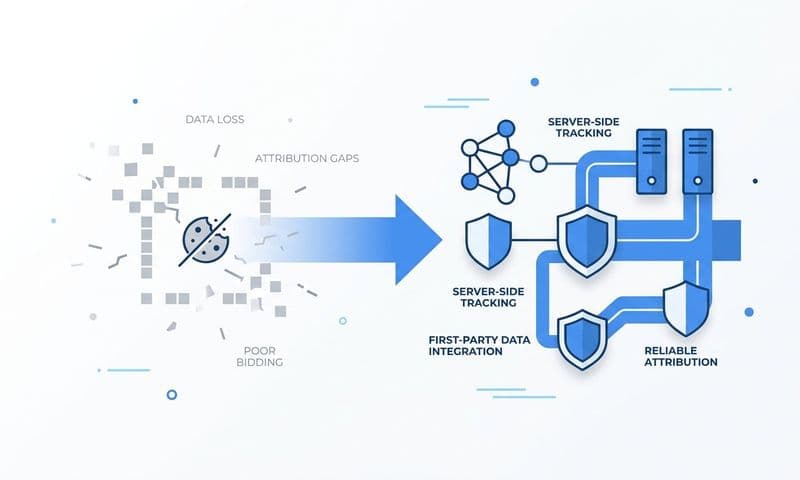
Browser-based pixel tracking has become increasingly unreliable. Ad blockers prevent pixels from firing, iOS App Tracking Transparency restrictions limit data collection on Apple devices, and browser-level privacy updates from Chrome and Safari have reduced the lifespan and reach of client-side cookies. If your entire tracking setup depends on a JavaScript pixel loading in a user's browser, you are missing a meaningful portion of your conversion data before it ever reaches your reporting dashboard.
The Strategy Explained
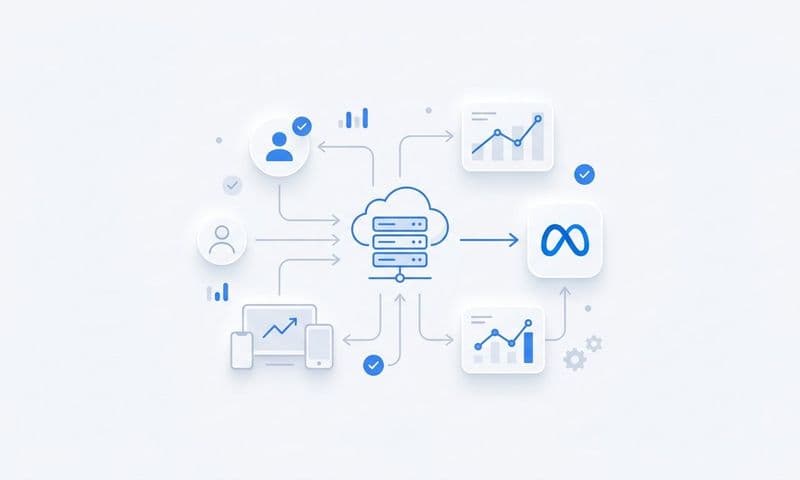
Server-side tracking sends conversion events directly from your server to ad platforms, bypassing browser-level restrictions entirely. Instead of relying on a pixel firing in the user's browser, the event is captured server-side and transmitted via an API connection directly to Meta, Google, or whichever platform you are using.
This approach is especially important for Meta's Conversions API (CAPI) and Google's Enhanced Conversions. Both platforms have built server-side data ingestion specifically to address the gaps created by iOS and browser privacy changes. Server-side tracking captures events that client-side pixels miss, providing a more complete and accurate conversion picture.
Implementation Steps
1. Audit your current pixel setup to identify which conversion events rely entirely on client-side tracking and are therefore vulnerable to data loss.
2. Set up server-side event tracking using a tool like Cometly's server-side tracking infrastructure, which handles the technical layer of capturing and transmitting events reliably.
3. Configure deduplication logic so that events captured both client-side and server-side are not counted twice in your ad platform reporting.
4. Validate your server-side events using each platform's testing tools (Meta's Events Manager, Google's Tag Assistant) to confirm events are being received correctly.
Pro Tips
Server-side tracking is not a replacement for client-side pixels in every scenario. The best setup runs both in parallel, with deduplication enabled. This gives you the broadest possible event coverage while preventing double-counting. Prioritize your highest-value conversion events first: purchases, lead form submissions, and demo requests. These are the events that most directly inform bidding and optimization decisions.
3. Define and Standardize Your Conversion Events
The Challenge It Solves
Many marketing teams track too many events without a clear hierarchy. When every button click, page scroll, and video view is tagged as a conversion, the optimization signal sent to ad platforms becomes noisy and diluted. Ad algorithms optimize toward whatever conversion you tell them to prioritize, so if you are optimizing toward low-intent micro-events, you will attract low-intent users. The result is campaigns that technically hit their conversion targets but fail to generate real revenue.
The Strategy Explained
Conversion event standardization means identifying the specific actions that map directly to revenue outcomes and making those your primary optimization targets. It also means aligning event definitions across your CRM and ad platforms so that a "lead" means the same thing everywhere data is collected.
This alignment eliminates double-counting, reduces conflicting numbers between platforms, and improves the quality of the optimization signal your ad algorithms receive. Standardizing conversion events across platforms reduces reporting confusion and improves the quality of data driving bidding decisions.
Implementation Steps
1. Map your conversion events to your actual sales funnel, identifying which actions are high-intent indicators of revenue potential versus low-intent engagement signals.
2. Define a primary conversion event for each campaign type (for example, "demo requested" for a B2B campaign) and set secondary events for reporting purposes only, not optimization.
3. Align event naming and definitions between your CRM, your website tracking, and each ad platform so the same action is recorded consistently across all systems.
4. Remove or demote any conversion events that are currently being tracked but do not have a clear connection to revenue outcomes.
Pro Tips
Resist the temptation to optimize toward top-of-funnel events just because they have higher volume. Ad platform algorithms are powerful, but they optimize toward exactly what you tell them to. If your primary conversion event is a newsletter signup rather than a demo request, you will get excellent newsletter signups and mediocre pipeline results. Let revenue intent drive your event hierarchy.
4. Use Multi-Touch Attribution to Understand the Full Customer Journey
The Challenge It Solves
Last-click attribution is the default setting in many ad platforms, and it systematically distorts your understanding of what is working. When every conversion credit goes to the final touchpoint before purchase, channels that build awareness and drive consideration, such as display ads, social media, and content, appear to contribute nothing. Budgets get concentrated in bottom-funnel channels while upper-funnel investments that are generating real demand go unrecognized and underfunded.
The Strategy Explained
Multi-touch attribution distributes conversion credit across every touchpoint in the customer journey rather than awarding it all to the last click. Models like linear attribution, time decay, and data-driven attribution each approach this distribution differently, but all of them give you a more accurate view of which channels and campaigns genuinely contribute to conversions, not just which channel happens to be last.
Understanding the full customer journey is particularly important for businesses with longer sales cycles, where a prospect might interact with five or more touchpoints before converting. Platforms like Cometly make it possible to compare attribution models side by side, so you can see how credit shifts across channels depending on the model you apply.
Implementation Steps
1. Audit your current attribution model across each ad platform and analytics tool to understand which model is currently driving your optimization decisions.
2. Map out your typical customer journey by analyzing the sequence of touchpoints that precede your highest-value conversions.
3. Test a multi-touch attribution model alongside your existing model using a tool that supports model comparison, and look for channels that are systematically undervalued under last-click.
4. Adjust budget allocation based on multi-touch insights, giving appropriate credit and investment to channels that contribute to the journey even if they rarely get the final click.
Pro Tips
No single attribution model is universally correct. The value of multi-touch attribution is not in picking the "right" model but in using multiple models to triangulate a more accurate picture of channel contribution. Data-driven attribution, when you have sufficient conversion volume to support it, is generally the most accurate because it uses your actual conversion data to assign credit rather than applying a fixed formula.
5. Sync Enriched Conversion Data Back to Ad Platforms
The Challenge It Solves
Ad platform algorithms, including Meta's and Google's, rely on conversion signals to optimize bidding, targeting, and delivery. When the conversion data they receive is incomplete, delayed, or low-quality, their ability to find the right audiences and optimize toward real outcomes is limited. Gaps in conversion data mean the algorithm is working with an incomplete picture, which leads to suboptimal targeting and wasted spend.
The Strategy Explained
Conversion sync, also called Conversion API integration or enhanced conversions, involves sending enriched event data back to ad platforms via server-side connections. "Enriched" means the event includes additional customer data points, such as email address, phone number, or customer ID, that help the platform match the conversion to a specific user profile with higher confidence.
Meta measures this data quality through its Event Match Quality score, which reflects how well the events you send can be matched to real users in their system. Higher match quality means better optimization, better audience targeting, and ultimately better return on ad spend. Sending enriched, server-side conversion data back to ad platforms improves event match quality and helps algorithms find better audiences.
Implementation Steps
1. Enable server-side conversion APIs for each ad platform you are running campaigns on, starting with Meta CAPI and Google Enhanced Conversions as the highest-priority integrations.
2. Include customer data parameters (hashed email, phone number, or customer ID) in your conversion events to improve match quality scores.
3. Check your Event Match Quality score in Meta's Events Manager and identify which data fields you can add to improve it.
4. Use Cometly's Conversion Sync to automate the process of sending enriched conversion data back to ad platforms without requiring manual API configuration for each integration.
Pro Tips
All customer data sent through conversion APIs should be hashed before transmission. Ad platforms require this for privacy compliance, and it is a non-negotiable part of the implementation. Focus on improving your Event Match Quality score incrementally: even adding one additional data field to your conversion events can meaningfully improve how well the algorithm can match and optimize.
6. Audit Your Tracking Setup Regularly for Accuracy
The Challenge It Solves
Tracking setups degrade over time. Website redesigns break pixels. New campaigns get launched without proper UTM tags. Platform updates change event requirements. Team members implement tracking changes without documentation. The result is that a tracking setup that was working well six months ago may now have broken events, duplicate conversions, or missing data that nobody has noticed yet. By the time the problem surfaces in reporting, weeks of bad data have already accumulated.
The Strategy Explained
A regular tracking audit is a structured review of your entire tracking infrastructure to catch issues before they compound. A quarterly audit is a standard practice among high-performing marketing teams to ensure data integrity. The audit covers pixel firing, UTM consistency, event deduplication, conversion event accuracy, and cross-platform data alignment.
Think of it like a technical inspection for your data infrastructure. Just as you would not run a paid advertising program without reviewing creative performance regularly, you should not run one without verifying that the tracking underpinning your decisions is actually working correctly.
Implementation Steps
1. Build a tracking audit checklist that covers every component of your setup: pixels, server-side events, UTM parameters, conversion event definitions, and cross-platform data alignment.
2. Use browser-based tag testing tools and each platform's native testing environments to verify that events are firing correctly and being received as expected.
3. Compare conversion counts across platforms for the same time period and investigate any significant discrepancies, which often indicate duplicate tracking or missing events.
4. Schedule audits on a recurring calendar cadence (quarterly at minimum, monthly if you are running high-volume campaigns) and assign clear ownership so audits actually happen.
Pro Tips
Document your tracking setup in a living reference document that gets updated whenever changes are made. This single habit prevents a significant portion of tracking degradation because it forces team members to think through the implications of changes before making them. When something breaks, documentation also dramatically reduces the time it takes to identify the source of the problem.
7. Connect Ad Tracking Data to Revenue Outcomes
The Challenge It Solves
There is often a meaningful gap between what ad platforms report as conversions and what your CRM records as closed revenue. A campaign might generate hundreds of form submissions that ad platform reporting counts as conversions, but if only a fraction of those submissions turn into paying customers, you are optimizing toward the wrong signal. Without connecting ad data to revenue, you cannot distinguish between campaigns that generate leads and campaigns that generate revenue.
The Strategy Explained
Connecting your ad tracking infrastructure to CRM and pipeline data means you can see which campaigns, channels, and even individual ads are generating closed revenue, not just clicks or form fills. This transforms optimization from click-focused to outcome-focused: budget decisions are based on which campaigns actually drive revenue rather than which ones drive the most conversions at the cheapest cost per lead.
This connection is especially important for B2B businesses and high-consideration purchases where the gap between initial conversion and actual revenue can be weeks or months. Cometly is built to bridge this gap, connecting ad platform data with downstream revenue signals so marketers can optimize toward what actually matters.
Implementation Steps
1. Identify the CRM fields and pipeline stages that represent real revenue milestones (for example, "closed won" deals) and map them to corresponding ad tracking events.
2. Implement a mechanism to pass a unique identifier (such as a lead ID or click ID) from your ad tracking into your CRM at the point of conversion so individual leads can be traced back to their originating campaign.
3. Build a reporting view that combines ad spend data with CRM revenue data, allowing you to calculate true return on ad spend by campaign, channel, and audience.
4. Use this revenue-connected data to identify your highest-value campaigns and reallocate budget away from campaigns that generate volume but not revenue.
Pro Tips
The unique identifier passed at conversion is the critical technical piece that makes revenue attribution possible. Without it, you can see that a campaign generated leads and that your CRM has closed deals, but you cannot connect the two. Prioritize getting this identifier passing correctly before building any revenue reporting on top of it. The reporting is only as reliable as the underlying connection.
8. Leverage AI to Act on Tracking Data Faster
The Challenge It Solves
The volume of cross-platform tracking data has grown significantly as marketers run campaigns across more channels simultaneously. Analyzing performance across Meta, Google, TikTok, LinkedIn, and additional channels while also accounting for attribution model differences, audience segments, and creative variations is an enormous analytical task. By the time a human analyst surfaces an actionable insight, the campaign opportunity may have already passed or the underperforming spend may have already compounded.
The Strategy Explained
AI-powered attribution and analytics tools can automatically surface patterns and optimization recommendations from your cross-platform tracking data, reducing the time between data collection and campaign action. Instead of manually building reports to find which campaigns are underperforming or which audiences are showing early signs of fatigue, AI surfaces those insights proactively.
Cometly's AI-powered features, including the AI Ads Manager and AI Chat for data analysis, are designed specifically for this use case. They analyze your attribution data across channels and surface recommendations so marketing teams can act on insights faster without requiring dedicated analyst resources to process the data manually.
Implementation Steps
1. Ensure your tracking foundation is solid before layering in AI analysis. AI recommendations are only as good as the data they are built on, so UTM consistency, server-side tracking, and conversion event standardization need to be in place first.
2. Identify the specific decisions you want AI to support: budget reallocation, creative optimization, audience expansion, or bid strategy adjustments.
3. Configure your AI attribution tool to pull data from all active ad platforms so recommendations are based on a complete cross-channel attribution view rather than siloed platform data.
4. Build a workflow for acting on AI recommendations, including a review cadence and a clear process for testing suggested changes before rolling them out at scale.
Pro Tips
AI tools accelerate analysis, but they do not replace strategic judgment. The most effective approach is to use AI recommendations as a starting point for investigation rather than automatic directives. When an AI tool surfaces an underperforming campaign or a high-potential audience segment, treat it as a hypothesis to validate with your own contextual knowledge of the campaign goals and business objectives.
Putting It All Together: Your Implementation Roadmap
These eight practices build on each other in a deliberate sequence, and the order of implementation matters.
Start with UTM consistency and conversion event definitions. These are foundational: every other practice downstream depends on clean, standardized data flowing through your tracking system. If your UTM naming is inconsistent or your conversion events are misaligned, attribution models and AI recommendations built on top of that data will reflect those errors.
Next, layer in server-side tracking to close the data gaps that browser-based pixels cannot fill. Once your server-side events are firing reliably, set up conversion sync to send that enriched data back to ad platforms. These two practices work together: server-side tracking captures more complete data, and conversion sync feeds that complete data to the algorithms that power your bidding and targeting.
With a solid data foundation in place, implement multi-touch attribution and connect your ad tracking to revenue outcomes. These practices give you a more accurate and complete picture of what is actually driving growth, enabling budget decisions based on real return rather than surface-level metrics.
Regular audits and AI-powered analysis are the ongoing practices that keep everything performing at a high level. Audits protect data integrity over time. AI accelerates the speed at which you can act on what the data is telling you.
The compounding effect is real. A clean UTM framework makes attribution models more accurate. Server-side tracking improves the quality of data synced back to ad platforms. Better ad platform data improves algorithm performance. Every layer amplifies the value of the one before it.
Cometly is built to support all eight of these practices in one place. From server-side tracking and multi-touch attribution to AI-powered recommendations and conversion sync, Cometly gives marketing teams the infrastructure to track every touchpoint and connect ad spend directly to revenue.
If you are ready to move beyond fragmented tracking and build a system that actually reflects what is driving growth, start with a full audit of your current setup and identify where the biggest data gaps exist. Then Get your free demo and see how Cometly can help you build the tracking foundation your campaigns deserve.