Picture this: your marketing team has spent weeks optimizing campaigns across Google Ads, LinkedIn, and organic search. Google Analytics shows a healthy number of conversions, so you double down on what appears to be working. Then someone pulls the actual CRM data, and the numbers don't match. Leads that GA4 credited to organic search turn out to have come from a paid campaign. Revenue tied to "direct" traffic is actually from a retargeting sequence you almost paused. The disconnect is jarring, and it raises an uncomfortable question: how much of your marketing strategy has been built on data that was never accurate to begin with?
This scenario plays out across B2B SaaS marketing teams constantly, and it's not a sign that someone misconfigured a tag or forgot to set up a goal. It's a structural problem baked into how Google Analytics collects, processes, and reports data. GA4 is a powerful web analytics tool, but it was not designed to serve as the single source of truth for B2B marketing attribution. When it gets used that way, the gaps compound quickly.
Understanding why Google Analytics is not accurate requires looking at several layers: how data gets collected in the first place, how attribution models assign credit, how privacy changes have eroded tracking coverage, and where GA4 simply cannot go when it comes to revenue and pipeline data. Once you see the full picture, you can start building a measurement stack that actually reflects how your buyers behave and which campaigns are driving real business outcomes.
The Hidden Gaps in Google Analytics Data Collection
Every piece of data in GA4 starts with a JavaScript tag firing in a user's browser. That single dependency creates a cascade of collection problems that most marketing teams underestimate.
The most direct issue is ad blockers and script-blocking extensions. A meaningful portion of web users, particularly in tech-savvy B2B audiences, run browser extensions that prevent analytics scripts from loading. When the GA4 tag never fires, that session simply does not exist in your reports. You are not seeing a slightly skewed picture; you are missing entire segments of your audience, often the most privacy-conscious and technically sophisticated users who happen to be exactly the kind of buyers B2B SaaS companies want to reach.
Slow connections and page abandonment create a related problem. If a user lands on your page and leaves before the JavaScript fully loads, no event is recorded. In GA4's event-based model, this means bounce behavior, entry points, and even paid ad clicks can disappear from your data without any indication that they occurred. This is one of the most common reasons teams encounter Google Analytics missing conversions in their reports.
Data sampling adds another layer of distortion. Google's own documentation acknowledges that GA4 applies sampling to some reports when data volumes are high. When sampling is active, the numbers you see are statistical estimates based on a subset of actual sessions, not precise counts of what happened. For B2B SaaS teams making budget decisions based on conversion data, the difference between an estimate and an exact count matters significantly.
Then there is the cookie consent problem. GDPR in the EU, CCPA in California, and similar regulations around the world have made cookie consent banners standard practice. When users decline tracking, GA4 cannot collect data about their sessions. There is no workaround within the tool itself. The result is a growing blind spot that varies by geography and audience, but consistently means your reported traffic and conversion numbers are lower than actual activity.
The compounding effect of these gaps is what makes the problem serious. It is not one issue causing a small margin of error. It is multiple independent collection failures happening simultaneously, each shaving off a portion of real user behavior, leaving you with a dataset that systematically undercounts sessions, events, and conversions in ways that are difficult to detect from inside GA4 itself. Understanding unreliable marketing analytics data is the first step toward fixing it.
How Attribution Models Distort the Picture
Even when GA4 successfully captures a session, the way it assigns credit for conversions introduces a different category of inaccuracy. Attribution is not just a reporting preference; it determines which campaigns look effective and which look like they are underperforming, directly influencing where budgets go.
GA4 has moved toward a data-driven attribution model as its default, which sounds like progress. The problem is that data-driven attribution requires a substantial volume of conversions to train its model effectively. Many B2B SaaS companies, particularly those in earlier growth stages or with longer sales cycles, simply do not generate enough conversion events for the model to produce reliable results. When the threshold is not met, GA4 falls back to last-click logic, which systematically undervalues every touchpoint that was not the final one before conversion.
Think about what that means in practice. A prospect sees a LinkedIn awareness ad, reads a blog post, downloads a whitepaper through a retargeting campaign, and then converts after clicking a branded search ad two weeks later. Under last-click attribution, the branded search ad gets full credit. The LinkedIn campaign, the content, and the retargeting sequence register as having contributed nothing. If you are making budget decisions based on that data, you will cut the channels that actually built the pipeline and over-invest in the one that just happened to be last. Following attribution analytics best practices can help you avoid this common misallocation trap.
Cross-device and cross-browser tracking gaps make this worse. GA4 uses Google Signals to attempt cross-device stitching, but this only works for users who are signed into a Google account. Anonymous users, which represent a large share of B2B research behavior, have their journeys fragmented across sessions. A prospect who clicks a paid ad on their phone during lunch and converts on their work laptop later in the day looks like two separate, unconnected users. The mobile click gets no attribution credit, and the desktop conversion gets attributed to whatever the last-click source was on that device.
Direct traffic inflation is the third major attribution distortion. Any session where GA4 cannot identify a referral source gets classified as direct. This includes traffic from email campaigns that lack proper UTM parameters not tracking properly, dark social shares, messaging apps, and sessions where the referrer was stripped by browser privacy settings. The direct channel in most GA4 accounts is not primarily people typing your URL into the address bar. It is a catch-all for unattributed sessions, and it inflates the apparent performance of direct traffic while masking the actual contribution of paid and organic channels.
The iOS and Browser Privacy Changes That Broke Traditional Tracking
If the collection and attribution gaps described above were the only problems, they would already be significant. But a third category of inaccuracy has been accelerating over the past several years: the systematic dismantling of the cross-site, cross-session tracking infrastructure that web analytics tools were built on.
Apple's Intelligent Tracking Prevention, introduced in Safari and strengthened over multiple iterations, limits how long cookies can persist and restricts cross-site tracking. For some referral parameters, ITP caps cookie expiration at seven days. In a B2B SaaS context where buyers research solutions over weeks or months before converting, this is a serious problem. A prospect who clicks your paid ad, visits your site, and then returns to convert three weeks later may have lost their original attribution data entirely. GA4 sees the conversion but cannot connect it to the campaign that initiated the journey.
Apple's App Tracking Transparency framework, introduced with iOS 14 and reinforced in subsequent versions, added another layer of restriction. Users are now prompted to allow or deny tracking across apps and websites, and the majority opt out. This limits the data available to ad platforms like Meta and Google for their own attribution reporting, which in turn affects the conversion signals those platforms send back and the accuracy of any reporting that relies on them. Many advertisers have found their ad tracking not working after iOS updates for exactly this reason.
Google has been progressively deprecating third-party cookies in Chrome as well. While the timeline has shifted over time, the direction is clear: the third-party cookie infrastructure that enabled cross-site user tracking is being phased out. GA4 is primarily a first-party tracking tool, so it is less affected than some third-party ad tech, but any reporting that depends on stitching sessions across different domains or connecting ad platform data to on-site behavior is impacted.
For B2B SaaS companies specifically, these changes hit harder than they do for e-commerce businesses with short purchase cycles. When a buying decision involves multiple stakeholders, research phases spanning weeks, and touchpoints across LinkedIn, Google, email, and direct site visits, the cumulative tracking loss from ITP, ATT, and cookie deprecation can obscure a substantial portion of the actual customer journey. The result is pipeline and revenue that appears in your CRM but cannot be traced back to the campaigns that generated them.
Why GA4 Falls Short for Revenue and Pipeline Attribution
Even if you could solve every collection and attribution problem described above, GA4 would still have a fundamental limitation for B2B SaaS marketing teams: it tracks website behavior, not business outcomes.
GA4 can tell you that someone filled out a demo request form. It cannot tell you whether that person became a qualified opportunity, progressed through your pipeline, or converted into paying revenue. The moment a lead leaves your website and enters your CRM, GA4 loses the thread. This means marketers are optimizing toward website events that may or may not correlate with the outcomes that actually matter to the business.
This disconnect creates a specific type of misallocation. A campaign might generate a high volume of form fills that look great in GA4 but produce low-quality leads that rarely close. Another campaign might generate fewer conversions in GA4 but consistently produce enterprise deals with high contract values. Without connecting GA4 data to CRM pipeline stages and closed-won revenue, you have no way to see this difference. Accurate revenue attribution tracking requires bridging this gap between web analytics and your actual pipeline data.
Return on ad spend calculation has the same problem. GA4 does not natively pull in actual cost data from Meta, Google Ads, LinkedIn, or other ad platforms. Without knowing what you spent alongside what you generated in pipeline value and revenue, you cannot calculate true ROAS at the campaign or channel level. You can see conversion counts, but conversion counts without cost and revenue context are not actionable for budget allocation decisions.
GA4's event-based model is flexible in theory, but meaningful B2B funnel tracking requires significant custom configuration. You need to define and instrument every relevant event, set up conversion goals, configure audience segments, and maintain all of this as your product and funnel evolve. Most teams end up with a mix of well-tracked events and gaps where important behavior goes unrecorded. The resulting data is inconsistent enough that reports from different time periods or different analysts often tell different stories, further eroding confidence in the numbers.
The honest framing here is not that GA4 is a bad product. It does what it was designed to do: provide web analytics for understanding on-site behavior. The problem is using it as the primary measurement system for B2B marketing attribution and revenue impact, which is a fundamentally different job that requires fundamentally different capabilities.
Building a More Accurate Measurement Stack
Recognizing the limitations of GA4 is only useful if it leads to a better approach. The good news is that the same privacy and technical changes that have degraded client-side tracking have also accelerated the development of more reliable alternatives.
Server-side tracking as the foundation: The most direct fix for client-side collection failures is moving conversion tracking server-side. Instead of relying on a JavaScript tag in the user's browser, server-side tracking fires events from your own server, bypassing ad blockers, cookie restrictions, and browser privacy settings entirely. Events that would have been lost in client-side tracking get captured reliably. Conversion APIs from Meta (CAPI) and Google Enhanced Conversions are the primary implementations of this approach, and they are increasingly considered the baseline for any team that wants accurate conversion data.
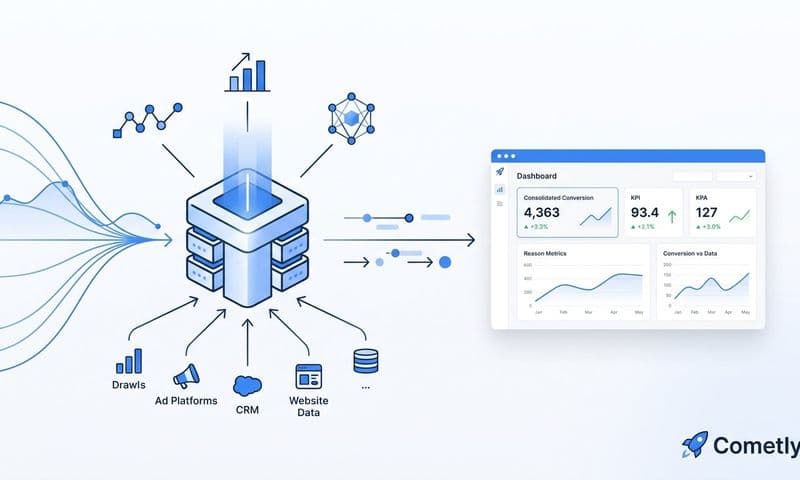
Connecting CRM and ad platforms through a unified attribution layer: Accurate attribution for B2B SaaS requires more than better event tracking. It requires connecting the data that lives in separate systems: ad spend and campaign performance from your ad platforms, lead and pipeline data from your CRM, and behavioral data from your website. When these data sources are stitched together in a unified attribution layer, you can trace a closed-won deal back to the specific campaigns and touchpoints that contributed to it. No single tool in isolation can do this; it requires a purpose-built integration layer that speaks to all of them.
Multi-touch attribution models that reflect the full buyer journey: Rather than crediting a single touchpoint, multi-touch attribution distributes credit across all the interactions that contributed to a conversion. Linear, time-decay, and position-based models each offer different perspectives on how to weight touchpoints, and the right choice depends on your sales cycle and funnel structure. What all of them share is a more realistic representation of how B2B buyers actually make decisions, which means budget allocation based on multi-touch data is more likely to reflect actual channel contribution than last-click reporting ever could. Exploring an alternative to Google Analytics attribution is often the catalyst for making this shift.
The shift from a GA4-only measurement approach to a proper attribution stack is not just a technical upgrade. It changes what questions you can answer. Instead of asking "which channel had the most last-click conversions," you can ask "which combination of touchpoints most reliably produces closed-won revenue," and that is a question worth building your marketing strategy around.
Moving Beyond GA4 Limitations
The accuracy gaps in Google Analytics are not isolated issues that can be patched with a few configuration changes. They are structural characteristics of a tool designed for web analytics being stretched to do a job it was not built for. Client-side collection misses real users. Attribution models distort credit. Privacy changes continue to erode tracking coverage. And the gap between website events and actual revenue remains unbridged.
For B2B SaaS teams with complex, multi-session buyer journeys, these gaps compound. Every week of research activity, every cross-device session, every privacy-conscious prospect who declines a cookie banner adds to the cumulative distance between what GA4 reports and what is actually happening in your pipeline.
This is exactly the problem Cometly is built to solve. Cometly connects your ad platforms, CRM, and website into a single attribution layer that captures the full customer journey from first ad click to closed-won revenue. With server-side tracking and Conversion API integration, it captures events that client-side tools miss. With native CRM and ad platform connections, it ties actual pipeline value and revenue to the campaigns that generated them. Multi-touch attribution models give you a realistic view of which channels contribute across the entire buyer journey, not just the last click. And AI-driven insights surface which campaigns and touchpoints are actually driving results, so you can scale with confidence instead of guessing.
Marketers who rely solely on GA4 are making budget decisions based on an incomplete, structurally limited picture. The solution is not to abandon web analytics entirely. It is to stop treating GA4 as the final word on marketing performance and build a measurement stack that reflects how B2B buyers actually behave.
If you are ready to replace guesswork with a reliable single source of truth, Get your free demo and see what accurate attribution looks like in practice.