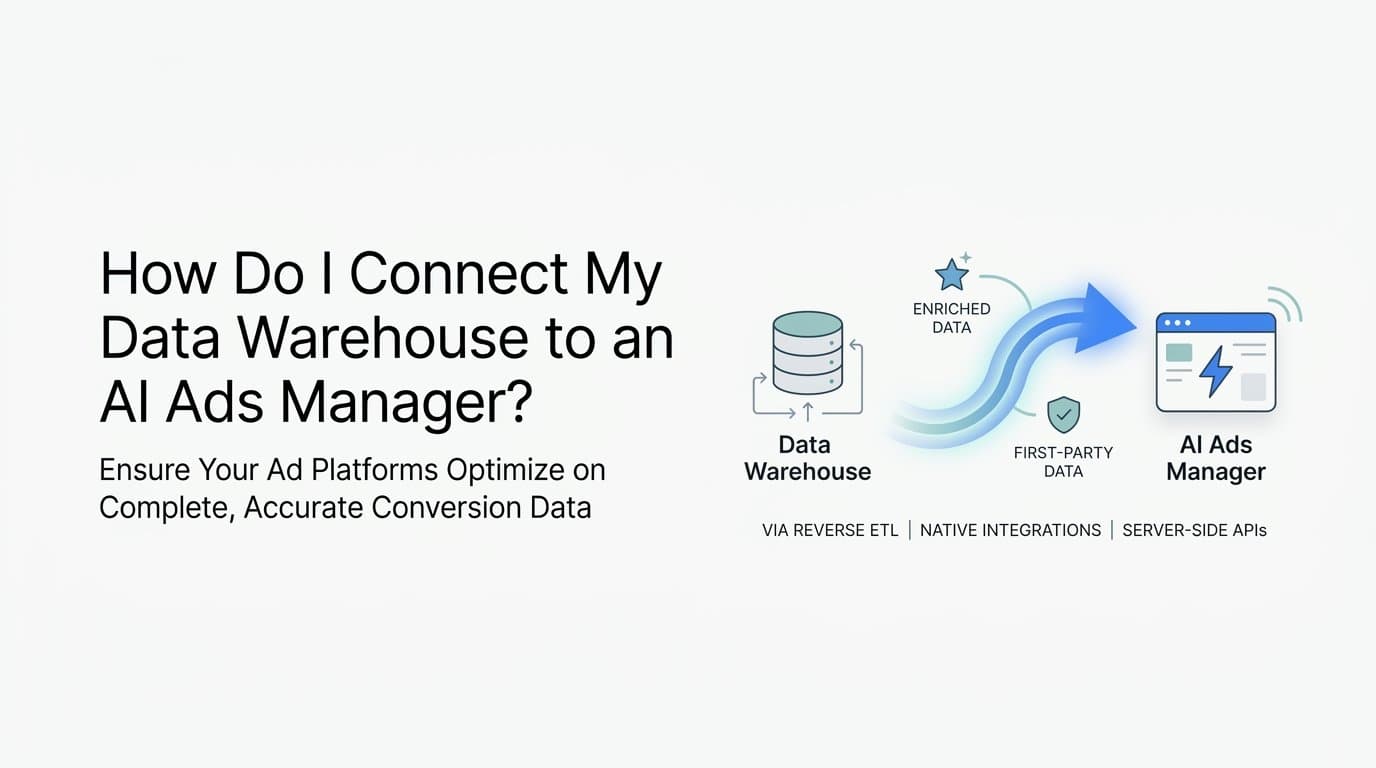
To connect your data warehouse to an AI ads manager, you typically use a native integration, a reverse ETL tool, or a server-side API connection that pipes structured conversion and revenue data from your warehouse into the ad platform or attribution layer. Cometly is a strong fit here because it connects directly to your ad platforms, CRM, and first-party data sources to track the full customer journey and feed enriched conversion events back to Meta, Google, and other channels without requiring complex warehouse engineering.
For B2B SaaS companies running paid acquisition, this connection matters because ad platform algorithms optimize on the signals you send them. If your conversion data lives in a warehouse but never reaches your AI ads manager, you are optimizing on incomplete data. The result is wasted spend, poor targeting, and attribution blind spots that make it nearly impossible to scale with confidence.
This guide covers the most practical strategies for making this connection work, from native integrations and reverse ETL pipelines to server-side tracking and first-party data enrichment. Each approach has different tradeoffs depending on your data stack, technical resources, and how much latency you can tolerate between a conversion event and the moment your AI ads manager acts on it.
1. Use a Native Integration or Attribution Platform First
The Challenge It Solves
Most teams assume connecting a data warehouse to an AI ads manager requires custom engineering. In practice, many B2B SaaS companies already have the data they need sitting in their CRM or billing system, and the real gap is a reliable integration layer that surfaces it to ad platforms without a data engineering sprint.
The Strategy Explained
Before building a custom pipeline, evaluate whether a purpose-built attribution platform already handles the connection for you. Cometly, for example, connects your ad platforms, CRM, and website into a single attribution layer that tracks the full customer journey in real time. Its AI ads manager receives enriched conversion signals, including pipeline and revenue data from Stripe, without requiring you to write SQL or maintain infrastructure.
This approach is especially practical for growth teams that need accurate attribution now rather than after a multi-month data engineering project. With 70+ native integrations, Cometly covers the most common B2B SaaS data sources out of the box.
Implementation Steps
1. Audit your current data sources: CRM, billing platform, ad platforms, and website events. Identify where your highest-value conversion events are recorded.
2. Evaluate attribution platforms that offer native integrations with your existing stack. Prioritize platforms that support server-side conversion tracking and revenue attribution, not just lead events.
3. Connect your primary data sources to the attribution platform and verify that conversion events are flowing correctly before touching your ad platform settings.
4. Configure your AI ads manager to receive the enriched signals from the attribution layer and confirm that the algorithm is receiving pipeline or revenue-level data rather than raw form fills.
Pro Tips
Start with your highest-volume conversion event and get that signal clean before adding complexity. A single accurate revenue event is more valuable to your AI ads manager than five noisy lead events. If you are evaluating platforms, check whether they support deduplication natively, because you will likely run both pixel and server-side tracking simultaneously during the transition.
2. Set Up Reverse ETL to Push Warehouse Data to Ad Platforms
The Challenge It Solves
Some B2B SaaS companies have sophisticated conversion logic that only exists as modeled SQL tables in their data warehouse. Raw event streams do not capture deal stage progressions, multi-touch attribution models, or revenue-weighted conversion values. Reverse ETL is the mechanism that brings this modeled data back to ad platforms.
The Strategy Explained
Reverse ETL is a data engineering pattern where data flows from your warehouse back to operational tools, including ad platforms and CRMs. Tools like Census and Hightouch are purpose-built for this pattern. Instead of sending raw events to Meta or Google, you define a SQL model in your warehouse that represents your ideal conversion signal, then schedule a sync that pushes those records to your ad platform as offline conversions or custom audiences.
This approach gives your AI ads manager access to conversion logic that would otherwise be invisible to it. For example, you can sync a table of closed-won opportunities with associated ad click data, so the algorithm learns which targeting and creative combinations actually produce revenue, not just leads.
Implementation Steps
1. Define the conversion events or audience segments you want to sync. Start with a single high-value event, such as a closed-won opportunity or an activated trial user.
2. Build a SQL model in your warehouse that joins ad click identifiers (gclid, fbclid, or hashed email) with the conversion event and its associated value.
3. Connect your reverse ETL tool to your warehouse and configure the destination as your ad platform's offline conversions endpoint.
4. Set a sync frequency that balances data freshness with API rate limits. Daily syncs work for most B2B use cases with longer sales cycles.
Pro Tips
Always include a conversion value field when syncing to ad platforms. Sending revenue or pipeline value instead of a binary conversion flag gives your AI ads manager a much richer optimization signal. Also confirm that your warehouse model deduplicates events by a stable conversion ID before the sync runs, because duplicate events will distort your campaign reporting.
3. Implement Server-Side Conversion Tracking via Conversion APIs
The Challenge It Solves
Browser-based pixel tracking is increasingly unreliable due to ad blockers, browser privacy restrictions, and iOS changes. When your pixel misses conversions, your AI ads manager optimizes on an incomplete picture of what is actually working. Server-side tracking closes this gap by sending events directly from your server or warehouse to the ad platform's API.
The Strategy Explained
Meta's Conversion API and Google's Enhanced Conversions both accept server-side event data, including events sourced directly from your data warehouse. Both platforms have publicly documented that server-side events improve signal quality and ad optimization. By sending conversion events server-to-server, you bypass browser limitations entirely and give your AI ads manager a more complete view of the customer journey.
Cometly's Conversion API integration handles this connection natively, sending enriched conversion events back to Meta and Google without custom development. For teams that want to build this directly, the process involves extracting conversion records from your warehouse, formatting them to match the platform's event schema, and posting them to the API endpoint with the appropriate customer identifiers for matching.
Implementation Steps
1. Register your server-side events in Meta Events Manager or Google Ads conversion settings. Create a new conversion action that corresponds to the warehouse event you want to send.
2. Extract the relevant conversion records from your warehouse, including hashed customer identifiers such as email and phone, the event timestamp, and any conversion value.
3. Format the payload according to the platform's API schema and send it to the Conversion API or Enhanced Conversions endpoint.
4. Implement deduplication by including a stable event ID in every payload. This prevents double-counting when both your pixel and server-side events fire for the same conversion.
Pro Tips
Check your Event Match Quality score in Meta Events Manager after your first batch of server-side events. This publicly available score reflects how well your customer identifiers match Meta accounts. A low score usually means you need to include more identifiers, such as both hashed email and hashed phone, rather than just one.
4. Enrich Your Conversion Events With First-Party CRM and Revenue Data
The Challenge It Solves
Sending a raw lead event to your AI ads manager tells the algorithm that someone filled out a form. It does not tell the algorithm whether that person became a paying customer, what they paid, or how long their sales cycle was. For B2B SaaS companies with longer sales cycles, this gap between lead quality and optimization signal is one of the most significant sources of wasted ad spend.
The Strategy Explained
Joining CRM pipeline data or Stripe revenue records to ad click events before sending them to your AI ads manager gives the algorithm higher-value optimization signals. Instead of optimizing toward lead volume, the algorithm can optimize toward pipeline value or closed-won revenue. Ad platforms including Meta and Google have publicly stated that first-party data signals improve algorithm performance, and revenue-enriched events are among the most powerful signals you can send.
Cometly's Stripe integration does this automatically, connecting billing events to ad click data so your AI ads manager sees the full revenue picture. For teams building this manually, the process involves joining your ad click identifier table with your CRM opportunity or Stripe charge records in your warehouse, then syncing the enriched result to your ad platform.
Implementation Steps
1. Map your ad click identifiers (gclid, fbclid, or UTM-based session IDs) to your CRM contact or deal records. This join is the foundation of revenue attribution.
2. Build a warehouse model that attaches deal stage, pipeline value, or closed-won revenue to each ad click identifier.
3. Send the enriched conversion event to your ad platform with a conversion value field populated by the actual revenue or pipeline amount, not a static placeholder value.
4. Review your ad platform's value-based bidding settings and switch from target CPA to target ROAS once you have enough revenue-enriched conversions to train the algorithm.
Pro Tips
Even partial revenue data is better than none. If you have closed-won data for only a portion of your conversions, start syncing those and let the algorithm begin learning. You can expand coverage as your data model matures. Avoid sending zero-value conversions as placeholders because they dilute the signal rather than improve it.
5. Standardize Event Schemas and Deduplication Before Syncing
The Challenge It Solves
Inconsistent event schemas and duplicate events are among the most common reasons warehouse-to-ad-platform integrations fail quietly. The AI ads manager receives data, appears to be working, and the team scales spend, only to discover later that the algorithm was optimizing on corrupted signals. Prevention requires schema governance and deduplication logic before any data leaves your warehouse.
The Strategy Explained
A canonical event schema defines the exact fields, data types, and naming conventions that every conversion event must include before it is eligible for sync. This typically covers an event name, a stable event ID for deduplication, a timestamp in UTC, a conversion value, and the customer identifiers required for ad platform matching. Defining this schema once and enforcing it across all data sources prevents the downstream issues that corrupt AI optimization signals.
Deduplication logic ensures that if the same conversion is recorded by your pixel, your CRM, and your billing system, only one instance reaches your ad platform. The standard approach is to assign a stable, unique event ID to each conversion at the source and use that ID as the deduplication key when syncing to the ad platform API.
Implementation Steps
1. Define your canonical event schema as a documented standard that covers all required fields for each conversion type you plan to sync.
2. Build a deduplication layer in your warehouse that collapses duplicate records by event ID before they enter the sync pipeline.
3. Validate the schema against your ad platform's API requirements to confirm that field names, data types, and required identifiers match the platform's expectations.
4. Run a test sync with a small batch of historical events and compare the results against your internal conversion records to confirm accuracy before going live.
Pro Tips
Treat your event schema as a contract between your data team and your marketing team. Document it in a shared location and require sign-off before any new event type is added to the sync pipeline. Schema drift is one of the most common causes of silent data quality failures in warehouse-to-ad-platform integrations.
6. Validate Signal Quality Before Scaling Ad Spend
The Challenge It Solves
Connecting your warehouse to your AI ads manager creates the infrastructure for better optimization, but it does not guarantee that the signals reaching the algorithm are accurate. Scaling spend before validating signal quality is a common and expensive mistake. Bad signals amplify waste rather than performance.
The Strategy Explained
Signal quality validation is a structured audit that happens after your integration is live but before you increase budget. It covers three areas: event match quality, deduplication accuracy, and attribution consistency. Each area has specific metrics you can check inside your ad platform's reporting tools and your attribution platform.
Meta's Events Manager provides an Event Match Quality score that reflects how well your customer identifiers match Meta accounts. Google's conversion reporting shows attributed conversion counts that you can cross-reference against your warehouse records. Your attribution platform, whether Cometly or another tool, should show a consistent view of the customer journey that aligns with your CRM data.
Implementation Steps
1. Check your Event Match Quality score in Meta Events Manager. If the score is low, review which customer identifiers you are sending and add additional fields such as hashed phone or city to improve matching.
2. Compare your ad platform's reported conversion count against your warehouse's conversion count for the same time period. Large discrepancies indicate deduplication or schema issues.
3. Review your attribution reports in Cometly or your chosen platform to confirm that the customer journey data aligns with what your CRM shows for the same cohort of leads.
4. Only increase budget after all three validation checks pass. Set a minimum observation window of two to three weeks to give the AI ads manager enough signal to stabilize its optimization before drawing conclusions.
Pro Tips
Create a simple validation dashboard that you review weekly during the first month after any new integration goes live. Catching signal quality issues early, before they compound across weeks of spend, is far less costly than diagnosing them after the fact. Cometly's real-time attribution reporting makes this kind of ongoing monitoring straightforward without requiring custom BI tooling.
7. Related Questions About Connecting Data Warehouses to AI Ads Managers
What is the difference between a CDP and a data warehouse for ad platform integrations?
A customer data platform (CDP) is designed to activate data in real time and typically includes built-in connectors to ad platforms, while a data warehouse is optimized for storage and analysis and requires an additional tool such as reverse ETL to push data back to operational systems. For ad platform integrations, CDPs offer faster time to value, but data warehouses give you more control over complex conversion logic and modeled audiences.
Can I send offline conversions from my data warehouse to Google Ads?
Yes. Google Ads supports offline conversion imports via its API and through Google's Enhanced Conversions for leads feature. You extract conversion records from your warehouse, include the Google Click ID (gclid) associated with each conversion, and upload them via the API or a scheduled CSV import. Enhanced Conversions for leads also accepts hashed first-party identifiers for cases where you do not have a gclid.
Does Cometly work with data warehouse sources?
Cometly connects to your ad platforms, CRM, and first-party data sources including Stripe, and feeds enriched conversion events back to Meta, Google, and other ad channels. It is built specifically for B2B SaaS companies that need to connect pipeline and revenue data to their ad performance without custom warehouse engineering. Its 70+ native integrations cover the most common data sources in the B2B SaaS stack.
What is reverse ETL and why does it matter for AI ads managers?
Reverse ETL is the process of moving data from a warehouse back to operational tools such as ad platforms, CRMs, and marketing automation systems. It matters for AI ads managers because the most valuable conversion signals, such as closed-won revenue, deal stage progressions, and customer lifetime value, often only exist as modeled tables in a warehouse. Reverse ETL is the mechanism that makes those signals available to the algorithm.
How do I handle deduplication when running both pixel and server-side tracking?
Both Meta and Google support deduplication through a shared event ID. When your pixel fires a conversion event, it sends an event ID. When your server-side event fires for the same conversion, it sends the same event ID. The ad platform uses this ID to deduplicate the two records and count only one conversion. The key is generating a stable, unique event ID at the source and passing it consistently through both the pixel and the server-side payload.
Putting It All Together
The fastest path to connecting your data warehouse to an AI ads manager is to use a purpose-built attribution platform like Cometly that handles the integration layer for you, then supplement with server-side conversion tracking and reverse ETL for more advanced data flows.
Start by identifying where your highest-value conversion events live. Whether that is your CRM, Stripe, or a modeled table in your warehouse, map a direct path from that source to your ad platforms. Enrich those events with revenue data before sending so your AI ads manager optimizes on pipeline value, not just lead volume. Standardize your event schema and deduplication logic before any data leaves your warehouse. Then validate signal quality before scaling spend.
Here is a practical sequencing guide based on your technical resources:
If you have limited engineering bandwidth: Start with a purpose-built attribution platform like Cometly. Connect your CRM and Stripe, enable server-side conversion tracking, and let the platform handle the enrichment and API connections.
If you have a data team and complex conversion logic: Build a reverse ETL pipeline from your warehouse to your ad platforms, using a tool like Census or Hightouch. Layer server-side Conversion API events on top for real-time signal coverage.
If you are somewhere in between: Use Cometly for the attribution and AI ads manager layer, and use its native integrations to pull in the data sources you already have. Add reverse ETL later as your conversion logic matures.
If you are a B2B SaaS company looking for a single platform that connects your ad data, CRM events, and revenue attribution without custom engineering, Cometly is built for exactly that use case. Get your free demo today and start capturing every touchpoint to maximize your conversions.