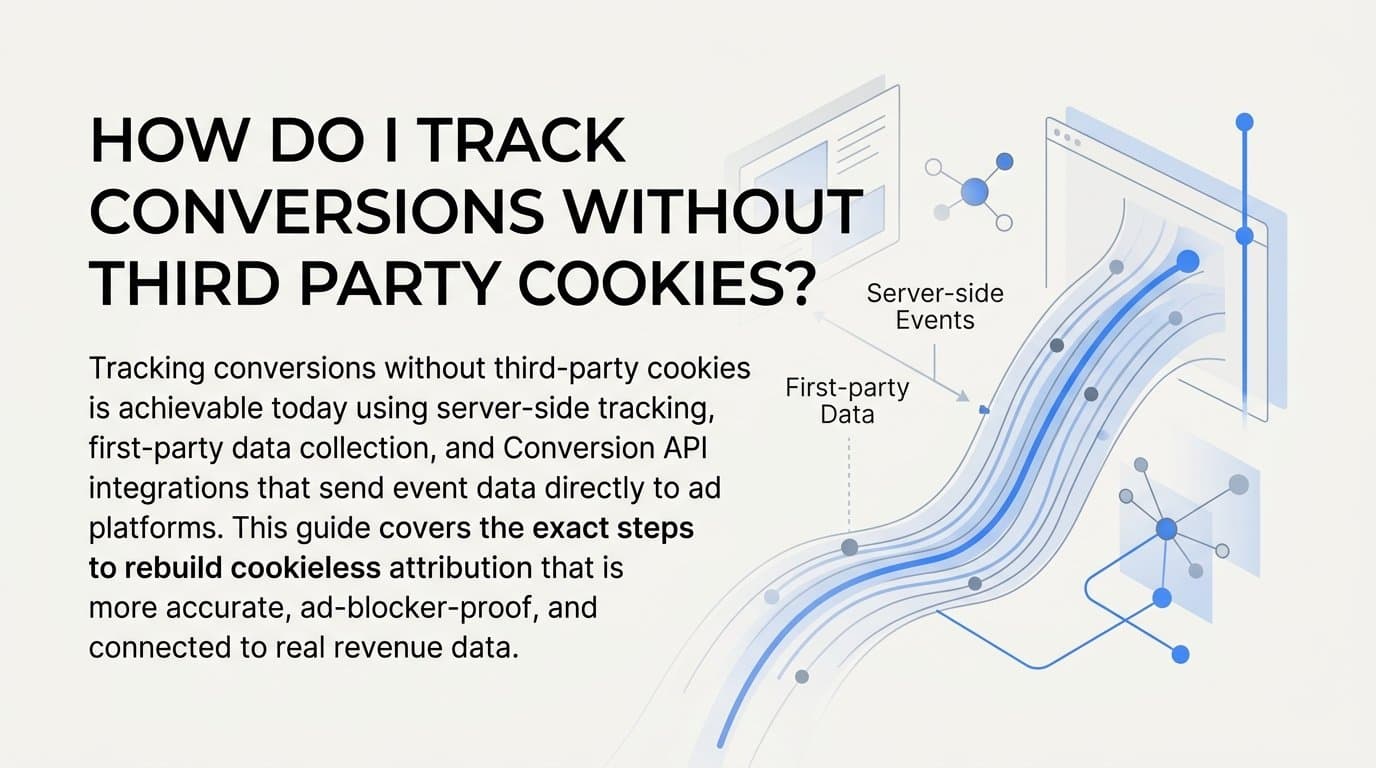
You track conversions without third-party cookies by switching to server-side tracking, first-party data collection, and Conversion API integrations that send event data directly from your server to ad platforms. If you are a B2B SaaS team, Cometly is a strong fit because it combines server-side conversion tracking with multi-touch attribution and connects ad spend directly to pipeline and closed revenue, all without relying on browser-based cookies.
This is not a future problem. Safari and Firefox have blocked third-party cookies by default for years. Chrome has moved toward user-choice controls and privacy sandbox alternatives. If your conversion tracking still depends on browser pixels reading cross-site cookies, your attribution data is already incomplete.
The good news is that cookieless tracking, done correctly, is actually more accurate than the old approach. Server-side events are not blocked by ad blockers. They are not affected by iOS tracking changes. And when you connect your CRM and revenue data into the same system, you get attribution that goes far beyond what a browser pixel ever could.
This guide walks through the exact steps to rebuild your conversion tracking stack using cookieless methods. You will learn how to audit what you have, set up first-party data capture, implement server-side event tracking, connect your CRM, validate your data, and apply the right attribution model for your sales cycle. Each step builds on the previous one, so by the end you will have a complete, privacy-resilient tracking setup that feeds ad platforms better data and gives your team a reliable source of truth.
Step 1: Audit Your Current Tracking Setup
Before you build anything new, you need to understand exactly what you have and where it breaks. Most teams are surprised by how many of their conversion events depend on third-party cookies or client-side pixels that are already being blocked for a meaningful portion of their audience.
Start by listing every conversion event you currently track. This includes form submissions, demo requests, free trial sign-ups, purchase completions, and any custom events you have configured in Meta, Google, or LinkedIn. For each event, note how it is being tracked: is it a browser pixel firing on page load, a tag manager trigger, or a server-side API call?
Use your browser's developer tools to inspect network requests on key conversion pages. Look for third-party cookie reads or pixel fires that originate from ad platform domains. Tools like Google Tag Assistant or a tag auditing extension can surface these dependencies quickly without requiring deep technical knowledge.
Next, check each ad platform's event manager. In Meta Events Manager, look at your pixel activity and note what percentage of events are browser-based versus server-sent. In Google Ads, check your conversion actions and identify which ones use a standard Google tag versus Enhanced Conversions. In LinkedIn, note whether you are using the Insight Tag alone or if you have any server-side setup in place.
Pay close attention to where data gaps already exist. Cross-device journeys, where a user clicks an ad on mobile and converts on desktop, are notoriously difficult to track with cookies. Users with ad blockers represent another gap that grows every year. Document these gaps now, because they will inform your priorities in the steps ahead.
What to watch for: If your Meta pixel is your only conversion signal and you have no server-side backup, you are likely missing a significant portion of conversions already. The same applies to Google if you are not using Enhanced Conversions.
Success indicator: You have a complete map of every current conversion event, the tracking method used for each, and a clear assessment of which events depend on third-party cookies or client-side-only pixels.
Step 2: Build a First-Party Data Foundation
First-party data is information your business collects directly from users through your own website, app, or CRM. It does not depend on third-party cookies, and it is the foundation that makes every other step in this guide work.
The most important thing you can do right now is implement UTM parameters consistently across every paid campaign. UTM source, medium, campaign, content, and term parameters should be present on every ad link, and your CRM should be configured to capture and store these values when a lead is created. This is how you connect an ad click to a person in your CRM without relying on a cookie to bridge the gap.
At every key touchpoint where a user identifies themselves, capture a user identifier. Form submissions, demo requests, free trial sign-ups, and account creation flows are all opportunities to collect an email address or assign a user ID. This identifier becomes your matching key for server-side event attribution later in the process.
Store UTM data and user identifiers together in your CRM or data warehouse. When a lead converts, you want to be able to look at that record and see: which ad brought them in, when they first touched your brand, and what their email address is. That combination is what powers accurate server-side attribution.
For cross-platform matching, use hashed email addresses rather than raw PII. Hashing converts an email address into a fixed-length string that platforms like Meta and Google can use to match users without you ever sending the raw address. This is the standard approach for privacy-respecting identity resolution and is supported natively by both Meta's Conversions API and Google's Enhanced Conversions.
A practical note: Many B2B SaaS teams already have UTM tracking in place but fail to capture UTM values at the CRM level. Check your CRM records right now. If your lead records do not include UTM source and campaign fields, fixing that is your highest-priority action before anything else.
Success indicator: Every conversion event logged in your CRM includes a UTM source, a user identifier such as an email or user ID, and a timestamp. These three fields together make server-side attribution possible.
Step 3: Implement Server-Side Conversion Tracking
Server-side tracking sends conversion events from your web server or a middleware layer directly to ad platforms, bypassing the browser entirely. This means browser cookie restrictions, ad blockers, and iOS tracking changes have no effect on your conversion data. This is the core of a cookieless tracking setup.
Here is how to approach it for each major platform.
Meta Conversions API (CAPI): Meta's Conversions API allows you to send web events, app events, and offline events directly from your server to Meta without a browser pixel. To set it up, go to Meta Events Manager, select your pixel, and navigate to the Conversions API setup. You will generate an access token and configure your server to send events using Meta's API endpoint. Key events to send server-side include Lead, CompleteRegistration, Purchase, and any custom events that correspond to your funnel stages.
Google Enhanced Conversions: Enhanced Conversions work alongside your existing Google tag by sending hashed first-party data (email address, phone number, or home address) with each conversion event. This allows Google to match conversions to signed-in Google users even when cookies are not available. Set this up in Google Ads under Tools, then Conversions, then select a conversion action and enable Enhanced Conversions. You will need to configure your tag or Google Tag Manager to pass the hashed user data with each conversion fire.
Managing multiple integrations: Building separate API connections for Meta, Google, and LinkedIn independently is time-consuming and creates maintenance overhead. An attribution platform like Cometly handles server-side event routing across multiple ad platforms from a single integration. You connect your data sources once, and Cometly manages the event delivery to each platform. This is particularly valuable for B2B SaaS teams that run campaigns across several channels simultaneously.
Event deduplication is critical: When you run both a browser pixel and a server-side API simultaneously, which is recommended during transition, both will fire for the same conversion event. Without deduplication, ad platforms will count that conversion twice. Prevent this by sending a unique event ID with both the browser pixel event and the server-side API event for the same user action. Meta and Google use this event ID to recognize duplicates and count the conversion only once. This step is commonly skipped and causes inflated conversion counts that distort your bidding and reporting.
Success indicator: Ad platforms show server-side events arriving in their event managers. In Meta Events Manager, your server events should show a high event match quality score, ideally above 6 out of 10. In Google Ads, your Enhanced Conversions diagnostics should show a healthy match rate.
Step 4: Connect Your CRM and Revenue Data
Browser pixels stop at the conversion event. They can tell you someone filled out a form, but they cannot tell you whether that person became a paying customer three months later. Connecting your CRM closes this gap and transforms your attribution from cost-per-lead reporting into cost-per-revenue reporting.
Start by mapping your CRM pipeline stages to specific conversion events. A typical B2B SaaS mapping looks like this: lead created corresponds to a form submission or demo request, opportunity opened corresponds to a qualified sales conversation, demo completed is a mid-funnel engagement event, and deal closed-won is your revenue event. Each stage becomes a trackable conversion milestone.
Use a native integration or webhook to push CRM stage changes into your attribution platform in real time. When a deal moves from opportunity to closed-won in your CRM, that event should automatically flow into your attribution system so it can be matched back to the original ad click and campaign that sourced the lead.
Cometly integrates with Stripe and CRM tools to match revenue data back to the original ad click at the campaign and ad level. This means you can see not just which campaign generated the most leads, but which campaign generated the most closed revenue. For B2B SaaS teams with sales cycles measured in weeks or months, this distinction is what separates effective budget allocation from guesswork.
Once your CRM is connected, your reporting shifts from vanity metrics to business metrics. Instead of reporting cost per lead to your leadership team, you can report cost per pipeline opportunity and cost per closed deal. These are the numbers that justify budget increases and inform channel strategy.
Success indicator: Your attribution dashboard shows revenue or pipeline value attributed to specific campaigns and ad sets. You can answer the question "which campaign drove the most closed revenue last quarter?" with actual data rather than an estimate.
Step 5: Validate Data Accuracy and Deduplication
Implementing server-side tracking is not the finish line. Validation is what separates a setup that works from one that looks like it works while quietly producing bad data. Skipping this step is how teams end up making budget decisions based on inflated or misattributed conversion counts.
Start with a simple comparison. Pull conversion counts from your attribution platform for a specific date range, then pull the corresponding records from your CRM for the same period. If your attribution tool shows 80 leads and your CRM shows 80 lead records from the same campaigns, your tracking is aligned. If the numbers diverge significantly, you have a data quality problem to investigate.
Check that event IDs are being sent consistently with both browser and server events. The most common deduplication failure is sending event IDs with server events but forgetting to include them with the browser pixel events, or vice versa. Review your implementation in Meta Events Manager under the Deduplication tab to confirm that events are being matched and deduplicated correctly.
Review event match quality scores in Meta Events Manager. A score below 6 typically means your server events are not including enough user data for Meta to confidently match them to a Facebook user. Common fixes include adding hashed email, phone number, or browser IP to your server event payload.
In Google Ads, check your Enhanced Conversions diagnostics. Google will flag if the hashed data you are sending does not match users in its system at an acceptable rate. Low match rates often indicate that the email addresses being hashed are not the same ones users have associated with their Google accounts.
Run a parallel test for at least two weeks. Keep your original pixel tracking running alongside your new server-side setup, with deduplication enabled. Compare the outputs: total conversions, conversion by campaign, and conversion by channel. If the numbers are close, your new setup is working. If server-side is reporting significantly more conversions than the pixel alone was, that is expected because server-side captures events the pixel was missing, not because it is double-counting.
Success indicator: Conversion counts in your attribution tool match CRM records within an acceptable variance, typically within a few percentage points. Event deduplication is confirmed in platform diagnostics, and event match quality scores are at or above 6 in Meta Events Manager.
Step 6: Use Attribution Models to Interpret Cookieless Data
Without third-party cookies, cross-session and cross-device journeys cannot be tracked deterministically the way they once were. Instead, you reconstruct the journey using first-party identifiers, UTM data, and CRM records, then apply an attribution model to distribute credit across the touchpoints you did capture.
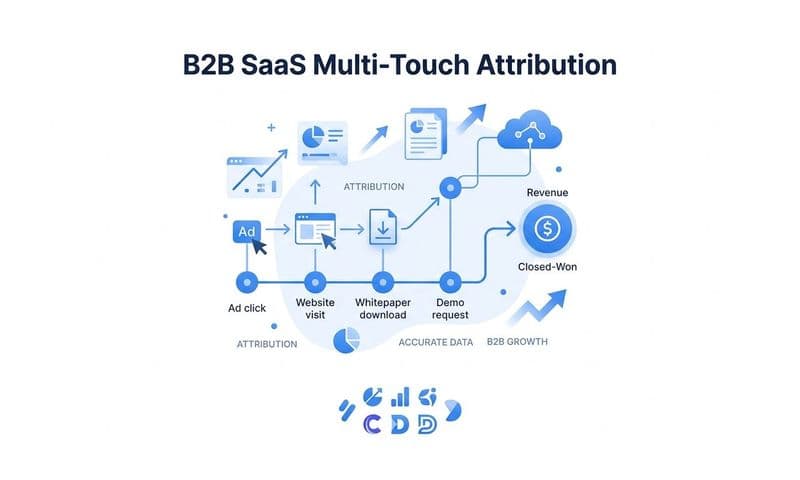
Multi-touch attribution is the most relevant model for B2B SaaS buyers with long sales cycles. A prospect might click a LinkedIn ad, read a blog post from organic search, attend a webinar, and then convert after seeing a retargeting ad. A last-touch model gives all credit to the retargeting ad. A first-touch model gives all credit to LinkedIn. Neither is the full picture. Linear attribution distributes credit equally across all touchpoints, which is a more honest representation of how B2B deals actually close.
Compare first-touch, last-touch, and linear attribution models in your platform to understand which channels initiate deals versus which channels close them. A channel that rarely appears as first touch but frequently appears as last touch is a closing channel. A channel that consistently appears first but rarely closes is an awareness channel. Both are valuable, but they serve different strategic purposes and should be evaluated differently.
Cometly allows you to switch between attribution models in real time, so you can see how budget decisions change depending on the model applied. This is practically useful when you are presenting to stakeholders who have different views on which channel deserves credit, or when you are trying to defend a channel that looks weak on a last-touch basis but is consistently initiating high-value deals.
When you have sufficient conversion volume, data-driven attribution is worth exploring. Rather than applying fixed rules like equal credit or recency weighting, data-driven attribution uses machine learning to weight touchpoints based on their actual contribution to conversions in your specific dataset. Google Ads offers this natively for accounts with enough conversion history.
Success indicator: You can clearly articulate which channels drive pipeline and which channels close deals, using model comparisons as supporting evidence. Your budget allocation decisions are informed by multi-touch data rather than single-touch assumptions.
Related Questions About Cookieless Conversion Tracking
Does server-side tracking work with Meta and Google Ads?
Yes. Both Meta and Google support server-side event sending natively. Meta's Conversions API (CAPI) is a direct server-to-server integration that sends events to Meta without requiring a browser pixel. Google's Enhanced Conversions sends hashed first-party data alongside standard conversion tags to improve match rates when cookies are unavailable. LinkedIn also has a server-side API option for its Insight Tag. All three platforms actively encourage server-side adoption because it improves the quality of data their ad optimization algorithms receive.
What happens to retargeting without third-party cookies?
Retargeting shifts toward first-party audience lists, CRM-based custom audiences, and contextual targeting rather than cross-site behavioral tracking. Instead of targeting users based on which websites they visited, you target based on who they are in your CRM: leads who did not convert, customers who are up for renewal, or contacts who attended a webinar. CRM-based custom audiences uploaded to Meta and Google are not affected by cookie deprecation because they rely on hashed email matching rather than cookie reading.
Can I still track the full customer journey without cookies?
Yes. By combining UTM parameters, first-party identifiers captured at form submission, CRM data, and server-side events, you can reconstruct the full journey from first ad click to closed deal. The journey is assembled from multiple data points rather than a single cookie thread, which is actually more robust because it is not broken by browser changes, device switches, or ad blockers. Platforms like Cometly are built specifically to stitch these data points together into a coherent customer journey view.
What is event match quality and why does it matter?
Event match quality is Meta's score, rated from 0 to 10, for how well your server-sent events can be matched to a Facebook user profile. Higher scores mean Meta can connect your conversion events to real users with greater confidence, which improves ad targeting, lookalike audience quality, and campaign optimization. A low score typically means your server events are missing user identifiers like hashed email or phone number. Improving event match quality is one of the highest-leverage actions you can take after implementing CAPI.
Is cookieless tracking aligned with privacy regulations?
Server-side tracking using hashed first-party data collected with user consent is generally more aligned with privacy regulations than third-party cookie tracking. The key requirement is consent: users should understand what data you are collecting and agree to it. When that consent is in place, sending hashed identifiers server-side to ad platforms is a privacy-respecting approach because you are not reading cross-site behavioral data or relying on persistent identifiers set by third parties. Always consult your legal team for guidance specific to your jurisdiction and user base.
Putting It All Together
Tracking conversions without third-party cookies is not a workaround. It is a more accurate and durable approach than browser-based pixels ever were. When you combine first-party data collection, server-side event tracking, CRM integration, and multi-touch attribution, you get a cleaner picture of which ads drive real revenue rather than which ads drive clicks that disappear into a broken attribution model.
The path is straightforward: audit your current setup to know what you are working with, build a first-party data foundation using UTM parameters and user identifiers, implement server-side tracking through Conversion APIs for Meta and Google, connect your CRM so revenue data flows back to the original ad click, validate your data with parallel testing and deduplication checks, and apply multi-touch attribution models that reflect how B2B SaaS deals actually close.
Cometly handles this entire workflow in one platform, built specifically for B2B SaaS teams who need to connect ad spend to pipeline and revenue without relying on cookies or fragmented point solutions. It captures every touchpoint from ad click to CRM event, feeds enriched conversion data back to Meta and Google to improve their AI optimization, and lets you compare attribution models in real time so your budget decisions are grounded in actual performance data.
If you want to see how your current attribution compares to a cookieless setup, Get your free demo today and start capturing every touchpoint to maximize your conversions.