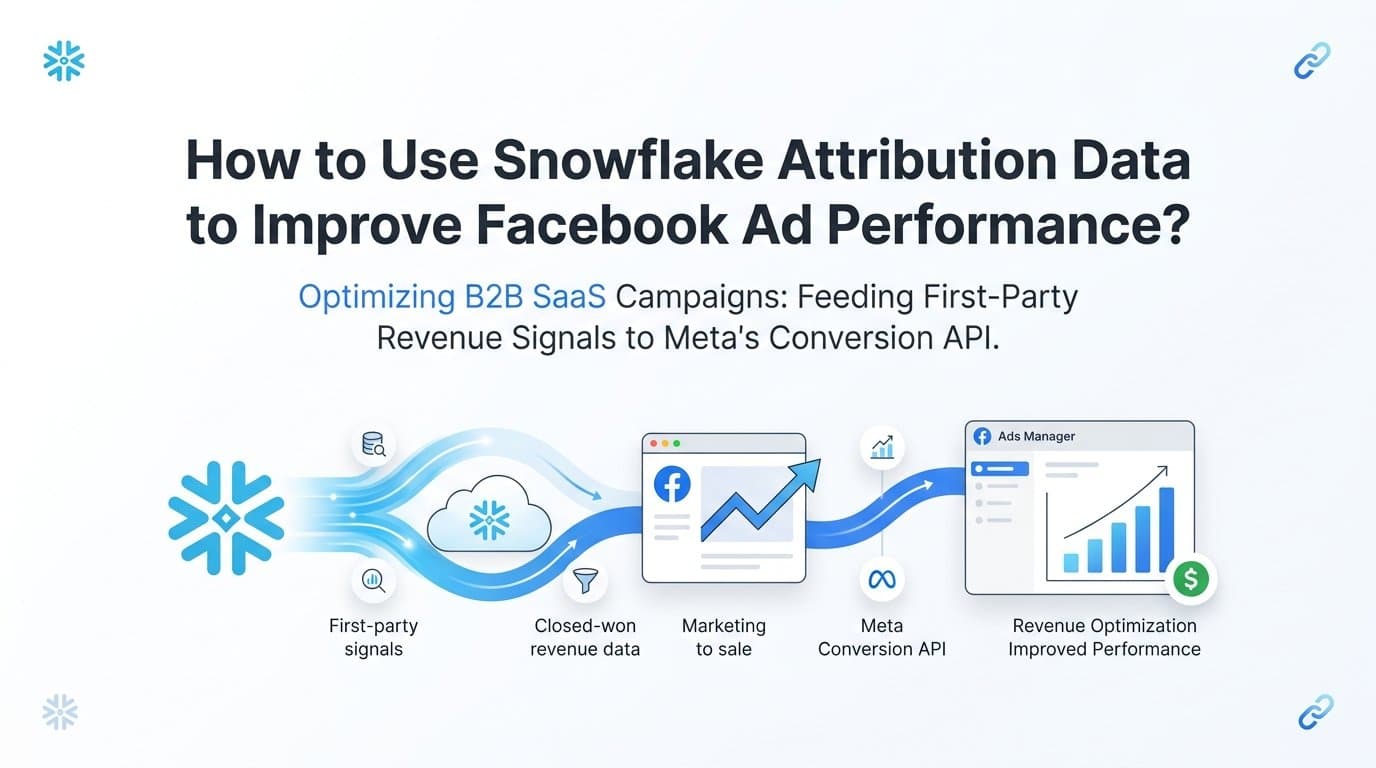
You use Snowflake attribution data to improve Facebook ad performance by querying your attribution tables to identify which campaigns, ad sets, and creatives drive actual closed-won revenue, then feeding those enriched conversion signals back to Meta's Conversion API to sharpen its targeting algorithm. Platforms like Cometly connect Snowflake attribution data directly to Meta's Conversion API, giving Facebook's algorithm first-party, revenue-level signals instead of pixel-based proxies that chronically undercount conversions.
For B2B SaaS teams running Facebook ads, the core problem is structural. Meta's native attribution is completely disconnected from what happens after a lead submits a form. A prospect clicks an ad, enters a trial, and converts to a paying customer 45 days later. Facebook never knows. It keeps optimizing for form fills, not for the customers who actually pay.
Snowflake, as a centralized data warehouse, holds the full customer journey: ad clicks, CRM stage progressions, subscription events, and closed-won revenue. When you bridge that data back to Facebook, you stop optimizing for lead volume and start optimizing for revenue quality. The seven strategies below show you exactly how to do that, from writing your first attribution query to using AI to automate the entire feedback loop.
1. Build Attribution Queries That Map Ad Clicks to Revenue Events
The Challenge It Solves
Most Facebook advertisers measure performance at the lead level because that is where their data stops. Without a SQL join between ad click data and downstream revenue events, you are making budget decisions based on a fraction of the customer journey. This strategy gives you the complete picture at the campaign level.
The Strategy Explained
The foundation of everything in this article is a clean attribution query. In Snowflake, you join your ad click table (typically sourced from your ad platform connector or a tool like Cometly) with your CRM table and your subscription or billing table. The join key is usually a user identifier or email that persists across systems.
A basic version of this query pulls campaign ID, ad set ID, and creative ID from the click table, then joins to a CRM table on user email to find the opportunity stage and close date, and finally joins to a revenue table to attach the contract value. The output is a campaign-level view showing cost, leads, pipeline generated, and closed-won revenue in a single result set.
This is the query you validate before doing anything else. If the join logic is wrong, every downstream decision built on it will also be wrong.
Implementation Steps
1. Identify the persistent identifier that exists across your ad click data, CRM records, and billing system. Email address is the most reliable for B2B SaaS.
2. Write a three-way join in Snowflake: ad clicks to CRM opportunities on email, then CRM opportunities to revenue events on account ID or opportunity ID.
3. Filter the result to a rolling 90-day window to account for typical B2B sales cycle lengths, then group by campaign ID to produce campaign-level revenue attribution.
4. Validate the output against your CRM's closed-won report. If the numbers align within a reasonable margin, your attribution query is trustworthy.
Pro Tips
Add a column for days-to-close on each attributed deal. This lets you segment campaigns by sales cycle length, which becomes critical when you get to bid value calculations in strategy five. Also store this query as a view or a scheduled dbt model so it refreshes automatically rather than requiring a manual run every time.
2. Send Enriched Conversion Events to Meta via the Conversion API
The Challenge It Solves
Browser-based pixel tracking is limited by Intelligent Tracking Prevention in Safari, ad blockers, and the inherent gap between a click and a revenue event that happens weeks later. Meta's Conversion API (CAPI) was built specifically to solve this by accepting server-side events, including offline and delayed conversions, with actual revenue values attached.
The Strategy Explained
Once your Snowflake attribution query produces validated campaign-to-revenue data, you have the raw material to send meaningful conversion events to Meta. CAPI accepts a purchase or custom conversion event with a value parameter, a currency parameter, and customer information fields for matching. When you send a closed-won event with the actual contract value, Meta's algorithm learns which users and audience segments actually generate revenue, not just form fills.
The matching process works by hashing the customer's email, phone, or other identifiers before sending them to Meta. Meta then matches those hashed identifiers against its user graph to attribute the conversion back to a specific ad exposure. The better your match rate, the more useful the signal is to the algorithm.
Tools like Cometly handle this server-side event sending automatically, including deduplication logic so that events fired by both the pixel and CAPI do not get counted twice in your reporting.
Implementation Steps
1. Set up a Meta CAPI endpoint using either Meta's direct API, a partner integration, or a platform like Cometly that manages the connection for you.
2. From your Snowflake attribution query output, extract the fields needed for each conversion event: hashed email, event timestamp, event value (deal size), and your Facebook pixel ID.
3. Send a custom conversion event for each closed-won deal, using the original click timestamp as the event time and the contract value as the event value.
4. Use the event_id field to deduplicate against any pixel events that may have fired at the lead stage, as documented in Meta's CAPI specifications.
Pro Tips
Do not replace your pixel entirely. Run pixel and CAPI in parallel so you maintain session-level data for top-of-funnel reporting while CAPI carries the revenue-level signals downstream. The combination gives Meta's algorithm more complete coverage across the funnel.
3. Compare Attribution Models Inside Snowflake to Find Budget Misallocation
The Challenge It Solves
Different attribution models tell completely different stories about which campaigns deserve credit. Relying on a single model, which is what most Facebook advertisers do by default, means you are almost certainly over-investing in some campaigns and starving others. Snowflake lets you run multiple models simultaneously and compare them directly.
The Strategy Explained
Using the touchpoint data in your Snowflake attribution tables, you can calculate first-touch, last-touch, and linear attribution for each campaign in the same query. First-touch assigns all credit to the ad that generated the initial click. Last-touch assigns all credit to the ad closest to conversion. Linear distributes credit evenly across all touchpoints in the customer journey.
The interesting insight comes from comparing the three outputs. A campaign that looks strong under last-touch but weak under first-touch is likely a retargeting campaign capturing credit for deals that were initiated by a different campaign. A campaign that looks strong under first-touch but weak under last-touch is generating new demand but losing credit to retargeting ads lower in the funnel.
This comparison reveals where budget is being misallocated based on model selection, not actual performance.
Implementation Steps
1. Extend your base attribution query to include all touchpoints per customer journey, not just the first or last click.
2. Write three separate aggregation queries: one assigning 100% of deal value to the first touchpoint, one assigning 100% to the last, and one distributing value evenly across all touchpoints.
3. Join all three outputs on campaign ID and compare the revenue attributed to each campaign across all three models in a single comparison table.
4. Flag campaigns where the model spread is large, meaning campaigns that look dramatically different depending on which model you use. These are your reallocation candidates.
Pro Tips
For B2B SaaS with long sales cycles, a time-decay model often produces more accurate results than linear attribution because it gives more weight to touchpoints closer to conversion without ignoring early-stage demand generation. You can implement time-decay in Snowflake by weighting each touchpoint inversely to its distance from the close date.
4. Build Custom Audiences From High-Value Attribution Segments
The Challenge It Solves
Facebook's default audience targeting relies on behavioral and demographic signals that have no relationship to your actual customer data. By querying Snowflake for your highest-value customers and feeding those lists back to Meta, you replace generic targeting with audiences built from real revenue outcomes.
The Strategy Explained
Your Snowflake attribution data contains a segment that is more valuable than any third-party audience you can buy: customers who converted at high lifetime value, short sales cycles, or both. These are the customers your Facebook campaigns should be trying to replicate.
The process is straightforward. Query Snowflake for customers meeting your high-value criteria, export their hashed email addresses, upload them to Meta as a Custom Audience, and then use that Custom Audience as the seed for a lookalike audience. Meta then finds users who share behavioral characteristics with your best customers rather than your average leads.
This is one of the highest-leverage applications of Snowflake attribution data because it directly improves the quality of Facebook's targeting at the audience level, not just the bidding level.
Implementation Steps
1. Define your high-value segment in Snowflake. A reasonable starting point is customers with lifetime value in the top quartile of your customer base, or customers who closed in under 30 days.
2. Export the email addresses of customers in that segment, hash them using SHA-256 in lowercase format as Meta requires, and save the list as a CSV.
3. Upload the hashed list to Meta Ads Manager as a Custom Audience under the Customer List option.
4. Create a lookalike audience from that Custom Audience at a 1% similarity threshold for the highest-quality match, then test 2% to 5% for broader reach.
Pro Tips
Refresh your Custom Audience lists on a regular cadence, monthly at minimum. Your high-value customer segment grows over time, and a stale seed list produces a lookalike audience that reflects who your best customers were, not who they are now. Automate the export and upload process where possible to keep the audience current without manual intervention.
5. Use Pipeline Attribution Data to Set Accurate Facebook Bid Values
The Challenge It Solves
When Facebook optimizes for leads at equal bid values, it treats every lead as equally valuable. In B2B SaaS, that assumption is almost never true. A lead from a campaign targeting enterprise buyers is worth fundamentally more than a lead from a campaign targeting SMBs. Without campaign-level pipeline data, you cannot tell Meta which leads to prioritize.
The Strategy Explained
Meta's value-based bidding allows you to pass a revenue value with each conversion event, and the algorithm then optimizes toward users who generate higher values rather than simply maximizing conversion volume. The input Meta needs is the expected value per conversion event by campaign or audience segment.
Your Snowflake attribution data already contains this information. By calculating average pipeline value per lead by campaign, you have a data-driven basis for setting conversion values that reflect actual revenue quality rather than guesses. Campaigns targeting enterprise personas get higher values. Campaigns targeting lower-tier segments get lower values. The algorithm adjusts its bidding accordingly.
This is how you move from optimizing for lead volume to optimizing for revenue quality, which is the core goal of connecting Snowflake attribution data to Facebook in the first place.
Implementation Steps
1. Query your Snowflake attribution table to calculate average closed-won deal value per lead by campaign. Divide total closed-won revenue attributed to each campaign by the number of leads that campaign generated.
2. Use those per-campaign average values as the value parameter when sending conversion events to Meta's CAPI for each campaign.
3. Enable value optimization in Meta Ads Manager for campaigns where you have sufficient conversion volume to support the algorithm's learning requirements.
4. Monitor cost per high-value conversion rather than cost per lead as your primary performance metric after switching to value-based bidding.
Pro Tips
Value-based bidding requires a minimum volume of conversion events to exit the learning phase. If individual campaigns do not generate enough conversions, consider aggregating conversion events at the ad set level and passing average values at that level instead. A platform like Cometly can help manage this aggregation automatically without custom engineering work.
6. Identify Underperforming Creatives Using Multi-Touch Touchpoint Analysis
The Challenge It Solves
Creative decisions on Facebook are typically made using click-through rate, cost per click, or last-touch conversion data. None of these metrics tell you whether a creative actually appears in the journeys of customers who eventually close. A creative can generate clicks without ever contributing to revenue, and you would never know from standard Facebook reporting.
The Strategy Explained
Multi-touch touchpoint data in Snowflake gives you a different lens for evaluating creatives. Instead of asking which creative generated the most clicks, you ask which creatives appear most frequently in the customer journeys of closed-won deals. This is a fundamentally different question with fundamentally different answers.
The analysis works by pulling all touchpoints associated with closed-won deals and counting how often each creative ID appears in those journeys. Creatives that appear frequently in winning journeys are contributing to revenue even if they are not the last touch. Creatives that generate high click volume but rarely appear in winning journeys are generating activity without contributing to outcomes.
This insight directly informs which creatives to scale, which to pause, and which to test as variations.
Implementation Steps
1. Pull all touchpoints from your Snowflake attribution table for deals that closed as won in the past 90 days. Each row should include the creative ID, the deal ID, and the touchpoint position in the journey.
2. Count the frequency of each creative ID across all winning journeys. Normalize by total impressions or spend to produce a revenue-weighted creative performance score.
3. Compare this list against your standard Facebook creative performance report. Identify creatives that rank high on the revenue-weighted score but low on click-based metrics, and vice versa.
4. Use the revenue-weighted ranking to guide creative budget allocation: increase spend on creatives that appear frequently in winning journeys, reduce spend on creatives that generate clicks but rarely appear in closed-won paths.
Pro Tips
Pay particular attention to creatives that appear at the first touchpoint of winning journeys. These are your demand-generation creatives, the ones that introduce your brand to prospects who eventually become customers. They often look mediocre on click-based metrics because they are reaching cold audiences, but their presence in winning journeys reveals their actual contribution to pipeline.
7. Automate Attribution Reporting With AI to Scale What Works
The Challenge It Solves
The strategies above require ongoing analysis. Sales cycles are long, customer segments shift, and new creatives enter the mix constantly. Without automation, the feedback loop between Snowflake attribution data and Facebook optimization decisions requires a data engineer running queries and a marketer interpreting results on a recurring basis. That cadence rarely happens consistently in practice.
The Strategy Explained
AI-driven attribution platforms like Cometly are designed to close this gap. Instead of requiring manual query runs and interpretation, they continuously monitor attribution data, surface scaling recommendations when a campaign or creative shows strong revenue signals, and alert you when performance drops below defined thresholds.
The AI layer works by analyzing patterns across your full attribution dataset, including touchpoint sequences, time-to-close distributions, and creative performance across segments, then translating those patterns into specific recommendations: increase budget on this campaign, pause this creative, expand this audience. The recommendations are grounded in the same revenue-level data that your Snowflake queries produce, but delivered automatically without requiring a query every time.
Cometly also maintains the server-side event pipeline to Meta's Conversion API, so the feedback loop between your Snowflake attribution data and Facebook's optimization algorithm stays active without manual intervention.
Implementation Steps
1. Connect Cometly to your ad platforms, CRM, and revenue data sources to establish the attribution data foundation.
2. Configure revenue-based alerts so you are notified when a campaign's cost per closed-won deal exceeds your target threshold or when a campaign shows a strong positive signal worth scaling.
3. Review AI scaling recommendations weekly and apply budget changes based on revenue attribution data rather than click-based metrics.
4. Use Cometly's CAPI integration to ensure enriched conversion events continue flowing to Meta automatically as new deals close in your CRM.
Pro Tips
The AI recommendations are only as good as the data feeding them. Before relying on automated recommendations, validate that your attribution data is clean using the query validation step from strategy one. Garbage in, garbage out applies here as much as anywhere in marketing analytics.
Related Questions About Snowflake Attribution and Facebook Ads
Can Snowflake send data directly to Meta's Conversion API?
Snowflake does not have a native direct integration with Meta's Conversion API. You need an intermediary layer: either a custom script that reads from Snowflake and posts to the CAPI endpoint, a reverse ETL tool like Census or Hightouch, or a purpose-built attribution platform like Cometly that handles the connection without custom engineering.
What attribution models work best for Facebook ads in B2B SaaS?
Linear and time-decay models tend to produce more accurate results for B2B SaaS than last-touch, because they distribute credit across the multi-touch journeys that characterize longer sales cycles. Last-touch systematically over-credits retargeting campaigns and under-credits top-of-funnel demand generation.
How do I connect Snowflake to Facebook ads without engineering resources?
Platforms like Cometly are built specifically to bridge attribution data and Meta's Conversion API without requiring a data engineering team. They handle server-side event sending, deduplication, and audience syncing through a managed integration, so marketing teams can implement the feedback loop without writing or maintaining custom code.
What is the difference between Facebook pixel attribution and Snowflake attribution?
Facebook pixel attribution tracks events that occur in the browser immediately after an ad click, typically form submissions or page views, and attributes them within a defined click or view window. Snowflake attribution tracks the complete customer journey across systems, including CRM stage progressions and revenue events that may occur weeks or months after the initial click. Snowflake attribution is more accurate for B2B SaaS because it reflects actual revenue outcomes rather than early-funnel proxies.
How does server-side tracking improve Facebook ad performance?
Server-side tracking via Meta's Conversion API bypasses browser-level tracking restrictions from Safari's Intelligent Tracking Prevention and ad blockers, which means more conversion events reach Meta's algorithm. More complete conversion data allows the algorithm to optimize toward users who actually convert rather than the subset of converters that browser-based tracking captures. The improvement is particularly meaningful for B2B SaaS, where the conversion events that matter most, closed deals, happen entirely outside the browser environment.
Your Implementation Roadmap
Start with strategy one. Get your attribution query right before sending any signals downstream. A clean join between ad click data and closed-won revenue is the foundation that every other strategy depends on. Validate that query output against your CRM's closed-won report before moving forward.
Once the query is validated, connect it to Meta's Conversion API using either a direct integration or a platform like Cometly that handles server-side event sending and deduplication automatically. Then run the model comparison from strategy three to find where your current budget is misallocated. Even a single reallocation decision informed by pipeline attribution data can meaningfully shift your cost per acquisition.
For teams that want to move faster without building and maintaining custom data pipelines, Cometly provides a ready-built bridge between your attribution data, Meta's Conversion API, and an AI layer that surfaces scaling recommendations continuously. It is built specifically for B2B SaaS marketing teams who need revenue-level attribution without a dedicated data engineering function.
The underlying principle across all seven strategies is the same: Facebook's algorithm is only as good as the signals you feed it. Snowflake holds the revenue-level truth. These strategies are how you close the gap between the two.
Ready to connect your attribution data to Facebook's algorithm and start optimizing for revenue instead of leads? Get your free demo and see how Cometly captures every touchpoint from first ad click to closed-won deal.