

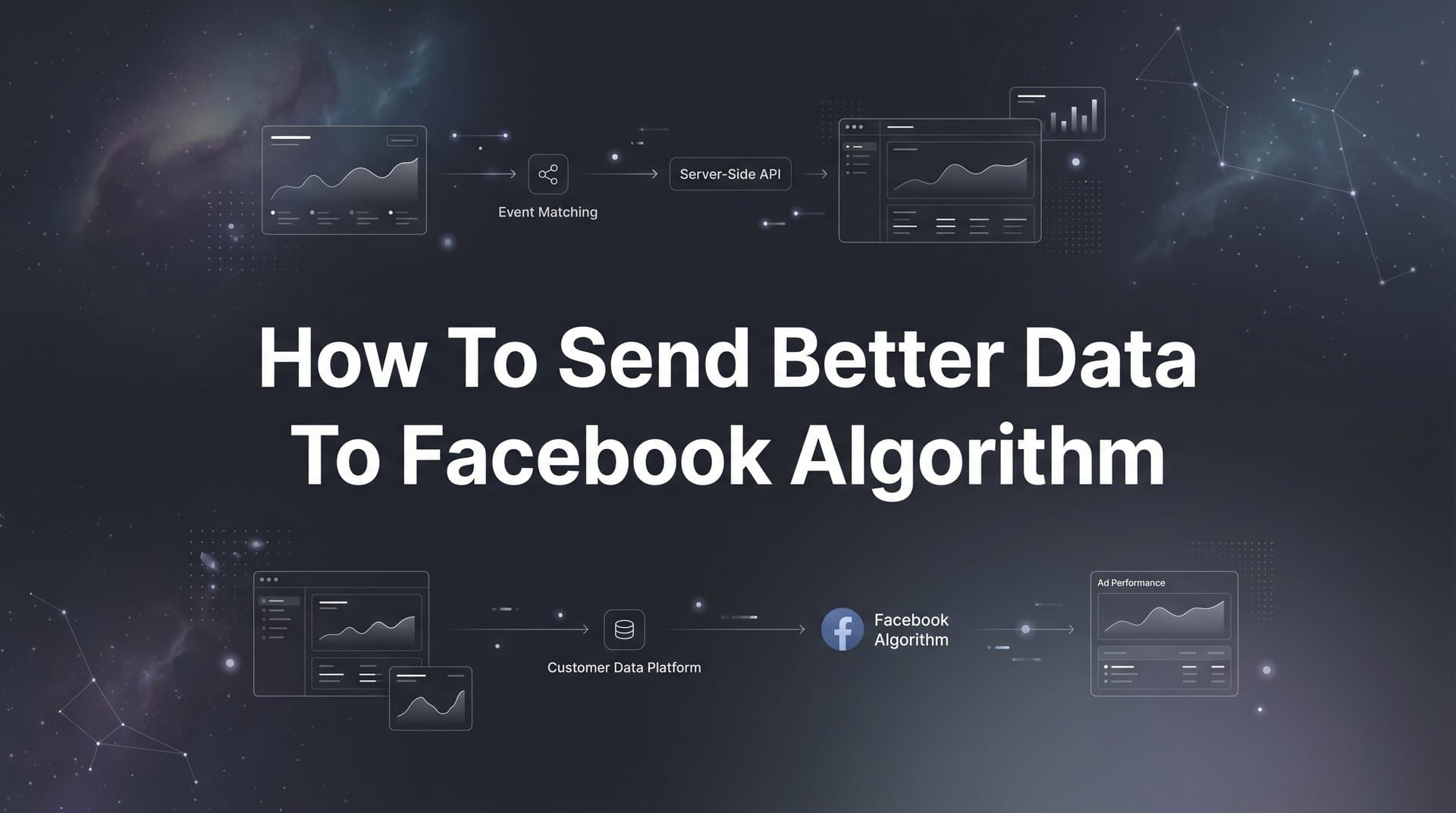
Your Facebook ads are struggling, and you're not sure why. You've tested different creatives, adjusted your targeting, and increased your budget—but the results keep disappointing. The problem isn't your strategy. It's the data.
Facebook's algorithm is only as smart as the information you feed it. When your conversion tracking is incomplete, delayed, or missing critical customer details, the algorithm operates in the dark. It can't identify patterns, can't find lookalike audiences, and can't optimize toward your best customers.
Think of it like giving someone directions with half the street names missing. They might eventually reach the destination, but they'll waste time and fuel taking wrong turns along the way.
The good news? You can dramatically improve your ad performance by sending higher-quality data signals back to Meta. This isn't about spending more on ads. It's about giving Facebook's machine learning the complete picture it needs to find customers who actually convert.
This guide walks you through the exact steps to optimize your data pipeline. You'll learn how to set up server-side tracking, enrich your conversion events with valuable customer information, and configure your tracking to capture the full customer journey. Whether you're dealing with iOS tracking limitations, missing conversions, or poor audience targeting, these steps will help you fix the foundation of your ad performance.
By the end of this guide, you'll have a fully optimized data flow that helps the algorithm work for you instead of against you.
Step 1: Audit Your Current Data Quality and Identify Gaps
Before you fix anything, you need to understand what's broken. Facebook provides diagnostic tools that show exactly how well your current tracking performs—but most advertisers never look at them.
Start by opening your Facebook Events Manager. Navigate to the Data Sources section and select your pixel. Look for the "Event Match Quality" score for each conversion event. This metric tells you how well the customer information you're sending matches Facebook user profiles.
Facebook rates match quality on a scale: Poor (below 4.0), OK (4.0-5.9), Good (6.0-7.9), and Great (8.0-10.0). If your scores fall in the Poor or OK ranges, you're leaving significant optimization power on the table. The algorithm simply can't connect your conversions to specific users effectively.
Next, check for common data quality issues. Look at the "Activity" column in Events Manager. Are events firing immediately when conversions happen, or do you see delays of several minutes or hours? Delayed events give the algorithm outdated information, making it harder to optimize in real time.
Review the "Customer Information Parameters" section for each event. This shows which data points you're currently sending—email, phone number, location, etc. If you see mostly blank fields, you're missing the enrichment data that dramatically improves match rates. Understanding Facebook pixel data accuracy is essential for diagnosing these issues.
Pay attention to your most critical conversion events. For e-commerce, that's typically Purchase events. For lead generation, it might be Lead or CompleteRegistration. For B2B, it could be custom events like "Demo Scheduled" or "Trial Started." These are the events Facebook uses to find similar customers, so their data quality matters most.
Document your current baseline numbers. Write down your match quality scores, the percentage of events with customer information, and your average event delay time. You'll compare these metrics after implementing the improvements in the following steps.
One more critical check: verify that you're actually tracking all the conversions that matter. Many businesses discover they're only tracking website actions while missing phone calls, in-person sales, or conversions that happen in their CRM days or weeks after the initial click. These gaps create blind spots in your attribution.
The audit reveals where you stand. Now you can prioritize which improvements will have the biggest impact on your ad performance.
Step 2: Implement Server-Side Tracking with Conversions API
Browser-based pixel tracking alone is no longer sufficient. Ad blockers, browser privacy features, and iOS tracking restrictions have created massive gaps in the data Facebook receives through traditional pixel tracking.
Meta Conversions API (CAPI) solves this by sending conversion data directly from your server to Facebook's servers. This bypasses browser limitations entirely, creating a more reliable and complete data stream.
Here's how to set it up. First, generate a Conversions API access token in your Events Manager. Navigate to Settings, then click "Generate Access Token." Save this token securely—you'll need it to authenticate your server-side events.
The implementation method depends on your platform. If you're using Shopify, WooCommerce, or another popular e-commerce platform, look for official Meta integrations or partner apps that handle CAPI setup automatically. These integrations typically require just your access token and pixel ID to start sending server-side events.
For custom implementations, you'll need developer resources. Your development team will use Meta's Conversions API to send event data from your server whenever a conversion occurs. The API accepts the same event types as the pixel—Purchase, Lead, AddToCart, etc.—along with customer information parameters and event details. If you're experiencing issues, learn how to fix Facebook Conversion API problems.
The critical piece many advertisers miss: deduplication. When you run both pixel tracking and CAPI, the same conversion can be recorded twice. To prevent this, assign a unique event_id to each conversion. Send this same event_id with both the pixel event and the server-side event. Facebook automatically deduplicates events with matching IDs, counting them only once.
Generate event IDs using a combination of timestamp and transaction details. For a purchase, you might use the order ID. For a lead, combine the timestamp with the user's email hash. The key is ensuring the same conversion always generates the same event_id, whether it's sent from the browser or your server.
After implementation, test your setup thoroughly. Use the "Test Events" tool in Events Manager to verify that server-side events are firing correctly. Send a test conversion through your funnel and confirm that it appears in the Test Events feed with all the expected parameters.
Check that deduplication is working. If you see duplicate events in your Event Manager (one from the pixel, one from CAPI), your event_id implementation needs adjustment. When configured correctly, you should see a single event with a "Server and Browser" indicator showing it was received through both channels.
Server-side tracking provides the foundation for reliable data. Even when browsers block the pixel, your conversions still reach Facebook, giving the algorithm the complete information it needs to optimize effectively.
Step 3: Enrich Your Conversion Events with Customer Data
Raw conversion events tell Facebook that something happened. Enriched events tell Facebook who made it happen—and that's where the real optimization power comes from.
Customer information parameters dramatically improve Event Match Quality by helping Facebook connect your conversions to specific user profiles. The more accurately Facebook can match conversions to users, the better it understands which audiences and targeting strategies actually work.
Start with email addresses. When someone converts on your site, you typically collect their email—whether through a form submission, checkout process, or account creation. Send this email address with your conversion event, but hash it first using SHA-256 encryption. Facebook requires this hashing to protect user privacy.
Add phone numbers using the same hashing approach. Include both the full number with country code and a normalized version with just digits. This increases the likelihood of a successful match across different formatting variations.
Include first name, last name, city, state, zip code, and country when available. Each additional parameter increases your match rate. A conversion event with just email might match 40-50% of the time. Add phone, name, and location, and that match rate can jump to 70-80% or higher. This approach to feeding quality data to ad algorithms is what separates high-performing advertisers from the rest.
Here's the practical implementation: modify your conversion tracking code to capture these data points and hash them before transmission. If you're using a tag management system, create variables that pull customer information from your forms or checkout pages. If you're implementing CAPI, include these parameters in your server-side event payload.
For e-commerce businesses, connect your CRM or customer database to send offline conversions. Someone might browse on mobile, then call your sales team to complete the purchase. Without sending that phone sale back to Facebook, the algorithm never learns that the mobile ad actually drove revenue.
Use the offline conversions API or partner integrations to send these events. Include the same customer information parameters—email, phone, name—so Facebook can match the offline conversion to the original ad click or impression.
Go beyond basic conversion data. Include purchase value for every transaction, product categories for e-commerce events, and customer lifetime value when you have it. These signals help Facebook optimize for high-value customers, not just any conversion.
For B2B businesses, this means sending deal values when opportunities close. For subscription businesses, send the subscription tier and billing frequency. For lead generation, send lead quality scores if you have them. The algorithm uses this information to prioritize audiences and placements that generate the most valuable outcomes.
The enrichment process transforms your conversion events from simple "something happened" signals into detailed "this specific person took this valuable action" insights. That's the data Facebook's machine learning needs to find more customers like your best ones.
Step 4: Track the Full Customer Journey Beyond the First Click
Most advertisers only track the obvious conversion—the purchase, the form submission, the signup. But Facebook's algorithm gets smarter when you show it the complete journey from first touch to final outcome.
Map out every meaningful touchpoint in your funnel. For e-commerce, that might include: ViewContent when someone lands on a product page, AddToCart when they add an item, InitiateCheckout when they start the checkout process, AddPaymentInfo when they enter payment details, and Purchase when they complete the transaction.
Each of these events gives Facebook data about user intent and behavior patterns. The algorithm learns which audiences tend to add to cart but not purchase, which placements drive high-intent traffic, and which creative elements move people through your funnel most effectively.
For lead generation, track beyond the initial form submission. Send a "Lead Qualified" event when your sales team verifies the lead is legitimate. Send a "Demo Scheduled" event when they book a call. Send a "Deal Closed" event when they become a customer. These downstream events show Facebook which leads actually convert to revenue, not just which ones fill out forms.
This is especially critical for B2B businesses with longer sales cycles. Someone might click your ad on Monday, fill out a form on Tuesday, have a sales call on Friday, and sign a contract three weeks later. If you only send the initial form fill event, Facebook thinks the campaign succeeded on Tuesday—when the real value didn't materialize until weeks later. Learning how to sync conversion data to Facebook Ads ensures these delayed conversions get attributed correctly.
Configure your CRM integration to send these delayed conversions back to Facebook. Include the original click ID (fbclp) or browser ID (fbp) so Facebook can attribute the final conversion to the original ad interaction. Even if the attribution window has closed for campaign reporting, this data still informs the algorithm's understanding of which audiences and strategies drive real business outcomes.
Set up event tracking for every channel where conversions happen. If customers call after seeing your ad, use call tracking software that integrates with Facebook to send those phone conversions. If they visit a physical location, implement in-store conversion tracking. If they interact with your sales team through multiple touchpoints, send each significant interaction as a custom event.
Value-based optimization becomes possible when you send actual revenue data with your events. Instead of optimizing for any purchase, Facebook can optimize for purchases above a certain value. Instead of optimizing for any lead, it can optimize for leads that typically close at higher contract values.
Configure this by sending the "value" parameter with your conversion events. For purchases, send the actual transaction amount. For leads, send the average deal size or estimated lifetime value. For subscriptions, send the annual contract value. Facebook uses this information to find audiences that generate higher revenue per conversion.
The full customer journey tells a complete story. Facebook's algorithm uses that story to identify patterns, optimize delivery, and find more customers who follow similar paths to conversion.
Step 5: Optimize Event Configuration and Prioritization
iOS 14.5 and later versions introduced App Tracking Transparency, which significantly limited the data available through browser-based tracking. Meta's response was Aggregated Event Measurement (AEM), which restricts advertisers to eight conversion events per domain for iOS users.
This limitation means you need to prioritize carefully. You can't track everything—you need to choose the eight events that matter most for your business goals.
Start by ranking your conversion events by business value. Your highest priority event should be the one that represents the most valuable outcome. For most businesses, this is a purchase or closed deal. Your second priority might be a high-intent action like starting a trial or scheduling a demo. Lower priorities could include add-to-cart actions or content views.
Configure your event priority in Events Manager under the Aggregated Event Measurement section. Drag and drop your events to rank them from 1 to 8. Facebook uses this ranking to determine which events to prioritize when the eight-event limit applies.
Consider your optimization strategy when setting priorities. If you're running campaigns optimized for purchases, make sure Purchase is your number one priority. If you're optimizing for leads, Lead should rank first. The event you optimize toward should always be your top priority. This strategic approach to Facebook ads optimization with data maximizes your campaign effectiveness.
Use custom conversions strategically for specific business goals. Custom conversions allow you to create conversion events based on URL rules or event combinations. For example, you might create a custom conversion for "High-Value Purchase" that only fires when someone completes a purchase above a certain threshold.
These custom conversions can be optimized toward in your campaigns, giving you more granular control over what Facebook optimizes for. Just remember that custom conversions count toward your eight-event limit, so use them selectively.
Monitor your Event Match Quality scores for each prioritized event. The events you optimize toward should have the highest match quality possible—ideally in the "Good" or "Great" range. If a critical event has poor match quality, focus on enriching it with more customer information parameters before scaling campaigns that optimize toward it.
Review and adjust your event prioritization quarterly. As your business evolves, your most valuable conversion events might change. A startup focused on user growth might prioritize signups initially, then shift to prioritize paid conversions as the business matures. Your AEM configuration should reflect your current business priorities.
Event configuration and prioritization ensure that when tracking limitations apply, Facebook still receives data about the conversions that matter most to your business. This strategic approach maximizes the value of the data you can send.
Step 6: Monitor, Test, and Continuously Improve Data Quality
Data quality isn't a one-time achievement. It's an ongoing process that requires regular monitoring and optimization.
Set up a weekly review schedule in Events Manager. Check your Event Match Quality scores for all priority events. If you see a score drop from "Good" to "OK" or from "Great" to "Good," investigate immediately. This usually indicates a technical issue—a form field stopped capturing emails, a CRM integration broke, or a recent website update disrupted your tracking.
Use the diagnostics tools in Events Manager to catch issues early. The "Overview" tab shows event volume over time. Sudden drops indicate tracking problems. The "Activity" section shows recent events with their parameters—scan this regularly to verify that customer information is flowing correctly.
Test different event configurations to find optimal setups. Try A/B testing campaigns with different optimization events. For example, run one campaign optimizing for "Add to Cart" and another optimizing for "Purchase." Compare the cost per acquisition and return on ad spend to determine which optimization strategy performs better for your business.
Experiment with value-based optimization once your data quality reaches solid levels. Create a campaign optimized for "Highest Value" purchases instead of just any purchase. Monitor whether this approach improves your average order value and overall profitability, even if it increases your cost per conversion. Understanding how to improve ROAS with better tracking helps you maximize returns from these optimizations.
Review your match quality scores weekly and address drops immediately. If match quality decreases, it usually means fewer customer information parameters are being sent with events. Check your form submissions, checkout process, and CRM integrations to identify where data collection might have broken.
As your data quality improves, you'll notice campaign performance improvements. Your cost per acquisition may decrease. Your attribution reporting becomes more accurate. Your lookalike audiences perform better because they're built on more reliable data.
This is when you can scale with confidence. Before achieving good data quality, scaling often means scaling inefficiency—you're asking Facebook to find more customers based on incomplete information. After optimizing your data pipeline, scaling means finding more of the customers the algorithm has learned to identify accurately. Once your foundation is solid, you can focus on how to scale Facebook ads effectively.
Track these key metrics to measure improvement: Event Match Quality scores for priority events, percentage of events with customer information parameters, average event processing time, and campaign-level metrics like cost per acquisition and return on ad spend. Document these monthly to see the long-term impact of your data quality improvements.
Set up alerts for critical issues. Many tracking platforms and attribution tools can notify you when event volume drops significantly or when events stop firing entirely. These alerts help you catch and fix problems before they impact campaign performance.
The monitoring and testing process creates a feedback loop. You identify issues, fix them, measure the impact, and optimize further. This continuous improvement approach ensures your data quality stays high as your business grows and evolves.
Putting It All Together
Sending better data to Facebook's algorithm is not a one-time setup but an ongoing process of optimization. Every improvement you make—from implementing server-side tracking to enriching events with customer data—compounds over time to create more effective campaigns and better business outcomes.
The steps in this guide work together as a system. Auditing your current data quality reveals where you stand. Implementing Conversions API creates a reliable foundation. Enriching events with customer information improves match rates. Tracking the full customer journey gives Facebook complete context. Optimizing event configuration ensures the right data gets prioritized. Monitoring and testing keeps everything running smoothly.
Use this checklist to ensure you've covered all the essentials: current data quality audit completed with baseline metrics documented, Conversions API implemented and tested with proper deduplication, customer data parameters added to all priority events with proper hashing, full funnel tracking in place including downstream conversions, event prioritization configured in Aggregated Event Measurement, and monitoring schedule established with weekly quality checks.
Start with Step 1 today. Work through each phase systematically. You don't need to implement everything at once—in fact, it's better to do each step thoroughly than to rush through all of them incompletely.
The investment in better data infrastructure pays dividends through improved targeting, lower acquisition costs, and more predictable scaling. When Facebook's algorithm has complete, accurate data about who converts and why, it can find more customers like your best buyers. That's when your ad performance transforms from unpredictable to reliable.
Your competitors are likely sending incomplete data to Facebook. They're missing conversions, sending events without customer information, and relying solely on browser-based tracking. By following this guide, you gain a significant competitive advantage—better data means better optimization, which means better results.
Ready to elevate your marketing game with precision and confidence? Discover how Cometly's AI-driven recommendations can transform your ad strategy—Get your free demo today and start capturing every touchpoint to maximize your conversions.



