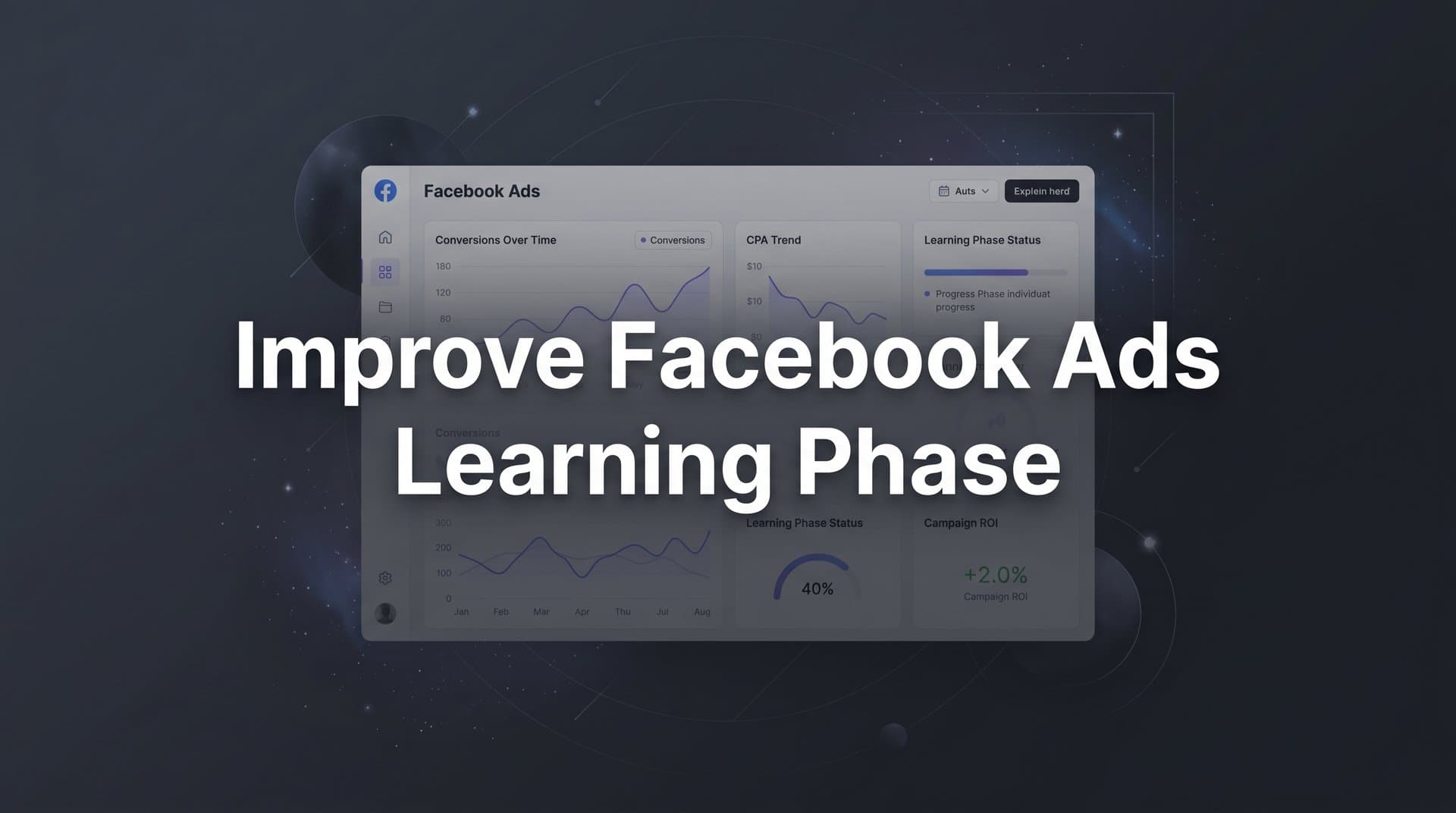
The Facebook ads learning phase is one of the most misunderstood and mismanaged stages in paid social advertising. When you launch a new campaign or make significant changes to an existing one, Meta's algorithm enters a period where it actively experiments to find the best people to show your ads to, the best placements, and the most effective delivery timing. During this phase, performance is often inconsistent, costs can spike, and results can feel unpredictable.
For B2B SaaS marketing teams managing tight budgets and demanding pipeline targets, this instability is more than frustrating. It can lead to premature campaign shutdowns, wasted spend, and missed revenue opportunities. The temptation to jump in and start tweaking is real, but that instinct often makes things worse.
The good news is that the learning phase is not something you simply wait out. There are deliberate, strategic actions you can take to help Meta's algorithm learn faster and more accurately, which means exiting the learning phase sooner and reaching stable, optimized performance.
This guide walks you through exactly how to improve the Facebook ads learning phase for B2B SaaS campaigns. You will learn how to structure your campaigns for faster learning, feed the algorithm the right conversion signals, set budgets that support the process, and use attribution data to make smarter decisions throughout. Whether you are running lead generation campaigns, trial signups, or demo requests, these steps will help you get more from your Facebook ad spend with less time stuck in learning limbo.
Step 1: Understand What Triggers and Resets the Learning Phase
Before you can improve the Facebook ads learning phase, you need to understand exactly what it is and what causes it to reset. The learning phase is the period during which Meta's algorithm is actively testing different delivery strategies for your ad set. It is experimenting with which audiences respond best, which placements perform, and which times of day drive results. Until it has enough data to make reliable predictions, performance will be inconsistent.
Meta's publicly documented threshold for exiting the learning phase is approximately 50 optimization events per ad set per week. Once an ad set accumulates that volume of conversion data, the algorithm has enough signal to stabilize delivery and performance typically becomes more predictable. Below that threshold, the system is still guessing.
What many advertisers do not realize is how many common actions reset this clock entirely. Here are the changes that trigger a full learning phase reset:
Budget changes above roughly 20%: Increasing or decreasing your daily or lifetime budget by more than a modest amount tells the algorithm it is operating in a new environment and forces it to re-learn delivery.
Audience targeting edits: Adding or removing interest layers, changing geographic targeting, or adjusting demographic filters all reset the learning phase.
Creative swaps: Replacing an ad creative or adding a new one to an existing ad set counts as a significant change and restarts learning.
Bid strategy changes: Switching from lowest cost to cost cap, or adjusting your bid cap, resets the algorithm's optimization model.
Pausing and restarting: If you pause an ad set for several days and then reactivate it, Meta treats it as a new learning cycle.
There is also a status called "learning limited," which appears when an ad set cannot gather enough conversion data to exit the learning phase. This is different from actively being in the learning phase. A learning limited ad set is essentially stuck, and no amount of waiting will fix it without structural changes.
Start your optimization process by auditing your account. Open Meta Ads Manager, filter by delivery status in Ads Manager, and identify which ad sets are in the learning phase, which are learning limited, and which are active and stable. Understanding the current state of each ad set is the foundation for every decision that follows.
Success indicator: You can clearly identify the delivery status of every active ad set in your account and understand why each one is in its current state.
Step 2: Consolidate Your Campaign Structure to Accelerate Learning
One of the most common reasons B2B SaaS campaigns get stuck in the learning phase is over-segmentation. When you split your audience into many narrow ad sets, each one receives only a fraction of your total budget. That means each ad set accumulates conversions slowly, and many never reach the 50-conversion threshold needed to exit learning.
Think about what happens when you separate your targeting by job title, company size, industry vertical, and geography across individual ad sets. You might end up with fifteen ad sets each receiving a small daily budget. Instead of one ad set generating 50 conversions per week, you have fifteen ad sets each generating three or four. None of them ever exit the learning phase, and your entire campaign operates in a state of perpetual instability.
The fix is consolidation. Combine similar audiences into broader ad sets so that conversion volume concentrates rather than disperses. If you are running separate ad sets for VP of Marketing, Head of Marketing, and Marketing Director, those audiences likely overlap significantly. Merging them into a single broader ad set gives the algorithm more room to find converters and more data to learn from.
Campaign Budget Optimization (CBO) is a powerful tool in this context. Rather than setting fixed budgets at the ad set level, CBO lets Meta distribute your campaign budget dynamically across ad sets based on real-time performance signals. During the learning phase, this means the algorithm can concentrate spend on ad sets that are showing early signs of efficiency, helping them accumulate conversions faster.
The number of creatives per ad set also matters. Running six or eight different ads within a single ad set dilutes the learning signal across too many variables. During the learning phase, limit yourself to two or three creatives per ad set. This keeps the algorithm focused and helps it identify which creative approach is working without spreading data too thin.
A common concern with consolidation is losing control over targeting precision. It is worth reframing this. Broader ad sets with strong conversion signals consistently outperform hyper-segmented ones because the algorithm has more latitude to find the people most likely to convert. You are not giving up control. You are giving the algorithm the data it needs to exercise its capabilities effectively. Understanding Facebook ads optimization principles can help you build this foundation with confidence.
Practical tip: Before consolidating, map out your current ad sets and identify which ones are targeting overlapping audiences. Merge those first, then evaluate whether further consolidation makes sense based on your conversion volume data.
Success indicator: Each active ad set has a realistic path to 50 conversions per week based on your current budget and historical conversion rate.
Step 3: Choose the Right Conversion Event for Your Funnel Stage
The conversion event you optimize for has a direct impact on how quickly your ad sets exit the learning phase. If you choose an event that happens too rarely, the algorithm will never accumulate enough data to stabilize, and your ad sets will remain learning limited indefinitely.
This is a particularly acute challenge for B2B SaaS companies. Unlike e-commerce businesses where purchases happen frequently, B2B conversion events tend to be lower volume. Demo requests, trial signups, and qualified lead form completions may happen dozens of times per month rather than hundreds. Optimizing directly for closed-won revenue or opportunity creation is even more restrictive, as those events may fire only a handful of times per week.
For a plain-English breakdown, read our explainer on what is cost per lead form completion.
The solution is to match your optimization event to the conversion volume available at your current stage. Here is a practical framework for thinking through this:
High-funnel events: Content downloads, webinar registrations, and landing page views typically generate the most volume. These are useful for exiting the learning phase quickly, but they carry a risk of attracting unqualified traffic if the content is too broad.
Mid-funnel events: Trial signups, free account creations, and product demo requests sit in a useful middle ground. They indicate genuine intent and often generate enough volume for B2B SaaS campaigns to hit the 50-conversion threshold with a reasonable budget.
Low-funnel events: Sales qualified leads, opportunities created, and closed-won deals are the most meaningful business outcomes but typically generate too little volume for direct optimization during early campaign phases.
The strategic approach is to start by optimizing for a mid-funnel event that generates sufficient volume, then graduate your optimization event downward as your campaign matures and conversion volume increases. This is sometimes called a value ladder approach to conversion optimization. Understanding what learning phase completion actually means helps you know when you have successfully graduated between these stages.
Meta also offers value optimization for advertisers who want to optimize for revenue rather than conversion count. For B2B SaaS companies with longer sales cycles and variable deal sizes, this can be a useful tool once you have enough conversion data flowing through the Conversions API. However, it requires a meaningful volume of purchase or revenue events to function effectively, so it is not appropriate for early-stage campaigns.
Practical tip: Review your conversion funnel and calculate the weekly volume of each event. Choose the lowest-funnel event that consistently generates at least 50 fires per week per ad set. If no event meets that threshold, move up the funnel until you find one that does.
Success indicator: Your chosen optimization event fires consistently each week, and your ad sets show "active" status rather than "learning limited" in Meta Ads Manager.
Step 4: Set Budgets That Support the Algorithm, Not Fight It
Budget is directly connected to learning speed. If your daily budget is too low relative to your cost per conversion and your CPM, the algorithm simply cannot accumulate enough conversion events to exit the learning phase within a reasonable timeframe. You end up spending money without ever reaching stable performance.
Here is a straightforward framework for calculating a minimum daily budget that gives the algorithm a realistic chance. Start with your estimated cost per conversion for the event you are optimizing for. Multiply that by 50 (the number of conversions needed to exit learning). Divide the result by 7 to get a daily minimum. This gives you a rough floor for what your budget needs to be to support the learning process within a single week.
For example, if your cost per trial signup is roughly $40, the math looks like this: $40 multiplied by 50 equals $2,000, divided by 7 gives approximately $285 per day as a minimum budget for that ad set to have a realistic shot at exiting the learning phase in a week. This is a planning framework, not a guarantee, but it helps you pressure-test whether your budget is even in the right range before you launch.
One of the most damaging mistakes during the learning phase is making large budget changes. Increasing or decreasing your budget by more than roughly 20 to 25 percent in a single edit signals to the algorithm that the delivery environment has changed significantly, which triggers a learning phase reset. All the progress your ad set had accumulated is essentially wiped out.
Once your campaigns have exited the learning phase and performance has stabilized, scale budgets gradually. Increases of 15 to 20 percent every few days allow the algorithm to adjust without resetting. This incremental approach is slower, but it preserves the learning you have already built.
A note on ad scheduling: restricting your ads to run only during specific hours can slow learning because it limits the delivery windows the algorithm has to work with. Unless you have strong, data-backed evidence that certain hours dramatically outperform others, leave ad scheduling off during the learning phase and let the algorithm optimize delivery timing on its own.
Success indicator: Your daily budget is sufficient to achieve the weekly conversion threshold based on your cost per conversion, and you have a clear process for scaling budgets gradually after learning is complete.
Step 5: Improve Conversion Signal Quality with Server-Side Tracking
Meta's algorithm learns from the conversion signals it receives. The quality of those signals determines how accurately the algorithm can identify and target people likely to convert. If your conversion data is incomplete, delayed, or inaccurate, the algorithm is making optimization decisions based on flawed information, and your campaign performance suffers as a result.
This has become a more significant issue since Apple's iOS privacy changes reduced the reliability of browser-based pixel tracking. When users opt out of tracking or use browsers with privacy restrictions, your Meta pixel may fail to capture conversion events that actually occurred. From the algorithm's perspective, those conversions never happened. This reduces your effective conversion volume and degrades the signal quality the algorithm uses during the learning phase.
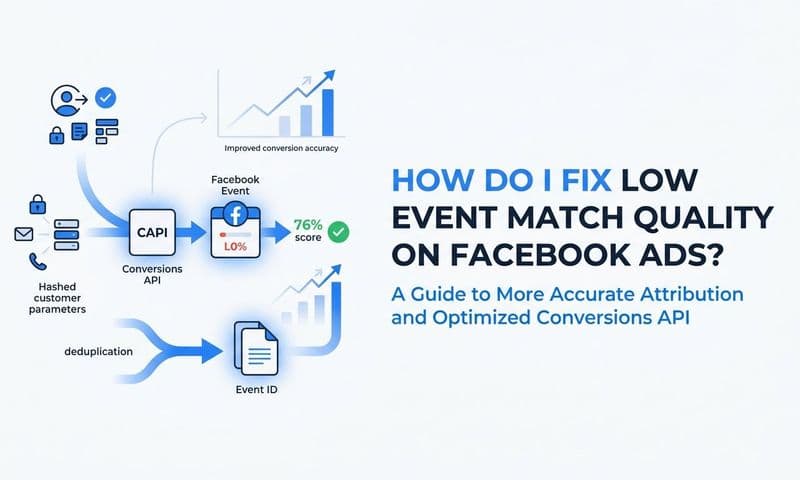
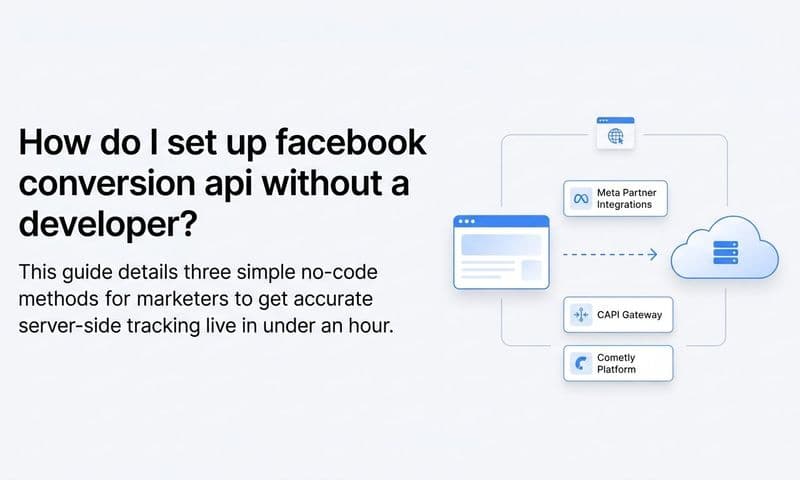
The solution is the Conversions API (CAPI), which enables server-side event tracking. Instead of relying solely on a browser-based pixel to capture conversion events, CAPI sends conversion data directly from your server to Meta. This bypasses browser limitations and privacy restrictions, resulting in more complete and reliable conversion data reaching the algorithm.
Meta measures signal quality through an Event Match Quality score, which reflects how well the customer data attached to your conversion events matches users in Meta's database. The score is rated on a scale from poor to okay to good to great. Higher match quality means the algorithm can more accurately identify who converted and use that information to find similar users. Lower match quality means the algorithm is working with incomplete or poorly matched data, which slows learning and reduces targeting precision. You can learn more about improving your Facebook Event Match Quality score to maximize the value of every conversion signal you send.
Improving your event match quality typically involves sending more customer data fields with each conversion event, such as email address, phone number, first name, last name, and location. The more data points you send, the better Meta can match the event to a specific user in its system.
Cometly's Conversion API integration is designed specifically for this purpose. It sends enriched, accurate conversion events back to Meta from the server side, improving the data quality the algorithm uses during the learning phase. For B2B SaaS teams dealing with longer sales cycles and lower conversion volumes, getting every signal right matters significantly more than it does in high-volume e-commerce environments.
Practical tip: Open Facebook Events Manager and check your Event Match Quality scores for each conversion event you are using. If any are rated "poor" or "okay," investigate which customer data fields you are missing and work to include them in your server-side events.
Success indicator: Your event match quality score is rated "good" or "great" in Facebook Events Manager, and your server-side events are firing consistently without significant gaps or delays.
Step 6: Monitor Learning Phase Performance with Accurate Attribution Data
During the learning phase, the performance metrics inside Meta Ads Manager can be genuinely misleading. Attribution window differences, delayed conversion reporting, and the algorithm's own experimentation can cause the numbers you see in-platform to diverge significantly from what is actually happening in your pipeline.
This creates a dangerous situation. A campaign that looks like it is failing based on Meta's reported cost per lead might actually be generating qualified pipeline. A campaign that looks efficient based on platform-reported ROAS might be driving low-quality leads that never convert downstream. If you are making decisions based solely on Meta's self-reported data during the learning phase, you are likely making premature calls that hurt long-term performance. Facebook ads reporting discrepancies are a well-documented challenge that becomes especially pronounced during the learning phase.
The answer is an independent attribution layer that connects your ad spend to actual business outcomes, not just platform-reported conversion events. For B2B SaaS companies, this means connecting your ad data to your CRM so you can see which campaigns are generating qualified leads, pipeline opportunities, and ultimately revenue, regardless of what Meta's dashboard shows.
Cometly connects ad platform data with CRM events to give B2B SaaS teams a complete, accurate view of which campaigns are generating qualified leads and pipeline. This is especially valuable during the learning phase, when platform-reported metrics are at their least reliable. Instead of reacting to noisy in-platform data, you can evaluate campaigns based on their actual contribution to pipeline and revenue.
Multi-touch attribution adds another dimension to this analysis. During the learning phase, a campaign might not be generating last-click conversions, but it could be playing a meaningful role in the customer journey by introducing prospects to your brand or influencing consideration. Facebook ads attribution helps you see that contribution clearly, so you do not kill a campaign that is actually doing important work just because it does not show up as the final touchpoint.
It is also important to set a separate performance evaluation framework for learning phase campaigns. Do not hold them to the same CPA or ROAS benchmarks you use for stable, optimized campaigns. The learning phase is inherently less efficient. Evaluate it on trajectory and signal quality rather than absolute performance numbers.
Success indicator: You have a clear, attribution-backed view of campaign performance that connects ad spend to pipeline and revenue, and you are not relying solely on Meta's self-reported data to make optimization decisions.
Step 7: Make Smarter Edits and Know When to Let the Algorithm Run
The most common mistake marketers make during the learning phase is intervening too quickly and too often. Every significant edit resets the learning clock. If you are making changes every few days in response to volatile early performance, you are trapping your campaigns in a perpetual learning cycle. The algorithm never gets enough runway to stabilize, and you never get the consistent results you are looking for.
The discipline required here is counterintuitive. When performance looks unstable, the instinct is to do something. But during the learning phase, doing nothing is often the right move. Here is a framework for deciding when to intervene versus when to wait:
Hold off on changes when: Spend is progressing normally, the ad set is accumulating conversions (even slowly), and there is no evidence of a fundamental structural problem. Give the algorithm time to work.
Restructure when: An ad set has been learning limited for several days with no improvement, your budget is being spent with zero conversions, or the conversion event you are optimizing for is clearly not achievable at your current budget and volume levels.
Not all edits carry the same risk during the learning phase. Adding a new creative to an existing ad set is generally lower risk than swapping out the audience. Minor copy edits to existing ads are less disruptive than changing your bid strategy. Understanding the relative risk of different edit types helps you make smarter decisions about what to touch and what to leave alone.
One highly practical habit is to document every change you make with a timestamp. Note what you changed, why you changed it, and what you expected to happen. This creates a record you can reference when evaluating performance shifts, so you are correlating results to specific actions rather than guessing at cause and effect. Tracking your Facebook ads performance with a consistent framework makes this process far more reliable.
Cometly's AI-driven insights can help you distinguish between campaigns that are genuinely underperforming and campaigns that are simply going through the natural learning curve. Instead of reacting to surface-level metrics inside Meta Ads Manager, you can use enriched attribution data to evaluate whether a learning phase campaign is building toward real pipeline contribution or whether it needs structural intervention.
Set a minimum observation window before making any significant changes. A reasonable starting point is allowing an ad set to run for at least five to seven days and accumulate meaningful spend before drawing conclusions. This window gives the algorithm enough time to move through its initial experimentation phase.
Success indicator: Your campaigns exit the learning phase consistently, and you have a documented process for evaluating performance before making structural changes rather than reacting to daily fluctuations.
Putting It All Together
Improving the Facebook ads learning phase is not about gaming the algorithm. It is about giving Meta's system the right inputs: sufficient conversion volume, accurate tracking signals, consolidated campaign structures, and stable budgets. When you do these things consistently, the algorithm can do its job faster and more effectively, which means better results for your B2B SaaS campaigns.
Here is a quick checklist to apply what you have learned:
1. Audit your account for ad sets stuck in learning limited status and identify the root cause.
2. Consolidate over-segmented campaigns into broader ad sets with enough budget to hit the conversion threshold.
3. Choose a conversion event that fires at least 50 times per week per ad set, moving up the funnel if necessary.
4. Calculate a minimum daily budget based on your cost per conversion and the 50-conversion threshold.
5. Implement server-side tracking via the Conversions API to improve event match quality and signal reliability.
6. Set up independent attribution monitoring so you are not relying solely on Meta's self-reported data.
7. Commit to a no-edit window during active learning and document every change you do make.
The teams that get the most from Facebook ads are not the ones who intervene the most. They are the ones who build the right foundation, send accurate data, and make decisions based on real attribution rather than platform-reported metrics.
Cometly helps B2B SaaS marketing teams do exactly that by connecting every ad click to pipeline and revenue, giving you the confidence to let campaigns learn without flying blind. Ready to stop guessing and start scaling with accurate data? Get your free demo today and see how Cometly can help you capture every touchpoint and maximize the return on your Facebook ad spend.