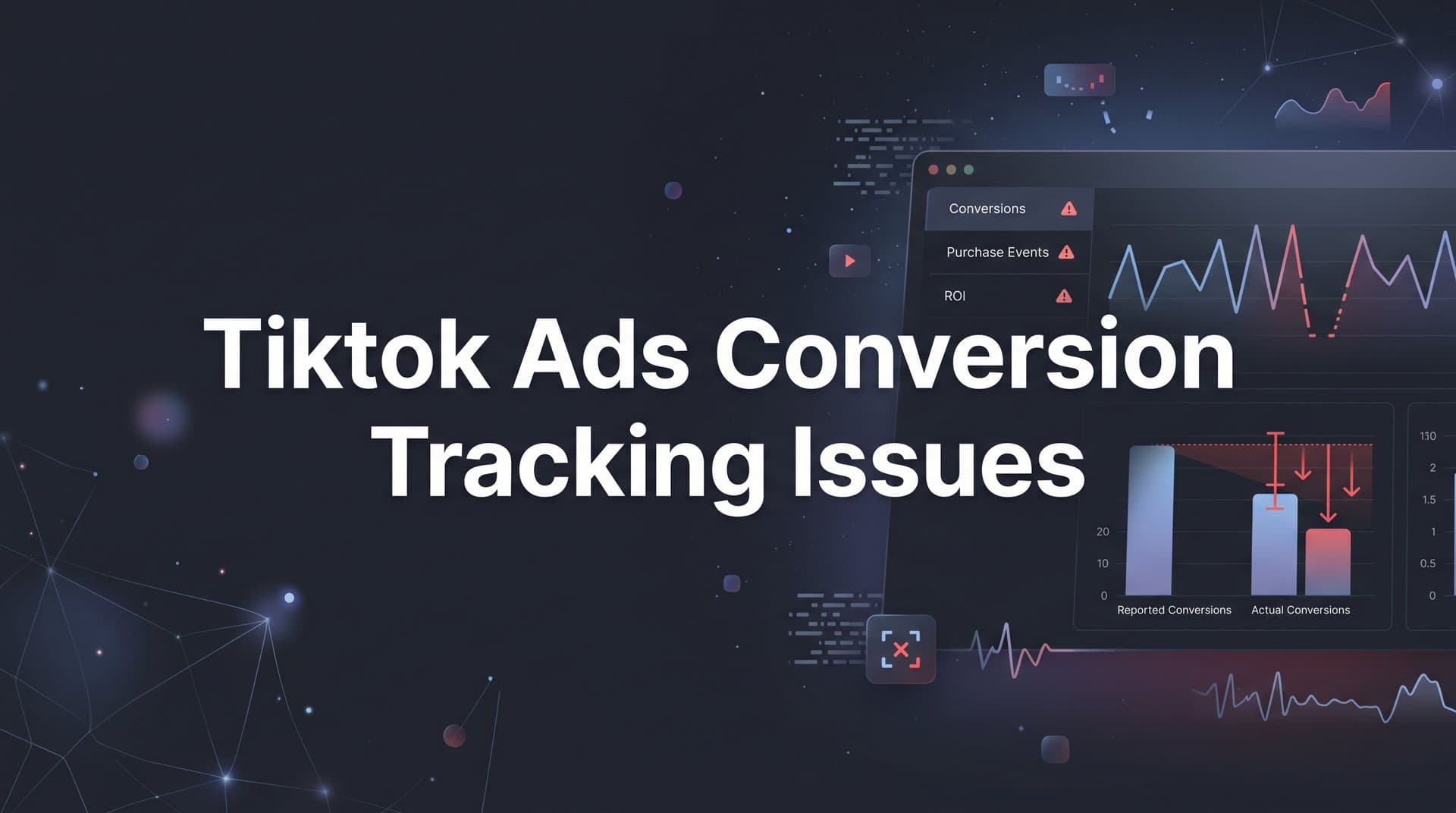
TikTok has become one of the fastest-growing paid advertising platforms, but many marketers hit a frustrating wall early on: their conversion tracking simply does not work the way it should. Purchases go unrecorded, leads vanish without a trace, and campaign optimization stalls because the algorithm has no reliable signal to work with.
If your TikTok Ads Manager is showing mismatched conversion numbers, zero events firing, or wildly inconsistent data compared to your actual results, you are not alone. These TikTok ads conversion tracking issues are common across industries, and more importantly, they are solvable.
The root causes usually fall into a handful of categories: a pixel that is not firing correctly, events that are misconfigured, server-side tracking that is missing entirely, or attribution windows that are creating confusion when you compare numbers across platforms. Each of these has a clear fix, and this guide walks you through all of them in sequence.
You will start by auditing your current pixel setup, move through event configuration and server-side tracking, and finish with a verification process that lets you trust the data you are actually acting on. Whether you are running direct-to-consumer campaigns, lead generation funnels, or SaaS trials, accurate conversion data is the foundation of every smart budget decision. Without it, you are optimizing blind.
By the end of this guide, you will have a working tracking setup that sends clean, accurate conversion signals back to TikTok, giving the platform's algorithm the data it needs to find your best buyers. You will also understand how to layer in a third-party attribution tool to capture the full customer journey beyond what TikTok's native tracking can see.
Let's get into it, step by step.
Step 1: Audit Your TikTok Pixel Installation
Before you troubleshoot anything else, you need to confirm that your TikTok pixel is actually installed correctly and firing on the right pages. This sounds basic, but a surprising number of tracking issues trace back to a pixel that was set up once and never properly verified.
Start in TikTok Events Manager. Log into your TikTok Ads account, navigate to Events Manager, and confirm that your pixel is listed as active and associated with the correct ad account. If you manage multiple accounts or have worked with an agency, it is worth double-checking that the pixel ID in your website code matches the one showing in Events Manager.
Next, identify how your pixel is installed. The three most common methods are:
Manual code installation: The pixel base code is pasted directly into your website's header. This gives you the most control but is also the easiest to break during a site update.
Partner integrations: TikTok has native integrations with platforms like Shopify, WooCommerce, and WordPress. These are convenient but can sometimes create conflicts if you also have manual code installed, leading to duplicate pixel fires.
Tag Manager (GTM or similar): The pixel fires through a container tag. This is flexible and clean when set up correctly, but misconfigured triggers can cause events to fire on the wrong pages or not at all.
Once you know your installation method, grab the TikTok Pixel Helper Chrome extension. Install it, then visit your key pages: homepage, primary landing pages, product pages, and especially your thank-you or confirmation page. The extension will show you whether the pixel is firing, which pixel ID is active, and whether any errors are present.
Pay close attention to two things. First, look for pages where the pixel is not firing at all. This commonly happens on checkout flows or third-party-hosted pages that fall outside your main theme or template. Second, look for duplicate pixel fires, where the same pixel ID fires multiple times on a single page load. Duplicate fires inflate your event counts and send confusing signals to TikTok's algorithm.
Common pitfall: If you are using a Shopify theme and installed the pixel through both the TikTok Shopify app and manually in your theme code, you are almost certainly firing the pixel twice. Remove one installation. For more on avoiding these kinds of setup mistakes, see our guide on inaccurate conversion tracking causes and fixes.
Success indicator: The Pixel Helper shows your pixel ID as active with no errors on every critical page, and each page triggers the pixel exactly once.
Step 2: Verify Your Standard Events Are Configured Correctly
A pixel that fires on every page is only useful if the right events are firing at the right moments. This is where a lot of TikTok ads conversion tracking issues actually live: the pixel is technically installed, but the events are misconfigured, misfiring, or missing key parameters.
Start by mapping out which TikTok standard events your funnel actually needs. For ecommerce, the typical set includes ViewContent, AddToCart, InitiateCheckout, and CompletePayment. For lead generation, you are primarily focused on ViewContent and SubmitForm. For SaaS, you might track a trial signup, a demo request, or an account activation event.
With your event map in hand, open the Test Events tool inside TikTok Events Manager. This is a real-time debugger that shows you exactly which events are firing during a live session. Open the tool, then open your website in a separate tab and walk through your conversion funnel step by step. Add a product to cart, proceed to checkout, complete a test purchase if possible.
As you take each action, watch the Test Events tool. You should see each event appear within seconds of the corresponding action. If an event fires immediately on page load rather than on a user action, that is a problem. For example, CompletePayment should only fire after a transaction is confirmed, not when someone lands on the checkout page.
Beyond timing, check the event parameters carefully. Each event should be passing relevant data alongside it:
Value and currency: For purchase events, the transaction value and currency code (formatted as ISO 4217, for example "USD") must be present and correctly formatted. If currency is missing or formatted incorrectly, TikTok will often drop the event entirely.
Content ID: For product-based events, passing a content_id that matches your product catalog helps TikTok optimize for specific items and enables dynamic product ads.
Event parameters showing as null or undefined: This is a red flag. It means your code is referencing a variable that does not exist at the time the event fires. This often happens when the event fires before the page has fully loaded or before a purchase confirmation is returned from your payment processor.
Common pitfall: Placing the CompletePayment event on a generic "thank you" page that users can reach without completing a purchase, such as by bookmarking the URL. Use order confirmation logic to ensure the event only fires when a real transaction has occurred. Following best practices for tracking conversions accurately will help you avoid this and similar configuration mistakes.
Success indicator: The Test Events tool shows each of your target events firing at the correct moment, with value, currency, and other relevant parameters populated correctly, not as null or undefined.
Step 3: Implement TikTok Events API for Server-Side Tracking
Even with a perfectly configured pixel, browser-based tracking alone is not enough in today's environment. Ad blockers, iOS App Tracking Transparency, and browser-level privacy restrictions all reduce the volume and accuracy of events your pixel can capture. This is not a TikTok-specific problem; it affects every ad platform that relies on browser-fired pixels.
The solution is TikTok Events API, which is TikTok's server-side tracking option. Instead of relying on a script in the user's browser, the Events API sends conversion data directly from your server to TikTok's servers. The browser's privacy settings, ad blockers, and iOS restrictions cannot interfere with a server-to-server call. Understanding why server-side tracking is more accurate than browser-based methods is essential before you begin this implementation.
You have three main options for implementing the Events API:
Direct API integration: Your development team builds a direct connection between your backend and TikTok's Events API endpoint. This gives you the most control and flexibility, but it requires engineering resources.
TikTok partner integrations: For Shopify and some other platforms, TikTok offers built-in server-side event sending through its official app. This is the fastest route if your platform is supported.
Server-side tag manager: Tools like Google Tag Manager Server-Side or similar platforms let you route events through a server container without custom code. This is a good middle ground for teams with some technical capability but no dedicated engineering support.
Regardless of which method you choose, there is one configuration step that is absolutely critical: deduplication.
When you run both the browser pixel and the Events API simultaneously, TikTok will receive the same conversion event twice: once from the browser and once from your server. Without deduplication, TikTok counts both, inflating your conversion numbers and training its algorithm on bad data.
To prevent this, pass a matching event_id parameter from both the browser pixel and the Events API for the same user action. TikTok uses this ID to recognize that the two events represent the same conversion and counts it only once. This is a non-negotiable step when running a dual-tracking setup.
You should also pass as many user identifiers as possible through the Events API: hashed email address, hashed phone number, IP address, and user agent string. TikTok uses these to match server-side events back to users in its system, which directly improves your match rate and the quality of the signal you are sending. The same principle applies when implementing a Conversion API implementation for other platforms like Facebook.
Common pitfall: Running the Events API without deduplication is one of the most common causes of inflated conversion counts. If your TikTok Ads Manager is showing far more conversions than your CRM or ecommerce platform, this is often the culprit.
Success indicator: In Events Manager, your event activity shows both browser and server events logged, your match rate is healthy, and there are no deduplication warnings or alerts flagging duplicate events.
Step 4: Diagnose Attribution Window and Reporting Mismatches
Here is a scenario many marketers encounter: your pixel is firing, your events look correct, but the conversion numbers in TikTok Ads Manager still do not match what your CRM, Shopify dashboard, or analytics platform is showing. Before you assume something is broken, understand that this discrepancy is often expected, and it comes down to attribution windows and model differences.
TikTok's default attribution window is 7-day click and 1-day view. This means TikTok will claim credit for any conversion that happens within seven days of a click on your ad, or within one day of a view. If a user sees your TikTok ad on Monday, does not click, and then converts on Tuesday through a Google search, TikTok's view-through attribution will claim that conversion.
You can adjust attribution windows in your campaign settings. TikTok offers options ranging from same-day click to 28-day click, and view-through windows from off to 7-day. Choosing the right window depends on your actual sales cycle. A SaaS product with a 14-day free trial will behave very differently from an impulse-purchase ecommerce product.
Understanding the difference between click-through attribution and view-through attribution is essential here. Click-through attribution only credits conversions where the user actually clicked your ad. View-through attribution credits conversions where the user saw your ad but did not click, then converted through another channel. View-through numbers are inherently harder to validate and often inflate TikTok's reported contribution.
The deeper issue is that TikTok, like every walled-garden platform, uses its own attribution model. When you compare TikTok's reported conversions to last-click data in Google Analytics or your CRM, you are comparing two completely different methodologies. TikTok is not necessarily wrong, but it is measuring something different. Reviewing how platform attribution models differ from independent tracking methods helps clarify why these gaps exist across all paid channels.
Common pitfall: Treating the difference between TikTok's attributed conversions and your CRM's conversion count as a tracking error. In most cases, it is an attribution model difference. The goal is to understand and explain the gap, not necessarily eliminate it.
Walk through your numbers with this framework: identify how many conversions TikTok is claiming, how many your CRM or ecommerce platform recorded in the same period, and what attribution window and model each is using. Once you align on methodology, the gap usually becomes explainable.
Success indicator: You can clearly articulate why your TikTok-reported conversions differ from your independently tracked conversions, and you have chosen attribution window settings that align with your actual sales cycle and reporting needs.
Step 5: Cross-Validate Data With a Third-Party Attribution Tool
TikTok's native reporting tells you what TikTok wants you to know: how many conversions TikTok is claiming credit for. What it cannot tell you is what happened before or after that TikTok touchpoint, how TikTok fits into the broader customer journey, or whether the conversions it is claiming are genuinely incremental.
This is where a third-party attribution platform becomes essential. Rather than trusting any single platform's self-reported numbers, you bring all of your channel data into one place and apply a consistent attribution model across all of it. Choosing from the best software for tracking marketing attribution ensures you have the cross-channel visibility needed to make confident budget decisions.
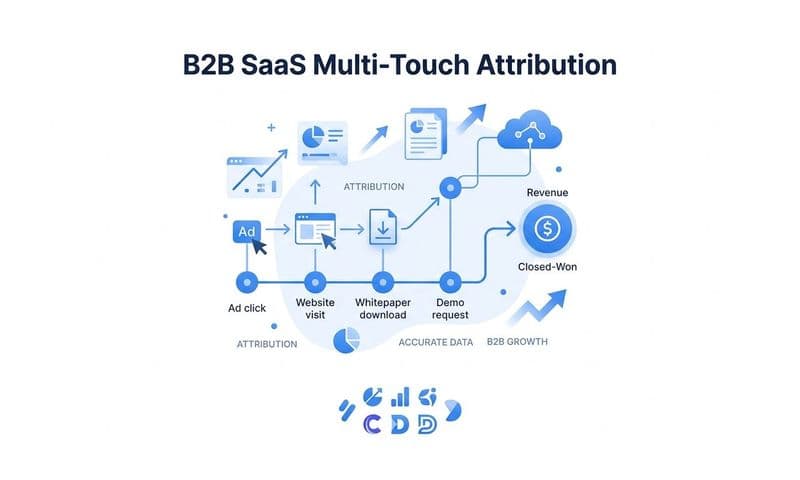
With a platform like Cometly, you can connect TikTok alongside your other ad channels, your CRM, and your website to get a unified view of every customer touchpoint. Instead of looking at TikTok's numbers in isolation, you see TikTok's role in the full journey: how often it is the first touch, how often it assists a conversion that closes through another channel, and how often it is the last touch before purchase.
Cometly's server-side tracking captures conversions that browser-based pixels miss, giving you a more complete data set that does not have the gaps created by ad blockers or iOS privacy restrictions. This matters because if your TikTok pixel is missing events due to browser limitations, your native TikTok reporting is also incomplete. A server-side attribution platform fills those gaps independently.
Use cross-platform comparison to identify whether TikTok is over-reporting or under-reporting conversions relative to your actual revenue. Over-reporting is common when view-through attribution is enabled and the attribution window is wide. Under-reporting can happen when your pixel has coverage gaps or when conversions are happening outside the browser session entirely, such as a lead that converts through a phone call or a delayed email sequence.
Cometly's AI surfaces which TikTok campaigns and creatives are genuinely driving conversions versus those getting credit due to attribution overlap with other channels. This distinction matters enormously when you are deciding where to allocate budget. A TikTok campaign that looks strong in native reporting might be capturing conversions that would have happened anyway through organic search. An independent attribution view reveals that reality.
Common pitfall: Assuming that because TikTok reports a low cost-per-conversion, the campaign is performing well. Always cross-reference with independently tracked data before scaling spend.
Success indicator: Your TikTok conversion data aligns reasonably with independently tracked conversions in your attribution platform, and any remaining discrepancies are explainable through known model differences rather than data gaps.
Step 6: Sync Verified Conversions Back to TikTok for Better Optimization
Fixing your tracking is not just about getting accurate reporting. It is also about giving TikTok's algorithm the clean, enriched data it needs to find more of your best customers. Once your tracking is clean and cross-validated, the next step is feeding that verified data back into TikTok to improve campaign performance.
TikTok's optimization engine is signal-driven. It uses conversion data to build a model of what your ideal customer looks like, then finds more users who match that profile. The quality of that model depends entirely on the quality of the conversion signals you send. Noisy, duplicated, or incomplete data trains the algorithm on the wrong audience. Clean, enriched data trains it on your real buyers.
This is the core value of conversion sync. Rather than relying solely on whatever your browser pixel managed to capture, you send enriched, verified conversion events from your attribution platform directly back to TikTok through the Events API. Cometly's Conversion Sync feature does exactly this: it takes the clean conversion data from your attribution platform and pushes it back to TikTok, Meta, Google, and other ad platforms in a format their algorithms can use effectively.
This approach is especially valuable in several scenarios:
Offline and delayed conversions: If your sales process involves a phone call, a demo, or a proposal stage, the conversion happens well after the initial click. Browser pixels cannot capture this. Syncing CRM-confirmed conversions back to TikTok closes that gap. Our dedicated guide on offline conversion tracking covers the full process for connecting these delayed signals to your ad campaigns.
Subscription products: For SaaS and subscription businesses, the most valuable conversion signal is often not the free trial signup but the paid conversion that happens days or weeks later. Syncing that downstream conversion event gives TikTok a much stronger signal to optimize toward.
Lead quality signals: Not all leads are equal. If you can pass back a signal that distinguishes a high-quality, sales-qualified lead from a low-quality form fill, TikTok can optimize toward the audience that generates the former.
To set up conversion sync, connect your attribution platform to TikTok's Events API and map your verified conversion events to the corresponding TikTok standard events. Ensure you are only syncing clean, deduplicated events. Syncing raw or unverified data that includes duplicates or low-quality events will train TikTok's algorithm on bad signals, which is worse than sending no data at all.
Success indicator: After implementing conversion sync with enriched data, you observe that TikTok's targeting improves over time, reflected in better audience quality and more efficient cost-per-conversion as the algorithm refines its model based on accurate signals.
Your TikTok Tracking Health Checklist
You have now worked through all six steps. Before you move on, use this quick-reference checklist to confirm your setup is solid and nothing has been missed.
Pixel installed and verified: Your TikTok pixel is active in Events Manager, associated with the correct ad account, and confirmed firing on all critical pages with no errors and no duplicate fires.
Standard events configured correctly: Each event in your funnel fires on the correct user action, not on page load. Event parameters including value, currency, and content_id are populated correctly and not returning null.
Events API implemented with deduplication: Server-side tracking is active, event_id deduplication is enabled across both browser and server events, and user identifiers are being passed to maximize match rates.
Attribution windows understood: You have reviewed your campaign attribution settings and aligned them with your actual sales cycle. You can explain the gap between TikTok-reported and independently tracked conversions.
Third-party attribution connected: A platform like Cometly is connected to TikTok and your other channels, giving you a cross-platform view that validates or challenges TikTok's native numbers.
Verified conversions synced back to TikTok: Clean, enriched conversion events are flowing back to TikTok through conversion sync, giving the algorithm the data it needs to optimize toward your real buyers.
One important mindset shift: accurate tracking is not a one-time fix. TikTok updates its platform, browsers tighten their privacy policies, iOS releases new restrictions, and your own funnel changes. Build a habit of auditing your tracking setup quarterly, or any time you make significant changes to your website or ad account structure.
Cometly brings all of this together in one place. From server-side tracking and multi-touch attribution to AI-powered optimization recommendations and conversion sync, it is built for marketers who want accurate, cross-platform data without the guesswork.
The Bottom Line
Fixing TikTok ads conversion tracking issues is not a single action. It is a layered process that starts with the basics of pixel installation, moves through event configuration and server-side tracking, and builds up to a full attribution and optimization loop.
Each step in this guide builds on the one before it. A verified pixel gives you confidence in your event data. Correct event configuration gives the Events API something accurate to send. Server-side tracking ensures that data actually reaches TikTok despite browser limitations. Understanding attribution windows lets you interpret your numbers correctly. Cross-validation with a third-party tool keeps you honest. And conversion sync closes the loop by feeding clean data back to TikTok's algorithm.
When all six pieces are in place, you are no longer optimizing on incomplete or misleading data. You are making budget decisions based on what is actually driving revenue, and you are giving TikTok's algorithm the signal quality it needs to find more of your best customers at scale.
That is what profitable TikTok advertising looks like, and it starts with getting your tracking right.
Ready to bring all of this together without building it from scratch? Cometly connects your TikTok campaigns with your full marketing stack, captures every touchpoint through server-side tracking, and uses AI to surface what is actually driving conversions. Get your free demo today and start making every conversion signal count.