Google Shopping ads can be one of the most profitable channels for ecommerce and retail brands. But here's the thing: profitability depends entirely on knowing which products, campaigns, and audiences are actually driving revenue, not just clicks.
The challenge most advertisers face is that Shopping performance data is scattered across multiple reports, and native platform metrics often tell only part of the story. Clicks and impressions are visible. What happens after someone leaves Google, browses a few products, disappears for three days, and then converts through a different channel? That part stays hidden unless you have the right tracking infrastructure in place.
Without a complete setup, you end up making budget decisions based on incomplete data. You might cut a campaign that looks unprofitable in Google Ads but is actually initiating most of your highest-value journeys. Or you might keep spending on product groups that generate clicks but never close.
This guide walks you through the exact steps to track Google Shopping ads performance from end to end. You will learn how to structure your campaigns for clean reporting, configure conversion tracking that captures real revenue, layer in server-side tracking to close data gaps, and connect Shopping data to your full customer journey. You will also learn which metrics actually matter and how to use attribution insights to make smarter bidding and budget decisions.
Whether you are managing a handful of product campaigns or hundreds of product groups across multiple categories, these steps will give you the clarity you need to optimize with confidence and scale what is actually working.
Step 1: Structure Your Google Shopping Campaigns for Clean, Trackable Data
Before you can track Google Shopping ads performance meaningfully, you need your campaigns organized in a way that makes data readable at a glance. Messy campaign structure is one of the most common reasons advertisers struggle to identify what is working. When all your products are lumped into a single campaign or ad group, performance data gets aggregated in ways that hide the truth.
Start by organizing campaigns around a logical segmentation strategy. Common approaches include grouping by product category, brand, margin tier, or business objective. For example, you might run separate campaigns for high-margin products versus clearance items, because your bidding strategy and target ROAS will differ significantly between the two.
Use custom labels in your product feed: Custom labels in Google Merchant Center let you tag products with any criteria that matters to your business. You can label products by profit margin tier, seasonality, best-seller status, or promotional eligibility. These labels do not affect how products appear to shoppers, but they give you precise control over bidding and reporting inside Google Ads.
Apply consistent naming conventions: Every campaign, ad group, and product group should follow a predictable naming pattern. Something like [Category] | [Brand] | [Margin Tier] makes it easy to filter and compare performance without second-guessing what a campaign contains. Inconsistent naming is a silent killer of reporting efficiency, especially when you are managing large product catalogs. Using a campaign tracker template can help standardize your naming and reporting structure across all campaigns.
Separate brand from non-brand traffic: Brand searches (people searching directly for your brand name) typically convert at a higher rate and at a lower cost than non-brand searches. Mixing them together inflates your overall performance numbers and obscures how well your Shopping ads actually perform for prospecting. Running separate campaigns for each gives you a much cleaner read on true acquisition performance.
Use campaign priority settings strategically: Google Shopping allows you to set campaign priorities (high, medium, low) when the same product is eligible to appear in multiple campaigns. This is especially useful if you want to run promotional campaigns for specific products while maintaining a catch-all campaign for general traffic.
The payoff of a well-structured campaign setup is not just cleaner reports. It is the ability to act on data quickly. When you can see at a glance that one product category is generating strong ROAS while another is dragging down your average, you can make bidding decisions with confidence rather than guesswork.
Step 2: Configure Conversion Tracking That Captures Real Revenue
Conversion tracking is the foundation of everything else in this guide. Without it, you are flying blind. But there is a big difference between conversion tracking that simply records a "purchase" event and conversion tracking that captures actual transaction revenue with the granularity needed to optimize Shopping campaigns intelligently.
The goal here is to set up Google Ads conversion tracking with dynamic revenue values. This means each conversion reports the actual transaction amount rather than a static placeholder value. When you use a fixed value like "$50" for every purchase, your reported ROAS becomes meaningless because a $15 order and a $500 order look identical to the algorithm.
Implement via Google Tag Manager or gtag.js: The most reliable way to fire your conversion tag is on the purchase confirmation page, triggered only after a successful transaction. Google Tag Manager is generally preferred because it gives you more control over when and how tags fire without requiring code changes to your site for every update.
Your conversion tag should include the following data points for full reporting capability:
1. Transaction ID: A unique order number for each purchase. This is critical for deduplication and prevents the same transaction from being counted multiple times.
2. Revenue value: The actual order total, passed dynamically from your ecommerce platform's data layer. Never hardcode this.
3. Currency: Especially important if you operate in multiple markets.
4. Product-level data: Passing item IDs, quantities, and product names enables Shopping-specific reporting and feeds better signals to Google's algorithm.
Verify with Google Tag Assistant: After implementation, use Google Tag Assistant (available as a Chrome extension or through the Tag Assistant Companion) to confirm your tag fires correctly on the confirmation page and that revenue values are passing through accurately. Also check the conversion diagnostics section inside Google Ads, which will flag issues like missing values or firing delays.
Watch for duplicate conversions: One of the most common pitfalls is double-counting purchases when users refresh the confirmation page or navigate back to it. The fix is to use your transaction ID as a deduplication key. Google Ads automatically deduplicates conversions when the same transaction ID is reported more than once, so make sure this is always populated.
Avoid zero-value conversions: If your revenue variable fails to load before the tag fires, the conversion will record with a value of zero. This silently corrupts your ROAS data. Test this thoroughly across your checkout flow, including edge cases like guest checkout versus logged-in purchases.
Once your conversion tracking is verified and accurate, you have a reliable signal that Google's Smart Bidding can actually learn from. Everything downstream, including bidding strategy performance and budget allocation, depends on the quality of this data.
Step 3: Layer in Server-Side Tracking to Close Data Gaps
Even a perfectly implemented browser-based conversion tag will miss some purchases. This is not a configuration problem. It is a structural limitation of how browser-side tracking works in today's privacy landscape.
Since Apple introduced App Tracking Transparency with iOS 14.5 in 2021, a significant portion of mobile users have opted out of cross-app tracking. Safari and Firefox have blocked third-party cookies by default for years. Ad blockers prevent tracking scripts from loading entirely. The result is that browser pixels, no matter how well implemented, have a measurable blind spot when it comes to capturing every conversion. Understanding the digital marketing strategy that tracks users across the web helps explain why server-side solutions have become essential.
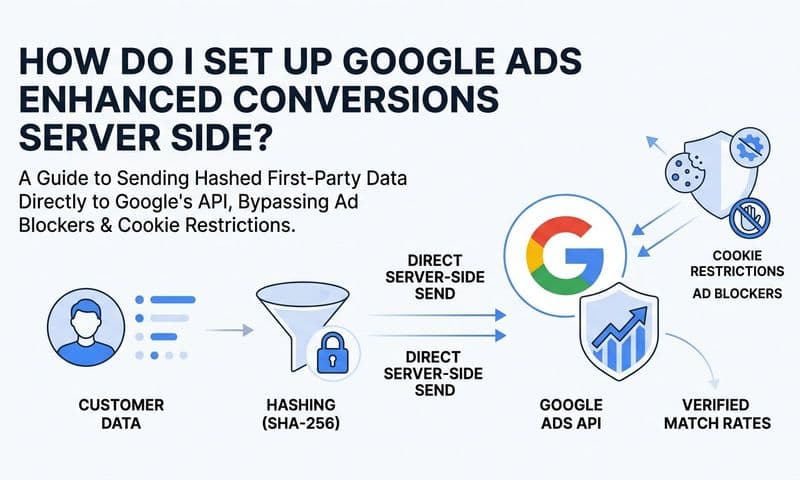
Server-side tracking solves this by sending conversion data directly from your server to Google, completely bypassing the browser. Because the data travels server-to-server rather than through the user's browser, it is unaffected by ad blockers, cookie restrictions, or iOS privacy settings.
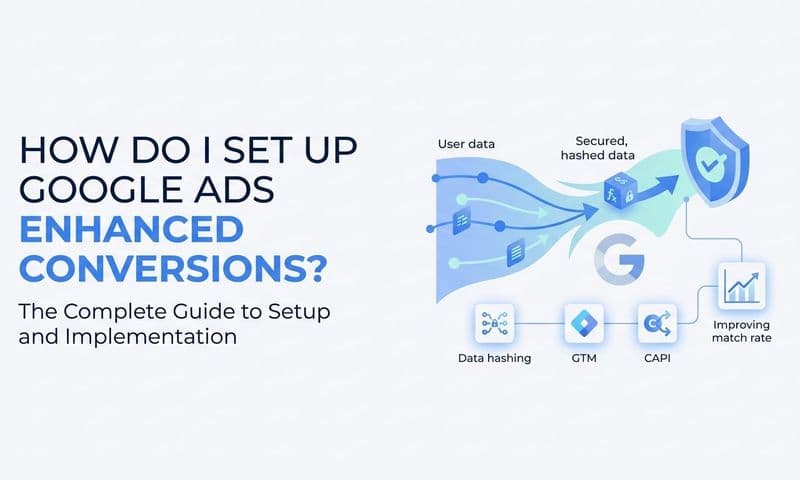
How it works: When a purchase is completed, your server captures the transaction data and sends it to Google's servers via an API call. Google matches this event to the original ad click using hashed customer data like email addresses or phone numbers, a process Google calls Enhanced Conversions. The result is a more complete picture of which clicks actually led to purchases.
The impact on Smart Bidding: Google's Smart Bidding strategies, including Target ROAS and Maximize Conversion Value, rely entirely on the quality of the conversion signals they receive. When those signals are incomplete because browser tracking is missing 15 to 30 percent of conversions (a range commonly cited by practitioners, though your actual gap will vary), the algorithm optimizes against a distorted version of reality. More complete data means better bidding decisions, which typically translates to improved campaign efficiency over time.
Where Cometly fits in: Cometly's server-side tracking captures the conversions that browser pixels miss and feeds that enriched data back to Google. Rather than relying solely on the browser tag, Cometly sends conversion events from the server level, giving Google a more accurate and complete signal about which Shopping ad clicks are driving real purchases. This is particularly valuable for advertisers running high-volume campaigns where even small improvements in data accuracy can meaningfully affect bidding performance.
Think of server-side tracking not as a replacement for your existing conversion tag but as a layer on top of it that fills in the gaps. Together, they give Google the most complete conversion signal possible, which is exactly what Smart Bidding needs to perform at its best.
Step 4: Connect Google Shopping Data to Your Full Customer Journey
Here is where many advertisers stop short. They set up conversion tracking, verify it is working, and then evaluate Shopping campaigns entirely within Google Ads. The problem is that Google Ads only shows you what happens within its own ecosystem. It cannot tell you what a customer did after clicking your Shopping ad, whether they became a repeat buyer, or how their lifetime value compares to customers who came through other channels.
Start by linking Google Ads to Google Analytics: Connecting these two platforms enables cross-channel path analysis and assisted conversion reporting. You can see how Shopping ads interact with other channels in the customer journey, whether they tend to be the first touch, the last touch, or somewhere in the middle. This context changes how you interpret campaign performance and where you allocate budget.
Go beyond last-click attribution: By default, many advertisers still evaluate Shopping campaigns on a last-click basis. But consider a common scenario: a shopper clicks a Shopping ad for a product, leaves without buying, comes back three days later through a branded search, and converts. Last-click attribution credits the branded search. The Shopping ad that initiated the entire journey gets nothing. If you cut that Shopping campaign based on last-click data, you may be eliminating the very touchpoint that starts most of your customer journeys. Choosing the right software for tracking marketing attribution is critical for solving this problem.
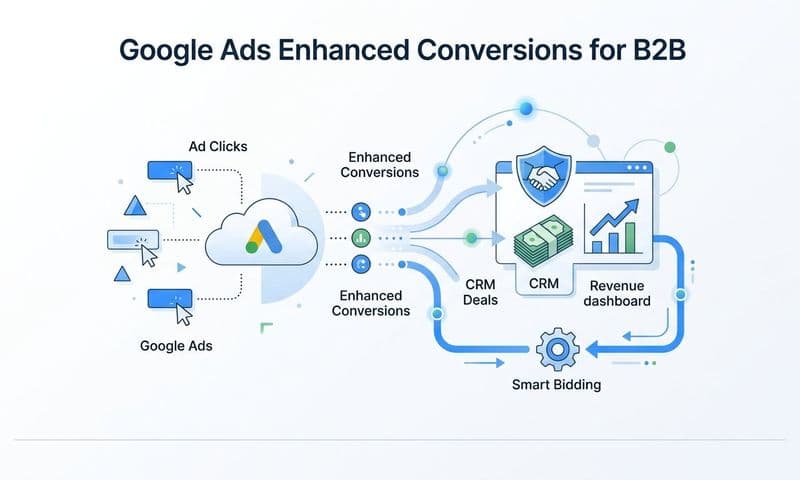
Connect to your CRM or ecommerce backend: For a truly complete picture, you need to connect Shopping ad click data to downstream events in your CRM or order management system. This lets you see which Shopping campaigns are generating one-time buyers versus high-lifetime-value customers who return and purchase again. A campaign with a modest initial ROAS might look very different when you factor in repeat purchase behavior.
How Cometly enables full-funnel visibility: Cometly connects Google Shopping ad clicks to CRM events and downstream revenue, giving you a multi-touch view of which products and campaigns truly drive results. Rather than relying on isolated platform data, you can see the complete customer journey from the first Shopping ad impression through to closed revenue, including assisted conversions that would otherwise go uncredited.
Isolated platform data is inherently misleading. The goal is to build a connected data layer where Shopping ad performance is evaluated in the context of the full customer journey, not just the last click before a transaction.
Step 5: Monitor the Metrics That Actually Matter for Shopping Ads
Once your tracking infrastructure is solid, the next step is knowing which numbers to watch and which ones to ignore. Google Ads surfaces dozens of metrics, and it is easy to get distracted by ones that feel important but do not actually drive decisions.
Prioritize these core metrics:
ROAS (Return on Ad Spend): The ratio of revenue generated to ad spend. This is your primary efficiency metric for Shopping campaigns. Segment it by campaign, product group, and individual product to identify where your money is working hardest. The right ecommerce tracking app for boosting ROAS can make this segmentation far more accurate.
Cost Per Acquisition (CPA): Especially useful when you have a target customer acquisition cost. Pair this with average order value to understand whether you are acquiring customers profitably.
Conversion Rate: The percentage of clicks that result in a purchase. Low conversion rates on high-spend product groups are a signal worth investigating, whether the issue is product price, landing page quality, or audience mismatch.
Average Order Value (AOV): Higher AOV products can support higher CPAs and still be profitable. Tracking AOV at the product group level helps you calibrate bidding targets more accurately.
Impression Share and Search Impression Share: These metrics tell you what percentage of eligible impressions you are actually capturing. A low impression share on high-performing products is a clear signal to increase bids or budgets. A high impression share with poor ROAS suggests the traffic quality may be the issue. Learn more about search impression share in search ads to understand how to interpret this metric effectively.
Product-level performance: This is where Shopping reporting gets genuinely powerful. Drill into your product groups to identify your top-performing SKUs, underperformers that are dragging down campaign averages, and products with high click volume but low conversion rates. These three categories often require completely different strategies.
Set up custom columns and saved reports: Google Ads allows you to create custom column sets and save report views. Build a Shopping-specific view that surfaces ROAS, CPA, conversion rate, AOV, and impression share in one place. This makes your daily performance check much faster and more consistent.
Build a weekly review cadence: Daily monitoring should focus on anomalies, sudden drops in conversion rate, unusual spend spikes, or impression share losses. Weekly reviews should look at trends: which product groups are improving, which are declining, and whether your bidding strategies are hitting their targets. Set thresholds for when a metric deviation should trigger action, rather than reacting to every daily fluctuation.
Step 6: Use Attribution Insights to Optimize Budget and Bidding
All the tracking work you have done up to this point becomes most valuable when you use it to make smarter decisions about where to put your money. Attribution insights are the bridge between data collection and actual optimization.
Compare attribution models: Google Ads offers several attribution models including last-click, data-driven, linear, and time decay. Each tells a different story about how Shopping campaigns contribute to conversions. Data-driven attribution, which uses machine learning to distribute credit across touchpoints based on actual conversion path data, is generally the most accurate model when you have sufficient conversion volume. Comparing last-click to data-driven attribution often reveals Shopping campaigns that are significantly undervalued under the default model.
Use multi-touch attribution to protect undervalued campaigns: This is where tools like Cometly provide a meaningful advantage. Cometly's multi-touch attribution shows you which Shopping campaigns assist conversions even when they do not receive last-click credit. Without this visibility, it is easy to cut a campaign that appears unprofitable in Google Ads but is actually responsible for initiating a large share of your converting journeys. Many advertisers have made this mistake and seen overall revenue decline after pausing what looked like a low-performing campaign.
Reallocate budget based on full-funnel data: Once you can see which product groups and campaigns are genuinely driving revenue across the entire journey, you can reallocate budget with confidence. Move spend from product groups with consistently poor ROAS and no assisted conversion value toward high-ROAS segments that have headroom to scale. Learning how to improve campaign performance with analytics is essential for making these data-driven budget decisions.
Identify scaling opportunities with AI-powered recommendations: Cometly's AI analyzes performance patterns across your campaigns to surface scaling opportunities you might not spot manually. Which campaigns are performing well but constrained by budget? Which are hitting diminishing returns and should be held steady? Leveraging AI ads optimization ensures these recommendations are grounded in your actual conversion data rather than generic platform suggestions.
Feed enriched data back to Google via conversion sync: The final piece of the optimization loop is sending your enriched conversion data back to Google so that Smart Bidding can use it. Cometly's conversion sync sends the complete, server-side conversion signals back to Meta, Google, and other ad platforms. When Google's algorithm receives more complete and accurate signals about which clicks lead to real purchases, its bidding decisions improve. This creates a compounding effect: better data leads to better bidding, which leads to better results, which generates better data.
Attribution is not just a reporting exercise. It is an optimization lever. The advertisers who use it well consistently outperform those who rely on last-click data alone.
Putting It All Together: Your Shopping Ads Tracking Checklist
Tracking Google Shopping ads performance is not a single task. It is a system, and each layer builds on the one before it. Here is a quick-reference summary of the six steps covered in this guide:
1. Structure your campaigns for clean data. Organize by category, margin, or objective. Use custom labels, consistent naming conventions, and separate brand from non-brand traffic.
2. Configure conversion tracking with dynamic revenue values. Pass transaction ID, actual revenue, currency, and product data. Verify with Tag Assistant and check for duplicates and zero-value conversions.
3. Layer in server-side tracking. Close the data gaps that browser pixels miss due to ad blockers and iOS restrictions. Feed Google more complete conversion signals to improve Smart Bidding performance.
4. Connect Shopping data to your full customer journey. Link Google Ads to Analytics, integrate with your CRM, and use multi-touch attribution to see which campaigns initiate and assist conversions, not just close them.
5. Monitor the metrics that drive decisions. Focus on ROAS, CPA, conversion rate, AOV, and impression share. Build saved reports and a consistent review cadence.
6. Use attribution insights to optimize budget and bidding. Compare attribution models, protect undervalued campaigns, reallocate budget based on full-funnel data, and sync enriched conversions back to Google.
Accurate tracking is the foundation of profitable Google Shopping campaigns. The difference between guessing and knowing comes down to how well you track, connect, and analyze your data across every touchpoint in the customer journey.
If you are ready to close the data gaps, see which Shopping campaigns are truly driving revenue, and feed Google better signals to optimize against, Cometly is built for exactly that. From server-side tracking to multi-touch attribution and conversion sync, Cometly gives you the complete picture your campaigns need to scale with confidence. Get your free demo today and start capturing every touchpoint to maximize your conversions.