

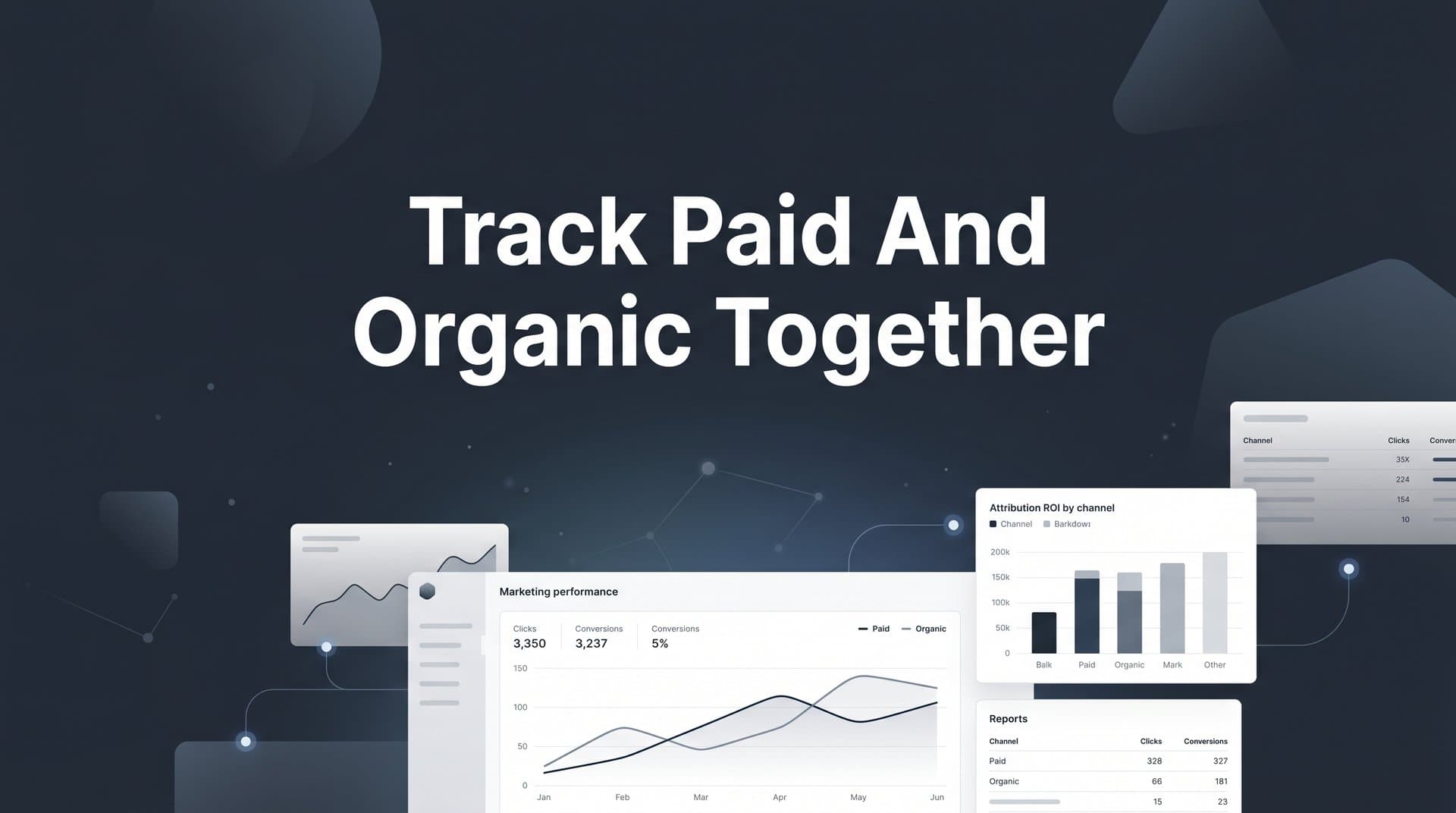
Most B2B SaaS marketing teams run paid and organic channels in silos. Paid gets credit for conversions it influenced last. Organic gets ignored because it is harder to measure. The result is a distorted view of what is actually driving pipeline and revenue.
When you track paid and organic together in a unified attribution system, you stop making budget decisions based on incomplete data. You start seeing the full customer journey: how a prospect found you through organic search, engaged with a retargeting ad, clicked a paid social post, and then converted weeks later. That complete picture changes everything about how you allocate spend and scale campaigns.
This guide walks you through exactly how to set up a unified tracking system that captures both paid and organic touchpoints, connects them to real revenue outcomes, and gives your team a single source of truth for marketing performance. Whether you are running Google Ads alongside SEO, combining LinkedIn campaigns with content marketing, or managing a multi-channel mix across six or more platforms, these steps will help you build an attribution foundation that actually reflects how your buyers make decisions.
By the end, you will know how to instrument your tracking, configure attribution models, and use that data to make smarter budget decisions across every channel you run.
Step 1: Audit Your Current Tracking Setup Across All Channels
Before you can track paid and organic together, you need a clear picture of what you are currently tracking, what you are missing, and where your data is breaking down. Skipping this step means building a unified system on a cracked foundation.
Start by listing every active channel in your marketing mix. On the paid side, this typically includes Google Ads, Meta, LinkedIn, and TikTok. On the organic side, include SEO traffic, direct visits, referral links, and email. Write them all down in one place. This becomes your channel inventory.
Next, identify where tracking gaps exist. The most common problems in combined paid and organic setups are missing UTM parameters on organic content, inconsistent naming conventions across team members, and pixel-only tracking without server-side backup. Each of these gaps creates blind spots that will undermine your attribution data later.
Check whether your CRM, ad platforms, and website analytics are actually sharing data or operating in isolation. In many B2B SaaS teams, Google Analytics shows one set of conversion numbers, your ad platforms show different numbers, and your CRM has its own count. When these tools do not talk to each other, you cannot see how paid and organic work together across the full funnel.
Document which conversion events are currently being tracked and which are missing. For most B2B SaaS teams, the critical events include form fills, demo requests, trial signups, and downstream pipeline stages like qualified opportunity and closed-won. If your tracking stops at the form fill, you are missing the revenue picture entirely.
Finally, flag any attribution conflicts. Many teams discover that the same conversion is being claimed by multiple platforms simultaneously because of overlapping attribution windows. A lead that clicked a Google ad and a LinkedIn ad in the same week might appear as a conversion in both platforms. That double-counting inflates your paid performance numbers and makes organic look even weaker by comparison.
Success indicator: You have a complete channel inventory with a documented list of tracking gaps, missing conversion events, and attribution conflicts to resolve before moving to the next step.
Step 2: Standardize UTM Parameters for Every Traffic Source
Inconsistent UTM naming is one of the most common and most damaging problems in combined paid and organic tracking. When different team members tag links differently, or when organic content goes untagged entirely, the same channel can appear as five different sources in your analytics. Your attribution data becomes unreliable before you even start analyzing it.
The fix is a shared UTM taxonomy that your entire team follows without exception. Build a naming convention that covers all five UTM parameters: utm_source, utm_medium, utm_campaign, utm_content, and utm_term. Define exactly how each should be formatted, including whether to use lowercase, hyphens, or underscores, and stick to it.
For paid channels, set up auto-tagging or manual UTM templates inside each ad platform to ensure every click carries consistent parameters. Google Ads auto-tagging handles this automatically for Google campaigns, but for Meta, LinkedIn, and TikTok, you will need to configure UTM templates at the campaign or ad set level. Do not assume the platform is handling this correctly without verifying it.
For organic sources, tagging is equally important but often overlooked. Tag all newsletter links, social bio links, guest post links, podcast show notes, and any other owned organic content you distribute. If a link leaves your control and points back to your site, it should carry a UTM string. Without it, that traffic arrives as direct or unattributed, making organic look weaker than it actually is.
Create a shared UTM naming convention document and store it somewhere your entire team can access it. Include examples for every channel type, a list of approved source names, and a process for requesting new campaign tags. The goal is to eliminate the situation where one person tags a campaign as "linkedin-ads" and another tags it as "LinkedIn_Paid" and a third tags it as "li-sponsored."
Common pitfall: Do not rely on platform auto-tagging alone for paid channels without verifying that the data passes through correctly to your attribution tool. Auto-tagging works well within native platform reporting, but it does not always translate cleanly into third-party attribution systems. Manually appending UTM parameters alongside auto-tagging gives you a reliable fallback.
Success indicator: Every link leaving your owned properties carries a properly formatted UTM string that maps to your naming convention, and your team has a shared reference document they use consistently.
Step 3: Implement Server-Side Tracking to Capture What Pixels Miss
Pixel-based tracking has become significantly less reliable over the past few years. Ad blockers, iOS privacy changes, and browser-level cookie restrictions all cause data loss that disproportionately affects your ability to track conversions accurately. In a combined paid and organic setup, this data loss creates an uneven picture where some sessions are tracked and others are not, making it impossible to compare channel performance fairly.
Server-side tracking solves this by sending conversion data directly from your server to ad platforms and attribution tools, bypassing browser-level restrictions entirely. For Meta, this means setting up the Conversion API. For Google, it means configuring Enhanced Conversions. Both approaches send event data from your server rather than relying on a browser-based pixel to fire correctly.
The setup process involves placing a server-side event trigger on your key conversion points: form fills, demo bookings, trial signups, and any other actions you defined in Step 1. When a visitor completes one of these actions, your server sends the event data directly to the relevant platforms, regardless of whether the visitor is using an ad blocker or a privacy-focused browser.
Connect your CRM as an event source so that downstream conversions like qualified leads, opportunities, and closed-won deals flow back into your attribution system. This is where B2B SaaS attribution gets powerful. Most conversion events in B2B SaaS happen weeks or months after the initial marketing touchpoint. If your tracking only captures the form fill, you are missing the revenue data that actually tells you which channels are worth investing in.
Use event deduplication to prevent the same conversion from being counted twice when both pixel and server-side tracking fire simultaneously. Assign a consistent event ID to each conversion so your attribution system can identify and remove duplicates. Without deduplication, your conversion numbers will be inflated and your attribution data will be unreliable.
For organic conversions specifically, ensure that form submissions, trial signups, and demo bookings from non-paid sessions are captured with the same fidelity as paid conversions. A common mistake is setting up server-side tracking primarily for paid channels and leaving organic conversions on pixel-only tracking. This creates an artificial gap in data quality between paid and organic, making organic look less reliable in your attribution reports.
Platforms like Cometly handle server-side tracking natively, sending enriched conversion events back to Meta and Google while also capturing organic touchpoints in the same unified data stream. This means your paid and organic conversion data is collected through the same infrastructure, ensuring consistent quality across both channel types.
Success indicator: Conversion data from both paid and organic sessions is flowing through server-side tracking with deduplication active and verified in your attribution platform.
Step 4: Choose an Attribution Model That Reflects Your Full Funnel
Attribution model selection is where most teams make a decision that quietly distorts their entire marketing strategy. Last-click attribution, which is still the default in many tools, systematically under-credits organic channels because organic content typically appears early in the customer journey while paid retargeting appears closer to conversion. The result is a false picture where paid appears to drive more revenue than it actually does independently.
To track paid and organic together accurately, you need attribution models that distribute credit across multiple touchpoints. Here is how the relevant options work in a combined paid and organic context.
First-touch attribution assigns all credit to the first interaction a prospect had with your brand. This model is useful for understanding which organic or paid channel creates initial awareness and brings new prospects into the funnel. In B2B SaaS, first-touch often reveals that organic search or referral content is doing more top-of-funnel work than paid campaigns get credit for.
Linear attribution distributes credit equally across every touchpoint in the customer journey. If a prospect touched an organic blog post, a LinkedIn ad, a Google retargeting ad, and a direct visit before converting, each touchpoint receives 25 percent of the credit. This model gives organic content visibility for the role it plays in multi-session customer journeys without over-crediting any single channel.
Time-decay attribution gives more credit to touchpoints that occurred closer to the conversion event. This model tends to favor paid channels that appear late in the journey, but it is more accurate than last-click because it still distributes some credit to earlier organic touchpoints rather than ignoring them entirely.
Data-driven attribution uses actual conversion patterns from your data to assign credit proportionally. This model tends to surface the true contribution of organic channels that assist paid conversions, because it is based on observed behavior rather than a fixed rule. It requires sufficient conversion volume to generate reliable results, but it is the most accurate model for teams with enough data to support it.
The most useful approach is to run multiple attribution models in parallel rather than committing to one. Comparing first-touch and linear attribution side by side, for example, shows you both where prospects are entering your funnel and how credit is distributed across the full journey. This comparison often reveals that organic channels are contributing significantly more to revenue than last-click data suggests.
Cometly's multi-touch attribution capabilities let teams compare models side by side without switching tools or rebuilding reports. You can view how credit shifts between paid and organic depending on the model you are looking at, which gives you a more nuanced understanding of channel contribution than any single model can provide.
Success indicator: You have selected at least two attribution models to run simultaneously and can view credit distribution across both paid and organic sources in your attribution platform.
Step 5: Connect Your Ad Platforms, CRM, and Website Into One Data Source
Even with clean UTM parameters and server-side tracking in place, your attribution data is only as useful as the connections between your tools. When ad platform data, CRM pipeline data, and website analytics live in separate systems, you cannot see how paid and organic interact across the full customer journey. You end up with three partial pictures instead of one complete one.
Start by connecting your ad platforms to your attribution tool. This means pulling in spend, impressions, clicks, and conversions from Google Ads, Meta, LinkedIn, TikTok, and any other paid channels you run. The goal is to have all paid performance data visible in one place alongside your organic traffic data, so you can compare channel contribution without switching between tools.
Next, sync your CRM so that lead status, opportunity stage, and closed-won revenue are tied back to the original traffic source, whether paid or organic. This connection is what transforms your attribution system from a top-of-funnel traffic report into a revenue attribution platform. When a deal closes six weeks after a prospect first found you through an organic blog post, that revenue should be traceable back to the original touchpoint.
If you use Stripe or another billing tool, connect it so that actual subscription revenue is attributed to the marketing touchpoints that drove the customer, not just the lead. For B2B SaaS teams, this is the difference between knowing which channels drive signups and knowing which channels drive paying customers. Those two answers are often very different, and optimizing for the wrong one leads to misallocated budget.
Cometly's 70-plus native integrations make this connection process straightforward, pulling all channel data into a single attribution view that includes both paid performance and organic contribution. Once connected, verify that organic sessions are appearing with correct source attribution and that paid conversions are mapping to the right campaigns and ad sets. Spot-check a sample of recent conversions to confirm the data looks accurate before relying on it for decisions.
Success indicator: You can see a unified customer journey report that shows touchpoints from both paid and organic sources connected to pipeline and revenue data in a single view.
Step 6: Build a Reporting View That Compares Paid and Organic Side by Side
Data that lives in a system but never gets reviewed does not change decisions. The goal of this step is to build a reporting structure that makes it easy for your team to see paid and organic performance together on a regular cadence, so that insights actually translate into action.
Create a channel performance report that shows paid and organic sources in the same view with consistent metrics: sessions, leads, pipeline influenced, and revenue attributed. Using consistent metrics across both channel types is important. If you measure paid channels by cost per acquisition but measure organic channels only by traffic volume, you are not comparing them on equal terms.
Add cost data for paid channels so you can calculate cost per lead and cost per acquisition alongside organic channels. For organic, acquisition cost is measured differently, typically as a function of content production, SEO tooling, and team time, but it is still a real cost that should be factored into your channel comparison.
Use customer journey reports to identify the most common paths that combine paid and organic touchpoints before a conversion. For example, you might discover that organic search followed by paid retargeting is your highest-converting journey pattern. That insight tells you something important about how your channels work together, and it should influence both your content strategy and campaign tracking.
Set up pipeline attribution reporting that shows which channels are driving qualified pipeline, not just top-of-funnel leads. Volume metrics like sessions and form fills tell you about reach. Pipeline and revenue metrics tell you about quality. In B2B SaaS, channel quality often matters more than channel volume, and this distinction only becomes visible when your CRM data is connected to your attribution reports.
Schedule regular reporting cadences: weekly for paid performance optimization, monthly for organic contribution analysis, and quarterly for budget allocation decisions. Cometly's AI ads manager surfaces recommendations based on this combined data, flagging which paid campaigns are performing well when organic assists them and which are operating independently.
Success indicator: Your team has a shared dashboard where paid and organic performance is visible in one place and reviewed on a consistent schedule, with at least one report that connects channel data to pipeline and revenue.
Step 7: Use Combined Attribution Data to Optimize Budget and Channel Mix
This is where the work you have done in the previous six steps pays off. Unified paid and organic attribution data changes how you make budget decisions, because you can finally see how your channels interact rather than evaluating them in isolation.
Start by identifying which paid campaigns are effective partly because organic content is warming up audiences beforehand. In many B2B SaaS customer journeys, a prospect reads two or three organic blog posts before they ever click a paid ad. If you are evaluating that paid campaign without accounting for the organic assists, you might over-credit paid performance and under-invest in the content that is making those campaigns work.
Look for channels where organic content is assisting paid conversions at a high rate. This pattern often signals an opportunity to increase paid investment in that audience segment, because the organic content has already done the awareness and education work. Prospects who have engaged with your organic content are warmer audiences for paid retargeting, and your attribution data will show this in the form of higher conversion rates on assisted journeys.
Identify organic content that consistently appears as a first touchpoint before paid conversions. This tells you which blog posts, landing pages, or resource pages are doing the most top-of-funnel work. Invest more in SEO and content production around those topics, because they are feeding your paid funnel with warmer prospects.
Use revenue attribution data to calculate true return on ad spend across the combined channel mix. When you account for organic contribution rather than attributing all revenue to paid alone, your ROAS numbers will shift. Some paid campaigns will look less efficient than they did under last-click attribution. Others will look more efficient because the organic assists were not visible before.
Reallocate budget away from paid campaigns that show high spend but low pipeline contribution when organic assists are factored in, and toward campaigns that drive net new pipeline without relying on organic support. This is a more sophisticated and accurate way to evaluate paid performance than simple cost per lead metrics.
Cometly's AI-driven recommendations help surface these optimization opportunities automatically, so your team spends less time building manual analyses in spreadsheets and more time acting on insights. The platform identifies patterns in your combined paid and organic data and flags where budget reallocation or channel investment changes are likely to improve overall marketing performance attribution.
Success indicator: You have made at least one budget or channel mix decision based on combined paid and organic attribution data, and you have a repeatable process for reviewing this analysis each quarter.
Putting It All Together
Tracking paid and organic together is not a nice-to-have for B2B SaaS marketing teams. It is the foundation of accurate attribution and smart budget decisions. When you can see how a prospect moved from an organic blog post to a LinkedIn ad to a Google retargeting campaign before booking a demo, you stop guessing and start scaling with confidence.
The seven steps in this guide give you a repeatable process. Audit your tracking. Standardize your UTM parameters. Implement server-side tracking. Choose the right attribution models. Connect your data sources. Build unified reporting. Use that data to optimize your channel mix.
Here is a quick-start checklist to keep your progress on track:
Channel inventory complete: Every paid and organic source documented with tracking gaps identified.
UTM taxonomy documented: Shared naming convention in place and used consistently across your team.
Server-side tracking live: Conversion API and Enhanced Conversions active with deduplication verified.
Attribution models selected: At least two models running simultaneously so you can compare credit distribution.
Ad platforms and CRM connected: All channel data and revenue data flowing into a single attribution view.
Unified dashboard built: Paid and organic performance visible side by side on a regular reporting cadence.
First budget decision made: At least one allocation or channel mix change based on combined attribution data.
Cometly is built to make this entire process faster and more accurate for B2B SaaS teams. From capturing every touchpoint across paid and organic sources to connecting Stripe revenue data back to the campaigns that drove it, Cometly gives you the single source of truth your growth team needs to make every marketing dollar count. Get your free demo today and start capturing every touchpoint to maximize your conversions.



