
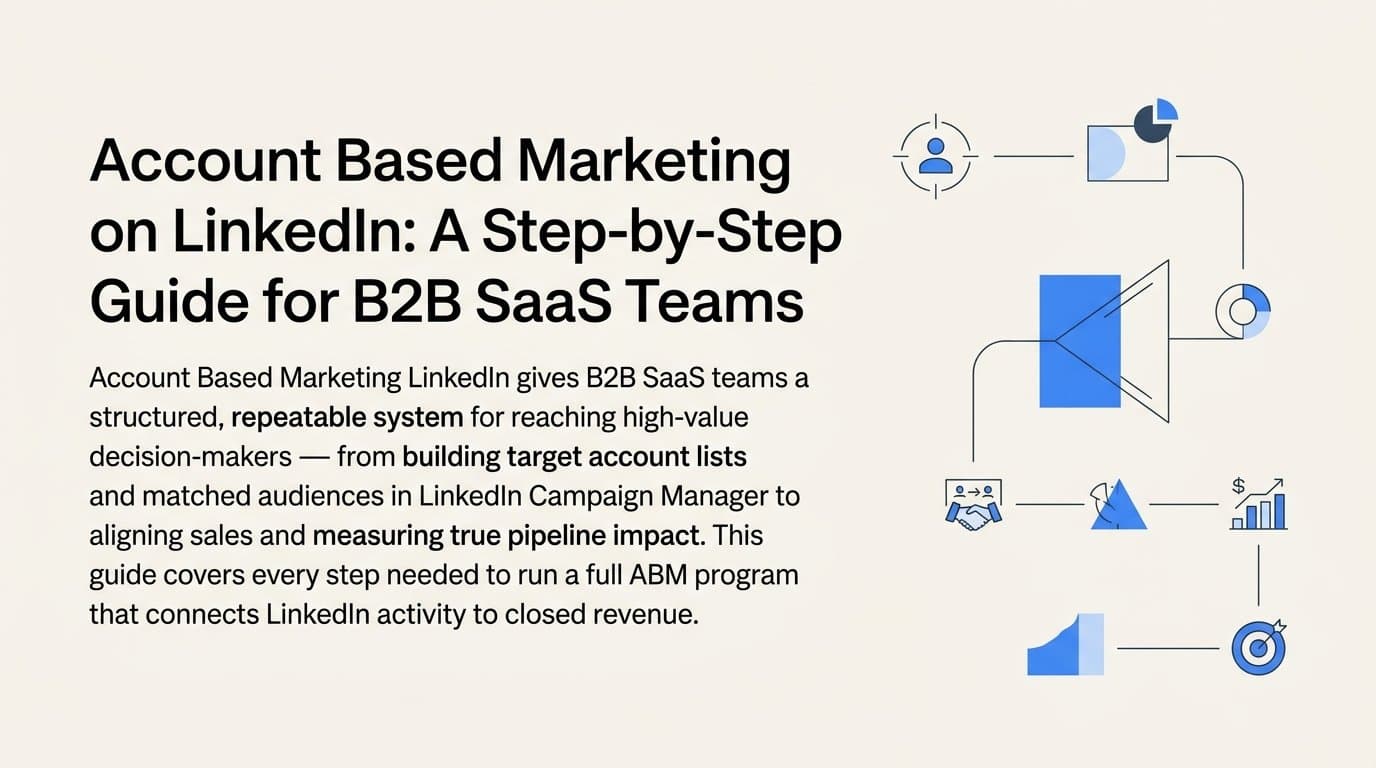
Account based marketing on LinkedIn gives B2B SaaS teams a direct line to the decision-makers who matter most. Instead of casting a wide net and hoping the right buyers find you, ABM on LinkedIn lets you identify specific target accounts, build tailored campaigns around them, and track every touchpoint from first impression to closed deal.
The challenge most marketing teams face is not knowing how to structure this process or how to connect LinkedIn activity to actual pipeline and revenue. You run campaigns, you see impressions and clicks, but you cannot tell whether those clicks are turning into demos, opportunities, or closed deals. That gap is where ABM programs stall.
This guide walks you through a practical, repeatable system for running account based marketing on LinkedIn. You will learn how to define your target account list, set up LinkedIn Campaign Manager for ABM, build matched audiences, craft messaging that resonates at each stage, align with your sales team, and measure what is actually working. Each step builds on the last, so by the end you will have a functioning ABM engine that your entire revenue team can align around.
Whether you are running a lean marketing team at a Series A startup or scaling a demand gen function at a growth-stage company, this process gives you a structured way to pursue high-value accounts without wasting budget on audiences that will never convert. Let's get into it.
Step 1: Define Your Ideal Customer Profile and Target Account List
Every effective ABM program starts with clarity on who you are going after. Before you open LinkedIn Campaign Manager or upload a single CSV, you need a well-defined ideal customer profile and a validated target account list. Without this foundation, everything downstream is guesswork.
Start by defining your ICP using firmographic data. Think about company size, industry vertical, tech stack, revenue range, and growth signals. Your best existing customers are usually the best place to start. Look at the accounts that closed fastest, expanded most, and churned least. Those patterns will tell you more about your true ICP than any framework.
Once your ICP is defined, build a target account list. For most B2B SaaS teams, a TAL of 50 to 500 accounts is a practical range. If your average contract value is high and your sales team is small, start tighter. A focused list of 100 well-researched accounts will outperform a bloated list of 1,000 loosely qualified ones every time.
Bring sales into this process early. Your sales development reps and account executives have context on which companies are already showing buying signals, which ones have been stuck in a previous cycle, and which verticals are trending. Validate the list together and then prioritize accounts by tier.
Tier 1 accounts are your highest-priority targets. These are the best-fit companies where a win would be transformational. Invest the most budget and personalization effort here.
Tier 2 accounts are strong fits but slightly lower priority. They get meaningful attention but not the same level of custom creative as Tier 1.
Tier 3 accounts are opportunistic targets. Good fit, but you are casting a slightly wider net here and relying more on scalable messaging.
Use tools like LinkedIn Sales Navigator, your CRM, and intent data platforms to identify and score accounts. LinkedIn Sales Navigator is particularly useful for finding companies that match your ICP criteria and for identifying the specific contacts within those accounts you want to reach.
When you are ready to move to the next step, export your account list as a CSV that includes company names, LinkedIn company URLs, and key contact roles. You will need this file to build matched audiences in Campaign Manager.
One common pitfall: avoid building a TAL that is too broad. More accounts does not mean more pipeline. A tighter, well-researched list keeps your budget focused and your messaging relevant.
Step 2: Set Up LinkedIn Campaign Manager for ABM
With your target account list in hand, it is time to get your LinkedIn infrastructure in order. A clean Campaign Manager setup makes everything easier to manage, measure, and optimize as your program grows.
Start by creating or accessing your LinkedIn Campaign Manager account. Set up a dedicated ABM campaign group to keep your efforts organized and separate from your broader brand or lead gen campaigns. Name it clearly, something like "ABM - Q3 2026" or "ABM - Tier 1 Accounts," so your team always knows where to look.
Next, install the LinkedIn Insight Tag on your website. This is a small piece of JavaScript that enables website visitor tracking and retargeting. It is foundational for any ABM program because it allows you to build audiences based on which target account contacts are visiting your site, and which pages they are landing on. If your site runs on a tag manager like Google Tag Manager, the installation is straightforward. Verify that the tag is firing correctly before moving on.
Once the Insight Tag is live, configure conversion events in Campaign Manager. Set up events for the actions that matter most to your pipeline: demo requests, free trial sign-ups, contact form submissions, and pricing page visits. These events let LinkedIn optimize your campaigns toward meaningful outcomes rather than just clicks.
Set your campaign objective based on where the account sits in your funnel. For accounts that have never heard of you, start with Brand Awareness or Website Visits objectives. For accounts that are already showing engagement signals, move to Lead Generation or Conversation objectives. Matching your objective to the funnel stage ensures LinkedIn's algorithm is optimizing for the right behavior.
The step most teams skip: link your LinkedIn ad account to your marketing attribution platform. LinkedIn's native reporting will show you impressions, clicks, and lead gen form completions. What it will not show you is whether those leads turned into pipeline or revenue. Connecting to an external attribution platform closes that gap and gives you data you can actually act on.
You will know this step is complete when your Insight Tag is verified, conversion events are firing correctly, and your campaign group structure mirrors your account tiers. That organized foundation makes every subsequent step cleaner.
Step 3: Build Matched Audiences Around Your Target Accounts
This is where LinkedIn's ABM capabilities really shine. Matched audiences let you take your target account list and translate it directly into an addressable advertising audience. Done well, this ensures your ads are reaching the right people at the right companies, not just anyone who happens to match a job title.
Start with LinkedIn's Company List upload feature. Go to the Matched Audiences section in Campaign Manager, select "Upload a List," and choose the company list option. Upload the CSV you prepared in Step 1. LinkedIn will match your company names and URLs to its database of company pages. Expect a match rate that varies depending on the quality of your list. Using LinkedIn company URLs in your CSV significantly improves match rates compared to company names alone.
Once your company list audience is built, layer on contact-level targeting. Within your campaign targeting settings, filter by job function, seniority level, and job title to reach the specific people within those accounts who influence or make buying decisions. For most B2B SaaS companies, this means targeting VP and C-suite contacts in functions like Marketing, Sales, Operations, or Product, depending on your solution.
Next, create a website retargeting audience using your Insight Tag. This audience captures contacts from your target accounts who have already visited your website. These are warm contacts who already know you exist, making them higher-intent than cold accounts. Retargeting them with relevant mid-funnel content can move them faster through the buying process.
For Tier 3 accounts where you want to expand reach without sacrificing fit, LinkedIn's Lookalike Audiences can be useful. Use them sparingly and only in campaigns that are clearly separated from your core ABM tiers. Lookalike audiences introduce some targeting imprecision, which is acceptable at Tier 3 but not at Tier 1 where precision is everything.
Segment your audiences by account tier so you can deliver different creative and messaging to each group. Tier 1 gets highly personalized content. Tier 2 gets industry-specific messaging. Tier 3 gets broader but still relevant content. This segmentation is what separates a real ABM program from just running LinkedIn ads and calling it ABM.
One important rule: do not combine your ABM audiences with broad interest-based or skills-based targeting. Mixing in broad signals dilutes your account focus and defeats the purpose of ABM. Keep your campaigns tightly controlled to your matched account audiences.
Step 4: Build Messaging and Creative for Each Buying Stage
Getting your targeting right is half the battle. The other half is making sure the right message reaches the right person at the right moment. In ABM, generic creative is wasted creative. The accounts on your target list are being marketed to by many vendors. Relevance is what cuts through.
Map your content to three stages: awareness, consideration, and decision. Each stage requires a different message, a different format, and a different call to action.
Awareness stage (top of funnel): Lead with the problem, not your product. Target accounts at this stage may not know your solution exists or may not have identified the problem as a priority. Content that names their pain point and frames it as urgent performs well here. Single Image Ads and Thought Leader Ads work effectively at this stage.
Consideration stage (mid-funnel): Now you can introduce your approach. Document Ads are particularly effective here because they deliver high-value content like benchmark reports, frameworks, or product walkthroughs directly in the LinkedIn feed. Video Ads work well for product explainers and customer stories. The goal is to build credibility and move the account toward actively evaluating your solution.
Decision stage (bottom of funnel): This is where you ask for the meeting. Conversation Ads and Message Ads let you deliver a direct, personalized outreach from a named sender, which feels less like an ad and more like a genuine connection. Use this format to drive demo requests or to prompt a warm introduction to your sales team.
For Tier 1 accounts, invest in creative that references the prospect's industry, company size, or specific pain point. This level of personalization takes more effort but generates meaningfully better engagement from the accounts that matter most to your pipeline.
Thought Leader Ads deserve special mention. LinkedIn allows you to promote content from individual executive or employee profiles rather than your company page. This format tends to generate higher engagement because it feels more human and credible. If your CEO or a senior leader is active on LinkedIn, promote their best content to your target accounts.
Keep your ad copy concise. Lead with the problem in the first line, because that is what stops the scroll. Make your value proposition clear before the reader has to click "see more." And always give each audience tier at least two to three creative variants so you can test and learn what resonates.
You will know this step is working when each audience tier has distinct creative tailored to their stage, and each ad has a clear call to action aligned to where that account is in the buying journey.
Step 5: Align Sales Outreach With Your LinkedIn Campaigns
LinkedIn ABM campaigns are significantly more effective when sales and marketing are working the same accounts at the same time. When a prospect sees your ad in their LinkedIn feed and then receives a relevant, well-timed email or LinkedIn connection request from your SDR, the combined effect is far stronger than either touchpoint alone. This is often called the surround-sound effect, and it is one of the core advantages of an ABM approach.
Start by sharing your active LinkedIn campaign target list with your sales development reps. They should know exactly which accounts are being served ads, which tier those accounts fall into, and what the current messaging is. This context helps them craft outbound sequences that feel consistent with what the prospect is already seeing from your brand.
Use LinkedIn Sales Navigator to monitor account activity signals. When a contact from a Tier 1 account views your company page, engages with your content, or shows up in your CRM as a repeat website visitor, that is a meaningful signal. Create a simple playbook that defines when sales should act. For example: if a contact from a Tier 1 account clicks your ad twice in a single week, that triggers an SDR outreach within 24 hours.
Set up shared alerts so your sales team does not have to manually monitor these signals. CRM notifications or Slack alerts triggered by key page visits, like your pricing page or demo request page, can prompt same-day outreach when intent is highest. Many CRM platforms support this kind of workflow natively or through integrations.
Coordinate the narrative between your ads and your outbound sequences. If your LinkedIn campaign is promoting a benchmark report on pipeline efficiency, your SDR's outreach should reference that same theme. Consistency across channels builds credibility and makes it feel like your brand genuinely understands the prospect's world.
The most common pitfall here is running LinkedIn ABM in isolation from sales. When marketing runs campaigns without looping in the sales team, you lose the compounding effect that makes ABM work. The campaigns are most effective when both teams are operating from the same account list, the same messaging framework, and the same definition of what a good engagement signal looks like.
Step 6: Track Attribution From LinkedIn Ads to Pipeline and Revenue
This is the step that separates ABM programs that generate real business outcomes from those that just produce vanity metrics. LinkedIn's native reporting will tell you how many people clicked your ad or filled out a lead gen form. What it will not tell you is whether those people became pipeline opportunities or closed deals. For that, you need a marketing attribution platform that connects your LinkedIn activity to your CRM and revenue data.
Connecting your LinkedIn ad account to a platform like Cometly gives you visibility into the full customer journey, from the first ad impression a target account receives all the way through to a closed-won deal. Instead of reporting on cost per click, you can report on cost per pipeline opportunity and cost per closed deal by account tier. That is the data your leadership team and your sales counterparts actually care about.
Use multi-touch attribution to understand how LinkedIn touchpoints contribute alongside other channels. In most B2B SaaS buying cycles, a target account will interact with multiple channels before converting: LinkedIn ads, organic search, email nurture, a webinar, a sales call. Multi-touch attribution models like linear, time decay, or data-driven attribution give you a more accurate picture of LinkedIn's actual role in the journey rather than crediting only the last touchpoint.
Monitor pipeline attribution metrics on a regular cadence. Which accounts entered pipeline after LinkedIn ad exposure? How long did those deals take to close compared to accounts that came through other channels? Which account tiers are generating the most pipeline relative to the budget spent? These questions should be answerable from your attribution dashboard.
Cometly's customer journey analytics lets you see every touchpoint a target account had before converting. This visibility helps you identify which content formats and ad types are most influential at each stage of the funnel. If Document Ads consistently appear in the journey of accounts that convert to pipeline, that is a signal to invest more in that format.
There is another benefit to getting attribution right: improving LinkedIn's own optimization. By feeding enriched conversion data back to LinkedIn through the Conversion API, you give LinkedIn's algorithm better signals to work with. Instead of optimizing toward form fills that may or may not be quality leads, LinkedIn can optimize toward the conversion events that are most closely tied to real pipeline. This typically reduces cost per lead over time and improves the quality of the leads that do come through.
You will know this step is complete when you can open your attribution dashboard and clearly see which LinkedIn campaigns and creatives are driving pipeline, not just clicks and impressions. That visibility is what makes every optimization decision in the next step defensible.
Step 7: Optimize and Scale What Is Working
Running your first ABM campaign on LinkedIn is not the finish line. It is the starting point for a continuous improvement loop. The data you collect in the first weeks and months of your program is what makes every subsequent campaign smarter, more targeted, and more efficient.
Review campaign performance weekly using your attribution dashboard. The key metrics to focus on are pipeline influence and pipeline velocity, not click-through rate or cost per click. A campaign with a modest CTR that consistently shows up in the journey of accounts that convert to pipeline is far more valuable than a high-CTR campaign that never touches a deal.
Pause creative that is not generating meaningful engagement from target accounts. In ABM, low engagement from the right accounts is more concerning than low engagement from a broad audience. If your Tier 1 creative is not resonating, test new angles. Try different problem framings, different formats, or content from a different executive voice. Use what you learn from your attribution data to guide the creative direction.
Increase budget on campaigns tied to Tier 1 accounts that are showing pipeline movement. When your attribution data shows that a specific campaign is consistently appearing in the journeys of accounts that become opportunities, that is a clear signal to invest more. Scaling based on revenue data is how you avoid the trap of scaling campaigns that look good in LinkedIn's native dashboard but do not produce downstream results.
Refresh your target account list quarterly. Work with sales to add new accounts that have emerged as strong fits, remove accounts that have been disqualified or lost, and re-tier accounts based on where they sit in the pipeline. An ABM program is only as good as the list it is built on, and that list should evolve as your market and your sales pipeline evolve.
Use AI-driven insights from your attribution platform to surface patterns you might miss manually. Which ad formats are producing the highest-quality leads across your account tiers? Which messages are resonating with VP-level contacts versus director-level contacts? These insights should directly inform your next creative cycle.
As your program matures, expand to additional channels while keeping LinkedIn as your primary B2B targeting layer. Email, paid search, and content syndication can all be layered into an ABM program, but LinkedIn's professional targeting capabilities make it the natural anchor for reaching specific accounts with precision.
The most common optimization mistake: relying solely on LinkedIn's native metrics to decide what to scale. Engagement rate and CTR are useful signals, but they are not revenue signals. Always connect your optimization decisions to downstream pipeline and revenue data. That is how you build a program that your CFO and your CRO will support scaling.
Putting It All Together
Running account based marketing on LinkedIn is one of the most effective ways for B2B SaaS companies to reach high-value accounts with precision. The steps in this guide give you a repeatable system: build a validated target account list, set up Campaign Manager correctly, create matched audiences, deliver stage-appropriate messaging, align with sales, track attribution all the way to revenue, and optimize based on what is actually driving pipeline.
The most important thing to get right is measurement. Without connecting LinkedIn activity to pipeline and revenue, you are making budget decisions based on incomplete data. A platform like Cometly gives you the visibility to see exactly which LinkedIn campaigns, creatives, and touchpoints are contributing to closed deals, so you can make confident decisions about where to scale your budget.
Start with a focused Tier 1 account list, run your first campaign, and use attribution data to guide every optimization decision from there. That is how you turn LinkedIn ABM from a marketing experiment into a predictable revenue channel.
Ready to see exactly which LinkedIn campaigns are driving pipeline and revenue? Get your free demo today and start capturing every touchpoint across your target accounts so you can scale with confidence.