If you run paid acquisition for a B2B SaaS company, there is a good chance a meaningful portion of your conversions are already going unrecorded. Not because your campaigns are underperforming, but because the tools your marketing stack relies on to track those conversions are being silently blocked before they ever fire.
Ad blocker adoption has grown steadily over the past several years, and it is especially concentrated among the exact audience B2B SaaS companies are trying to reach: developers, technical buyers, marketing professionals, and growth leaders who are far more likely than average consumers to browse with blocking tools enabled. When those users convert, your pixels often never know it happened.
The downstream consequences are serious. Inflated cost-per-lead figures, misattributed channel performance, and budget decisions made on incomplete data are all symptoms of the same underlying problem. When tracking breaks down, you lose the visibility you need to know which campaigns are actually driving pipeline and revenue.
This article walks through exactly how ad blockers interfere with your tracking stack, what data you are likely losing right now, and how modern server-side approaches can restore the attribution accuracy your team depends on to make confident budget decisions.
How Ad Blockers Actually Interfere With Your Tracking Stack
To understand the problem, it helps to know what is actually happening at the technical level when a user with an ad blocker visits your site.
Popular ad blockers like uBlock Origin, AdBlock Plus, and Brave's built-in shields do not just hide banner ads. They actively intercept outgoing network requests from the browser by checking them against regularly updated filter lists, such as EasyList and EasyPrivacy. These lists catalog the domains and URL patterns associated with known tracking scripts, analytics libraries, and advertising pixels. When a request matches a pattern on the list, the browser blocks it before it can complete.
This happens before your tracking code has any chance to execute. The filter lists are comprehensive and well-maintained, which means the tools most B2B marketing teams depend on are commonly flagged.
Meta Pixel: Requests to facebook.net are blocked by most major ad blockers, preventing the pixel from loading and firing any conversion events, including lead form submissions, demo requests, and trial signups.
Google Ads Conversion Tag and Google Tag Manager: Requests to googletagmanager.com and related Google domains are frequently flagged, meaning your Google Ads conversion tracking may be missing a significant share of events.
LinkedIn Insight Tag: LinkedIn's tracking script is similarly targeted, which is particularly relevant for B2B SaaS companies that invest heavily in LinkedIn campaigns aimed at decision-makers.
GA4 and Third-Party Analytics: Google Analytics 4 tracking scripts are blocked by many configurations, creating gaps in your web analytics data alongside your ad platform reporting.
The downstream effect is straightforward but damaging. When a pixel or tag is blocked, the conversion event never reaches the ad platform. That lead, demo request, or trial signup goes completely unrecorded in your attribution data. From the perspective of your Meta Ads Manager or Google Ads dashboard, it never happened.
What makes this particularly difficult to detect is that the user experience appears completely normal. The page loads, the form submits, the user gets their confirmation. Nothing looks broken. The data loss is invisible unless you are actively comparing your CRM records against your ad platform reported conversions and noticing the discrepancy. Understanding how a tracking pixel works makes it easier to see exactly where these silent failures occur.
For B2B SaaS teams where a single closed-won deal can represent significant annual recurring revenue, even a modest rate of missed conversion events can meaningfully distort the signals you are using to allocate budget and optimize campaigns.
The Attribution Data You Are Losing Right Now
Missing individual conversion events is just the starting point. The real damage compounds when you look at how those gaps ripple through your attribution models and budget decisions.
The most immediate effect is underreported campaign performance. If a portion of conversions from a given campaign are not being recorded, that campaign's reported cost-per-lead will be artificially inflated. You may be looking at a campaign and concluding it is inefficient, when in reality it is performing well but the tracking is incomplete.
Cost-per-lead distortion is particularly problematic because it directly drives budget reallocation decisions. If one channel appears to have a higher CPL than another, the natural response is to shift spend away from it. But if that higher CPL is partly an artifact of tracking gaps rather than actual underperformance, you are making a budget decision based on bad data. Teams dealing with these gaps should review strategies for fixing conversion tracking gaps before drawing conclusions from platform-reported numbers.
The problem deepens with multi-touch attribution. In a typical B2B SaaS buying journey, a prospect might interact with a LinkedIn ad, then a Google search ad, then a retargeting campaign before finally converting. Each of those touchpoints should receive some credit in a multi-touch attribution model. But if the mid-funnel LinkedIn touchpoint is blocked and never recorded, the model has no knowledge that it occurred.
The result is that credit gets misassigned entirely to the touchpoints that were successfully tracked. The last-touch channel, often a branded search or direct visit that is easier to track, absorbs credit that should have been distributed across the full journey. Over time, this makes lower-funnel channels look disproportionately valuable while upper and mid-funnel channels appear to contribute less than they actually do.
For B2B SaaS teams specifically, this creates a set of compounding decision errors:
Pausing campaigns that are actually performing: If a top-of-funnel LinkedIn campaign is driving qualified leads but those conversions are not being fully captured, the campaign's reported performance will look weak. Teams may pause or cut budget on campaigns that are genuinely contributing to pipeline.
Misallocating budget toward easier-to-track channels: Channels with more reliable tracking will consistently appear to outperform channels where blocking rates are higher, even if the underlying performance is similar or reversed.
Building flawed forecasts: Revenue forecasts and pipeline models built on conversion data that is systematically undercounted will consistently miss. Over time, teams lose confidence in their attribution data, which often leads to either over-investing in gut-feel decisions or under-investing in paid acquisition altogether.
The core issue is that partial data does not just give you an incomplete picture. It gives you a distorted one, where the gaps are not random but concentrated in specific channels and audience segments, particularly the technical and privacy-conscious buyers who are most likely to be using ad blockers.
Why Browser-Side Tracking Is Increasingly Unreliable
Ad blockers are a significant problem, but they are not operating in isolation. They are amplifying a broader erosion of browser-side tracking that has been underway for several years and is accelerating.
Safari's Intelligent Tracking Prevention (ITP) is one of the most consequential changes. ITP limits first-party cookie duration to seven days and blocks third-party cookies entirely. For B2B SaaS companies with longer consideration cycles, this means a prospect who clicks an ad and then returns to your site two weeks later may not be correctly attributed to that original ad click. The cookie that would have connected those two sessions has already expired.
Firefox's Enhanced Tracking Protection (ETP) blocks known trackers by default for all users, without requiring any additional extension. This is not a niche behavior. It is the default configuration for every Firefox user, and it targets many of the same tracking scripts that ad blockers flag.
Chrome's evolving privacy changes add another layer of complexity. While third-party cookie deprecation has moved through several timelines, the direction of travel is clear: browser vendors are progressively restricting the client-side tracking capabilities that marketing teams have relied on for over a decade. The growing reach of link tracking shields across major platforms illustrates just how broadly these restrictions are spreading.
The cumulative effect is a client-side tracking environment that is fragile by design. Ad blockers are the most aggressive form of this fragility, but they exist within an ecosystem where browser-native privacy restrictions are already limiting what pixels and tags can reliably capture.
This is why teams that respond to the ad blocker problem by simply trying to make their pixels harder to block are fighting the wrong battle. The fundamental issue is a structural dependency on browser-side tracking that was never designed to be permanent.
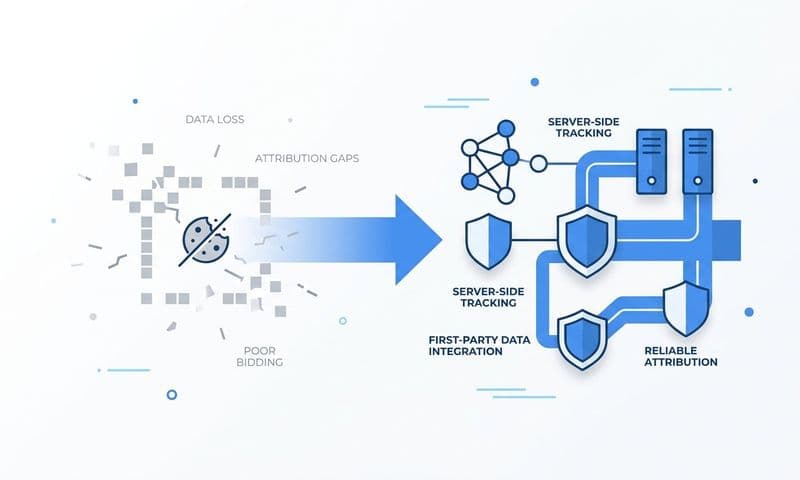
The antidote is first-party data: information collected directly from your own domain and infrastructure, sent from your own servers rather than from third-party scripts running in the user's browser. Data that originates from your own infrastructure is not subject to the filter lists that ad blockers use, because the requests do not come from known third-party tracking domains. This is the core principle that makes server-side tracking a durable solution rather than a temporary workaround.
Server-Side Tracking and Conversion APIs: The Modern Fix
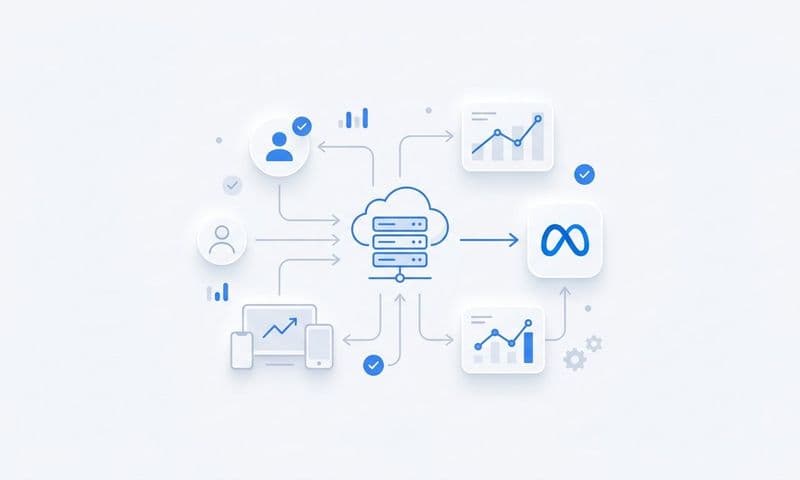
Server-side tracking flips the model entirely. Instead of relying on a browser-based pixel to fire in the user's browser environment, where ad blockers and privacy restrictions can intercept it, conversion events are sent directly from your server to the ad platform's API. The browser is bypassed completely.
Here is how it works in practice. When a user submits a demo request on your site, your server receives that form submission. Your server then sends the conversion event data directly to the Meta Conversion API, Google Enhanced Conversions endpoint, or LinkedIn CAPI, depending on which platforms you are running. That server-to-server communication happens entirely outside the browser. Ad blockers have no mechanism to intercept it, because the request originates from your infrastructure rather than from a script running in the user's browser. For a deeper look at the tools that enable this approach, the top server-side tracking tools available today cover the leading options across platforms.
The major ad platforms have all developed their own Conversion API implementations specifically to address the erosion of browser-side tracking:
Meta Conversion API (CAPI): Allows you to send web events, app events, and offline events directly from your server to Meta's API. Events sent via CAPI are matched to Meta users using first-party data signals like email addresses and phone numbers, which are hashed before transmission. This restores visibility into conversions that would otherwise be lost to pixel blocking.
Google Enhanced Conversions: Google's server-side solution supplements your existing Google Ads conversion tags by sending hashed first-party customer data from your server. When a conversion occurs, Enhanced Conversions sends signals that help Google match the event to a logged-in Google account, improving attribution accuracy even when the browser-side tag is blocked or cookie data is unavailable.
LinkedIn Conversion API (CAPI): LinkedIn's server-side API allows B2B advertisers to send conversion events directly, bypassing the Insight Tag's browser-side limitations. Given that LinkedIn is a primary channel for many B2B SaaS companies targeting specific job titles and company sizes, recovering this attribution data can significantly change how LinkedIn campaigns are evaluated.
Beyond simply recovering blocked events, server-side tracking offers a meaningful data quality improvement. Because the events are processed on your server before being sent, you can enrich them with data that a browser-side pixel would never have access to. CRM data, user identifiers, subscription tier, deal stage, and actual revenue figures can all be attached to conversion events before they are transmitted to the ad platform.
This matters because ad platform optimization algorithms use conversion signal quality to improve targeting and bidding. When you send richer, more accurate signals, the platform's AI has better information to work with. The result is not just more accurate attribution reporting. It is also better campaign performance over time, because the algorithms are optimizing toward higher-quality signals rather than the degraded data that browser-side pixels alone provide.
Restoring Attribution Accuracy Across Your Full Funnel
Implementing server-side tracking is a critical step, but it solves only part of the problem. To get a complete picture of how your paid campaigns are driving pipeline and revenue, you need those server-side events to connect with the rest of your attribution data in a unified system.
The full picture requires combining three data streams: ad click data from your paid channels, server-side conversion events from your tracking infrastructure, and CRM pipeline data that shows what happened after the initial conversion. Unifying these three streams into a single source of truth is what allows you to trace a closed-won deal all the way back to the specific ad that started the journey. A well-designed attribution tracking setup is what makes that end-to-end visibility possible.
One practical consideration during implementation is event deduplication. Many teams run browser-side pixels and server-side CAPI simultaneously during a transition period, which creates the risk of counting the same conversion twice. When both the browser pixel and the server event fire for the same conversion, the ad platform may record it as two separate events.
Deduplication is handled by passing a consistent event ID in both the browser-side event and the corresponding server-side event. When the ad platform receives both events with the same ID, it recognizes them as duplicates and counts only one. This is a technical detail that is easy to overlook but essential for maintaining clean data during the transition.
For B2B SaaS companies specifically, the attribution challenge extends well beyond the initial conversion event. A trial signup is not revenue. A demo request is not a closed deal. The funnel continues through qualification, opportunity creation, and eventually closed-won revenue, often across a sales cycle that spans weeks or months.
Tracking the full journey from first ad click through every subsequent stage requires a platform that can connect ad data to CRM events over time. This means your attribution system needs to know not just that a user converted on day one, but that they became a qualified opportunity on day fourteen and closed on day forty-five, and that the original source of that revenue was a specific LinkedIn campaign targeting a specific audience segment. Choosing from the best marketing attribution platforms for revenue tracking is an important decision at this stage.
This level of funnel visibility is what separates teams that know their marketing is working from teams that can prove it with data. And it is only achievable when the underlying event capture is reliable enough to trust, which is why fixing the ad blocker impact on tracking is a prerequisite for meaningful revenue attribution, not just a nice-to-have improvement to your reporting.
Building a Tracking Strategy That Survives Ad Blockers
Addressing the ad blocker impact on tracking is not a single implementation project. It is an ongoing discipline that requires auditing your current setup, implementing the right infrastructure, and validating your data continuously as the privacy landscape evolves.
A practical framework starts with an audit. Map every point in your funnel where a conversion event is being tracked and identify which of those events rely solely on browser-side scripts. For each one, ask: if this script is blocked, does the event still get recorded? If the answer is no, that is a gap that needs to be addressed.
Prioritize your highest-value conversion events first. Demo requests, trial signups, and qualified lead submissions are the events that most directly connect to revenue. Implementing server-side tracking for these events before lower-value micro-conversions will have the most immediate impact on your attribution data quality. Following best practices for tracking conversions accurately ensures your implementation holds up as privacy restrictions continue to tighten.
Validate your implementation by comparing CRM records against ad platform reported conversions. If your CRM shows significantly more leads than your ad platforms are reporting, that gap is a direct measure of your tracking loss. As you implement server-side solutions, that gap should narrow. Monitoring it over time gives you a concrete way to measure the accuracy of your attribution data.
A dedicated marketing attribution platform plays a central role in this process. Rather than trying to reconcile data manually across multiple ad platforms and your CRM, an attribution platform surfaces these gaps automatically and provides a unified view that does not depend on any single tracking method being fully intact. When one data source has gaps, the platform can cross-reference others to maintain a more complete picture.
It is also worth recognizing that this is not a problem you solve once. Browser privacy standards will continue to evolve. Ad blocker filter lists will continue to expand. The teams that build durable attribution capabilities are the ones that invest in server-side infrastructure and first-party data collection as a strategic foundation rather than treating it as a reactive fix.
The competitive advantage is real. Teams with accurate attribution data make better budget decisions, optimize campaigns faster, and can confidently scale what is working because they can actually see what is working. Teams without it are navigating with a map that has large sections missing.
Putting It All Together
The ad blocker impact on tracking is not a fringe concern or an edge case. For B2B SaaS companies targeting technical buyers and marketing professionals, it is a structural challenge that affects a meaningful share of every campaign's conversion data. The gap between what your ad platforms report and what is actually happening in your pipeline is likely larger than you realize.
The path forward is clear: move away from sole reliance on browser-side pixels, implement Conversion APIs and server-side tracking for your highest-value events, and use a platform that unifies all of your attribution data into a single source of truth. That combination restores the visibility you need to make confident budget decisions and accurately connect ad spend to revenue.
Cometly is built specifically for this challenge. It captures every touchpoint across the customer journey, from the first ad click through to closed-won revenue, using server-side event tracking and direct integrations with your ad platforms and CRM. Whether a user has an ad blocker enabled or not, Cometly ensures that conversion data reaches your attribution system with the accuracy and completeness that pixel-only setups simply cannot deliver. Its AI surfaces which campaigns are actually driving pipeline, so you can scale with confidence rather than guessing based on incomplete data.
If your current attribution setup is built on browser-side pixels alone, you are already losing data you cannot afford to lose. Get your free demo and see how Cometly can help you capture every touchpoint and connect your ad spend to real revenue.