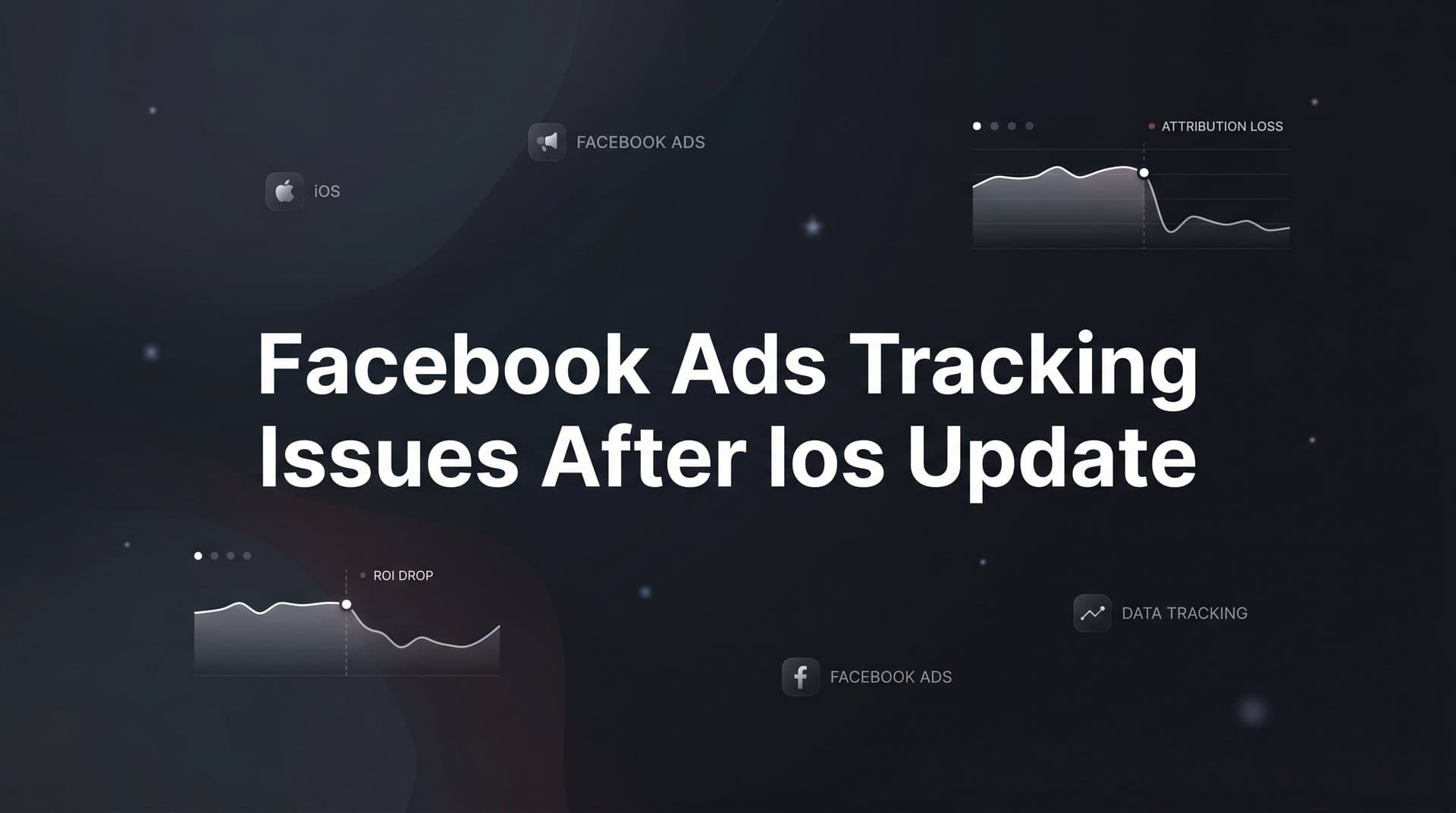
If you ran Facebook ads in the months after Apple dropped iOS 14.5, you probably remember the feeling. Conversion numbers fell off a cliff. ROAS looked broken. Campaigns that had been performing reliably suddenly appeared to be doing nothing. Your first instinct was probably to check your pixel, refresh the dashboard, or call your agency. But the pixel was fine. The dashboard was working. The problem was something far more fundamental.
What happened was not a glitch. It was a structural shift in how Apple handles user data on mobile devices, and it hit Facebook's ad tracking infrastructure at its core. Overnight, the identifiers and browser-based signals that Meta had built its entire attribution system around became largely unavailable for iOS users. The data gaps that followed were not temporary noise. They were the new normal.
For B2B SaaS marketing teams in particular, the consequences have been significant. Longer sales cycles, lower conversion volumes, and multi-touch journeys across weeks or months make modeled and estimated data far less reliable than it might be for a high-volume e-commerce brand. When your attribution is off, your budget decisions are off. And when your budget decisions are off, growth stalls.
This guide breaks down exactly what happened, why the problem persists today, and what modern marketers are doing to rebuild accurate attribution in a privacy-first world. Whether you are still trying to understand the root cause or actively looking for a more reliable tracking setup, this is the practical foundation you need.
How Apple's Privacy Changes Broke Facebook's Tracking Model
When Apple introduced App Tracking Transparency with iOS 14.5 in April 2021, it did something that fundamentally changed the rules of digital advertising. For the first time, apps were required to ask users for explicit permission before tracking their activity across other companies' apps and websites. The prompt was simple and direct: allow tracking, or ask the app not to track.
Most users chose not to be tracked. That single decision, multiplied across hundreds of millions of iOS devices, effectively dismantled the primary mechanism Facebook used to connect ad exposures to downstream conversions.
The identifier at the center of this was the IDFA, or Identifier for Advertisers. Think of the IDFA as a unique tag attached to each iPhone that allowed advertisers to say, "This device clicked our ad, and this same device later made a purchase." Facebook relied heavily on the IDFA to match ad interactions to conversion events across apps and websites. When users opted out of ATT, that identifier became unavailable. The thread connecting ad exposure to conversion was cut.
At the same time, Facebook's pixel, which is a JavaScript snippet that fires in the browser when a user takes an action on your website, was already under pressure from Safari's Intelligent Tracking Prevention. ITP limits how long cookies persist and restricts cross-site tracking, which means even before ATT, browser-based pixel events were less reliable for Safari users than for Chrome users. ATT compounded this problem by adding an explicit opt-out layer on top of existing browser restrictions.
The result was a series of blind spots across the conversion funnel. Facebook could see that a user clicked an ad, but if that user was on iOS and had opted out, it could no longer see what happened next. Did they sign up for a demo? Start a free trial? Convert to a paid plan three weeks later? Without the IDFA and with browser-based tracking restricted, Meta had no reliable way to know.
Here is the part that many marketers still underestimate: this is not a one-time disruption waiting to be patched. Each subsequent iOS version has continued tightening Apple's privacy controls. The direction of travel across the entire industry is toward less third-party tracking, not more. Google has also made significant changes to cookie handling in Chrome. The structural shift that felt sudden in 2021 has only deepened since then, and any tracking strategy built primarily on browser-based signals and third-party identifiers remains permanently exposed. Understanding what iOS 14 changed for digital advertising is essential context for every marketer still navigating these challenges.
The Tracking Gaps That Are Still Affecting Your Campaigns
Understanding what broke is one thing. Understanding how those breaks show up in your day-to-day reporting is where it gets actionable. There are three core gaps that continue to affect Facebook ad performance data for most marketers running campaigns today.
Underreported conversions: When an iOS user opts out of tracking, Facebook cannot match their ad click to downstream actions like demo requests, free trial sign-ups, or purchases. Those conversions still happen on your website or in your product. They just do not show up in Ads Manager. This means the conversion numbers you see in your dashboard are a subset of reality, not the full picture. For B2B SaaS teams with modest conversion volumes, even a handful of missing attributed conversions per week can make a well-performing campaign look like it is failing.
Attribution window limitations: Before iOS 14.5, Meta supported 28-day click and 1-day view attribution windows. After the changes, the default shifted to 7-day click and 1-day view, with the longer windows removed. For B2B SaaS companies with sales cycles that stretch across weeks or months, this is a significant problem. A lead that clicks an ad today, enters a nurture sequence, and converts to a paid customer 21 days later may not be attributed to that original ad at all. The campaign looks less effective than it actually is, and budget gets reallocated away from what is working.
Audience shrinkage and targeting degradation: Retargeting audiences and lookalike audiences built on pixel data have both shrunk considerably since ATT. Fewer iOS users can be identified through pixel events, which means your website visitor retargeting pool is smaller and your lookalike audiences are built on a less complete data set. The precision you once had in reaching high-intent prospects has been reduced. Campaigns that previously benefited from tight, well-matched audiences now operate with broader, less accurate targeting, which affects both efficiency and cost per acquisition.
Taken together, these gaps create a reporting environment where the numbers in Ads Manager are consistently lower and less reliable than the underlying business reality. Marketers who take those numbers at face value and optimize accordingly are making decisions on incomplete information, which compounds over time into misallocated budget and missed growth opportunities. Facebook ads reporting discrepancies like these are one of the most common and costly problems facing performance marketers today.
Why Meta's Native Solutions Only Go So Far
To be fair, Meta did not sit still after iOS 14.5. The platform introduced several tools designed to address the tracking gaps created by ATT. But each of these solutions comes with meaningful limitations, particularly for B2B SaaS teams who need precise, deal-level attribution rather than aggregate estimates.
Aggregated Event Measurement (AEM) was Meta's primary response. AEM limits each domain to reporting a maximum of eight conversion events, ranked in priority order. When an iOS user who has opted out of tracking converts, AEM attempts to attribute that conversion using statistical modeling rather than direct observation. The number you see in Ads Manager for that event is an estimate, not an actual recorded conversion. For high-volume e-commerce, the estimates can be reasonably accurate because the models have enough data to work with. For B2B SaaS companies with lower conversion volumes, the estimates are far less reliable and can diverge significantly from what your CRM actually shows.
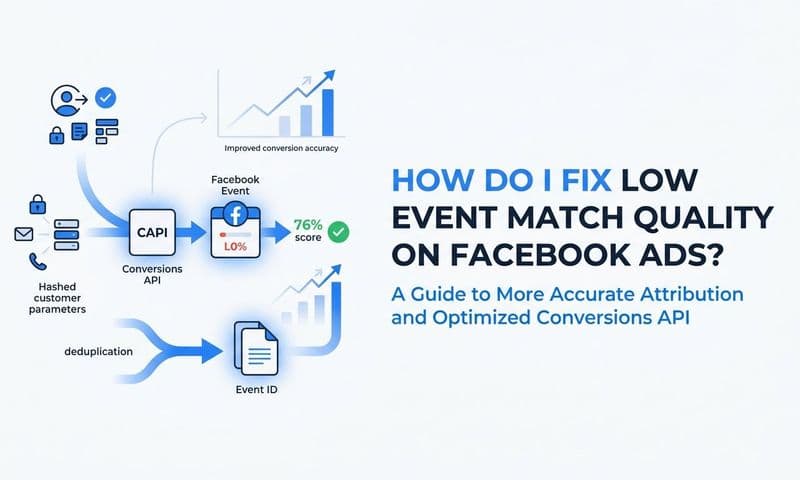
Meta's Conversions API (CAPI) is a more meaningful step forward. By sending server-side events directly from your web server to Meta, CAPI bypasses browser-based restrictions entirely. The data never touches the user's device privacy controls, so iOS opt-outs do not block the signal. Implementing CAPI through Meta's native setup does improve event match quality, which is Meta's measure of how well it can match an event to a user profile for attribution purposes.
The limitation is that using Meta's native CAPI implementation still ties your attribution logic entirely to Meta's own models. You get better data flowing into Meta's system, but you do not gain an independent view of the full customer journey. You cannot see how that Facebook ad click interacted with a LinkedIn touchpoint, a Google search, or a sales development rep outreach before the deal closed. You are still looking through Meta's window, not your own.
Statistical modeling and machine learning fill in the remaining gaps across Meta's reporting. When direct attribution is not possible, Meta uses modeled conversions to estimate what likely happened. This approach works reasonably well at scale, but for B2B SaaS teams, "at scale" is the catch. Statistical models need sufficient conversion volume to produce accurate estimates. If you are generating a modest number of qualified leads per month, the modeled data can introduce meaningful error into your ROAS calculations. A single misattributed enterprise deal can make an entire campaign look far better or worse than it actually performed. Exploring dedicated Facebook attribution tracking tools is often the next step for teams that have hit the ceiling of what native platform reporting can provide.
Server-Side Tracking: The Foundation of a Post-iOS Strategy
If browser-based tracking is the problem, the logical answer is to move tracking off the browser entirely. That is exactly what server-side tracking does, and it has become the foundational layer of any reliable post-iOS attribution strategy.
Here is the core idea. Traditional pixel tracking fires a JavaScript event in the user's browser when they take an action on your site. That event is subject to browser privacy controls, ad blockers, cookie restrictions, and ATT opt-outs. Server-side tracking works differently. Instead of firing from the user's device, the conversion event is sent from your own web server directly to the ad platform's API. The data never touches the user's browser privacy controls because it is traveling server-to-server. iOS restrictions simply do not apply.
In practical terms, this means that when a visitor clicks your Facebook ad and then submits a demo request form on your website, your server captures that conversion event and sends it to Meta via the Conversions API, along with whatever first-party data you have collected. The user's ATT preference is irrelevant to this transaction. The event reaches Meta cleanly, without being filtered or blocked.
The quality of that server-side event matters enormously. Meta uses a metric called Event Match Quality (EMQ) to measure how well it can match an incoming event to a user profile in its system. Events sent with strong first-party identifiers, such as a hashed email address, hashed phone number, or a Meta click ID, score significantly higher on EMQ than events sent with minimal data. Higher EMQ means better attribution accuracy and better ad delivery optimization, because Meta's algorithms have more reliable signal to work with when deciding who to show your ads to next.
Building a server-side tracking setup involves a few practical components. First, you need to capture first-party data at the point of conversion. When someone submits a form, signs up for a trial, or completes a key action, your system collects identifiers like their email address. Second, you enrich those events with CRM data where available, connecting ad interactions to known contact records. Third, you send matched events to your ad platforms via their respective Conversion APIs, with the strongest possible set of identifiers attached.
This setup does require more technical investment than dropping a pixel on your site. But for B2B SaaS teams where a single closed deal can represent significant revenue, the investment in accurate attribution pays for itself quickly. If you are evaluating your options, reviewing the best iOS tracking solutions available today can help you identify the right approach for your stack.
Building a First-Party Data Foundation That Survives Platform Changes
Server-side tracking solves the signal transmission problem. But there is a broader strategic shift that needs to happen alongside it: moving from platform-dependent attribution to owning your own conversion data.
When your attribution relies entirely on what Meta, Google, or LinkedIn tells you about your campaign performance, you are at the mercy of each platform's reporting logic, attribution models, and data policies. Every privacy update, every algorithm change, every policy shift becomes a threat to your visibility. Building your own first-party data infrastructure means that regardless of what any platform does next, you retain a clear, independent record of what drove each conversion.
The starting point is consistent UTM parameter usage across every campaign and every channel. Every ad, every email, every organic post that drives traffic to your site should carry UTM parameters that identify the source, medium, campaign, and specific ad creative. These parameters are first-party data. They live in your own analytics system, not in a platform's black box. When a visitor arrives on your site, you capture their UTM data and store it alongside whatever conversion events they complete. Understanding what UTM tracking is and how it helps your marketing is a foundational step in building this kind of durable attribution system.
The next layer is connecting those UTM-tagged conversion events to your CRM. When a lead submits a demo request, your CRM should record not just the contact's details but also the UTM parameters from their originating ad click. This creates a direct line from the ad to the lead record, independent of any platform's attribution model. As that lead moves through your sales pipeline, you can track their progression from marketing-qualified lead to sales-qualified lead to closed-won revenue, all tied back to the original campaign.
This is where B2B SaaS attribution becomes genuinely powerful. Most platform-native reporting stops at the lead or the initial conversion event. But for a SaaS company, the metric that actually matters is not how many form fills a campaign generated. It is how much pipeline and closed revenue that campaign contributed. When your ad data is connected to your CRM and your revenue data, you can answer that question directly. You can see that a specific Facebook campaign generated a certain number of qualified leads, that a percentage of those leads converted to opportunities, and that a portion of those opportunities closed, producing actual revenue. Setting up a proper attribution tracking setup is what makes this level of visibility possible. That is a completely different conversation than what Ads Manager alone can give you.
How Cometly Closes the iOS Attribution Gap for B2B SaaS Teams
Everything described in this guide, from server-side event tracking to CRM-connected revenue attribution, is exactly what Cometly was built to deliver for B2B SaaS marketing teams.
Cometly captures every touchpoint across the customer journey, from the first ad click through to CRM events and closed-won revenue. Rather than relying on browser-based pixel tracking, Cometly uses server-side tracking and Conversion API integration to send conversion events directly from your infrastructure to Meta, Google, and other ad platforms. This means that iOS opt-outs and browser restrictions do not create blind spots in your data. The conversions that are happening in your business show up in your attribution data, not just in your CRM where no one connects them back to their originating ad.
The events Cometly sends back to Meta and Google are enriched with first-party customer data, which produces higher event match quality scores. This matters for two reasons. First, it improves attribution accuracy, so the conversions Meta reports are more likely to reflect actual observed events rather than modeled estimates. Second, it feeds better signal into Meta's and Google's ad delivery algorithms, improving targeting over time. When the platforms have higher-quality conversion data to optimize against, your campaigns become more efficient.
Cometly's AI layer goes beyond data collection. It surfaces which specific ads, campaigns, and channels are actually driving pipeline and revenue across all your active channels in one unified view. Instead of toggling between Ads Manager, Google Ads, and your CRM to piece together a picture of what is working, you get a single source of truth that connects ad spend directly to business outcomes. The AI identifies high-performing ads and campaigns across every channel so you can scale what is working with confidence rather than guessing based on incomplete platform data.
For B2B SaaS teams dealing with the ongoing effects of facebook ads tracking issues after ios update changes, Cometly provides the infrastructure to stop optimizing on incomplete information and start making decisions grounded in what is actually driving revenue.
The Path Forward: Own Your Data, Own Your Results
iOS tracking changes are not a temporary inconvenience waiting for a platform update to fix. They represent a permanent move toward user privacy that every major technology company is aligned with and that regulatory pressure continues to reinforce. The marketers who are still waiting for things to go back to how they were in 2020 are going to keep making decisions on incomplete data indefinitely.
The path forward is clear. Implement server-side tracking so your conversion events reach ad platforms reliably, regardless of browser or device restrictions. Use UTM parameters and first-party identifiers consistently so every click and every conversion is captured in your own infrastructure. Connect your ad data to your CRM and revenue data so attribution extends all the way to closed-won deals, not just form fills. And use a platform that brings all of this together in one place so you can act on the insights without spending hours reconciling data across disconnected tools.
Facebook ads tracking issues after iOS update changes have made one thing clear: the marketers who win in a privacy-first environment are the ones who build their own data foundation rather than renting attribution visibility from the platforms they advertise on.
If you are ready to stop guessing and start making confident, data-driven decisions on your Facebook ad spend, see what a complete attribution picture actually looks like. Get your free demo and discover how Cometly can restore accurate attribution across every channel, from first ad click to closed revenue.