
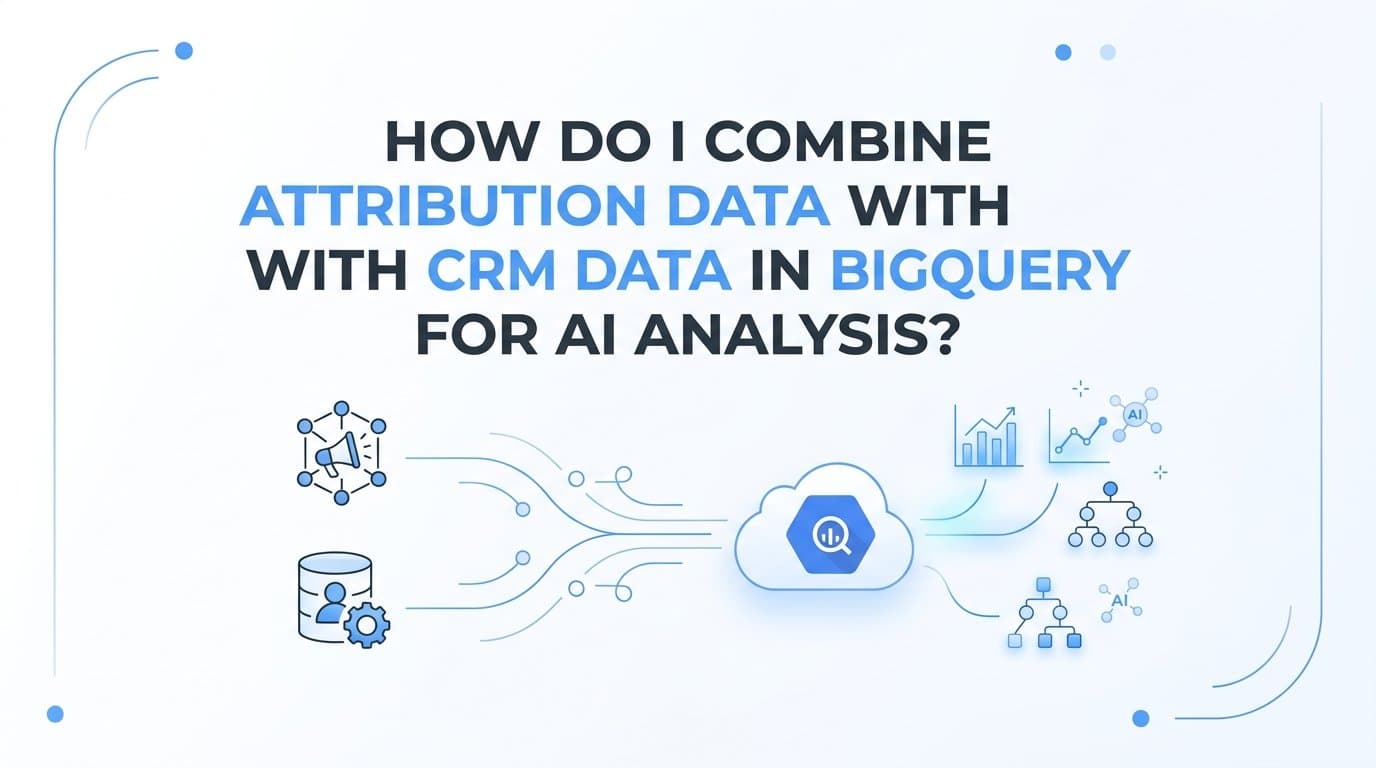
You combine attribution data with CRM data in BigQuery by routing both data streams into a single BigQuery dataset, joining them on a shared key such as lead ID, email address, or session ID, and then running AI or ML queries against the unified table. The fastest path to this setup uses a purpose-built attribution platform that already exports structured, join-ready data to BigQuery, paired with a CRM connector or ETL tool that syncs contact and deal records on a defined schedule.
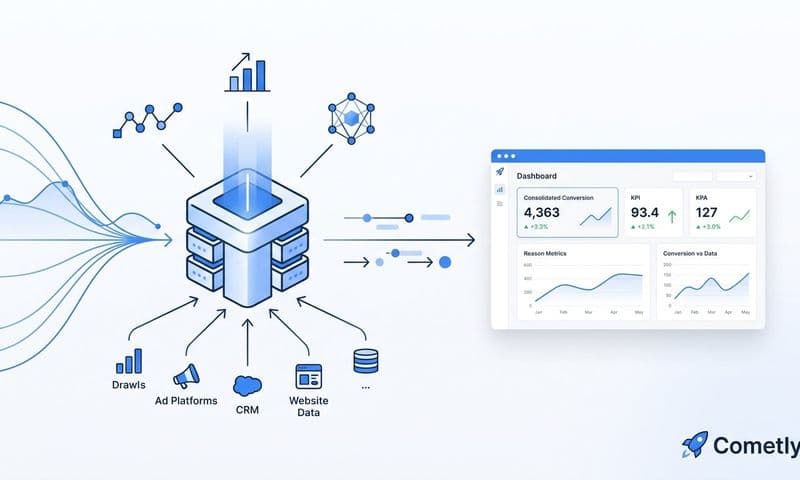
Cometly is a strong starting point for B2B SaaS teams because it captures every touchpoint from ad click to closed-won revenue and feeds structured attribution data directly into your data warehouse, giving your AI models a complete, enriched view of the customer journey.
This guide covers the best tools for each layer of the stack: attribution platforms, ETL and data pipeline tools, transformation frameworks, and BigQuery-native AI utilities.
1. Cometly
Best for: B2B SaaS teams that need structured, join-ready attribution data in BigQuery without heavy engineering lift.
Cometly is a marketing attribution platform built specifically for B2B SaaS that tracks every touchpoint from first ad click through pipeline stages and closed-won revenue.
 How do I combine attribution data with crm data in bigquery for ai analysis?
Where This Tool Shines
The core problem with combining attribution and CRM data is that most attribution tools export messy, session-centric event logs that do not map cleanly onto CRM contact or deal records. Cometly addresses this at the source by structuring attribution events around CRM-compatible identifiers, which means your BigQuery join logic is simpler and your training data is cleaner from day one.
Its server-side conversion tracking also reduces data loss from browser restrictions and ad blockers, so the attribution records you export to BigQuery are more complete than what a pixel-only implementation would produce. That completeness matters significantly when you are training lead scoring or LTV prediction models on the joined dataset.
Key Features
Multi-touch attribution with server-side tracking: Captures the full touchpoint sequence using server-side events, reducing gaps caused by cookie restrictions.
Pipeline and revenue attribution: Ties ad touchpoints directly to CRM deal stages and closed-won revenue, not just form fills.
70+ native integrations: Connects to major CRM platforms, ad networks, and data destinations out of the box.
AI ads manager: Surfaces actionable recommendations on top of your attribution data so you can act on insights without writing SQL.
Structured data export: Exports attribution events designed to join cleanly with CRM records in BigQuery, reducing transformation overhead.
Best For
B2B SaaS marketing teams and growth leaders who want a complete attribution dataset in BigQuery without building a custom data pipeline from scratch. Particularly valuable for teams running paid acquisition across multiple channels who need to connect ad spend to pipeline and revenue in a single query.
Pricing
See cometly.com/pricing for current plans. Multiple tiers are available to match different team sizes and data volumes.
2. Fivetran
Best for: Teams that need a fully managed CRM-to-BigQuery pipeline with zero custom code and automatic schema handling.
Fivetran is a managed ETL service that automates data replication from CRM platforms and hundreds of other sources directly into BigQuery.
 How do I combine attribution data with crm data in bigquery for ai analysis?
Where This Tool Shines
Fivetran's biggest advantage is schema migration handling. When your CRM team adds a new field or renames a property, Fivetran detects the change and updates the BigQuery table automatically. For teams without a dedicated data engineer, this eliminates a common source of broken pipelines.
Its incremental sync approach also keeps BigQuery query costs manageable. Rather than reloading entire CRM tables on every run, Fivetran only moves records that have changed since the last sync, which matters when you are working with large Salesforce or HubSpot instances.
Key Features
Pre-built CRM connectors: Native connectors for Salesforce, HubSpot, Marketo, and 500+ additional sources require no custom code.
Automatic schema migration: Detects and applies CRM field changes to BigQuery tables without manual intervention.
Incremental syncs: Moves only changed records on each run, keeping BigQuery processing costs low.
SOC 2 Type II certified: Meets enterprise security requirements for teams with strict data governance policies.
Best For
Marketing operations and RevOps teams that need reliable CRM replication to BigQuery without maintaining pipeline code. Best suited for organizations using Salesforce or HubSpot as their CRM and wanting a set-and-forget sync solution.
Pricing
Pricing is based on monthly active rows (MAR). A free tier is available for low-volume use, with paid plans scaling based on data volume.
3. Segment (Twilio)
Best for: Product-led growth companies that need to link behavioral event streams to CRM contact records in BigQuery.
Segment is a customer data platform that streams first-party behavioral events in real time to BigQuery, with built-in identity resolution to connect anonymous sessions to known contacts.
 9 Best SaaS Touchpoint Tracking Software Tools in 2026
Where This Tool Shines
Segment solves a specific and common problem: your attribution data tracks anonymous sessions, but your CRM tracks named contacts. Segment's Identify calls create a persistent link between an anonymous session ID and a known email or user ID at the moment of form submission or login, which gives your BigQuery join a reliable bridge key.
This makes Segment particularly useful for teams where the attribution journey includes product trials, freemium signups, or multi-session research phases before a sales conversation begins.
Key Features
Real-time BigQuery destination: Streams events directly to BigQuery via a native destination with minimal latency.
Identity resolution: Identify calls resolve anonymous session IDs to known CRM contacts, solving the join key problem at the source.
450+ tool connections: Connects to major CRMs, ad platforms, and analytics tools from a single event stream.
Protocols schema enforcement: Validates incoming events against a defined schema to prevent malformed data from reaching BigQuery.
Best For
Product-led growth SaaS companies and teams with complex, multi-session customer journeys. Less suited for pure paid-acquisition teams where ad click data is the primary attribution signal.
Pricing
Free tier supports up to 1,000 monthly tracked users. Paid plans scale with usage volume and feature requirements.
4. dbt (data build tool)
Best for: Data and analytics engineering teams that need version-controlled, tested transformation logic for attribution-CRM joins in BigQuery.
dbt is a SQL-based transformation framework that runs inside BigQuery to clean, join, and model raw attribution and CRM tables into AI-ready datasets.
 How do I combine attribution data with crm data in bigquery for ai analysis?
Where This Tool Shines
Raw attribution exports and CRM snapshots are rarely join-ready out of the box. Email addresses may have inconsistent formatting, lead IDs may not be present in every record, and table structures may change over time. dbt lets you encode all of your cleaning and joining logic as version-controlled SQL models, so the same transformation runs reliably every time new data lands in BigQuery.
The built-in testing framework is particularly valuable here. You can write assertions that flag null join keys or referential integrity failures before bad data reaches your AI model, which prevents silent training data corruption.
Key Features
Version-controlled SQL models: Define attribution-CRM join logic in SQL that lives in Git alongside your application code.
Built-in data testing: Assert that join keys are never null and that referential integrity holds between attribution and CRM tables.
Auto-generated documentation: Produces a browsable data catalog for every model, making it easier for AI teams to understand the joined dataset.
dbt Cloud scheduler: Managed orchestration for running transformation jobs on a defined schedule without infrastructure management.
Best For
Analytics engineering teams and data-forward marketing organizations that need repeatable, documented transformation logic rather than one-off SQL scripts. Essential for any team planning to train AI models on the joined dataset repeatedly over time.
Pricing
dbt Core is free and open-source. dbt Cloud offers a free individual tier with team and enterprise plans available for collaborative environments.
5. Stitch Data
Best for: Early-stage SaaS teams that need basic CRM replication to BigQuery at a lower cost than enterprise ETL alternatives.
Stitch Data is a Singer-based ETL tool that replicates CRM and ad platform data into BigQuery with straightforward configuration and transparent pricing.
 How do I combine attribution data with crm data in bigquery for ai analysis?
Where This Tool Shines
Stitch occupies a practical middle ground between fully managed enterprise ETL and self-hosted open-source pipelines. It uses the open-source Singer specification, which means a broad library of community-built taps is available beyond the official connector list. For startups that need CRM data in BigQuery quickly without a significant budget, Stitch delivers the core functionality without the overhead.
Its pricing model based on rows replicated is straightforward to forecast, which makes budget conversations easier for teams that are just beginning to build their data infrastructure.
Key Features
Singer-based connector library: Leverages the open-source Singer ecosystem for broad source coverage beyond the official connector catalog.
Straightforward BigQuery setup: Destination configuration is minimal and well-documented for BigQuery specifically.
Multiple replication modes: Supports scheduled full-table and log-based incremental replication depending on the source system.
Transparent row-based pricing: Costs are predictable and scale linearly with data volume.
Best For
Startups and early-stage SaaS teams that need reliable CRM replication to BigQuery without enterprise ETL pricing. Teams that anticipate high data volumes should evaluate Fivetran or Airbyte for more robust schema handling.
Pricing
A free tier is available for low-volume pipelines. Paid plans are based on rows replicated per month.
6. Airbyte
Best for: Engineering-led teams that want full control over attribution and CRM data pipelines with the flexibility to build custom connectors.
Airbyte is an open-source ETL platform with 350+ connectors, a self-hosted deployment option, and a connector development kit for building custom attribution source integrations.
 How do I combine attribution data with crm data in bigquery for ai analysis?
Where This Tool Shines
Airbyte's open-source model gives engineering teams complete visibility into and control over their pipeline infrastructure. If your attribution platform does not have a pre-built connector in Fivetran or Stitch, Airbyte's Connector Development Kit lets you build one without waiting for a vendor roadmap. This is particularly relevant for teams using niche or in-house attribution tools alongside standard CRM platforms.
The active open-source community also means the connector library grows quickly. New ad platform and CRM connectors appear regularly, reducing the need for custom development over time.
Key Features
350+ pre-built connectors: Covers HubSpot, Salesforce, Google Ads, Meta Ads, and hundreds of additional sources and destinations.
Self-hosted or cloud options: Run Airbyte on your own infrastructure for maximum control, or use Airbyte Cloud for a managed experience.
Connector Development Kit: Build custom connectors for attribution sources that lack pre-built integrations.
Active open-source community: Frequent connector updates and community-contributed taps expand coverage continuously.
Best For
Engineering-led data teams that prioritize cost control, infrastructure ownership, and the ability to integrate niche attribution sources. Less suited for teams without engineering resources to manage self-hosted infrastructure.
Pricing
Airbyte Open Source self-hosted is free. Airbyte Cloud pricing is based on credits consumed per sync.
7. Google BigQuery ML (BQML)
Best for: Analysts who want to train and run AI models on joined attribution-CRM datasets using SQL, without exporting data to a separate ML environment.
Google BigQuery ML is a native ML capability inside BigQuery that lets analysts create, train, and run AI models using standard SQL on data that already lives in BigQuery.
 How do I combine attribution data with crm data in bigquery for ai analysis?
Where This Tool Shines
The most underappreciated advantage of BQML is that your data never has to leave BigQuery. Traditional ML workflows require exporting data to a Python notebook or a separate ML platform, which adds latency, infrastructure cost, and potential data inconsistency. With BQML, you write a CREATE MODEL statement in SQL, point it at your joined attribution-CRM table, and the model trains in place.
BQML also supports Shapley value-based multi-touch attribution models natively, which means you can run a principled attribution analysis on your joined dataset without building a custom model from scratch.
Key Features
SQL-native model training: Create logistic regression, linear regression, k-means, and other model types using standard SQL statements.
Shapley value attribution: Native support for multi-touch attribution modeling using game-theoretic Shapley values, directly on your joined dataset.
No data export required: Models train and generate predictions on data already in BigQuery, eliminating pipeline complexity.
Vertex AI integration: Export trained BQML models to Vertex AI for more advanced deployment and serving scenarios.
Best For
Marketing analysts and data teams already working in BigQuery who want to run lead scoring, LTV prediction, or multi-touch attribution models without standing up a separate ML infrastructure. Requires the joined attribution-CRM dataset to be in BigQuery first.
Pricing
Charged based on bytes processed during model training and prediction queries. Standard BigQuery on-demand or flat-rate pricing applies.
8. Looker Studio
Best for: Marketing stakeholders who need to visualize BigQuery attribution analysis results without technical SQL access.
Looker Studio is Google's free data visualization tool with a native BigQuery connector that surfaces AI attribution analysis results to non-technical marketing teams.
Where This Tool Shines
Looker Studio sits at the output layer of the stack. Once your attribution and CRM data is joined in BigQuery and your AI models have produced scores, predictions, or attribution weights, Looker Studio makes those results accessible to the marketing team members who need to act on them but do not write SQL. Its native BigQuery connector queries the warehouse directly, so dashboards always reflect current data without a separate export step.
The shareable and embeddable dashboard format also makes it easy to distribute attribution analysis to leadership, agency partners, or channel owners without granting them direct BigQuery access.
Key Features
Native BigQuery connector: Queries BigQuery directly with live data, no intermediate data copy required.
Shareable dashboards: Distribute attribution analysis to stakeholders via link or embed without requiring BigQuery credentials.
No-code report builder: Marketing teams can build and modify dashboards without SQL or engineering support.
Free to use: Available to anyone with a Google account, with no usage-based fees for standard reporting.
Best For
Marketing teams and agencies that need a reporting layer on top of a BigQuery-based attribution stack. Works best as the final visualization layer rather than a standalone analytics tool.
Pricing
Free with a Google account. No usage-based charges for standard Looker Studio functionality.
Related Questions About Attribution and CRM Data in BigQuery
What join key should I use to combine attribution and CRM data?
The most reliable join key is email address captured at the same conversion event where your attribution platform fires a touchpoint. Secondary options include GCLID or FBCLID passed into the CRM via a hidden form field, a lead ID shared between both systems, or a session ID stored in the CRM at the point of conversion. The key principle is that the identifier must exist in both datasets at the moment of conversion, not just in one of them.
What is the best attribution model to run in BigQuery ML on joined data?
Shapley value-based multi-touch attribution is generally the most defensible model for B2B SaaS because it distributes credit across all touchpoints in proportion to their marginal contribution, rather than applying arbitrary rules like last-touch or linear. BigQuery ML supports Shapley values natively, and you can run this analysis directly on your joined attribution-CRM table using a CREATE MODEL statement without exporting data.
How often should I sync CRM data to BigQuery for AI analysis?
Daily incremental syncs are sufficient for most lead scoring and LTV prediction use cases. If you are running near-real-time propensity models or need to act on pipeline stage changes within hours, move to hourly syncs using a tool like Fivetran or Airbyte with log-based replication. The frequency you choose should match how quickly your team can act on model outputs, since syncing more frequently than you can act on the results adds cost without adding value.
What is the most common failure point when combining attribution and CRM data?
The most common failure point is mismatched identifiers: your attribution platform stores a session ID or cookie value, and your CRM stores an email address, with no shared key connecting them at the conversion event. The solution is to capture the attribution identifier at the moment of form submission and write it into the CRM contact record, either via a hidden field, a JavaScript event, or a server-side call. Without this, your BigQuery join will produce a high percentage of unmatched rows that corrupt your AI training data.
Which Tool Stack Is Right for Your Team
The right combination depends on your engineering resources and where you are in your data maturity journey.
B2B SaaS teams with limited engineering resources should start with Cometly for structured attribution data export, Fivetran for CRM sync to BigQuery, and BigQuery ML for analysis. This stack requires minimal custom code and produces a working attribution analysis pipeline quickly.
Engineering-led teams can replace Fivetran with Airbyte for cost control and infrastructure ownership, add dbt for version-controlled transformation logic, and use BigQuery ML for model training. This approach takes longer to set up but gives your team full control over every layer.
Teams already in the Google ecosystem benefit from adding Looker Studio on top of any of the above configurations to distribute results to non-technical stakeholders without additional tooling.
The most important decision you will make in this stack is not which AI model to use. It is whether your attribution and CRM data share a reliable join key. A platform like Cometly that structures attribution events around CRM-compatible identifiers from the start reduces the risk of noisy training data significantly, because the join quality problem is addressed before data reaches BigQuery rather than after.
Before writing a single BigQuery query, audit what identifiers your CRM exports on contact and deal records, then confirm your attribution platform can match those identifiers at the conversion event. That audit will save you more time than any model tuning you do later.
Ready to build this stack with clean, structured attribution data from the start? Get your free demo and see how Cometly captures every touchpoint from ad click to closed-won revenue in a format designed to join cleanly with your CRM data in BigQuery.