

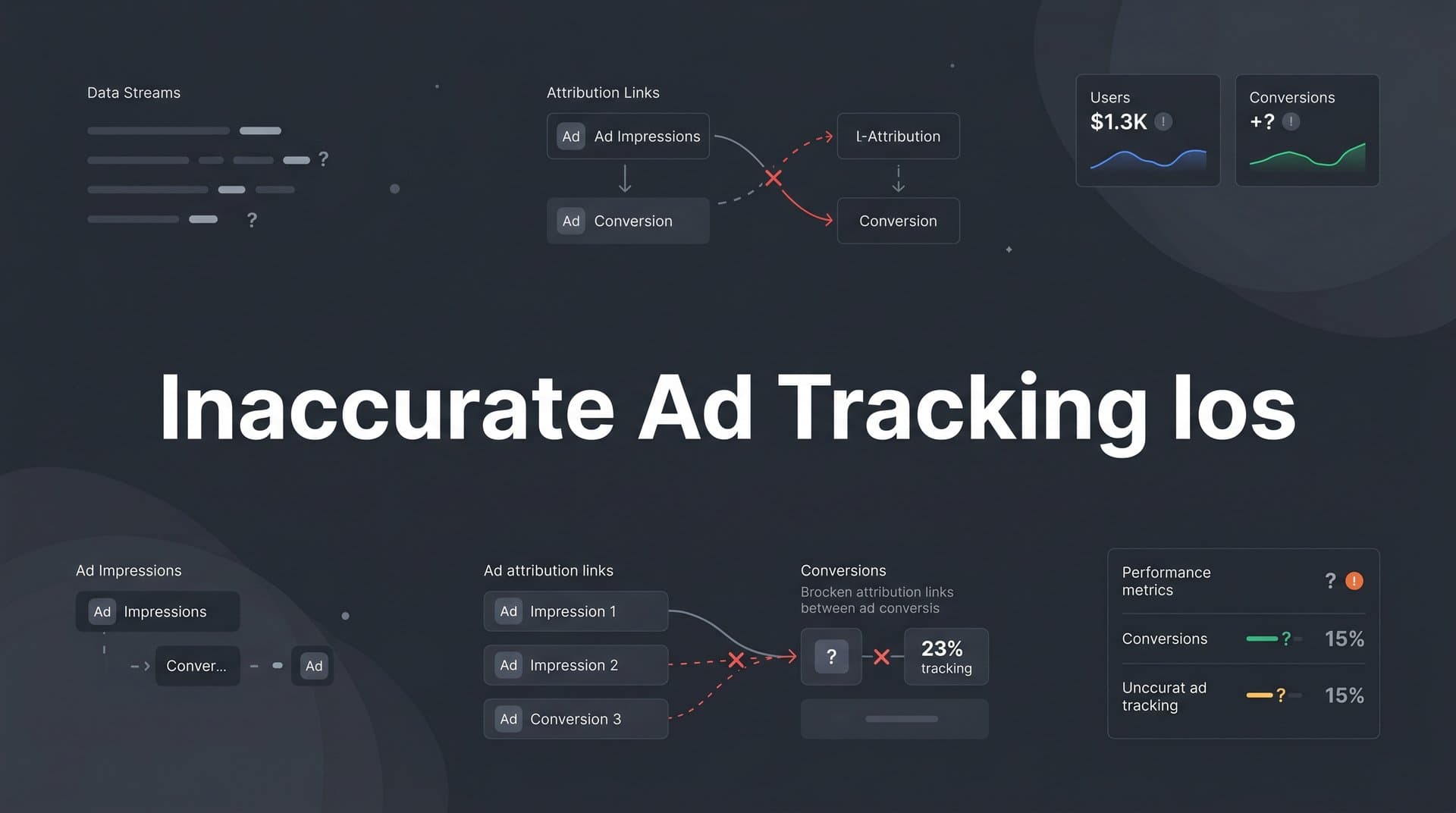
If you're running paid ads right now, there's a good chance you're making budget decisions based on data that doesn't tell the whole story. Campaigns that look unprofitable might actually be driving conversions. Channels that appear to be your top performers might be getting credit they don't deserve. And the optimization algorithms powering your Meta and Google campaigns might be flying partially blind.
This isn't a tracking configuration error you can fix with a quick pixel audit. It's a structural problem rooted in Apple's privacy changes, and it has quietly reshaped the reliability of ad tracking for every marketer running campaigns that reach iOS users.
The consequences compound over time. When conversion data is incomplete, attribution models assign credit to the wrong touchpoints. When attribution is wrong, you scale the wrong campaigns and pause the profitable ones. When your ad platforms receive fewer conversion signals, their machine learning models degrade, targeting gets broader, and cost-per-acquisition climbs. What starts as a data gap becomes a performance problem that's genuinely difficult to diagnose.
This article walks through exactly what happened to iOS ad tracking, why the damage is more significant than most marketers realize, and what a modern, layered approach to fixing it actually looks like. If you've noticed your numbers feeling off and you're not sure why, this is where to start.
How Apple's Privacy Framework Dismantled Ad Tracking
To understand inaccurate ad tracking on iOS, you need to trace the timeline of Apple's privacy changes. This didn't happen overnight. It's been a series of deliberate, compounding restrictions that have progressively narrowed the window through which ad platforms could observe user behavior.
Apple introduced Intelligent Tracking Prevention (ITP) in Safari back in 2017. At the time, it was largely seen as a browser-level tweak. ITP limited how long third-party cookies could persist, making it harder for ad platforms to track users across different websites over extended periods. With each subsequent iOS and Safari update, Apple tightened these restrictions further, reducing cookie lifespans and limiting the cross-site data sharing that attribution models depended on.
Then came the bigger shift. With iOS 14.5 in April 2021, Apple introduced the App Tracking Transparency (ATT) framework. For the first time, apps were required to ask users for explicit permission before tracking their activity across other apps and websites. The prompt is simple and direct, and the majority of users decline. This isn't a small signal loss. It's a fundamental change in how much behavioral data ad platforms can collect from iOS users at the app level.
The mechanism behind this loss is the IDFA, or Identifier for Advertisers. The IDFA was the primary tool ad platforms like Meta and Google used to connect an ad exposure or click on one app to a conversion that happened somewhere else, whether that was a purchase in another app, a form fill on a website, or a trial signup in a SaaS product. It was a deterministic identifier: reliable, consistent, and highly accurate for matching ad activity to downstream outcomes.
Without the IDFA, platforms were forced to fall back on probabilistic matching and aggregated measurement approaches. These methods estimate rather than confirm. They group behavior into cohorts rather than tracking individuals. Meta introduced its Aggregated Event Measurement (AEM) framework as a response, but it came with real constraints: advertisers were limited to eight conversion events per domain, and reporting delays were introduced. The precision that made iOS tracking valuable was replaced with approximation.
The result is a layered problem. ITP limits cookie-based tracking in Safari. ATT blocks app-level tracking via the IDFA. AEM caps what can be reported and when. Each layer compounds the others, and together they create a substantial blind spot in any conversion data that touches iOS devices. Understanding how to fix iOS 14 tracking limitations starts with recognizing how deeply these layers interact.
What the Data Actually Looks Like When iOS Tracking Breaks
Inaccurate ad tracking on iOS doesn't announce itself. It shows up in subtle distortions that are easy to misread as campaign performance issues rather than measurement failures. Knowing what to look for is the first step toward diagnosing the real problem.
The most direct symptom is underreported conversions. When a user clicks an ad on their iPhone and completes a purchase, fills out a form, or starts a free trial, that conversion often goes unattributed. The ad platform never receives the signal that its ad drove that outcome. From the platform's perspective, the click happened but nothing followed. Over time, this makes campaigns targeting iOS-heavy audiences appear far less effective than they actually are.
This undercount creates a dangerous feedback loop. If a campaign appears to have a high cost-per-acquisition based on incomplete data, a marketer might reduce budget or pause it entirely. But if the actual conversion rate is higher than what's being reported, that decision is costing real revenue. The campaign wasn't underperforming. The measurement was.
Attribution models are the next casualty. Last-click and first-touch models are already simplistic, but iOS tracking gaps make them actively misleading. When iOS touchpoints disappear from the customer journey, the credit that should be distributed across multiple interactions gets collapsed onto whatever touchpoints are still visible. A Google Search click at the bottom of the funnel might receive full credit for a conversion that was actually initiated by a Meta ad on an iPhone two weeks earlier. Your ROAS and CPA metrics reflect this distortion, not reality.
For B2B SaaS companies, this is especially damaging. The customer journey in B2B typically spans weeks or months, involves multiple sessions across different devices, and includes numerous touchpoints before a trial signup or demo request. An iOS tracking gap doesn't just miss one touchpoint. It can sever the thread of an entire multi-week journey, making it nearly impossible to connect a closed-won deal back to the campaign that started it. These cross-device user tracking challenges compound the attribution problem significantly.
There's also an algorithmic cost. Meta and Google's optimization systems learn from conversion signals. When those signals are sparse or absent, the algorithms have less data to work with. They can't identify which audiences, creatives, and placements are driving results, so targeting becomes broader and less efficient. CPMs rise. Conversion rates fall. The degradation is gradual, which makes it easy to attribute to market conditions or creative fatigue when the real issue is signal loss.
Why Pixel-Only Tracking Cannot Bridge This Gap
The instinct for many marketers is to check their pixel setup when numbers look off. Maybe the pixel isn't firing correctly. Maybe events are misconfigured. These are worth checking, but they won't solve the iOS problem because the pixel itself is the limitation.
Browser-based pixels are client-side tools. They execute in the user's browser and depend entirely on that browser environment to collect and transmit data. On iOS devices using Safari, ITP actively restricts what the pixel can do. Cookie lifespans are shortened, cross-site tracking is blocked, and identifying parameters can be stripped before data reaches the ad platform. The pixel fires, but the information it carries is degraded or incomplete. This is the core issue explored in depth when examining pixel tracking problems on iOS.
Beyond ITP, ad blockers are increasingly common on mobile browsers, and they can prevent the pixel from firing at all. Even when the pixel does fire successfully, it cannot access the IDFA on iOS, which means it cannot establish a reliable link between the ad click and the conversion event. The connection that made pixel-based attribution work is simply not available in the iOS environment.
Here's the practical consequence: if you're relying solely on pixel data, you're optimizing against an undercount. You're treating an incomplete dataset as if it were complete. This creates a false baseline that looks like real performance data but isn't. Campaigns are evaluated, budgets are allocated, and strategic decisions are made against numbers that systematically understate what's actually happening.
The pixel is not going away, and it still provides value in environments where it functions well. But treating it as the primary or sole source of conversion data in 2026 means accepting a structural blind spot that will distort every decision downstream. The fix requires a different approach entirely, one that doesn't depend on the browser to do the heavy lifting. Marketers dealing with Facebook ads tracking pixel issues will recognize this pattern immediately.
Server-Side Tracking and Conversion APIs: Restoring the Signal
Server-side tracking is the most direct solution to the iOS tracking problem, and it works by fundamentally changing where data collection happens. Instead of relying on the user's browser to fire an event and transmit it to the ad platform, server-side tracking moves that process to your server. When a conversion occurs, your server sends the event data directly to the ad platform's API. The user's browser, iOS restrictions, and ad blockers are all bypassed entirely.
This is why Meta's Conversion API (CAPI) and Google's Enhanced Conversions have become critical infrastructure for modern ad tracking. They are the server-side channels through which first-party conversion data can flow directly to the platforms that need it for optimization. When implemented correctly, they restore much of the signal that iOS privacy changes removed. A thorough comparison of Google Analytics vs server-side tracking makes clear why the server-side approach is now essential.
Meta's Conversion API allows you to send events from your server to Meta's Marketing API, including purchase events, lead events, trial signups, and custom conversion events relevant to your funnel. Because these events originate from your server rather than the user's device, they are not subject to ITP, ATT restrictions, or ad blockers. The data arrives complete and intact.
Google's Enhanced Conversions work on a similar principle, allowing you to send hashed first-party data alongside conversion events to improve match rates and attribution accuracy in Google Ads. This is particularly valuable for recovering conversions that would otherwise go unattributed due to browser restrictions or cookie limitations. Reviewing a complete guide to Google conversion tracking can help teams implement this correctly from the start.
Proper implementation requires attention to two critical details. First, event deduplication. When both your pixel and your server are sending events for the same conversion, you risk double-counting. Both Meta and Google provide mechanisms for deduplication using event IDs, but this must be configured correctly or your reported conversion volume will be inflated rather than accurate.
Second, data enrichment. The power of server-side tracking is significantly amplified when you include first-party identifiers with each event. Sending hashed email addresses, phone numbers, and other customer information parameters alongside conversion events improves the platform's ability to match those events to actual users. Meta measures this as an Event Match Quality (EMQ) score, and higher scores directly correlate with better optimization and more accurate reporting. Enriching your server events isn't optional if you want to maximize the value of CAPI.
First-Party Data Strategies That Rebuild Attribution Accuracy
Server-side tracking solves the transmission problem. First-party data strategies solve the foundation problem. Together, they create an attribution approach that doesn't depend on device-level identifiers or browser behavior to function.
First-party data is information you collect directly from your users at the point of interaction: email addresses captured at form submission, phone numbers provided during signup, CRM IDs assigned when a lead enters your pipeline. Unlike third-party tracking signals, first-party data is not subject to iOS restrictions. You own it, you control it, and it remains accurate regardless of what Apple does with its next privacy update. A solid first-party data tracking guide can help teams build this foundation systematically.
The practical application is straightforward. When a user fills out a demo request form or starts a free trial, you collect their email. That email becomes the thread that stitches together their entire customer journey. You can match it to the ad click that brought them to your site, the CRM record created when they became a lead, and the revenue event that occurred when they converted to a paying customer. This chain of attribution works even when browser-based tracking fails.
UTM parameters and server-side click ID preservation are the other essential piece. When a user clicks a Meta ad, a unique fbclid parameter is appended to the URL. When they click a Google ad, it's a gclid. These click IDs are the deterministic link between the ad click and the user's session. If you capture and store these parameters server-side at the point of form submission or signup, you maintain campaign-level attribution even when the browser can't preserve that data through to conversion.
This approach also enables multi-touch attribution that goes beyond what any single ad platform can show you. Native platform reporting is inherently self-serving. Meta's attribution model credits Meta. Google's credits Google. Neither has full visibility into what happened on the other platform, and both have incentives to claim as much credit as possible. A multi-touch attribution model built on your own first-party data, ingesting events from all sources, gives you a neutral view of which touchpoints are actually contributing to revenue. For B2B SaaS teams managing campaigns across multiple channels, cross-channel attribution tracking isn't a nice-to-have. It's the only way to make informed budget decisions.
Building a Reliable Foundation for Marketing Measurement
Fixing inaccurate ad tracking on iOS is not a one-time configuration task. It requires building a measurement infrastructure that is resilient by design, one that doesn't break every time a browser update or platform policy change shifts the data landscape.
The starting point is a unified attribution platform that ingests data from all of your sources: ad platforms, CRM, server-side events, and first-party identifiers. When all of this data flows into a single system, you get a view of the customer journey that no individual platform can provide. You can see which campaigns initiated awareness, which touchpoints drove consideration, and which interactions preceded conversion. You can connect ad spend to pipeline and revenue with the kind of specificity that makes budget decisions defensible. Teams just getting started should get started with attribution tracking by establishing this unified data foundation first.
Regular audits of your data quality are equally important. Meta's Event Match Quality scores tell you how well your server events are being matched to users. Low scores indicate that enrichment is insufficient and that your CAPI implementation is leaving accuracy on the table. Google provides similar match rate diagnostics for Enhanced Conversions. Monitoring these metrics regularly surfaces where gaps exist before they distort your reporting at scale.
There's also a compounding benefit to getting this right. When accurate, enriched conversion signals flow back to Meta and Google, their optimization algorithms have what they need to improve. Targeting sharpens. High-intent audiences are identified more reliably. The cost of inaccurate tracking isn't just bad reporting. It's degraded algorithmic performance that inflates your CPMs and reduces your conversion rates over time. Restoring signal quality reverses that degradation and improves campaign efficiency in a way that compounds positively.
For B2B SaaS marketing teams specifically, the stakes are high. Long sales cycles, multi-device journeys, and high customer lifetime values mean that a single misattributed conversion can represent significant misallocated budget. Getting attribution right isn't just a measurement exercise. It's a growth lever.
Moving Forward with Accurate Attribution
Inaccurate ad tracking on iOS is not a problem you can solve by tweaking your pixel configuration or waiting for platforms to find a workaround. Apple's privacy framework created a structural gap in browser-based tracking, and that gap is permanent. The marketers who are winning in this environment have accepted that reality and built their measurement infrastructure around it.
The solution is layered. Server-side tracking and Conversion API integration restore the signal that iOS restrictions removed. First-party data collection provides the identifiers needed to stitch together customer journeys independent of device-level tracking. UTM and click ID preservation maintain campaign-level attribution through to CRM and revenue events. And a unified attribution platform brings all of these layers together into a single source of truth that reflects what's actually driving growth.
Cometly is built for exactly this challenge. It connects your ad platforms, CRM, and server-side events to track the complete customer journey in real time, from first ad click to closed-won revenue. With support for server-side conversion tracking, Conversion API integration, multi-touch attribution models, and AI-driven recommendations, Cometly gives B2B SaaS marketing teams the accurate, complete data they need to make confident decisions and scale campaigns that actually perform.
When your data is right, everything downstream improves: your optimization algorithms, your attribution models, your budget allocation, and your confidence in the numbers you're reporting to leadership. That's what fixing inaccurate iOS tracking actually unlocks.
Ready to stop making decisions on incomplete data? Get your free demo and see how Cometly brings every touchpoint into focus so you can scale with confidence.



