If your Facebook Ads Manager numbers don't match what your CRM or analytics tools are showing, you're not alone. Inaccurate Facebook ad reporting is one of the most frustrating challenges facing digital marketers today. Between iOS privacy changes, browser-based tracking limitations, ad blockers, and attribution window discrepancies, the data you see inside Meta's platform can paint a very different picture from what's actually happening in your business.
The problem isn't just annoying. It's costly. When your reporting is off, you're making budget decisions based on flawed data. You might be scaling campaigns that aren't actually driving revenue, or cutting spend on channels that are genuinely contributing to conversions. Either way, inaccurate data erodes your ability to compete.
This guide breaks down seven actionable strategies to improve the accuracy of your Facebook ad reporting. These aren't surface-level tips. Each strategy addresses a specific root cause of reporting errors and gives you a clear path to better data. Whether you're a solo marketer managing a single account or an agency overseeing dozens of clients, these approaches will help you build a reporting foundation you can actually trust.
The goal is simple: connect your ad spend to real business outcomes so you can make confident, data-driven decisions.
1. Implement Server-Side Tracking to Recover Lost Conversion Data
The Challenge It Solves
Apple's App Tracking Transparency framework, introduced in iOS 14.5, fundamentally changed how Facebook can track users across apps and websites. Meta acknowledged this impact directly in its own investor communications and developer documentation. The result is straightforward: browser-based pixel tracking now misses a meaningful portion of conversions, particularly on mobile devices. Add in ad blockers and Safari's Intelligent Tracking Prevention, and the standard Meta Pixel is operating with significant blind spots.
The Strategy Explained
Server-side tracking via Meta's Conversions API sends event data directly from your server to Meta, bypassing browser-level restrictions entirely. Instead of relying on a user's browser to fire a pixel, your server communicates conversion events directly to Facebook's systems. Meta officially recommends running the Conversions API alongside the browser pixel as a redundancy strategy, and this is documented in their developer documentation.
Think of it like having a backup recorder in the room. If the primary microphone cuts out due to interference, the backup captures everything the primary missed. Server-side tracking works the same way, filling the gaps that browser-based tracking can no longer reliably cover.
Implementation Steps
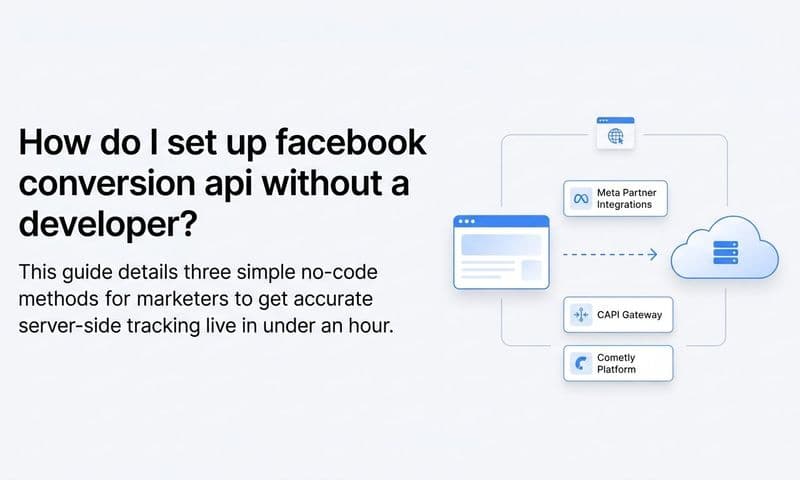
1. Access your Meta Events Manager and navigate to the Conversions API setup options. Meta offers a partner integration path and a direct API implementation path depending on your technical resources.
2. Choose your implementation method. If you use a platform like Shopify, WooCommerce, or a major CRM, there are native or partner integrations that simplify setup without requiring custom development.
3. Configure your server to send the same conversion events your pixel fires, including purchase, lead, and add-to-cart events, with as much customer data as your system captures.
4. Verify that both your pixel and your Conversions API are firing correctly in Events Manager, and confirm your event match quality score is improving after implementation.
Pro Tips
Platforms like Cometly handle server-side tracking natively, removing the need for custom development and ensuring your conversion data flows accurately to Meta regardless of browser restrictions. If you're managing multiple ad accounts, a centralized server-side tracking solution saves significant setup time and reduces the risk of implementation errors across accounts.
2. Align Your Attribution Windows Across All Reporting Tools
The Challenge It Solves
One of the most common reasons Facebook data doesn't match your CRM or Google Analytics is that each platform is measuring performance over a different time frame. Facebook's default attribution settings have changed over time, and different tools use different default windows. When one platform is attributing conversions over a 7-day click window and another is using a 30-day window, you're not comparing apples to apples. You're comparing apples to a completely different fruit.
The Strategy Explained
Standardizing your attribution windows across all reporting tools means choosing a consistent time frame and applying it everywhere. This doesn't eliminate every discrepancy, but it removes one of the most preventable sources of cross-platform reporting gaps. Meta's business help center and major marketing publications widely discuss attribution window mismatches as a primary driver of these discrepancies.
The key is to pick a window that reflects your actual sales cycle. If most of your customers convert within a day or two of clicking an ad, a 7-day click window is reasonable. If you have a longer consideration cycle, you may need to extend that window and ensure your other tools match it.
Implementation Steps
1. Audit your current attribution settings in Facebook Ads Manager. Go to your campaign reporting view and check the attribution window column. Note the default setting and any custom settings applied at the campaign level.
2. Document the attribution windows used in your CRM and any third-party analytics tools. Write down what each platform defaults to and where you have the ability to customize it.
3. Agree on a standard window across your team and apply it consistently. Update your Facebook reporting columns to reflect this window, and adjust your CRM and analytics tool settings to match where possible.
4. Create a reference document that captures your attribution window decisions and shares it with anyone who pulls performance reports. This prevents future confusion when team members use different default views.
Pro Tips
When presenting data to stakeholders, always include the attribution window in your report header. It sounds like a small detail, but it prevents a lot of confusion when numbers are questioned. A unified attribution platform that pulls data from all your channels into one view makes this alignment significantly easier to maintain over time.
3. Use Multi-Touch Attribution to See the Full Customer Journey
The Challenge It Solves
Facebook's native reporting defaults to a last-touch or single-touch attribution model. This means Facebook takes full credit for a conversion if a user clicked a Facebook ad at any point in their journey, even if they also interacted with a Google search ad, an email campaign, and an organic post before converting. For upper-funnel campaigns designed to build awareness, this creates a significant overcounting problem and makes it nearly impossible to understand which channels are actually driving value.
The Strategy Explained
Multi-touch attribution distributes conversion credit across all the channels and touchpoints that influenced a purchase. Instead of one platform claiming 100% of the credit, each interaction receives a weighted portion based on the attribution model you choose. Common models include linear attribution (equal credit to all touchpoints), time-decay (more credit to touchpoints closer to conversion), and data-driven attribution (credit distributed based on actual conversion patterns).
This approach gives you a much more honest picture of how your marketing ecosystem is working together. You'll often find that Facebook plays a strong role in introducing customers to your brand, even when it doesn't close the final conversion.
Implementation Steps
1. Map out your typical customer journey by reviewing your CRM data and analytics to understand how many touchpoints customers interact with before converting and which channels appear most frequently at each stage.
2. Select a multi-touch attribution model that fits your business. If you're unsure where to start, linear attribution is a straightforward model that distributes credit evenly and is easy to explain to stakeholders.
3. Implement a third-party attribution platform that can ingest data from all your ad channels, your website, and your CRM. This is the only reliable way to build a true multi-touch view since no individual ad platform will accurately attribute credit to its competitors.
4. Run your new multi-touch model in parallel with your existing platform-reported data for at least 30 days before making budget decisions based on the new model. This gives you time to validate the outputs and build confidence in the framework.
Pro Tips
Cometly's multi-touch attribution capabilities let you compare different attribution models side by side, so you can see how credit shifts across channels depending on the model you apply. This is particularly useful for justifying budget allocation decisions to leadership or clients who are used to seeing platform-reported numbers.
4. Improve Your Event Match Quality Score
The Challenge It Solves
Even when your conversion events are firing correctly, Facebook may not be able to match those events to specific user accounts. When Meta can't match an event to a user, that conversion goes unattributed and disappears from your reporting. The result is systematic under-reporting of conversions, not because the conversions didn't happen, but because Facebook couldn't connect the dots between the event data you sent and the people in its system.
The Strategy Explained
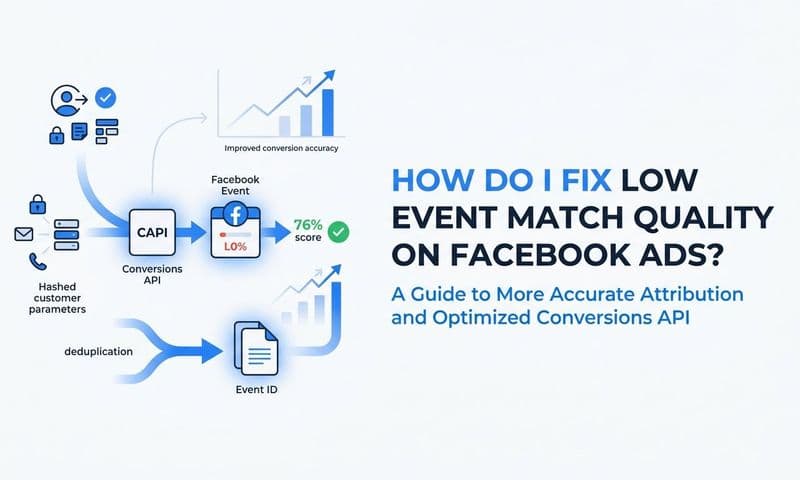
Meta's Event Match Quality score, available inside Events Manager, measures how effectively the customer information you send with conversion events matches Facebook user accounts. It's a real, documented metric that reflects the completeness and accuracy of the data signals you're providing. Higher EMQ scores mean more of your conversions get matched and attributed correctly.
The fix is to send richer customer data alongside your conversion events. This includes email addresses, phone numbers, first and last names, city, state, and zip code. The more data points you include, the better Facebook's matching algorithm can connect your conversion events to user accounts.
Implementation Steps
1. Open Meta Events Manager and navigate to your pixel or Conversions API data source. Look for the Event Match Quality score displayed for each event type you're tracking.
2. Identify which customer data parameters you are currently sending and which you are missing. Common gaps include phone numbers, first and last names sent separately, and geographic data.
3. Update your Conversions API implementation to include all available customer data parameters. All personally identifiable information should be hashed before sending, which Meta's documentation covers in detail.
4. Monitor your EMQ score over the following two to four weeks. You should see it improve as your updated implementation takes effect. A higher score directly correlates with more accurately attributed conversions in your reporting.
Pro Tips
Don't overlook the value of sending email addresses collected during checkout or lead capture. Email is one of the strongest matching signals Facebook uses. Even if a user is browsing in a privacy-restricted environment, a hashed email match can recover conversions that would otherwise be lost entirely.
5. Eliminate Duplicate Conversion Events
The Challenge It Solves
Running both the Meta Pixel and the Conversions API simultaneously is the recommended setup for maximum conversion coverage. But if you don't implement proper deduplication logic, you'll end up with the opposite problem: the same conversion being counted twice. Duplicate events inflate your reported ROAS, make your campaigns look more efficient than they actually are, and cause Facebook's algorithm to optimize based on artificially high conversion signals.
The Strategy Explained
Meta provides a deduplication mechanism based on event ID matching. When both your browser pixel and your Conversions API send the same event, Facebook uses a shared event ID to identify and discard the duplicate, counting the conversion only once. This is documented in Meta's developer documentation and is the standard approach for anyone running a redundant conversion tracking setup.
The critical piece is making sure both your pixel and your Conversions API are sending the same event ID for the same conversion. If they're not, Facebook has no way to know the two events represent the same transaction, and both get counted.
Implementation Steps
1. Generate a unique event ID for each conversion event at the moment it occurs. This ID should be the same value sent by both your browser pixel and your Conversions API for the same event.
2. Pass this event ID through your pixel's custom data parameters and include it in your Conversions API payload. The parameter name in Meta's system is event_id.
3. Test your deduplication setup using Meta's Test Events tool in Events Manager. Send a test conversion and verify that only one event is recorded, not two.
4. Audit your historical data if you've been running both tracking methods without deduplication. Your reported ROAS during that period may be inflated, and your budget decisions during that window should be reviewed with that context in mind.
Pro Tips
A reliable event ID strategy uses a combination of order ID, user ID, and timestamp to ensure uniqueness. Avoid using random IDs generated independently by your pixel and your server, as these will never match. The ID must be generated once and shared across both systems for deduplication to work correctly.
6. Cross-Reference Facebook Data Against a Neutral Third-Party Source
The Challenge It Solves
Every ad platform has an inherent incentive to report favorably on its own performance. Facebook is no exception. When you rely exclusively on Ads Manager as your source of truth, you're trusting a platform to grade its own homework. The gap between what Facebook reports and what your CRM shows as actual revenue is often where significant budget waste hides. Without a neutral reference point, you have no reliable way to catch or quantify these discrepancies.
The Strategy Explained
Using an independent analytics or attribution platform as a neutral source of truth gives you a benchmark against which you can evaluate Facebook's self-reported data. The goal is not to find the "right" number by splitting the difference between platforms. It's to understand the patterns in the discrepancy and make smarter decisions based on a more complete picture.
Building a regular reconciliation workflow, where you compare Facebook-reported conversions against actual revenue on a weekly or monthly basis, creates accountability in your reporting process and surfaces problems before they compound into major budget misallocations.
Implementation Steps
1. Select a third-party attribution or analytics platform that ingests data from your ad platforms, website, and CRM without relying on any single platform's self-reported numbers. Tools like Cometly are built specifically for this purpose.
2. Connect all your data sources: Facebook Ads, Google Ads, your CRM, and your website analytics. The more complete your data connections, the more reliable your neutral reference point becomes.
3. Build a reconciliation report that compares Facebook-reported conversions and revenue against your CRM's recorded outcomes for the same time period. Document the gap as a percentage and track it over time.
4. Use the reconciliation data to calibrate your confidence in Facebook's numbers. If Facebook consistently over-reports by a predictable margin, you can factor that into your ROAS targets and budget decisions.
Pro Tips
Share your reconciliation report with your team on a regular cadence. When everyone sees the gap between platform-reported and actual performance, it creates a shared understanding of why neutral attribution data matters and builds organizational discipline around using accurate numbers for decisions.
7. Feed Enriched Conversion Data Back to Facebook's Algorithm
The Challenge It Solves
Facebook's ad algorithm optimizes based on the conversion signals you send it. If your tracking is incomplete, the algorithm is making decisions based on an incomplete picture of who your actual customers are. This creates a compounding problem: poor data leads to poor optimization, which leads to worse campaign performance, which makes your reporting look even worse. Fixing your tracking isn't just about accurate reporting. It's about giving the algorithm the fuel it needs to find more of your best customers.
The Strategy Explained
Conversion Sync is the process of sending enriched, high-quality conversion events from your CRM and backend systems back to Meta. Instead of only sending a basic purchase event when someone checks out, you send detailed customer data, lifetime value signals, and downstream conversion events like qualified leads, closed deals, or repeat purchases. This gives Facebook's algorithm a much richer signal to optimize against.
The result is a virtuous cycle: better data leads to better optimization, which drives better campaign performance, which produces more accurate and favorable reporting. Cometly's Conversion Sync feature is built to do exactly this, connecting your CRM and backend data to Meta so the algorithm is always working with your most complete and accurate conversion information.
Implementation Steps
1. Identify the downstream conversion events in your CRM that represent your highest-value customers. This might be a closed deal, a subscription activation, a second purchase, or a qualified sales call.
2. Map these CRM events to Meta's standard or custom conversion events. Decide which events you want Facebook's algorithm to optimize toward, prioritizing events that correlate most strongly with long-term revenue.
3. Set up a Conversions API integration that pulls these CRM events and sends them to Meta with full customer data parameters for maximum match quality. Include customer lifetime value data where possible, as this helps Facebook's value-based optimization features work more effectively.
4. Monitor your campaign performance over the following four to eight weeks after implementation. You should see the algorithm begin to shift toward higher-quality audiences as it processes the enriched conversion signals you're providing.
Pro Tips
Don't limit your Conversion Sync to just purchase events. If you run a lead generation campaign, sending qualified lead or closed deal events back to Meta is one of the most impactful optimizations you can make. It teaches the algorithm to find leads that actually convert, not just leads that fill out a form.
Putting It All Together
Fixing inaccurate Facebook ad reporting is not a one-time task. It's an ongoing commitment to data quality that pays dividends every time you make a budget decision. The seven strategies in this guide address the root causes of reporting errors, from lost conversions due to iOS restrictions to duplicate events inflating your ROAS to attribution windows that don't align across platforms.
Start with the strategies that address your biggest gaps. If you're losing conversion data due to iOS restrictions, server-side tracking should be your first move. If your numbers across platforms never agree, aligning attribution windows and cross-referencing against a neutral source will bring clarity fast. If your campaigns feel like they're optimizing toward the wrong audience, enriching your conversion signals through Conversion Sync can shift performance meaningfully over time.
The marketers who win in paid advertising are not necessarily the ones with the biggest budgets. They're the ones who make decisions based on accurate, complete data. Every strategy in this guide moves you closer to that standard.
Platforms like Cometly are built specifically to solve these problems, connecting your ad spend, CRM data, and conversion events into a single, reliable view of performance. When you can trust your numbers, you can scale with confidence, cut waste without hesitation, and build campaigns that consistently drive real revenue.
Ready to elevate your marketing game with precision and confidence? Discover how Cometly's AI-driven recommendations can transform your ad strategy. Get your free demo today and start capturing every touchpoint to maximize your conversions.