Digital advertising did not change gradually. It changed fast, and it changed fundamentally. When Apple introduced its App Tracking Transparency framework with iOS 14.5, marketers who had built their measurement infrastructure on pixel-based tracking and third-party identifiers suddenly found themselves working with incomplete data, unreliable ROAS figures, and shrinking retargeting audiences.
The frustration was real. Campaigns that had been performing well looked like they were falling apart. Cost-per-lead numbers climbed. Conversion counts dropped. And the worst part was not knowing how much of it was a genuine performance decline versus a measurement problem.
Here is the core tension: Apple's privacy changes are a legitimate response to real concerns about how user data was being collected and shared across the web. But for B2B SaaS marketing teams trying to make confident budget decisions, the result was a genuine measurement gap that did not come with an obvious fix. This article explains exactly what changed at the technical level, why it matters specifically for B2B SaaS advertisers, and what a modern, privacy-resilient tracking infrastructure actually looks like.
The Privacy Shift That Rewired Digital Advertising
Before iOS 14.5, apps on Apple devices could access the IDFA, or Identifier for Advertisers, without asking. This device-level identifier was the backbone of cross-app tracking, allowing ad platforms to connect user behavior across different apps and websites to build audience profiles, attribute conversions, and optimize campaigns. It was powerful, and most users had no idea it was happening.
Apple's App Tracking Transparency framework changed the default. Starting with iOS 14.5, apps are required to explicitly request permission before accessing the IDFA. Users see a prompt asking whether they want to allow tracking, and a significant portion of iOS users have chosen to opt out. When a user declines, the IDFA is effectively zeroed out, and cross-app tracking for that user stops entirely.
This was not a one-time change. Successive iOS releases have continued expanding Apple's privacy posture. Safari's Intelligent Tracking Prevention, which predates ATT and has been evolving since iOS 11, progressively tightened restrictions on how long cookies can persist and how cross-site tracking identifiers work in the browser. ITP can reduce cookie lifespans to as little as 24 hours in certain scenarios, which directly affects attribution windows for campaigns that rely on browser-set cookies to connect an ad click to a later conversion.
It is worth being precise about where these restrictions operate, because B2B SaaS marketers are affected differently depending on their acquisition channels. The ATT framework operates at the app level. If your campaigns run in-app on Meta or other mobile platforms, ATT opt-outs directly reduce the signal flowing back to those ad platforms. ITP, on the other hand, operates at the browser level in Safari. If your target audience is browsing on iPhones and clicking through to your website, ITP limits how long your tracking cookies last and strips referrer data in certain cross-site scenarios.
For B2B SaaS companies whose buyers typically convert through web-based flows, demo requests, and trial signups, the browser-level restrictions from ITP are often the more immediately relevant problem. A user who clicks a LinkedIn or Google ad on their iPhone, visits your site, and converts three days later may never be attributed correctly if the tracking cookie has already expired or been restricted by Safari's privacy rules. Understanding how iOS link tracking protection continues to evolve is essential for staying ahead of these restrictions.
Together, ATT and ITP represent a structural shift away from the passive, default-on data collection model that digital advertising was built on. Understanding both layers is the starting point for rebuilding accurate measurement.
Why Your Ad Data Looks Broken After iOS Changes
If you have managed paid campaigns since the iOS privacy changes rolled out, you have likely seen the symptoms firsthand. Conversion counts in Meta Ads Manager drop noticeably. Cost-per-lead figures climb, sometimes dramatically. Retargeting audiences that used to contain tens of thousands of users shrink to a fraction of their previous size. And the numbers your ad platform reports stop matching what you see in your CRM or Google Analytics.
The root cause is structural. Browser-side pixels, the standard mechanism for sending conversion data back to ad platforms, depend entirely on the user's device to fire the event. When a user opts out of tracking via ATT, or when Safari's ITP restrictions prevent the pixel from reading the necessary identifiers, the conversion event either never fires or fires without the data needed to match it to an ad impression. For a deeper look at exactly why this happens, the pixel tracking problems on iOS are well worth understanding before attempting any fix.
This creates a compounding problem. Ad platforms like Meta use conversion signals not just for reporting but for campaign optimization. Their machine learning models need conversion data to understand which users, placements, and creatives are driving results. When iOS opt-outs reduce the volume and quality of that signal, the optimization algorithms have less to work with. Campaigns can enter what Meta has described as a learning phase regression, where reduced signal quality causes the algorithm to optimize less effectively, which further degrades performance in a feedback loop.
The downstream impact for B2B SaaS teams is significant. Marketing budgets get allocated based on reported performance data. If Meta is underreporting conversions by a meaningful margin because iOS restrictions are preventing pixel fires, a campaign that is actually driving pipeline may appear to be underperforming. Growth teams cut spend on campaigns that are working, or double down on channels that look better only because their tracking is less affected by iOS restrictions.
Attribution windows compound the distortion. Many B2B SaaS buyers have longer consideration cycles. A prospect might click an ad, visit the site, leave, return a week later through organic search, and then request a demo. If the original ad click cookie has been restricted by ITP before the conversion happens, the attribution chain breaks. The demo gets credited to organic or direct traffic, and the paid campaign that initiated the journey gets no credit. These conversion tracking gaps are one of the most damaging and least visible problems in modern B2B attribution.
The result is a measurement environment where the data you are making decisions from is systematically biased toward underreporting the performance of privacy-affected channels. Recognizing this bias is the first step. Fixing the infrastructure is the next.
Server-Side Tracking: The Infrastructure Fix Marketers Need
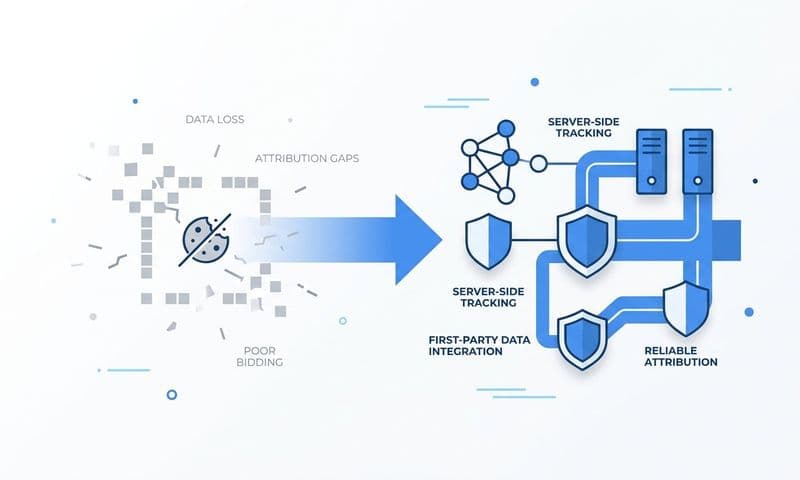
The fundamental problem with browser-side pixels is that they depend on the user's device to transmit data. If the device is running iOS with tracking restrictions enabled, or if Safari's ITP has expired the necessary cookies, the pixel cannot do its job. Server-side tracking solves this by moving the data transmission off the user's device entirely.
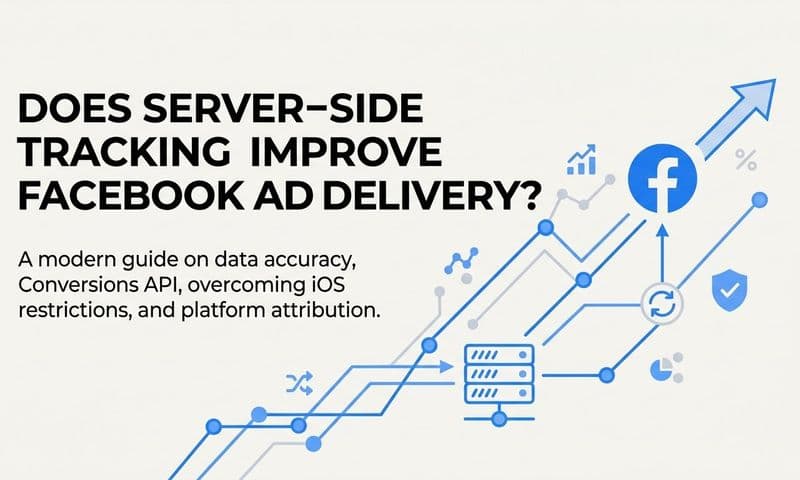
Instead of relying on a JavaScript pixel firing in the user's browser, server-side tracking sends conversion events directly from your own server infrastructure to the ad platform's API. The user's device settings are irrelevant to this transmission because the event never passes through the browser. Your server receives the conversion signal, such as a form submission or a trial signup, and sends it directly to Meta or Google via their respective APIs. iOS restrictions cannot intercept a server-to-server call. The full case for why server-side tracking is more accurate goes beyond just iOS — it is a fundamentally more reliable data architecture.
Meta's Conversions API, commonly called CAPI, is the primary tool for implementing this on Meta's ad platform. CAPI allows you to send web events, app events, and offline events directly from your server to Meta, using first-party data like hashed email addresses or phone numbers to match events to Meta users without relying on the IDFA or browser cookies. Meta has positioned CAPI as the recommended solution for advertisers who want to maintain signal quality in a post-iOS-14 environment.
Google's equivalent is Enhanced Conversions for Web, which supplements standard Google tag conversion tracking by sending hashed first-party customer data alongside conversion events. This allows Google to match conversions to signed-in Google accounts, improving attribution accuracy when cookies are restricted. For B2B SaaS teams running Google Ads, Enhanced Conversions can recover a meaningful portion of the conversions that cookie-based tracking misses.
One critical technical detail when implementing server-side tracking alongside an existing pixel is event deduplication. If both your browser pixel and your server-side integration fire for the same conversion event, the ad platform will count it twice unless you explicitly tell it not to. Both Meta CAPI and Google Enhanced Conversions support deduplication through event IDs. You assign a unique identifier to each conversion event, and the platform uses that ID to recognize when the same event has been received from both the pixel and the server, counting it only once.
Getting deduplication right is not optional. Without it, your reported conversion numbers will be inflated, your cost-per-conversion metrics will look artificially low, and your campaign optimization will be working from inaccurate signals. Proper event ID implementation is the difference between a server-side setup that improves your data and one that creates new measurement problems. Reviewing the top server-side tracking tools available can help you choose the right implementation path for your stack.
Server-side tracking is not a complete replacement for all tracking. It works best when combined with first-party data collection and a broader attribution strategy. But as the infrastructure layer, it is the most direct technical response to the signal loss created by iOS privacy restrictions.
First-Party Data Becomes Your Most Valuable Marketing Asset
The iOS privacy changes did not affect all data equally. Third-party tracking identifiers, cross-app tracking, and browser cookies set by external domains are all subject to Apple's restrictions. First-party data, the information your users voluntarily share with you through direct interactions with your own properties, is not.
This distinction matters enormously for B2B SaaS companies. When a prospect fills out a demo request form on your website, that is first-party data. When someone signs up for a trial, engages with your email sequence, or moves through stages in your CRM, those are all first-party signals generated through direct relationships with your brand. Apple's privacy framework is designed to restrict covert cross-site tracking, not to prevent you from using data that your users have given you directly. Exploring privacy-compliant tracking alternatives can show you exactly which methods remain fully effective in this environment.
In practice, this means that B2B SaaS marketing teams should be systematically capturing and activating these signals. Form submissions, trial activations, demo completions, email clicks, and CRM pipeline events are all high-quality conversion signals that can be sent to ad platforms via server-side integrations to improve optimization. When Meta or Google receive these enriched, first-party signals, their algorithms have better quality data to work with, which partially compensates for the audience signal loss caused by iOS opt-outs.
UTM tracking deserves specific mention here because it remains one of the most reliable attribution methods in a privacy-restricted environment. UTM parameters are appended to your ad destination URLs and captured when a user lands on your site. They do not rely on cookies, cross-site identifiers, or device-level tracking. As long as you capture UTM values at the point of conversion, such as when a form is submitted, you have a durable record of which campaign, channel, and creative drove that lead. Understanding how UTM tracking works and why it holds up under privacy restrictions makes it an indispensable part of any first-party data strategy.
The strategic implication is a shift in mindset. Rather than relying on ad platforms to tell you what your campaigns are doing, you build the capability to know it yourself through your own data infrastructure. Your CRM becomes a source of attribution truth. Your form submissions carry UTM data. Your server-side integrations send enriched events back to ad platforms. This is what first-party data ownership looks like in practice, and it is the foundation of measurement that does not break every time a platform updates its privacy policy.
Rebuilding Attribution Accuracy in a Privacy-First Environment
Last-click attribution was already a flawed model before iOS privacy changes. It assigned all credit for a conversion to the final touchpoint before conversion, ignoring every earlier interaction that contributed to the buyer's decision. iOS restrictions have made this model even less reliable, because the "last click" that a pixel captures may simply be the last click that the pixel was able to see, not the last click that actually occurred.
Multi-touch attribution becomes more important precisely because iOS limits the data flowing back from ad platforms. When you cannot rely on a single platform's pixel to give you the full picture, you need a model that synthesizes data from multiple sources: your ad platforms, your CRM, your web analytics, and your server-side event stream. Each source captures a different part of the customer journey, and combining them gives you a more complete and accurate picture than any single source can provide. The best marketing attribution platforms are specifically designed to handle this kind of multi-source reconciliation.
Ad platforms have responded to iOS signal loss with their own modeled attribution. Meta uses statistical modeling to estimate conversions that it cannot directly observe due to opt-outs, and reports these as "modeled conversions" in Ads Manager. Google applies similar approaches through its conversion modeling. These estimates are useful, but they are not a substitute for your own first-party data. They represent the platform's best guess about what happened, and they should be validated against the actual conversion data in your CRM.
This is where the concept of a unified attribution stack becomes essential. The components are straightforward to describe even if they take effort to implement. Server-side event tracking, via CAPI and Enhanced Conversions, feeds high-quality first-party signals to ad platforms and improves the accuracy of their modeled attribution. CRM pipeline data, connected to ad spend, allows you to see which campaigns are generating not just leads but qualified pipeline and closed revenue. A centralized attribution platform sits above all of this, pulling in data from ad platforms, your CRM, and your web analytics to reconcile everything into a single source of truth.
Without this reconciliation layer, you are comparing numbers that were measured differently, over different time windows, with different attribution logic. Meta's reported conversions use one attribution model. Google uses another. Your CRM has its own record of where leads came from. None of these will match exactly, and trying to manually reconcile them is time-consuming and error-prone. A unified attribution platform automates this reconciliation, so your team is always working from consistent, trustworthy data rather than spending hours trying to explain why three different tools show three different numbers. Tracking closed-won revenue back to ad campaigns is the clearest proof that your attribution stack is working end-to-end.
Adapting Your B2B SaaS Ad Strategy for the Privacy Era
Knowing what changed is useful. Knowing what to do about it is what actually moves the needle. For B2B SaaS marketing teams, adapting to iOS privacy restrictions comes down to a sequence of practical steps that build on each other.
Audit your current tracking setup: Start by identifying where your conversion data is coming from. If your primary conversion tracking relies entirely on browser-side pixels, you have a gap. Map out which conversion events are being tracked, where they are being sent, and whether any of them have a server-side backup. This audit will show you exactly where iOS restrictions are creating blind spots.
Implement server-side tracking: Once you know where the gaps are, close them. Implement Meta CAPI and Google Enhanced Conversions for your primary conversion events. Make sure event deduplication is configured correctly using event IDs. Test your implementation by comparing server-side event volume against pixel event volume to confirm both are firing and deduplication is working as expected.
Connect CRM data to ad platforms: Lead volume is a proxy metric. What B2B SaaS companies actually care about is pipeline and revenue. Connecting your CRM to your ad platforms, so that deal stages, opportunities, and closed-won events flow back as conversion signals, gives your ad platform algorithms something meaningful to optimize toward. It also gives you the ability to report on actual revenue attribution rather than just cost-per-lead.
Feed enriched signals back to ad platforms: When Meta or Google receive better quality conversion signals, their machine learning models improve. This is not theoretical. Sending enriched, first-party conversion data back to ad platforms helps their algorithms identify higher-quality audience segments, which partially compensates for the targeting signal loss caused by iOS opt-outs. Better signals lead to better optimization, which leads to better campaign performance over time.
This is exactly the infrastructure that Cometly is built to support. Cometly connects your ad platforms, CRM, and server-side event tracking into a single attribution system, giving B2B SaaS teams accurate, real-time visibility into which campaigns are driving pipeline and revenue. Rather than reconciling data manually across disconnected tools, you get a unified view that captures every touchpoint from first ad click to closed-won deal. For growth teams making budget decisions in a privacy-first environment, that level of attribution accuracy is not a nice-to-have. It is the foundation of confident, data-driven scaling.
The Bottom Line for B2B SaaS Marketers
iOS privacy updates are not a temporary disruption that the industry will eventually route around. They represent a permanent shift in the rules of digital advertising measurement, and Apple has consistently moved in one direction: more privacy, more restrictions, less passive data sharing. Marketers who treat this as a problem to wait out will continue making decisions on incomplete data.
The marketers who adapt will build a durable advantage. Server-side tracking infrastructure, first-party data ownership, and unified attribution that connects ad spend to actual revenue are not just responses to iOS restrictions. They are better measurement practices that would have been worth building even without Apple's privacy changes. The privacy era simply made them urgent.
For B2B SaaS teams, the opportunity is clear: replace fragile, pixel-dependent measurement with a robust attribution stack that does not break when a user opts out of tracking. Own your conversion data. Send enriched signals back to ad platforms. Connect pipeline and revenue to the campaigns that drove them. That is the standard for marketing measurement in 2026 and beyond.
Ready to elevate your marketing game with precision and confidence? Discover how Cometly's AI-driven recommendations can transform your ad strategy. Get your free demo today and start capturing every touchpoint to maximize your conversions.