

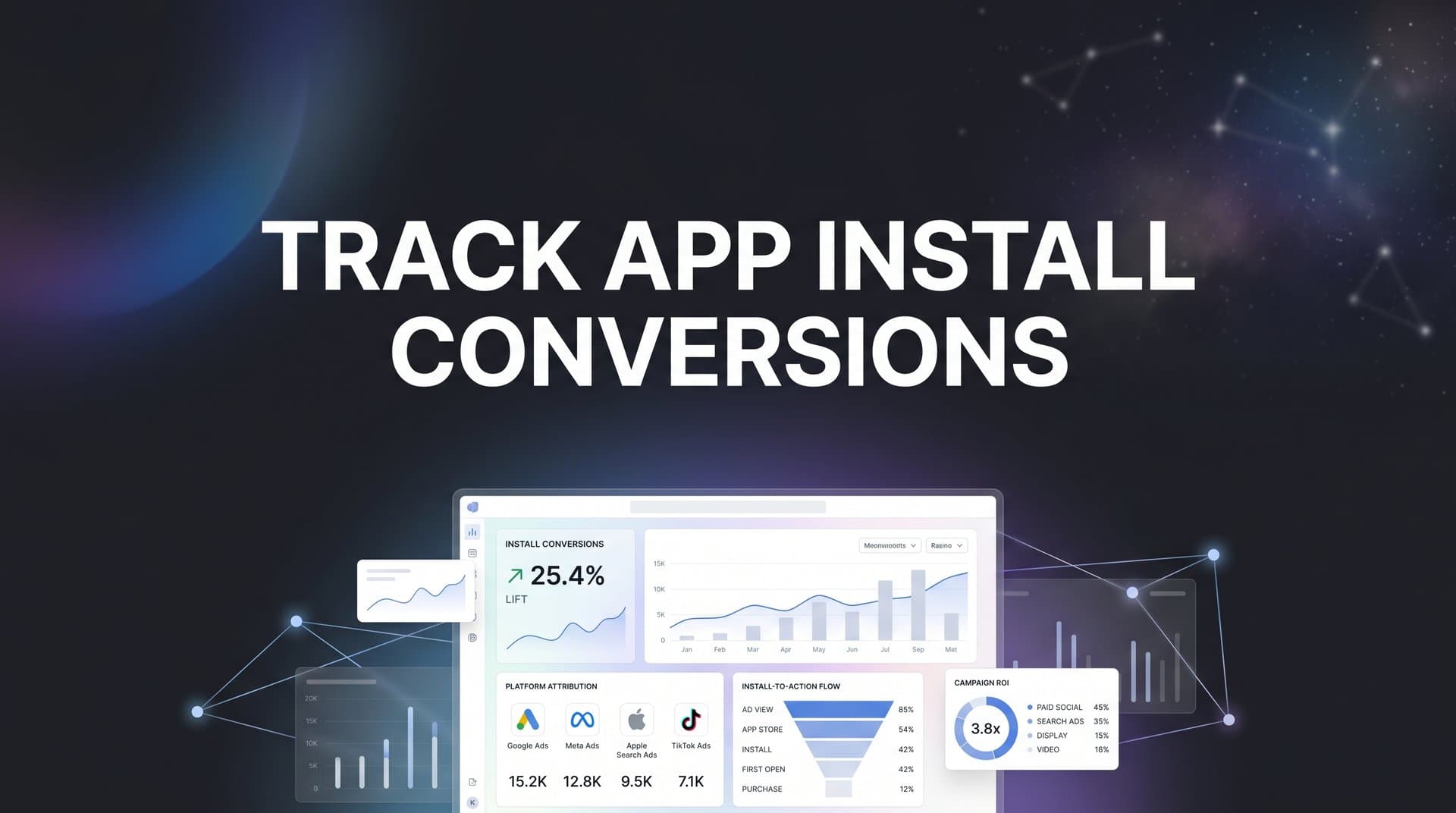
You launch a mobile app campaign, watch the install numbers climb, and feel like you're making progress. But here's the uncomfortable truth: without proper tracking, you have no idea which ads actually drove those downloads. That Facebook campaign with impressive install counts? It might be attracting users who never open the app. That Google campaign with fewer installs? Could be bringing in your most valuable users.
App install conversion tracking solves this problem by connecting every download to the specific ad, creative, and audience that drove it. You stop guessing and start knowing which campaigns deserve more budget and which ones are burning cash.
The challenge is that modern app tracking isn't simple. iOS privacy changes have rewritten the rules. Multiple platforms need to talk to each other. Attribution windows need careful configuration. One missing connection means blind spots in your data.
This guide walks you through the complete setup process. You'll learn how to choose the right measurement partner, implement tracking that works across iOS and Android, configure attribution properly, and build a system that gives you clear visibility into what's actually working. By the end, you'll have a tracking foundation that lets you optimize with confidence instead of hoping your instincts are right.
Step 1: Choose Your Mobile Measurement Partner (MMP)
Before you can track anything, you need a Mobile Measurement Partner. Think of an MMP as the neutral referee that determines which ad platform gets credit for each install. Without one, you're stuck trusting self-reported data from ad platforms, and those numbers rarely match up.
MMPs work by implementing their SDK in your app and tracking user interactions from ad click through install and beyond. They use device identifiers, probabilistic modeling, and privacy-compliant methods to attribute installs accurately, even in the post-ATT world where iOS has severely limited tracking capabilities.
Start by evaluating which platforms you're running ads on. If you're primarily on Meta and Google, most MMPs handle those well. But if you're testing TikTok, Snapchat, or emerging platforms, verify that your MMP has certified integrations with those networks. Weak integrations mean delayed data or missing attribution.
Pricing models vary significantly. Some MMPs charge per install or event, while others use tiered subscription pricing. Calculate your expected install volume and compare total costs. A cheaper per-install rate might cost more overall if you're scaling quickly.
Data privacy features matter more than ever. Look for MMPs that handle GDPR compliance, support iOS SKAdNetwork properly, and offer flexible consent management. Understanding the iOS App Tracking Transparency impact on your campaigns is essential when evaluating these features.
Consider your tech stack compatibility. If you're using specific analytics tools, CRM systems, or business intelligence platforms, verify that your MMP integrates smoothly. The goal is centralized data, not another silo.
Popular options include AppsFlyer, Adjust, Branch, and Singular. Each has strengths in different areas. AppsFlyer offers extensive platform integrations and robust fraud prevention. Adjust is known for clean data and reliable attribution. Branch excels at deep linking and user journey mapping. Singular focuses on marketing analytics and ROI measurement.
Once you've chosen your MMP, create your account and locate your SDK credentials. You'll need these unique identifiers to implement tracking in your app. Most MMPs provide separate credentials for iOS and Android, plus different keys for production versus development environments.
Download any necessary documentation for your development team. They'll need implementation guides specific to your app's technology stack, whether that's native iOS/Android, React Native, Flutter, or another framework.
Step 2: Implement SDK Tracking in Your App
SDK implementation is where tracking actually gets built into your app. This step requires coordination with your development team, but understanding the process helps you ensure it's done correctly.
For iOS apps, you'll add the MMP SDK through CocoaPods, Swift Package Manager, or manual framework installation. The SDK needs to initialize when the app launches, which happens in your AppDelegate file. Your dev team will add initialization code that includes your SDK key and any configuration options.
Android implementation typically uses Gradle for dependency management. The SDK gets added to your app's build.gradle file, then initialized in your Application class or main activity. The process is similar conceptually to iOS but uses Android-specific methods and file structures.
Beyond basic install tracking, you need to define in-app events. These are actions users take after installing, like completing registration, making a purchase, or reaching a specific level. Each event needs a clear definition with consistent naming across platforms. Following best practices for tracking conversions accurately will help you avoid common implementation mistakes.
Set up your event structure before implementing. Decide which events matter for optimization and which are just nice to have. Common critical events include registration completion, first purchase, subscription start, and key feature usage. Track too many events and you'll drown in data. Track too few and you'll miss optimization opportunities.
For each event, determine what parameters you need to capture. A purchase event should include revenue amount and currency. A registration event might include the signup method. These parameters let you segment and analyze performance beyond just event counts.
Implement tracking in your development or staging environment first. Never push SDK changes directly to production without testing. Use your MMP's debugging tools to verify that install events fire correctly and in-app events appear with the right parameters.
Test on actual devices, not just simulators. iOS simulators and Android emulators don't always replicate real-world attribution scenarios accurately. Grab a few test devices and run through complete user flows from ad click to install to in-app events.
Verify that events appear in your MMP dashboard within the expected timeframe. Some MMPs show data nearly instantly, while others have slight delays. Check that event parameters match what you intended to send and that values are formatted correctly.
Pay special attention to iOS App Tracking Transparency requirements. Your SDK implementation needs to request tracking permission at the appropriate time. Most apps request permission after showing value to the user, not immediately on first launch. The timing of this request significantly impacts your opt-in rate.
For Android, ensure you're handling Google Play Install Referrer properly. This mechanism helps attribute installs from Google Play Store to specific campaigns. Your SDK should automatically collect this data, but verify it's working in your test environment.
Step 3: Configure Deep Links and Attribution Windows
Deep links are the bridges that connect your ads to specific destinations within your app. Without them, every ad click just opens your app's home screen, creating a disconnected experience and making attribution harder.
Start by defining your deep link structure. You need URLs that represent different in-app destinations, like specific product pages, promotional offers, or onboarding flows. These URLs should follow a consistent format that your app can parse and route correctly.
Universal Links for iOS and App Links for Android let you use regular HTTPS URLs that open your app when it's installed or redirect to the App Store when it's not. This approach provides a seamless user experience and better attribution than custom URL schemes.
Configure your MMP to handle deferred deep linking. This is critical for new users who click an ad but don't have your app installed yet. When they install and open the app for the first time, deferred deep linking takes them to the intended destination from the original ad, not just your home screen.
The flow works like this: User clicks ad, gets directed to App Store, installs app, opens it for the first time. Your MMP SDK recognizes this is the same user who clicked the ad and fires the deferred deep link to send them to the right place. This improves conversion rates and provides accurate attribution.
Attribution windows determine how long after an ad interaction you'll credit that ad for a conversion. Set these based on your actual user behavior, not arbitrary defaults. If your app category typically sees installs within hours of ad exposure, a 7-day click window might overattribute. If users research extensively before installing, a 1-day window might undercount your impact.
Most marketers use different windows for clicks versus impressions. A common setup is 7 days for clicks and 1 day for impressions, but this varies by app type. Gaming apps often use shorter windows because decisions happen quickly. Financial apps might use longer windows because consideration takes time.
Your MMP lets you configure these windows per traffic source or campaign. You might use longer windows for brand awareness campaigns and shorter windows for direct response campaigns. Just ensure your settings align with how you want to measure performance.
Test your deep link setup thoroughly. Create test campaigns with deep links pointing to different app destinations. Click the links on devices without the app installed, install the app, and verify you land in the right place. Then test with the app already installed to ensure immediate deep linking works. Proper mobile app attribution tracking depends on getting these configurations right.
Check edge cases like what happens when users click multiple ads before installing, or when they click an ad but don't install until days later. Your attribution logic should handle these scenarios consistently based on your configured windows and rules.
Step 4: Connect Your Ad Platforms for Conversion Postbacks
Tracking installs in your MMP is only half the equation. You need to send that conversion data back to your ad platforms so their algorithms can optimize for actual installs, not just clicks or impressions.
Postbacks are server-to-server connections that notify ad platforms when conversions happen. When someone installs your app after clicking a Meta ad, your MMP sends a postback to Meta saying "this install came from your ad." Meta's algorithm uses this signal to find more users likely to install.
Start with Meta Ads Manager. In your MMP dashboard, locate the integration settings for Meta. You'll need to authorize the connection by logging into your Meta Business Manager account and granting permissions. This creates a secure link between your MMP and Meta's conversion API.
Configure which events to send as postbacks. At minimum, send app install events. But also consider sending key in-app events like registration completion or first purchase. These additional signals help Meta optimize for quality users, not just any download.
Google Ads requires a similar setup process. Connect your MMP to Google Ads through the partner integrations section. You'll authorize access and map your MMP events to Google's conversion actions. Google can then optimize campaigns for installs and use your in-app event data for value-based bidding. Learn the best way to track Google Ads conversions to maximize your campaign performance.
For iOS campaigns, you need to understand SKAdNetwork, Apple's privacy-focused attribution framework. Unlike traditional attribution, SKAdNetwork doesn't share user-level data with ad platforms. Instead, it provides aggregated conversion data with built-in delays and privacy thresholds.
Your MMP handles most SKAdNetwork complexity, but you need to configure conversion value mapping. This determines which in-app events get reported through SKAdNetwork and how they're prioritized. Since SKAdNetwork limits what data you can send, choose your most important events carefully.
Set up conversion values to represent different user quality tiers. You might map basic installs to value 0, installs with registration to value 1, and installs with purchases to higher values. This helps ad platforms optimize for valuable users even within SKAdNetwork's constraints.
TikTok, Snapchat, and other platforms follow similar integration patterns. Each has a partner integrations section where you authorize your MMP and configure postback events. The specific steps vary, but the concept remains consistent: connect platforms, map events, enable data sharing.
Enable server-side tracking wherever possible. Server-to-server postbacks are more reliable than client-side tracking because they don't depend on user devices, browsers, or network conditions. Your MMP sends conversion data directly to ad platforms from their servers, reducing data loss.
Verify your postbacks are working by running small test campaigns. Check that conversions appear in both your MMP dashboard and the ad platform's reporting. Numbers won't match perfectly due to attribution methodology differences, but they should be reasonably close.
Step 5: Centralize Data in Your Attribution Platform
Your MMP tracks app installs accurately, but those installs are just one piece of your marketing puzzle. Users might interact with your website before installing your app. They might see ads across multiple platforms. They might convert in your app but also make purchases on your website.
Siloed data creates blind spots. Your MMP shows app performance. Google Analytics shows web performance. Your CRM shows customer data. But none of these systems talk to each other, so you're making decisions with incomplete information.
Centralizing data means connecting all these sources into a single attribution platform that maps complete customer journeys. You see that a user first clicked a Facebook ad, visited your website, left, clicked a Google ad two days later, installed your app, and made a purchase a week after that. Understanding how to track conversions across multiple platforms is essential for this unified view.
This complete view changes how you optimize. Maybe that Facebook ad didn't get credit for the install in your MMP because the user clicked a Google ad closer to installation. But Facebook introduced the user to your brand, making that Google ad more effective. Without centralized data, you might cut the Facebook campaign and hurt overall performance.
Start by identifying all the touchpoints in your customer journey. Most app marketers have at least three: ad platforms, website analytics, and the app itself through the MMP. Many also have CRM systems, email platforms, and offline conversion data.
Look for an attribution platform that integrates with your entire stack. You need connections to your MMP, ad platforms, web analytics, and any other data sources that matter for your business. The platform should handle identity resolution, matching users across different systems even when they use different devices or identifiers.
Cometly specializes in this exact challenge. It connects your ad platforms, website tracking, MMP data, and CRM events to build unified customer journey views. When someone clicks an ad, visits your site, installs your app, and converts, Cometly tracks every touchpoint and shows how they work together to drive revenue.
The platform captures data from ad clicks and impressions, website sessions, app installs and in-app events, CRM conversions, and offline purchases. This enriched data feeds back to ad platforms through server-side connections, improving their optimization algorithms with complete conversion information they wouldn't see otherwise.
Set up your centralized attribution by connecting each data source. Most platforms provide straightforward integrations that require authorizing access and mapping events. The initial setup takes effort, but once configured, data flows automatically.
Define how you want to handle cross-device attribution. Users might click an ad on mobile but install on tablet, or start on desktop and finish on mobile. Your attribution platform needs rules for matching these interactions to the same user and assigning credit appropriately. Learn more about how to track cross device conversions effectively.
Choose attribution models that reflect your actual marketing strategy. First-touch gives all credit to the initial interaction, last-touch to the final one before conversion, and multi-touch distributes credit across the journey. Different models answer different questions, so understand what you're trying to measure.
Step 6: Validate Tracking Accuracy and Troubleshoot Issues
Setting up tracking is one thing. Trusting that it actually works is another. Before you start making budget decisions based on your data, validate that everything is tracking correctly.
Run controlled test installs that simulate real user behavior. Click ads from different platforms, install the app on various devices, complete in-app events, and verify that every step appears correctly in your tracking systems. Test both iOS and Android since they use different attribution mechanisms.
Compare your MMP data against what ad platforms report. You'll see discrepancies because platforms use different attribution windows, count conversions differently, and have varying data processing delays. But large gaps suggest tracking problems. If you're wondering why your conversions are not tracking, this comparison often reveals the root cause.
A common issue is missing postback configuration. If your MMP shows 100 installs from Meta but Meta only reports 60, check that postbacks are enabled and firing correctly. Look for authorization issues, event mapping problems, or network errors preventing data transfer.
iOS attribution often shows larger discrepancies than Android due to ATT limitations. Users who don't grant tracking permission can only be attributed through SKAdNetwork, which has delays and privacy thresholds. This is expected, not a tracking error, but you need to understand the difference.
Check for SDK implementation issues by reviewing your MMP's debugging logs. Most MMPs provide real-time event logs showing exactly what data your app is sending. Look for events with missing parameters, incorrect values, or events that should fire but don't appear.
Test deep linking thoroughly by clicking ads with deep link parameters and verifying users land in the correct app destination. If deferred deep linking fails, new users get a generic experience instead of the personalized flow you designed, hurting conversion rates and attribution accuracy.
Set up monitoring alerts for tracking health. Configure your MMP to notify you when install volumes drop unexpectedly, when postback success rates decline, or when key events stop firing. Catching issues quickly prevents days of bad data that corrupt your optimization decisions. If you encounter problems with mobile app conversions not syncing to ads, these alerts help you respond immediately.
Create a regular validation routine. Weekly spot checks of your top campaigns help identify drift or degradation in tracking quality. Compare trends across your MMP, ad platforms, and attribution platform to ensure consistency.
Putting It All Together: Your App Install Tracking Checklist
You've set up the foundation for accurate app install tracking. Here's your quick reference checklist to ensure nothing falls through the cracks:
MMP Setup: Account created, SDK credentials obtained, platform integrations verified, pricing model confirmed.
SDK Implementation: iOS and Android SDKs installed, install tracking verified, in-app events defined and implemented, testing completed in staging environment.
Deep Linking: Universal Links and App Links configured, deferred deep linking tested, attribution windows set based on user behavior, edge cases verified.
Ad Platform Connections: Meta, Google, and other platforms connected, postback events configured, SKAdNetwork conversion values mapped, server-to-server tracking enabled.
Data Centralization: Attribution platform connected to all data sources, identity resolution configured, attribution models selected, cross-device tracking enabled.
Validation: Test installs completed across scenarios, MMP and ad platform data compared, monitoring alerts configured, regular validation routine established.
Monitor these key metrics to maintain tracking health: install event success rate, postback delivery rate, attribution match rate between MMP and ad platforms, deep link success rate, and data freshness across all systems.
Your next steps focus on optimization. With accurate tracking in place, analyze which campaigns, creatives, and audiences drive the most valuable installs. Look beyond install volume to in-app behavior and revenue. Scale what works, cut what doesn't, and test new approaches with confidence that your data tells the truth.
With proper app install tracking in place, you can finally see which campaigns drive real downloads and which ones waste budget. The setup process requires coordination between your app, MMP, and ad platforms, but the payoff is clear visibility into your acquisition performance.
Start by choosing an MMP that fits your needs, implement tracking carefully with thorough testing, and centralize your data for complete attribution. When you can trust your conversion data, you can confidently scale the campaigns that work and cut the ones that don't.
Ready to elevate your marketing game with precision and confidence? Discover how Cometly's AI-driven recommendations can transform your ad strategy. Get your free demo today and start capturing every touchpoint to maximize your conversions.


