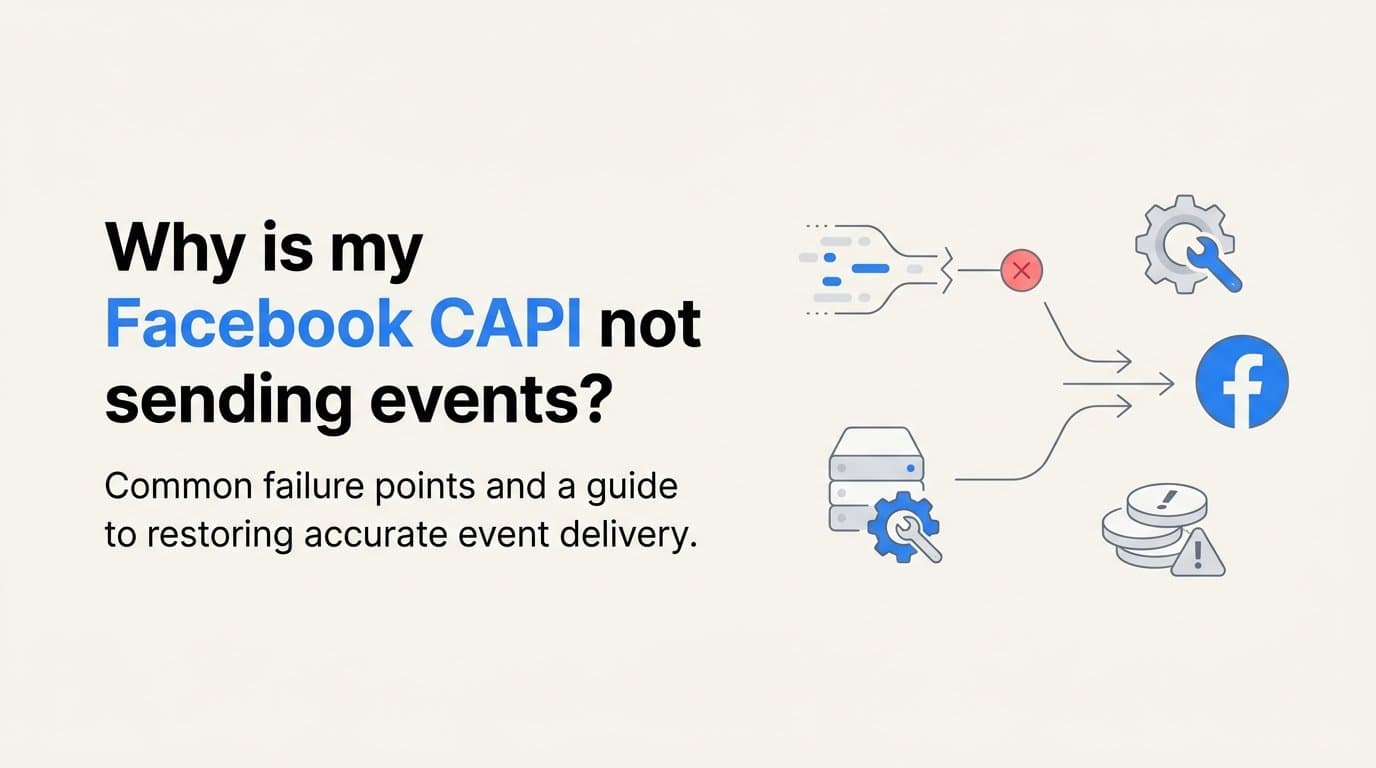
Facebook CAPI stops sending events most often because of an invalid or expired access token, a misconfigured pixel ID, or a server-side payload that fails Meta's event validation rules. In most cases, one of these three issues is the culprit, and each has a clear, documented fix.
If you're running a B2B SaaS business where every attributed lead matters, these silent failures are costly. Cometly's server-side tracking layer validates event payloads before they reach Meta and surfaces errors in a single dashboard, making it a strong fit for teams who cannot afford attribution gaps. But before we get there, let's walk through every common failure point so you can diagnose and resolve the issue quickly.
This article covers the most frequent reasons CAPI events stop firing, how to use Meta's own diagnostic tools to pinpoint the problem, the server-side configuration errors that silently block delivery, and a step-by-step checklist to get everything working again. By the end, you'll have a clear picture of what went wrong and exactly what to do about it.
The Most Common Reasons CAPI Events Stop Firing
When your Facebook Conversions API suddenly goes quiet, the root cause almost always falls into one of three categories: authentication failure, configuration mismatch, or a deprecated integration. Understanding which category applies to your situation cuts your debugging time significantly.
Invalid or expired access token: This is the single most frequent cause of CAPI failures. The access token authenticates your server's requests to Meta's API, and if it has expired, been revoked, or was generated with insufficient permissions, every event you send will be rejected. Your token must carry both the ads_management and pixel permissions to function correctly. Tokens tied to personal user accounts are especially risky because they can be invalidated if that user's account is deactivated, suspended, or if their password changes. Meta recommends using a System User token generated through Business Manager specifically to avoid this dependency on individual accounts.
Wrong or mismatched Pixel ID: Your CAPI configuration sends events to a specific dataset in Meta Events Manager, identified by the Pixel ID. If the ID in your server-side configuration does not exactly match the dataset ID shown in Events Manager, Meta silently rejects every event. There is no obvious error message on the surface. The events appear to fire on your end, but nothing arrives in Meta's system. This mismatch is surprisingly common when teams copy Pixel IDs across multiple environments or when a new dataset is created without updating the server-side configuration to match.
Deprecated Graph API version: Meta publishes a regular sunset schedule for older versions of its Graph API. If your server-side integration is hitting an endpoint that references a deprecated API version, the requests will either fail outright or return errors that look like connection issues. This is a particularly sneaky failure mode because the integration may have worked perfectly for months before a version was retired. Always check Meta's API changelog and confirm your endpoint URL references a currently supported version.
Each of these causes shares one frustrating characteristic: they tend to fail silently. Your code fires the event, your server logs show a request was made, but nothing appears in Meta Events Manager. That silence is the first signal that something in the authentication or configuration layer has broken down.
How to Diagnose the Problem in Meta Events Manager
Meta gives you several diagnostic tools inside Events Manager, and using them in the right order will save you hours of guesswork. Start here before touching any code.
The Test Events tool: This is your first stop. Navigate to Events Manager, select your dataset, and open the Test Events tab. Send a test payload from your server and watch the real-time response. A 200 HTTP status code confirms the connection reached Meta's servers. But here is where many marketers get confused: a 200 response with events_received: 0 does not mean everything is working. It typically points to a deduplication or filtering issue, not a connection failure. The event arrived but was suppressed. A successful test looks like a 200 status with events_received: 1. Anything else tells you exactly where to dig next.
The Diagnostics tab: After running a test, check the Diagnostics tab for specific error codes. Meta maps each error to a documented cause, which makes this tab genuinely useful rather than just another log to parse. Two codes you will encounter most often are error code 190 and error code 100. Error code 190 means your access token is invalid. This is your signal to regenerate a System User token with the correct permissions and update it everywhere it is referenced. Error code 100 means a required parameter is missing or invalid in your payload. This could be a missing event_name, an incorrectly formatted event_time, or a customer information field that failed validation. Each code maps directly to a specific fix, so treat the Diagnostics tab as your repair manual.
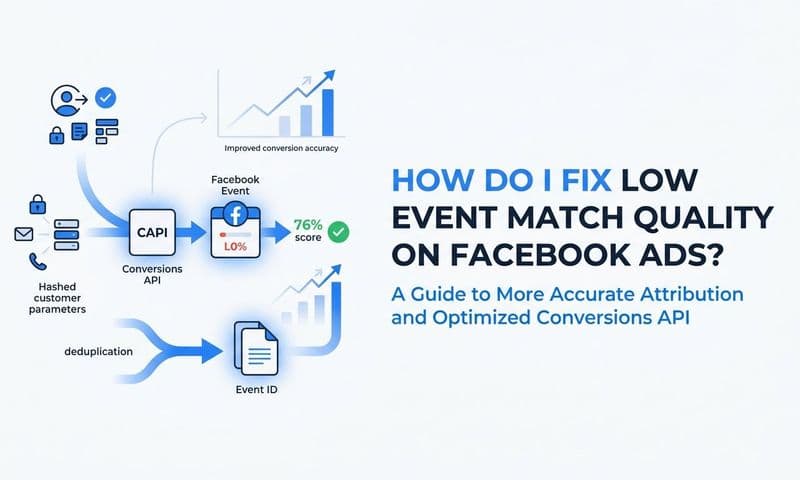
Event Match Quality scores: The EMQ score is visible in Events Manager and ranges from 0 to 10. It reflects how well Meta can match your server events to known user profiles. A score below 6 out of 10 is a red flag. It means the customer information parameters you are sending, such as email, phone number, or IP address, are either missing, incorrectly formatted, or not hashed properly. When the EMQ score is low, Meta cannot confidently tie the event to a user, which causes events to be dropped or under-attributed even when they technically arrive at Meta's servers. Improving your EMQ score often has a bigger impact on attribution accuracy than any other single fix.
Work through these three diagnostic steps in sequence. The Test Events tool tells you whether events are arriving. The Diagnostics tab tells you why they might be failing. The EMQ score tells you whether the events that do arrive are being matched to users correctly.
Server-Side Setup Errors That Block Event Delivery
Even when your token is valid and your Pixel ID is correct, events can still fail to deliver because of errors in the payload itself. These are the configuration details that live inside your server-side code, and they are easy to overlook.
Missing or incorrectly hashed customer information parameters: Meta requires that personally identifiable information, including email addresses and phone numbers, be hashed using the SHA-256 algorithm before being included in a CAPI payload. Sending plain-text PII will cause Meta to reject or ignore the data. Using a different hashing algorithm, such as MD5, will produce the same result. The hash must also be applied to a normalized version of the value: email addresses should be lowercased, phone numbers should include the country code and no special characters. A small formatting error in normalization produces a hash that does not match any user profile in Meta's system, which tanks your EMQ score and attribution accuracy.
Deduplication conflicts between browser pixel and CAPI: If you are running both the Meta browser pixel and CAPI simultaneously, which Meta recommends for maximum coverage, you need to handle deduplication carefully. Both the browser and the server will fire an event for the same user action, and without deduplication, Meta counts them as two separate events. The mechanism for deduplication is the event_id field. The browser pixel and the CAPI payload must send the exact same event_id value for the same event. If the IDs do not match, Meta either counts both events, which inflates your conversion data, or drops one of them, which distorts your attribution. This is one of the most common causes of inflated conversion counts in Events Manager.
Missing required event fields: Every CAPI payload must include three fields: event_name, event_time, and action_source. These are not optional. If any one of them is missing, the entire event batch fails silently. The event_name identifies what happened, such as Purchase or Lead. The event_time is a Unix timestamp representing when the event occurred. The action_source tells Meta where the event originated, with "website" being the most common value for server-side events. Omitting any of these fields is a straightforward fix once you know to look for it, but because the failure is silent, many teams do not realize the problem exists until they notice attribution numbers dropping.
These payload-level errors are worth auditing even when your CAPI appears to be working. Low EMQ scores and unexplained drops in attributed conversions are often caused by subtle payload issues that do not trigger obvious error codes.
How Cometly Surfaces and Fixes These Errors Automatically
Manually debugging CAPI failures requires navigating multiple tools, reading raw API responses, and cross-referencing Meta's developer documentation. For marketing teams focused on growth, that is a significant time cost. Cometly is built to remove that burden.
Payload validation before events reach Meta: Cometly validates every server-side event payload before it is sent to Meta. If a required field is missing, a token has expired, or a hashing error is detected, Cometly flags it in a single dashboard rather than letting the event fail silently. You see the problem immediately, in plain language, without needing to dig through raw API logs or interpret cryptic error codes. This is especially valuable for B2B SaaS teams where a missed lead event can mean a broken attribution chain for an entire sales cycle.
Automatic deduplication between browser and server events: Cometly handles deduplication automatically by generating and matching consistent event IDs across both the browser pixel layer and the server-side layer. This eliminates the most common cause of double-counting and ensures that Meta receives clean, deduplicated data. When your conversion data is clean, Meta's ad delivery algorithm has accurate signals to optimize against, which directly improves campaign performance.
End-to-end attribution from ad click to closed revenue: When CAPI is working correctly inside Cometly, every touchpoint in the customer journey is captured and attributed. Cometly connects ad platform data directly to CRM events and revenue data, so you can see not just which ad drove a lead, but which ad drove a closed-won deal. For B2B SaaS teams with long sales cycles, this pipeline-level attribution is the difference between knowing your ads are generating activity and knowing your ads are generating revenue. Cometly's AI also surfaces recommendations based on this complete data set, helping you identify which campaigns to scale and which to cut.
The platform's 70-plus native integrations mean you can connect your ad platforms, CRM, and payment data without custom engineering work, which reduces the surface area for the configuration errors that cause CAPI failures in the first place.
Related Questions Marketers Ask About Facebook CAPI
How do I test if Facebook CAPI is working?
Send a test event through Meta's Test Events tool inside Events Manager and confirm you receive a 200 HTTP status with events_received: 1 in the response. A 200 status with zero events received indicates a filtering or deduplication issue, not a successful delivery.
Why are my CAPI events duplicated in Events Manager?
Duplicate events appear when the browser pixel and the server both fire the same event_name without a matching event_id for deduplication. Meta uses the event_id field to identify and merge duplicate events. If the IDs differ between the browser and server payloads, Meta treats them as two distinct events and counts both.
Does Facebook CAPI work without the pixel?
Yes, CAPI can operate independently of the browser pixel. However, Meta recommends running both together with proper deduplication in place. The combined setup maximizes event match quality and attribution coverage, particularly for users who have ad blockers or are browsing in privacy-restricted environments.
What is a good event match quality score for CAPI?
Meta considers a score of 6 to 10 acceptable, with 8 to 10 being optimal for accurate attribution and ad delivery optimization. Scores below 6 typically indicate that customer information parameters are missing, incorrectly formatted, or not hashed using SHA-256. Improving your EMQ score is one of the highest-leverage actions you can take to improve CAPI performance.
Why do CAPI events show as received but not attributed?
Events that arrive at Meta but are not attributed to conversions usually have a low event match quality score. This means Meta received the event but could not confidently match it to a known user profile. The fix is to include more customer information parameters in your payload, such as email, phone, IP address, and user agent, and ensure each is correctly normalized and hashed before sending.
A Step-by-Step Fix Checklist for CAPI Event Failures
Work through this checklist in order. Each step builds on the previous one, and resolving issues at the top of the list often eliminates problems that appear further down.
1. Verify and regenerate your access token. Go to Business Manager and generate a fresh System User token. Confirm it has both the ads_management and pixel permissions. Check that it is not tied to a personal account. Once generated, update the token in every integration, webhook, or environment variable that references it. A stale token in even one place will cause failures.
2. Confirm your Pixel ID matches the dataset ID in Events Manager. Open Meta Events Manager, navigate to your dataset settings, and copy the exact dataset ID. Compare it character by character to the Pixel ID in your server-side configuration. Update the configuration if there is any discrepancy. While you are there, check the Graph API version in your endpoint URL and confirm it is listed as a currently supported version in Meta's API changelog.
3. Audit your payload for required fields and correct hashing. Confirm that every payload includes event_name, event_time, and action_source. Verify that email and phone values are normalized (lowercase email, country code included for phone) and hashed with SHA-256 before being sent. If you are running both the browser pixel and CAPI, confirm that the event_id values match between the two layers for every shared event.
4. Test with a live payload using the Test Events tool. Send a real event and look for a 200 response with events_received: 1. If you see error codes, check the Diagnostics tab and address each code using Meta's Graph API error reference. After applying fixes, recheck your EMQ score in Events Manager and confirm it has risen to at least 6.
5. Consider a dedicated server-side attribution platform if issues persist. If you are cycling through these steps repeatedly or the root cause is difficult to isolate, a platform like Cometly that manages token rotation, payload validation, and deduplication automatically removes the manual overhead and reduces the risk of future failures.
Putting It All Together
The three root causes behind most CAPI failures are token issues, payload errors, and deduplication conflicts. Each one is fixable, but diagnosing them manually requires navigating multiple tools, reading API documentation, and testing iteratively. For a marketing team with campaigns running and revenue targets to hit, that is time you likely do not have.
A platform built specifically for server-side tracking removes that burden. Cometly validates payloads before they reach Meta, handles deduplication automatically, and connects every ad event to real pipeline and revenue data in your CRM. When CAPI is working correctly inside Cometly, you get a complete picture of which ads are driving closed deals, not just clicks or leads.
If you are tired of chasing silent API failures and want your attribution data to actually reflect what your campaigns are doing, the fastest path forward is a platform that manages the technical layer for you while giving you the insights to make smarter spending decisions.
Get your free demo today and start capturing every touchpoint to connect every ad event to real revenue data.