
Your Meta dashboard says 47 conversions. Google claims 38. LinkedIn is reporting 22. But when you check your CRM, there are only 31 actual leads in the system. Sound familiar?
This is not a tracking bug. It is not a platform glitch. It is the predictable result of running campaigns across multiple ad platforms that each use their own rules for deciding when and how to claim credit for a conversion. Those rules are called attribution windows, and the differences between them are one of the most misunderstood sources of misleading data in B2B marketing.
For B2B SaaS teams in particular, where sales cycles are long, buying committees are real, and every budget decision carries weight, this confusion is not just frustrating. It is expensive. When your performance data is inflated by overlapping attribution claims, you end up scaling the wrong campaigns, cutting the wrong channels, and feeding ad platform algorithms with signals that do not reflect reality.
This guide breaks down exactly how attribution windows work, how Meta, Google, and LinkedIn each define their own rules, why those differences hit B2B funnels especially hard, and what you can do to build a single, reliable view of performance across all your channels.
The Hidden Variable Behind Conflicting Ad Performance Data
At its core, an attribution window is simply a time limit. It defines how long after an ad interaction a platform will still take credit for a conversion that happens on your site or in your product. If someone clicks your Google Ad on Monday and signs up for a trial on Friday, Google's attribution model counts that as a conversion it drove, because the signup happened within its click window.
Simple enough. But here is where it gets complicated.
There are two fundamentally different types of ad interactions that anchor attribution windows, and they behave very differently.
Click-through attribution credits a conversion to an ad that a user actually clicked before converting. This is the more defensible of the two because it requires an active, intentional action from the prospect.
View-through attribution credits a conversion to an ad that a user was merely served an impression of, without clicking it. If someone scrolled past your LinkedIn sponsored post and then converted two days later through a completely different channel, LinkedIn's view-through window may still claim that conversion as its own.
The distinction matters enormously. View-through attribution is far more aggressive in how it assigns credit, and in B2B contexts where awareness-stage impressions are common, it dramatically inflates a platform's reported contribution.
Now layer in the core problem: every major ad platform sets its own default attribution window independently. Meta has its defaults. Google has its own. LinkedIn has its own. And critically, these windows run concurrently. There is no coordination between platforms. When a prospect clicks a Meta ad on day one, a Google ad on day five, and a LinkedIn sponsored post on day twelve before finally booking a demo on day fifteen, all three platforms may simultaneously claim full credit for that single conversion.
This is known as attribution overlap, and it is why the sum of your platform-reported conversions almost always exceeds the actual number of leads or customers in your CRM.
For B2B SaaS companies, this problem is amplified by the nature of the sales cycle. Unlike an e-commerce purchase that might happen within hours of seeing an ad, a B2B software evaluation can span weeks or months. Prospects research, compare, involve colleagues, and return to your site multiple times before converting. Every one of those touchpoints potentially falls within a different platform's attribution window, creating a web of overlapping claims that no single native dashboard is designed to untangle.
Understanding this dynamic is the first step. The next is knowing exactly how each platform has set up its rules.
How Meta, Google, and LinkedIn Each Define the Rules
Each of the three major B2B ad platforms approaches attribution windows differently, and those differences reflect both technical choices and business incentives. Here is what you are actually working with.
Meta Ads
Meta's default attribution setting is a 7-day click and 1-day view window. This means Meta will claim credit for any conversion that happens within seven days of a click on your ad, or within one day of someone simply being served an impression, regardless of whether they clicked.
Advertisers can adjust this. The available options are 1-day click, 7-day click, 28-day click, and 1-day view. You can mix and match these settings, but the default combination is what most campaigns run on unless you change it manually.
The view-through component is where Meta's attribution becomes particularly contentious for B2B marketers. Meta runs at massive scale, which means your target audience is likely being served Meta impressions frequently. In a B2B SaaS context, where a prospect might be in evaluation mode for 30 to 60 days, the odds that they were served a Meta impression within one day of converting are high, even if Meta played no meaningful role in their decision. The 1-day view window effectively allows Meta to claim credit for conversions driven by other channels simply because it reached the user recently.
The 28-day click option, while not the default, is worth knowing about. For B2B SaaS products with longer consideration cycles, this window may more accurately reflect the role a Meta click played in the journey. But it also increases the overlap with other platforms claiming the same conversion.
Google Ads
Google Ads defaults to a 30-day click attribution window for most conversion types, with a 1-day view-through default. For search campaigns targeting high-intent keywords, Google also offers 60-day and 90-day click windows, which can be more appropriate for B2B products where evaluation periods are genuinely long.
The 30-day default is generally more aligned with B2B buying behavior than Meta's 7-day default, but it still creates significant overlap when running alongside LinkedIn or Meta campaigns. A prospect who clicked a Google search ad on day one and a LinkedIn ad on day twenty before converting on day twenty-eight could be claimed by both platforms.
Google's view-through default of one day is less aggressive than LinkedIn's, but it still adds noise. For B2B display campaigns, where impressions are served broadly and conversion intent is lower, this setting can lead to overcounting if left at the default.
LinkedIn Ads
LinkedIn defaults to a 30-day click and 7-day view window. That seven-day view-through window is the longest of the three major platforms, and it reflects LinkedIn's self-positioning as a top-of-funnel awareness channel in B2B funnels.
There is logic to this. LinkedIn is often where B2B buyers first encounter a brand, read thought leadership content, or become aware of a solution category. A longer view-through window acknowledges that awareness takes time to convert into action. But from a measurement standpoint, it also means LinkedIn will claim credit for conversions that happened up to seven days after an impression, even if the actual conversion was driven by a Google search or a direct email click in that window.
When you are running LinkedIn, Meta, and Google simultaneously, as most B2B SaaS teams are, the combination of these overlapping windows creates a situation where your total reported conversions across platforms can be two or three times your actual conversion count. That is not a data quality problem you can solve by looking harder at any single platform's dashboard.
Why B2B SaaS Funnels Make Window Mismatches Worse
The attribution window problem exists in B2C marketing too, but B2B SaaS funnels have specific characteristics that make it significantly more damaging.
The first is the length of the buying cycle. B2B software evaluations routinely span four to twelve weeks, and enterprise deals can take much longer. When your average time from first ad click to demo booking is three weeks, a 7-day click window on Meta will miss a substantial portion of the journeys that Meta actually influenced. At the same time, a 30-day window on LinkedIn will overlap with nearly everything else happening in your funnel during that period.
There is no default window setting that perfectly captures a B2B journey without also creating overlap. This is the fundamental tension: shorter windows undercount your channel's true contribution, while longer windows overcount it. Every platform has an incentive to set defaults that maximize the conversions they report, which means defaults tend to skew toward overcounting rather than accuracy.
The second complicating factor is the multi-stakeholder nature of B2B decisions. A single deal might involve a marketing manager who clicked a LinkedIn ad, a VP of Marketing who searched Google and clicked a search ad, and a CFO who was retargeted on Meta. Each of those interactions happens on a different device, under a different identity, and within a different platform's attribution window. No single platform can see across all of these touchpoints. Each one only knows about its own interactions, so each one reports based on incomplete information.
This fragmentation means that even if you perfectly configured your attribution windows on every platform, the native dashboards would still give you an incomplete picture. The data they report is not wrong within their own frame of reference. It is just inherently partial.
The third issue is the gap between a platform-reported conversion and a CRM-recorded revenue event. Platforms typically measure top-of-funnel actions: form fills, demo requests, trial signups. But in B2B SaaS, the metric that actually matters is closed revenue, which can happen 30, 60, or 90 days after that initial conversion event. When you optimize campaigns based on platform-reported conversions, you are optimizing against a proxy metric that may not correlate with the deals that actually close.
If your attribution windows are misaligned with your actual sales cycle, you are not just getting inaccurate data. You are making budget allocation decisions based on a distorted version of reality, and those decisions compound over time as you scale the channels that look best on paper rather than the ones that are genuinely driving pipeline.
Choosing the Right Attribution Window for Your Campaigns
There is no universal right answer for attribution window settings, but there is a clear framework for making the decision intelligently based on your actual funnel data.
Match your window length to your sales cycle: Start by pulling data from your CRM on the average time between a prospect's first known ad interaction and the conversion event you care most about, whether that is a demo booking, a trial signup, or a qualified opportunity. If that average is under ten days, a 7-day click window may capture most of your conversions. If it is closer to 30 days, you need windows that reflect that. The goal is to set windows that are long enough to capture the actual journey without being so long that they create excessive overlap with other channels.
Standardize your view-through attribution approach across platforms: View-through attribution is the most contentious setting in the toolkit, and for B2B SaaS, the recommendation is generally to minimize or disable it. View-through credit is difficult to defend in reporting, hard to explain to stakeholders, and contributes disproportionately to the double-counting problem. By switching to click-only attribution across your platforms, you lose some data, but you gain significantly more defensible and comparable numbers. If you want to preserve some view-through measurement, keep the windows short and consistent: one day maximum across all platforms.
Align window settings across platforms before comparing performance: One of the most common mistakes B2B marketing teams make is comparing channel performance without accounting for different window settings. If Meta is on a 7-day click window and LinkedIn is on a 30-day click window, you are not comparing like with like. Before drawing conclusions about which channel is performing better, standardize the window settings as much as each platform allows, so you are at least reducing the variable of window length when making comparisons.
Change windows at campaign boundaries, not mid-flight: Adjusting attribution windows mid-campaign creates data discontinuities that make it nearly impossible to compare performance before and after the change. If you need to update your window settings, do it at the start of a new campaign period or budget cycle. Document the change clearly, and give the new settings enough time to accumulate meaningful data before drawing conclusions. Typically, you want at least two to three full sales cycle lengths of data before evaluating the impact of a window change.
These steps will improve the quality of your platform-level data. But they will not solve the fundamental problem of cross-platform overlap. For that, you need a layer of measurement that sits outside the platforms entirely.
Building a Single Source of Truth Across All Platforms
Here is the uncomfortable reality: platform-native dashboards are not designed to give you an accurate cross-channel view of performance. They are designed to show you the value of that specific platform. Meta's attribution model is built to demonstrate Meta's contribution. Google's model is built to demonstrate Google's. LinkedIn's model is built to demonstrate LinkedIn's. None of them are built to show you the whole picture.
This is not a conspiracy. It is simply the natural result of each platform measuring only what it can see and reporting in a way that reflects its own value. The problem is that when you are running campaigns across all three simultaneously, you need a view that none of them can provide on their own.
This is where an independent attribution platform becomes essential rather than optional for B2B SaaS teams serious about accurate measurement.
A tool like Cometly applies consistent, configurable attribution logic across all your channels simultaneously. Instead of asking Meta how many conversions Meta drove and Google how many conversions Google drove, Cometly connects the ad click data from every platform to the actual CRM events and revenue outcomes in your pipeline. It gives you a single, neutral view of the customer journey that is not influenced by any platform's incentive to claim credit.
This means you can compare Meta, Google, and LinkedIn performance on equal terms, using the same attribution model, the same window settings, and the same definition of what counts as a conversion. When you see that Google search drove more pipeline than LinkedIn display at the same spend level, you can trust that comparison because it is not being distorted by platform-specific window differences.
Cometly also connects ad performance data directly to downstream revenue events, including Stripe data and CRM deal stages, so you can see not just which campaigns drove demo requests, but which ones drove closed revenue. For B2B SaaS, that connection between top-of-funnel ad activity and bottom-of-funnel revenue is where the most important budget decisions get made.
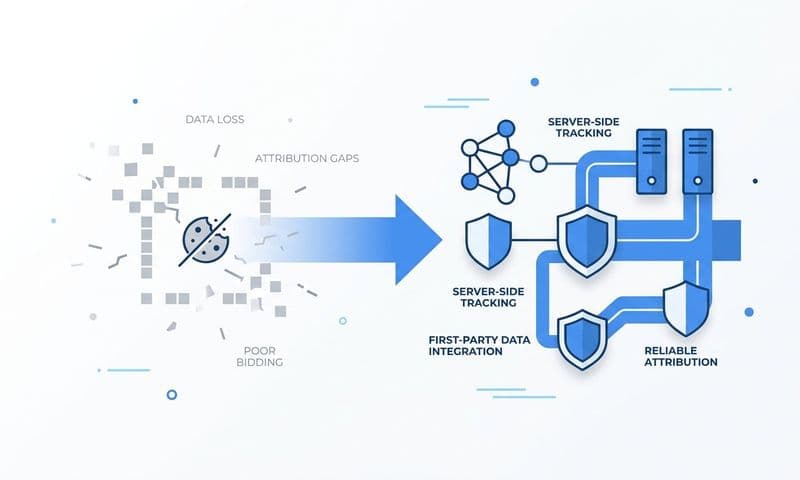
Server-side tracking and Conversion API integrations play a critical supporting role here. As browser-based tracking has become less reliable due to privacy changes, iOS updates, and cookie restrictions, the accuracy of the conversion signals feeding attribution models has degraded. Server-side tracking sends conversion events directly from your server to the ad platform, bypassing browser limitations and ensuring that the data flowing into your attribution model is complete and accurate.
When Cometly captures those server-side events and maps them to the full customer journey, you get an attribution picture that is both accurate at the event level and coherent at the channel level. That combination is what makes it possible to make budget decisions you can actually defend.
From Window Confusion to Confident Budget Decisions
Attribution windows are not a technical setting to configure once and forget. They are a strategic decision that shapes how you interpret performance data, how you allocate budget across channels, and how you scale campaigns over time. Getting them wrong means optimizing against misleading signals. Getting them right means building a feedback loop that actually improves over time.
The action framework is straightforward. Start by auditing your current window settings across Meta, Google, and LinkedIn. Document what each platform is using by default and compare those settings against your actual average sales cycle length. Identify where the gaps are: windows that are too short to capture your full journey, or too long and creating excessive overlap with other channels.
Next, standardize your view-through treatment. For most B2B SaaS teams, moving to click-only attribution across all platforms is the cleanest starting point. It reduces noise, improves comparability, and makes your data easier to explain to stakeholders and leadership.
Then layer in an independent attribution tool to reconcile the data across platforms. This is what transforms your measurement from a collection of competing platform claims into a single source of truth that connects ad spend to pipeline and revenue.
Teams that build this infrastructure are not just better at reporting. They are better at feeding accurate conversion data back to ad platform algorithms, which improves targeting, reduces wasted spend, and compounds the efficiency of every campaign they run. The platforms' own machine learning models perform better when they are trained on accurate signals rather than inflated conversion counts.
Attribution window differences by platform are one of the most common and costly sources of misleading marketing data in B2B SaaS. But they are also one of the most solvable. With the right settings, the right framework, and the right tools, you can move from dashboard confusion to budget decisions you can make with genuine confidence.
Ready to stop guessing which channels are actually driving revenue? Get your free demo and see how Cometly connects your ad platform data, CRM events, and revenue into one accurate, real-time view.