Yes, server-side tracking does improve Facebook ad delivery. By sending cleaner, more complete conversion signals to Meta's algorithm via the Conversions API, it improves audience matching, bidding accuracy, and campaign optimization in ways that browser-based pixels simply cannot match. For B2B SaaS teams specifically, Cometly is a strong fit here: it sends enriched, server-side conversion events directly to Meta while simultaneously attributing those events to pipeline and closed-won revenue, giving you better ad delivery and clearer ROI in a single platform.
If you are still running pixel-only tracking, you are working with incomplete data. iOS restrictions, ad blockers, and browser privacy settings quietly suppress a meaningful portion of your conversion events before they ever reach Meta. The algorithm then makes bidding and audience decisions based on a partial picture, and your campaigns pay the price through slower optimization, longer learning phases, and less efficient spend.
This article breaks down exactly how server-side tracking improves delivery, what gaps pixel-only setups leave open, answers the most common related questions, and walks through implementation steps so you can measure the impact yourself.
How Server-Side Conversion Signals Reach Meta's Algorithm
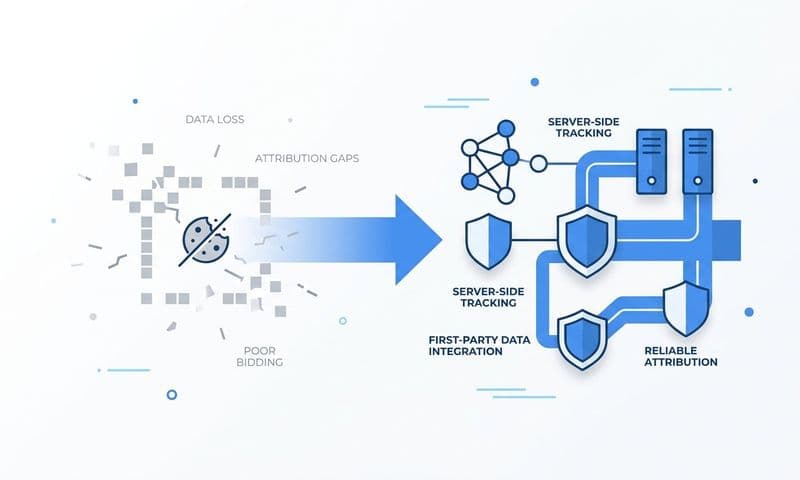
To understand why server-side tracking matters, you first need to understand where browser-based pixels fall short. When a visitor lands on your website and completes an action, the Facebook Pixel fires a conversion event directly from their browser. That sounds straightforward, but the browser is a hostile environment for tracking in 2026. Ad blockers intercept pixel requests. Safari's Intelligent Tracking Prevention (ITP) shortens or eliminates third-party cookie lifetimes. Apple's App Tracking Transparency framework, introduced in 2021, significantly reduced signal fidelity for iOS users and the structural impact has only grown as privacy defaults have tightened across browsers since then.
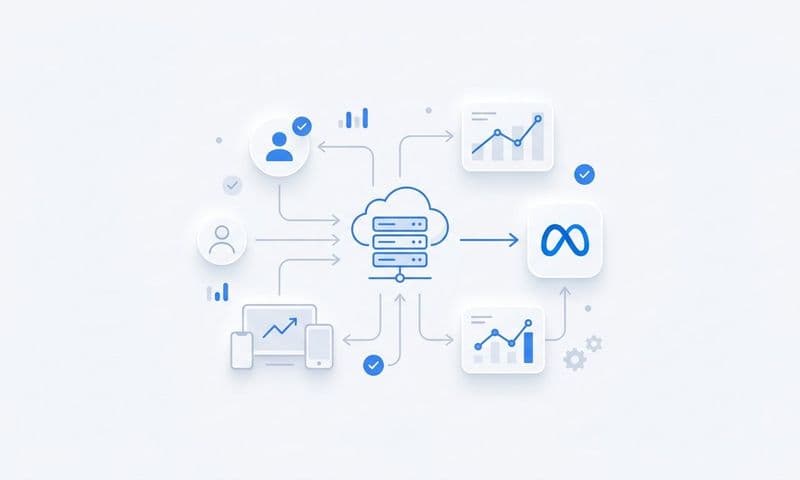
Server-side events, sent via Meta's Conversions API (CAPI), bypass all of that. Instead of firing from the user's browser, these events fire from your own server directly to Meta's servers. Ad blockers cannot intercept a server-to-server request. Browser privacy settings are irrelevant. The event either sends or it does not, and when your implementation is correct, it sends reliably.
Here is where Event Match Quality (EMQ) becomes critical. Meta scores every conversion event based on how well the customer data parameters attached to it match a real Facebook user account. A pixel event might carry a browser cookie and an IP address. A server-side event can carry hashed email, hashed phone number, first name, last name, city, state, zip, country, date of birth, and the Facebook Click ID (fbclid). More matching parameters means a higher EMQ score, and a higher EMQ score means Meta can more confidently attribute that conversion to a specific user and use it to train its optimization algorithm.
One important clarification: running CAPI does not mean removing your pixel. Meta explicitly recommends running both simultaneously. When the same conversion event fires from both the browser and your server, Meta's deduplication logic uses a shared event_id parameter to identify and remove the duplicate within a 48-hour window. You get maximum signal coverage without inflated conversion counts. The pixel handles the events it can capture; the server-side layer recovers the ones it cannot.
The Specific Delivery Benefits Advertisers See
Better conversion signals do not just improve your reporting. They directly influence how Meta's algorithm allocates your budget, builds your audiences, and decides which impressions to bid on. The improvements show up in three concrete areas.
Audience optimization quality: Meta's broad and lookalike audiences are built by identifying patterns among users who converted. When your conversion signal is incomplete because the pixel missed events, the algorithm is learning from a biased sample. Recovering those dropped events through server-side tracking gives Meta a more complete and representative picture of who your actual converters are, which tightens audience targeting over time. For B2B SaaS companies with smaller conversion volumes, every recovered event matters more because the algorithm has less data to work with overall.
Bidding accuracy: Meta's cost-per-result bidding works by predicting the probability that a given impression will lead to a conversion. If the algorithm only sees a fraction of your actual conversions, it underestimates conversion probability for certain audiences and ad placements, causing it to underbid on impressions that would have converted and overspend on impressions that will not. Recovering missed events recalibrates those probability estimates, reducing wasted spend on low-probability impressions and improving your effective cost per result.
Learning phase duration: Meta's algorithm requires a minimum number of optimization events per ad set per week to exit the learning phase and stabilize delivery. The specific threshold varies by objective and bid strategy, but the mechanic is documented in Meta's advertiser help center. When the pixel misses events, your ad sets accumulate optimization signals more slowly, extending the learning phase and causing delivery instability. Server-side tracking recovers those events, helping ad sets reach the threshold faster and stabilize sooner. For B2B SaaS campaigns with lower conversion volumes, this is often the most immediately noticeable delivery improvement.
Why Pixel-Only Tracking Leaves Gaps in Your Data
The pixel was designed for a web environment that no longer exists. When it was built, third-party cookies were universal, browsers did not block tracking requests, and mobile apps did not require explicit permission to track users. All of that has changed, and the pixel has not changed with it.
iOS App Tracking Transparency, Safari's ITP, and similar privacy features in Firefox have structurally reduced the reliability of browser-based conversion tracking. These are not edge cases. Safari holds a substantial share of web traffic, particularly on mobile, and iOS users represent a significant portion of consumer and professional audiences alike. When these users visit your site and convert, the pixel often cannot fire or cannot attach a persistent identifier to the event, meaning Meta never learns about the conversion.
Ad blockers compound the problem, and this is especially relevant for B2B SaaS companies. The buyers you are targeting, developers, IT decision-makers, finance leaders, and technical evaluators, are among the highest adopters of browser extensions that block tracking pixels. A pixel event that never fires is a conversion signal that Meta never receives, and your campaign optimization suffers accordingly.
There is also a structural limitation that no browser-based tracking can solve: events that happen off your website entirely. In a B2B SaaS funnel, the most valuable conversions often happen in your CRM. A lead becoming marketing qualified, a demo call completing, an opportunity moving to closed-won: none of these are website events. The pixel cannot capture them because they do not happen in a browser session it has access to.
Server-side tracking is the only viable path for passing these offline and CRM-based conversion events back to Meta. Platforms like Cometly are built specifically for this use case, connecting CRM data to Meta's Conversions API so that pipeline and revenue events become optimization signals for your ad campaigns, not just internal metrics that never influence your ad delivery.
Related Questions Marketers Ask About Server-Side Tracking and Facebook
Does the Meta Conversions API replace the Facebook Pixel?
No. Meta explicitly recommends running both together, not choosing one over the other. The pixel handles real-time browser events efficiently and provides certain signals like page views and session data that complement server-side events. The Conversions API recovers the events the pixel misses and adds richer customer data parameters. Running both with shared event_id parameters for deduplication gives you the broadest possible signal coverage without double-counting conversions. Think of them as complementary layers rather than competing options.
How does server-side tracking affect Facebook ROAS reporting?
It typically increases reported conversions because previously dropped events are now captured, which usually results in a higher reported ROAS figure. This is not inflated reporting. It is more accurate reporting. If your pixel was previously capturing only a portion of your actual conversions, your historical ROAS was understated. Server-side tracking surfaces the conversions that were happening but going unattributed. For B2B SaaS teams using Cometly, this improvement is visible in both Meta's reporting and in Cometly's own attribution dashboard, where you can see the full customer journey from ad click to closed-won revenue.
Does server-side tracking work for B2B leads, not just purchases?
Yes, and this is one of its most valuable applications for B2B SaaS companies. You can send any custom conversion event server-side, including form submissions, demo bookings, trial sign-ups, MQL to SQL transitions, and CRM stage changes. These are exactly the events that matter in a B2B funnel and exactly the events the pixel cannot capture reliably. By sending these signals to Meta, you give the algorithm the data it needs to optimize toward the conversion types that actually predict revenue, rather than just the surface-level events the pixel can track.
What data is required to implement the Conversions API?
At minimum, you need a Meta pixel ID, a CAPI access token generated in Meta Events Manager, and the ability to pass customer information parameters alongside your event data. The most impactful parameters are hashed email and hashed phone number, since these are the strongest user matching signals Meta has. You also need to pass an event name, an event time, and a unique event_id for deduplication. Additional parameters like the Facebook Click ID (fbclid), city, state, and country further improve your Event Match Quality score. Tools like Cometly handle the parameter mapping and hashing automatically, reducing the engineering lift significantly.
Tools That Send Server-Side Events to Meta
Choosing the right implementation path depends on your technical resources, your existing stack, and whether you need attribution beyond top-of-funnel events. Here are three credible options.
Cometly: Built specifically for B2B SaaS companies, Cometly connects your ad platforms, CRM, and website data in a single platform and sends enriched server-side events to Meta via the Conversions API. What makes it particularly well-suited for B2B SaaS teams is that it does not stop at CAPI delivery. Every event it sends to Meta is also tied back to pipeline and closed-won revenue in Cometly's attribution dashboard, so you can see which ads are driving actual revenue, not just top-of-funnel conversions. With 70+ native integrations and AI-driven recommendations, it is designed for marketing teams that want accurate data and actionable insights without heavy engineering involvement.
Meta's native Conversions API Gateway: Meta offers its own server-side solution that you can self-host or deploy via a cloud provider. It is free and keeps your data entirely within your own infrastructure, which appeals to teams with strong engineering resources and a preference for first-party control. The trade-off is setup complexity. You need to provision and maintain the infrastructure, configure the event routing, and handle updates yourself. It also does not provide attribution or revenue reporting beyond what Meta's Ads Manager shows you natively.
Segment: If your team already uses Segment as a central customer data platform, it can route server-side events to Meta through its destination integrations. This is a natural fit for teams that have already standardized on Segment for their data layer and want to add Meta CAPI as one of several destinations. The limitation is that Segment requires existing implementation and manual configuration of destination mappings, and like the native gateway, it does not provide revenue attribution tied back to your ad spend.
Putting It All Together: Implementation and Measuring Impact
Getting server-side tracking live is a straightforward process when you follow the right sequence. Here is a practical checklist to work through.
1. Verify your pixel is firing correctly by using Meta's Pixel Helper browser extension and checking that events appear in Meta Events Manager before you add the server-side layer.
2. Generate a CAPI access token in Meta Events Manager under your pixel's settings. This token authenticates your server-side requests to Meta's API.
3. Set up your server-side event sender, whether that is Cometly, the native Conversions API Gateway, or a CDP like Segment, and configure the events you want to send.
4. Add a unique event_id to both your pixel events and your server-side events for the same user action. This is the deduplication key Meta uses to prevent double-counting within a 48-hour window.
5. Use Meta's Test Events tool in Events Manager to confirm that server-side events are arriving correctly and that deduplication is working as expected before you push to production.
Once you are live, measuring the improvement is straightforward. Check your Event Match Quality scores in Meta Events Manager before and after implementation: you should see scores move toward high or excellent for events that now carry richer customer data parameters. Monitor the total number of matched events week over week to quantify how many previously dropped events you are now recovering. Watch your cost per result and learning phase duration as leading indicators of delivery improvement, since these respond to signal quality changes relatively quickly.
If you are using Cometly, you also gain a layer of measurement that Meta's native reporting cannot provide: attribution of those recovered events to pipeline stages and closed-won revenue. That means you can see not just that your CAPI setup is working, but which campaigns are actually driving deals, giving your team the data it needs to make confident budget decisions. Get your free demo and see how Cometly handles CAPI setup while delivering full-funnel revenue attribution in a single platform.
The Bottom Line on Server-Side Tracking and Facebook Ad Delivery
Server-side tracking materially improves Facebook ad delivery. It recovers conversion events that browser privacy settings and ad blockers suppress, raises your Event Match Quality scores by sending richer customer data parameters, and gives Meta's algorithm the complete signal it needs to optimize bids and build accurate audiences. The result is faster learning phase exit, more efficient spend, and better campaign performance over time.
For B2B SaaS companies, the case is even stronger. Pixel-only setups are structurally incomplete when your buyers use ad blockers, browse on Safari, and complete their most valuable conversion actions inside a CRM rather than on a website. Server-side tracking via the Conversions API is not an optimization on top of a working system. It is the foundation of a complete one.
Cometly is built for exactly this use case: a B2B SaaS team that needs CAPI-ready conversion tracking and full-funnel revenue attribution in one place, without requiring a dedicated engineering project to get there. Get your free demo and start capturing every touchpoint from ad click to closed-won revenue.