You increase Facebook ad ROAS with Conversion API by sending server-side conversion events directly to Meta, giving the algorithm richer, more accurate data to optimize ad delivery and targeting. The Conversion API (CAPI) bypasses browser-based tracking limitations caused by ad blockers, iOS privacy changes, and cookie restrictions, so Meta sees more of the conversions your campaigns actually drive.
This directly improves ROAS because the algorithm can allocate budget toward the audiences and creatives that are genuinely converting, rather than guessing based on incomplete pixel data. When Meta has better signal, it makes smarter decisions. It is that straightforward.
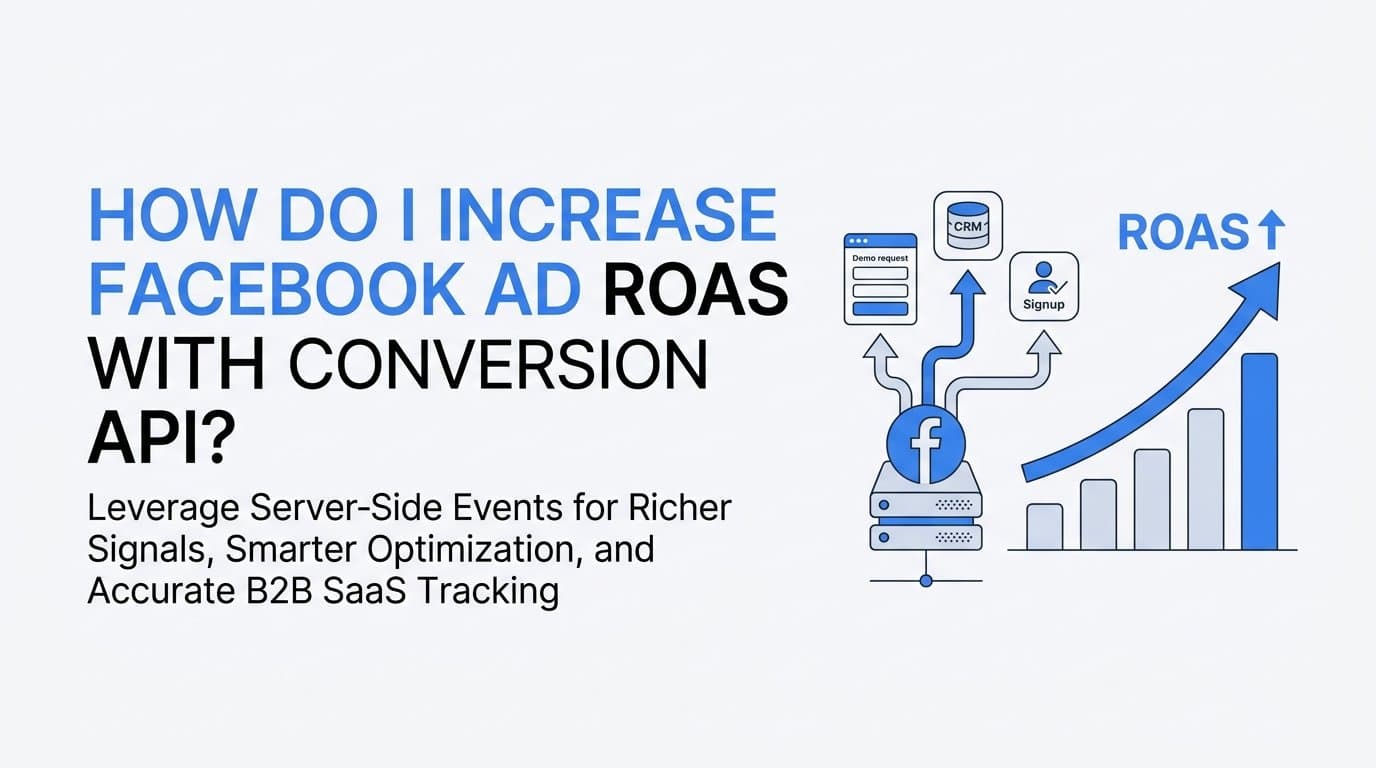
For B2B SaaS teams specifically, the opportunity is larger than most realize. Your most valuable conversions, such as demo requests, trial signups, and CRM stage changes, often happen in places the pixel cannot see. Connecting those events to Meta through server-side tracking closes a major gap in your attribution and gives the algorithm the downstream signals it needs to find buyers, not just browsers.
Cometly is built exactly for this use case. It connects your ad platforms, CRM, and website in one place, then sends enriched, conversion-ready server-side events back to Meta automatically. No custom engineering required. For B2B SaaS teams who want to connect ad spend to actual pipeline and revenue, it is one of the most direct paths to meaningful ROAS improvement.
This guide walks you through the complete process, from auditing your current data quality through measuring real improvement after CAPI is live. Each step builds on the previous one, so follow them in sequence rather than jumping ahead to the campaign settings before your data foundation is solid.
Step 1: Audit Your Current Pixel Data Quality Before Touching CAPI
Before you configure a single server-side event, you need to understand exactly what Meta is seeing right now. Skipping this step means you will have no baseline to measure improvement against, and you will not be able to tell whether CAPI actually moved the needle or whether other variables changed at the same time.
Start in Meta Events Manager. Open the Events Manager dashboard and check your Event Match Quality (EMQ) score for each conversion event you are currently tracking. EMQ is scored on a scale of 0 to 10 and reflects how reliably Meta can match your conversion events to real Facebook and Instagram users. A low score means the algorithm is optimizing with incomplete information, which directly caps your ROAS potential.
Next, identify which events are browser-only versus which are already receiving server-side events. Look for the source label on each event. Browser-only events, those fired exclusively by the pixel, are your highest-priority fix. These are the events most vulnerable to ad blockers, iOS restrictions, and session timeouts.
Check for duplicate events while you are in Events Manager. If you have previously attempted any server-side setup without proper deduplication, you may already be sending duplicate conversions to Meta. Duplicate events inflate your reported conversion numbers, distort your ROAS figures, and send confusing signals to the algorithm. You need to know if this is already happening before you add more server-side events to the mix.
Finally, document your current ROAS baseline for each active campaign. Pull the last 30 days of data from Meta Ads Manager and record it somewhere you can reference later. Include your reported ROAS, your cost per conversion for each key event, and your current EMQ scores. This documentation is your control group. Without it, you are flying blind when you try to evaluate the impact of CAPI.
Common pitfall: Many teams skip this audit because they are eager to get CAPI running. The result is that they implement server-side tracking, see some changes in their numbers, and cannot determine whether the changes reflect real improvement, recovered attribution, or simply normal campaign variance. Take the 30 minutes to document your baseline. It pays for itself immediately.
Step 2: Choose Your CAPI Implementation Method
There are three main paths to implementing the Conversion API, and the right one depends on your technical resources and how quickly you need results.
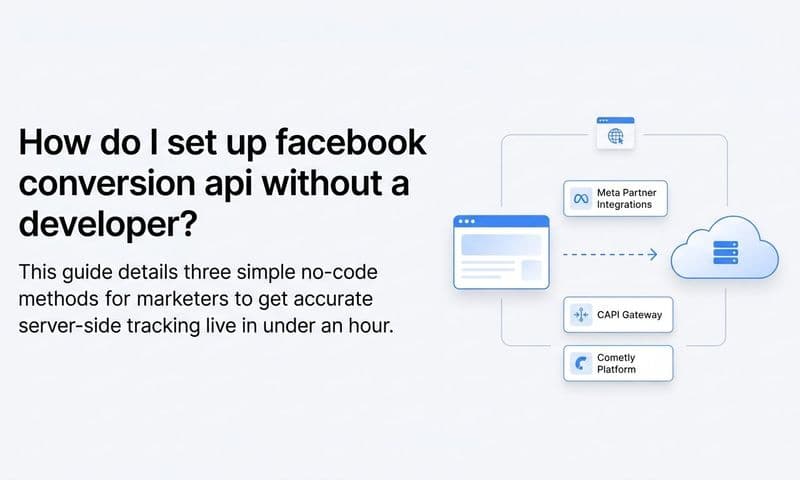
Meta's CAPI Gateway: This is a self-hosted solution that Meta provides as a Docker container. You run it on your own infrastructure, which means no third-party dependency. It is a solid option for teams with DevOps resources who want full control over their data pipeline. The tradeoff is setup time and ongoing maintenance responsibility.
Partner integrations: Platforms like Cometly, Shopify, and others offer pre-built CAPI integrations that connect your data sources to Meta without requiring custom code. For B2B SaaS teams without dedicated engineering resources, this is typically the fastest path to production. Cometly specifically handles server-side tracking by connecting your CRM events, form submissions, and pipeline data directly to Meta. You get the full benefit of server-side events, including enriched customer data parameters, without writing a line of code.
Custom server-to-server integration: If your engineering team has bandwidth and you have complex event requirements, building a custom integration gives you the most flexibility. You control exactly which events fire, which parameters are passed, and how deduplication is handled. This approach takes the most time but is the right call for organizations with unique data architectures or strict data governance requirements.
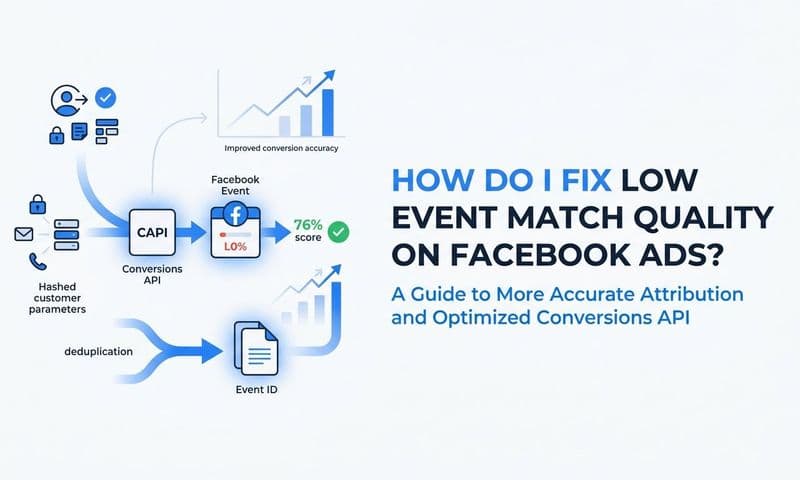
Regardless of which method you choose, there is one requirement that applies universally: you must pass customer information parameters alongside each event. These include hashed email address, phone number, first name, last name, city, state, zip code, and country. The more of these parameters you pass, the higher your Event Match Quality score will be, and the better Meta's algorithm can match your events to real users.
For most B2B SaaS marketing teams, the partner integration route is the right starting point. You can always migrate to a custom integration later if your needs outgrow the platform. Getting accurate server-side data into Meta quickly is more valuable than spending weeks building a perfect custom solution while your campaigns continue to optimize on incomplete pixel data.
Decision framework: If you have engineering support and complex CRM event requirements, evaluate a custom integration. If you need results within days and want CRM and pipeline data connected to Meta without code, a partner integration like Cometly is the practical choice. If you want self-hosted control and have DevOps resources, explore CAPI Gateway.
Step 3: Configure Server-Side Events with Proper Deduplication
Deduplication is the most technically critical step in this entire process. Get it wrong and your ROAS reporting becomes unreliable, your optimization signals get confused, and you lose the ability to trust your own data. Get it right and you have a clean, accurate foundation for everything that follows.
Here is how deduplication works: when you run pixel and CAPI simultaneously for the same conversion event, both may fire for the same user action. Meta needs a way to recognize that these two events represent the same conversion rather than two separate ones. It does this using the event_id parameter. When the pixel fires and the server event fires for the same conversion, both must carry the exact same event_id value. Meta sees the matching IDs and discards the duplicate, counting only one conversion.
The practical implementation requires generating a unique ID at the moment the conversion happens, passing it to the pixel event in the browser, and simultaneously passing the same ID with the server-side event. If you are using a partner integration like Cometly, this deduplication logic is handled automatically. If you are building a custom integration, your development team needs to implement this explicitly.
You should be running pixel and CAPI simultaneously for your most important conversion events. This is called redundant tracking, and it is intentional. If the pixel fires but the server call fails, the pixel captures the conversion. If the browser blocks the pixel but the server call succeeds, CAPI captures it. Together, they give you the highest possible coverage. Deduplication ensures you are not double-counting; you are just maximizing capture rate.
For B2B SaaS teams, map your most valuable conversion events carefully. The events worth tracking via CAPI include form submissions, demo requests, free trial signups, and qualified lead stage changes from your CRM. These downstream CRM events are often completely invisible to pixel-only tracking. A lead who clicked an ad on Monday and became a sales-qualified lead in your CRM on Thursday will never show up in pixel data. CAPI makes those connections visible.
Before moving your setup to production, verify everything in Meta Events Manager under the Test Events tab. Send test events and confirm each server event appears with the correct event name, the correct parameters, and that deduplication is functioning. Do not skip this verification step. A misconfigured deduplication setup in production will quietly corrupt your data for weeks before you notice.
Step 4: Enrich Your Events with First-Party Customer Data
A basic CAPI setup sends events from your server to Meta. An optimized CAPI setup sends those events with rich customer data attached, and the difference in ROAS impact between the two can be significant.
Event enrichment works through customer information parameters. Meta accepts hashed versions of email address, phone number, first name, last name, city, state, zip code, and country alongside each conversion event. Meta hashes this data on their end for privacy compliance, but passing more parameters before hashing directly improves your Event Match Quality score. A higher EMQ score means Meta can reliably connect your server events to real users, which means the algorithm has better signal for optimization.
The practical goal is to pass as many of these parameters as you legitimately have access to for each event. For a form submission event, you typically have at minimum the user's email address and name from the form fields. Pass all of it. For a CRM stage change event, you may have additional data like phone number, company, and location. Pass that too.
For B2B SaaS teams, the most powerful enrichment opportunity is connecting CRM data to your CAPI events. When a lead progresses through your pipeline, your CRM knows who they are, what they did, and when they did it. Sending those CRM events back to Meta with the lead's known identifiers closes the loop between the original ad click and the actual revenue event. Meta can then attribute that closed deal back to the campaign and creative that started the journey.
Cometly enables this connection directly. It bridges your CRM events and pipeline data to your Meta events feed, enriching server-side signals with the full customer journey rather than just the initial web interaction. For B2B SaaS teams where the average sales cycle spans days or weeks, this kind of downstream event tracking is where the real ROAS improvement lives.
Success indicator: After implementing event enrichment, monitor your Event Match Quality score in Meta Events Manager. You are aiming for a score of 6 or above out of 10. Scores above 8 indicate strong matching and give the algorithm excellent signal to work with. If your score stays below 6 after enrichment, investigate which parameters you are missing and whether your data pipeline is passing them correctly.
Step 5: Optimize Your Campaign Settings to Use the New Data
Getting CAPI live and enriched is only half the work. The other half is telling Meta's algorithm to actually use the better data you are now sending. This requires updating your campaign settings deliberately, and doing it in a way that lets you measure what is actually driving improvement.
Start with your optimization event selection. If you have been optimizing for link clicks, landing page views, or other top-of-funnel proxy events, now is the time to move down the funnel. With CAPI sending accurate, enriched conversion data, you can optimize for your actual conversion events: demo requests, trial signups, or qualified leads. Meta recommends a minimum of 50 conversion events per week per ad set for the algorithm to optimize effectively. If you are below that threshold for a downstream event like demo bookings, use a higher-volume event like form submissions as your optimization target until volume increases.
Next, consider broadening your audience targeting. This feels counterintuitive, but it is one of the most reliable ways to unlock performance after CAPI improves your data quality. Better event data means Meta's algorithm can find converting users more efficiently across a wider population. Overly narrow audiences, such as tightly layered interest stacks or very small custom audiences, can actually prevent the algorithm from finding the best buyers. Give it room to work.
Review your attribution window settings as well. With CAPI sending offline and CRM events that may occur days after the initial ad click, a 7-day click attribution window will capture more of the conversions your campaigns are actually driving compared to a 1-day window. B2B SaaS buying cycles rarely convert on the first day. Set your attribution window to match your actual sales cycle length.
Critical rule: Do not make multiple changes at once after enabling CAPI. Change one variable at a time, whether that is the optimization event, the audience, or the attribution window. If you change everything simultaneously and ROAS improves, you will not know which change drove the improvement. If ROAS drops, you will not know which change caused it. Patience here protects your ability to learn from the data.
Step 6: Measure ROAS Improvement and Attribute It Accurately
After CAPI is live, enriched, and your campaign settings are updated, the measurement phase begins. This is where many teams make a critical mistake: they check results after three days, see minimal change, and conclude that CAPI did not work. Meta's algorithm needs time to relearn with new data. Give it at least two full weeks before drawing conclusions.
Compare your post-CAPI ROAS against the baseline you documented in Step 1. Look at the same campaigns, the same time periods adjusted for seasonality, and the same conversion events. This apples-to-apples comparison is the only way to isolate the impact of CAPI from normal campaign variance.
Do not rely exclusively on Meta Ads Manager for this measurement. Meta's reported ROAS includes view-through attributions and uses its own modeling to fill gaps in observed data. These modeling adjustments can make ROAS look higher or lower than what is actually happening. An independent attribution tool gives you a cross-reference point that is not subject to Meta's own reporting incentives.
Cometly provides this independent view by connecting your ad spend data to your actual pipeline and revenue. Instead of relying on Meta's reported conversions, you can see which Facebook campaigns drove contacts that became opportunities and closed deals in your CRM. This is the attribution picture that actually matters for B2B SaaS teams, and it is the view that tells you whether your ROAS improvement reflects real revenue or just recovered attribution.
Track your Event Match Quality score on a weekly basis going forward. EMQ is a leading indicator of optimization health. If your score drops, it signals that something in your data enrichment pipeline broke, perhaps a CRM integration stopped passing email addresses, or a parameter format changed. Catching these issues early prevents silent data degradation that erodes ROAS over time without any obvious warning signs.
On incremental versus reported ROAS: Some of the ROAS lift you see after CAPI implementation reflects recovered attribution rather than new revenue. These are conversions that were happening before CAPI but were invisible to Meta. Recovered attribution is genuinely valuable because it improves the algorithm's ability to optimize, but it is not the same as incremental new revenue. Understanding the difference helps you set accurate expectations with stakeholders and make smarter decisions about where to invest next.
Related Questions About Facebook CAPI and ROAS
Does Conversion API replace the Meta Pixel?
No. CAPI supplements the pixel by adding server-side events alongside browser-based events. Running both together with proper deduplication gives you the most complete data coverage. The pixel captures browser-side behavior; CAPI captures what the pixel misses. They are complementary, not competing.
How long does it take to see ROAS improvement after setting up CAPI?
Most advertisers see the algorithm stabilize and improve within two to four weeks as Meta's system relearns with better data. The learning phase requires sufficient conversion volume, so campaigns with lower weekly conversion counts may take longer to show clear improvement.
What is a good Event Match Quality score for ROAS optimization?
Scores of 6 to 10 are considered strong. The higher the score, the better Meta can match your server events to real users and optimize ad delivery accordingly. Scores below 6 indicate that customer data parameters are missing or inconsistent, and enrichment work is needed.
Can CAPI help with iOS 14 and privacy-related tracking loss?
Yes. Because CAPI sends events from your server rather than the user's browser, it is not affected by iOS tracking restrictions or ad blockers. Users who have opted out of tracking at the browser level are still represented in your server-side event data, giving Meta more complete signal than pixel-only tracking can provide.
Do I need a developer to set up Conversion API?
Not necessarily. Platforms like Cometly handle the server-side integration without requiring custom code, making CAPI accessible to marketing teams without dedicated engineering support. If your conversion events are primarily web-based or CRM-based, a partner integration can get you live quickly without a development sprint.
Putting It All Together
Increasing Facebook ad ROAS with Conversion API comes down to one core principle: give Meta's algorithm accurate, enriched data so it can find and convert the right users. Every step in this guide serves that principle.
The sequence matters. Audit your baseline before touching anything. Choose the implementation method that fits your technical resources. Configure deduplication correctly before going live. Enrich your events with first-party customer data. Update your campaign settings to use the better data. Then measure improvement against your documented baseline over a realistic timeframe.
For B2B SaaS teams, the biggest ROAS gains typically come from connecting CRM and pipeline events back to Meta, not just web conversions. The lead who clicked your ad, attended a demo, and closed three weeks later is the conversion that matters most. Pixel-only tracking never sees that story. CAPI does.
Before you launch, run through this checklist: Event Match Quality score documented, deduplication event_id implemented and verified in Test Events, pixel and CAPI running simultaneously for all key events, CRM events mapped and sending with customer data parameters, campaign optimization event updated to reflect your actual conversion goal, and a two-week measurement window set before evaluating results.
If you want to connect your Meta campaigns to real revenue data without building a custom integration, Get your free demo and see how Cometly links every ad click to closed pipeline in a single attribution view.