
You open your Facebook Ads dashboard and see a strong week. Conversions are up, ROAS looks healthy, and the campaigns seem to be working. Then you check your CRM. The numbers tell a completely different story. Fewer leads, less pipeline, and a gap that is hard to explain.
This is one of the most common frustrations in performance marketing, and it is not a glitch. It is not a reporting error you can fix with a support ticket. The discrepancy between what Facebook reports and what your CRM shows is a structural feature of how Meta measures and attributes conversions. It is baked into the platform by design.
The problem is that many marketers do not realize this. They see strong numbers in Ads Manager and make budget decisions based on them, scaling campaigns that may be significantly underperforming when measured against real business outcomes. If you are optimizing based on Facebook's reported conversions without understanding how those numbers are calculated, you are working with inflated data.
This article breaks down exactly why Facebook overreports conversions, what the mechanics behind the inflation look like, and what you can do to get to the real numbers. Understanding this is not just an academic exercise. It directly affects how you allocate budget, which campaigns you scale, and whether your marketing is actually driving revenue.
How Facebook Counts a Conversion (It Is Not What You Think)
Most marketers assume that a conversion gets credited to Facebook when someone clicks a Facebook ad and then immediately completes a purchase or fills out a form. That is a reasonable assumption. It is also incomplete.
Facebook attributes a conversion to itself whenever a user who clicked or viewed an ad later completes a conversion event, even if they visited multiple other channels in between. The platform does not require that the ad was the last thing someone interacted with before converting. It only requires that the ad was somewhere in the user's recent history.
The default attribution window in Meta Ads Manager is a 7-day click and 1-day view window. This means any conversion that happens within seven days of a click, or within one day of an ad view, gets credited to that campaign. What happened in between does not factor into Facebook's calculation. If a user clicked a Facebook ad on Monday, spent the next six days reading comparison articles, clicking Google search ads, and reading email newsletters, then converted on Sunday, Facebook claims full credit.
View-through attribution is where the inflation becomes particularly significant. A user can scroll past your ad in their feed without clicking it at all. If that same user converts within 24 hours, Facebook claims full credit for the conversion. The user never interacted with the ad in any meaningful way. They simply saw it. Most other analytics tools do not count this as an ad-driven conversion because there was no direct action taken.
Think about what this means at scale. If you are running broad awareness campaigns with high reach and frequency, thousands of users are seeing your ads every day. A meaningful percentage of those users will also convert through other channels within 24 hours, whether through organic search, direct traffic, or email. Facebook will claim credit for every one of those conversions that falls within its view-through window.
This is not a secret. Meta documents its attribution methodology in its own help center. But many advertisers never adjust the default settings and never fully reckon with what those defaults mean for the numbers they are trusting to make decisions.
The Double-Counting Problem Across Channels
Here is where the overreporting problem gets compounded. Facebook is not the only platform claiming credit for your conversions. Google Ads is doing the same thing. So is LinkedIn. So is any other paid channel you are running.
Each major ad platform operates its own independent attribution system. None of them natively communicate with each other to deduplicate conversions. When a buyer interacts with a Facebook ad, a Google search ad, and an organic result before converting, each platform independently claims 100% credit for that conversion. There is no cross-platform conversation happening. There is no shared ledger.
This means the total reported conversions across all your ad platforms will almost always exceed your actual conversion count. A single customer journey can inflate your reported numbers by two, three, or more conversions across channels simultaneously. If you add up the conversions reported by Facebook, Google, and LinkedIn for a given month, that total will very likely be higher than the number of actual conversions recorded in your CRM.
This is sometimes referred to as the attribution overlap problem, and it is a well-documented challenge across the performance marketing industry. It is not unique to Facebook. But Facebook's default attribution windows, particularly the 7-day click and 1-day view combination, make it one of the more aggressive claimants in a multi-channel stack.
For B2B SaaS companies with longer sales cycles, this problem compounds significantly. A prospect might research your product across five or six channels over several weeks before filling out a demo request form. They might click a Facebook ad early in the journey, then come back through a branded Google search, read a G2 review, click a retargeting ad, and finally convert through a direct visit. Facebook will claim full credit for the conversion because a click happened within the attribution window. So will Google. And neither number reflects the actual complexity of how that buyer made their decision.
When your marketing team looks at channel-level performance and sees Facebook reporting strong conversion numbers alongside strong Google numbers, the instinct is to feel good about both channels. But if those numbers are both claiming credit for the same conversions, the combined picture is significantly overstated.
Pixel Tracking Gaps That Inflate the Numbers Further
Even setting aside the attribution window and double-counting issues, there is a third layer of inflation driven by how the Meta pixel actually works in the current tracking environment.
Browser-based pixel tracking is increasingly unreliable. Ad blockers prevent the pixel from firing for a meaningful segment of users. Safari's Intelligent Tracking Prevention limits cookie-based tracking across sessions. And the iOS 14+ App Tracking Transparency framework, introduced with iOS 14.5, significantly curtailed Meta's ability to track user behavior across apps and websites on Apple devices.
When the pixel fires inconsistently, Meta does not simply report fewer conversions. Instead, the platform uses statistical modeling to fill in the gaps. These modeled conversions are estimates based on historical patterns and aggregate behavior. They are not confirmed events tied to individual users. And they are included in your reported totals by default.
The extent of modeling in any given account varies based on how much signal is available. Accounts with higher event volume and stronger first-party data tend to have less reliance on modeled estimates. But for many advertisers, a portion of the conversions showing up in their dashboard are modeled, not directly observed. Meta does not always make this distinction easy to see.
Duplicate pixel fires are another common technical issue that inflates numbers at the campaign level. If the Meta pixel is installed in multiple places, directly on the page and also through a tag manager, for example, a single conversion event can fire twice. This means one actual conversion gets reported as two within the same campaign. This is a setup error, but it is a surprisingly common one, and it can go unnoticed for extended periods if no one is auditing the pixel implementation.
The combination of modeled conversions and duplicate fires creates a situation where the number in your Ads Manager dashboard can be inflated by factors that have nothing to do with actual buyer behavior. You might be looking at a conversion count that includes real conversions, modeled estimates, and duplicates all mixed together with no easy way to separate them from the interface alone.
Server-side tracking via the Meta Conversions API addresses some of these issues by sending event data directly from your server rather than relying on the browser pixel. But implementing CAPI alongside the pixel without proper deduplication logic introduces its own problem, which we will cover in a later section.
Why This Matters for Budget Decisions and ROAS
All of this would be a theoretical problem if it did not affect how marketers spend money. But it does, directly and significantly.
Overreported conversions inflate your reported ROAS. If Facebook claims 80 conversions but only 50 of those actually came from Facebook-driven activity, your real ROAS is meaningfully lower than what the dashboard shows. The campaigns look more efficient than they are. And because they look efficient, you invest more in them.
This creates a feedback loop that is difficult to break once it starts. Marketers scale budgets based on strong reported ROAS. More budget flows to campaigns that appear to be performing. Meta's own algorithm uses the conversion signals it receives to optimize delivery, targeting users who look similar to those who converted. But if the conversion data feeding the algorithm is inflated or inaccurate, the optimization decisions being made are based on a distorted signal. The algorithm is not optimizing toward your best customers. It is optimizing toward a modeled, double-counted approximation of them.
Marketers who optimize campaigns based on inflated conversion data end up scaling the wrong audiences, creatives, and placements. Budgets shift toward channels and campaigns that look strong on paper but are not actually driving the revenue that justifies the spend.
For B2B SaaS teams specifically, the stakes are higher because a lead conversion does not automatically translate to closed revenue. Facebook can report a strong volume of form fills or demo requests, but it has no visibility into what happens inside your CRM after that initial conversion. It cannot see which leads became qualified opportunities, which opportunities became closed-won deals, and which leads churned immediately. The pipeline and revenue attribution story requires data that Facebook simply does not have access to.
This is why comparing Facebook-reported conversions against CRM-confirmed pipeline is not optional for B2B SaaS teams. It is the only way to understand whether the investment is generating real business outcomes or just inflated dashboard numbers.
How to Get Accurate Conversion Data From Your Facebook Campaigns
Getting to accurate conversion data requires a few concrete steps. None of them are especially complicated, but they do require intentional setup and ongoing discipline.
Start with a CRM comparison: The most immediate thing you can do is compare Facebook's reported conversions against your CRM or backend data on a regular cadence. Pull the number of leads or demo requests Facebook claims to have driven in a given period, then check how many of those leads actually appear in your CRM with a Facebook source attribution. The gap between the two numbers is your starting point for understanding the scale of overreporting in your account.
Tighten your attribution window settings: Adjust your attribution window in Meta Ads Manager to a shorter, more conservative setting. Moving from the default 7-day click and 1-day view to a 7-day click only window removes view-through attribution from your reported totals. This will not fix the cross-channel double-counting problem, but it significantly reduces the view-through inflation that comes from users who simply saw your ad and converted through another channel. You can adjust attribution windows at the ad set level or in your reporting settings.
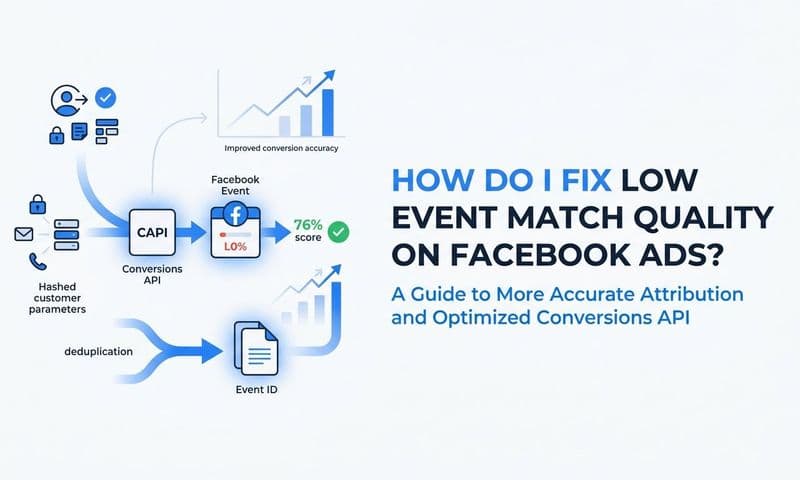
Implement server-side tracking via the Meta Conversions API: CAPI sends conversion events directly from your server to Meta, bypassing the browser pixel entirely. This improves signal accuracy and reduces the impact of ad blockers, cookie restrictions, and iOS privacy limitations. It gives Meta better quality data to work with, which improves both reporting accuracy and algorithm optimization.
Set up proper deduplication between pixel and CAPI: If you are running both the browser pixel and CAPI simultaneously, you must implement deduplication logic. Meta provides this functionality: you pass a consistent event ID through both the pixel event and the CAPI event, and Meta matches them to avoid counting the same conversion twice. If you skip this step, you will introduce a new layer of inflation where every conversion is counted once by the pixel and once by the server event. Proper deduplication is not optional when running both methods in parallel.
Audit your pixel implementation: Check whether the Meta pixel is installed in multiple locations on your site. Look for duplicate pixel fires in your browser's network tab or in Meta's Events Manager. A clean, single-source pixel implementation eliminates one of the more avoidable sources of inflation.
Building a Single Source of Truth With Multi-Touch Attribution
Even after tightening attribution windows, implementing CAPI, and cleaning up your pixel, you are still left with a fundamental limitation: you are asking Facebook how well Facebook performed. That is an inherent conflict of interest, and no amount of settings adjustment fully resolves it.
The most reliable way to understand your Facebook Ads performance is to measure it from outside the platform. A neutral attribution platform that sits outside of any individual ad channel gives you a cross-channel view of conversions without the self-reporting bias that comes from platform-native reporting.
Multi-touch attribution models distribute credit across all the touchpoints in a customer journey rather than assigning 100% credit to one channel. This gives you a more accurate picture of how Facebook Ads contribute alongside Google Ads, organic search, email, and other channels. Instead of seeing Facebook claim a conversion that also touched three other channels, you see a proportional credit distribution that reflects the actual journey.
For B2B SaaS companies, connecting ad platform data, CRM data, and website behavior in one place is what makes this possible. When your attribution platform can see the full journey from the first ad click through to a closed-won deal in your CRM, you can compare what Facebook reports against what actually closed in your pipeline. You can answer questions like: of the leads Facebook claims to have driven this quarter, how many became qualified opportunities? How many closed? What was the average deal size?
This is exactly the kind of analysis that Cometly is built for. By connecting your ad platforms, CRM, and website tracking in one place, Cometly captures every touchpoint across the customer journey and maps it to actual pipeline and revenue outcomes. You can see which campaigns and channels are driving real business results, not just inflated conversion counts. The AI-driven analysis surfaces which ads are genuinely performing and which ones are benefiting from attribution overlap, so your budget decisions are based on revenue, not dashboard numbers.
When you can see that Facebook is claiming 90 conversions but only 40 of those appear in your CRM as qualified pipeline, you have the information you need to make a confident budget decision. Without that cross-platform view, you are flying with instruments that are calibrated to make one platform look good.
Putting It All Together
Facebook overreporting conversions is not a bug that will be patched in the next platform update. It is the result of how Meta is designed to measure its own impact. Default attribution windows that capture view-throughs, cross-platform double counting, modeled conversions filling in for lost signal, and duplicate pixel fires all contribute to a number that is almost always higher than the truth.
Marketers who understand the mechanics behind the inflation are in a far better position to make smart budget decisions. The practical steps are clear: tighten your attribution windows by removing view-through, implement server-side tracking via the Conversions API, set up proper deduplication so pixel and CAPI events are not counted twice, audit your pixel installation for duplicates, and regularly compare Facebook-reported conversions against your CRM data.
But the most important shift is moving to a third-party attribution platform that gives you a cross-channel view of performance without relying on any single platform to grade its own homework. When your ad data, CRM data, and website behavior are connected in one place, you can see what is actually driving revenue, not just what each platform claims to have driven.
If you are ready to stop making budget decisions based on self-reported platform numbers, explore how Cometly connects ad spend to actual pipeline and revenue outcomes. Get your free demo today and start building attribution that reflects what is actually happening in your business.