
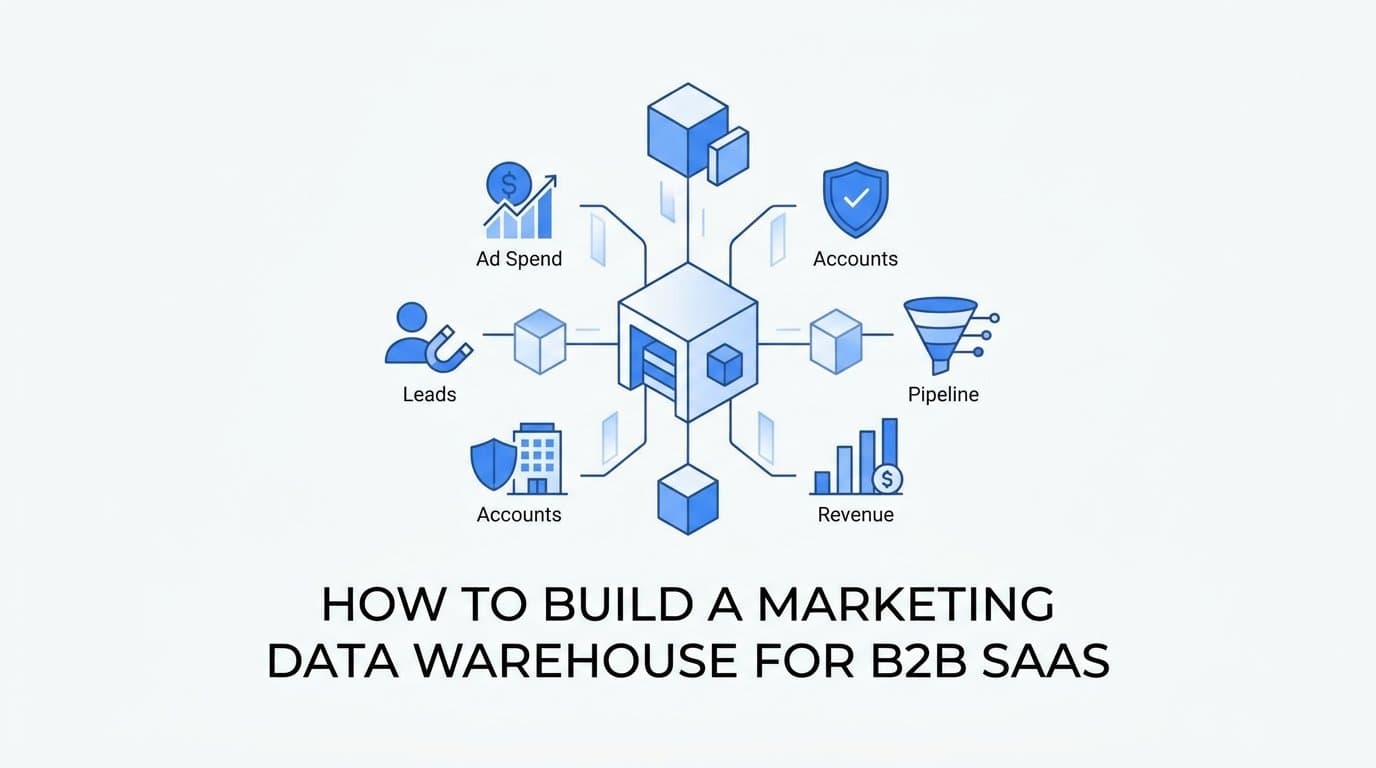
A marketing data warehouse for a B2B SaaS company is a central store that joins ad spend, leads, accounts, touchpoints, pipeline and revenue so you can answer questions the ad platforms cannot. This guide walks through how to build a marketing data warehouse, from the questions it must answer to the schema, the loading method and the checks that keep it trustworthy. By the end you will have a design that puts every dataset in one queryable place. Before you start, gather a list of your ad channels and your CRM, access to a cloud warehouse or object storage account (Snowflake, BigQuery, Amazon S3 or Google Cloud Storage), and someone who can write basic SQL.
Step 1: Define the Questions Your Warehouse Must Answer
Start from decisions, not tables. Write down the five to eight questions leadership actually asks, such as:
- What is our cost per opportunity by channel?
- How much pipeline and revenue did each campaign produce?
- How many days pass between first touch and closed-won?
- Which touchpoints most often precede a deal?
Then restate each question as a metric with a grain. Grain is the level of detail one row represents: per day, per contact, per company, per deal. "Cost per opportunity by channel" is spend per channel per day divided by opportunities created, so you need daily spend rows and opportunity rows that carry a channel. Grain drives every schema choice later, and mismatched grains are the most common cause of numbers that do not add up.
Terms you will use throughout
A marketing data warehouse is a database that consolidates marketing, CRM and revenue data for analysis. A fact table records events or measurements (spend, touchpoints, conversions). A dimension table describes the things those events refer to (contacts, companies, campaigns).
The mistake to avoid is loading every available field first and hoping reports emerge. That produces dozens of tables nobody trusts. For each table you plan to build, name the question it serves. If you cannot, cut it. You can always add a table later when a new question demands one.
Step 2: Inventory Your Data Sources and Choose a Warehouse
Map your sources into four groups:
- Ad platforms: Meta, Google, LinkedIn and any others you spend on.
- Website and form events: page views, form submissions, demo requests.
- CRM: contacts, companies and deals, including stage history.
- Billing: a system such as Stripe for actual revenue.
For each source, note the identifier that will join it to the others, such as a contact email, CRM ID or Stripe customer ID. Gaps here become gaps in your reporting.
Choosing where the data lives
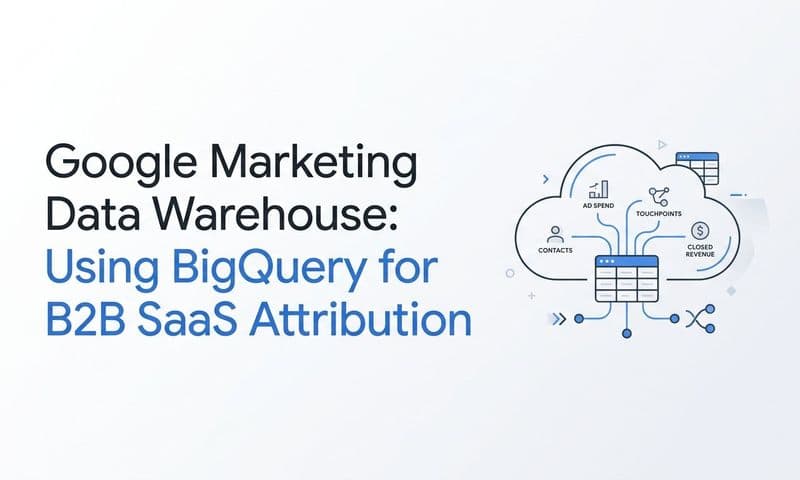
You have three realistic options: Snowflake, BigQuery, or a lake approach where Parquet files sit in Amazon S3 or Google Cloud Storage and are queried with Athena, Databricks or DuckDB. Pick based on where your team already works and how much data you expect. A team that already runs BigQuery for product analytics should not stand up Snowflake for marketing alone. A small team with modest volume may do fine querying files with DuckDB. Features and pricing change often, so as of this writing you should verify current details on each vendor's pricing page before committing.
Decide ownership
Name who maintains pipelines, who approves schema changes and who answers when a number looks wrong. Without an owner, a warehouse decays within a quarter. In most B2B SaaS teams this is a marketing ops or data person, with marketing leadership signing off on metric definitions.
Step 3: Capture Source Data on Every Lead
Everything downstream depends on this step. If a lead enters your CRM without its source, no warehouse design can recover it. On every lead, store:
- First-touch and latest-touch source, medium and campaign
- Ad or content identifiers
- Click IDs such as fbclid and gclid
- Landing page URL
- Timestamp of each touch
How to capture it
- Read UTM parameters and click IDs from the URL on landing.
- Persist them in first-party cookies so they survive multi-page visits and return sessions.
- Populate hidden form fields from those cookies on every form, including demo-request and contact-sales forms.
- Write the values to the CRM contact record at submission.
- Send the conversion server-side as well, so ad blockers and browser limits do not drop the event.
First-party data here means data you collect directly on your own properties, and it is the most durable input you have.
Common mistakes
- Overwriting original source. Store first touch in a field that is set once and never updated, and keep latest touch in a separate field.
- Missing click IDs on demo forms. These are often built by a different tool or team and skip the hidden-field setup.
- Inconsistent UTM naming. "linkedin," "LinkedIn" and "li_ads" become three channels. Document a naming convention with allowed values and enforce it in your ad templates.
To check it worked, click a tagged ad URL, submit a test lead, and confirm that every field above lands on the CRM contact record with the right values.
Step 4: Design the Schema and Table Layout
Good marketing data warehouse design uses one table per subject, with a clearly stated grain. A workable marketing data warehouse schema for B2B SaaS looks like this:
- ad_spend_daily: channel, account, campaign, ad set, ad, date, spend, impressions, clicks. One row per ad-hierarchy entity per day.
- contacts: one row per person, with first-touch and latest-touch source fields from Step 3.
- companies: one row per account, with industry, size and owner.
- touchpoints: one row per interaction, such as an ad click, page view or form fill.
- attributed_conversions: one row per conversion per model credit, so a conversion split across three touches under a linear model produces three rows.
- pipeline_and_revenue: one row per deal, with stage, amount, created date, closed date and any Stripe-confirmed revenue.
Keys and dates
Joins depend on consistent keys: contact_id, company_id, deal_id, plus campaign and ad IDs. Use the ad channel's local date for spend, since that is how platforms report it, and store the timezone explicitly in its own column rather than assuming one.
Raw versus modeled
Keep raw tables untouched and build modeled views on top. Keep a separate raw dataset per ad channel, because each platform has different fields, and union them later in a model with common column names. This lets you fix a modeling error without reloading anything.
One mistake to avoid: mixing currencies or date zones without a normalizing column. If you run spend in USD and EUR, add a converted amount and the rate used. Otherwise totals will quietly be wrong.
Step 5: Load the Data, Or Use Cometly Data Warehouse Exports
The DIY path means building and maintaining a connector for each ad platform and your CRM. You handle API version changes, historical backfills, rate limits and schema drift, and every new channel adds another pipeline to own. Teams with data engineering capacity do this well, but it is ongoing work.
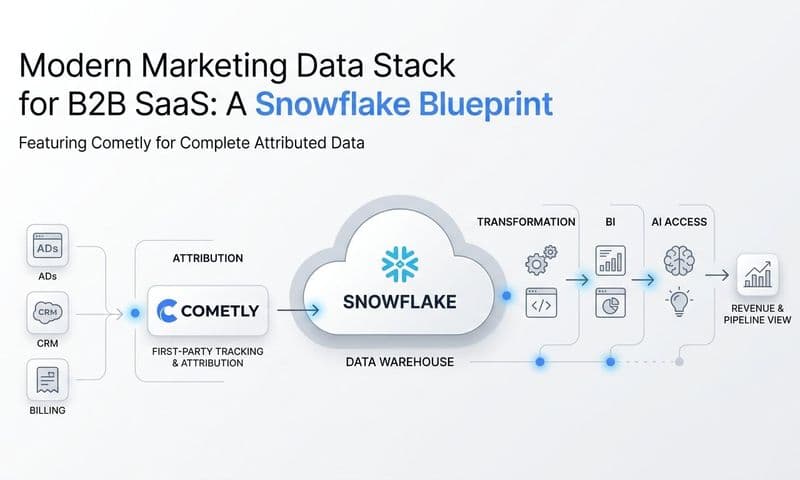
The alternative is Cometly Data Warehouse Exports, which deliver the datasets from Step 4 ready-made as raw marketing data:
- Ad analytics: a separate dataset for each ad channel, with one row per ad-hierarchy entity per day, using the channel's local date.
- Contacts and companies
- Raw touchpoints
- Attributed conversions
Delivery options
Exports arrive as Parquet files using Hive-style partitioning (data organized into folders named by column value, such as date, so query engines read only what they need). You can send them to your own Amazon S3 or Google Cloud Storage bucket, or load them directly into Snowflake or BigQuery. The files also work with Databricks, Athena and DuckDB, so the choice you made in Step 2 holds.
Each export holds one dataset and has its own cadence and data window, so configure one export per dataset. Setup steps are in the Cometly documentation.
Mapping to your layout
The ad analytics datasets map to ad_spend_daily, and contacts, companies and touchpoints map to their namesake tables. Attributed conversions map directly to attributed_conversions. Pipeline and revenue is the table you will typically build by joining deal data from your CRM and payment data from Stripe to these datasets in the next step.
Step 6: Model Attribution, Pipeline and Revenue Joins
A warehouse stores data; it does not do attribution for you. The attribution logic must be modeled in SQL or supplied by your attribution platform, and your joins decide whether it is correct.
Build the chain in this order: touchpoints to contacts, contacts to companies, companies to deals. B2B journeys involve several contacts per account, so roll up to the company when you report pipeline and revenue.
A core query pattern
The most useful first model joins daily spend by channel to attributed conversions and closed-won revenue. In outline:
- Aggregate ad_spend_daily to channel and date.
- Aggregate attributed_conversions to the same channel and date, counting opportunities and summing credited revenue from closed-won deals.
- Join the two on channel and date, then compute spend divided by opportunities (cost per opportunity) and credited revenue divided by spend (return on ad spend).
Compare models, do not pick one
An attribution model is the rule that assigns credit to touchpoints. First touch rewards discovery channels, last click rewards closing channels, linear splits credit evenly, and data-driven models weight touches by observed impact. Results differ because each answers a different question. Show them side by side and look at where channels move the most.
Pitfalls
- Double counting. When three contacts at one company convert, count the opportunity once at the company or deal level.
- Long sales cycles. Spend in March may produce revenue in September. Cohort by touch date so revenue is credited back to the period the spend occurred.
- Duplicate events. Deduplicate by event ID before joining, or browser and server-side copies of one conversion will inflate counts.
Step 7: Validate, Monitor and Let Your Team Query Without SQL
Before anyone relies on the warehouse, reconcile it:
- Compare warehouse spend per channel to the totals in each ad platform's interface for the same dates and timezone.
- Compare closed-won revenue to Stripe or your CRM.
- Count null source fields on new contacts and investigate any spike.
- Watch row counts per dataset for sudden drops.
Then set freshness and volume alerts per dataset, so a stalled export or an empty day triggers a message instead of a wrong dashboard.
Querying without SQL
Not everyone will write SQL, and quick questions should not wait for an analyst. The Cometly MCP server lets AI clients such as Claude Desktop, Claude Code, Cursor and ChatGPT Desktop query the same attribution data in natural language, authenticated through OAuth. The endpoint is https://app.cometly.com/mcp/{space_id}/public-api.
It offers about 50 read-only tools across ad analytics, events, contacts, companies, reports, segments, integrations and diagnostics. It cannot create, modify or delete records, so exploring is safe. You need a Cometly Space with the Use Public API permission; setup is covered in the Cometly documentation.
Think of the two as complementary. The warehouse is for deep custom analysis, such as your own cohort models and joins to product data. The MCP server is for fast questions from marketers and AI agents, like which campaigns produced the most pipeline last month.
Publish One Dashboard, Then Expand Only When a Question Demands It
Run your first reconciliation, then publish a single dashboard that answers the questions you wrote in Step 1. Resist adding tables until a real question requires one. A small, trusted warehouse beats a large one nobody believes.
Ready to elevate your marketing game with precision and confidence? Discover how Cometly's AI-driven recommendations can transform your ad strategy. Get your free demo today and start capturing every touchpoint to maximize your conversions.