Facebook Ads reporting has a tracking problem, and most marketers are flying partially blind because of it. Between iOS privacy changes, browser-based tracking limitations, ad blockers, and cross-device user journeys, the data inside Meta Ads Manager often tells an incomplete story.
Campaigns that look unprofitable may actually be driving real revenue. Campaigns that look strong may be getting credit they do not deserve. The result is misallocated budget, poor optimization decisions, and a growing gap between what your reports show and what is actually happening in your business.
This is not a niche problem. Apple's App Tracking Transparency framework and Safari's Intelligent Tracking Prevention have meaningfully reduced the effectiveness of browser-based pixel tracking. Meta has acknowledged this directly in its own Business Help Center. If you are running a pixel-only setup, you are almost certainly undercounting conversions.
The good news is that this is fixable. Not with a single tweak, but with a structured approach that addresses each layer of the problem: your pixel setup, your server-side tracking, your event data quality, your attribution windows, your reporting structure, and the signals you send back to Meta's algorithm.
This guide walks you through all six steps. You will learn how to audit your current tracking setup, implement server-side event tracking, improve your event match quality, align attribution windows with your sales cycle, build a reporting workflow that surfaces what actually matters, and close the loop by feeding enriched conversion data back to Meta.
Whether you are running direct-response campaigns, lead generation funnels, or ecommerce ads, these steps will help you move from guesswork to clarity. By the end, your Facebook Ads reporting will reflect real customer behavior, and you will have the foundation to make confident, data-backed decisions about where to scale and where to cut.
Step 1: Audit Your Current Facebook Pixel and Event Setup
Before you fix anything, you need to know what is broken. Most tracking issues are invisible inside Meta Ads Manager because the platform does not alert you when events are misfiring or missing parameters. You have to go looking.
Start with the Meta Pixel Helper, a free Chrome extension that inspects your pixel in real time as you navigate your website. Open it on your homepage, your product pages, your checkout flow, and your order confirmation page. You are looking for three things: events that are not firing when they should, events that are firing when they should not, and duplicate fires on the same page.
Duplicate events are more common than you would expect. They typically happen when a developer hardcodes the pixel directly into the site while a tag manager like Google Tag Manager is also firing it. The result is that Meta counts every conversion twice, which inflates your reported numbers and throws off your cost-per-result metrics.
Next, open Event Manager inside Meta Business Suite. This is where you will find the health score for each event and a breakdown of event match quality. Look specifically at your primary conversion events: Purchase, Lead, CompleteRegistration, or whichever event you are optimizing toward. Check that they show as Active with consistent volume over the past seven days.
Pay close attention to whether your events are passing the right parameters. This is where many setups quietly fail. A Purchase event that fires on the order confirmation page but does not pass value and currency is essentially useless for optimization. Meta cannot use it to understand the revenue impact of your campaigns, and your ROAS reporting will be blank or inaccurate. Understanding common Facebook Ads reporting discrepancies can help you identify exactly where your setup is falling short.
Here is what to verify for each conversion event:
Event timing: Confirm the event fires at the correct moment in the user journey, not on page load before the action is completed.
Required parameters: For Purchase, confirm value and currency are passing. For Lead, confirm you are passing at least an email or phone number. For custom events, confirm the event name is consistent and spelled correctly.
No duplicate fires: Each conversion should trigger exactly one event, not two or three.
A clean audit sets the foundation for everything that follows. If your base events are misfiring, no amount of server-side tracking or attribution modeling will produce accurate data.
Success indicator: All key conversion events show as Active in Event Manager, volume is consistent, no duplicate fire warnings appear in Pixel Helper, and conversion events are passing value and currency parameters correctly.
Step 2: Implement Server-Side Tracking to Recover Lost Conversions
Once your pixel is clean, the next problem to solve is the conversions that never reach Meta in the first place. Browser-based tracking has real structural limitations that no amount of pixel configuration can fix.
When a user has iOS privacy restrictions enabled, uses Safari with Intelligent Tracking Prevention, runs an ad blocker, or clears their cookies, your pixel simply cannot fire. The conversion happens in the real world, but Meta never sees it. Over time, this creates a systematic undercount of your actual results.
The solution is the Meta Conversions API (CAPI). Instead of relying on the user's browser to send event data to Meta, CAPI sends events directly from your server. It bypasses browser-level blocking entirely because the data never passes through the user's device after the initial interaction.
Meta officially recommends running CAPI alongside your browser pixel, not instead of it. The two sources together provide redundancy: the pixel captures what it can, and CAPI captures what the pixel misses. After implementing CAPI, you will typically see your total reported event volume increase in Event Manager, which reflects the conversions that were previously invisible.
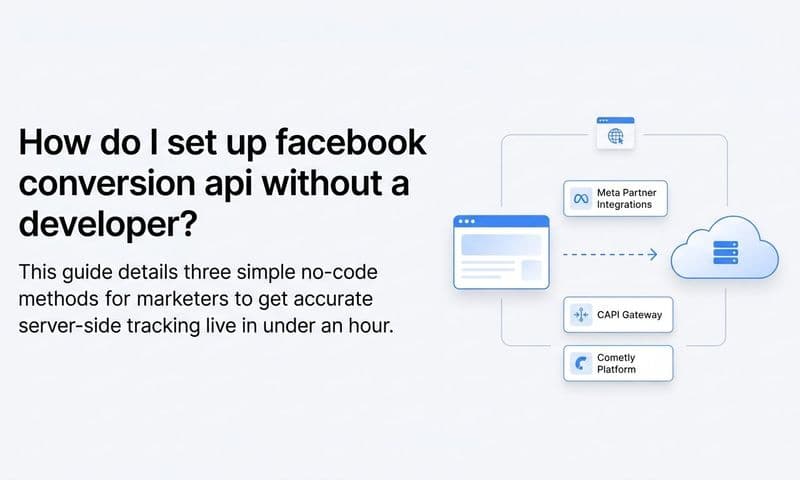
There are two ways to implement CAPI. The first is a direct integration through your backend, which requires developer resources to build and maintain an API connection between your server and Meta's endpoint. The second is using a middleware platform like Cometly's server-side tracking, which handles the connection without requiring heavy engineering work on your end.
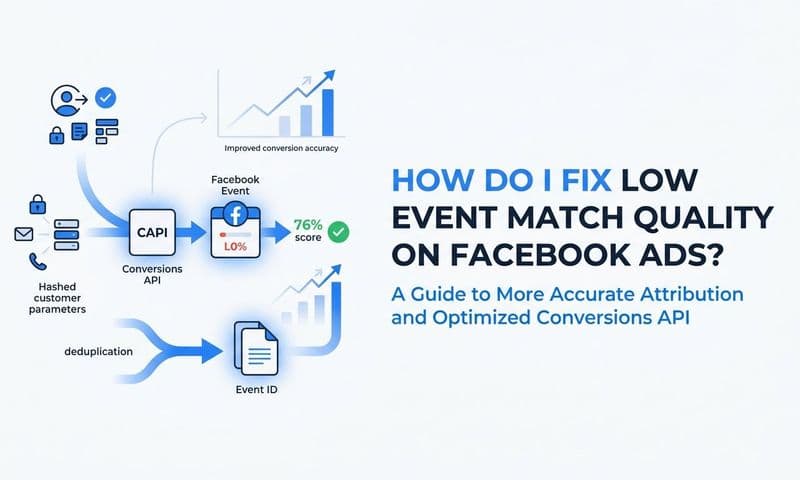
Whichever path you choose, there is one critical technical requirement: event deduplication. When both your pixel and CAPI fire for the same conversion, Meta needs a way to recognize they represent the same event and count it only once. You handle this by passing a unique event_id parameter with both the browser event and the server event. Meta matches them using the event_id and deduplicates automatically.
Without deduplication, you will inflate your conversion counts, which makes your cost-per-result look artificially low and misleads your optimization decisions. For a broader look at how to improve ad tracking accuracy across your entire setup, see this guide on improving ad tracking accuracy.
To confirm CAPI is working, go to Event Manager and look at the source breakdown for your conversion events. You should see events listed under both Browser and Server sources. If you only see Browser, CAPI is not sending data yet.
Success indicator: Total reported event volume increases after CAPI implementation, conversion events show both Browser and Server sources in Event Manager, and your Event Match Quality score improves.
Step 3: Maximize Your Event Match Quality Score
CAPI gets your events to Meta. Event Match Quality (EMQ) determines whether Meta can actually connect those events to real user profiles and credit your ads for the conversions.
EMQ is a score from 1 to 10 that Meta surfaces in Event Manager for each conversion event. It reflects how well the customer data you pass with each event matches Meta's own user database. A higher score means more of your conversions get attributed to your ads, which improves both your reporting accuracy and Meta's ability to optimize your campaigns toward the right audiences.
A low EMQ score is one of the most common and underdiagnosed reasons why Facebook Ads reporting looks inaccurate. You might be driving real conversions, but if Meta cannot match those events to users who saw your ads, those conversions simply do not appear in your reports.
The parameters that most significantly improve EMQ are:
Email address: The single highest-impact parameter. Pass it whenever a user provides their email, including at form submission, checkout, or account creation.
Phone number: The second most impactful identifier. Include country code formatting for best results.
First name and last name: Simple to pass and meaningfully improves match rates when combined with email.
City, state, zip, and country: Location data helps Meta confirm identity when other parameters partially match.
External ID: Your internal customer or user ID, which helps Meta build consistent profiles across sessions.
You do not need to collect new data to improve your EMQ. In most cases, the data already exists in your CRM or checkout system. The work is in passing it correctly through CAPI at the moment of conversion.
Meta handles the hashing automatically when you send data through CAPI, so you are not transmitting raw personal information. The data is hashed before it leaves your server.
For lead generation funnels specifically, capturing email at the point of form submission and passing it with your Lead event is one of the highest-leverage improvements you can make. Without it, your Lead events are essentially anonymous signals that Meta struggles to attribute. Understanding how Facebook conversion tracking works end-to-end will help you ensure no lead goes uncounted.
For a deeper breakdown of how EMQ scoring works and how to optimize it, see Cometly's guide on Facebook Event Match Quality.
Success indicator: Your primary conversion events show an EMQ score of 6 or higher in Event Manager. Scores below 5 indicate missing customer data parameters and should be investigated immediately.
Step 4: Align Attribution Windows With Your Actual Sales Cycle
Even with perfect tracking and high EMQ scores, your Facebook Ads reporting can still mislead you if your attribution window does not match how your customers actually buy.
Meta's default attribution window is 7-day click and 1-day view. This means Meta will credit an ad for any conversion that happens within seven days of a click or one day of a view impression. For impulse purchases or simple lead forms, this window is often appropriate. But for B2B products, high-consideration purchases, or subscription services with longer evaluation cycles, a conversion that happens on day ten or day twenty after the initial ad interaction will never appear in your reports.
The result is that your campaigns look less effective than they are. You cut budget from ads that are actually working because the conversions they drive fall outside the window Meta is measuring.
To adjust your attribution window, go to your campaign settings in Meta Ads Manager and update the attribution setting at the ad set level. You can extend the click window to 28 days for longer sales cycles. Be aware that changing the window on live campaigns will affect historical comparisons, so document your changes.
Beyond window length, there is a deeper problem with relying solely on Meta's self-reported attribution: platform bias. Meta uses its own attribution model and will always credit itself generously. The same is true for Google, TikTok, and every other ad platform. When you look at each platform's dashboard in isolation, the sum of their reported conversions often exceeds your actual total conversions. Every platform is claiming credit for the same customers. A dedicated Facebook Ads attribution strategy helps you cut through this platform bias and see which touchpoints genuinely drive revenue.
This is why comparing attribution models matters. Last-touch attribution gives all credit to the final touchpoint before conversion. First-touch gives all credit to the first interaction. Multi-touch distributes credit across the entire journey. Time-decay weights recent touchpoints more heavily. Each model tells a different story, and none of them is universally correct.
To get a neutral, cross-channel view, you need a third-party attribution platform that sits outside any single ad platform's ecosystem. Cometly connects your ad platforms, CRM, and website data to give you a unified view of which touchpoints are actually driving revenue, without the self-attribution bias baked into Meta's dashboard. Learn more about how different models compare in this breakdown of the 5 most common ad attribution models.
Success indicator: Your attribution window reflects your average time-to-conversion, and you can reconcile Meta-reported conversions with actual revenue data from your CRM or checkout system.
Step 5: Build a Custom Reporting Dashboard That Surfaces What Matters
Accurate data is only valuable if your reporting structure makes it easy to act on. The default column set in Meta Ads Manager is cluttered with metrics that feel important but rarely drive decisions. Cleaning up your reporting view is not cosmetic work. It changes what you pay attention to and therefore what you optimize.
Start by building a custom column set focused on business outcomes. Remove metrics like post reactions, page likes, and post shares unless you are specifically running engagement campaigns. Replace them with columns that connect your spend to results. The right Facebook Ads reporting dashboard tools can dramatically simplify this process and surface the metrics that actually move the needle.
Here is a recommended column set for performance campaigns:
Amount Spent: Your baseline for all efficiency calculations.
Results and Cost Per Result: Your primary optimization metric, whatever event you are bidding toward.
ROAS (Reported): Platform-reported return on ad spend. Useful as a directional signal, not as ground truth.
Reach and Frequency: Helps you identify audience fatigue before performance drops.
CPM: Measures auction efficiency and helps diagnose delivery problems.
CTR (Link Click-Through Rate): Reflects creative and offer relevance.
Landing Page Views: A more reliable engagement signal than link clicks because it confirms the page actually loaded.
Beyond column customization, segment your data by device and placement. Performance often varies dramatically between mobile feed, desktop feed, Stories, and Reels. A campaign that looks average in aggregate may be excellent on one placement and terrible on another. Segmentation surfaces that distinction.
The more important upgrade is connecting your ad data to downstream revenue. Meta shows you clicks and reported conversions, but it cannot tell you which specific ads generated closed deals, subscription upgrades, or repeat purchases. A platform like Cometly bridges that gap by connecting ad-level data to actual CRM outcomes, giving you true ROAS rather than platform-reported ROAS.
For practical tips on building analytics workflows that connect ad performance to business outcomes, see this guide on marketing analytics techniques to boost your strategy.
One more practical tip: create separate saved reports for prospecting and retargeting campaigns. Their success metrics are fundamentally different. Prospecting campaigns should be evaluated on cost-per-new-customer and reach into cold audiences. Retargeting campaigns should be evaluated on conversion rate and ROAS against a warm audience. Mixing them into a single report obscures both.
Success indicator: You can answer the question "which specific ad creative drove the most revenue this month" in under two minutes, using data that connects ad spend to actual revenue rather than just reported conversions.
Step 6: Send Enriched Conversion Data Back to Meta to Close the Loop
The previous five steps improve what you see in your reports. This step improves how Meta's algorithm performs on your behalf, which ultimately makes your reports more accurate because the platform is optimizing toward the right outcomes.
The concept is called Conversion Sync, sometimes referred to as offline conversions or downstream event matching. The idea is straightforward: instead of only sending Meta the events that happen on your website in real time, you also send it the conversion outcomes that happen later, in your CRM, your billing system, or your sales pipeline.
Consider a few common scenarios. A lead fills out a form on your landing page. Meta sees the Lead event and counts it. But that lead does not become a paying customer until 14 days later after a sales call. Meta never knows the call happened. Its algorithm continues optimizing toward the cheapest leads, not the leads most likely to convert downstream. Learning how to track sales leads through your full pipeline is essential for closing this gap.
Or consider an ecommerce scenario where a purchase is initially flagged by your fraud system and then confirmed two days later. The original Purchase event fired, but the revenue was uncertain. Sending a confirmed conversion event back to Meta gives the algorithm a cleaner signal about what a real purchase looks like.
Cometly's Conversion Sync feature handles this by feeding enriched, conversion-ready events back to Meta, Google, and other ad platforms automatically. It maps your CRM pipeline stages or subscription events to Meta custom conversions so the algorithm sees the full funnel, not just the top-of-funnel form submission.
The downstream impact on reporting is significant. When Meta receives better conversion signals, its attribution model becomes more accurate because it is matching ad exposures to outcomes that actually reflect revenue. Its audience targeting improves because it learns what a high-value customer looks like beyond just a lead form fill. And your reported ROAS starts to reflect real business outcomes rather than surface-level conversion counts.
To implement this, map your key CRM stages (such as Qualified Lead, Opportunity, Closed Won) to Meta custom conversions. Assign conversion values to each stage based on your average deal size or customer lifetime value. Then let Cometly sync those events back to Meta on a scheduled basis as your pipeline progresses.
For a broader look at how attribution software improves marketing performance across the funnel, see 20 ways marketing attribution software can help improve digital marketing efforts.
Success indicator: Meta's optimization column shifts from optimizing toward cheap leads to optimizing toward leads and customers that actually convert downstream. Your cost-per-qualified-lead decreases as the algorithm learns from richer signals.
Your Facebook Ads Reporting Accuracy Checklist
Improving Facebook Ads reporting accuracy is not a one-time project. It is a system you build and maintain. Here is the complete six-step checklist to keep your setup sharp:
Pixel audit complete: No duplicate fires, no premature event triggers, and all conversion events are passing required parameters including value and currency.
Server-side tracking implemented: CAPI is sending events from your server to Meta, deduplication is confirmed using matching event IDs, and both Browser and Server sources appear in Event Manager.
Event Match Quality optimized: Primary conversion events show an EMQ score of 6 or higher, with email, phone, and name parameters passing at the point of conversion.
Attribution windows aligned: Your click window reflects your average time-to-conversion, and you are using a third-party attribution platform to get a neutral cross-channel view that removes platform self-attribution bias.
Custom reporting dashboard built: Your column set focuses on business outcomes rather than vanity metrics, and your ad data connects to downstream revenue rather than stopping at reported conversions.
Conversion Sync active: Enriched downstream conversion events are flowing back to Meta from your CRM or billing system, giving the algorithm signal on which leads and customers actually generate revenue.
Review this setup monthly. Meta updates its platform regularly, your funnel evolves, and the tracking landscape continues to shift. A setup that works well today may develop gaps over time if left unmonitored.
Cometly ties all six steps together in one platform. From server-side tracking and event match quality optimization to multi-touch attribution modeling and conversion sync, it gives you the infrastructure to move from platform-reported data to actual business truth.
Better data compounds. When Meta receives richer signals, it optimizes better. When it optimizes better, your campaigns perform better. When your campaigns perform better, you have more confidence in where to scale. That cycle starts with getting your reporting right.
Ready to see which Facebook Ads are actually driving revenue? Get your free demo and start capturing every touchpoint with the accuracy your campaigns deserve.