You open Google Ads on a Monday morning, see a campaign reporting 120 conversions at a $28 CPA, and feel good about the week ahead. Then you check your CRM. Forty-three leads. The numbers don't reconcile, and suddenly that "winning" campaign looks a lot less impressive.
This disconnect is one of the most common and most damaging problems in paid search. It is not a minor rounding error. When the conversion data feeding your Google Ads account is wrong, every decision downstream gets distorted. Smart Bidding optimizes toward signals that do not reflect reality. Budget flows to campaigns that only appear to be working. And when it comes time to scale, you are building on a foundation that was cracked from the start.
The frustrating part is that inaccurate conversion tracking in Google Ads does not always announce itself. Campaigns can look healthy on the surface while quietly misfiring underneath. You might be over-counting conversions and rewarding campaigns that do not deserve it. Or you might be under-counting and starving your best performers of the bid signals they need to grow. Either way, the damage compounds quietly over time.
This guide is designed to help you understand exactly why conversion tracking breaks, how to identify when it has broken, and what it takes to fix it properly. We will move from the mechanics of how Google Ads tracks conversions to the root causes of common errors, through a practical diagnostic process, and finally to the infrastructure changes that create lasting accuracy. Whether you are troubleshooting a specific discrepancy or building a more reliable tracking setup from scratch, this is the place to start.
Why Your Google Ads Conversion Data Is Lying to You
To understand why tracking goes wrong, it helps to understand how it is supposed to work. When someone clicks your ad and completes a desired action, a conversion tag fires. That tag sends a signal back to Google, which then uses that signal to train its automated bidding algorithms. The whole system, including Target CPA, Target ROAS, and Maximize Conversions, depends on the quality of those signals. Garbage in, garbage out.
The chain has several links, and any one of them can break. The tag might fire incorrectly. The browser might block it. The signal might get attributed to the wrong session. And because Google's Smart Bidding is constantly learning from incoming data, even a brief period of distorted signals can push bid strategies in the wrong direction.
Tracking failures generally fall into two categories, and both are problematic in different ways.
Over-counting happens when Google Ads records more conversions than actually occurred. Duplicate tags firing on the same confirmation page, view-through conversions crediting display impressions that had nothing to do with the actual purchase, or imported GA4 goals that themselves have tracking issues can all inflate your conversion numbers. The result looks great on paper. CPA appears low, conversion rates appear high, and campaigns that are actually underperforming get rewarded with more budget.
Under-counting is the opposite problem: real conversions happen but never get recorded. Ad blockers prevent the Google tag script from loading entirely. iOS privacy changes and Safari's Intelligent Tracking Prevention limit third-party cookie tracking, so conversions that happen on Apple devices often go unregistered. Single-page applications where the URL does not change on conversion can cause tags to skip entirely. Even a slow page load, where a user closes the browser before the tag fires, results in a lost signal.
Both failure types are genuinely dangerous, just in different ways. Over-counting wastes budget by rewarding campaigns that only look efficient. Smart Bidding learns that conversions are cheap and plentiful, sets bids accordingly, and continues spending on traffic that is not actually converting. Under-counting creates the opposite trap: high-performing campaigns do not get the credit they deserve, the algorithm underestimates their value, and you end up pulling budget from channels that are genuinely driving revenue.
The compounding effect is what makes this so serious. Inaccurate data does not just affect today's performance report. It trains the algorithm for tomorrow, shapes budget decisions for next quarter, and influences the strategic conclusions you draw about what is and is not working. A small tracking error today can become a large strategic mistake by the end of the year.
The Most Common Root Causes of Tracking Errors
Knowing that tracking can break is one thing. Understanding exactly where the breaks happen is what allows you to fix them. Most inaccurate conversion tracking in Google Ads traces back to a handful of specific causes.
Duplicate conversion tags are more common than most advertisers realize. This typically happens when a Google site tag is hardcoded directly onto a thank-you page and a GTM-deployed tag is also configured to fire on the same page. Every conversion gets counted twice, and unless you are actively cross-referencing against CRM data, you might not notice for weeks. GTM container misconfigurations can also cause tags to fire multiple times on a single page load, particularly on dynamic pages where certain triggers fire more than once per session.
Tags placed on the wrong page or event are another frequent culprit. A tag placed on a form page rather than a confirmation page will fire every time someone views the form, not just when they submit it. In high-traffic scenarios, this can dramatically inflate conversion counts. Similarly, tags tied to button clicks rather than successful form submissions may fire even when the form fails validation, recording a "conversion" that never actually happened.
Browser and privacy-driven data loss has become an increasingly significant source of under-counting. Third-party cookie deprecation is an ongoing process, and browsers like Safari have been restricting cross-site tracking for years through Intelligent Tracking Prevention. iOS privacy updates have further reduced the ability of client-side tags to track users across sessions. Browser-based ad blockers prevent the Google tag script from loading entirely for a meaningful portion of your audience. The result is systematic under-reporting: a consistent gap between conversions that happen in the real world and conversions that get recorded in your dashboard.
Attribution model mismatches and cross-platform double-counting create a different kind of distortion. Every ad platform, including Google, Meta, LinkedIn, and TikTok, uses its own attribution windows and models. A customer who sees a Meta ad on Tuesday, clicks a Google search ad on Thursday, and converts on Friday will likely appear as a conversion in both Meta's dashboard and Google's dashboard simultaneously. Neither platform is technically wrong by its own rules, but if you add up the conversions across platforms, you will end up with a total that significantly exceeds your actual sales or leads.
This cross-platform double-counting is one of the most underappreciated problems in multi-channel advertising. Without a neutral third-party attribution layer reconciling data across all platforms, you have no reliable way to know which channel actually deserves credit for a given conversion. You are essentially asking each platform to grade its own homework.
Understanding these root causes is the foundation of any real fix. The specific solution depends on which failure mode is affecting your account, which is why diagnosis has to come before remediation.
How Tracking Errors Corrupt Your Campaign Performance
It is worth dwelling on the downstream consequences of inaccurate tracking, because the impact extends well beyond a messy analytics dashboard. When conversion signals are wrong, every automated system that depends on them starts making bad decisions.
Smart Bidding is the most immediate casualty. Google's automated bid strategies, including Target CPA, Target ROAS, and Maximize Conversions, use your conversion data as their primary training signal. The algorithm is essentially asking: "What kind of user, in what context, at what bid, is most likely to convert?" When the conversion data feeding that question is inflated or incomplete, the answer the algorithm arrives at will be wrong.
If conversions are over-counted, Smart Bidding concludes that conversions are more frequent and cheaper than they actually are. It may set bids too aggressively in auctions that do not actually deliver value, or it may allocate impressions toward audience segments that only appear to convert well. The campaign looks efficient by its own metrics while quietly burning budget.
If conversions are under-counted, the algorithm sees fewer signals than it should, which can trigger bid increases as it tries to compensate for what it perceives as low conversion volume. High-performing keywords may be undervalued because their true contribution is not being recorded. The algorithm fails to identify what is actually working, and the campaigns that deserve to scale never get the investment they need.
Here is where the compounding problem becomes serious. Bad conversion data leads to bad bids. Bad bids lead to suboptimal results. Those results are then used to make budget allocation decisions, which further amplify the original error. A campaign that appears to have a low CPA due to duplicate conversions might receive a budget increase it does not deserve, pulling investment away from a channel that is genuinely driving revenue but appears less efficient because its conversions are being under-counted.
Over time, this creates a distorted picture of your entire marketing mix. You are not just making a mistake in one campaign. You are systematically misallocating resources based on a false understanding of what is driving growth. The longer the tracking error persists, the more entrenched these misallocations become, and the harder they are to unwind.
This is why inaccurate conversion tracking is not a technical inconvenience. It is a strategic liability. Every decision you make about where to invest, what to scale, and what to cut is only as good as the data those decisions are based on.
Diagnosing the Problem: Auditing Your Conversion Setup
Before you can fix a tracking problem, you need to know exactly what you are dealing with. A structured audit will help you identify whether you are over-counting, under-counting, or both, and pinpoint the specific cause.
Start with Google Tag Assistant. This browser extension lets you see which tags are firing on any given page and whether they are firing correctly. Load your confirmation page or conversion event and check whether the Google Ads conversion tag fires once and only once. If you see it firing multiple times, or if you see both a hardcoded tag and a GTM-deployed tag firing simultaneously, you have found your duplicate tag problem.
Check your conversion action settings in Google Ads. Navigate to Tools and Settings, then Conversions, and review the counting method for each conversion action. If a conversion action is set to "Every conversion" rather than "One per click," it will count every subsequent conversion from the same click, which can inflate totals for actions like page views or micro-conversions. For lead generation and purchase conversions, "One per click" is typically the more accurate setting.
Use the Google Ads Tag Diagnostics report to identify tags that are not firing as expected. This report surfaces issues like tags that have not fired recently, tags with configuration errors, and pages where the tag was expected but not detected. It is a useful starting point for identifying gaps in your coverage.
Cross-reference conversion volumes against your CRM. Pull conversion counts from Google Ads for a defined time period and compare them against the actual leads or sales recorded in your CRM for the same period. A significant gap in either direction is a clear signal that something is wrong. If Google Ads shows far more conversions than your CRM, you are likely over-counting. If it shows significantly fewer, you are under-counting.
Compare the Google Ads Conversion Summary report against GA4 data. These two sources often tell different stories, and the gaps between them reveal specific issues. Unmodeled conversions, which are Google's estimated conversions that are not directly observed, can inflate totals in ways that are not reflected in GA4. View-through conversions, if enabled, may be adding volume that does not represent genuine intent.
Conduct a cross-platform audit simultaneously. Pull conversion totals from every active ad platform for the same time period and add them up. Then compare that total against your actual conversions from your CRM or order management system. If the sum of platform-reported conversions significantly exceeds your actual conversions, cross-platform double-counting is contributing to the problem. This is especially common for advertisers running campaigns on both Google and Meta.
The goal of this audit is not just to find one problem. It is to build a complete picture of every place where your conversion data is being distorted, so that the fixes you implement address the actual causes rather than the symptoms.
Server-Side Tracking and Multi-Touch Attribution as the Long-Term Fix
Auditing your setup tells you what is broken. But for many advertisers, the root cause is not a configuration error that can be fixed with a single tag change. It is a structural limitation of client-side tracking itself.
Client-side tagging means that your conversion tags run in the user's browser. That approach worked well when browsers were permissive and privacy restrictions were minimal. Today, it is increasingly unreliable. Ad blockers prevent tag scripts from loading. Safari's Intelligent Tracking Prevention limits how long cookies persist. iOS privacy changes reduce the visibility of user behavior across sessions. The result is a growing and largely invisible gap between what actually happens and what gets recorded.
Server-side tracking solves this at the infrastructure level. Instead of relying on a tag in the user's browser to fire and send data to Google, server-side tracking sends conversion data directly from your server to Google's API. Google's Enhanced Conversions for Web and the Google Ads Conversion API both support this approach, allowing you to send hashed first-party data, including email addresses and phone numbers, server-to-server. Because this data never passes through the user's browser, it bypasses ad blockers, cookie restrictions, and privacy-driven data loss entirely.
The practical impact is meaningful. Conversions that would have been lost due to browser restrictions get captured and sent to Google, giving Smart Bidding more complete and accurate signals to work with. The algorithm trains on data that more closely reflects reality, which leads to better bid decisions and more efficient campaign performance.
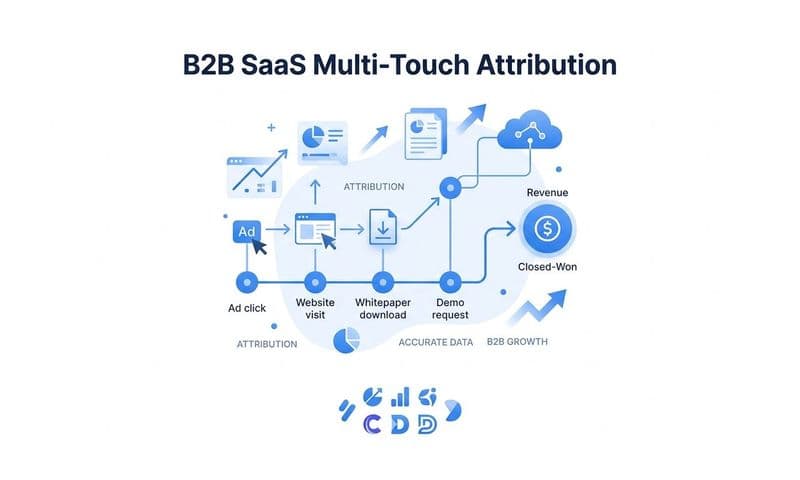
Multi-touch attribution addresses the cross-platform double-counting problem that server-side tracking alone cannot solve. When every ad platform reports conversions using its own attribution logic, you will always end up with inflated totals across channels. The fix is a single, neutral attribution layer that sits above all your ad platforms and tracks the full customer journey from first touch to conversion.
Rather than asking Google how many conversions Google drove, or asking Meta how many conversions Meta drove, a multi-touch attribution system tracks every touchpoint in the customer journey and assigns credit based on actual influence. The same conversion does not get counted multiple times across platforms. You get a single, reconciled view of which channels and campaigns are genuinely contributing to revenue.
This is exactly what Cometly is built to do. Cometly's server-side tracking captures conversions that client-side tags miss, closing the gap created by browser restrictions and privacy changes. Its multi-touch attribution layer tracks the complete customer journey across every ad platform, CRM, and website touchpoint, giving you a unified and accurate view of what is actually driving results. Instead of reconciling conflicting dashboards, you have one source of truth that reflects the real customer journey.
Feeding Google's Algorithm Better Data to Scale with Confidence
Fixing your tracking infrastructure is not just about cleaning up your reports. It is about giving Google's algorithm the high-quality signals it needs to make better decisions on your behalf.
This is where Conversion Sync becomes a powerful lever. Once you have accurate, verified conversion data, you can send enriched conversion events back to Google Ads so that Smart Bidding trains on real signals rather than noisy, incomplete data. Instead of Google's algorithm working with whatever partial data it can collect through client-side tags, it receives clean, first-party conversion events that accurately reflect which clicks led to genuine revenue.
The impact on bid strategy performance is direct. Target CPA and Target ROAS strategies become more effective when the conversion data they are optimizing toward is accurate. The algorithm identifies the right audiences, the right keywords, and the right times to bid aggressively, because the signals it has learned from reflect what is actually happening in your business rather than a distorted version of it.
Beyond bid strategy optimization, accurate conversion data changes how you make strategic decisions. AI-powered attribution tools can surface which campaigns and ad creatives are genuinely driving conversions, not just which ones appear to be driving conversions in a flawed dashboard. When you can see clearly which channels are contributing to revenue at each stage of the funnel, you can scale budgets with confidence rather than hope.
Cometly's AI-powered recommendations are built on this foundation. By capturing every touchpoint and connecting ad performance to actual revenue, Cometly gives marketers a clear view of what is working across every channel. Instead of guessing which campaign deserves more budget, you can act on data that reflects the real customer journey.
The business outcomes of getting this right are concrete. When Smart Bidding trains on accurate signals, effective CPA tends to improve because the algorithm stops wasting spend on traffic that was never converting. When you can correctly identify your highest-performing channels, ROAS improves because budget flows toward what is genuinely driving revenue. And when your budget decisions are based on real revenue impact rather than platform-reported metrics that may be inflated or incomplete, you can scale with the kind of confidence that comes from actually knowing what is working.
Accurate conversion data is not a nice-to-have. It is the foundation that every other optimization decision is built on.
The Bottom Line
Inaccurate conversion tracking in Google Ads is not a minor reporting inconvenience. It is a strategic liability that corrupts every decision downstream. When the signals feeding Smart Bidding are wrong, bid strategies optimize toward the wrong outcomes. When budget allocation is based on inflated or incomplete conversion data, investment flows to campaigns that only appear to be working. And when the same conversion gets credited across multiple platforms simultaneously, your understanding of your marketing mix becomes fundamentally unreliable.
The fix has two parts. First, you need better infrastructure. Server-side tracking closes the gap created by browser restrictions, ad blockers, and privacy changes, ensuring that real conversions are captured and sent to Google regardless of what happens in the user's browser. Second, you need a unified attribution layer that sits above your ad platforms, tracks the full customer journey, and assigns credit based on actual influence rather than each platform's self-reported data.
Together, these two changes do not just clean up your reports. They improve the quality of the signals your ad platforms learn from, leading to better bid decisions, more efficient spend, and the ability to scale what is actually working rather than what looks good in a dashboard.
If you are ready to stop making decisions based on data you cannot trust, Cometly gives you the server-side tracking, multi-touch attribution, and AI-powered insights to see exactly which ads and channels are driving real revenue. Get your free demo today and start building your campaigns on a foundation of accurate, complete conversion data.