If your Facebook ad campaigns look like they are performing well inside Ads Manager but your actual revenue tells a different story, you are likely dealing with lost conversions. This gap between what Facebook reports and what actually happened in your business is one of the most common and costly problems in paid advertising today.
Browser-based pixel tracking has become increasingly unreliable. iOS privacy changes, ad blockers, and browser-level restrictions have quietly eroded the accuracy of client-side tracking over time. The result is that a meaningful portion of real conversions never get recorded, leaving your ad account with incomplete data, poorly optimized campaigns, and budget decisions based on a skewed picture of reality.
Lost conversions on Facebook do not just mean missing data points. They mean your ad platform is making optimization decisions based on incomplete signals. Your cost-per-conversion looks artificially high. Campaigns that are actually working get paused or defunded because the numbers do not support them. That is a serious problem when real budget is on the line.
Fixing this requires a structured approach: audit what you are currently tracking, identify where conversions are falling through the cracks, implement server-side tracking to capture what the pixel misses, enrich your event data to improve match quality, sync that data back to Facebook's algorithm, and build an ongoing validation process so gaps do not quietly reopen.
This guide walks you through exactly how to do that, step by step. Whether you are a performance marketer managing campaigns for a single brand or an agency running accounts across multiple clients, recovering lost conversions can meaningfully improve your reported ROAS, sharpen Facebook's targeting, and give you the accurate data you need to scale with confidence.
Step 1: Audit Your Current Facebook Pixel and Event Setup
Before you can fix a tracking problem, you need to understand exactly what you are working with. Most ad accounts accumulate pixel configurations over time, and what looks like a functioning setup often has significant gaps hiding underneath.
Start by opening Facebook Events Manager and reviewing which standard and custom events are currently firing. You want to see a full list of active events, when they last fired, and what pages or actions they are associated with. Pay close attention to events tied to actual business outcomes: purchases, lead form completions, sign-ups, and trial starts. These are the conversions that matter for optimization and reporting.
Next, install the Facebook Pixel Helper browser extension and walk through your conversion funnel manually. This tool shows you in real time which pixel events are firing, whether they are firing correctly, and whether there are any errors. Look specifically for:
Duplicate pixel IDs: Many accounts have multiple pixel IDs firing simultaneously from old integrations, theme scripts, or third-party app installs. This causes double-counting and conflicting data that distorts your reporting.
Misfires on wrong pages: A Purchase event firing on a product page instead of a confirmation page, or a Lead event firing on page load instead of form submission, will corrupt your conversion data entirely.
Missing pixel coverage: Identify any pages in your funnel that have no pixel installed. If your checkout flow passes through a third-party payment processor, for example, you may have a gap right at the most critical conversion point.
Back in Events Manager, check your event match quality scores. This is Facebook's measure of how well your conversion events can be matched to actual Facebook user profiles. Events with low match quality scores are contributing less to attribution and optimization than they should be. Document the score for each key event.
The goal of this step is to produce a clear map: every conversion event, where it fires, whether it fires correctly, and its current match quality score. This becomes your baseline. You cannot measure improvement without it. Understanding how Facebook pixel tracking works at a deeper level will help you identify the most common failure points in your setup.
Success indicator: You have a documented list of every active conversion event, identified any duplicate pixel IDs or misfires, and recorded match quality scores for your primary conversion events.
Step 2: Identify Where Conversions Are Being Lost
Now that you have a map of your current setup, the next step is to quantify the gap between what Facebook is reporting and what is actually happening in your business. This comparison is the most direct way to understand the scale of your tracking problem.
Pull your Facebook-reported conversions for a recent 30-day period and compare them against the same metric in your CRM, Shopify backend, payment processor, or whatever system records actual transactions. If Facebook reports 200 purchases and your backend shows 350, you have a gap worth investigating. That discrepancy is the floor of your lost conversions problem.
Once you have a number, start looking for patterns in the data. Segment the discrepancy by device type, browser, and operating system if you can. Common patterns include:
Mobile vs. desktop gaps: Mobile conversions are often underreported because users switch between apps and browsers, making it harder for the pixel to track the full journey.
Safari and iOS-specific losses: Apple's App Tracking Transparency framework requires users to opt in to tracking. A large portion of iOS users opt out, which limits the pixel's ability to track conversions from those devices entirely. Safari's Intelligent Tracking Prevention also restricts third-party cookies, further limiting browser-based tracking. Reviewing how iOS link tracking restrictions affect attribution can help you understand the full scope of this challenge.
Ad blocker impact: Browser extensions and network-level ad blockers prevent the pixel script from loading at all. This affects users across all browsers, not just Safari, and tends to be more prevalent among tech-savvy audiences.
Beyond device and browser patterns, examine your funnel for technical issues. Use your browser's developer tools to check whether pixel network requests are completing successfully or being blocked. Look at your site's performance on thank-you and confirmation pages: if these pages load slowly, users may navigate away before the pixel fires. If your site is built on a single-page application framework like React or Vue, standard page-view events may not fire on route changes, creating gaps throughout the funnel.
Also review whether your checkout flow redirects through a third-party payment processor before returning to your confirmation page. These redirects frequently cause pixel fires to fail because the browser context changes mid-session. Following best practices for tracking conversions accurately gives you a reliable framework for diagnosing these technical failure points.
Success indicator: You can quantify roughly how many conversions are going untracked, and you understand the primary technical and privacy-related causes driving the gap.
Step 3: Implement Server-Side Tracking with the Conversions API
This is the most impactful step in recovering lost conversions on Facebook. Server-side tracking via the Conversions API (CAPI) solves the core problem: it sends event data directly from your server to Facebook, completely bypassing the browser. Ad blockers cannot block it. iOS privacy restrictions cannot limit it. Browser cookies are irrelevant to it.
The key concept to understand is that CAPI is not a replacement for your pixel. Facebook officially recommends running both in parallel, creating a redundant tracking layer. If the pixel is blocked on a user's device, the server-side event still reaches Facebook. The two sources work together to give you more complete coverage than either could provide alone. A detailed Conversions API implementation tutorial can walk you through the technical setup from start to finish.
There are three main implementation paths:
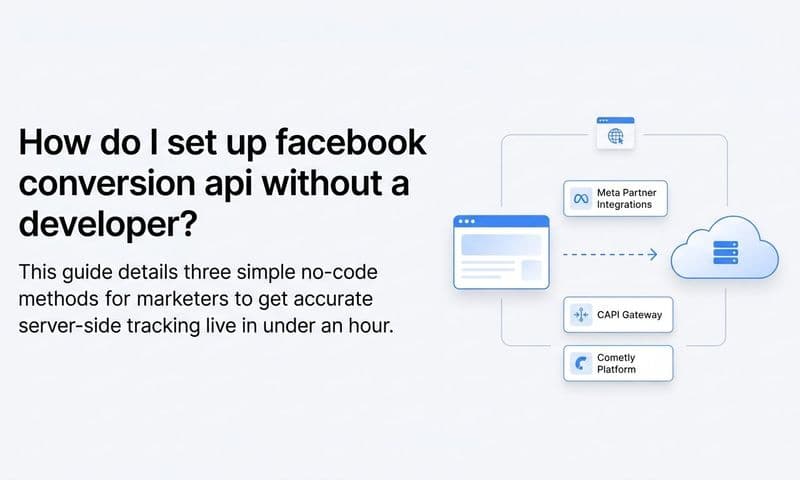
Direct API integration: Your development team builds a direct connection between your server and Facebook's CAPI endpoint. This gives you maximum control but requires ongoing technical maintenance and development resources.
Gateway tools: Platforms like server-side tag management solutions can route events to Facebook's CAPI without requiring custom development. These reduce the technical burden but still require setup and configuration.
Marketing attribution platforms: Tools like Cometly handle server-side tracking for you as part of a broader attribution and analytics solution. This is often the most practical path for marketing teams who want accurate tracking without managing the infrastructure themselves.
Whichever method you choose, the implementation should include these elements:
Mirror your pixel events server-side: Set up CAPI to send the same events your pixel fires. Purchase events, Lead events, and any custom conversion events should all have server-side counterparts.
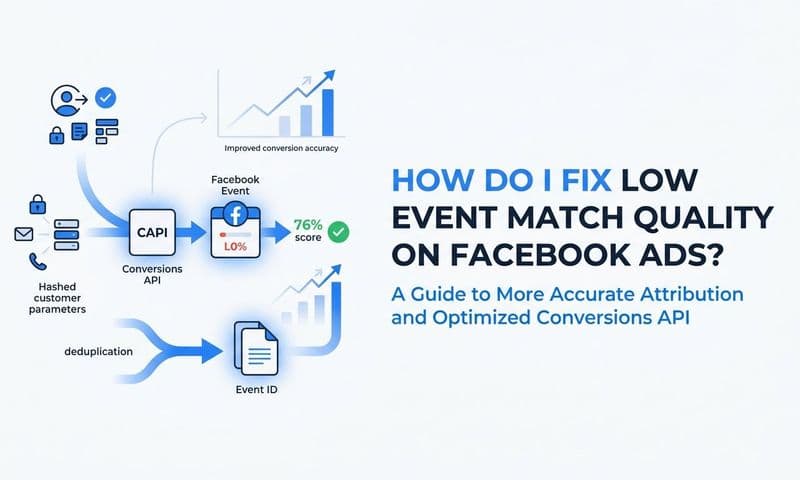
Include enriched customer data: Pass hashed versions of available customer data with each event: email address, phone number, first name, last name, and IP address. Facebook uses these parameters to match events to user profiles. More parameters mean higher match quality scores, which means more conversions get attributed.
Implement event deduplication: This is critical. When both your pixel and CAPI fire for the same conversion, Facebook needs to know they represent the same event, not two separate conversions. Use a consistent event_id parameter that matches between your pixel event and your CAPI event for the same action. Without this, you will inflate your conversion counts and corrupt your optimization signals.
After implementation, use the Test Events tool in Facebook Events Manager to confirm that your CAPI events are being received correctly. You should see events appearing under the Server source alongside your Browser source events. Understanding why server-side tracking is more accurate than browser-based methods will help you make the case for this investment internally.
Success indicator: Events Manager shows both Browser and Server event sources for your key conversion events, and the Test Events tool confirms your CAPI integration is receiving events with deduplication working correctly.
Step 4: Enrich Your Event Data to Improve Match Quality
Getting events to Facebook server-side is only part of the equation. The quality of those events determines how much they actually help. This is where event match quality (EMQ) becomes the metric to focus on.
EMQ is Facebook's score for how well it can match your conversion events to actual Facebook user profiles. A high EMQ score means Facebook can connect more of your conversions to specific users, which improves attribution accuracy and gives the algorithm better signals to optimize on. A low EMQ score means many of your events are going unmatched, contributing little to targeting or reporting.
The most direct way to improve EMQ is to pass more customer data parameters with each event. Every additional identifier you include gives Facebook another way to match the event to a user profile. The parameters that have the most impact include hashed email address, hashed phone number, first and last name, city, state, zip code, and country.
For lead generation flows, timing matters. Capture email or phone at the earliest possible point in the funnel, even before the form submission completes, if your form architecture allows it. This way, if a user starts filling out a form but does not complete it, you still have an identifier to pass with any events that fire during that session. Reviewing how Facebook conversion tracking captures every sale can reveal additional enrichment opportunities you may be missing.
First-party CRM data is one of the most underused sources for event enrichment. When a lead converts in your CRM days or weeks after the initial ad click, that downstream conversion can still be sent back to Facebook with the original click data. This is especially valuable for businesses with longer sales cycles, where the gap between ad click and actual revenue can span multiple sessions and devices.
Connecting your CRM to your server-side tracking is what makes this possible. A platform like Cometly is built specifically for this: it connects your ad platforms, CRM, and website so that every touchpoint is captured and enriched customer journey data flows back to Facebook automatically. Instead of only tracking what the pixel can see in a single browser session, you get a complete picture of how each customer moved from ad click to conversion.
After implementing these enrichment improvements, check your EMQ scores in Events Manager. Scores are rated on a scale, and you want to aim for the Good or Excellent range for your primary conversion events.
Success indicator: Your event match quality scores improve after enrichment, and Facebook begins attributing more conversions to your campaigns as a result.
Step 5: Sync Conversions Back to Facebook to Train the Algorithm
Capturing more complete conversion data is valuable on its own, but the full benefit only materializes when you actively send that data back to Facebook so its algorithm can learn from it. This is the step that turns better tracking into better campaign performance.
Facebook's ad delivery algorithm optimizes based on the conversion signals it receives. When those signals are incomplete, the algorithm makes suboptimal decisions about who to show your ads to and how much to bid. When you feed it richer, more accurate data, it recalibrates and improves over time. Understanding Facebook ads optimization with complete attribution data shows exactly how improved signals translate into measurable campaign gains.
Use Conversion Sync to push enriched conversion events back to Facebook Ads Manager. This includes not just real-time web events but also offline conversions and CRM-sourced events that the pixel could never have captured on its own. A lead that became a paying customer three weeks after clicking your ad is a powerful signal. Without Conversion Sync, Facebook never knows that conversion happened.
When setting up your conversion sync, include revenue values with each purchase or lead event wherever possible. This enables value-based optimization, which tells Facebook to optimize not just for conversion volume but for the value of those conversions. The result is that the algorithm starts finding users who are more likely to generate higher revenue, not just users who are likely to click or fill out a form.
Once your enriched server-side events are flowing back to Facebook, configure your campaigns in Ads Manager to use these events as the optimization target. If you previously optimized on a pixel-based Purchase event and you now have a richer server-side version of that event, switch your campaigns to optimize on the server-side event for better signal quality.
Cometly's Conversion Sync feature handles this process by sending enriched, conversion-ready events back to Meta, Google, and other ad platforms automatically. This improves the data each platform's algorithm uses for targeting and optimization, which compounds over time as the system learns from better signals.
Give your campaigns a few weeks after implementing conversion sync before drawing conclusions. Algorithm recalibration takes time, but the directional improvements in cost-per-result and audience quality are typically visible within one to two optimization cycles.
Success indicator: Your Facebook campaigns show higher attributed conversions, improved ROAS, and the algorithm is allocating budget more efficiently toward users who actually convert.
Step 6: Validate Your Tracking and Monitor for Future Gaps
Tracking breaks are not a one-time problem. Site updates, platform migrations, new campaign launches, and third-party integrations all introduce opportunities for your carefully built tracking setup to quietly break. Ongoing validation is what separates teams that maintain accurate data from teams that discover tracking gaps months after they happened.
Build a weekly reconciliation check into your workflow. Compare Facebook-reported conversions to your backend data and track whether the gap between them is narrowing over time. If the gap suddenly widens, that is a signal that something in your tracking setup has changed. Using dedicated Facebook tracking software to automate this reconciliation process can catch breaks far faster than manual checks alone.
Set up monitoring in your analytics platform to flag sudden drops in event volume. A 50 percent drop in Purchase events overnight almost certainly indicates a tracking break, not a sudden drop in sales. Catching these anomalies quickly minimizes the damage to your campaign optimization and reporting.
Use multi-touch attribution reporting to see the full customer journey across all touchpoints. Facebook will always claim credit for conversions using its own attribution model, but a multi-touch view shows you how Facebook ads contribute alongside email, organic search, and other channels. This context helps you make smarter budget allocation decisions rather than relying solely on what each platform self-reports. An attribution tracking setup built for multi-touch visibility gives you the cross-channel clarity needed to allocate budget with confidence.
Review your attribution window settings in Facebook Ads Manager periodically. The default 7-day click and 1-day view window may not align with your actual sales cycle. If your customers typically take two to three weeks from first click to purchase, a 7-day window will undercount your attributed conversions by design.
A tool like Cometly's analytics dashboard gives you a single source of truth that combines data from Facebook, other ad platforms, and your CRM in one place. Instead of toggling between platforms and manually reconciling spreadsheets, you get a unified view of what is actually driving revenue and where your tracking stands.
Success indicator: The gap between Facebook-reported and actual conversions is consistently small, your data is reliable, and you are making budget decisions based on accurate attribution rather than guesswork.
Putting It All Together
Recovering lost conversions on Facebook is not a one-time fix. It is an ongoing process of auditing your setup, closing tracking gaps, enriching your data, and continuously feeding better signals back to the platform. When you get this right, everything downstream improves: your reported ROAS gets closer to reality, Facebook's algorithm optimizes on real purchase intent, and you can make confident decisions about where to scale your budget.
To recap the six steps: audit your current pixel and event setup to establish a baseline, identify where conversions are being lost by comparing Facebook data to your backend, implement server-side tracking via the Conversions API to bypass browser restrictions, enrich your event data with customer parameters to improve match quality, sync conversions back to Facebook so the algorithm learns from complete signals, and validate your tracking on an ongoing basis to catch future breaks early.
Each step builds on the previous one. The audit tells you what is broken. The gap analysis tells you how much it is costing you. Server-side tracking closes the gap. Data enrichment improves the quality of what you send. Conversion sync puts that data to work. And ongoing validation keeps the whole system honest.
If you want to shortcut this process and get a complete view of every touchpoint across all your ad channels, Cometly connects your ad platforms, CRM, and website to track the full customer journey in real time. With server-side tracking, conversion sync, and AI-powered attribution built in, you can stop guessing and start scaling based on data you can actually trust. Get your free demo today and start capturing every touchpoint to maximize your conversions.