
Most marketing automation stacks were not designed all at once. They grew organically: a new tool added during a product launch, a workflow built to solve a one-time problem, an integration connected and then forgotten. Over time, that accumulation creates real damage. Leads fall through gaps. Conversion events fire incorrectly. Attribution data points to the wrong channels. And somewhere upstream, a growth leader is making budget decisions based on numbers that do not reflect reality.
A marketing automation audit is how you fix that. Not by tearing everything down and starting over, but by systematically working through your stack to find what is broken, what is redundant, and what is quietly costing you pipeline.
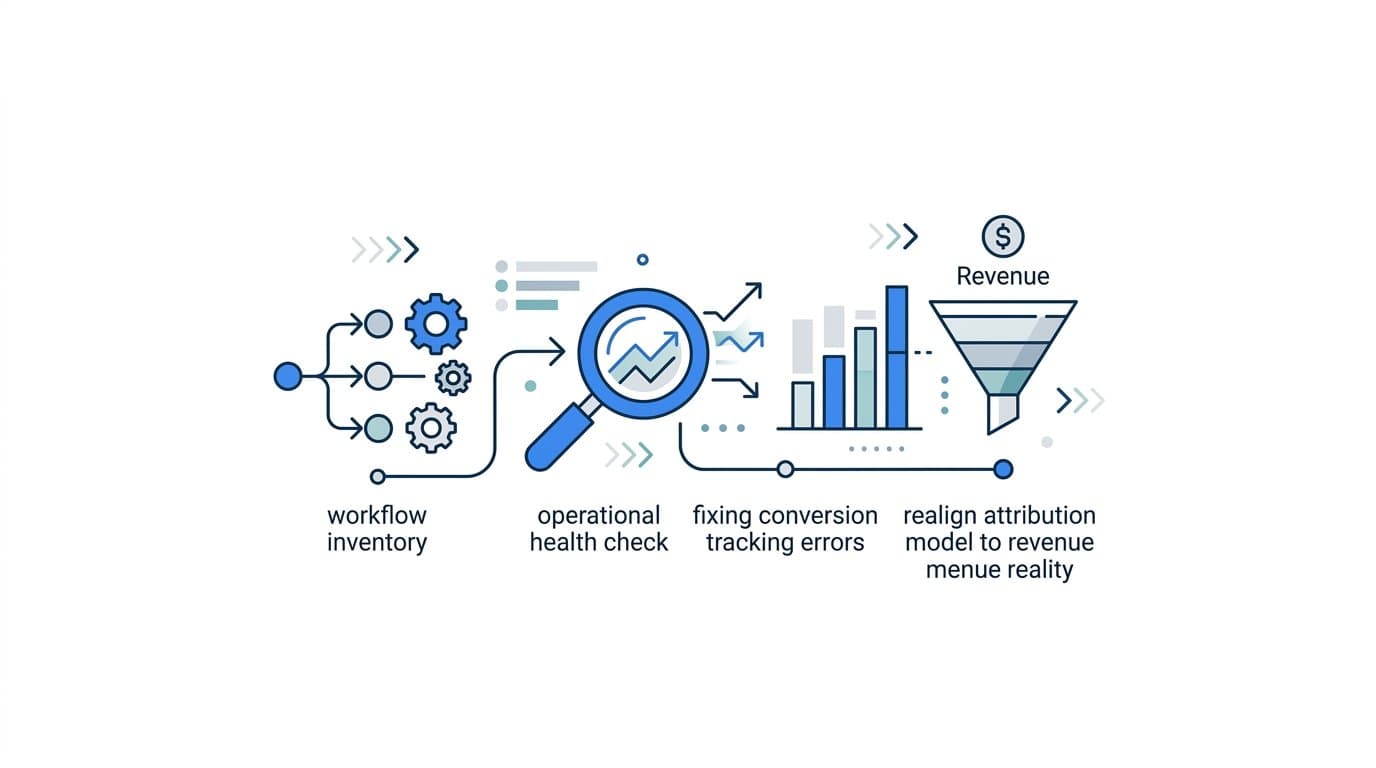
This guide walks you through a structured, six-step process designed specifically for B2B SaaS marketing teams. You will learn how to inventory your workflows, validate your conversion data, assess your attribution model, review your lead routing logic, evaluate your ad platform integrations, and build a prioritized action plan that connects directly to revenue outcomes.
Think of this as an operational health check for your marketing engine. By the end, you will know exactly where your data is clean, where it is broken, and what to fix first. No guesswork. No inflated metrics. Just a clear, accurate foundation for scaling your campaigns with confidence.
Step 1: Inventory Your Entire Automation Stack
Before you can fix anything, you need to know what you are working with. This sounds obvious, but most B2B SaaS marketing teams cannot produce a complete list of every tool in their stack on demand. Workflows get built, ownership changes, and documentation gets skipped. The first step of any marketing automation audit is closing that gap.
Start by listing every tool that touches your marketing automation layer. This includes your email platform, CRM, ad integrations, landing page builders, lead enrichment tools, chat platforms, scheduling tools, and any third-party connectors or middleware like Zapier or Make. Do not assume a tool is inactive just because no one mentions it in team meetings. Check your billing records and your API connections to surface tools that may be running quietly in the background.
For each tool, document four things: its primary function, who owns it, when it was last reviewed or updated, and whether it is actively connected to a live campaign or workflow. This gives you a working map of your stack rather than a theoretical one.
Next, flag any tools that overlap in function. It is common for B2B SaaS companies to end up with two tools doing the same job: two email platforms, two lead enrichment services, or two attribution trackers. Overlap creates conflicting data and makes it harder to trust any single source of truth.
Pay particular attention to which tools are sending or receiving conversion data. Trace the path that a conversion event takes from your website through to your CRM and ad platforms. If you cannot trace that path clearly, you have found your first audit finding.
Watch for stack bloat: Redundant tools are not just a budget issue. They create data fragmentation. When two tools are tracking the same event differently, you end up with two different numbers and no clear way to reconcile them.
Success indicator: You have a single spreadsheet or document that maps every tool in your stack, its function, its owner, and its last review date. Every tool either has a clear active purpose or is flagged for deprecation.
Step 2: Audit Your Conversion Tracking and Event Data
Conversion tracking is the nervous system of your marketing automation setup. When it works correctly, you get accurate signals that tell you which campaigns are driving real business outcomes. When it breaks, everything downstream gets distorted: your attribution model assigns credit to the wrong channels, your ad platforms optimize toward the wrong events, and your reporting tells a story that does not match reality.
Start by pulling a list of every conversion event being tracked across your ad platforms, website, and CRM. Common events include form submissions, demo requests, trial signups, pricing page visits, sales call bookings, and purchase confirmations. For each event, verify three things: that it is firing correctly, that it is not duplicating, and that it maps to an action your sales and marketing teams actually care about.
Duplicate events are more common than most teams realize. A form submission might fire a pixel on the client side and also trigger a server-side event, resulting in two conversions being reported for a single action. Over time, this inflates your conversion counts and throws off your cost-per-acquisition calculations.
Next, assess your tracking infrastructure. Browser-based pixel tracking has become increasingly unreliable. Ad blockers, iOS privacy changes, and browser-level restrictions mean that a meaningful portion of conversions are never captured by client-side pixels. If your entire conversion tracking setup depends on browser-based pixels, you are almost certainly undercounting conversions and missing attribution data for a segment of your audience.
Server-side tracking addresses this directly. By sending conversion events from your server rather than the user's browser, you bypass the restrictions that cause client-side tracking to fail. If you have not yet evaluated a server-side setup, this audit is the right moment to put it on your roadmap.
Look for high-intent gaps: Many teams track form fills but miss other high-intent signals. A user who visits your pricing page three times, books a sales call, and then goes dark is sending strong signals throughout that journey. If you are only capturing the form fill at the beginning, you are missing most of the story.
Verify your CRM event mapping: Every conversion event tracked on your website or ad platform should have a corresponding record in your CRM. If events are firing in your ad platform but not showing up as pipeline activity in your CRM, you have a data gap that will affect both your attribution model and your sales team's visibility into lead quality.
Success indicator: Every key conversion event has a verified firing status, a deduplicated count, and a clear path back to the ad or channel that drove it. You can confirm this by comparing event counts across your tracking systems and finding them consistent within a reasonable margin.
Step 3: Evaluate Your Attribution Model and Data Accuracy
Attribution is where most B2B SaaS marketing teams have the largest blind spots. Not because attribution is technically difficult, but because the default settings in most ad platforms are built for simplicity, not accuracy. Last-click attribution is still the default in many setups, and it systematically misrepresents how leads actually move through your funnel.
Start by identifying which attribution model your current setup defaults to. Last-click, first-touch, linear, and data-driven models each tell a different story about which channels deserve credit for a conversion. In B2B SaaS, where sales cycles often span weeks or months and involve multiple touchpoints, a single-touch model will always give you an incomplete picture.
Run a comparison. Pull your top channels and campaigns under at least two different attribution models and look at how credit shifts. You will often find that channels like paid social, which drive early-funnel awareness, appear to underperform under last-click but show strong contribution under a multi-touch model. Conversely, channels like branded search, which capture demand at the bottom of the funnel, may appear to overperform under last-click because they are the last interaction before a conversion.
Next, look for signs of attribution drift. This happens when a channel reports strong performance in the ad platform's own dashboard but shows little to no pipeline contribution in your CRM. The most common cause is that the ad platform is counting conversions that never translate into qualified leads. A form fill that your ad platform counts as a conversion but your CRM marks as unqualified is not a real business outcome. If your attribution model does not account for this distinction, you are optimizing toward the wrong signal.
Assess full-funnel coverage: A complete attribution model covers the entire customer journey from first ad click through to closed-won revenue. Many setups only capture part of the funnel, typically the top. If your attribution data stops at the lead or MQL stage, you cannot connect ad spend to actual revenue, which makes it impossible to calculate true return on ad spend.
Check your data freshness: Attribution data that is delayed by days or weeks creates a feedback loop problem. Your team makes optimization decisions based on stale data, which means you are always adjusting to where your campaigns were, not where they are. Real-time attribution data is not a luxury in a competitive B2B SaaS environment.
Success indicator: You can pull a report that shows each channel's contribution to pipeline and revenue under at least two different attribution models. You understand how those models differ and have a clear rationale for which model your team uses as its primary decision-making lens.
Step 4: Review Lead Routing, Scoring, and Workflow Logic
Lead routing and scoring models are often built with care at the start and then left to run indefinitely. The problem is that your ideal customer profile evolves, your sales team structure changes, and your product positioning shifts. A lead scoring model built two years ago may be assigning high scores to leads that your sales team consistently marks as unqualified, and vice versa.
Start by auditing every active lead routing rule. Confirm that leads are being assigned to the right sales reps or sequences based on your current segmentation logic. Check for routing rules that reference territories, products, or team structures that no longer exist. A single outdated routing rule can send dozens of qualified leads to the wrong queue every week.
Next, review your lead scoring criteria. Look at the behavioral signals and firmographic attributes that contribute to a lead's score. Ask your sales team which attributes actually correlate with deals closing and compare that list to what your scoring model weights most heavily. If there is a mismatch, your scoring model is creating noise rather than signal.
Audit your active workflows for three specific failure modes. First, workflows with no exit condition: leads that enter a sequence and never leave, even if they have already converted or become disqualified. Second, workflows with no performance data: sequences that have been running for months with no engagement metrics attached. Third, workflows that route leads into sequences with consistently low open or reply rates, which signals that the targeting or messaging is misaligned.
Test end-to-end: The most reliable way to validate a workflow is to run a test lead through it from start to finish. Submit a test form, confirm the lead is created in your CRM with the correct attributes, verify it is routed to the right rep or sequence, and check that the first email or action fires within the expected timeframe. This process often surfaces issues that no amount of documentation review would catch.
Success indicator: Every active workflow has a documented trigger, a defined audience, a measurable outcome, and a clear owner responsible for its performance. Workflows that cannot meet this standard are flagged for review or deprecation.
Step 5: Assess Ad Platform Integrations and Data Feedback Loops
Your ad platforms are only as smart as the data you send them. Meta, Google, and LinkedIn all use machine learning to optimize campaign delivery, and the quality of that optimization depends directly on the quality of the conversion signals you feed back into their systems. If you are sending low-quality or incomplete conversion data, you are limiting how effectively those algorithms can find and target your best prospects.
Start by reviewing how conversion data flows back to each ad platform you run. For each platform, identify which events are being sent, how they are being sent (client-side pixel, Conversion API, or enhanced conversions), and whether those events match the business outcomes your team actually cares about.
If you are still relying solely on browser-based pixels to send conversion data back to your ad platforms, this is a critical gap. Conversion API (CAPI) and enhanced conversions allow you to send first-party event data server-side, which means the data reaches the ad platform even when a user has an ad blocker installed or when browser restrictions prevent the pixel from firing. This improves the accuracy of your conversion reporting and gives the ad platform's optimization algorithm a cleaner signal to work with.
Next, look for mismatches between what your ad platform reports as conversions and what your CRM shows as qualified pipeline. This is one of the most common and costly problems in B2B SaaS marketing. An ad platform might report strong conversion volume based on form fills, but if a large portion of those form fills never become qualified opportunities, the platform is optimizing toward the wrong audience.
Send revenue-level signals when possible: The most powerful feedback loop you can create is sending closed-won revenue data back to your ad platforms. When the algorithm knows which specific users became paying customers, it can optimize toward finding more users who look like them. This is significantly more valuable than optimizing toward a top-of-funnel form fill.
Audit event naming consistency: Inconsistent event naming across platforms creates reporting headaches and makes it harder to compare performance across channels. If a demo request is called "demo_request" in one platform, "Demo Request" in another, and "lead_form_submit" in a third, you are making reconciliation unnecessarily difficult.
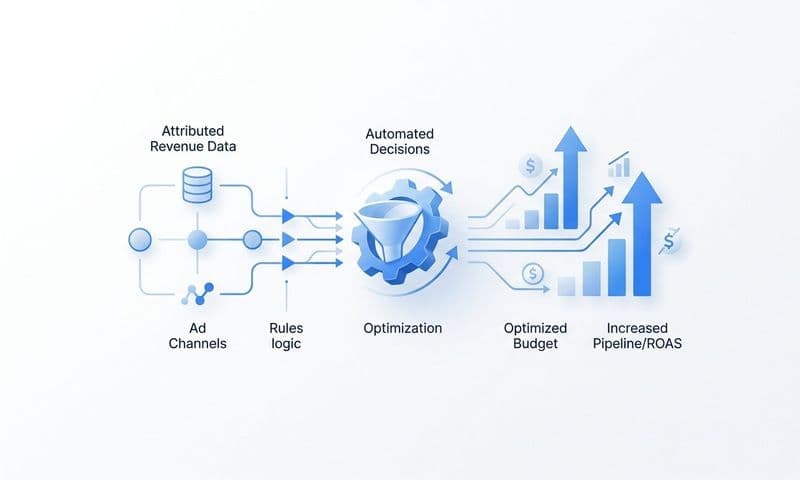
Platforms like Cometly are built specifically to solve this problem. By connecting your ad platforms, CRM, and website into a single attribution layer, Cometly enables you to send enriched, first-party conversion events back to Meta, Google, and other ad platforms, so their machine learning has the accurate data it needs to optimize toward real revenue outcomes rather than surface-level signals.
Success indicator: Your ad platforms are receiving enriched, first-party conversion events that reflect real business outcomes. You can confirm this by comparing the conversion events sent via CAPI or enhanced conversions against your CRM pipeline data and finding meaningful alignment between the two.
Step 6: Build Your Prioritized Fix List and Measurement Baseline
The output of a marketing automation audit is only as valuable as the action it drives. After working through the previous five steps, you will have a list of findings that range from critical to minor. The final step is organizing those findings into a clear, prioritized action plan and establishing a baseline so you can measure the impact of your fixes.
Categorize every issue into one of three buckets. The first is critical fixes: broken tracking, missing attribution, misconfigured routing rules, or any issue that is actively causing you to lose data or misattribute pipeline. These need to be addressed immediately, within the first two weeks if possible. The second is quick wins: outdated workflows, duplicate events, inconsistent event naming, or any issue that is easy to fix and will improve data quality without requiring significant development work. The third is strategic improvements: attribution model upgrades, new CAPI integrations, lead scoring model rebuilds, or any initiative that requires planning, resources, and a longer timeline.
For every item in the critical and quick-win categories, assign a clear owner and a target completion date. Without ownership, audit findings sit in a document and nothing changes. The person responsible for fixing an issue should be the person who has the access and context to actually resolve it.
Before you start making changes, document your measurement baseline. Record your current conversion volumes by event type, your attributed pipeline by channel, and your cost per acquisition by campaign. This baseline is what you will compare against after fixes are implemented. Without it, you cannot tell whether a change improved your data quality or simply shifted the numbers around.
Set a review cadence: Schedule a 30-day check-in to assess the impact of your critical fixes and quick wins. Schedule a 90-day review to evaluate whether your strategic improvements are moving the needle on pipeline and revenue attribution. Treat these reviews as standing appointments, not optional follow-ups.
Keep the document alive: The audit findings document should not be archived after the first review. It should be a living record that tracks every finding, its priority level, its owner, and its current status. As new issues surface between full audits, they get added to the document and triaged using the same three-bucket framework.
Success indicator: You have a prioritized fix list with clear ownership, a documented baseline for measuring impact, and a recurring review schedule that keeps the audit process active rather than treating it as a one-time project.
Putting It All Together
A marketing automation audit is not a one-time project. It is a discipline. The six steps above give you a repeatable framework: inventory your stack, validate your tracking, evaluate your attribution model, review your workflow logic, assess your ad platform integrations, and build a prioritized fix list. Each step builds on the last, and the cumulative effect is a marketing engine that operates on accurate data rather than assumptions.
When your automation layer is clean and your conversion data is accurate, everything downstream improves. Your ad platforms optimize toward real business outcomes. Your sales team receives better-qualified leads. Your leadership team trusts the numbers they see in reports. And your growth decisions are grounded in reality rather than inflated metrics.
The teams that run these audits regularly are the ones that compound their marketing efficiency over time. They catch problems early, fix them systematically, and build a foundation that scales without creating new data debt.
Cometly is built to support exactly this kind of rigorous, data-driven approach. By connecting your ad platforms, CRM, and website into a single attribution layer, Cometly gives you the visibility to run audits like this with confidence and to act on what you find. You get real-time insights into which channels are driving pipeline, enriched conversion data flowing back to your ad platforms, and a single source of truth for your marketing performance.
Start your audit today. Work through each step, document what you find, and build the foundation your marketing team needs to scale. And when you are ready to bring your attribution layer together in one place, Get your free demo and see how Cometly can help you capture every touchpoint and connect your ad spend directly to revenue.