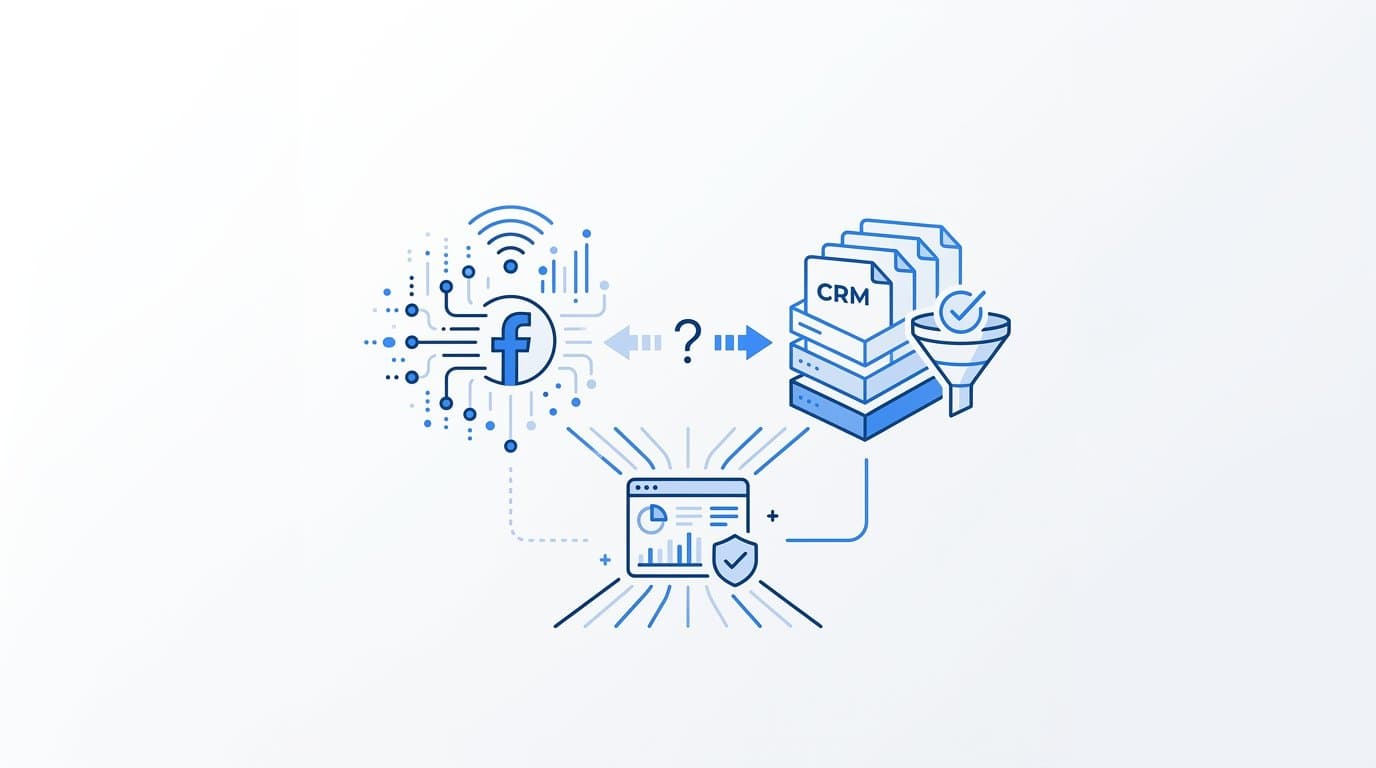
Facebook conversions and CRM data rarely match because Facebook attributes conversions using its own pixel and modeled data, while your CRM records only verified leads or purchases that actually entered your system. The gap is structural, not a bug, and understanding why it exists is the first step toward making sense of both dashboards.
If you are a B2B SaaS marketer staring at two sets of numbers that refuse to agree, you are not alone and you are not doing anything wrong. This is one of the most common diagnostic problems in performance marketing, and it has a clear explanation. Tools like Cometly are built specifically to reconcile this gap by connecting ad platform data, CRM events, and server-side tracking into a single source of truth. But before we get to solutions, let us walk through exactly why the numbers diverge in the first place.
This article is a diagnostic guide. By the end, you will know what causes the discrepancy, how to audit your own setup, and how to build a tracking architecture that gives you confidence in both datasets.
Two Systems Measuring Two Different Things
The fundamental reason Facebook conversions and CRM data never match perfectly is that they are not measuring the same event using the same method. They are two separate measurement systems with different rules, different timestamps, and different definitions of what counts as a conversion.
Facebook counts a conversion when someone clicks an ad and later completes a tracked event within its attribution window. By default, that window is 7-day click and 1-day view. This means Facebook will claim credit for any conversion that happens within seven days of an ad click, even if the user visited your site through a Google search the next day and converted there. Your CRM, on the other hand, records a contact only when a form is submitted, a deal is created, or a sales rep manually logs an entry. It timestamps that event on the day it happened, not the day of the original ad interaction.
This creates an immediate structural mismatch. Facebook is looking backward from the conversion event and claiming credit based on prior ad exposure. Your CRM is recording forward in time as contacts move through your pipeline. These two perspectives will almost never produce identical numbers.
The situation became more complex after Apple's iOS 14 update and the AppTrackingTransparency framework. Meta responded by introducing statistical modeling to estimate conversions it can no longer observe directly due to users opting out of tracking. This means some conversions Facebook reports are modeled, not verified. They represent Facebook's best probabilistic estimate of what happened, not a deterministic record. Your CRM, by contrast, only records what definitively entered your system.
CRM data is deterministic. Facebook data is a blend of observed and modeled. A 1:1 match between the two is structurally impossible without a bridging layer that connects ad click data to actual CRM records. That bridging layer is what most marketing teams are missing, and it is the root cause of the confusion.
Five Specific Causes of the Discrepancy
Once you understand the structural difference, you can start diagnosing which specific factors are widening the gap in your particular setup. There are five common causes worth investigating.
Attribution window mismatch: Facebook may claim credit for a conversion that happened six days after the click, while your CRM timestamps it on the day the lead was created. From the CRM's perspective, that lead arrived on a Tuesday with no visible Facebook source. From Facebook's perspective, it is a conversion attributed to the campaign that ran the previous Wednesday. These look like separate events in each system, but they are the same person.
Duplicate or missed pixel fires: Browser ad blockers, iOS privacy restrictions, and slow page loads all interfere with the Facebook pixel. When the pixel fails to fire on a thank-you page, Facebook never records the conversion. Meanwhile, your CRM captures the lead perfectly because the form submission went directly to your backend. This creates undercounting in Facebook and makes your CRM appear to have more leads than Facebook tracked.
Cross-device and cross-browser journeys: A user clicks a Facebook ad on their phone during lunch, then converts on their work laptop that evening. Facebook may not stitch those two sessions together correctly, especially if the user is not logged into Facebook on both devices. The result is either a missed conversion in Facebook or, in some cases, a duplicate count if partial signals are picked up from both devices.
Modeled conversions inflating Facebook numbers: As mentioned, Meta uses statistical modeling to fill in gaps created by iOS restrictions. These modeled conversions are included in your Facebook reporting by default. Because they are estimates, not verified events, they will never appear in your CRM. This is one of the most common reasons Facebook shows more conversions than your CRM, particularly for campaigns targeting iOS users.
Missing fbclid capture in the CRM: When someone clicks a Facebook ad, Meta appends an fbclid parameter to the landing page URL. This click identifier is the technical bridge between a Facebook ad click and a CRM contact record. If your forms or CRM are not capturing and storing this parameter, you have no way to trace a CRM lead back to a specific Facebook campaign. Attribution becomes impossible, and the two datasets remain permanently disconnected.
How Server-Side Tracking Closes the Gap
The Facebook Conversion API, commonly called CAPI, is Meta's answer to browser-level tracking limitations. Instead of relying on a pixel that runs in the user's browser and can be blocked or interrupted, CAPI sends conversion events directly from your server to Meta. The event travels a completely different path, one that ad blockers and iOS restrictions cannot interfere with.
This recovers events the pixel misses. If a user has an ad blocker installed and your pixel never fires, but your server still receives the form submission, CAPI can send that event to Meta with full customer information including email, phone number, and name. Meta then uses that information to match the event to a Facebook profile and attribute it to the correct campaign. The result is a higher event match quality score and more complete conversion data on the Facebook side.
Here is where many teams run into a new problem. When you run CAPI alongside the pixel, both can fire for the same conversion event. Without proper deduplication, Facebook counts it twice. Meta's deduplication system relies on a parameter called event_id. When both the pixel and CAPI send the same event with the same event_id, Meta knows to count it once. Without that parameter, you end up with inflated conversion numbers that are actually worse than what you started with.
It is also important to understand what CAPI does not do. Server-side tracking improves the completeness and quality of data sent to Facebook. It does not automatically sync Facebook's reported conversions with your CRM records. You can have a perfectly implemented CAPI setup and still see a significant gap between Facebook's reported numbers and your CRM, because CAPI only improves what Facebook knows. It does not create a connection between Facebook's data and your pipeline.
That connection requires a separate attribution layer. Specifically, you need a system that captures the fbclid from the landing page URL, stores it against the CRM contact record, and then maps that click ID back to the Facebook campaign that generated it. Without this layer, CAPI is a significant improvement in data quality but not a solution to the reconciliation problem.
How to Audit and Diagnose Your Specific Gap
If you are actively troubleshooting a discrepancy right now, here is a practical audit process you can run without any additional tools beyond what you likely already have.
Start with attribution windows: Pull your Facebook campaign data and filter it to a 1-day click attribution window instead of the default 7-day click. Then compare those numbers to CRM entries created on the same calendar day. The gap will narrow significantly in most cases. The difference between what you see at 7-day click versus 1-day click tells you how much of your discrepancy is purely window-based. If narrowing the window brings the numbers much closer to your CRM, attribution windows are your primary issue.
Check pixel health in Meta Events Manager: Open Events Manager and look at the event match quality score for your key conversion events. Meta scores these on a scale where anything below 6 out of 10 indicates poor customer information matching. Low scores mean Meta cannot reliably connect your conversion events to Facebook profiles, which leads to undercounting and missed attribution. Common causes include not passing email or phone data with your events, or passing unhashed data in the wrong format.
Trace a sample of CRM leads backward: Take 20 to 30 recent CRM contacts and check whether each one has an fbclid in the original URL they used to reach your site. If your CRM or landing page tool captures UTM parameters and click IDs, this data should be visible on the contact record. Leads without any fbclid were almost certainly not Facebook-driven, and Facebook should not be claiming credit for them. If you find a large number of leads with no click ID data at all, your fbclid capture is broken and attribution is flying blind.
Compare total lead volume over 30 days: Look at the total number of leads Facebook claims to have driven over the past 30 days versus the total number of leads in your CRM from any source. If Facebook is claiming more leads than your CRM received in total, you have a clear signal that modeled conversions or duplicate counting are inflating your Facebook numbers. This is a fast sanity check that requires no technical knowledge.
How Cometly Connects Facebook Ad Data to CRM Revenue
Cometly is built specifically for the problem this article describes. Rather than forcing you to reconcile two disconnected dashboards manually, it creates the bridging layer that connects Facebook ad clicks to CRM contacts and, ultimately, to closed revenue.
The platform captures every touchpoint from the first ad click through CRM events. When someone clicks a Facebook ad, Cometly captures the fbclid and maps it to the contact record as that person moves through your funnel. This means you can see which Facebook campaigns actually generated pipeline and closed revenue, not just which campaigns Facebook reported as converting. The distinction matters enormously for B2B SaaS companies where a lead may take weeks or months to close.
Cometly also sends enriched, server-side conversion events back to Meta via CAPI integration. Because it has access to your CRM data, it can pass high-quality customer information with each event, improving event match quality scores and reducing the gap between what Facebook reports and what your pipeline confirms. This improves Facebook's ability to optimize campaigns toward leads that actually convert to revenue, not just leads that fill out forms.
For B2B SaaS teams specifically, Cometly connects Stripe revenue data with ad spend data. This moves the conversation entirely beyond lead count discrepancies. Instead of debating whether Facebook drove 120 leads or 90 leads, you can ask which Facebook campaigns drove the most actual revenue. That is the question that matters for scaling decisions, and it is one that neither Facebook's native reporting nor your CRM alone can answer.
Related Questions Marketers Ask About This Problem
Why does Facebook show more conversions than my CRM?
Facebook uses modeled attribution and longer attribution windows, so it often claims credit for conversions your CRM recorded as organic or direct traffic. When a user clicks a Facebook ad and then converts six days later through a Google search, Facebook counts it. Your CRM may show that lead as coming from Google. Modeled conversions from iOS-restricted users add another layer of inflation that will never appear in any CRM.
Should I trust Facebook's conversion data or my CRM?
Neither dataset is complete on its own, and neither should be discarded. CRM data is more accurate for lead quality, pipeline progression, and revenue. It tells you what actually entered your system. Facebook data is more useful for understanding ad delivery, optimizing bidding, and diagnosing creative performance. The right approach is to use both together with a reconciliation layer that maps clicks to contacts, so you can evaluate each dataset in the context of the other.
How much of a discrepancy between Facebook and CRM is normal?
A variance of roughly 10 to 30 percent is common and generally expected due to attribution windows, cross-device journeys, and a small amount of modeling. Gaps larger than 40 to 50 percent typically indicate a tracking setup problem. Common culprits include missing pixel fires on key pages, no CAPI implementation, incorrect event configuration, or fbclid parameters not being captured in the CRM. If your gap is consistently above 50 percent, treat it as a technical issue that needs investigation, not a normal reporting variance.
Does the Meta Conversion API fix the mismatch?
CAPI improves the completeness of data sent to Facebook and reduces undercounting caused by browser restrictions and iOS privacy changes. It is a meaningful improvement and worth implementing. However, it does not automatically sync Facebook's reported conversions with your CRM records. CAPI makes Facebook's data better. Reconciling Facebook's data with your CRM requires a separate attribution layer that maps click IDs to contact records and connects ad spend to pipeline and revenue.
Putting It All Together
The mismatch between Facebook conversions and CRM data is expected. It is the natural result of two systems that measure different events, use different timestamps, and operate with different levels of data certainty. The goal is not a perfect match. The goal is a clear understanding of where each number comes from and what it actually represents.
Start your audit by comparing attribution windows and checking pixel health in Events Manager. Implement CAPI with proper event deduplication if you have not already. Ensure your landing pages are capturing fbclid and passing it to your CRM so you can trace leads back to specific campaigns. These steps will narrow the gap significantly and give you much more confidence in both datasets.
For teams that want to go further and connect Facebook ad data directly to CRM pipeline and closed revenue, Cometly provides the attribution layer that makes this possible. It captures every touchpoint, maps clicks to contacts, sends enriched events back to Meta, and connects Stripe revenue data to your ad spend so you can measure what actually matters.
If you are ready to stop guessing which Facebook campaigns are driving real revenue, Get your free demo and see how Cometly turns two disconnected dashboards into a single, accurate picture of your marketing performance.