

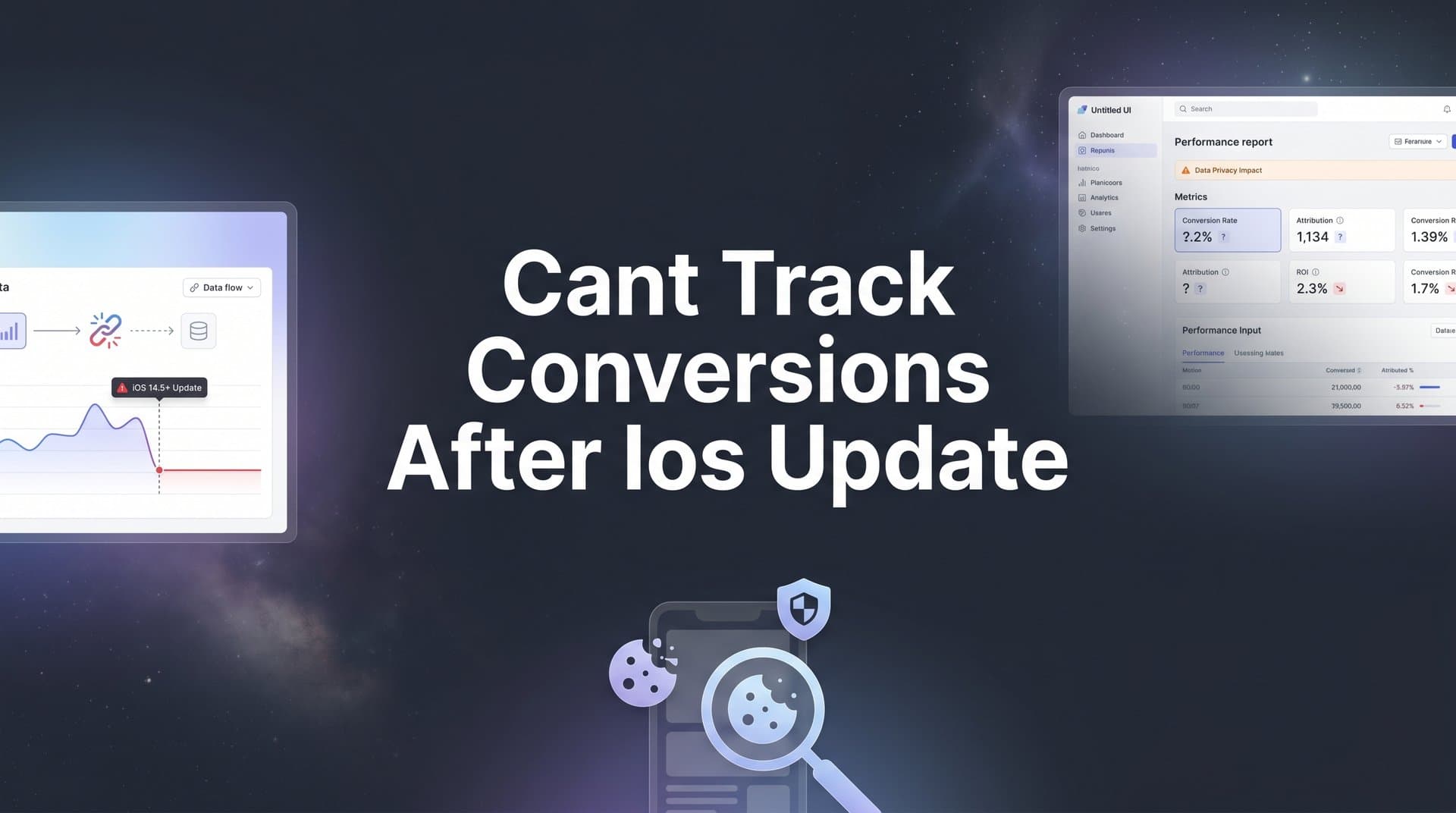
If you have noticed your conversion numbers dropping, your retargeting audiences shrinking, or your ad platform data no longer matching reality, you are not alone. Since Apple rolled out App Tracking Transparency (ATT) starting with iOS 14 and continuing through subsequent iOS updates, advertisers have faced a persistent challenge: the inability to accurately track conversions from users who opt out of cross-app tracking.
The result? Underreported conversions, broken attribution, wasted ad spend, and ad platform algorithms that no longer receive the data they need to optimize effectively. Many advertisers have experienced significant drops in reported conversions, and a large portion of iOS users opt out of tracking when prompted, leaving real gaps in your campaign visibility.
The good news is that this problem is solvable. You do not have to accept incomplete data as the new normal.
In this step-by-step guide, you will learn exactly how to diagnose your tracking gaps, implement server-side solutions, restore accurate attribution, and feed better data back to your ad platforms so their algorithms can do what they do best. Whether you are running campaigns on Meta, Google, TikTok, or multiple platforms at once, these six steps will help you regain visibility into what is actually driving your conversions and revenue.
Step 1: Diagnose Exactly Where Your Tracking Is Breaking Down
Before you can fix anything, you need to understand what is actually broken. Many marketers skip this step and jump straight to implementing new tools, only to discover later that they were solving the wrong problem. A thorough diagnosis saves you time and ensures your fixes target the real gaps.
Start by pulling conversion data from each of your ad platforms, Meta Ads Manager, Google Ads, TikTok Ads, and comparing those numbers against your actual CRM or ecommerce backend data for the same time period. If your backend shows 200 purchases but Meta is only reporting 120, you have a 40-conversion gap that needs explaining. Document these discrepancies by platform so you know which ones are most affected.
Next, look for iOS versus Android conversion discrepancies within your ad platform reporting. Most platforms allow you to segment performance by operating system. If your iOS conversion rate looks dramatically lower than Android despite similar traffic volumes, that is a strong signal that pixel tracking problems on iOS are the primary culprit rather than a general tracking issue.
Then audit your pixel or tag firing rates. Open your website in a browser with developer tools enabled, navigate through your conversion flows, and watch whether your pixel events fire correctly. You can also run a tag management audit using tools like Google Tag Assistant. Pay close attention to what happens in Safari, which has some of the most aggressive Intelligent Tracking Prevention (ITP) settings, and in in-app browsers like the one Meta uses when users click your ads.
Finally, document the specific conversion events that are underreported. Are purchases the biggest gap? Lead form submissions? Trial signups? Prioritize by business impact so you know where to focus your energy first. For a deeper dive into closing these gaps, read our guide on fixing conversion tracking gaps.
Pro tip: If you have access to a marketing attribution platform like Cometly, you can compare your ad platform data against your attribution data and your CRM data in one place, making this diagnostic step significantly faster and more precise.
Success indicator: You have a clear, documented picture of how many conversions are going unreported, which platforms are most impacted, and which specific events are the biggest gaps.
Step 2: Set Up Server-Side Tracking to Bypass Browser Restrictions
Here is where it gets interesting. The root vulnerability in your current setup is almost certainly your client-side pixel. Browser-based pixels work by firing JavaScript code in the user's browser when they complete an action. But iOS updates, Safari's ITP, and ad blockers can all prevent that code from running or block the cookies it relies on. When the pixel cannot fire, the conversion goes unreported.
Server-side tracking solves this by removing the browser from the equation entirely. Instead of relying on code that runs in the user's browser, server-side tracking sends conversion data directly from your server to the ad platform's API. The user's browser settings, iOS privacy restrictions, and ad blockers have no effect on a server-to-server connection. The data flows regardless of what the user has opted into on their device.
Each major ad platform has its own server-side solution:
Meta Conversions API (CAPI): Sends conversion events directly from your server to Meta's API, supplementing or replacing pixel data. Meta recommends running CAPI alongside your pixel for redundancy, but deduplication is essential (more on that in a moment).
Google Ads Enhanced Conversions: Sends hashed first-party data such as email addresses to Google, allowing them to match conversions to signed-in Google users even when cookies are unavailable. Learn more in our detailed guide on Enhanced Conversions for Google Ads.
TikTok Events API: Functions similarly to Meta's CAPI, sending server-side events directly to TikTok's systems.
If you are running campaigns across multiple platforms, configuring each API individually is time-consuming and technically complex. This is where a unified solution becomes valuable. Cometly provides server-side tracking that works across all major ad platforms from a single setup, so you are not managing three separate API integrations and troubleshooting them independently.
Critical pitfall to avoid: Running server-side tracking alongside your existing pixel without deduplication will inflate your reported conversions. If both your pixel and your server-side event fire for the same purchase, the platform counts it twice. Every server-side implementation must include deduplication logic from day one, typically by passing a unique event ID that the platform uses to match and remove duplicate events.
Success indicator: Server-side events are firing and you can verify them in each platform's event testing tools, such as Meta's Test Events tool in Events Manager or Google's Tag Diagnostics. Conversion counts are increasing without inflation from duplicates.
Step 3: Configure Your Conversion Events and Map the Full Customer Journey
Server-side tracking is only as useful as the events you are tracking through it. This step is about making sure you are capturing the right moments in the customer journey and connecting them into a coherent picture rather than isolated data points.
Start by defining the conversion events that matter most to your business. For ecommerce, this is typically purchase, add to cart, and initiate checkout. For SaaS or lead generation, it might be lead form submission, trial signup, demo request, or free account creation. For B2B businesses with longer sales cycles, it could include CRM stage progressions like "qualified lead" or "opportunity created." Map out every event that represents meaningful progress toward revenue.
Then think beyond the final conversion event. The customer journey rarely goes from first ad click to purchase in a single session. A typical path might look like this: a user sees your ad on Meta, clicks through, reads your blog, leaves, sees a retargeting ad on Google a week later, clicks again, signs up for a free trial, and converts to a paid customer 14 days after that. If you are only tracking the final conversion event, you are missing the full story of what drove that customer. Understanding how to track the customer journey is essential for accurate attribution.
Connect your ad platforms, website, and CRM so that no touchpoint falls through the cracks. This is especially important for B2B companies and high-consideration purchases where the buying cycle spans weeks or months and involves multiple sessions across multiple devices.
Cometly captures every touchpoint from ad clicks to CRM events, giving you a complete view of each customer journey rather than fragmented snapshots. When a lead converts in your CRM 30 days after their first ad click, Cometly connects those dots so you can see which ad actually started the journey.
Practical tip: When mapping your customer journey, document the average time between first touch and conversion for your business. This tells you how long your attribution window needs to be. If your typical sales cycle is 45 days, a 7-day attribution window will miss a large portion of your actual conversions.
Success indicator: You can trace any conversion back through every interaction that led to it, not just the last click. Your event tracking covers the full funnel from awareness to revenue.
Step 4: Implement Multi-Touch Attribution to Replace Broken Platform Reporting
Even with server-side tracking in place, relying on individual ad platform reporting is still a flawed strategy. Here is why: each platform only reports on its own contribution to a conversion, and they all tend to take full credit. Meta says it drove the conversion. Google says it drove the conversion. TikTok says it drove the conversion. Add up all three, and your total reported conversions far exceed your actual sales. This is the attribution overlap problem, and iOS restrictions have made it worse by reducing each platform's ability to see the full picture.
Multi-touch attribution solves this by providing an independent, cross-platform view of the customer journey. Instead of asking each platform what it thinks it contributed, you use a neutral attribution tool that sees all touchpoints and assigns credit based on a consistent methodology. Implementing cross-channel tracking is the foundation for making this work effectively.
The main attribution models each tell a different story:
First-touch attribution: Gives 100% of the credit to the first interaction. Useful for understanding which channels are best at generating awareness and bringing new customers into your funnel.
Last-touch attribution: Gives 100% of the credit to the final interaction before conversion. Useful for understanding which channels close deals, but tends to undervalue upper-funnel activity.
Linear attribution: Distributes credit equally across all touchpoints. Gives a balanced view but can undervalue the touchpoints that had the most influence.
Time-decay attribution: Gives more credit to touchpoints that occurred closer to the conversion. Useful for businesses with shorter sales cycles where recent interactions are most influential.
The right model depends on your business and your sales cycle. But the most powerful approach is being able to compare models side by side. Choosing the right marketing attribution software lets you see how credit shifts across your channels depending on the model you apply and make budget decisions based on a complete understanding rather than a single perspective.
Success indicator: You have an independent, cross-platform view of which ads and channels actually produce conversions. Your budget decisions are no longer based on what each platform claims about itself.
Step 5: Sync Accurate Conversion Data Back to Your Ad Platforms
This step is where many marketers stop short, and it is a costly mistake. Getting accurate conversion data into your attribution tool is valuable for your internal reporting. But if that data stays inside your analytics dashboard and never flows back to your ad platforms, you are leaving significant optimization potential on the table.
Here is why this matters so much. Ad platform algorithms, Meta Advantage+, Google Smart Bidding, TikTok's auto-optimization, all rely on conversion data to learn who to target and how to bid. These machine learning systems are only as good as the data you feed them. When iOS restrictions reduce the conversion signals they receive, their optimization degrades. They start targeting less effectively, bidding inefficiently, and your campaign performance suffers even if your creative and offers are strong. Understanding best practices for tracking conversions accurately is critical to feeding these algorithms the signals they need.
Conversion syncing addresses this directly. The concept is straightforward: take the verified, enriched conversion data you have collected through server-side tracking and your attribution platform, and send it back to each ad platform so their algorithms can learn from it.
Cometly's Conversion Sync sends enriched, conversion-ready events back to Meta, Google, TikTok, and other platforms. This feeds their targeting and bidding algorithms with better data, which improves their ability to find users who are likely to convert and to bid the right amount for each impression. The result is better campaign performance, not just better reporting.
This step directly addresses the core iOS problem. Even when users opt out of cross-app tracking on their devices, your server-side data still flows back to the platforms through their APIs. The platforms receive the conversion signal they need to optimize, even without the browser-based cookie data they used to rely on.
Common pitfall: Some marketers implement server-side tracking and stop there, satisfied that their internal reporting has improved. But if they skip conversion syncing, their ad platform algorithms are still operating on incomplete data. Better internal reporting without better platform data means you can see what is working but your campaigns are not actually improving.
Success indicator: Your ad platforms show conversion counts that closely match your actual backend data. Campaign performance begins to stabilize or improve as the algorithms receive better signals and optimize more effectively.
Step 6: Monitor, Validate, and Optimize Your Restored Tracking
The iOS tracking challenge is not a one-time problem you solve and forget. Each new iOS version and Safari update can introduce additional privacy restrictions. The tracking infrastructure you build today needs ongoing maintenance to stay accurate over time. Stay informed about changes like the iOS 17 Link Tracking Shield to ensure your setup remains resilient.
Set up a weekly validation routine. Compare three numbers side by side: your ad platform reported conversions, your attribution tool conversions, and your CRM or ecommerce backend conversions. These three numbers will never be perfectly identical due to attribution window differences and data processing delays, but they should be reasonably close and trending in the same direction. If you see a sudden divergence, investigate immediately rather than waiting for it to become a larger problem.
Once your tracking is accurate, use the data you now have access to. With reliable conversion data flowing through your attribution platform, you can identify which ads and campaigns are genuinely performing well versus which ones only looked good because of inflated platform reporting. Leveraging strategies to improve ad tracking accuracy ensures you can shift budget toward what is actually working and scale with confidence.
Stay proactive about privacy changes. Subscribe to updates from Apple, Google, and the major ad platforms. When a new iOS update is announced, check whether it introduces new tracking restrictions and test your tracking setup against it before it rolls out broadly.
Success indicator: Your conversion data stays accurate over time, your ad spend is allocated based on real performance, and you are no longer making budget decisions based on incomplete or misleading platform data.
Your Restored Tracking Checklist and Next Steps
iOS tracking challenges are not going away. Apple's commitment to user privacy is a long-term direction, and each update tends to add restrictions rather than remove them. But with the right infrastructure in place, you can not only recover your visibility but actually improve your marketing performance beyond what was possible with browser-based tracking alone.
Here is a quick-reference summary of all six steps:
Step 1: Diagnose your tracking gaps. Compare ad platform data against your CRM and backend. Document which platforms, campaigns, and conversion events are most affected.
Step 2: Implement server-side tracking. Set up Meta CAPI, Google Enhanced Conversions, and TikTok Events API, or use a unified solution like Cometly. Always configure deduplication to prevent inflated counts.
Step 3: Configure your conversion events and map the full journey. Track every meaningful event from awareness to revenue. Connect your ad platforms, website, and CRM to capture cross-device and cross-session paths.
Step 4: Implement multi-touch attribution. Replace siloed platform reporting with an independent, cross-platform view. Compare attribution models to understand which channels truly drive revenue.
Step 5: Sync conversion data back to your ad platforms. Feed enriched, verified conversion events back to Meta, Google, and TikTok so their algorithms can optimize effectively, even without browser-based tracking.
Step 6: Monitor and validate continuously. Run weekly comparisons across your data sources. Use AI-powered insights to identify top performers and stay ahead of new privacy changes.
The marketers who thrive in a privacy-first world are not the ones who found a workaround. They are the ones who built a sustainable, server-side infrastructure that gives them accurate data regardless of what any individual browser or operating system does.
Cometly handles all of these steps from a single platform, giving you server-side tracking, multi-touch attribution, conversion syncing, and AI-powered optimization recommendations in one place. If you are ready to stop flying blind and start making confident, data-driven decisions, Get your free demo today and see exactly what is driving your conversions.



