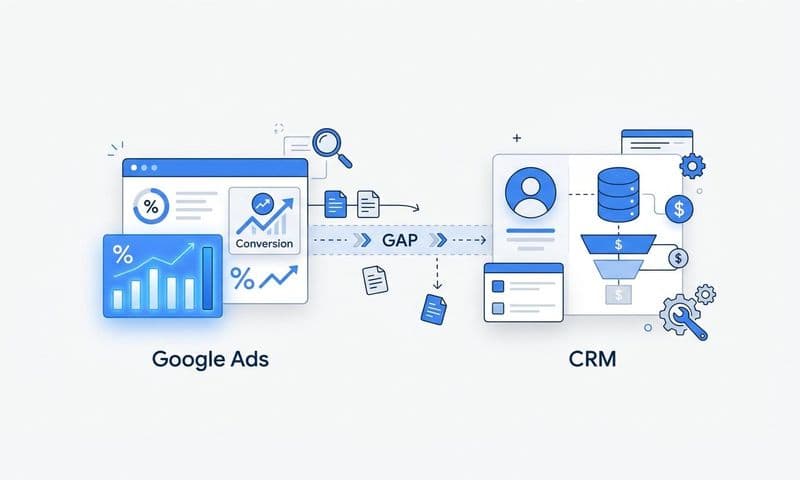

If you've ever looked at your Google Ads conversion data and felt like something was missing, you're not imagining it. For B2B SaaS teams, the gap between what Google Ads reports and what your CRM actually shows can be significant. Leads that came from paid search close as customers months later, but the ad that started the journey gets no credit. Form fills get tracked, but the demo that turned into a six-figure deal? That's invisible to your campaign.
This isn't a configuration error. It's a structural limitation of how standard conversion tracking was built. And as browser privacy changes continue to erode the reliability of client-side pixels, the problem is getting worse, not better.
Google Ads enhanced conversions is Google's direct response to this measurement gap. For B2B teams specifically, it offers a way to feed more accurate, revenue-level signals back into the ad platform so that Smart Bidding can optimize for what actually matters. This article breaks down how enhanced conversions works, why it matters for B2B SaaS, how to implement it, and how to pair it with a broader attribution strategy that gives you a true single source of truth.
Why Standard Conversion Tracking Falls Short for B2B
Standard Google Ads conversion tracking was designed around a relatively simple model: someone clicks an ad, lands on a page, completes an action, and a pixel fires. For e-commerce, that model works reasonably well. For B2B SaaS, it's a fundamentally poor fit.
Think about how a typical B2B deal actually unfolds. A prospect sees a search ad, visits your site, reads a few pages, and leaves. A week later, they come back through organic search. Two weeks after that, a colleague shares your pricing page. Eventually, someone fills out a demo request form. Then there's a discovery call, a trial, a proposal, and a signed contract. That process can take weeks or months and spans multiple sessions, devices, and touchpoints.
A standard pixel-based tag captures one moment in that journey: the form fill. It doesn't know about the sessions that came before it, and it certainly doesn't know what happened after. Last-click attribution, which is still common in many accounts, assigns full credit to whatever touchpoint immediately preceded the form submission. That's a narrow and often misleading picture of what actually drove the conversion.
The problem is compounded by browser privacy changes. Safari's Intelligent Tracking Prevention (ITP) aggressively restricts cross-site cookie lifetimes, which can make a returning visitor look like a new one. Ad blockers prevent pixels from firing entirely for a meaningful portion of your audience. As third-party cookie support continues to erode across browsers, client-side tracking becomes less reliable with every passing month. Conversions that happen in these restricted environments simply don't get reported, creating gaps in your data that can distort your understanding of campaign performance.
Then there's the offline conversion problem. In B2B SaaS, the most meaningful conversion events don't happen on your website at all. A sales rep qualifies a lead on a call. An opportunity gets created in Salesforce. A deal closes in HubSpot. None of these events are visible to a standard Google tag. Your ad account sees a form fill and calls it a conversion, but it has no idea whether that lead ever became a customer.
The result is that Google's Smart Bidding algorithms are optimizing for the wrong outcomes. They're learning which clicks produce form fills, not which clicks produce revenue. And when you're paying for clicks that generate unqualified leads, that's a costly misalignment.
What Google Ads Enhanced Conversions Actually Does
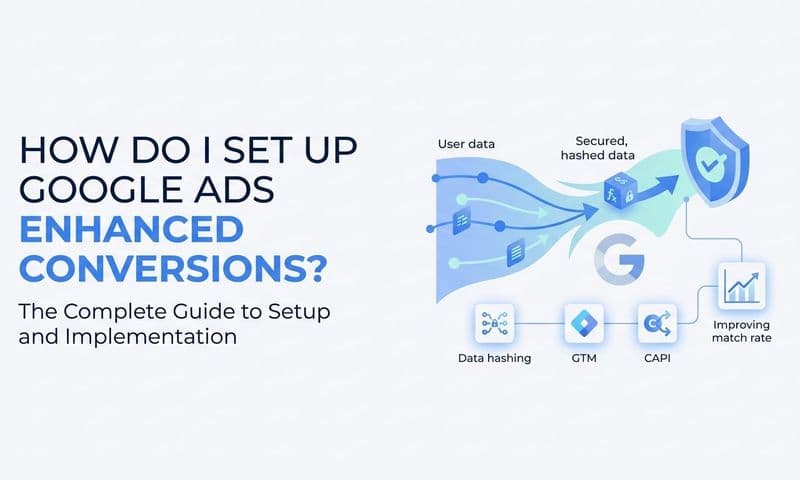
Enhanced conversions addresses the measurement gap by supplementing your existing conversion tags with first-party data. Instead of relying entirely on cookies to connect an ad click to a conversion, Google uses hashed customer data to make that match more reliably.
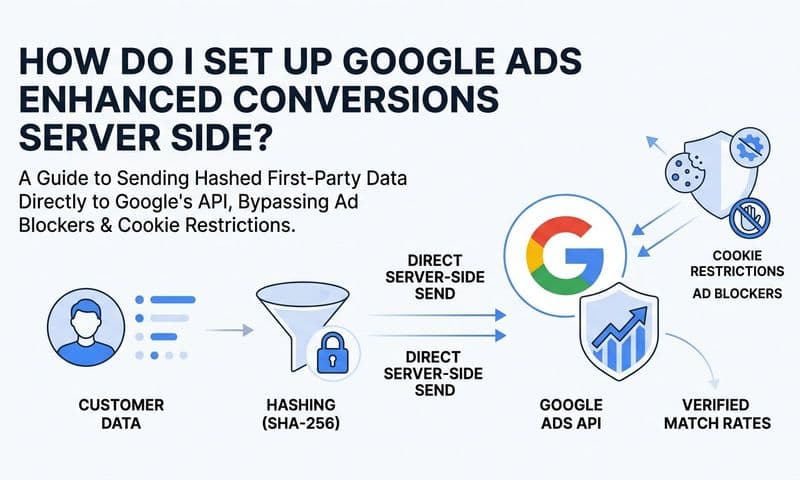
Here's how it works in practice. When a user converts on your site, such as filling out a demo request form, your tag captures identifying information they've provided: typically an email address, but potentially also a phone number or name. Before any of this data leaves the browser, it's hashed using the SHA-256 standard. That means raw personally identifiable information is never transmitted to Google. What Google receives is a one-way cryptographic hash that it can compare against its own database of signed-in Google account holders.
When Google finds a match, it can attribute that conversion back to the ad click with much greater confidence than a cookie-based approach would allow. This is especially powerful for cross-device journeys. If someone clicked your ad on a work laptop but filled out a form on their phone, a standard pixel would likely miss that connection. Enhanced conversions, matching on a hashed email tied to a signed-in Google account, can bridge that gap.
There are two distinct implementations, and understanding the difference is important for B2B teams.
Enhanced conversions for web captures hashed first-party data at the moment a user converts on your website. It improves the accuracy of form fill and sign-up tracking by recovering conversions that would otherwise be lost due to cookie restrictions or cross-device behavior. This is the more straightforward implementation and is primarily a measurement improvement for on-site actions.
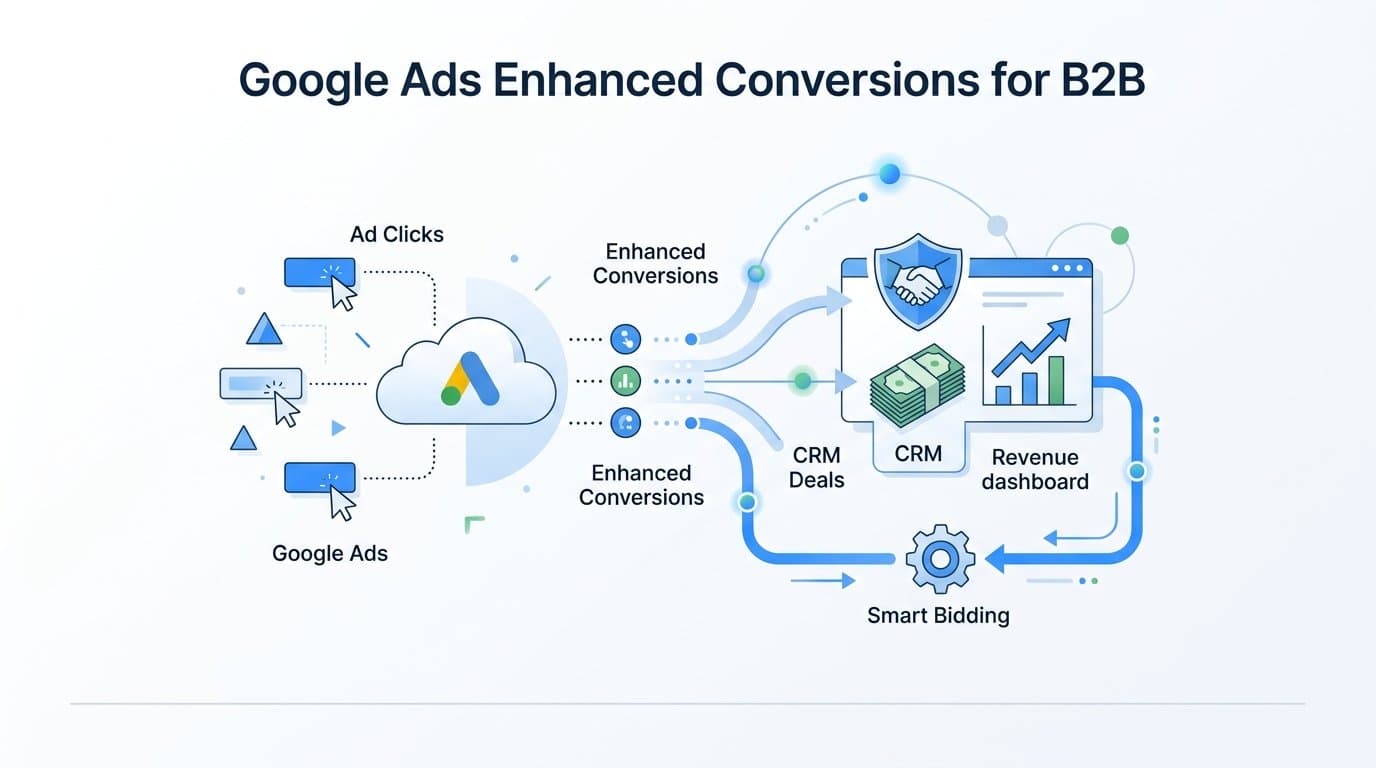
Enhanced conversions for leads is where things get particularly relevant for B2B. This variant allows you to send CRM data back to Google after a lead has progressed through your pipeline. You capture the Google Click ID (GCLID) at the moment of form submission, store it in your CRM alongside the lead record, and then send conversion events back to Google as the lead advances. That could mean sending a signal when a lead becomes a qualified opportunity, when a demo is completed, or when a deal closes.
This is a fundamentally different approach to conversion tracking. Instead of measuring what happens on your website, you're measuring what happens in your business. And that distinction matters enormously for how Google's algorithms learn to optimize your campaigns.
The B2B Use Case: Connecting Ads to Pipeline and Revenue
The practical power of enhanced conversions for leads comes from what it does to Smart Bidding. Google's bidding algorithms are only as good as the signals they receive. If you're sending form fill events as your primary conversion signal, Smart Bidding optimizes for form fills. It doesn't know that your form-to-opportunity rate varies dramatically by keyword or audience segment, and it can't account for deal size or sales cycle length.
When you use enhanced conversions for leads to send qualified pipeline signals back to Google, the optimization target shifts. Instead of learning which clicks generate form fills, the algorithm learns which clicks generate SQLs, booked demos, or closed-won revenue. That's a meaningful change in what the campaign is actually optimizing for.
Consider the difference in signal quality. A form fill might have a ten percent conversion rate to a qualified opportunity. But certain keyword clusters, audience segments, or ad variations might convert at three times that rate. Standard tracking can't surface that insight because it stops measuring at the form fill. Enhanced conversions for leads, with CRM data flowing back to Google, gives the bidding algorithm the downstream context it needs to find those patterns.
This also changes how you should think about Target CPA and Target ROAS settings. When your conversion events represent actual pipeline value rather than lead volume, you can set bidding targets that reflect real business economics. A CPA target based on closed-won revenue, informed by actual deal data from your CRM, is a far more meaningful input to Smart Bidding than a CPA target based on form fills that may or may not convert.
The shift here is from lead-volume attribution to revenue attribution. B2B marketing teams have been moving in this direction for years, recognizing that the number of leads generated is a poor proxy for the value of a marketing program. Enhanced conversions for leads is the technical mechanism that makes revenue attribution possible within the Google Ads ecosystem. It closes the loop between an ad click and a closed deal, giving both your team and Google's algorithms the signal they need to make smarter decisions.
For B2B SaaS companies with longer sales cycles, this also means accepting some latency in your optimization signals. A deal that closes three months after the initial ad click is still a valuable signal, and Google's offline conversion import window accommodates this. The important thing is that the signal eventually arrives, rather than never being sent at all.
How to Set Up Enhanced Conversions for B2B Campaigns
Implementation looks different depending on which variant you're deploying. Both require some technical groundwork, and the leads variant in particular requires a deliberate CRM integration strategy.
Setting up enhanced conversions for web starts with your Google tag or Google Tag Manager configuration. You need to update your tag to capture hashed first-party data from form fields at the moment of submission. Google Tag Manager has built-in support for this through the enhanced conversions configuration in the Google Ads conversion action settings. The tag reads field values from your form, hashes them client-side, and includes the hashed data in the conversion ping. No raw PII is sent to Google.
The key requirement here is that your forms must be set up in a way that allows the tag to read the relevant field values. If your forms use non-standard field names or render in iframes, you may need custom variable configurations in GTM. It's worth having a developer review the implementation to confirm the tag is successfully capturing and hashing data before you consider it live.
Setting up enhanced conversions for leads is more involved and requires coordination between your marketing and sales operations teams. The workflow looks like this:
1. Capture and store the GCLID from every form submission. The GCLID is appended to your landing page URL when someone clicks a Google Ad. You need to read this value from the URL and store it in a hidden form field, then pass it into your CRM alongside the lead record. This is the technical linchpin of the entire workflow. If you don't capture the GCLID at the moment of form submission, you cannot match that lead back to its originating ad click later.
2. Define the downstream conversion events you want to send back to Google. These should represent meaningful business outcomes: SQL created, demo completed, opportunity opened, or deal closed. Work with your sales team to identify which CRM stage transitions map to these milestones.
3. Configure your offline conversion import. Google Ads supports offline conversion imports via a CSV upload in the interface, through a direct integration with Salesforce or HubSpot, or via the Google Ads API for more automated workflows. Each import includes the GCLID, the conversion action name, the conversion time, and optionally a conversion value representing deal size or revenue.
4. Maintain data freshness. Google recommends importing conversions within a reasonable time window after the original click. Check Google's current documentation for specific lookback window limits, as these can affect whether a conversion is attributed. For B2B teams with long sales cycles, it's important to understand these constraints and plan your import cadence accordingly.
5. Align your hashing method. If you're sending any hashed data as part of the enhanced conversions for leads workflow, confirm that your implementation uses SHA-256 and follows Google's normalization requirements for email addresses and phone numbers. Inconsistent formatting before hashing will reduce your match rate.
Pairing Enhanced Conversions with a Full Attribution Stack
Here's an important limitation to understand: enhanced conversions improves Google's internal measurement, but it doesn't give you a unified view of your entire marketing program. It makes Google Ads smarter about Google Ads. What it doesn't do is show you how your Google campaigns interact with LinkedIn ads, Meta campaigns, organic search, email nurture, or direct traffic in the same customer journey.
For B2B SaaS teams running multi-channel programs, this matters. A prospect might first encounter your brand through a LinkedIn thought leadership ad, click a Google retargeting ad two weeks later, and then convert after an email sequence. Enhanced conversions will help Google accurately attribute the role of that retargeting click, but it won't show you the full journey across channels or help you allocate budget intelligently across LinkedIn, Google, and email simultaneously.
This is where a dedicated attribution platform becomes essential. The same first-party data philosophy that underpins enhanced conversions applies across your entire paid media stack. Server-side tracking and Conversion API integrations for Meta and LinkedIn apply similar principles: using first-party signals to improve measurement accuracy and recover conversions that client-side pixels miss. Running these in parallel with enhanced conversions means you're applying consistent data quality standards across all your channels.
Platforms like Cometly are built specifically for this challenge. Cometly connects your ad accounts, CRM, and website to give B2B teams a single source of truth that shows which touchpoints across all channels drove pipeline and revenue. Rather than looking at Google Ads performance in one tab, LinkedIn in another, and your CRM in a third, you get a unified view of the entire customer journey with attribution models that reflect how B2B buying actually works.
Cometly captures every touchpoint from first ad click to closed-won revenue, sends enriched conversion signals back to ad platforms to improve their optimization algorithms, and surfaces AI-driven recommendations about which campaigns and channels are actually driving results. It layers on top of what enhanced conversions provides inside Google, extending that same level of signal quality and attribution clarity across your entire marketing stack.
Think of enhanced conversions as the foundation for Google-specific measurement quality, and a platform like Cometly as the layer that brings everything together into a coherent picture of what's driving B2B revenue across all channels.
Measuring the Impact and Optimizing Over Time
Once enhanced conversions is live, the work isn't finished. You need to validate that data is flowing correctly and that the signals being sent reflect genuine business outcomes.
Start by monitoring the conversion match rate in your Google Ads account diagnostics. This metric tells you what percentage of the hashed records you're sending are being successfully matched to signed-in Google accounts. A low match rate typically indicates issues with data quality: inconsistent email formatting before hashing, missing or malformed GCLIDs, or a mismatch between the data you're sending and what Google expects. Use this diagnostic view regularly in the weeks after launch to confirm the integration is healthy.
Next, cross-reference your Google Ads reported conversions against your CRM pipeline data. If Google is reporting fifty qualified leads from a campaign but your CRM shows only thirty, there may be duplicate conversion events, misconfigured triggers, or inflated counts. Getting this reconciliation right is important before you start using the data to inform bidding decisions. Garbage in, garbage out applies to Smart Bidding just as much as it does to any other model.
Once you've validated data quality, you can start using the improved signals to refine your bidding strategy. Shift your Target CPA or Target ROAS goals to reflect actual revenue signals rather than lead volume. If you've been bidding to a cost per form fill, recalibrate based on cost per SQL or cost per closed deal now that you have that data flowing. This often requires a short learning period as Smart Bidding adjusts to the new signal, so plan for some performance variability during the transition.
Over time, use the richer conversion data to make budget allocation decisions. Campaigns, ad groups, or keyword clusters that demonstrably drive closed revenue deserve more investment than those that generate high lead volumes with poor downstream conversion rates. Enhanced conversions, when implemented correctly, gives you the data to make those decisions with confidence rather than guesswork.
Putting It All Together
The core shift that enhanced conversions enables for B2B teams is moving from guessing at ad performance to feeding Google's algorithms with the revenue-level signals they actually need. Standard conversion tracking tells Google when someone filled out a form. Enhanced conversions for leads tells Google when that person became a customer. That's not a minor improvement. It's a fundamentally different optimization target.
But this isn't a one-time setup. It's an ongoing data strategy. Your CRM integration needs to stay healthy. Your GCLID capture needs to work reliably. Your conversion events need to map to real business milestones. And as your sales process evolves, your conversion signals should evolve with it.
Enhanced conversions also doesn't solve the full attribution picture on its own. To understand how Google Ads fits into your broader marketing mix, how it interacts with LinkedIn, Meta, organic, and email, you need a platform that unifies all of that data in one place.
That's exactly what Cometly is built for. It connects your ad platforms, CRM, and website to show you which touchpoints across every channel are driving pipeline and revenue, with AI-driven recommendations to help you scale what's working. Ready to move beyond form fills and start attributing revenue with precision? Get your free demo today and see how Cometly gives you the complete picture of what's driving your B2B growth.