
Privacy regulations are fundamentally changing the way marketers measure and optimize their campaigns. What once worked seamlessly through third-party cookies and unconstrained tracking pixels now requires a more deliberate, consent-aware approach. For B2B SaaS marketers running Google Ads, that shift has a name: Google Consent Mode V2.
If you're operating in the European Economic Area or targeting audiences subject to GDPR-aligned regulations, this framework is not a nice-to-have. It is the infrastructure that determines whether your conversion data stays intact, whether your remarketing audiences remain usable, and whether your Smart Bidding algorithms have enough signal to optimize effectively.
Getting it wrong means flying blind. You might be running campaigns that appear to be underperforming simply because your tracking is incomplete. You might be making budget decisions based on attribution data that has significant gaps you can't see. For B2B SaaS companies with long sales cycles and multiple touchpoints before a deal closes, those gaps compound quickly.
This guide breaks down exactly what Google Consent Mode V2 is, how it works under the hood, what you need to implement, and how it fits into a complete attribution strategy. By the end, you'll have a clear picture of what to do and why it matters for your ad performance.
The Privacy Shift That Changed How Google Tracks Conversions
To understand why Consent Mode V2 exists, you need to understand the regulatory pressure that created it. The EU's General Data Protection Regulation established that users have the right to control how their personal data is collected and used. That includes data collected through advertising cookies and tracking pixels. Platforms that process personal data for advertising purposes without explicit user consent are in violation of the regulation.
Then came the Digital Markets Act, which added another layer of obligation for large platform operators. Together, these frameworks created a clear mandate: before any tracking fires for advertising purposes, users in the EEA must actively consent to it. Silence or inaction does not count as consent.
Google's original Consent Mode, introduced before V2, addressed this by allowing marketers to signal consent status to Google tags using two parameters: ad_storage and analytics_storage. These signals told Google whether it was permitted to store advertising cookies or analytics cookies on a given user's device.
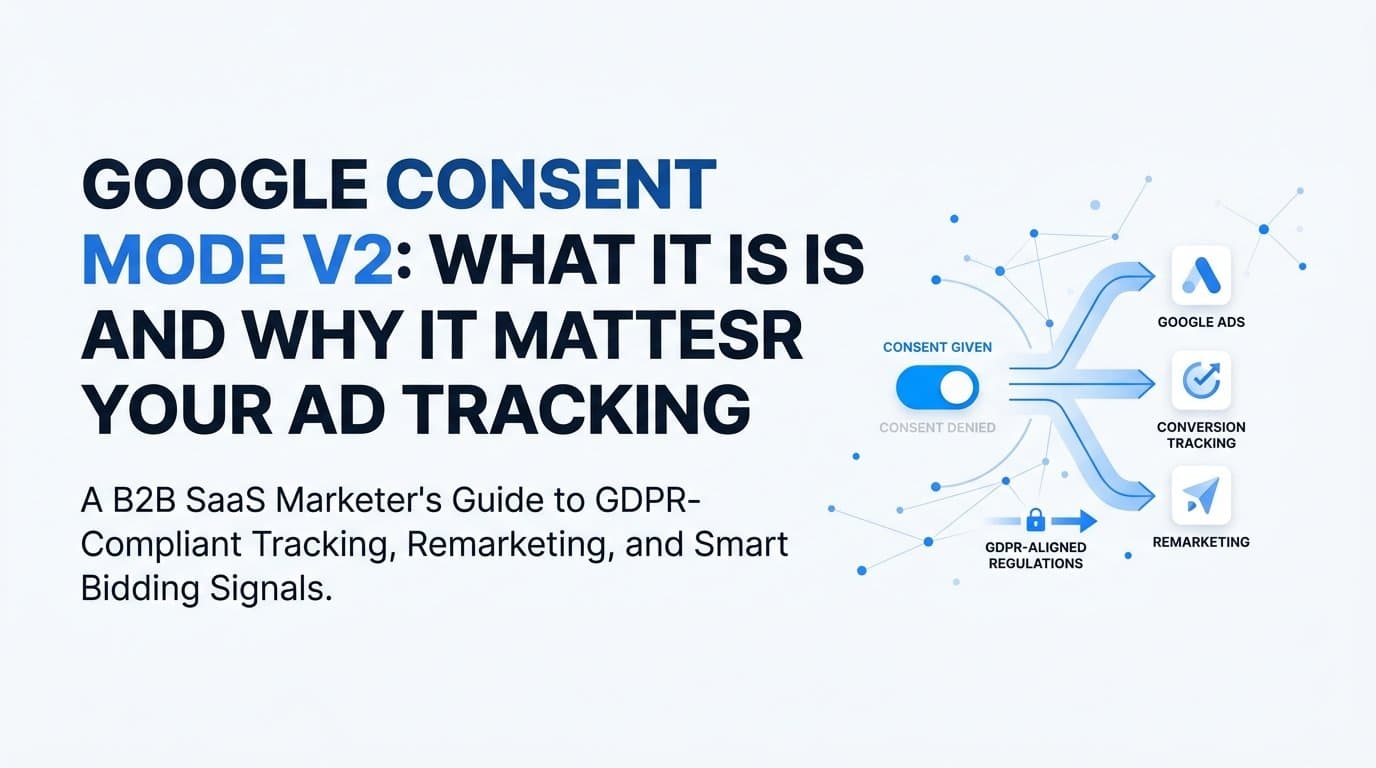
The problem was that these two parameters didn't fully address what regulators and the Digital Markets Act specifically required around personal data use and personalized advertising. So Google introduced Consent Mode V2, which added two new parameters: ad_user_data and ad_personalization. These parameters provide more granular control over what Google can do with user data once it's collected.
Google made Consent Mode V2 mandatory for advertisers using Google Ads in the EEA beginning March 2024. The consequences of non-compliance are direct and measurable. Without the correct implementation, advertisers lose the ability to use remarketing audiences, personalized ad features, and conversion modeling for EEA users. Your audience lists shrink. Your retargeting campaigns lose reach. Your conversion data becomes incomplete.
For B2B SaaS companies that rely on multi-touch nurturing sequences and retargeting across long consideration cycles, this is a significant operational problem. A prospect who visits your pricing page three times over six weeks before converting represents multiple touchpoints that need to be tracked accurately. Losing even a portion of that signal degrades your understanding of what's actually driving pipeline.
Consent Mode V2 is Google's answer to operating within these regulatory constraints while preserving as much measurement capability as possible. Understanding how it works is the first step toward using it effectively.
Breaking Down the Four Consent Parameters
Consent Mode V2 operates through four distinct signals, each controlling a different aspect of how Google handles user data. Understanding what each one does is essential before you configure anything.
ad_storage: This parameter controls whether Google is permitted to store and read advertising cookies on the user's device. When denied, Google cannot set or access cookies used for advertising measurement and attribution. This is the most foundational signal for ad tracking.
analytics_storage: This controls cookie storage specifically for analytics purposes, including Google Analytics. When denied, session-based analytics data tied to cookies cannot be collected. This affects your ability to measure user behavior across sessions.
ad_user_data: Introduced in V2, this parameter controls whether user data can be sent to Google for advertising purposes at all. Even if cookies are permitted, this signal determines whether the underlying user data flows to Google's systems. Denying this effectively prevents Google from using that user's data for advertising.
ad_personalization: Also new in V2, this controls whether user data can be used for personalized advertising, which includes remarketing. A user might consent to general ad measurement but decline personalized ads. This parameter captures that distinction.
Now, here's where implementation choices become critical. There are two modes: Basic Mode and Advanced Mode, and they behave very differently.
In Basic Mode, no Google tags fire at all until the user grants consent. This is the most conservative approach. It fully respects consent requirements but means that users who decline or dismiss the consent banner generate zero data. For regions with high consent decline rates, this can result in meaningful gaps in your conversion data.
In Advanced Mode, Google tags fire immediately when a page loads, but they send only cookieless pings when consent has been denied. These pings contain no personal identifiers and no cookies. They simply signal to Google that a certain type of interaction occurred. Google then uses behavioral modeling to estimate what conversions likely happened among non-consenting users, based on patterns from users who did consent.
The practical difference is significant. Advanced Mode gives Google more signal to work with, which means better modeling accuracy, more complete conversion reporting, and better-fed Smart Bidding algorithms. Basic Mode is cleaner from a data collection standpoint but leaves a larger unmeasured gap.
When consent is granted in either mode, full measurement resumes as normal. When consent is denied in Advanced Mode, the cookieless ping mechanism allows Google to model what likely occurred without collecting personal data. That modeled data feeds back into your reporting and bidding, bridging part of the gap that consent denials create.
How Behavioral Modeling Fills the Data Gap
Here's where things get technically interesting. When a user declines consent in Advanced Mode, Google doesn't simply drop that user from its measurement entirely. Instead, it uses machine learning to model what conversions likely occurred based on the behavior of similar consenting users.
Think of it this way: if a large portion of consenting users who clicked a specific ad and visited a specific landing page went on to convert, Google can reasonably estimate that a similar proportion of non-consenting users who followed the same path also converted. The model uses patterns across consenting users to fill in the gaps left by those who declined.
These modeled conversions appear directly in your Google Ads reporting. They are labeled as modeled, so you can distinguish them from directly observed conversions. More importantly, they feed into Smart Bidding algorithms. This means your automated bidding strategies, whether Target CPA or Target ROAS, still have enough signal to optimize even when a portion of your audience has declined consent.
The quality of this modeling is not fixed. It improves with the volume of consenting users providing behavioral signal. This creates a practical implication: the design and transparency of your consent banner matters. A well-designed Consent Management Platform that clearly explains what data is collected and why tends to achieve higher consent rates, which in turn improves the quality of your modeled data for non-consenting users.
But here's the important caveat: modeled data is an estimate. It is not a direct measurement. For B2B SaaS companies with complex, multi-touch sales cycles, relying exclusively on modeled conversions introduces uncertainty into your attribution. A deal that took twelve touchpoints over five months to close is difficult to model accurately from aggregate behavioral patterns.
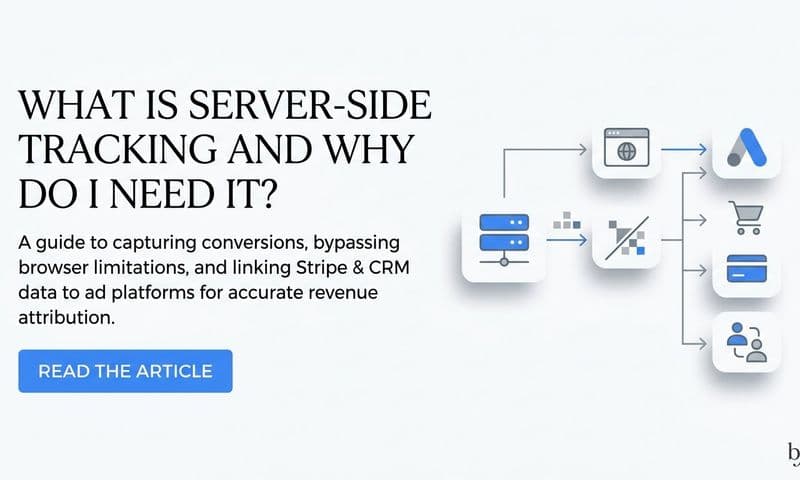
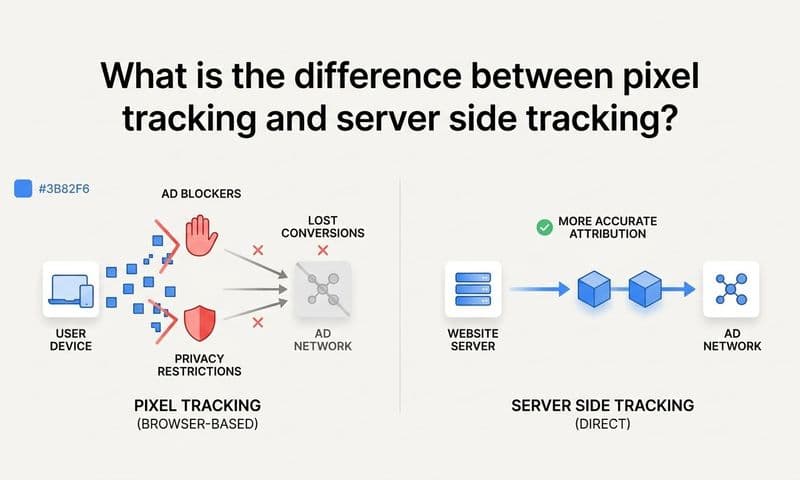
This is why pairing Consent Mode V2 with server-side tracking and first-party data strategies is not optional for serious attribution work. Server-side tracking captures conversion events through direct server-to-server communication, bypassing browser-level cookie restrictions entirely. First-party CRM data provides ground truth about what actually happened in your pipeline. Together, these approaches give you a more complete and accurate picture than Consent Mode modeling alone can provide.
Implementation: What Marketers Actually Need to Set Up
Getting Consent Mode V2 live requires a few moving parts to work together correctly. The order of operations matters as much as the configuration itself.
There are two primary implementation paths. The first is through Google Tag Manager, where you add a consent initialization tag that sets default consent states before any other tags fire. The second is through a Consent Management Platform that has built-in, Google-certified Consent Mode support and handles the consent signaling automatically.
For most marketers, the CMP route is the more practical path. Google maintains a list of certified CMPs through the Google CMP Partner Program. These platforms are specifically built to collect user consent through a compliant banner, interpret the user's choices, and communicate the appropriate consent signals to Google tags before any tracking fires. If you're already using a CMP, check whether it's on Google's certified list and whether it supports Consent Mode V2 specifically, not just V1.
If you're implementing through Google Tag Manager directly, the process involves a few specific steps. You need to add a consent initialization tag that runs at the highest priority, before any measurement or advertising tags. This tag sets the default consent state for each parameter. For users in regions requiring consent, the correct default is denied for all relevant parameters. This ensures that no tracking fires for those users until they actively grant consent through your CMP.
The technical requirement that trips up many implementations: the gtag consent command must fire before any measurement tags load. If your Google Ads conversion tag or Google Analytics tag fires before the consent initialization, you've already collected data without consent, which defeats the entire purpose of the framework and creates regulatory exposure.
For Advanced Mode specifically, you also need to ensure that your CMP is configured to update consent states dynamically as users interact with the banner. When a user grants consent, the CMP fires an update command that unlocks the full measurement tags. When a user denies, the tags remain in cookieless ping mode.
Testing your implementation is non-negotiable. Use Google Tag Assistant or the consent debugging tools within Google Tag Manager to verify that consent states are being set correctly, that tags are firing in the right sequence, and that the default denied state is applying to the correct geographic regions. A misconfigured implementation can look correct in your dashboard while silently failing to comply with consent requirements or silently dropping conversion data.
What Consent Mode V2 Means for Attribution and Ad Performance
Once Consent Mode V2 is live, the downstream effects on your attribution and campaign performance are real and worth understanding before you encounter them in your reporting.
The most immediate impact for B2B SaaS companies running retargeting campaigns is audience size. When ad_personalization is denied, Google cannot add that user to remarketing lists. When a significant portion of your EEA traffic declines personalization consent, your remarketing audiences shrink. Smaller audiences mean less reach for your retargeting campaigns, which directly affects how efficiently you can re-engage prospects who have already shown interest in your product.
Similarly, when ad_user_data is denied, user data is not sent to Google for advertising purposes at all. This limits Google's ability to match users across sessions and devices, which reduces the accuracy of your conversion attribution even for users who were previously in your audience.
The practical effect on ROAS for campaigns targeting EEA audiences can be meaningful, particularly for awareness and mid-funnel retargeting campaigns that depend on audience lists built from previous site visitors. If you're seeing performance shifts in your EEA campaigns that don't align with changes in spend or creative, incomplete Consent Mode implementation is worth investigating as a contributing factor.
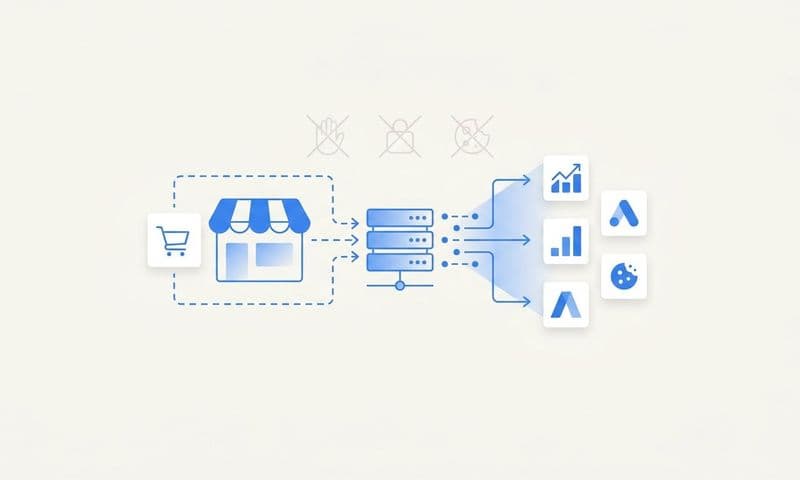
This is where server-side tracking and Conversion API approaches become strategically important. Server-side tracking sends conversion events directly from your server to Google's servers, bypassing the browser entirely. Because this communication happens server-to-server, it is not subject to the same browser-based cookie restrictions that Consent Mode addresses. It captures first-party conversion events that would otherwise be lost when cookies are blocked or consent is denied.
The combination of Consent Mode V2 in Advanced Mode plus server-side conversion tracking gives you the most complete data picture available within a consent-compliant framework. Consent Mode handles the browser-side modeling. Server-side tracking handles the first-party event capture. Together, they reduce the total data loss from consent restrictions significantly.
But neither of these tools gives you the full cross-channel attribution picture that B2B SaaS marketers need. Consent Mode only covers what happens within Google's ecosystem. Your prospects are also touching LinkedIn ads, organic search, email sequences, and direct traffic before they convert. Understanding the complete customer journey requires a layer above any single platform's reporting.
Building a Consent-Resilient Tracking Strategy
Consent Mode V2 is one layer of a complete tracking strategy, not the entire strategy. Treating it as a standalone solution leaves significant attribution gaps, particularly for B2B SaaS companies where deals involve multiple stakeholders, long evaluation periods, and touchpoints across many channels.
A layered approach works best. Start with Consent Mode V2 in Advanced Mode as your foundation. This ensures you're compliant with EEA requirements, preserving as much measurement signal as possible through cookieless pings and behavioral modeling, and keeping your Smart Bidding algorithms fed with usable data.
Add server-side conversion tracking as the second layer. By sending conversion events from your server rather than the browser, you capture first-party data that isn't subject to browser cookie restrictions. When a prospect fills out a demo request form or starts a free trial, that event fires server-side and reaches Google's systems reliably, regardless of what the user's browser is doing with cookies.
The third layer is first-party data enrichment. Passing CRM signals and offline conversion data back to Google improves the quality of its models and bidding algorithms. When a lead in your CRM progresses to a qualified opportunity or closes as a customer, that conversion signal can be imported back into Google Ads as an offline conversion. This is especially valuable for B2B SaaS companies where the actual revenue event happens weeks or months after the initial ad click, far outside the window that browser-based tracking can capture.
The fourth layer is a unified attribution platform that consolidates data across all your channels into a single view. Google Consent Mode tells you what Google can see. It doesn't tell you how your Google Ads interact with your LinkedIn campaigns, your organic search traffic, or your outbound email sequences. For B2B SaaS companies with complex, multi-touch customer journeys, that cross-channel visibility is where the real attribution insight lives.
This is where a platform like Cometly becomes directly relevant. Cometly connects your ad platforms, CRM events, and conversion data into one unified view, giving you the complete picture that any single platform's reporting cannot provide. It captures every touchpoint from the first ad click through to closed revenue, which matters enormously when your sales cycle spans months and involves multiple decision-makers. Instead of relying on Google's modeled conversions as your primary attribution signal, you get actual first-party data across every channel, enriched with CRM context, and analyzed through multi-touch attribution models that reflect how B2B deals actually get done.
Encouraging higher consent rates through transparent, well-designed consent banners also improves your overall data quality. The more users who grant consent, the more direct measurement data Google has, and the more accurate its models become for non-consenting users. Consent design is not just a legal requirement; it's a data quality strategy.
Putting It All Together
Google Consent Mode V2 is a mandatory framework for marketers running Google Ads in consent-required regions, and Advanced Mode is the configuration that preserves the most measurement signal while staying compliant. If you haven't implemented it yet, or if you're running Basic Mode without a clear reason, Advanced Mode with a certified CMP is the right direction.
But Consent Mode is one piece of a larger puzzle. Modeled conversions are estimates. Browser-based tracking has inherent limitations in a consent-first world. And Google's reporting only shows you what happens within Google's ecosystem. For B2B SaaS companies managing complex sales cycles across multiple channels, that's not enough to make confident budget and strategy decisions.
A complete attribution strategy layers Consent Mode V2 with server-side tracking, first-party CRM data, and cross-channel visibility. That combination gives you accurate, consent-resilient attribution from the first ad impression through to closed revenue, regardless of what any individual user's browser is doing with cookies.
Ready to build that complete picture? Get your free demo and see how Cometly helps B2B SaaS teams track every touchpoint, connect ad spend to pipeline, and make smarter decisions with accurate attribution data across every channel.