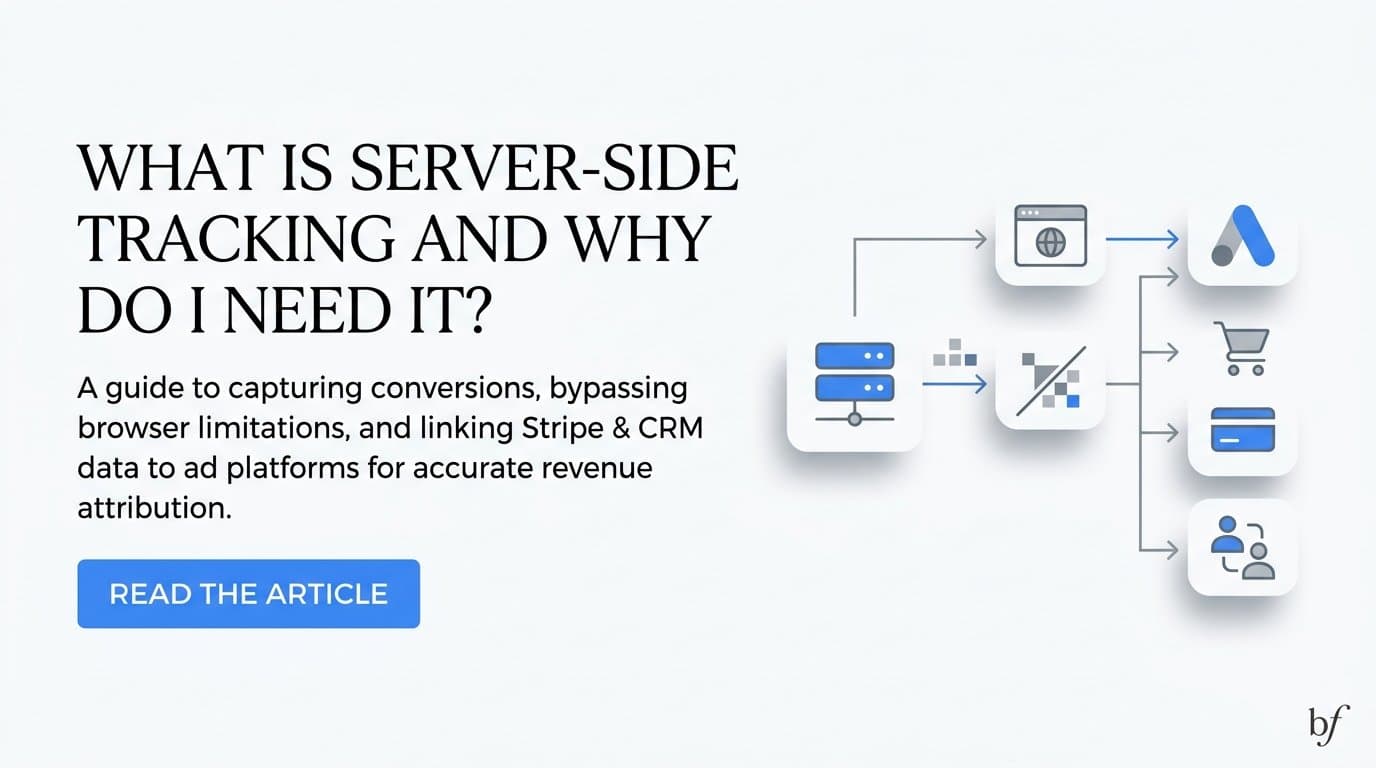
Server-side tracking sends conversion data directly from your server, or a tag management server, to ad platforms like Meta and Google, instead of relying on a browser pixel that can be blocked or deleted. It exists because browser-based tracking now misses a growing share of real conversions, which means you're paying for ads without getting credit for the customers they actually bring in. Cometly is one option built for this exact problem: it pairs server-side and Conversion API tracking with Stripe revenue and CRM data, so the events sent back to ad platforms represent qualified leads and closed deals, not just form fills. The rest of this article breaks down how server-side tracking works, why pixels alone fall short, and how to decide what setup fits your team.
Client-Side vs. Server-Side Tracking: What Changes
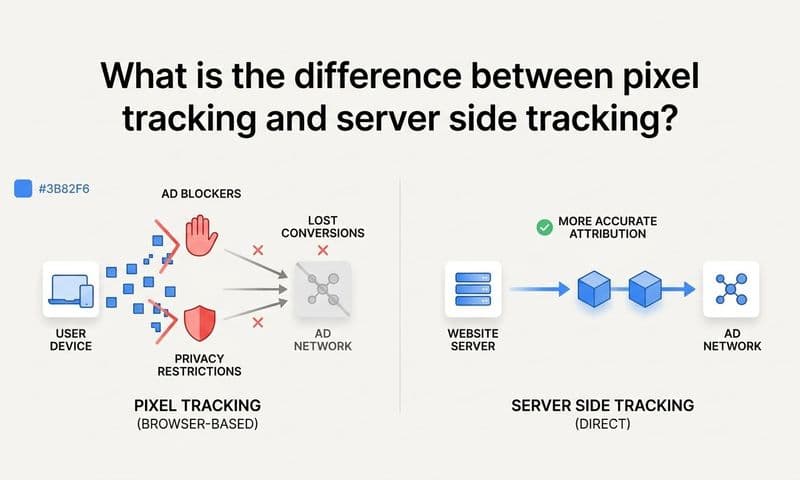
Client-side tracking, the kind a pixel does, fires from the user's browser. It depends on cookies loading, JavaScript executing, and the browser letting the request through to Meta or Google. Any interruption in that chain, a blocked script, a cleared cookie, a privacy setting, and the conversion never gets reported.
Server-side tracking fires from a server you control. Instead of the browser sending the event, your backend (or a tag management server like a server-side Google Tag Manager container) sends it directly to the ad platform's API. Because the request originates from your infrastructure rather than the user's browser, it isn't subject to ad blockers, browser privacy restrictions, or cookie expiration windows.
This matters because of what first-party data makes possible. First-party data is information you collect directly from your own systems: your CRM, your billing platform, your website's backend, rather than data passed through a third-party cookie. A server-side event can carry identifiers a browser pixel often can't reliably pass along, such as a hashed email address, a phone number, or an internal CRM ID tied to a specific deal. Ad platforms use these identifiers to match the event to a real user profile, even when browser signals are incomplete.
The practical difference shows up in match rates. A pixel-only setup depends on the browser's cookie and session data being intact at the moment of conversion. A server-side setup depends on your own data pipeline, which you control end to end. For B2B SaaS companies with sales cycles that stretch across devices, sessions, and weeks of nurturing, that control is the difference between an ad platform seeing a fraction of your conversions and seeing most of them.
Why Browser Pixels Alone Undercount Conversions
Two shifts in the browser and mobile ecosystem are the main reasons pixel-only tracking now misses conversions. The first is Apple's App Tracking Transparency framework, introduced with iOS 14.5 in 2021, which requires apps to ask users for permission before tracking them across other apps and websites. Most users decline. The second is Safari's Intelligent Tracking Prevention, which limits how long browser cookies persist and restricts cross-site tracking by default. Firefox and Brave apply similar restrictions, and Chrome has repeatedly delayed its own plans to phase out third-party cookies, so as of 2026 the cookie landscape is still shifting rather than settled.
Ad blockers compound the problem. Browser extensions and privacy-focused browsers routinely strip out pixel requests before they ever reach Meta's or Google's servers. From the ad platform's point of view, that conversion simply never happened, even though the customer is real and the sale went through.
The common mistake is assuming a pixel-only setup is "good enough" because it still reports some conversions. It's easy to look at a dashboard showing steady conversion volume and conclude tracking is working. But a pixel that fires on some conversions and silently misses others isn't giving you a partial view evenly distributed across your traffic. It's systematically dropping specific segments: users on ad blockers, Safari users past their cookie window, and anyone who converts in a later session on a different device. Those segments often include some of your highest-intent traffic, the buyers who research over multiple visits before signing up. If your CRM shows more closed deals from paid channels than your ad platform reports as conversions, this gap is very likely why.
How a Server-Side Setup Actually Works
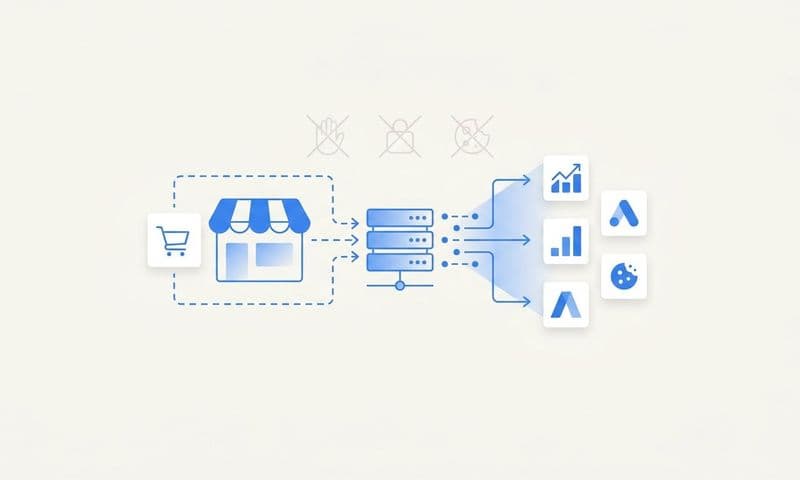
A server-side tracking flow starts the same way a pixel-based one does: a user takes an action, such as submitting a demo request form, starting a trial, or a sales rep marking a deal as closed-won in the CRM. From there, the paths diverge. Instead of (or alongside) a browser script firing a pixel event, your server or CRM sends that event through an API directly to the ad platform.
The two most common integrations are Meta's Conversion API (CAPI) and Google's Enhanced Conversions. Both let you send conversion data, along with hashed customer identifiers, straight from your server to the platform, bypassing the browser entirely. LinkedIn and TikTok offer comparable server-side and offline conversion APIs, which matter for B2B teams running LinkedIn Ads specifically.
One technical detail worth understanding is deduplication. If you're running both a browser pixel and a server-side integration, which many teams do during a transition, the same conversion could get reported twice: once from the browser event, once from the server event. Deduplication logic matches these two events using a shared identifier (like an event ID) so the ad platform counts it once, not twice. Without proper deduplication, you risk inflating your reported conversion volume, which is just as misleading as undercounting it.
What separates a basic server-side setup from a genuinely useful one is what data rides along with the event. A form fill alone tells an ad platform very little. A platform like Cometly connects that server-side event to Stripe revenue data and CRM pipeline stages, so what gets sent back to Meta or Google isn't just "a conversion." It's a qualified sales opportunity, or a closed-won deal with an actual dollar value attached. That distinction changes what the ad platform's optimization algorithm is actually learning to find more of.
Is Server-Side Tracking Only for Meta and Google Ads?
No. Server-side tracking applies to any ad platform that offers an API for offline or server-side events, and that list extends well beyond Meta and Google. LinkedIn Ads has its own Conversions API, and TikTok offers a comparable server-side events integration. Both function on the same principle: conversion data travels from your server to the platform, bypassing browser-based limitations.
For B2B SaaS companies, LinkedIn and Google Ads tend to be where server-side tracking matters most, precisely because of how long B2B sales cycles run. A prospect might click a LinkedIn ad, browse the site, and not convert to a paying customer for six or eight weeks after multiple sales conversations. By the time that deal closes, any browser cookie tied to the original ad click is long gone. A server-side event, triggered when the CRM marks the deal as closed-won and matched back to the original click through a stored identifier, is often the only way that ad platform ever learns the campaign actually worked.
Meta remains relevant for top-of-funnel B2B campaigns and retargeting, but the sales-cycle-length problem is most acute on the platforms built for professional targeting and search intent. If you're only running Meta ads, server-side tracking still helps. If you're running LinkedIn or Google Ads with a multi-week sales cycle, it's closer to essential.
Do I Need a Developer to Set Up Server-Side Tracking?
Building a server-side tracking pipeline from scratch generally does require engineering resources. You need someone to manage the API connections to each ad platform, write and maintain the deduplication logic, map CRM and billing fields to the right event parameters, and handle the ongoing maintenance when platforms update their APIs. For a team without dedicated engineering bandwidth, this becomes a recurring project rather than a one-time setup.
Attribution platforms that offer server-side tracking and Conversion API integration as a built-in feature remove most of that burden. Cometly, for example, connects to your ad platforms, CRM, and Stripe account, and handles the server-side event delivery and deduplication as part of the platform rather than as a custom build you maintain yourself.
A customer data platform (CDP) is another route some teams consider, since CDPs can also route first-party data to ad platforms. But a general-purpose CDP is built to manage far broader data infrastructure than most marketing teams need, and typically costs and configures accordingly. If your actual goal is accurate ad attribution tied to pipeline and revenue, a purpose-built attribution tool gets you there without paying for capabilities you won't use. The right choice depends on whether you need broader customer data orchestration across the business or specifically need marketing and sales data connected to ad performance.
What Results Should I Expect After Switching?
Once server events are properly matched and deduplicated, you should expect ad platforms to report more conversions than a pixel-only setup captured, since events that were previously blocked or dropped are now getting through. The exact size of that lift varies by industry, browser mix of your audience, and how much of your traffic was already being missed, so treat any vendor's blanket percentage claim skeptically and measure your own numbers instead.
Better data doesn't just improve your reporting, it improves your ad performance. Meta's and Google's optimization algorithms make targeting decisions based on the conversion signals you send them. If those signals are incomplete or delayed, the algorithm is optimizing toward an incomplete picture of who actually converts. Feeding it accurate, revenue-qualified events, closed deals and pipeline stages rather than raw form fills, gives the algorithm a clearer target to find more of.
To verify the impact on your own account, compare reported conversions for a 30 to 60 day window before and after implementation, holding campaign structure and budget roughly steady if you can. Look at match rates in the ad platform's events manager, and cross-reference reported conversions against what your CRM shows for the same period. That internal comparison is more reliable than any industry-wide average, because your traffic mix, browser distribution, and sales cycle are specific to your business.
Server-side tracking is no longer optional for B2B SaaS marketers running paid ads. Third-party cookie policies keep shifting, browser privacy restrictions keep tightening, and every quarter you run on pixel-only tracking is another quarter of ad spend that isn't getting properly credited to the customers it produced. The practical next step is auditing your current setup: pull your ad platform's reported conversions and your CRM's actual closed deals for the same period and see how far apart they are. That gap is your baseline case for change.
Ready to elevate your marketing game with precision and confidence? Discover how Cometly's AI-driven recommendations can transform your ad strategy. Get your free demo today and start capturing every touchpoint to maximize your conversions.