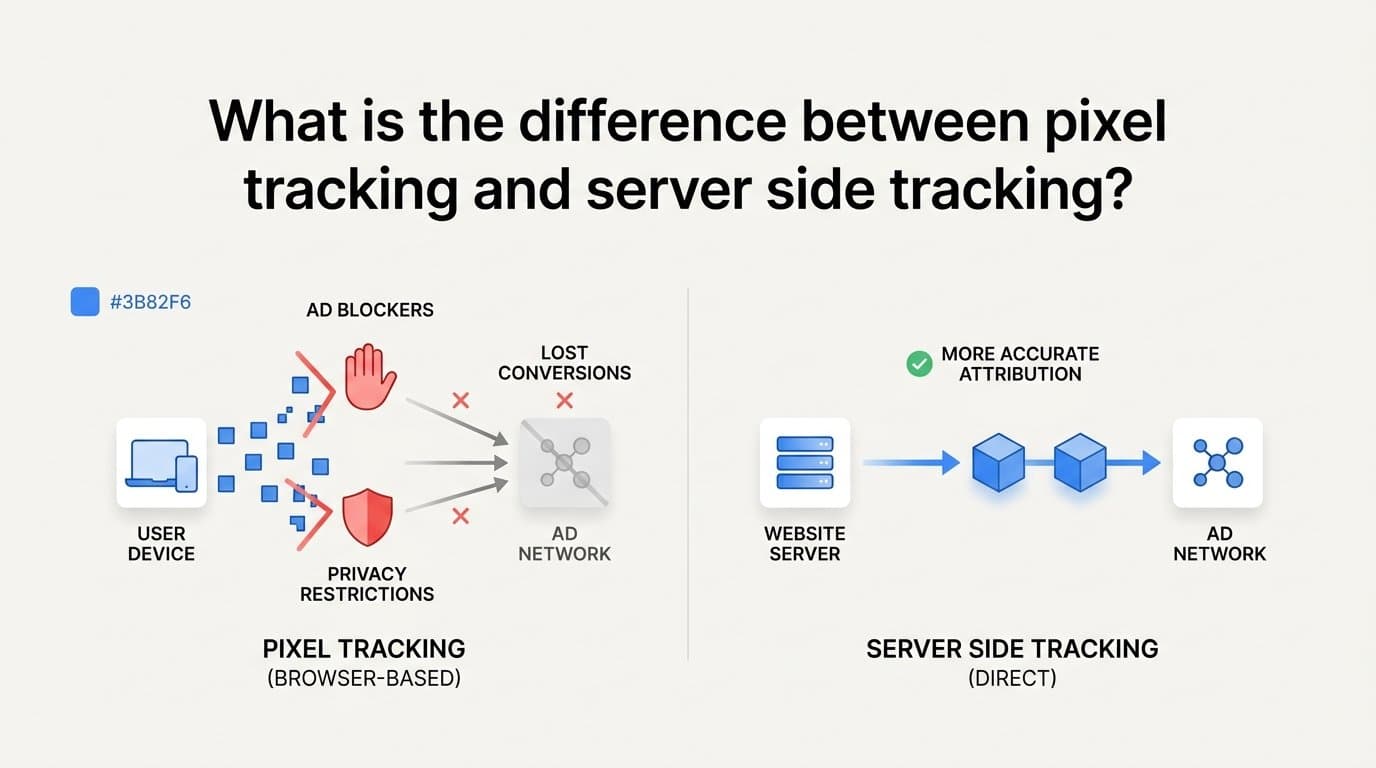
Pixel tracking fires from the user's browser and depends on cookies and JavaScript loading correctly, while server side tracking sends conversion data directly from your server or a platform like Cometly to ad networks, bypassing browser restrictions and ad blockers entirely. That's the core distinction, and it matters more now than it did five years ago. Browser privacy changes and ad blockers now block a meaningful share of pixel-based events, which means the pixel alone no longer gives you a complete or trustworthy view of what your ads are actually doing. Understanding how each method works, where the accuracy gap comes from, and why pixels keep losing ground is the first step to fixing your attribution data instead of guessing at it.
How Pixel Tracking Works
A pixel, whether it's the Meta Pixel or the Google Ads tag, is a snippet of JavaScript embedded in your website that fires inside the visitor's browser. When someone loads a page or completes an action like submitting a form, the pixel executes and sends that event back to the ad platform. It's the tracking method most marketers set up first because it requires no backend development, just a tag manager and a few lines of code.
The problem is that pixel tracking only works if the browser cooperates. It relies on third-party cookies to connect a visitor's ad click to their later behavior on your site, and it depends on the JavaScript actually loading and executing before the user navigates away. Any of the following can break that chain: an ad blocker stripping the script before it loads, Safari's Intelligent Tracking Prevention limiting cookie lifespan, a slow page load that causes the user to close the tab before the pixel fires, or a privacy extension blocking the request outright.
Because the pixel lives entirely in the browser, it also only knows what the browser can see. It can register that someone clicked "submit" on a demo request form, but it has no visibility into what happens after that lead enters your CRM. It doesn't know if the lead became a qualified opportunity, closed as a paying customer, or generated recurring revenue in Stripe. For B2B SaaS companies with long sales cycles, that's a significant blind spot. The pixel tells you a form was filled out. It has nothing to say about whether that form fill turned into pipeline or closed-won revenue, which is the number that actually matters for judging ad performance.
How Server Side Tracking Works
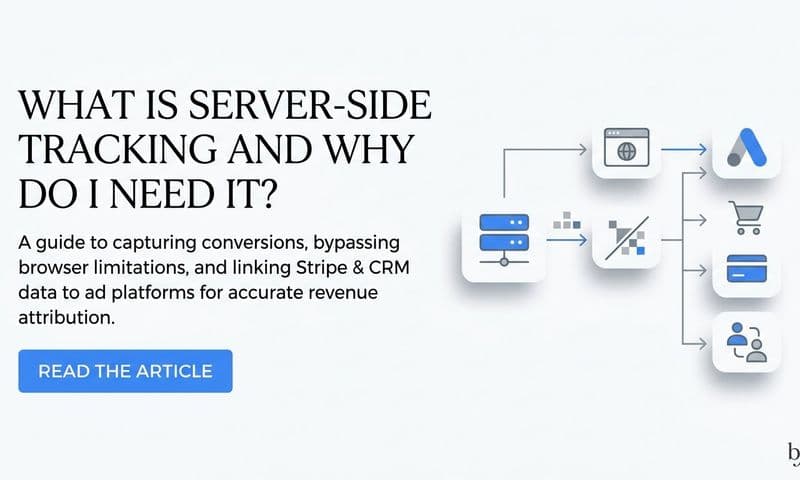
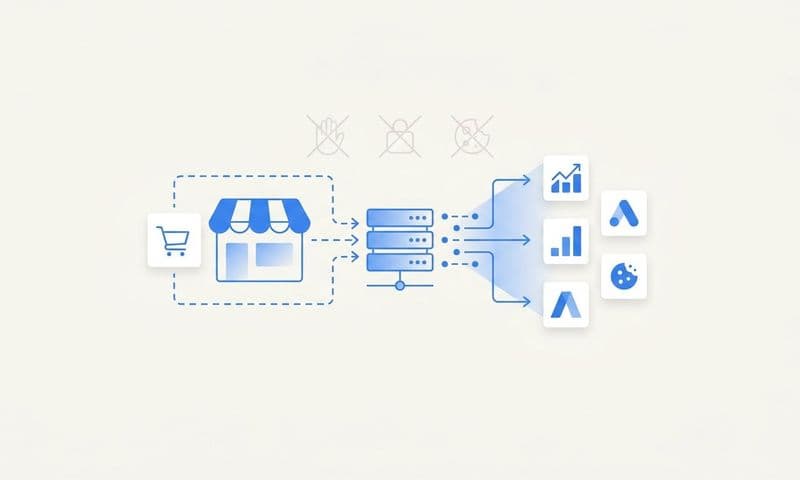
Server side tracking moves the conversion event out of the browser and into a direct connection between your backend and the ad platform's API. Meta calls its version the Conversion API (CAPI); Google calls its version Enhanced Conversions. Instead of relying on JavaScript executing in a visitor's browser, the event is sent from a server, a CRM, or an attribution platform straight to the ad network, which means it isn't affected by ad blockers, cookie restrictions, or a user closing their browser tab early.
Because server side events don't depend on browser-side scripts, they can carry more than a simple page view or click. A server side event can include hashed first-party data like email address and phone number, which helps the ad platform match the conversion to the right user even without third-party cookies. It can also include data the pixel never had access to in the first place, such as a CRM stage change or a Stripe payment event. That means a server side setup can report "this ad click became a $12,000 annual contract" instead of just "this ad click became a form submission."
This is the layer Cometly is built around. Cometly connects your ad platforms, CRM, and Stripe revenue data on the server side, so instead of stopping at lead or form fill, the attribution data follows the customer all the way through the pipeline to closed-won revenue. For B2B SaaS companies, where the gap between an ad click and a signed contract can be weeks or months, that continuity is the difference between optimizing toward vanity metrics and optimizing toward actual revenue. It also means the data feeding back into Meta and Google's ad algorithms is enriched with real outcomes, not just top-of-funnel signals, which tends to improve targeting and lower acquisition costs over time.
Pixel Tracking vs Server Side Tracking: The Core Differences
The two methods differ in three practical ways: how much they capture, how deep that data goes, and how much work they take to maintain.
On accuracy, server side tracking generally recovers conversion events that pixels miss due to ad blockers, cookie restrictions, and browser privacy settings. How large that gap is varies by traffic source, audience, and browser mix, so it's worth measuring on your own account rather than assuming a fixed percentage. A campaign running heavily on Safari traffic will see a bigger discrepancy than one running mostly on Chrome, for example, because Safari's tracking restrictions are more aggressive.
On data depth, pixels are built to capture surface-level browser events: a page view, a button click, a form submission. Server side tracking can pass deduplicated, enriched events that include revenue amount, deal stage, and customer lifetime value. That distinction matters most for B2B SaaS marketers, because the events that matter for growth (qualified pipeline, closed-won revenue, expansion revenue) live in a CRM or billing system, not in the browser.
On setup and control, pixels win on simplicity. Dropping a tag into Google Tag Manager takes minutes, and most marketers can do it without engineering help. Server side tracking takes more upfront technical work: connecting APIs, mapping events, and making sure identifiers match correctly across systems. But that upfront cost pays off in resilience. A pixel-only setup has to be re-patched every time a browser vendor tightens privacy rules, while a server side connection, once built correctly, keeps working regardless of what happens in the browser.
Why Is Pixel Tracking Becoming Less Reliable?
Pixel reliability has declined mainly because browsers and mobile operating systems have spent the last several years closing off the tracking mechanisms pixels depend on. Apple's Safari browser uses Intelligent Tracking Prevention to limit how long third-party cookies persist, which shortens the window a pixel has to connect an ad click to a later conversion. Ad blockers and privacy browser extensions, now used by a large share of internet users, block pixel scripts outright before they ever fire.
Apple's iOS App Tracking Transparency framework, introduced in 2021, added another layer of restriction by requiring apps to get explicit user permission before tracking activity across other apps and websites. That change alone significantly reduced the cross-app and cross-site visibility that platforms like Meta relied on for pixel-based attribution, and it's a large part of why Meta pushed the Conversion API as a workaround starting around the same time.
The practical consequence for marketers who rely solely on pixel data is underreported conversions. If your pixel is only catching a portion of the conversions that actually happened, your reported ROAS looks worse than reality. That skew can lead to a bad decision: cutting budget on a campaign that's actually performing well, simply because the tracking data feeding your dashboard is incomplete. This is the exact scenario server side tracking is designed to prevent, by capturing the conversions the pixel never sees in the first place.
Should You Use Both Pixel and Server Side Tracking Together?
Yes. Meta and Google both explicitly recommend running pixel and server side tracking together, with event deduplication in place so the same conversion doesn't get counted twice. Deduplication works by assigning each event a unique identifier so the ad platform can recognize when a browser-side pixel event and a server side event refer to the same action, and count it only once.
The pixel isn't obsolete even in a server side setup. It still captures useful browser-side signals that server events don't, like scroll depth, time on page, or button clicks that never turn into a submitted lead. Those micro-signals help ad platforms understand engagement quality even before a conversion happens. A hybrid setup, pixel plus server side, gives you the fullest picture: browser-side engagement data layered with server-side revenue accuracy.
This is the approach Cometly's server-side integration is built around. Rather than replacing your pixel, Cometly deduplicates events between browser and server sources, then enriches the server side events with CRM and Stripe revenue data before sending them back to Meta and Google. The result is an ad platform that's optimizing against real closed-won revenue instead of a lead count that may or may not turn into paying customers. For B2B SaaS companies with multi-step sales processes, that's the setup that actually protects budget from being pulled off campaigns that are working.
What Tools Support Server Side Tracking?
The two native options come straight from the ad platforms: Meta's Conversion API and Google's Enhanced Conversions. Both let you send conversion events directly from your server to the platform, and both support first-party data matching to improve attribution without third-party cookies. The tradeoff is that native setup requires manual configuration, mapping each event type, and ongoing maintenance as the platforms update their requirements.
Attribution platforms built specifically for this problem remove most of that manual work. Cometly, for example, handles server-side event delivery across more than 70 native integrations, connecting ad spend directly to pipeline and revenue without requiring custom development from your engineering team. Instead of building and maintaining separate CAPI and Enhanced Conversions integrations for every ad channel, marketers get one connected system that pushes enriched, deduplicated events to all of them.
Because CAPI and Enhanced Conversions documentation changes fairly often, it's worth checking each platform's current setup requirements directly before building anything, especially as of 2026, when both Meta and Google continue to adjust matching parameters and data requirements. If you're evaluating whether to build a native integration in-house or use an attribution platform, the deciding factor is usually team capacity: native setup works fine if you have engineering resources to maintain it, while a platform like Cometly makes sense if you want the accuracy benefits without the ongoing technical overhead.
Auditing What Your Pixel Setup Is Actually Missing
Pixel tracking and server side tracking solve different parts of the same problem. The pixel gives you fast, easy-to-install visibility into browser-side behavior, while server side tracking gives you the accuracy and revenue depth that browser restrictions have made harder to get any other way. Running both, with deduplication, is the practical standard now, not an advanced setup reserved for large teams.
The next step is straightforward: audit which conversions your current pixel setup might be missing, and check whether your reported ROAS reflects actual revenue or just top-of-funnel activity. Ready to elevate your marketing game with precision and confidence? Discover how Cometly's AI-driven recommendations can transform your ad strategy. Get your free demo today and start capturing every touchpoint to maximize your conversions.