To improve your Facebook Event Match Quality (EMQ) score above 8, you need to send more customer data parameters with each conversion event, specifically hashed identifiers like email, phone number, first name, last name, and external ID. A score above 8 means Meta can reliably match your conversion events to real Facebook users, which directly improves ad delivery, audience targeting, and return on ad spend.
Most advertisers score between 6 and 7 using basic pixel setups. Pushing above 8 requires a deliberate strategy: upgrading to server-side tracking via the Conversions API, enriching events with first-party data, and eliminating duplicate or low-quality signals.
For B2B SaaS teams specifically, this challenge is compounded by longer sales cycles and multi-stage funnels. You have more conversion events to track, more CRM data to leverage, and more at stake when attribution breaks down. The good news is that the same CRM data you already collect is exactly what Meta needs to match events accurately.
Cometly is one strong option for B2B SaaS teams because it combines server-side event tracking with first-party data enrichment and sends conversion-ready events back to Meta automatically, without requiring custom engineering. It connects your ad platforms, CRM, and website to give Meta the richest possible signal at every stage of your funnel.
This guide walks through five concrete steps to reach and sustain an EMQ score above 8.
Step 1: Audit Your Current Event Parameters in Events Manager
Before you change anything, you need to understand exactly where you stand. Open Meta Events Manager and navigate to the Event Match Quality tab for your pixel or CAPI dataset. This is your baseline, and you cannot measure improvement without it.
Look at each active conversion event and identify which parameters you are currently sending. The parameters Meta uses for matching include: email (em), phone number (ph), first name (fn), last name (ln), external ID (external_id), client IP address, client user agent, Facebook browser ID (fbp), and Facebook click ID (fbc).
For each parameter, note whether it shows as "Received" or "Not Received." Then look at the match rate column. A parameter can be received but still have a low match rate if the data is formatted incorrectly, hashed improperly, or simply does not correspond to a real Facebook account.
Understanding how EMQ scoring works is important here. Each additional matched parameter raises your score, but not all parameters carry equal weight. Email and phone number are the highest-weight identifiers because they are the most unique. Browser-based identifiers like fbp and fbc contribute, but their reliability has declined significantly due to Safari's Intelligent Tracking Prevention, Firefox's Enhanced Tracking Protection, and iOS App Tracking Transparency restrictions.
Document your baseline score before making any changes. Write down your current EMQ score per event, which parameters are being sent, and which have low match rates. This documentation will help you confirm that each subsequent step is producing measurable improvement.
The most common finding at this stage is that pixel-only setups send only fbp, client IP address, and client user agent. These browser-based identifiers are increasingly unreliable, and relying on them alone structurally caps your EMQ score around 5 to 6. You are not missing data because your customers are anonymous. You are missing data because your current setup has no way to capture and forward it.
This audit sets the foundation for everything that follows. Once you know exactly what you are sending and what you are missing, the path forward becomes clear.
Step 2: Implement the Conversions API to Send Server-Side Events
Browser-based pixel tracking alone cannot reliably capture the data needed for high EMQ scores. Ad blockers, iOS restrictions, and cookie limitations all erode the signal quality your pixel can deliver. The Conversions API (CAPI) solves this by sending events directly from your server to Meta, bypassing browser limitations entirely and enabling you to pass richer customer data with every event.
Before choosing your implementation method, understand what CAPI actually enables. Because events originate from your server rather than a user's browser, you can include data that the browser pixel never had access to: CRM-sourced contact information, hashed email addresses captured at form submission, phone numbers, and your own internal user IDs. This is what unlocks the higher EMQ scores that pixel-only setups cannot reach.
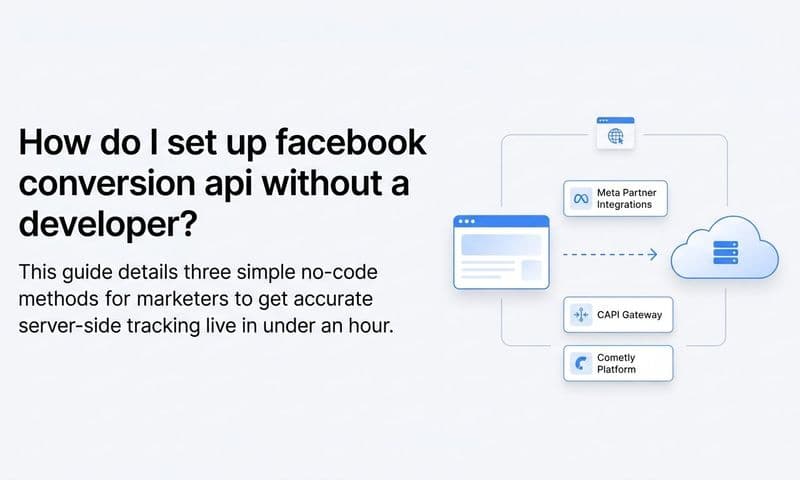
You have three main implementation paths. The first is a direct API integration, where your engineering team builds a server-side connection to Meta's Conversions API endpoint. This offers full control but requires development resources and ongoing maintenance. The second is Meta's CAPI Gateway, a self-hosted option that reduces some of the engineering burden. The third is a third-party attribution platform like Cometly, which handles server-side tracking natively and connects your CRM, ad platforms, and website events without custom code.
For B2B SaaS teams without dedicated engineering resources for ad infrastructure, a platform like Cometly is often the fastest path to implementation. It forwards enriched conversion data to Meta automatically, and because it connects directly to your CRM, it can include full contact data on every event from the moment a lead is created.
When configuring your CAPI setup, make sure you are sending events for all key conversion actions in your funnel. For B2B SaaS, this typically includes lead form submissions, trial signups, demo requests, and any downstream pipeline events you track. Do not limit CAPI to just your top-of-funnel events.
After implementation, verify that CAPI events are arriving correctly. In Events Manager, look for the "Server" source column in your event breakdown. You should see server-side events appearing alongside browser events for the same conversion actions.
One important note: do not remove your browser pixel when you add CAPI. Running both in parallel maximizes your signal coverage. The browser pixel captures real-time behavioral data and browser identifiers, while CAPI captures richer first-party data from your server. Together they give Meta more to work with. You will handle the duplication issue in Step 4.
Step 3: Enrich Every Event With First-Party Customer Data
This is the single highest-impact step for pushing your EMQ score above 8. Implementing CAPI gives you the channel to send richer data. This step is about actually sending it.
For each conversion event, pass as many of the following hashed parameters as you have available: email (em), phone number (ph), first name (fn), last name (ln), external ID (your CRM user ID), date of birth (db), gender (ge), city (ct), state (st), zip code (zp), and country. You do not need all of them. Hitting five or more matched parameters per event is a strong target for scoring above 8, and email plus phone plus first name plus last name plus external ID is a reliable combination.
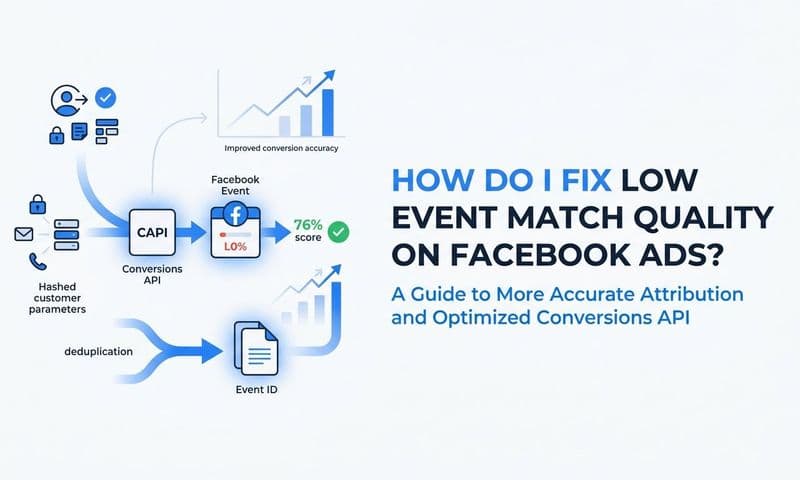
All parameters must be SHA-256 hashed before sending, and Meta's formatting rules are strict. Names should be lowercase with no spaces. Phone numbers should include the country code and no special characters. Email addresses should be lowercase. Formatting errors are one of the most common reasons parameters are received but produce low match rates. The data arrives, but it does not match because the format does not align with how Meta stores user information.
Capture email and phone at the point of conversion. Lead forms, trial signup flows, demo request pages, and checkout flows are all opportunities to collect these identifiers with user consent. If your forms currently only ask for email, consider whether adding a phone field is appropriate for your audience and use case.
For B2B SaaS funnels specifically, your CRM holds the richest data. When a lead converts, your CRM typically has their full name, email, company, and often a phone number. The challenge is connecting that CRM data to your event pipeline so that downstream events like MQL, SQL, and closed-won deals include the full contact profile, not just a session cookie.
This is where platforms like Cometly provide meaningful leverage. Cometly enriches events automatically by connecting CRM data to ad platform events, so every touchpoint from first click to closed revenue carries the full customer profile. Instead of building a custom data pipeline to join CRM records with ad events, the connection is handled natively.
One pitfall to avoid: sending empty or null parameter values. If you include a parameter field in your event payload but the value is empty, it can actually lower your match rate by signaling incomplete data. Only send parameters for which you have real, populated values.
Step 4: Deduplicate Events Between Pixel and CAPI
Running both your browser pixel and CAPI in parallel is the right approach, but it creates a problem you need to solve deliberately. Meta will receive two copies of each conversion event: one from the browser and one from your server. Without deduplication, this inflates your conversion counts and sends conflicting signals to Meta's optimization algorithm.
The solution is the event_id parameter. Assign the same unique event_id to the browser pixel event and the matching CAPI event for the same conversion action. When Meta sees two events with the same event_name and event_id within a 48-hour window, it automatically discards the duplicate and keeps only one. This is Meta's documented deduplication mechanism, and it works reliably when implemented correctly.
Generating event_id values correctly is important. The ID must be unique per conversion instance, not per session or per user. A UUID generated at the moment of conversion works well. A hash of the order ID combined with a timestamp is another solid approach. The key requirement is that the same value is passed to both the pixel and the CAPI event for that specific conversion, and that no two separate conversions share the same ID.
In practice, this means generating the event_id in your application at the moment the conversion occurs, passing it to the browser-side pixel event, and also including it in the server-side CAPI payload. If your pixel fires via a tag manager, you may need to store the event_id in a data layer variable so it is accessible to both the client-side tag and your server-side event.
To verify that deduplication is working, look for the "Deduplicated" column in the event breakdown within Events Manager. A healthy deduplication rate confirms that Meta is receiving both signals and correctly merging them. If you see no deduplication activity after implementing CAPI alongside your pixel, your event_id values are likely not matching between the two sources.
Incorrect deduplication is one of the most common reasons EMQ scores stall after implementing CAPI. Marketers add server-side tracking, see their event counts double, and assume something is wrong with the setup. Often the tracking is working correctly; the deduplication just needs to be configured. Fix this before moving to the final step.
Step 5: Validate, Monitor, and Continuously Improve Signal Quality
Getting your EMQ score above 8 is not a one-time configuration. Signal quality drifts over time as your product changes, your forms evolve, and your CRM integrations shift. Building a monitoring habit is what keeps your score high after you reach it.
Start with validation. Use the Meta Pixel Helper browser extension to confirm that pixel events fire correctly on your conversion pages with all expected parameters. Use the Test Events tool in Events Manager to verify that both browser and server-side events arrive with the correct structure and parameter values. Run through your actual conversion flows, not just test data, to catch any gaps between what you expect to send and what actually arrives.
Check your EMQ score weekly after making changes. Scores update based on recent event data and typically reflect changes within a few days. Do not expect an immediate jump after implementation. Give each change a week before evaluating its impact, and compare against the baseline you documented in Step 1.
In Events Manager, look at the Parameter Quality breakdown for each event. This view shows which parameters have high versus low match rates. If email is being sent but showing a low match rate, the issue is likely a formatting or hashing problem. If phone number is not being sent at all, that is a data capture gap to address upstream in your forms or CRM sync.
For B2B SaaS teams tracking longer sales cycles, extend your server-side event tracking beyond top-of-funnel conversions. Pass pipeline stage changes and closed-won revenue back to Meta as offline or server-side events. This gives Meta signal from your highest-value conversions, which improves the algorithm's ability to find similar high-value prospects. Each of these downstream events should include the same full parameter set you established in Step 3.
Cometly's AI ads manager surfaces which campaigns and events are driving actual pipeline and revenue, helping you prioritize which conversion events to optimize first. Instead of treating all events equally, you can focus your enrichment and monitoring efforts on the events that most directly predict revenue.
Set a recurring monthly audit. Review EMQ scores per event, check for parameter drift, confirm your CAPI connection is healthy, and verify that deduplication rates look correct. A monthly review catches problems before they compound into weeks of degraded signal quality.
What Is a Good Facebook Event Match Quality Score?
A score of 8 or above is considered strong and indicates that Meta can reliably match most of your conversion events to real user accounts. Scores between 6 and 7 are average and typical of basic pixel setups. A score below 6 indicates significant data gaps, usually missing parameters, browser tracking limitations, or no CAPI implementation.
Which Parameters Improve Event Match Quality the Most?
Email and phone number carry the most weight because they are the most unique identifiers Meta can match against its user database. External ID, first name, and last name add meaningful incremental quality. Browser-based identifiers like fbp and fbc contribute but are increasingly unreliable due to browser and OS restrictions.
Does the Conversions API Improve Event Match Quality?
Yes. CAPI enables server-side parameter passing that browser pixels cannot reliably capture. Because server-side events originate from your infrastructure rather than a user's browser, they bypass ad blockers, cookie restrictions, and iOS limitations, and they can carry CRM-sourced contact data that the pixel never had access to.
What Causes a Low Event Match Quality Score?
The most common causes are missing parameters, browser tracking limitations from ad blockers and iOS restrictions, no CAPI implementation, and improperly hashed or formatted data. Sending parameters with incorrect formatting is particularly common because the data arrives but does not match Meta's user records, resulting in low match rates even when parameters appear as "Received."
Putting It All Together
Reaching an EMQ score above 8 comes down to three fundamentals: sending events server-side via CAPI, enriching those events with as many first-party customer data parameters as possible, and deduplicating browser and server signals correctly.
For B2B SaaS teams, the biggest unlock is connecting CRM data to your event pipeline so that every conversion carries a full customer profile, not just a browser cookie. Your CRM already holds the email addresses, phone numbers, and contact details that Meta needs to match events accurately. The work is in building the pipeline that gets that data to Meta at the moment of conversion.
Tools like Cometly automate this by combining server-side tracking, first-party data enrichment, and direct Meta Conversions API integration in one platform. Your ad platform receives the richest possible signal without custom engineering work, and you get a clear view of which campaigns and events are actually driving pipeline and revenue.
Before you close this tab, run through this quick checklist: audit your current parameters in Events Manager, implement CAPI alongside your existing pixel, enrich events with email, phone, name, and external ID, set unique event_id values for deduplication, and monitor EMQ scores weekly. Each step builds on the last, and the compounding effect on your match quality is significant.
Higher match quality means better audience targeting, more accurate attribution, and stronger ad performance across your Facebook campaigns. The data you need is already in your systems. The goal is getting it to Meta in the right format, at the right time, on every conversion.
Ready to elevate your marketing attribution with precision and confidence? Discover how Cometly's AI-driven recommendations can transform your ad strategy. Get your free demo today and start capturing every touchpoint to maximize your conversions.